
A client information sheet is your central hub for everything you need to know about a client. Think of it as the ultimate cheat sheet, gathering everything from basic contact info to their service history and billing preferences. It’s the single source of truth that stops your team from digging through old emails and messy notes, letting everyone deliver sharp, consistent, and personal service.
The Foundation of Every Great Client Relationship
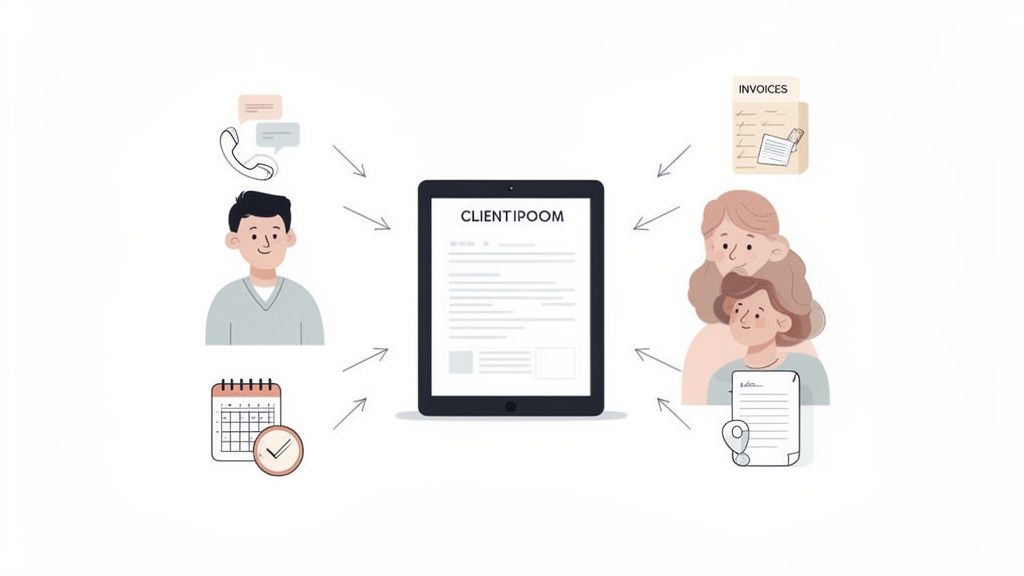
Let’s be honest—scattered client details are a recipe for disaster. When crucial information is trapped in separate email threads, random spreadsheets, or scribbled on sticky notes, your team is working with one hand tied behind their back. This scramble isn't just inefficient; it actively undermines the quality of your client relationships.
A well-crafted client information sheet solves this by creating a reliable pillar for your entire client management strategy. It’s not just another form. It’s a living document that grows right alongside your relationship with the client, preventing costly mistakes and giving your team the confidence to act decisively.
From Clunky Onboarding to a Seamless Experience
Your first interaction sets the stage for everything that follows. A clunky, frustrating onboarding process—where you’re asking the same questions over and over—screams disorganization and a lack of respect for your client's time. It's a terrible first impression.
On the other hand, presenting a clear, simple client information sheet shows you're a pro who has their act together. It transforms onboarding from an administrative chore into a smooth, professional welcome that builds trust from the very start.
A standardized system for client data does more than just keep you organized; it directly impacts your bottom line and your ability to scale. When every team member has the right information at their fingertips, you build a more resilient business.
This streamlined approach delivers real results. Businesses that centralize client data see a remarkable 25-30% reduction in time wasted just trying to find information. It's a big deal, especially when you consider a recent survey that found 68% of SMBs blamed inconsistent data for service delays and lost revenue.
Core Components of an Effective Sheet
A great information sheet gathers just enough detail to be useful without overwhelming your client. The sweet spot is actionable information that helps you at every point in the relationship. A good rule of thumb is that any team member should be able to look at this one document and get up to speed on a client immediately.
For more on this, check out our guide on getting information from clients for some proven strategies.
To get you started, here’s a quick overview of the must-have fields for complete and actionable client data collection.
Essential Components of a Client Information Sheet
| Category | Essential Fields | Purpose |
|---|---|---|
| Contact & Company Details | Full name, title, company name, email, phone number, physical address, secondary contact. | Ensures you can always reach the right person and have foundational business details. |
| Service History | Previous projects, services used, key milestones, feedback provided. | Provides context for future interactions and helps identify upselling opportunities. |
| Billing & Payment Info | Billing contact, payment method, invoicing requirements, tax ID, payment terms. | Prevents payment delays and clarifies financial procedures from the start. |
| Preferences & Consent | Communication preferences (email, phone), marketing consent, data usage permissions. | Respects client privacy, ensures compliance, and allows for personalized communication. |
Ultimately, these core components give you a 360-degree view of your client, making every interaction more informed and effective.
Building Your Information Sheet from the Ground Up
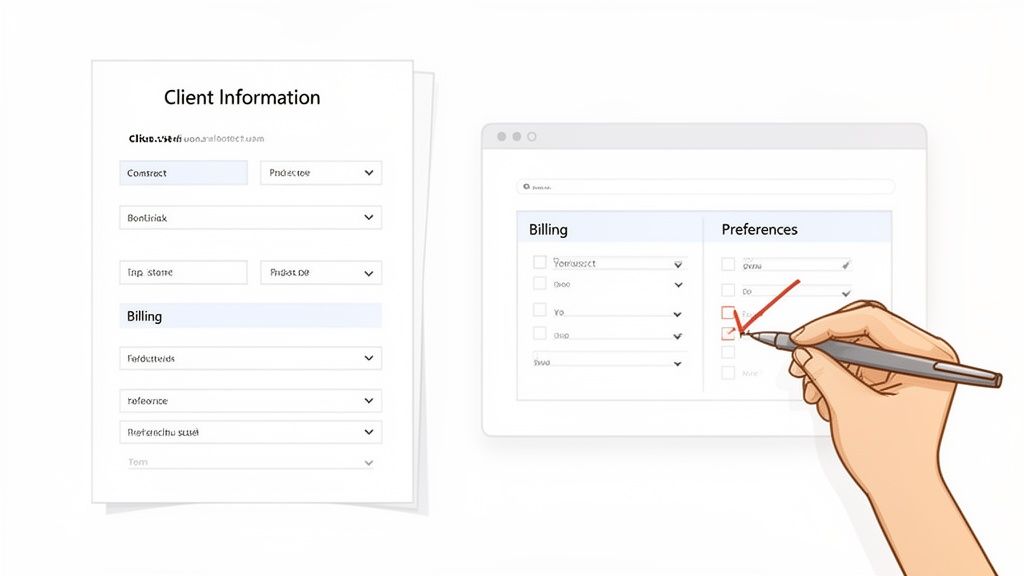
It’s tempting to grab the first generic template you find online, but let’s be honest—they rarely get the job done right. A one-size-fits-all form usually fits no one, leaving you asking irrelevant questions while missing the details that actually move your work forward. It's time to build something that truly works for you.
The whole point is to create a form that clients can fill out quickly and without rolling their eyes. You have to strike that perfect balance: get all the info you need, but keep the experience short and painless. If it's too long or confusing, clients will just give up, and you're left chasing down missing details.
Structuring Your Form for a Smooth Flow
How you organize your questions is just as important as what you ask. A well-structured form should feel less like an interrogation and more like a natural conversation, guiding your client from one point to the next. The easiest way to do this is to group related information together.
Think about it. You wouldn't ask for their billing address, jump to their project goals, and then circle back to their payment contact two sections later. That's just confusing. Instead, create clear, logical sections.
- Contact & Company Information: All the basic "who are you" details go here.
- Billing & Financials: Keep everything about payments and invoices in one spot.
- Project or Service Details: This is where you get into the nitty-gritty of why they hired you.
- Preferences & Consent: Finish up with how they like to communicate and any necessary permissions.
This simple act of organizing shows you respect their time and makes the form feel much less intimidating to tackle.
Choosing the Right Field Types for Clean Data
The kind of fields you use will make or break the quality of the data you get back. Sure, an open text box is great for notes, but relying on them for everything leads to messy, inconsistent answers that are a nightmare to sort through later. This is where you need to get smart with your field types.
By using dropdown menus, checkboxes, and date pickers, you’re basically forcing standardized answers—in a good way. For instance, instead of an open-ended question like, "What service are you looking for?" give them a dropdown list of your actual offerings. This simple change eliminates typos and guesswork, ensuring your data is clean from the very start.
Your intake form is often the first real piece of your process a client experiences. A clean, logical layout doesn't just make data collection easier for you; it sends a clear message that you are professional, organized, and have your act together.
Real-World Example: A Creative Agency
Let's imagine you run a creative agency. A generic form might have a single field for "Project Details." That’s way too vague. A much better approach is to break it down with specific, structured fields that give you actionable information.
- Primary Goal (Dropdown): "Increase Brand Awareness," "Drive Website Traffic," "Generate Leads"
- Target Audience (Checkboxes): "Gen Z," "Millennials," "Small Business Owners," "Enterprise C-Suite"
- Brand Assets (File Upload): Give them a dedicated spot to drop their logo, style guide, and other must-have files.
With this approach, your team gets exactly what they need to hit the ground running, often before the kickoff call even happens.
Keeping It Concise and Actionable
As you're putting your form together, keep asking yourself one critical question: "Do I absolutely need this information right now?" It's so easy to fall into the trap of trying to collect every single piece of data you might possibly need down the road. Fight that urge.
Remember, longer forms have significantly lower completion rates. Focus only on what’s essential for a smooth onboarding. You can always gather more details as your relationship with the client grows. A great client information sheet feels thorough yet surprisingly quick to complete—that’s the sweet spot.
How to Customize Your Sheet for Any Industry
A generic client information sheet is a decent starting point, but it's not going to get you very far. The real magic happens when you tailor it to your specific industry. A financial advisor needs to know about risk tolerance, while a real estate agent is focused on property must-haves. This kind of customization isn't just about making your life easier—it's about showing your client you know what you're doing right from the first interaction.
When a client sees questions that are perfectly aligned with their situation, it builds instant trust. They know you've been down this road before and you understand exactly what's needed to get the job done right. You're not just collecting data; you're setting the tone for a smooth, professional partnership.
Legal and Financial Services Customization
For those in high-stakes fields like law and finance, precision is everything. A law firm’s intake form needs to do more than just capture a name and phone number; it has to gather critical details for case management and compliance from the get-go.
Think about adding fields like these:
- Case or Matter Number: Immediately links the client to a specific file.
- Opposing Party Information: Crucial for running conflict-of-interest checks right away.
- Key Deadlines or Statutes of Limitations: Getting this upfront prevents catastrophic oversights.
- Document Upload for Retainer Agreement: A dedicated spot to secure the signed agreement from day one.
It's the same story for financial advisors. Your form should paint a complete picture of a client's financial life. That means including fields for risk tolerance (maybe a simple 1-5 scale), investment goals like retirement or college funding, and a clear overview of their existing assets and liabilities. Asking for this level of detail proves you're thorough and ready to offer truly personalized advice.
The best client information sheet answers the next five questions your team will inevitably ask. By building those questions into your form, you cut out all the back-and-forth emails and show your firm is proactive and incredibly organized.
Real Estate and Creative Agency Needs
In more client-centric businesses like real estate or creative agencies, the information gathering shifts toward preferences, goals, and the scope of the project. Here, the details you collect directly shape the final outcome, so a customized form gives you a serious competitive edge.
For a real estate agent, the sheet should act as a detailed wish list. Ditch the generic "notes" field and use structured questions instead.
- Property Type (Checkboxes): Single-Family Home, Condo, Townhouse, Multi-Family.
- Must-Have Features (Checkboxes): Fenced Yard, Home Office, Updated Kitchen.
- Neighborhood Preferences (Text Field): "List your top three desired neighborhoods."
- Financing Status (Dropdown): Pre-approved, Seeking Financing, Cash Buyer.
This kind of structured data lets an agent filter listings and find perfect matches in minutes, saving a ton of time for everyone involved.
For a creative agency, the aim is to get inside the client's head and understand their brand. A solid intake form would include:
- Project Goals (Dropdown): Increase Brand Awareness, Drive Sales, Launch New Product.
- Target Audience Demographics (Text Area): "Describe your ideal customer."
- Brand Voice (Multiple Choice): Professional & Formal, Casual & Fun, Edgy & Modern.
- File Uploads for Brand Assets: A place for them to drop in logos, style guides, and inspiration.
HR, Immigration, and Healthcare Fields
For any industry that handles sensitive personal information and a mountain of documents, the client information sheet is an essential tool for compliance and verification. HR, immigration, and healthcare providers need forms that are both incredibly thorough and completely secure.
An HR agency onboarding a new hire, for example, needs to capture work eligibility status, professional certifications, and emergency contacts. An immigration firm has to go even deeper, with dedicated fields for passport numbers, visa history, and financial proof documents. These aren't just minor details—they're the core components of a successful application.
Getting this right has a huge impact. The market for automated document collection is growing fast, especially in these sectors. One study revealed that 82% of HR agencies that adopted validation dashboards cut their manual review time by a whopping 45%. Even better, immigration firms that standardized their forms with required document fields saw application rejection rates fall from 19% to just 5%. You can dig into the numbers in this market analysis on automated document solutions from gminsights.com.
At the end of the day, customizing your client information sheet isn't just a nice-to-have. It’s a strategic move that streamlines your work, slashes errors, and proves to your clients that you’re an expert who respects their time and understands their needs.
Protecting Client Data and Staying Compliant
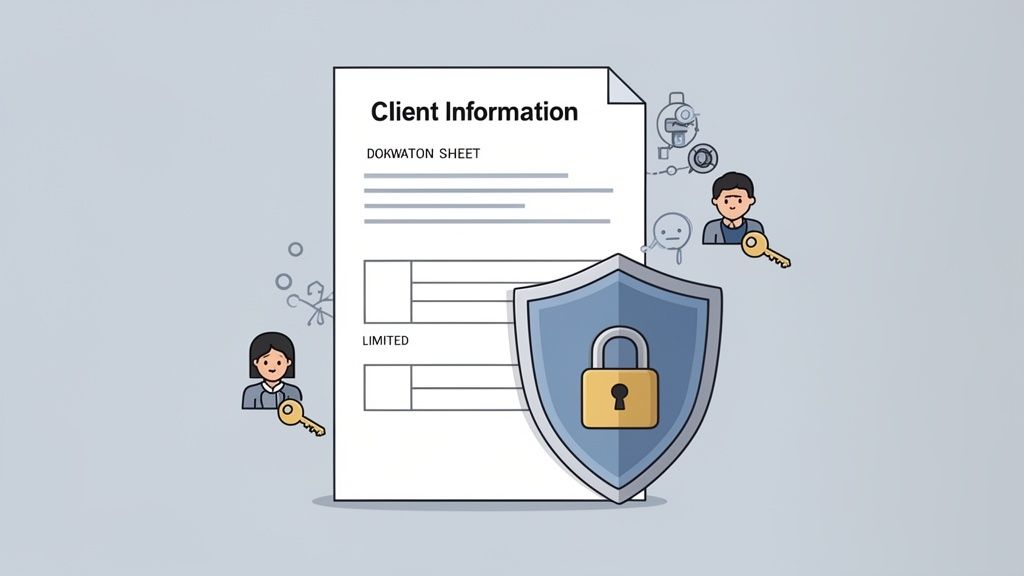
When a client hands over their details, they're handing you a massive responsibility. It’s more than just data entry; it’s a promise you'll keep their information safe. With data breaches becoming all too common, demonstrating that you can be trusted is one of the most powerful ways to stand out from the competition.
Frankly, following best practices for data security isn't just about dodging fines—it's about building a solid, professional reputation. Clients are smarter than ever about their data rights, and they absolutely expect you to handle their information with care. This is your moment to prove you take their trust seriously.
Understanding the Core Principles of Data Privacy
You don’t need a law degree to grasp the spirit behind regulations like GDPR. At the end of the day, these laws boil down to a few common-sense ideas that apply to anyone handling a client information sheet.
- Purpose Limitation: Only ask for data you genuinely need for a specific, stated reason. If you don't need their birthdate to do your job, don't put it on the form.
- Data Minimization: Collect the absolute minimum amount of information required. A shorter, more focused form is not only less hassle for your clients but also a smaller risk for you.
- Transparency: Be upfront about what data you're collecting, why you need it, and how you're going to use it. No one likes surprises.
These aren't just legal hoops to jump through. They're the bedrock of a respectful and trustworthy relationship with your clients.
Earning trust is the new currency in business. When you show clients you're serious about protecting their data, you're not just complying with rules—you're building a stronger, more loyal relationship that pays dividends for years.
Actionable Steps to Secure Client Information
Protecting client data isn't a single action; it's a combination of the right technology and good team habits. The goal is to build a secure bubble around sensitive information from the moment you collect it.
One of the most immediate and impactful changes you can make is to stop using insecure methods like email attachments. Sending a PDF form back and forth is just asking for trouble, exposing sensitive data to all sorts of risks. It's far better to use a secure, encrypted online portal for any kind of data collection.
Here are a few more concrete actions you can take right now:
- Implement Access Controls: Not everyone on your team needs to see everything. Limit access based on roles. For example, your billing department needs payment details, but your project managers probably don't.
- Use Encrypted Forms: Make sure any online form you use encrypts data both in transit (while it's being submitted) and at rest (when it's stored). This scrambles the information, making it unreadable to anyone without the key.
- Securely Store Data: Don't let completed forms live on individual desktops or in random cloud folders. A centralized, secure platform designed for document management is the only way to go.
If you're in a regulated field like finance or law, you'll need to go a step further. It’s worth taking the time to understand the essentials of AML and KYC compliance.
Crafting a Clear and Simple Consent Statement
Finally, every single client information sheet needs a clear consent statement. This is where you formally ask for permission to collect, store, and use their data. Please, avoid the temptation to copy-paste long-winded legal jargon that no one actually reads.
Your consent statement should be three things:
- Easy to Understand: Write it in plain English. Explain what they are agreeing to as if you were talking to them in person.
- Specific: Clearly state what you'll use their data for (e.g., "for project communication," "for billing purposes," "to send occasional marketing updates").
- Action-Oriented: Use a checkbox that is unchecked by default. This requires the client to actively opt-in, giving you clear, undeniable consent.
Automating Your Data Collection and Follow-Ups
Let's be honest: chasing clients for information is a huge time-suck. We’ve all been there—emailing a PDF, waiting, sending a polite nudge, and then another. It’s an administrative treadmill that keeps your team from doing their real job.
This back-and-forth isn't just inefficient; it creates a clunky, disjointed experience right at the beginning of your relationship with a new client.
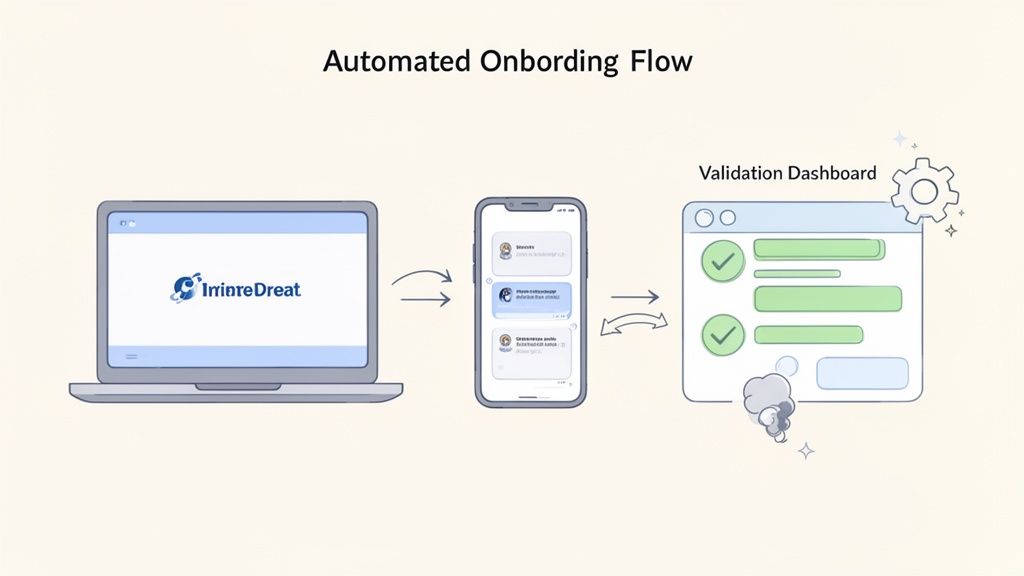
Switching to an automated system completely changes the game. Instead of attaching a file, you send a single, secure link. This takes your client to a professional, branded portal where they can fill out their client information sheet on any device, whether it's their computer or phone.
This isn't just about saving a few emails. It signals a level of professionalism and efficiency that sets a positive tone for everything that follows. Your client gets a smooth, modern experience, and your team gets the data they need without the headache.
Setting Up Smart Reminders That Work
The real magic of automation is in the follow-up. Manually tracking who has and hasn't completed their form is tedious and, frankly, easy to mess up. With a platform like Superdocu, you can build an automated reminder sequence that does all the heavy lifting.
Imagine a workflow you can set and forget:
- The Initial Ask: Your client gets a branded email with a direct link to their secure portal.
- A Gentle Nudge: If the form isn't done in three days, an automated, friendly reminder goes out.
- Another Follow-Up: After a week, another message is sent, maybe with slightly different phrasing to keep it fresh.
- Internal Alert: You can even have the system ping your team if a client still hasn't responded after a certain period.
This consistent, polite persistence can dramatically boost your completion rates. And the best part? It all happens in the background, freeing up your team for more valuable, client-facing work. If you want to dig deeper into this, our guide on how to collect documents easily has even more strategies.
From Manual Review to Instant Validation
Once a client submits their info, the next bottleneck is usually the review. Manually scanning a PDF or Word doc for mistakes or missing fields is slow work. Spot an error? Now you have to write another email, explain the problem, and wait for a corrected version.
An automated system pulls this entire process into a centralized validation dashboard. The moment a client hits "submit," you're notified. All their data appears, neatly organized on one screen.
The goal of automation isn't just to save time—it's to create a better, more reliable process. When you remove manual steps, you reduce errors, improve security, and deliver a consistently professional client experience every single time.
This immediate feedback loop is a game-changer, especially in paperwork-heavy industries. For example, in financial services, mortgage brokers who digitized their client intake saw processing times drop from 45 days to just 22 days—that’s a 51% improvement. On top of that, 78% of brokers using eSignature workflows hit 98% first-time submission accuracy, cutting their remediation costs by 28%. You can find more data like this in industry reports from ibisworld.com.
With a validation dashboard, if something's missing or incorrect, you can reject the submission with a click. Just add a quick note explaining what’s needed, and the system automatically prompts the client to fix it. What used to be a multi-step email chain becomes a simple, one-click action. It's faster for you and clearer for the client, guaranteeing you get accurate info right from the start.
Got Questions About Client Information Sheets? We’ve Got Answers.
As you start to formalize how you collect and handle client details, a few questions always seem to pop up. Answering them now will save you a ton of headaches later and help you build a process that not only works but also makes you look good.
Let's dive into some of the most common ones I hear from people trying to get this right.
Client Information Sheet vs. Intake Form: What's the Difference?
It's easy to get these two mixed up, but they play very different roles. Think of them as two separate, important conversations you have with a client.
A client intake form is that first "get to know you" chat. It’s what you send to a new lead to see if you’re a good match. It’s short, sweet, and helps you qualify them before you commit to anything.
A client information sheet is the comprehensive file you build over time. It starts with the basics from the intake form but grows as your relationship does. You’ll add project history, note their communication preferences, and update billing contacts.
Basically, the intake form is for getting them in the door. The information sheet is for making sure they have a great experience once they're inside.
How Often Should I Update Client Information?
Outdated information is a recipe for disaster. It leads to bounced emails, invoices sent to the wrong person, and frustrating delays. You can't serve a client well if you don't know what's going on in their world.
A good baseline is to do a full review of every client's info at least once a year. But don't just wait for an annual calendar reminder. It’s smart to check in whenever something significant changes.
For example, you should prompt an update when:
- You’re about to kick off a big new project.
- They mention a change in their main point of contact.
- Their billing address or payment details change.
- It's time to renew their contract.
Using an automated system is a game-changer here. You can set up yearly reminders or just fire off a secure update link when you need to. It keeps your data fresh without turning into a full-time admin job for someone on your team.
Don't wait for information to become a problem. Proactively updating a client information sheet turns it from a static document into a strategic asset that helps you anticipate needs and deliver better service.
Can't I Just Use a Word or PDF Template?
Look, I get the temptation. Downloading a free template seems like a quick win. But in my experience, this approach almost always creates more work and frustration down the line.
Static files like Word docs and PDFs are just clunky. Clients have to download them, figure out how to fill them out (which is a nightmare on a phone), save them, and then email them back. Right away, you’re creating friction. Worse, you're passing sensitive information back and forth in unsecured emails, which is a huge security risk.
Then, someone on your team has to manually copy all that information into your other software. It's boring, slow, and a prime opportunity for typos. A modern, secure online form is simply a better way. It’s easier for your client, safer for their data, and eliminates the manual entry on your end.
What are the Biggest Mistakes to Avoid?
If you want to create a process that actually works, steer clear of these common blunders. I've seen them trip up countless businesses.
First, don't make the form too long. When a client sees a massive wall of questions, their first instinct is to close the tab and deal with it "later." Stick to the absolute essentials you need to get started. You can always gather more details later.
Second, don't ask for sensitive info without explaining why. If you need their banking details or other personal data, add a short sentence explaining what it’s for and how you keep it safe. A little context goes a long way in building trust.
And the biggest mistake of all? Relying on a manual, insecure process. Emailing attachments back and forth is just not a professional or safe way to handle client data in this day and age. Your goal should be a short, secure form that’s incredibly easy for your client to fill out, preferably through a dedicated online portal.
Ready to stop chasing clients and start automating your data collection? Superdocu provides a secure, branded portal that makes gathering client information effortless. Build smart forms, send automated reminders, and manage everything from a central dashboard. Start your free trial with Superdocu today.