
That first interaction with a new client? It's everything. It can be the start of a fantastic, long-term relationship, or it can be the reason they walk away before you've even had a chance to show them what you can do. A clunky, manual new client onboarding process is often the silent killer of what could have been a great partnership.
This isn’t just about paperwork. It’s the very first impression you make, and getting it wrong has consequences that echo long after that initial welcome email.
The Hidden Costs of a Broken Onboarding Process
A bad onboarding experience is so much more than an administrative headache—it’s a direct hit to your bottom line. Too many businesses treat it like a chore, a simple checklist to get through. They completely miss the connection between a frustrating first few days and a client who eventually churns.
When a client’s initial excitement is met with a flurry of confusing email threads, a dozen requests for the same document, and a general vibe of chaos, their confidence nose-dives.
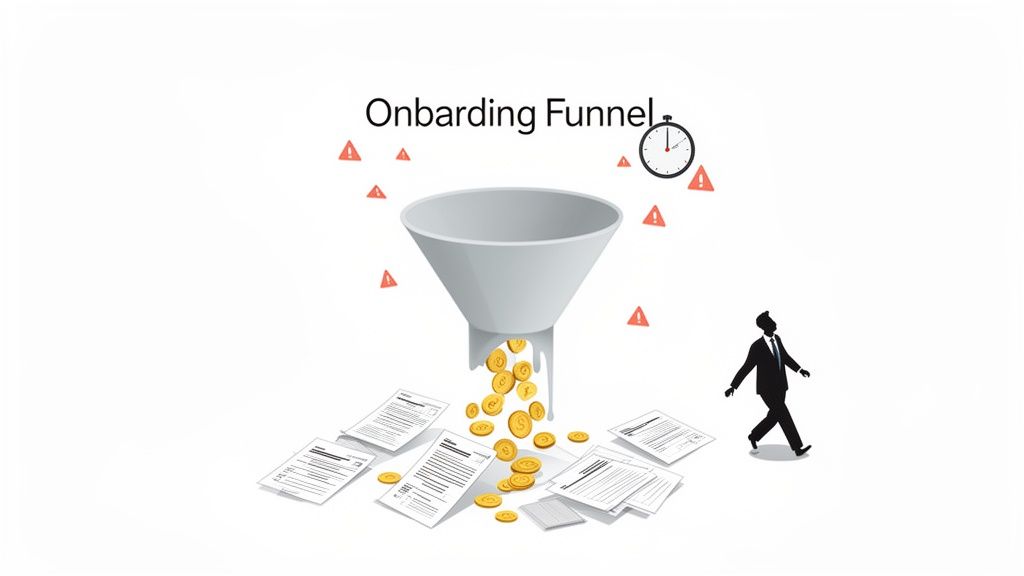
This early friction immediately plants a seed of doubt. The client starts thinking, "If they can't even get this part right, how are they going to handle the actual work?" It's a tough perception to overcome.
Real-World Scenarios of Onboarding Failure
Let's look at how this plays out in the real world, because I’ve seen it happen time and again.
- The Mortgage Broker: A broker sends a long, bulleted email listing a dozen financial documents needed to lock in a great interest rate. The client is overwhelmed and sends files back in drips and drabs. One crucial document gets missed, the rate lock expires, and the client walks away furious. That's a huge commission just… gone.
- The HR Agency: An agency is bringing on a new contractor for a major corporate client. Someone on the team manually types the contractor’s bank details from a PDF into the payroll system and makes a tiny typo. The first paycheck is delayed, causing massive stress for the contractor and making the agency look incompetent to their corporate partner.
- The Law Firm: A firm needs to collect highly sensitive information to start a case. Their process? Asking clients to send it all as unsecured email attachments. The client, rightly concerned about security, hesitates. The case is delayed, and a feeling of mistrust settles in from day one.
In every one of these examples, the issue wasn't the team's expertise. It was a broken process. These aren't just little bumps in the road; they represent lost revenue and damaged reputations, all stemming from a dated approach to new client onboarding.
The Financial Drain of Inefficiency
The cost of a weak process hits you from two sides. First, there are the direct costs—all those staff hours wasted chasing down documents, fixing data entry errors, and answering the same client questions over and over. This is valuable time your team could be spending on high-value, billable work.
A disjointed onboarding experience is a tax on your efficiency. Every minute spent on manual follow-ups is a minute you're not delivering value, and clients feel that disconnect immediately.
Then there are the indirect costs, which are often far more damaging. We're talking about client churn, negative reviews, and stunted growth. The numbers are pretty jarring: over 90% of customers think companies could do a much better job with their new client onboarding, and a staggering 43% of SMBs admit to losing clients because of it.
The difference between a frustrating manual process and a smooth, automated one is night and day. Let's break down the real business impact.
Impact of Poor vs. Excellent Onboarding
| Metric | Poor Onboarding Outcome | Excellent Onboarding Outcome |
|---|---|---|
| Client Satisfaction | Low initial satisfaction, high risk of churn, and negative word-of-mouth. | High confidence from day one, leading to increased loyalty and positive referrals. |
| Time-to-Value | Weeks of delays as staff manually chase documents and correct errors. | Clients are ready to go in days, seeing the value of your service almost immediately. |
| Operational Costs | High administrative overhead from staff hours spent on repetitive, manual tasks. | Drastically reduced admin costs as automation handles document collection and follow-ups. |
| Error Rate | Frequent errors from manual data entry, leading to compliance risks and rework. | Near-zero data entry errors, ensuring accuracy and compliance from the start. |
| Team Morale | Frustrated staff bogged down in tedious administrative work instead of their core roles. | Empowered team focused on strategic, high-impact work that grows the business. |
These aren't just numbers on a spreadsheet; they represent a fundamental shift in how your business operates. You can dive deeper into these client onboarding statistics from recent reports, which show a massive gap between what clients expect and what most businesses deliver. This isn't just a missed opportunity; it's a huge vulnerability that your more organized competitors are ready to take advantage of.
Designing Your Automated Onboarding Workflow
A truly great new client onboarding experience doesn't just happen by accident—it’s the result of smart, intentional design. If you're ready to move away from a messy, manual process and into a smooth, automated one, you need a solid plan. This isn't just about ticking off boxes; it's about creating a repeatable system that wows clients and makes your team’s life a whole lot easier.
The starting point for any great workflow is knowing exactly what you’re trying to accomplish. Before you even think about mapping out the steps, get crystal clear on your goals. Are you trying to cut down the time it takes to gather documents by 50%? Or maybe your main goal is to boost your client satisfaction scores right out of the gate?
Defining Your Core Objectives
Setting specific, measurable goals is the only way to build a system that actually works. Think of these objectives as your north star—they'll guide every single decision you make about how your workflow is structured and what gets automated.
Here are a few common goals I see teams focus on:
- Speed Up "Time-to-Value": Close the gap between a signed contract and the moment your client actually starts getting results from your service.
- Slash Administrative Work: Radically reduce the hours your team wastes chasing paperwork, sending manual reminders, and copying data.
- Nail Data Accuracy: Get rid of human error by having clients input their information directly into a structured digital form.
- Elevate the Client Experience: Make a professional, secure, and modern first impression that builds trust from the very first interaction.
Once your primary goals are set, you can start building the actual journey for your client. This is where you map out every touchpoint, from the moment they sign to the day they're fully up and running.
A well-designed onboarding workflow doesn't just collect information; it communicates competence. Every automated email and every branded portal reinforces the idea that you are an organized, professional partner.
Structuring Your Onboarding Stages
A world-class onboarding process often kicks off before the first official day. We call this pre-boarding, and it’s your golden opportunity to engage clients immediately and keep the momentum going from the sales process.
The Pre-Boarding Phase
This is a critical stage that starts the second the ink is dry on the contract. The whole point here is to make your new client feel welcomed, informed, and confident they made the right choice. No buyer's remorse allowed.
- The Instant Welcome Email: Set up an automated email that fires off immediately. It should congratulate them, briefly outline what's next, and introduce their main point of contact.
- Introduce Their Branded Portal: Ditch the insecure, chaotic email threads from day one. Instead, send them a link to a secure, branded portal. This becomes the central hub for all document sharing and communication.
This initial sequence sets a highly professional tone. You’re showing them you have a system, and they’re in good hands. It's also the perfect moment to show them their own personalized dashboard where they can track progress. You can dive deeper into this and learn how to collect documents easily with a central system.
The Welcome and Document Collection Phase
Right after that warm welcome, the workflow shifts into the main event: gathering all the necessary information. This is where automation truly shines. A good system should guide the client through exactly what's needed, step by step, without your team having to lift a finger to follow up.
This diagram lays out a simple but powerful three-part flow for onboarding.
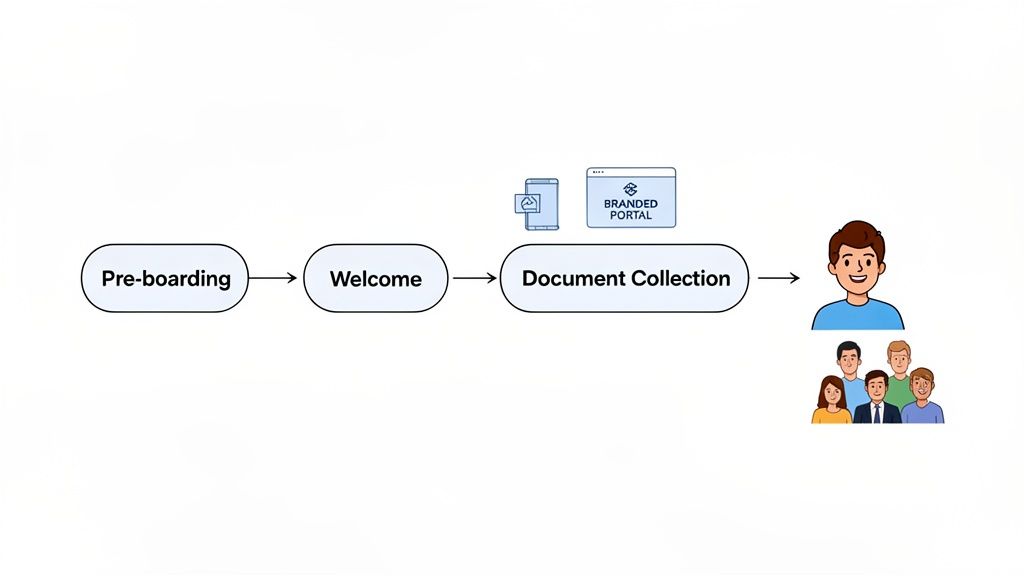
It all starts with pre-boarding to set clear expectations, flows into a welcome sequence, and then uses a digital portal to make document collection efficient and secure.
Building a Standardized Request Process
Consistency is everything if you want your onboarding to scale. By using templates for your document requests, you guarantee that every single client gets the same clear, professional instructions. It sounds simple, but this alone cuts down on confusion and dramatically speeds up how quickly you get what you need.
Inside your portal, you can build a standard checklist that includes:
- Crystal-Clear Document Names: Instead of just asking for "financials," be specific: "2023 Audited Financial Statement (PDF)."
- Smart Digital Forms: Use built-in form fields to capture key data points. This kills typos and makes sure you don't get half-finished information.
- Automated Nudges: This is a huge one. Set the system to send gentle, automated reminders for any outstanding items after a few days. This feature alone will save your team an unbelievable amount of time.
By designing this workflow with real intention, you turn new client onboarding from a potential headache into one of your biggest competitive advantages. You end up with a scalable, repeatable system that not only saves time but delivers a consistently polished experience that makes every new client certain they made the right call.
Putting Your Onboarding on Autopilot
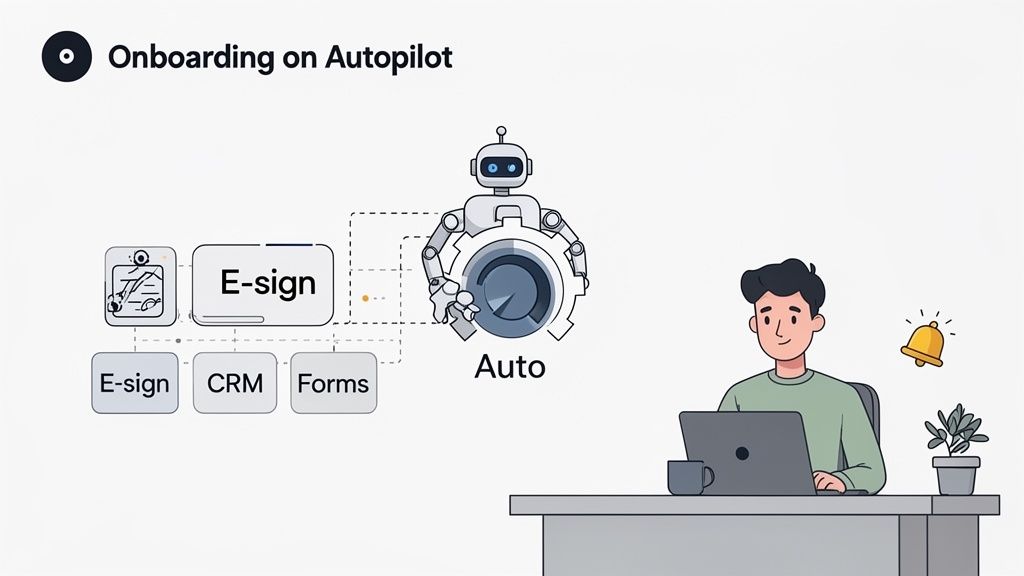
Let’s be honest: manual follow-ups and scattered email threads are the biggest time-sucks for any professional service. You've designed a great workflow on paper, but the real magic happens when you let technology handle the tedious parts. Automation is what turns your plan into a powerful, self-running engine that saves you hours and leaves clients seriously impressed.
The point isn't just about moving faster. It's about getting your team’s most valuable asset back—their time. Every minute someone spends chasing a missing document or manually sending a reminder is a minute they aren't spending on high-impact, billable work. That administrative drag isn't just annoying; it's a real cost to your business.
Leveraging Templates for Consistency
Effective automation starts with standardization. You simply can't automate chaos. By using pre-built templates for your document and information requests, you ensure every client gets the same clear, professional instructions. This one simple step cuts out the guesswork and dramatically reduces the back-and-forth emails.
Think about a law firm that needs the same stack of intake documents for every new family law case. Instead of a paralegal drafting a fresh email each time, they use a template.
- For the firm: It’s a guarantee that no critical document is ever forgotten. The process is standardized, making compliance a built-in feature, not an afterthought.
- For the client: They get a clean, organized checklist in a professional portal—not a long, intimidating email. They know exactly what you need and can even track their own progress.
This approach is a game-changer across industries. An HR agency can have one template for W-2 employees and another for 1099 contractors, each with its own specific forms. This isn't just about being efficient; it's about creating a predictable and reliable experience from day one.
Setting Up Smart Automated Reminders
The single most time-consuming part of onboarding? The follow-up. How many times has your team sent an email that starts with, "Just a gentle reminder…"? All that manual chasing is draining and totally inefficient.
Automation transforms follow-ups from a nagging chore into a strategic tool. A system that sends polite, persistent nudges on your behalf ensures nothing falls through the cracks—without anyone on your team lifting a finger.
Modern platforms like Superdocu let you set up a sequence of automated reminders that only go out for pending items. You can dial in the timing—maybe the first nudge goes out after three days, and a second one follows a week later. It’s a process that respects the client's time while making sure you get what you need to move forward. The system does the nagging so your team doesn't have to.
Creating a Truly Connected Workflow
Real automation goes way beyond sending emails. It’s about connecting the different tools you already use to create a seamless flow of information. This is where integrations come in, turning your onboarding system into the central hub for your entire client intake process.
The financial stakes here are massive. It costs five times more to acquire a new customer than to keep one, and a clunky onboarding process can kill a relationship before it even starts. Research shows that a staggering 38% of banking applicants will ditch the process if it takes too long. All that acquisition cost is wiped out, often because manual data entry and disconnected systems create frustrating delays. As a recent analysis of the banking customer journey points out, automation directly solves this.
Here’s how you can build a powerful, connected system:
- Connect to Your CRM: When a client fills out their forms, their info can automatically populate or update their profile in your CRM. No more mind-numbing data entry.
- Integrate eSignatures: You can seamlessly hook in tools like DocuSign. Once a client uploads all their documents, the system can automatically send the final contract for signature.
- Link to Project Management: With a tool like Zapier, you can automatically create a new project in Asana or Trello once a client is fully onboarded, assigning the first few tasks to your team.
For instance, a real estate agency can automate its entire tenant application process. When an applicant submits their documents through a portal, Zapier can trigger a background check, and once cleared, automatically send the lease agreement via DocuSign. This turns what was once a multi-day manual slog into a hands-off, automated workflow that takes just a few minutes. This is the level of integration that elevates a good new client onboarding process into a great one.
Tailoring Your Onboarding to Your Industry’s Demands
Let's be honest: a one-size-fits-all onboarding process is a recipe for disaster. The compliance rules, document checklists, and security protocols that work for a creative agency would be completely inadequate for a law firm or mortgage broker.
Customizing your onboarding workflow to fit your specific industry isn't just a "nice-to-have." It’s absolutely critical for staying compliant, working efficiently, and earning your client's trust from day one. When a new client experiences a process built around their world, it immediately shows them you know what you're doing.
The High-Stakes World of Finance and Legal Onboarding
In sectors like finance and law, the pressure is immense. A clunky, slow onboarding process doesn't just annoy clients—it costs you real money. It's a massive issue in the financial world, where a shocking 70% of institutions admitted to losing clients over the past year because of inefficient onboarding. You can dig into the details in the 2025 Financial Crime Industry Trends Report from Fenergo.
For these professions, your onboarding workflow has to nail two things: security and compliance.
For Law Firms: You’re dealing with incredibly sensitive information, from confidential client intake forms to discovery documents. Your process needs a secure portal for document sharing, iron-clad identity verification, and a complete audit trail. A well-designed workflow should automatically flag a missing signature on a retainer agreement or an incomplete conflict-of-interest check. If you want to dive deeper into the paperwork, check out our guide on essential legal client intake documents.
For Mortgage & Financial Services: A mortgage broker has to collect a mountain of financial paperwork—bank statements, tax returns, pay stubs, you name it. A tailored workflow uses smart digital forms to capture this data perfectly the first time, preventing manual typos that can completely derail a loan application. It should also have built-in reminders for expiring documents, like pre-approval letters, to keep the entire process moving forward.
Speed and Accuracy in HR and Real Estate
While the compliance hurdles look a bit different, industries like HR and real estate have their own onboarding challenges where speed and precision are everything.
When you're dealing with a high volume of applicants or tenants, a generic process just creates bottlenecks that waste time and bleed money. A workflow built for your industry is a game-changer, letting you handle more clients with less work and fewer mistakes.
An HR or staffing agency isn’t just onboarding one client; they're processing dozens, sometimes hundreds, of new hires.
Human Resources: The workflow needs to be a well-oiled machine for collecting I-9s, W-4s, direct deposit details, and signed policy documents. Automation is your best friend here. The system should automatically send the right new-hire packet—whether for a full-time employee or a contractor—and keep track of background check statuses.
Real Estate Agencies: Onboarding a new tenant requires a totally different document set: rental applications, credit reports, income verification, and signed leases. A custom workflow can automate the entire application, letting prospective tenants upload their documents securely. The system can then ping the property manager the moment a file is complete and ready for review, cutting out endless back-and-forth emails.
Here’s a quick look at how the document and compliance needs differ across various fields.
Industry-Specific Onboarding Checklist
This table breaks down the essential documents and primary compliance concerns you'll encounter in different professional sectors.
| Industry | Essential Documents | Key Compliance Focus |
|---|---|---|
| Legal | Retainer Agreement, Conflict Check, Intake Form, ID Verification | Attorney-Client Privilege, Data Confidentiality, Bar Association Rules |
| Finance | KYC/AML Forms, Proof of Funds, Investment Agreements | Anti-Money Laundering (AML), Know Your Customer (KYC), FINRA/SEC Regulations |
| Mortgage | Loan Application (1003), Tax Returns, Pay Stubs, Bank Statements | TRID, Fair Lending Laws, RESPA, Data Accuracy |
| HR/Staffing | I-9 Form, W-4/W-9, Employment Contract, Background Check | E-Verify, Department of Labor (DOL) Regulations, Equal Opportunity Laws |
| Real Estate | Lease/Purchase Agreement, Tenant Application, Credit Report, ID | Fair Housing Act, Local Landlord-Tenant Laws, Escrow Regulations |
| Immigration | Passport/Visa Copies, G-28 Form, Supporting Evidence | USCIS Requirements, Data Privacy, Strict Filing Deadlines |
| Transport | Driver's License, Vehicle Registration, Insurance, DOT Physical | Department of Transportation (DOT), FMCSA Compliance, HOS Rules |
No matter what industry you're in, the objective is the same: create an onboarding experience that feels professional, secure, and completely effortless. By ditching generic checklists for a workflow that speaks your industry's language, you don’t just boost your own efficiency—you start every client relationship on the strongest possible footing.
Keeping Up with Compliance and Renewals
Getting a client set up is a huge milestone, but it’s really just the beginning. The initial document collection isn’t the finish line—it’s the starting gun for ongoing compliance management. A healthy, long-term client relationship depends on keeping their information current, accurate, and compliant. A static folder of documents from day one is just a ticking time bomb of risk.
True onboarding excellence means creating a living system that keeps an eye on critical documents long after the ink is dry. This is where you pivot from a reactive, "Oh no, this expired last week!" mindset to a proactive, value-adding service. Your clients are busy running their businesses; they aren't always thinking about their upcoming insurance renewal or that professional license expiration. When you manage this for them, you become an indispensable partner.
A Central Hub for Compliance
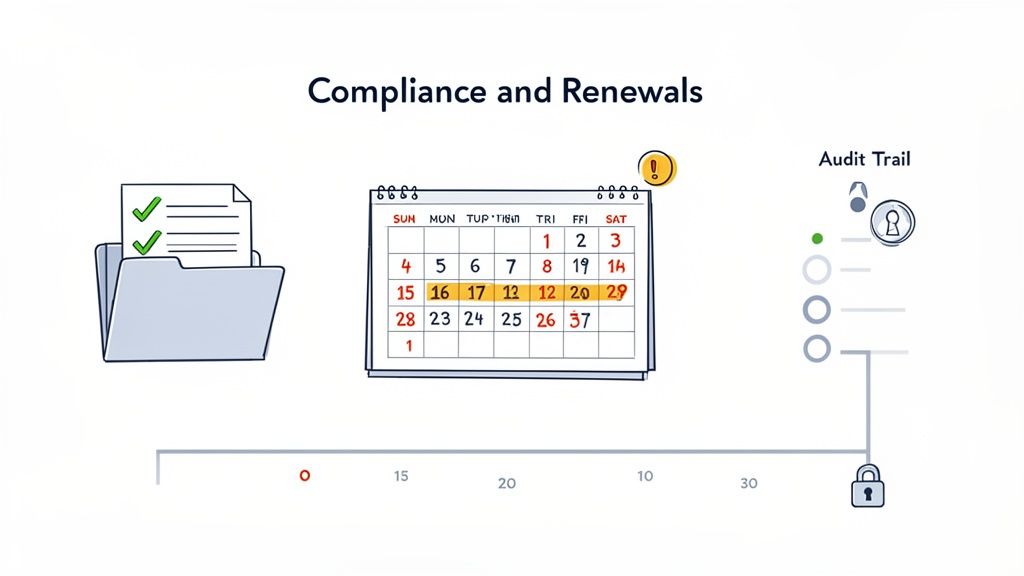
The secret to managing all this effectively is a central dashboard that acts as your compliance command center. Stop digging through email threads or messy shared drives. A dedicated platform gives you an at-a-glance view of every client's status—what's been submitted, what's been validated, and most importantly, what's coming up for renewal.
This dashboard is more than a convenient checklist. It builds a robust audit trail for every single client. Each document upload, validation check, and renewal is time-stamped and logged. If a compliance question ever comes up, you have a clear, chronological record to demonstrate due diligence, which is absolutely critical in highly regulated industries. For those in finance, you can learn more about what this means for AML and KYC compliance in our detailed guide.
Taming the Expiration Date Monster
Managing expiring documents is one of the biggest ongoing headaches in any client relationship. A single lapsed certification can halt a project. An expired insurance policy can create enormous liability. Trying to track these dates manually across dozens or hundreds of clients in a spreadsheet isn't just inefficient; it's a recipe for human error.
This is where automation becomes your best friend. By setting expiration dates for critical documents during the initial onboarding, you can kick off a proactive alert system.
- Professional Licenses: Make sure your consultants or contractors always have valid credentials.
- Insurance Certificates: Avoid liability gaps by getting updated proof of insurance well before the old policy expires.
- Safety Certifications: Maintain workplace safety standards by tracking required training renewals.
- Business Permits: Help clients stay in good standing by reminding them of municipal or state renewal deadlines.
Proactive renewal management transforms compliance from a reactive headache into a valuable, ongoing service. It's a powerful way to demonstrate that you're looking out for your client's best interests long after the initial contract is signed.
Proactive Alerts to Prevent Fires
An automated system doesn't just watch dates on a calendar; it takes action. You can set it up to send out automatic reminders to both your team and your client 60, 30, and 15 days before a document is set to expire. This simple sequence of nudges prevents last-minute scrambles and keeps everyone on the same page.
For your client, it's a helpful heads-up that adds real value. For your team, it means they no longer have to play the role of "document police," freeing them up for more strategic work. This forward-thinking approach to new client onboarding cements your role as a proactive partner, turning a simple administrative task into a powerful tool for client retention and risk management.
Common Questions About New Client Onboarding (And How to Handle Them)
Even with the best-laid plans, shifting to a new client onboarding process will bring up questions. Both your team and your clients will be curious as you move from a manual, paper-shuffling system to something more modern. Answering those questions head-on is the best way to make the transition feel smooth for everyone.
Let's walk through some of the most frequent concerns we hear from professionals making this change.
How Do I Handle Clients Who Resist a Digital Process?
This is probably the number one worry, especially if you’ve built your business on personal relationships with a more traditional client base. The trick is to stop thinking of it as a process change and start framing it as a client benefit.
Most hesitation disappears the moment a client understands that a secure portal is infinitely safer than emailing their most sensitive documents back and forth. It also gives them a transparent, 24/7 window into where things stand.
When you introduce the new system, lead with the "why":
- Better Security: "Your privacy is our top priority. We're using this secure portal to protect your confidential information far better than email ever could."
- Total Convenience: "You can upload everything we need whenever it's convenient for you—day or night—and see our progress together in one organized place."
- Faster Results: "This helps us get everything in order much faster, meaning we can start working on your case right away."
For the truly tech-hesitant, always have a backup. Offering a quick 5-minute screen-share or phone call to guide them through the first login can make all the difference. That small personal touch often turns a skeptic into your biggest fan.
Can This Integrate With My Existing Software?
No one wants yet another piece of software that doesn't talk to anything else. An effective onboarding platform shouldn’t create a new island of information; it should be the bridge connecting the tools you already use every single day. That's where real efficiency comes from.
Look for a platform that connects with your critical business software, either through direct integrations or a tool like Zapier. Imagine a new client fills out their intake forms, and that information automatically populates their profile in your CRM. No more copy-pasting.
A new onboarding tool shouldn't add a step to your process. It should connect the steps you already have, wiping out the manual work in between and creating a single source of truth for every client file.
This is what turns a simple checklist into a genuine automation powerhouse. You'll save countless hours on data entry and dramatically cut down on the human errors that creep in when you're manually updating multiple systems.
What Is the Best Way to Set Expectations?
A great client relationship is built on clear expectations, and that process should kick off the second they sign on the dotted line. The post-sale "quiet period" is a momentum killer.
An automated welcome email is your best friend here. As soon as the contract is signed, they should receive a message that does three things:
- Reaffirms their decision and welcomes them aboard.
- Clearly outlines the immediate next steps so they know exactly what's coming.
- Introduces their secure client portal as the central hub for documents and communication.
By sending this roadmap immediately, you remove all the guesswork. Your new client feels taken care of and sees right away that you have a professional, well-oiled machine. It’s a simple step that proves they made the right choice.
Ready to stop chasing documents and start building incredible client relationships from day one? Superdocu gives you the toolkit to design a powerful, automated, and secure new client onboarding workflow. You'll create a world-class first impression that sets the tone for everything to come. Explore how Superdocu can transform your onboarding process.