
You're probably dealing with one of two situations right now. Either a team member is manually sending invitations from a spreadsheet and tracking replies in email threads, or you're trying to collect forms, IDs, contracts, or confirmations from a large group and the process is slipping out of control.
That's where most bulk invitation efforts fail. The problem usually isn't the email itself. It's the workflow around it. Names are inconsistent, lists are outdated, reminders go out late, and nobody has a clean view of who has responded, who still owes a document, and what needs review next.
Table of Contents
- Beyond the Blast Strategic Planning for Bulk Invitations
- Crafting Reusable and Personalized Invitation Templates
- Automating Reminders and Follow-Ups to Save Hours
- Ensuring Deliverability and Legal Compliance
- Tracking and Validating Responses in a Central Hub
- Conclusion Your New Efficient Invitation Workflow
Beyond the Blast Strategic Planning for Bulk Invitations
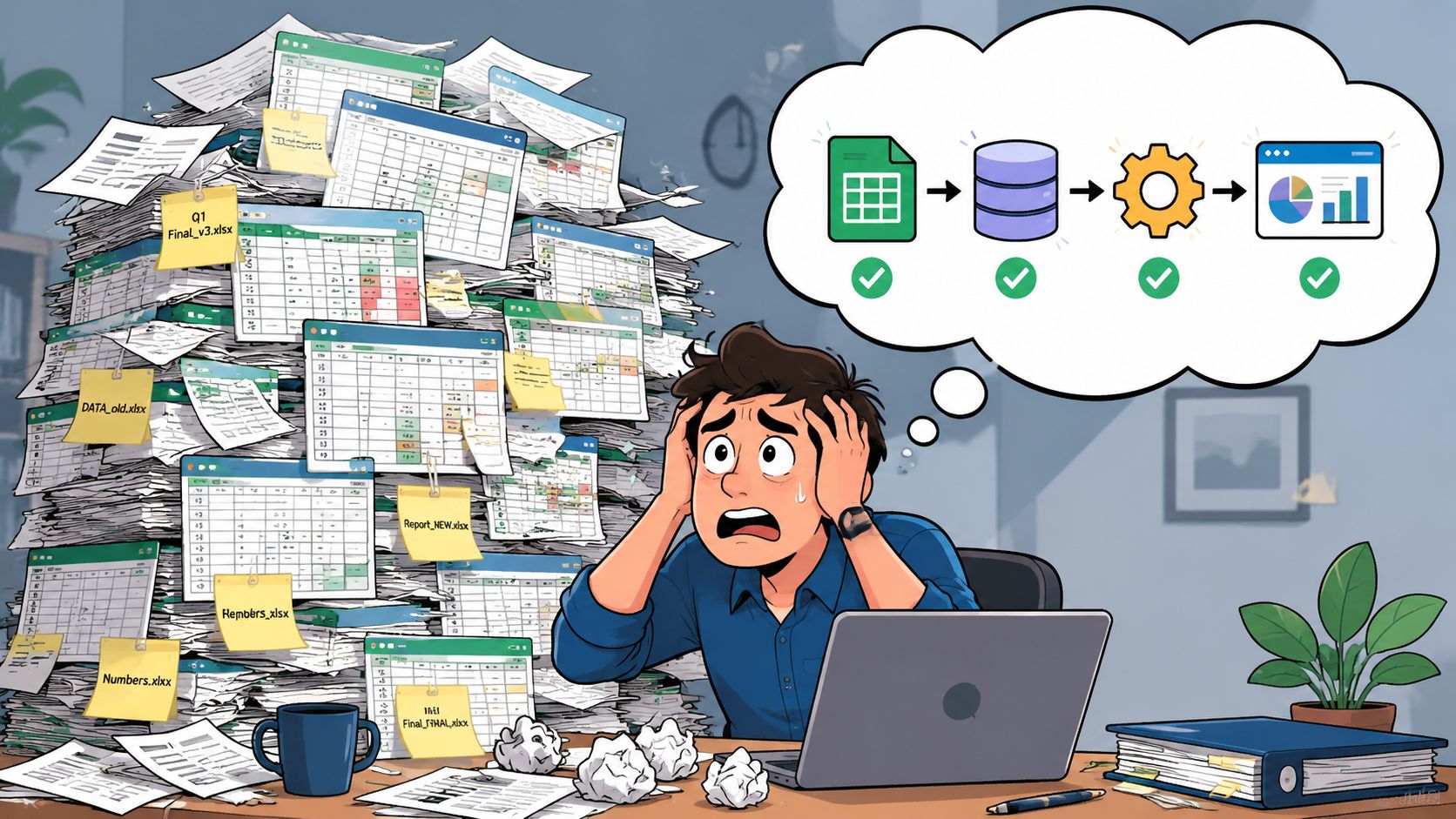
Monday at 9 a.m., the client success team sends 300 onboarding invitations. By Tuesday afternoon, replies are split across shared inboxes, three recipients say they never got the link, two account managers updated the same spreadsheet, and nobody can say which clients have completed the required step. That is the point where bulk invitations stop being a messaging task and become an operations problem.
The breakdown usually starts long before the send. Teams store contacts in one file, response status in another, and exceptions in email threads or chat messages. That patchwork can survive a small internal event. It struggles once the invitation is tied to client onboarding, document collection, compliance acknowledgments, property applications, or partner access requests, where every response needs to land in the right record and hold up under audit.
Start with the operational goal
Start by defining the business outcome, not the message.
A webinar invite aims for attendance. A KYC request aims for complete, valid files. A policy acknowledgment aims for a recorded confirmation tied to the right user. An onboarding invite often needs several steps completed in sequence, with a deadline, an owner, and a clear record of what was submitted. Those are different jobs, and they need different invitation flows.
This is why generic invitation tools often create extra admin work in business settings. They handle sending well enough, but they rarely cover file validation, permission control, audit trails, or handoff to the next team. If your process still depends on inbox monitoring and spreadsheet updates, review how a workflow should be structured for repeatable business processes before launching another bulk campaign.
A simple planning rule helps: define the final completed action first, then map backward. That means identifying who needs to respond, what they need to submit or confirm, what counts as complete, where exceptions should go, and who owns cleanup when the data is wrong.
Practical rule: If the recipient cannot tell what to do, where to do it, and what happens after they respond within a few seconds, the process will create support tickets.
Clean data before you write a single message
Bulk invitations magnify list problems. Duplicate contacts create duplicate reply trails. Missing fields break personalization and routing. Outdated addresses hurt deliverability and waste follow-up time. The copy can be strong and the campaign can still fail because the input data was sloppy.
I have seen teams spend more time reconciling errors after a send than they would have spent cleaning the list upfront. The avoidable mistakes are familiar: mixing active clients with former contacts, sending the same request to primary and secondary contacts without role logic, and treating every recipient as if they need the same action.
Use a short pre-send check:
- Remove duplicates: Prevent multiple invitations and split response histories.
- Verify required fields: Confirm names, company data, links, and ownership fields are populated before personalization.
- Segment by task: Group recipients by the action required, such as onboarding, document refresh, approval, or registration.
- Assign one owner: One person should approve the final list and control versioning.
- Test edge cases: Check what happens when a recipient has missing data, an expired link, or the wrong permission level.
Even in consumer-oriented use cases, the operational lesson is the same. Tools built for presentation or convenience, including examples like Wedding QR codes, solve access and sharing in a narrow context. Business invitation workflows usually need stronger controls around identity, document handling, response tracking, and retention.
Success should be measured at completion. For business invitations in bulk, that means the right person finished the right action, the data was captured cleanly, and the record is usable by the next team without manual repair.
Crafting Reusable and Personalized Invitation Templates
A good bulk invitation template does two jobs at once. It reduces admin work for your team and removes hesitation for the recipient.
Weak templates try to say everything. Strong ones are structured, repeatable, and specific. They tell the reader why they're receiving the message, what they need to do, where they need to do it, and when it needs to be done.
Build one strong template, not twenty weak ones
Teams often over-customize too early. They create a new message for every campaign, which leads to inconsistent tone, missing instructions, and more review cycles.
A better approach is to build a base template for each workflow category. For example, one for client onboarding, one for document refresh requests, one for meeting registration, and one for external partner access. Then adjust the details without rebuilding the structure.
A reliable template usually includes:
A direct subject line
Say what the message is about. Don't hide the purpose behind clever wording.A first sentence with context
The reader should know why they're being contacted immediately.One primary action
Don't ask them to RSVP, upload documents, review policies, and book a call in the same invitation.A visible deadline or expected timeframe
If there's urgency, say it plainly.A support path
Include a clear contact route if the recipient gets stuck.
Keep the message shorter than you think you need. The invitation should drive action, not answer every possible question in advance.
If the invitation leads to a physical event, adding a scannable resource can reduce back-and-forth at check-in or on the day itself. For event teams that need a simple way to connect guests to schedules, maps, or confirmation pages, Wedding QR codes offer a useful reference point for how QR-based access can simplify the recipient experience.
Use personalization carefully
Personalization works when it helps orientation. It fails when it's decorative or error-prone.
Use only the fields you trust. First name is usually safe if your data is clean. Company name can help in B2B workflows. Specific request details can be powerful when the action varies by recipient. But don't insert tokens just because your system allows it. A wrong merge field damages trust faster than a plain message ever will.
Here's a simple structure that works well:
Hello [First Name],
We need you to complete your onboarding documents using the secure link below. Please submit the requested items by [Deadline].
That kind of language feels personal enough without becoming fragile.
For print-based invitations in bulk, file preparation matters just as much as the wording. A print production walkthrough on preparing invitation files highlights a few rules that apply directly to operations: save fonts in a separate print-ready file, save individual PDFs at exact artboard size if the printer requires separate uploads, turn off compression for print-ready files unless strict limits force minor compression, and confirm bleed and color requirements with the printer before finalizing. That last point avoids costly rework.
Automating Reminders and Follow-Ups to Save Hours
Monday morning starts with a familiar mess. Fifty people were invited to complete onboarding steps last week, twelve already finished, six replied by email instead of using the form, and three account managers are each working from a different spreadsheet. By noon, someone has reminded the wrong contacts and missed the ones blocking the process.
That failure usually has nothing to do with the invitation copy. It comes from weak workflow control after the first send.
Manual follow-up breaks at scale
Manual follow-up creates version problems fast. One person exports non-responders. Another sends a reminder from yesterday's list. Replies arrive in personal inboxes instead of the system of record. Soon the team is arguing over who is still pending instead of clearing the queue.
I've seen this most often in onboarding, document collection, and registration workflows. The first invitation is usually organized. The second and third touches are where teams lose auditability.
Microsoft's guidance for large recurring meeting invitations shows the same operational principle in a different setting. For large invitee groups, the recommended approach in Outlook is to manage recipients through controlled list handling and Mail Merge instead of editing one invitation thread repeatedly. That guidance appears in this Microsoft Q&A discussion on recurring meeting invitation best practices.
The lesson is simple. Bulk invitations need a follow-up system tied to status, not memory.
What automated reminders should actually handle
A reminder sequence should do more than resend the same message on a timer. It should use recipient state, deadline timing, and internal ownership rules.
In practice, that means:
- completed recipients stop receiving reminders,
- partial completions get instructions for the missing step,
- approaching deadlines trigger firmer wording,
- expired requests move to escalation, reassignment, or account review,
- staff can see send history and current status in one place.
Teams building these flows can borrow ideas from automated email reminder workflows for status-based follow-up, especially the shift from calendar-based chasing to trigger-based messaging.
The best reminder is the one your team never has to remember to send.
A practical cadence for business workflows often looks like this:
| Stage | Reminder style | Best use |
|---|---|---|
| Initial send | Clear instruction | Start the task |
| Mid-cycle | Short nudge | Catch missed opens or forgotten requests |
| Near deadline | Direct urgency | Reduce last-minute delays |
| After expiry | Escalation or reassignment | Hand off unresolved cases internally |
Timing still needs judgment. A client onboarding packet may justify a different schedule than an internal policy acknowledgment or a supplier document request. The point is to base timing on process risk and response behavior, not on whatever day someone remembers to send a follow-up.
One operational detail gets overlooked in generic invitation tools. Follow-ups often need to respect security and compliance boundaries. For example, a reminder should point recipients back to a secure portal or tracked submission page, not encourage them to email sensitive documents directly to an employee. That small design choice reduces manual handling and gives operations teams a cleaner audit trail.
Keep the workflow efficient, but keep it defensible too.
Ensuring Deliverability and Legal Compliance
A send can fail long before the recipient makes a decision. The message gets filtered, the link gets blocked by a corporate firewall, the wrong person receives it, or the process creates a compliance problem your team has to explain later.
That is why deliverability and legal review belong in the workflow design, not in a last-minute approval step. For business invitations tied to onboarding, document collection, policy acknowledgments, or regulated event registration, the primary objective is controlled distribution with a clean audit trail.
Deliverability starts before the first send
Inbox placement usually improves through operational discipline. Clean contact data matters. So does batching, suppression logic, and basic testing.
The common failure pattern is simple. Teams export a mixed list from several systems, upload it without checking old records or role changes, and send the same invitation to everyone. That creates bounces, irrelevant sends, duplicate records, and unnecessary replies to shared inboxes. Each one adds manual work.
Platforms that support bulk invitation workflows often enforce limits for that reason. CSV validation, required email fields, optional name attributes, and upload thresholds all push teams to segment correctly before launch, as noted earlier. Treat those constraints as a guardrail, not a nuisance. Smaller, accurate batches are easier to troubleshoot and less likely to create sender reputation issues.
A practical pre-send review should cover four checks:
- Recipient fit: confirm each contact belongs in this workflow and still owns the task
- Batch logic: separate clients, vendors, employees, and event attendees if the request, legal basis, or reminder path differs
- Template integrity: test merge fields, links, expiry dates, and portal routing
- Pilot send: use an internal sample across desktop and mobile email clients before full release
One more point gets missed in business operations. The reply path affects deliverability outcomes too. If recipients answer directly to an unattended mailbox or forward the message internally, your team loses visibility and invites off-process handling. Route responses back to the tracked system whenever possible.
Compliance has to match the use case
A dinner invitation and a client document request should not run through the same control model.
If the invitation collects personal data, triggers identity setup, or asks the recipient to upload records, review more than the email copy. Check where the data is stored, who can access it, how long it is retained, and whether the system logs recipient actions in a way your compliance or operations team can verify later. Generic invitation tools often stop at send status. Business workflows need access controls, retention rules, and evidence of completion.
For teams handling EU contacts or regulated records, this GDPR compliance checklist for document collection workflows is a useful reference because it covers consent, storage, security controls, and access management in operational terms.
Compliance is built through permissions, routing, storage rules, and logs. It is not solved by footer language.
Physical mail introduces a different control problem. Postal timing, address formatting, and handling quality matter more than consent banners. The mailing advice from The Knot is consumer-focused, but the execution lessons carry over to business mailrooms. Weigh a fully assembled piece before a large run, confirm international timing early, and use hand-canceling when presentation or document integrity matters.
The same principle applies to event programs. Teams sending printed or digital invitations for tournaments still need role-based lists, clear registration ownership, and a controlled response path. That is one reason planners often pair invitation operations with event logistics guidance such as Live Tourney for golf events, instead of treating the send as a standalone marketing task.
The goal is simple. Get the invitation to the right person, through the right channel, with controls your team can defend if anyone asks how the process was run.
Tracking and Validating Responses in a Central Hub
Pressing send creates work. It doesn't finish it.
The operational challenge starts when replies arrive through multiple channels and in different states of completeness. Some recipients will finish immediately. Some will submit partial information. Some will upload the wrong file. Others will reply by email instead of using the intended workflow. Without a central hub, your team starts rebuilding status manually.
Stop measuring vanity, start measuring completion
Open rates can be interesting, but they don't tell operations teams what they need to know.
For business invitations in bulk, the useful metrics are action metrics:
- who completed the request,
- who started but didn't finish,
- which submissions are missing required items,
- which records are ready for approval,
- which cases need escalation.
That shift matters because it changes what your team monitors every day. A dashboard should answer “what needs attention now,” not “how many people saw the email.”
A simple response status model works well:
| Status | Meaning | Next action |
|---|---|---|
| Sent | Invitation delivered, no action yet | Wait or trigger reminder |
| In progress | Recipient started but hasn't completed | Send targeted follow-up |
| Submitted | Response received | Move to review |
| Validated | Information checked and accepted | Close task |
| Rejected or incomplete | Something is wrong or missing | Request correction |
This kind of model is especially useful in workflows that involve documents, registrations, or approvals. Event operations teams use similar logic. If you manage participant data for niche events, this overview of Live Tourney for golf events is a useful example of how structured registration and event operations benefit from centralized status tracking instead of scattered email responses.
Validation is where bulk workflows succeed or fail
Validation is the step often underestimated. They assume the job is done when the recipient clicks submit. In practice, that's the point where quality control begins.
A useful parallel comes from bulk document import. The Docsie article on bulk document import notes that success depends on a pre-import audit to remove outdated or duplicate files, followed by a test import of a diverse small batch to validate metadata mapping and formatting before the full operation. It also states that failure to create a metadata mapping document before import results in a 30% error rate in categorization.
That same logic applies to invitations in bulk. If your response data doesn't map cleanly into the right client record, case file, attendee profile, or workflow stage, the team ends up doing repair work after submission.
Use a review process with clear checkpoints:
- Check completeness first: Are all required fields or files present?
- Validate formatting next: Dates, document types, and identifiers should match the expected structure.
- Confirm record mapping: Make sure the submission attaches to the correct person or case.
- Route exceptions deliberately: Don't leave edge cases sitting in a shared inbox.
A bad submission in a central queue is manageable. A bad submission lost in email becomes rework.
For print-oriented invitation projects, validation takes a different form but the principle is the same. The Cardstock Warehouse guide to DIY wedding and event invitations advises setting print scale to exactly 100% or using borderless settings, cutting just inside trim marks, and preserving trim marks for accurate finishing. In operational terms, that's a validation checkpoint before the entire batch gets produced incorrectly.
The strongest teams treat response handling as a controlled pipeline. They don't let inbound data sit unreviewed, and they don't confuse receipt with readiness.
Conclusion Your New Efficient Invitation Workflow
Invitations in bulk work best when they're treated like an operational system, not a campaign artifact. The message matters, but the surrounding process matters more.
A stable workflow starts with a clear objective and a clean list. It improves when templates are reusable, instructions are precise, and personalization is based on fields you can trust. It becomes scalable when reminders are automated, recipient groups are managed cleanly, and response handling moves into a central view instead of scattered inboxes. It becomes defensible when compliance and security are built in from the start.
That combination changes the job. Your team stops chasing people manually and starts managing exceptions. Recipients get a clearer experience. Managers get cleaner status visibility. Sensitive workflows stay controlled instead of chaotic.
If you want a practical way to run this kind of process, Superdocu is built for it. It helps teams create secure document request workflows, send branded invitations in bulk, automate reminders, validate submissions, and keep everything organized in one place without relying on spreadsheets and inbox triage.