
A workflow is a structured, repeatable series of steps that moves work from start to finish, and companies that implement workflow automation report average productivity improvements of 30 to 40% within the first year of full deployment. If you're chasing clients for IDs, bank statements, signed forms, or onboarding paperwork, a workflow is the system that turns that scramble into a process people can follow.
If you're a small business owner, you probably already have workflows. They just may not feel like workflows.
They may feel like inbox chaos. A client sends two of the five documents you asked for. Your team follows up. The file is saved in the wrong folder. Someone forgets to review an expiration date. A week later, you're still waiting on one missing form, and nobody is fully sure what happens next.
That mess is exactly where workflow thinking becomes useful. The phrase can sound technical, but the idea is simple. A workflow is just the path work follows from a trigger to a finished result. In document-heavy businesses, that path decides whether you spend your day moving cases forward or sending reminder emails.
Table of Contents
- What a Workflow Is (and What It Is Not)
- The Three Building Blocks of Any Effective Workflow
- Workflows in Action Document Collection Examples
- The True Value of a Well-Designed Workflow
- Common Workflow Pitfalls and Best Practices
- How to Implement and Optimize Your Workflows with Superdocu
What a Workflow Is (and What It Is Not)
A good way to understand what a workflow is is to stop thinking about software for a moment and think about a recipe.
If you bake a cake, you don't just write down random tasks like "buy eggs," "mix," and "decorate." You follow a specific order. You gather ingredients first. Then you measure them. Then you mix. Then you bake. Then you cool the cake before adding frosting. If you skip or shuffle steps, the result changes.

A workflow works the same way. According to Simpplr's definition of workflow, a workflow is a structured, repeatable series of activities that moves work from a trigger to a final outcome. That's very different from a loose to-do list.
A workflow is not just a list of tasks
A to-do list says what needs to be done.
A workflow says:
- What starts the work
- Who does each step
- What order the steps follow
- What happens if something is missing
- What result means the work is complete
That's why workflows help with document collection so much. If your current process is "email the client and hope they send everything," that isn't really a workflow. It's an intention.
A checklist records tasks. A workflow moves work.
In a small business, that difference shows up fast. When your process lives in people's heads, every employee handles it differently. One person sends reminders quickly. Another forgets. One names files clearly. Another drops them into a desktop folder called "new docs."
What a workflow looks like in everyday business
Let's use a very common example. A new client signs your agreement.
That event triggers a chain of steps. You send a request for ID, proof of address, and a signed intake form. The client uploads documents. Someone reviews them. If something is missing, the client gets another request. If everything is valid, the file moves to the next stage.
That is a workflow because each step depends on the step before it.
If you want a practical look at how software supports that structure, this guide on workflow automation for business teams is useful because it connects the definition to day-to-day operations.
Why people get confused about the term
Many people hear "workflow" and picture a big enterprise system with diagrams, approvals, and technical jargon. Sometimes it is that. But the core idea is much smaller and more useful than that.
A workflow can be as simple as:
- Client signs engagement letter
- Request required documents
- Send reminders until all files arrive
- Review submissions
- Mark file ready
That's not abstract. That's a repeatable business path.
The important part isn't complexity. It's structure. A workflow turns recurring work into something clear enough to repeat, measure, and improve. Once you see that, you'll start spotting workflows everywhere, especially in the tasks that currently frustrate your team the most.
The Three Building Blocks of Any Effective Workflow
Every workflow needs three clear building blocks: input, transformation, and output.
If you run a small business, this is a practical way to spot why a recurring process feels messy. The problem usually shows up in everyday work. A client signs on, but nobody knows who should ask for documents. Files arrive, but no one checks whether the set is complete. The team says the matter is "ready," but key paperwork is still missing.
Those are workflow design problems.
A simple way to see it is to ask three questions. What starts the process? What steps happen in between? What result counts as finished?
Input is the event that starts the work
The input is the starting signal. It answers, "What happened that means this process should begin now?"
In document collection, common inputs include:
- A signed contract: The client is active, so your team needs to request the required paperwork.
- A new hire acceptance: HR needs tax forms, ID, and policy acknowledgments.
- A loan application: A mortgage team needs income records, statements, and identity documents.
- A lease application: A real estate office needs references, proof of income, and signed disclosures.
A clear input matters because it removes guesswork. Without it, one employee sends requests immediately, another waits for a handoff, and someone else assumes the task was already done.
That delay often happens before anyone notices there is a delay.
Transformation is the set of steps that moves the work forward
The transformation stage is the work itself. In a document collection process, requests go out, uploads come in, reviews happen, and missing items trigger follow-up.
For many small teams, this is the painful part because it is where inbox chasing takes over the day. Someone sends a checklist. The client uploads two files instead of five. A team member notices three days later. Another email goes out. The file sits in limbo because the process depends on memory instead of rules.
In a well-defined workflow, transformation can include:
- Sending the request: The client receives a clear, secure list of required documents.
- Checking completeness: The team or system confirms whether all requested items were submitted.
- Routing for review: The file goes to the right person for approval or correction.
- Handling exceptions: Missing pages, expired IDs, or unreadable uploads trigger the next action.
TechTarget explains that a workflow is a sequence in which each step leads to the next, rather than a loose checklist, in its definition of workflow. That distinction matters in real businesses. If a client sends an incomplete package, the process should not drift ahead anyway. It should pause, request the missing item, and continue only after the requirement is met.
A recipe is useful here. If the flour is missing, you do not skip ahead and put the cake in the oven. You stop, get what is missing, and then continue. Document collection works the same way.
Practical rule: If your team cannot answer "what happens next if something is missing?", the workflow is not fully designed.
Output is the result everyone agrees counts as done
The output is the finished state. It defines what success looks like at the end of the process.
For example, an output might be:
| Workflow | Clear Output |
|---|---|
| Legal intake | Client file is complete and ready for case work |
| HR onboarding | Employee file is complete and ready for start date |
| Mortgage application | Loan package is complete and ready for review |
| Real estate transaction | Property document set is complete and ready for processing |
This sounds simple, but it fixes a common source of friction. Many teams treat "we received documents" as the finish line. It is not. A file is only complete when the right documents have arrived, they are readable, current, and approved for the next step.
A vague output creates rework. A clear output creates consistency.
Why these three building blocks help small businesses
Small business owners often assume recurring admin problems come from slow clients, busy staff, or crowded inboxes. Sometimes that is true. Often, the deeper issue is that the process was never clearly designed.
Input, transformation, and output give you a simple diagnostic tool. If document collection keeps dragging on, check the trigger. Check the steps. Check the definition of done.
That kind of process review is one of the easiest ways to reduce wasted effort. For a broader look at how to improve business efficiency through better process design, that guide pairs well with workflow planning.
Once these three parts are clear, the work stops living in scattered emails and individual memory. It becomes something your team can repeat, train, measure, and improve.
Workflows in Action Document Collection Examples
Workflows make the most sense when you see them in real office situations. Document collection is a perfect example because the pain is familiar. Missing files, repeated follow-ups, unclear status, and slow approvals all come from one problem. The path from request to completion isn't clearly designed.
Legal intake
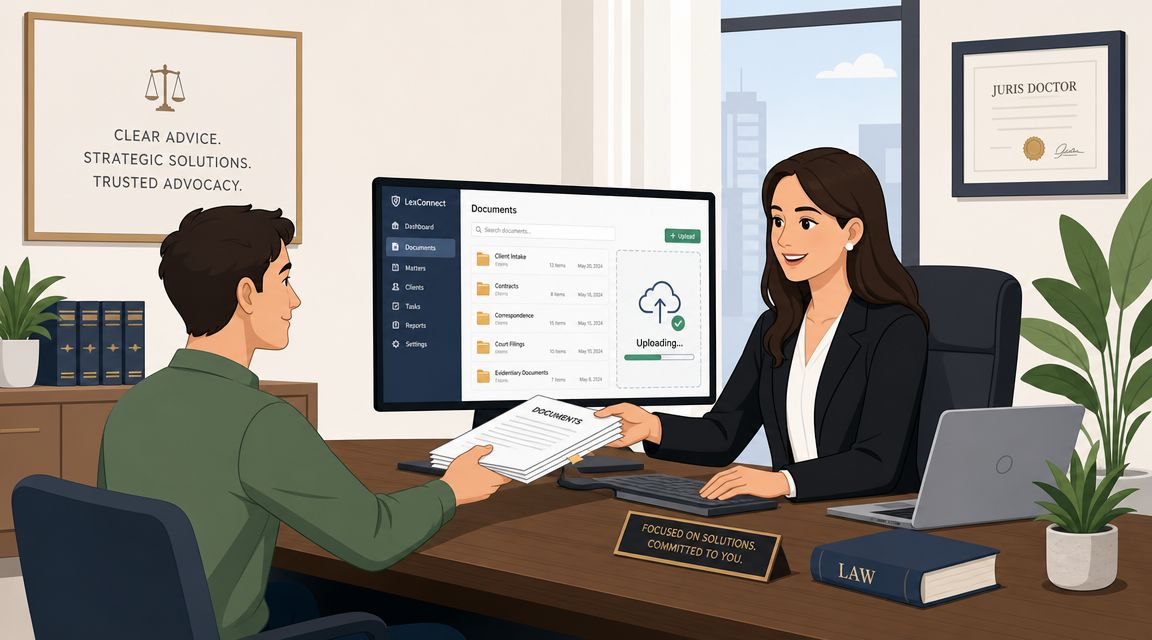
A law firm signs a new client for an employment dispute. The attorney wants to review the case quickly, but the file isn't usable yet. The client still needs to provide ID, a signed engagement letter, pay records, and key correspondence.
The workflow starts when the engagement is confirmed. The client receives a request with a clear checklist. If the client uploads only part of the file, the process does not sit in an inbox. It flags what is missing, triggers follow-up, and holds the matter until the required items arrive. The output is a complete intake file that the legal team can review without hunting through old emails.
For firms dealing with repeat collection work, a document collection platform for legal and client workflows can help standardize those intake steps.
HR onboarding
A candidate accepts an offer. That's good news, but it also triggers paperwork.
HR needs identification, tax forms, bank details, policy acknowledgments, and possibly certifications. In many companies, this still happens through scattered email threads. The result is predictable. New hires miss steps, HR sends reminders manually, and managers aren't sure whether someone is cleared to start.
A workflow fixes that by making each step visible. The accepted offer becomes the trigger. The new hire receives the required forms and upload requests. HR reviews submissions and sends correction requests if something is incomplete. The output is a file ready for payroll, compliance, and day-one onboarding.
Real estate transactions
A buyer wants to move quickly. The agent does too. But the transaction depends on a stack of documents that must arrive from multiple people.
There may be proof of funds, identity documents, disclosures, inspection records, and signed agreements. Without a workflow, these pieces arrive in different channels at different times. One attachment is buried in text messages. Another is in email. A third was uploaded to a shared drive with the wrong name.
A workflow gives the transaction structure. The signed offer or new listing becomes the trigger. Requests go out to the right parties. The team can see what has arrived, what is missing, and what still needs review. The output is a clean transaction file that can move to the next milestone without guesswork.
In real estate, speed matters. But speed without structure usually creates rework.
Mortgage and financial services
A broker starts a new application. The client is eager, but the paperwork burden is heavy.
Income evidence, bank statements, ID, tax records, and supporting forms often arrive in pieces. Some documents are outdated. Some are unreadable. Some belong to a spouse or co-borrower and never get sent at all.
A workflow helps because it can separate stages. First request identity and core financials. Then validate completeness. Then route the package for review. If a statement is missing or a document has expired, the workflow sends it back for correction before the file moves forward. The output is a reviewed application package that won't fall apart later because of missing basics.
Transportation and compliance checks
A transport company brings on a new driver. Before that person can operate, the business needs a reliable credential file.
That file may include a license, medical certificate, insurance information, training records, and vehicle-related documents. If the company tracks this manually, people often discover missing or expired records too late.
A workflow solves that by defining both collection and ongoing monitoring. The trigger may be a hiring decision or a renewal date. The transformation includes requesting documents, reviewing validity, and sending reminders when a renewal is due. The output is an active, compliant driver file.
What these examples have in common
These businesses look different, but the pattern is the same:
- A clear trigger starts the work
- Documents move through defined review steps
- Exceptions are handled before the process continues
- Completion means more than "something was submitted"
That's why workflow thinking works so well for document chasing. It doesn't just make people more organized. It turns a vague, frustrating activity into a controlled sequence where each file has a status, each person has a role, and each next step is known.
The True Value of a Well-Designed Workflow
A well-designed workflow earns its keep in the middle of an ordinary workday.
A client says they already sent the tax form. Your employee checks email, then a shared drive, then a spreadsheet. Another teammate asks whether the file is complete. Ten minutes later, nobody is fully sure what is missing, who reviewed it, or what should happen next. That kind of friction feels small in the moment, but it repeats across every client file.
Workflow design fixes that by turning document collection from a memory-based activity into a defined operating system. The work moves like a recipe with clear steps. Request the file, confirm it was received, check whether it meets the requirement, and send it to the next person only when it is ready. People still make decisions, but they are no longer guessing what comes next.
Companies implementing workflow automation report average productivity improvements of 30 to 40% within the first year of full deployment, and the global workflow automation market was valued at about $26.5 billion in 2024 and is projected to exceed $78 billion by 2030, according to workflow automation market and productivity statistics compiled by Electro IQ. For a small business owner, the practical meaning is simple. Time spent chasing paperwork can become time spent serving clients, reviewing work, or closing new business.
Manual collection versus workflow-driven collection
The clearest way to see the value is to compare the old habit with a defined process.
| Aspect | Manual Process (The Old Way) | Workflow-Driven Process (The New Way) |
|---|---|---|
| Requesting documents | Team sends individual emails and follows up by memory | Requests follow a defined sequence with consistent steps |
| Tracking status | Staff check inboxes, spreadsheets, and folders | Status is tied to the workflow stage |
| Missing items | Missing files are discovered late | Missing items trigger action before work proceeds |
| Review process | Files are passed around informally | Review happens at a defined stage |
| Client experience | Clients get scattered instructions | Clients receive a clearer path to completion |
| Reporting | Hard to spot delays or bottlenecks | The workflow creates a measurable process |
That difference matters because document collection problems usually are not caused by one big failure. They come from dozens of small gaps. A missing reminder. An unclear handoff. A file that sits in someone's inbox because no one realized it was their turn.
The benefits owners feel first
The first payoff is usually relief, not theory.
Owners and managers often notice a few changes almost immediately:
- Fewer repeat follow-ups: Staff stop rewriting the same reminder messages.
- Less cleanup work: Incomplete files are caught earlier, before they create problems downstream.
- Cleaner handoffs: People know when a file is ready for review and who owns the next step.
- Better visibility: Managers can see where a request is waiting instead of asking around for updates.
A workflow also gives you something many small teams do not have with manual document chasing. A process you can measure. Once the steps are defined, you can see how long files sit at intake, where errors appear, and which stage slows everything down. If a process cannot be measured, it is usually still living in people's heads instead of in a clear system.
A workflow doesn't replace human judgment. It replaces preventable confusion.
Better service without adding more admin
Clients do not care whether your business uses the formal language of operations design. They care about whether the process feels orderly. They notice when they have to send the same document twice. They notice when nobody can tell them what is still missing. They notice when progress depends on one employee remembering to send another email.
A good workflow removes that uncertainty. It gives clients a clearer path and gives your team a repeatable way to handle each file. That is why workflow thinking matters so much for document-heavy businesses. It solves a very tangible problem. It reduces the scramble around missing forms, expired records, unclear status, and stalled approvals.
For a small business, that kind of consistency builds trust. You look more professional because the process is more predictable. And you get that result without hiring a large operations team. You get it by designing the path so each document moves through the business the same way, every time.
Common Workflow Pitfalls and Best Practices
Many businesses build their first workflow and assume they are done. But a workflow can be structured and still be clumsy.
The most common mistake is confusing a checklist with a true workflow. Another is trying to cram every possible rule, exception, and department into one oversized flow.
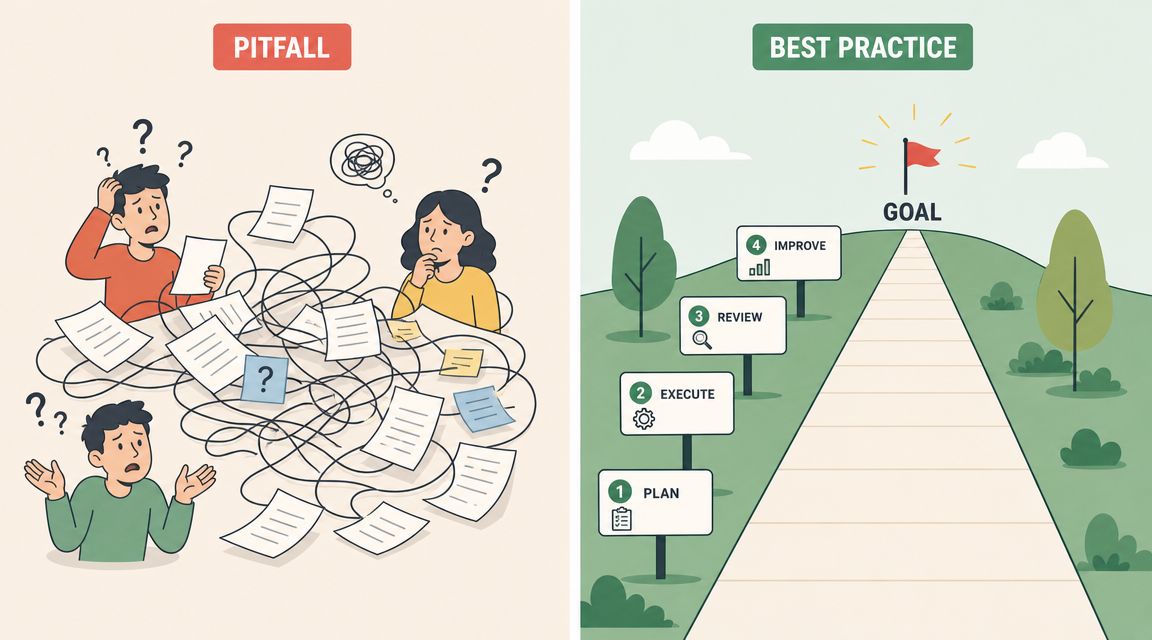
IBM draws a useful distinction here. In business process management, a workflow is often a simple series of tasks, while a business process is more complex and can include multiple workflows, systems, and people, as described in IBM's overview of workflows and business processes.
Pitfall one: building one monster workflow
Small teams often start with a sensible idea. Then they keep adding conditions.
What starts as "collect client documents" grows into "collect documents, run approvals, handle billing, manage exceptions, send contracts, and trigger archive rules." At that point, the workflow becomes hard to understand and hard to maintain.
A better approach is to separate connected workflows. One flow handles intake. Another handles review. Another handles renewal or expiration tracking.
Pitfall two: making the process too rigid
A workflow should create consistency, but it shouldn't trap your team.
Real life includes exceptions. A client may need to submit an alternative document. A new hire may not have one required item on day one. A reviewer may need to pause a file and ask a clarifying question.
If your workflow has no room for exceptions, people will work around it. Once they start working around it, the design loses value.
Watch for this sign: If your staff keep saying "ignore the system for this one," the workflow is too brittle.
Pitfall three: forgetting the submitter experience
Businesses often design workflows from the inside out. They focus on what the team wants to receive, but not on what the client or employee has to go through to send it.
That leads to long instructions, unclear labels, and too many requests at once.
Try these best practices instead:
- Start simple: Build the shortest workable version first, then refine it.
- Use plain language: Replace internal jargon with labels clients understand.
- Group related requests: Ask for documents in a logical order.
- Plan for missing items: Decide in advance how reminders and corrections should work.
- Review regularly: Check where files stall and adjust the process.
Pitfall four: never improving the workflow
A workflow isn't permanent just because it's documented. If the process creates delays, confusion, or repeat questions, it needs adjustment.
Review actual behavior. Where do submissions slow down? Which documents are often missing? Which step creates back-and-forth? Those answers tell you whether the workflow matches real work or just the way someone imagined work should happen.
The best workflows are practical. They are clear enough to repeat, flexible enough to handle exceptions, and simple enough that people use them.
How to Implement and Optimize Your Workflows with Superdocu
Most business owners don't need a theoretical definition anymore once they see the pattern. They need a way to build the process so it works consistently.
That usually starts with one recurring pain point. New client intake. Employee onboarding. Property file collection. Compliance renewals. Pick one process that creates repeated follow-up and repeated confusion.
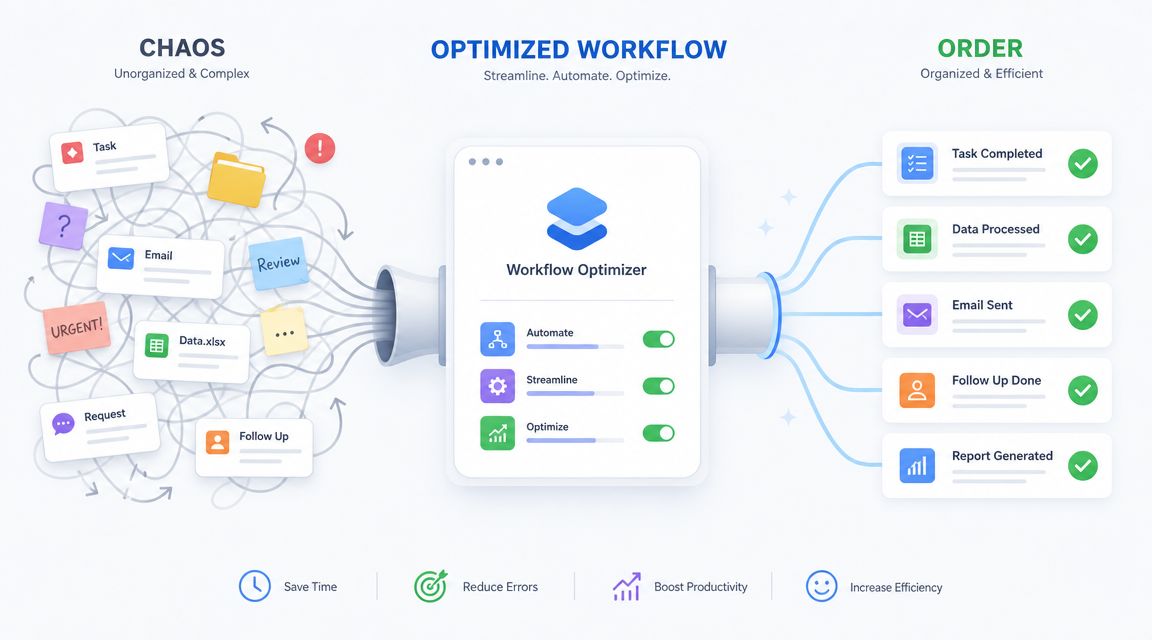
Start with a narrow, repeatable process
Don't begin with your most complicated operation. Start with a workflow that happens often and follows a recognizable pattern.
A practical rollout looks like this:
- Define the trigger: What event starts the request process?
- List required documents: What must be submitted for the file to move forward?
- Set review checkpoints: Who verifies completeness and quality?
- Decide exception rules: What happens when a file is missing, outdated, or unclear?
- Mark the finish line: What exact condition means the workflow is complete?
A tool can help by turning your process from a whiteboard idea into an actual operating path. Superdocu is one example. It provides workflow building for document collection, branded request portals, automated reminders, validation dashboards, expiration tracking, and integrations such as Zapier and DocuSign. For businesses that collect paperwork repeatedly, those features line up with the workflow structure discussed throughout this article.
Use automation carefully, not blindly
Automation works best when the rules are stable. Reminder schedules, document routing, request links, and review states are usually good candidates because they happen the same way again and again.
More judgment-heavy tasks may still need a person. That is increasingly important as workflows become more intelligent. According to AWS's overview of workflows and AI-assisted operations, 72% of organizations use AI in at least one business function, and AI can assist with document extraction, validation, and exception handling. That changes how businesses should think about workflow design.
Instead of asking whether a workflow should be fully manual or fully automated, ask better questions:
- Which steps must stay deterministic? Compliance approvals often need clear, fixed rules.
- Which steps are repetitive? Reminders and routing are strong automation candidates.
- Which steps benefit from assistance? Extraction or validation may be supported by AI, while final decisions stay with staff.
The strongest workflow is rarely the one with the most automation. It's the one with the clearest handoff between system actions and human judgment.
Optimize after launch
Once a workflow is live, pay attention to friction.
You don't need a complex analysis project. Look for a few signals:
- Repeated missing files: Your request list may be unclear.
- Frequent review delays: The routing step may need adjustment.
- Client confusion: The instructions may be too technical.
- Too many exceptions: The workflow may be too rigid or too broad.
Small improvements matter. Rename a document request. Change reminder timing. Split one overloaded process into two smaller workflows. Those changes often do more than adding another layer of complexity.
The point of workflow design isn't to make your business feel automated. It's to make recurring work easier to complete correctly. When your team knows what starts the process, what happens next, and what done looks like, document chasing stops being a daily fire drill and becomes an operational system.
If your business spends too much time requesting, reviewing, and chasing paperwork, Superdocu is one way to turn that recurring burden into a defined document workflow with request links, reminders, review steps, and secure collection in one place.