
At its core, a document workflow management system is a piece of software that takes charge of your business documents' entire lifecycle. It automates everything from the moment a document is created, through all the steps of review and approval, right up to its final storage.
Think of it this way: instead of paper physically moving from desk to desk, getting signatures, and eventually being put in a filing cabinet, this system does it all digitally, automatically.
From Cluttered Desks to Clean Dashboards
We've all seen the traditional, manual process. An invoice lands on a desk, waits to be seen, gets carried to another person for approval, and is finally filed away by hand. Each one of those steps is a potential point of failure. A misplaced folder, a forgotten email, or just a busy afternoon can stall the whole process and create frustrating bottlenecks.
A document workflow management system swaps that chaotic paper shuffle for a smart, automated sequence. It’s like a digital conveyor belt for your information, but it's much more than a simple storage solution. It's an active system that directs who needs to see what, and precisely when they need to see it.
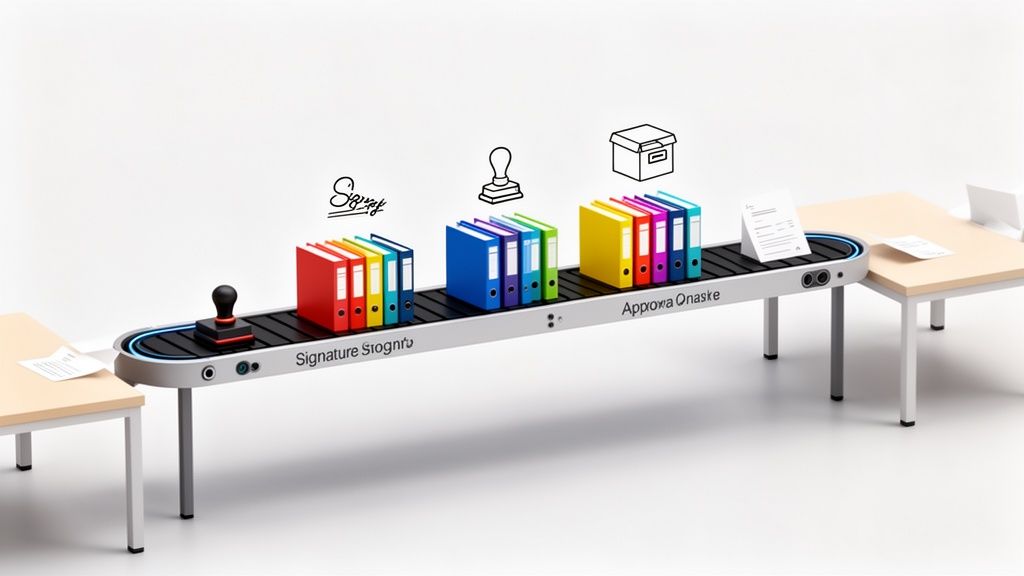
The Workflow Engine: Where the Magic Happens
The real power of these systems lies in the 'workflow' component. This is where you set the rules for how a document should travel through your organization. Once you define the path, the system executes it perfectly every single time, whether it's a simple one-step approval or a complex, multi-department process.
For example, a workflow can be set up to:
- Instantly send a new contract to the legal team for review.
- Automatically nudge clients who are late submitting their forms.
- Alert the finance department the moment an expense report is approved.
- Securely archive a project file in the correct folder once it's complete.
This move toward digital efficiency is why the industry is booming. In 2024, the global Document Management System (DMS) market hit a value of USD 8.7 billion and is expected to climb to USD 39 billion by 2034. It's not just hype; companies that adopt these systems often see efficiency jump by as much as 60%, according to market analysis from market.us. Automation isn't a perk anymore—it's essential.
A document workflow management system turns static files into active players in your business, making sure they always get to the right person at the right time.
Let's break down the difference in a bit more detail.
Manual vs. Automated Document Workflow
Here’s a quick comparison highlighting just how different the two approaches are.
| Feature | Manual Process | Automated Workflow System |
|---|---|---|
| Document Routing | Physically carried or emailed from person to person. | Automatically sent to the next person based on preset rules. |
| Approvals | Relies on in-person signatures or email replies. | Digital signatures and one-click approvals within the system. |
| Tracking | Difficult to know a document's status without asking. | Real-time visibility into who has the document and where it is. |
| Error Handling | Prone to human error, lost files, and missed steps. | Reduces errors with validation checks and required fields. |
| Speed | Slow and dependent on individual availability. | Fast and continuous, with automated reminders to prevent delays. |
| Storage & Retrieval | Cumbersome physical filing and manual searching. | Secure, centralized digital storage with instant searchability. |
The contrast is pretty stark. One method is stuck in the past, while the other is built for how modern businesses need to operate.
By taking these repetitive tasks off your team's plate, you free them up to focus on more important work. To learn more about how this works in practice, dive into our guide on document workflow automation. It’s the first step to winning back the countless hours your team loses to paperwork.
What You Really Gain from Automating Your Workflows
When you bring in a document workflow management system, the benefits go way beyond just saving a little time. The real wins are the ones you can see and feel across your entire business—impacting your bottom line, your customer relationships, and how well you can handle whatever comes your way. It's about trading manual chaos for automated calm.
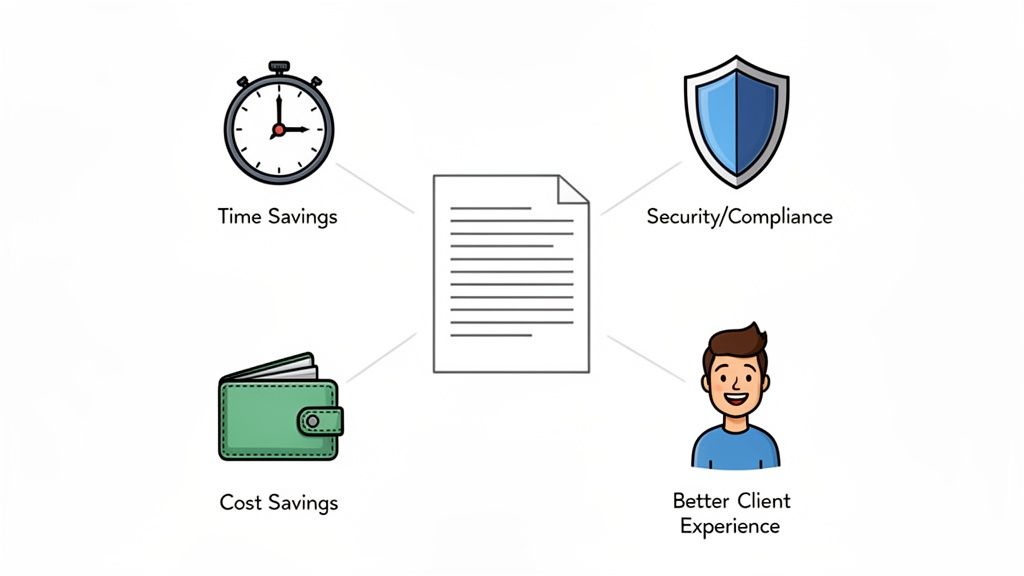
One of the first things you'll notice is how much administrative busywork just disappears. Think about all those hours your team spends chasing clients for missing documents or manually sending follow-up emails. Automation handles that for you, sending polite, scheduled reminders until everything is collected.
This immediately makes things better for your clients, too. Instead of getting bogged down in confusing email chains with a dozen attachments, they get a single, professional link. This takes them to a branded portal where they can upload everything in one go. It’s a clean, simple process that builds trust from day one.
Lock Down Your Security and Compliance
Let's be honest, manual processes are a nightmare to track. They're a breeding ground for security risks and compliance headaches. An automated system, on the other hand, gives you a clear, unchangeable audit trail for every single document. You know exactly who opened a file, when they saw it, and what they did. That kind of control is a lifesaver in highly regulated industries.
For example, a law firm can use a document workflow management system to prove the exact moment discovery documents were sent, received, and reviewed. That creates a rock-solid record for court. This digital paper trail makes audits less of a scramble and helps you stay on the right side of compliance rules without breaking a sweat.
Automating your document workflows isn't just about speed. It's about building a secure, transparent, and auditable foundation for how you do business.
Speed Up the Processes That Matter Most
In business, speed is everything, and paperwork is often what slows you down. Automation gets rid of the manual handoffs and delays that create bottlenecks.
Think about how this plays out in the real world:
- HR Onboarding: Your HR team can bring on a whole group of new hires at once without any chaos. The system automatically sends out offer letters and contracts, collects IDs, and makes sure every form is filled out before their first day.
- Client Intake: A financial advisor can get all the necessary statements and agreements from a new client through a guided workflow. This can shrink the onboarding time from a couple of weeks to just a few days.
- Loan Processing: A mortgage broker can push applications through much faster. The system can automatically check if the right documents have been submitted and move the file to the next reviewer without anyone having to lift a finger.
All this speed leads to very real cost savings. You’ll spend less on paper, printing, and storing files in cabinets. But the biggest saving is in people's time. Your skilled employees are freed up to focus on the work that actually grows the business, not on pushing paper. The result? A leaner, more secure, and more profitable operation.
The Features That Truly Matter in a Modern Workflow System
When you start shopping for a document workflow management system, the options can make your head spin. To cut through the marketing fluff, it’s best to zero in on the core features that actually solve real-world business headaches. These are the make-or-break capabilities that separate a decent tool from one that genuinely makes your life easier.

The market for these systems is absolutely exploding, which tells you just how vital automation has become. Valued at USD 7.5 billion in 2021, the global workflow management system market is expected to rocket to USD 53.5 billion by 2028. You can see the full breakdown of these market projections on kbvresearch.com.
This massive growth is a clear signal: businesses are leaning heavily on automation to keep up. This is especially true for any process that revolves around documents, where the right platform can connect every single step, from collection to final approval.
Customizable Workflow Automation
At the heart of any great system is the power to build custom "if this, then that" rules. This is what lets you design a process that mirrors the way your business actually works, rather than forcing you into a rigid, one-size-fits-all box.
For example, you could create a rule that automatically sends an approved invoice straight to your accounting software. Or maybe a newly signed client contract triggers a welcome email and creates a new project in your management tool. This is how you make the software work for you, not the other way around.
The best systems don't just automate tasks; they give you the building blocks to create intelligent, self-running processes that are unique to your business needs.
Automated Reminders and Notifications
Let's be honest, manually chasing people for documents is a soul-crushing waste of time. A top-tier system completely removes this chore from your team's to-do list with built-in automated reminders.
You should be able to set a schedule for polite follow-ups that gently nudge clients or colleagues until they submit what you need. This one feature alone can dramatically speed up your timelines and improve client relationships by keeping everyone on track without any awkward conversations.
A Branded and Secure Client Portal
The way you collect documents is a direct reflection of your business. A modern document workflow management system should provide a branded client portal where people can upload files safely and easily.
This offers a professional and trustworthy experience, which is worlds away from asking clients to attach sensitive information to an email. Look for the ability to add your own logo, colors, and custom messages to create a seamless extension of your brand. If you want to dig deeper into this, we have a helpful guide on what makes a secure document intake platform.
Essential Integrations and Security
No software is an island. Your chosen system absolutely must connect with the other tools you rely on every day. Look for a few key integrations:
- eSignature Tools: A smooth connection to platforms like DocuSign is non-negotiable for creating legally binding, fully digital processes.
- Connectivity Platforms: An integration with a service like Zapier is a game-changer. It opens the door to thousands of other apps, letting you link your document workflows to your CRM, project management software, and just about anything else.
And underpinning all of this must be rock-solid security. Make sure any system you consider has data encryption (both in transit and at rest) and complies with standards like GDPR. This is the only way to guarantee that your company's—and your clients'—sensitive information is always protected.
How Different Industries Use Workflow Automation
A document workflow management system isn't just some abstract business theory. It’s a hands-on tool that solves real, everyday problems for all sorts of companies. The best way to understand its power is to see it in action. By looking at how other professionals are using it, you can start to see how it could bring the same kind of efficiency to your own work.
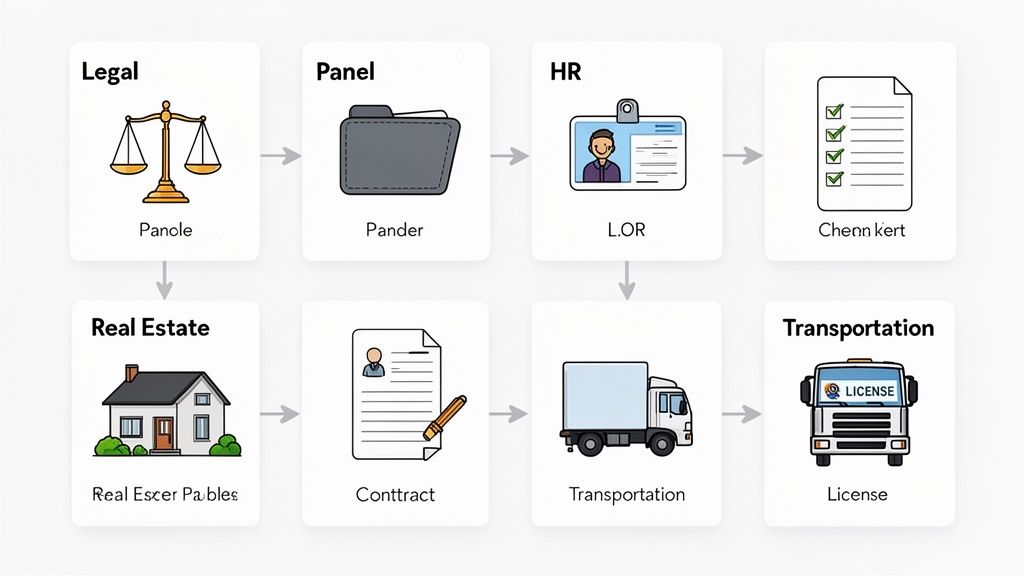
Whether you're a lawyer or a logistics manager, the core challenge is often the same: you have to get a ton of important documents from point A to point B quickly and without mistakes. Let’s dive into how automation helps these industries tackle their unique paper-chasing headaches.
Legal and Immigration Firms
Legal and immigration practices run on paper. There's no getting around it. A single missing document or a blown deadline can have massive consequences for a client's case.
-
The Problem: Manually chasing down client intake forms, visa applications, and evidence is a slow, tedious grind. It's also riddled with opportunities for human error. Attorneys and paralegals burn through valuable billable hours just reminding clients to send their files, and a messy folder system is a huge compliance risk.
-
The Solution: Firms are turning to document workflow management systems that include a secure portal for clients. They build a custom workflow that automatically requests every necessary document, from ID cards to signed retainer agreements. The system then politely but persistently sends reminders until the client’s file is 100% complete.
-
The Result: Firms have slashed administrative overhead by up to 40%. This frees up legal staff to focus on actual case strategy instead of just managing paperwork. Clients get onboarded faster, and the firm gets a perfect, auditable trail of every document, which is a game-changer for compliance.
Think of it like a digital paralegal that never sleeps. By automating document collection, legal pros can build stronger cases and move them forward much faster, knowing every piece of required information has been gathered and organized perfectly.
Human Resources and Staffing
Bringing a new employee into the company means navigating a mountain of paperwork that needs to be filled out correctly and on time. For any HR department, especially one hiring several people at once, this can spiral into chaos very quickly.
-
The Problem: The old way of onboarding is a messy jumble of emails, attachments, and paper forms. It's a nightmare trying to track who has sent in their I-9, tax forms, or direct deposit info. This leads to frustrating delays and makes for a terrible first impression on new hires.
-
The Solution: HR teams use a workflow system to create a single, standardized digital onboarding packet. New employees get one link that walks them through everything: uploading their ID, signing the employee handbook, and completing all their tax and payroll forms online.
-
The Result: The time it takes to get a new hire fully set up is cut in half. The HR team gets a simple dashboard showing the status of every new person at a glance, making sure they're ready to go on day one. It's a much more professional experience that gets rid of payroll hiccups before they happen.
Real Estate and Mortgage Brokers
Anyone who has bought a home knows the process is notoriously document-heavy. Brokers and agents are constantly trying to collect pay stubs, bank statements, applications, and property deeds from a half-dozen different people.
-
The Problem: Trying to manage all these documents from buyers, sellers, and lenders over email is a recipe for disaster. Files get lost in long email chains, people work off the wrong versions, and sending sensitive financial data over unencrypted channels is a huge security risk.
-
The Solution: A dedicated workflow is created for each new transaction. It generates a clear checklist of every document needed and gives the client a secure link to upload everything. Automated reminders nudge people along, and every file is stored in one central, secure place.
-
The Result: Loan application processing times get a serious boost. Brokers can handle more clients at once without getting overwhelmed. Best of all, everyone involved knows exactly what's needed next, which dramatically reduces the stress and frustration for the client.
How to Choose the Right System for Your Business
Picking the right document workflow management system can feel a bit like trying to find a needle in a haystack. But it doesn't have to be. The secret isn't in comparing a million features—it's in understanding your own business first.
Before you even glance at a price tag, take some time to map out how documents actually move through your company. Follow the journey of a new client contract or an internal expense report from start to finish. Where do things get stuck? Where do delays always seem to pop up? This is where you'll find your roadmap.
This simple exercise helps you sidestep a classic mistake: buying an expensive, overly complicated system packed with bells and whistles you'll never touch. Instead, you can zero in on tools that solve the real problems you just uncovered. The goal is to find software that fits your business, not to force your business to fit the software.
For most growing companies, a modern, cloud-based platform is the smartest move. Old-school, on-premise software often requires a massive upfront investment and an IT team to keep it running. Cloud solutions, on the other hand, are typically more affordable, get you up and running quickly, and can easily grow with you. To learn more, check out our deep dive into the benefits of a cloud-based document management system.
Core Evaluation Criteria
As you start comparing your options, focus on a few key areas that will make or break your experience. A great system should feel like a natural part of your team, not another frustrating tool everyone has to learn.
-
Industry-Specific Functionality: Does the software speak your language? A platform with ready-made templates for your field—whether that's legal, HR, or real estate—is a huge head start. For instance, Superdocu provides specialized templates that automate everything from tenant applications to new hire onboarding.
-
Integration Capabilities: No tool is an island. Your new system has to connect smoothly with the software you already rely on every day. Look for built-in integrations with things like eSignature platforms or broader connectivity through tools like Zapier. This keeps information flowing without any manual gymnastics.
-
Ease of Use and Support: Let's be honest—if it’s clunky, your team won't use it. Is the interface intuitive for someone who isn't a tech genius? Is the customer support team responsive and helpful? Smooth adoption is everything.
This forward-thinking approach is especially crucial for smaller businesses. While large enterprises held 60.22% of the U.S. document management market in 2025, it’s the small and medium-sized businesses (SMBs) that are really driving growth, expanding at an incredible 17.80% compound annual growth rate.
What’s fueling this shift? Cloud-based software, which has already captured 67.2% of the market by giving smaller players access to powerful tools without the enterprise-level price tag. This trend makes it crystal clear that scalable, user-friendly solutions are the future, as highlighted in these document management market insights.
When choosing a system, prioritize flexibility and future growth. The right platform not only solves today's problems but also has the capacity to grow with your business tomorrow.
Have Questions About Workflow Systems? We've Got Answers.
Thinking about automating your document processes? It’s a big step, and it’s smart to have questions. After all, you're talking about changing how your business handles its most important information. Let’s clear up a few of the most common concerns people have before they dive in.
Getting these things straight from the start is what separates a smooth, successful rollout from a frustrating one.
Is My Data Really Secure in the Cloud?
This is usually question number one, and for good reason. Your client and company data is your most valuable asset. The idea of moving it online can feel risky, but modern cloud systems are built from the ground up with security as their main job.
Top-tier platforms use things like end-to-end encryption. Think of it like sending a message in a locked box that only the recipient has the key to. Your files are scrambled while they're being sent and remain scrambled while they're stored. Plus, these systems follow strict international privacy laws like GDPR, meaning they’re held to incredibly high standards. Honestly, their security is often much stronger than what most small businesses could afford to build and maintain themselves.
A good document workflow system isn't just a digital filing cabinet—it's a fortress for your files. With advanced encryption and compliance, it offers a level of protection that paper-based methods or email attachments simply can't provide.
How Hard Is It to Actually Get Started?
Nobody has time for software that takes weeks to learn. The fear of a complicated, drawn-out implementation process is real. The good news? The best workflow tools are designed to be used by regular people, not just IT wizards. The goal is to get you up and running in hours, not months.
Here’s how they make it happen:
- Drag-and-Drop Builders: Most feature clean, visual dashboards where you can literally draw out your workflow without writing a single line of code.
- Ready-Made Templates: Why start from scratch? You can grab a pre-built workflow for common tasks—like new client intake or employee onboarding—and tweak it to fit your needs.
- Helpful Onboarding: You’re not left on your own. Good systems come with clear tutorials, walkthroughs, and real human support to guide you.
This focus on simplicity means your team can take ownership. They can build and manage their own workflows, solving the exact problems they face every day without needing to file a ticket with the IT department.
What About Getting Documents Signed?
A workflow that hits a dead end when a signature is needed isn't much of a workflow at all. If someone has to print, sign, and scan a document, the whole process breaks down. That’s why built-in electronic signature capabilities are non-negotiable. It’s the final piece of the puzzle for a truly digital process.
Instead of just collecting a file, a great system lets you build a workflow that automatically sends a contract out for signature once it’s been internally approved. By integrating with legally-binding eSignature services like DocuSign, it ensures your agreements are secure, compliant, and hold up in court. This one feature closes the loop, getting rid of that last manual step and keeping your most critical documents moving forward.
Ready to stop chasing paperwork and start automating your business? Superdocu makes it easy to create secure, professional document collection workflows in minutes. Start your free trial today and see how simple it is to get organized.