
At its core, document collection is the whole process of asking for, gathering, and then organizing the files you need from clients, new hires, or partners.
Think about it like this: if you're trying to bake a cake, you need to gather all the ingredients first. If you're missing the flour or the eggs, you can't even start. The same goes for business processes—without the right documents, everything grinds to a halt.
What Is Modern Document Collection?
Let's use a real-world example. You’re in HR, bringing on a new team member. You need their signed offer letter, I-9, direct deposit info, and benefit forms. The traditional way? A long, messy email chain with a dozen attachments, followed by even more emails chasing down the one form they forgot to send. It's slow, looks unprofessional, and is a security nightmare.
Modern document collection completely changes the game. It gets rid of those chaotic email threads and messy spreadsheets, replacing them with a single, organized system that’s secure and largely automated. Instead of hounding people for files, you send them one secure link. They land on a professional-looking portal where they can upload everything you need in one go.
This isn't just a minor tweak; it's a fundamental shift from a reactive chore to a proactive, streamlined workflow.
This dashboard from Superdocu shows what this looks like in practice—a central hub for managing all your document requests.
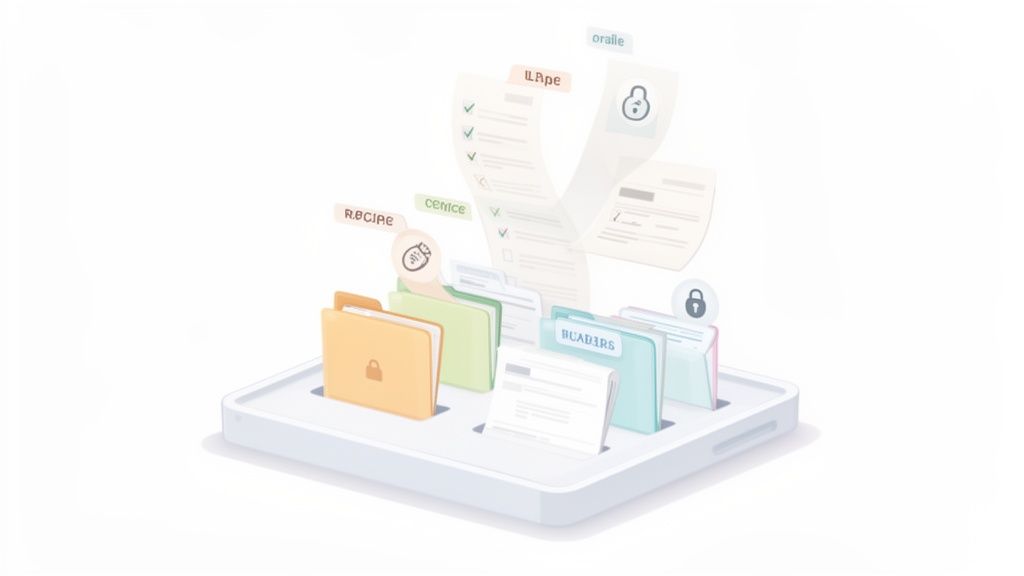
With a clean, organized view like this, you can see the status of every single request at a glance. No more guesswork or manual tracking in a spreadsheet.
Beyond Just a Digital Filing Cabinet
A good document collection system is much more than a place to dump files. It’s an active, intelligent process designed to make life easier for everyone. For your business, it means less time spent on tedious admin work and quicker turnarounds on everything from new hires to client projects. For your clients, it provides a smooth, professional, and dead-simple experience.
So, what does a modern system actually do?
- Keeps everything in one place. All requests and submissions happen through a single, secure portal. No more hunting through email inboxes.
- Sends automatic reminders. The system can gently nudge people who have outstanding documents, saving your team from having to play bad cop.
- Gives you real-time status updates. You know exactly who has submitted what and what’s still missing, instantly.
- Locks things down. Sensitive data is encrypted and protected, which is a massive step up from the vulnerabilities of email.
The big idea is to turn a frustrating, time-sucking task into an efficient, professional, and almost invisible part of your daily operations. Getting this right isn’t just about saving a few hours—it’s about cutting down on business risks and starting every new client or employee relationship on the right foot.
The Rush to Automate Is On
This isn't just a niche trend; the move toward dedicated collection platforms is picking up serious steam. The global market for this kind of software is expected to reach $1,194.7 million by 2025.
Why the rapid growth? Because businesses in fields like law, HR, real estate, and finance simply can't afford the delays, compliance headaches, and security risks that come with doing this manually anymore.
The True Cost of Outdated Collection Methods
Picture this: you're a mortgage broker on a tight deadline. Your client's dream home is on the line, but you're stuck chasing down a single, missing pay stub. You send a "gentle reminder," then a "just checking in" email, and finally, a more urgent "we need this now" plea. Each email is a shot in the dark. Did they attach the right file? Is it legible? Is it even the most recent one?
This frustrating back-and-forth is the daily grind for countless professionals still relying on manual methods. This old-school approach isn’t just inefficient; it's a silent drain on your most valuable resources—time, money, and client goodwill. While sticking with email and spreadsheets feels "free," the real price is paid in lost productivity, glaring security risks, and a clunky client experience that sends people running.

The Heavy Price of Wasted Time
Manual document collection is a black hole for productivity. Every minute you spend drafting another follow-up email, digging through your inbox for an attachment, or updating a tracking spreadsheet is a minute you aren't spending on work that actually matters.
This isn't just a minor annoyance; it’s a major operational drag. Research consistently shows that knowledge workers can lose up to 50% of their time just searching for information or chasing down colleagues. This administrative burden grinds your team down, impacting both capacity and morale.
The real cost isn't just the hours lost but the opportunity lost. When your team is stuck playing administrative traffic cop, they aren't closing deals, innovating, or delivering the exceptional service that sets you apart.
Navigating the Security and Compliance Minefield
Sending sensitive files over standard email is like mailing a postcard with your bank details written on the back. It’s shockingly insecure. Email is often unencrypted and a prime target for interception, putting confidential client data at extreme risk of a breach.
A single mistake, like a typo in an email address, can send highly sensitive documents straight to the wrong person. The consequences can be disastrous.
On top of that, industries like finance, healthcare, and legal are bound by strict compliance rules like GDPR or HIPAA. Manual processes make it nearly impossible to maintain a clean audit trail. Proving who accessed what and when becomes a nightmare, exposing your business to massive fines and lasting reputational damage. A proper document collection system isn't just about convenience; it's a critical line of defense.
The Frustrating Client Experience
Let's be honest—your document collection process is often a client's first real taste of what it's like to work with you. A messy, confusing experience sets a terrible tone for the entire relationship.
Clients today expect simple, digital interactions. Asking them to decipher long email chains and then download, print, sign, scan, and re-attach a pile of files feels completely outdated. This friction causes delays and makes them feel like their time isn't valued. A modern, streamlined portal, on the other hand, shows you’re professional and serious about their security, building trust from the very first step.
Manual vs Automated Document Collection
To see the difference clearly, let's put the old way side-by-side with a modern, automated approach. The contrast highlights how much time and security you gain by moving away from manual methods.
| Aspect | Manual Collection (Email & Spreadsheets) | Automated Collection (Superdocu) |
|---|---|---|
| Efficiency | Slow, repetitive tasks; constant manual follow-ups | Automated reminders and status tracking; staff focuses on high-value work |
| Client Experience | Confusing, frustrating, and time-consuming | Simple, intuitive portal; clients can upload files in seconds from any device |
| Security | High risk of data breaches, insecure file transfer | End-to-end encryption; secure, centralized storage; access controls |
| Error Rate | High; wrong versions, missing files, poor quality scans | Low; guided submissions, data validation, and clear requirements prevent errors |
| Tracking | Clunky and manual; difficult to see a real-time status | Centralized dashboard with a clear, real-time overview of all requests |
| Compliance | Difficult to maintain audit trails; high risk of non-compliance | Automatic, detailed audit logs for every action; built to meet regulations |
As you can see, the gap between these two methods is huge. Sticking with manual processes leaves your team overworked, your data vulnerable, and your clients frustrated. An automated platform like Superdocu flips the script, turning a major pain point into a smooth, secure, and professional part of your workflow.
Building Your Automated Document Collection Workflow
Let's be honest, moving from a messy manual process to a smooth, automated one is about building a system from the ground up. Think of it less like tidying your desk and more like designing a smart assembly line. Each station does its job perfectly, freeing up your team to focus on work that actually matters. This workflow doesn't just appear out of thin air; you have to build it, piece by piece.
The goal here is to create a predictable, professional, and seriously efficient engine for all your document collection needs. Every single step, from that first client interaction to the final file validation, can be automated. This saves time, slashes errors, and tightens up security.
Here’s how to build that powerful workflow.
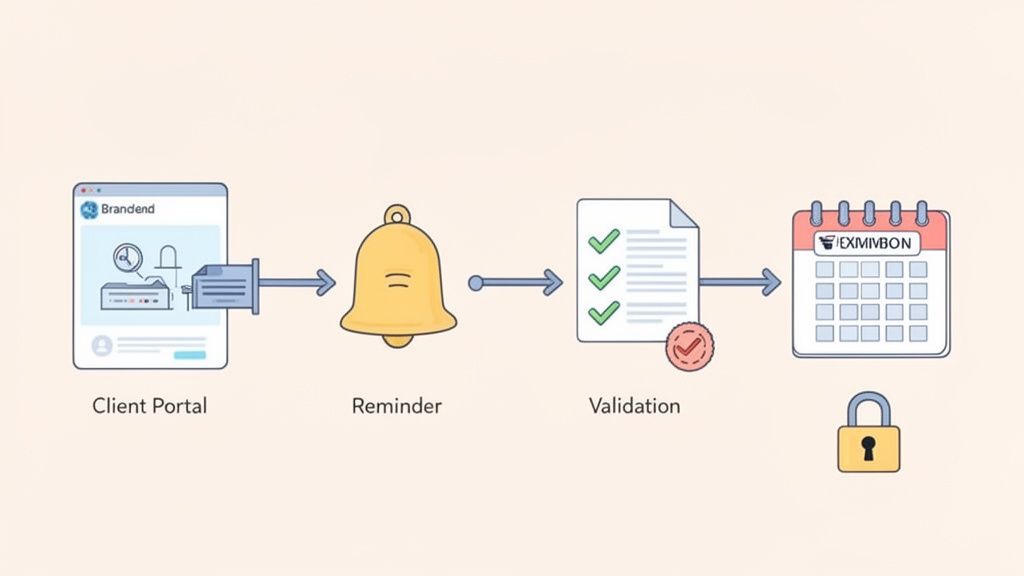
Create a Secure Branded Client Portal
For many clients, your document collection process is their first real taste of how you operate. A generic email with a confusing list of requests doesn't exactly scream "professional." A secure, branded client portal, on the other hand, immediately builds trust and shows you mean business.
This portal becomes the central hub where clients can securely upload everything you need. To get it right, it should be:
- Customized with your branding: Your logo, your colors. It should feel like a natural extension of your website, not some clunky third-party tool.
- Simple and intuitive: The design needs to be clean. It should be obvious to anyone what they need to upload and where it goes.
- Mobile-friendly: People are on their phones. They should be able to snap a picture of a document and upload it right then and there—no scanner required.
A proper portal tells your clients you take their security seriously and have invested in making their lives easier. That’s a huge win for building confidence from day one.
Set Up Automated Reminders and Follow Ups
If there’s one thing that drains time in manual document collection, it’s chasing people for missing files. Sending endless follow-up emails is boring for your team and can feel like nagging to your clients. This is where automation is a total game-changer.
An automated reminder system lifts this entire burden off your team. You can set up a simple schedule of polite, persistent nudges that go out automatically to anyone who hasn't submitted their documents. For example, a reminder could go out three days after the first request, and then another a week later. Nothing falls through the cracks, and your team doesn't have to send a single manual email. You can learn more about how an automated document request tool makes this possible in our detailed guide.
By automating follow-ups, businesses can reclaim dozens of hours each month. This transforms the process from a reactive chase into a proactive, self-managing system that works for you in the background.
Implement Built In Validation and Checklists
Getting the wrong file is almost as bad as getting no file at all. An expired ID, an unsigned contract, or a blurry photo of a pay stub sends you right back to the beginning. It creates frustrating delays for everyone. Built-in validation is your secret weapon to get the right documents the first time.
You can set specific rules for each file you request, such as:
- File Type Restrictions: Only accept PDFs for contracts or JPEGs for photos. No more weird file formats.
- Naming Conventions: Automatically rename uploaded files to a consistent format like "ClientName-ID-2024."
- Required Fields: Make sure a submission can't even be completed until all the mandatory documents are uploaded.
The rise of Intelligent Document Processing (IDP) shows just how important this is. The IDP market is expected to hit $6.78 billion by 2025, largely because businesses need this kind of smart automation. For industries like finance and insurance, where a whopping 88% of institutions are pushing for digital upgrades, features like validation dashboards and eSignature tools aren't just nice to have—they're essential.
Track Document Expirations Proactively
For a lot of businesses, the work isn't over once a document is collected. Certifications, licenses, insurance policies, and IDs all expire. Trying to track all those dates in a spreadsheet is a disaster waiting to happen. It’s a huge risk for non-compliance and can bring operations to a grinding halt.
A modern document collection platform turns this recurring nightmare into a simple, automated task. When you request a document, you can add an expiration date field. The system then keeps an eye on those dates and automatically notifies both you and your client weeks or months before it’s time to renew. This proactive approach means you always have current, valid documents on file without any of the last-minute panic.
How Different Industries Master Document Collection
The real power of a modern document collection system clicks into place when you see it working in the wild. While the big headaches—chasing down files, keeping things secure, and cutting out the busywork—are pretty much universal, every industry has its own unique pressures. From the ironclad confidentiality needed in legal cases to the sheer volume of paperwork in HR, the right workflow changes everything.
Let's walk through how different fields shape their document collection to fit their specific needs, turning what could be a bottleneck into a surprisingly smooth operation. These real-world examples show how a smart, structured approach solves very distinct problems, whether the main goal is compliance, speed, or just handling a ton of files at once.
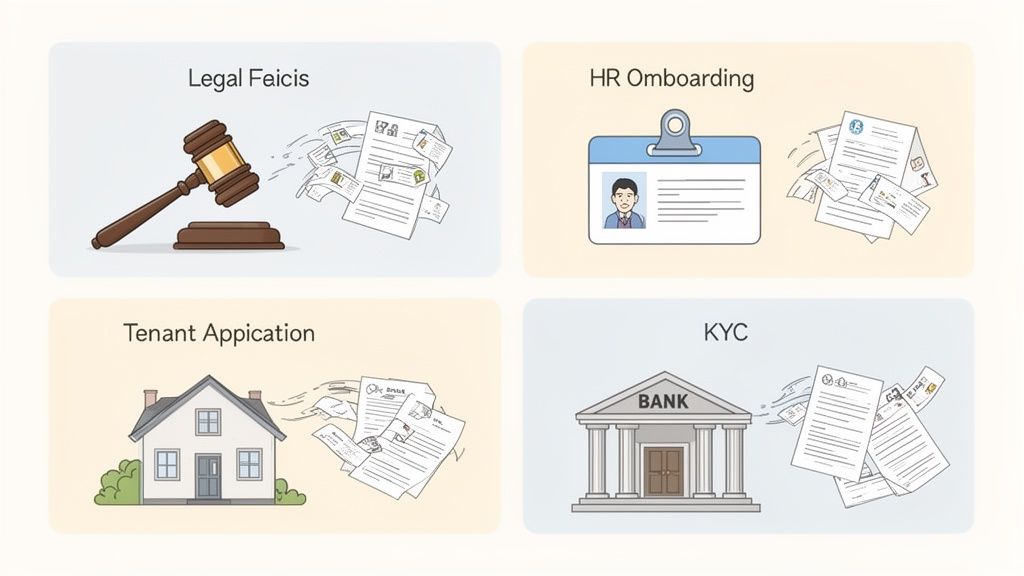
Legal and Compliance Teams
For a law firm, confidentiality isn't just a nice-to-have; it's an ethical and legal command. The whole process involves gathering incredibly sensitive information, from client intake forms and financial statements to evidence like contracts and personal emails. Just think about it—using a regular, unencrypted email for this stuff is a huge, unacceptable risk.
A legal team’s best workflow is built around a secure client portal that they control. Here’s how they nail it:
- Secure Intake: New clients get a single, encrypted link to upload their initial case documents. This keeps attorney-client privilege safe right from the very first interaction.
- Evidence Management: The firm can create checklists for discovery, letting clients and even opposing counsel upload evidence directly into organized, case-specific folders.
- Audit Trails: Every single action—every upload, view, or download—is logged automatically. This creates a solid chain of custody, which is absolutely critical when you're in court.
This kind of setup transforms a high-risk process into a secure, defensible, and totally professional operation.
Human Resources and Staffing
HR departments are practically built on paperwork, especially when a new person joins the team. You've got to collect I-9s, W-4s, signed offer letters, benefits forms, and direct deposit info for every single hire. It can turn into an administrative mess in a heartbeat, particularly if you're hiring in large batches. The real challenge is keeping up with the volume and making sure it's all done the same way every time.
An automated document collection workflow lets HR manage this high volume without breaking a sweat. They can set up a standard onboarding template and reuse it for every new employee, making sure no document ever gets missed. Automatic reminders gently nudge people to submit outstanding forms, freeing up the HR team to focus on making the new hire feel welcome instead of just chasing them for paperwork.
By standardizing the collection process with a repeatable template, HR teams ensure every new hire completes the same required steps, dramatically improving compliance and cutting administrative time by hours per employee.
Real Estate and Property Management
The real estate world moves at lightning speed. Agents and property managers are constantly juggling documents for every deal—tenant applications, proof of income, rental agreements, property disclosures, you name it. Any delay in getting these files can mean losing a tenant or leaving a property empty for another month.
Their workflow is all about speed and making things easy. A mobile-friendly portal is crucial, since applicants often need to submit documents while they're out and about.
Here’s what that looks like in action:
- Application Link: A unique link to the full application packet is sent out to a prospective tenant or buyer.
- Instant Upload: The applicant can just use their phone to snap pictures of their pay stubs, ID, and other documents and upload them right there.
- Quick Review: The agent gets a notification immediately and can see the complete application packet in one place, letting them make decisions much faster.
This streamlined process gives them a serious competitive edge in a fast-paced market. The move to cloud-based systems is a huge part of this. Cloud-based document management now has a dominant 68% market share, because industries like real estate need that anytime, anywhere access. SMEs, especially, love that they can slash infrastructure costs, making it a perfect solution for agencies processing tons of tenant applications. You can dig into more data on this trend, including its projected 17.4% CAGR expansion by 2030, in recent market analyses.
Finance and Mortgage Lending
In finance, there’s no room for error. Accuracy and security are everything. Loan officers and financial advisors have to collect a mountain of sensitive documents to comply with Know Your Customer (KYC) and Anti-Money Laundering (AML) rules. We're talking tax returns, bank statements, proof of identity, and detailed financial histories.
The biggest hurdle is making sure every document submitted is valid and complete. A single missing page or an expired ID can bring the whole process to a screeching halt and trigger compliance alarms.
Their workflow is built to prioritize validation from the start:
- Guided Checklists: Clients get a clear, step-by-step checklist of every single document they need, with specific instructions for each one.
- Pre-Submission Validation: The system can be set up to automatically reject blurry images or the wrong file types, cutting down on all the back-and-forth emails.
- Expiration Tracking: The platform can automatically flag documents that are about to expire, like a driver's license, and prompt the client for an updated version ahead of time.
This meticulous, careful approach ensures that financial institutions meet their strict regulatory duties while giving clients a clear, organized path to getting approved.
Choosing the Right Document Collection Software
Picking the right software for collecting documents is a bit like choosing the engine for a new car. The right one makes everything run smoothly, but the wrong one will leave you stranded and frustrated. With a ton of options out there, it’s easy to feel a little lost.
This guide is designed to help you cut through that noise. We’ll focus on the core features that really move the needle, so you can tell the difference between a basic tool and a genuine business asset.
Focus on the Client Experience
Think about it: your document collection portal is often one of the first direct interactions a client has with your process. A clunky, generic interface doesn't just look bad; it can make your whole operation seem unprofessional. That's why solid customization and branding options aren't just "nice-to-haves"—they're essential for building trust.
The best platforms let you create an experience that feels like it’s part of your company, not some third-party tool. Look for the ability to:
- Add your logo and brand colors: This creates a consistent, polished look right from the start.
- Customize emails and notifications: Your communication should sound like it’s coming from a person on your team, not a robot.
- Create a clean, intuitive interface: It should be dead simple for clients to see what they need to upload and where. No guesswork needed.
If the platform is a pain for your clients to use, it creates friction and delays. And that completely defeats the purpose of getting a new system in the first place.
Automation That Works for You
Let's be honest, the main reason you're looking for a tool is to get rid of the mind-numbing manual work that eats up your team's day. Good automation is what makes that happen. Without it, you’re just swapping one set of manual tasks for another.
The system you choose absolutely must have powerful, automated reminders and follow-ups. Imagine setting up a request and just knowing the software will politely chase down any missing files for you. This frees your team to focus on the work that actually matters, not on playing email tag. For a closer look at what this entails, you can learn more about the features in great document collection software in our complete guide.
A strong automation engine does more than just send reminders. It gives you a bird's-eye view of everything in real-time. You should be able to see who’s done, what’s missing, and who needs another nudge—all from one dashboard.
Security and Compliance Are Non-Negotiable
When you're handling people's sensitive information, security isn't something you can just hope for. We all know that sending confidential files over email is a huge risk, and any modern platform has to offer a much safer way. Put security and compliance at the very top of your checklist—they should be deal-breakers.
Look for these critical security features:
- End-to-End Encryption: Your data needs to be locked down while it's being uploaded and while it's sitting on a server.
- Compliance Certifications: The platform must meet major standards like GDPR, especially if you have clients in Europe.
- Secure Access Controls: You need to control which team members can see or manage specific documents.
Skimping on security can lead to data breaches, massive fines, and a damaged reputation that’s hard to fix. A secure platform is your best line of defense.
Integrations and Scalability
Your document collection tool doesn’t exist in a bubble. It needs to play nice with the other software you rely on every day, like your CRM, cloud storage (think Google Drive or Dropbox), and e-signature tools like DocuSign.
The ability to connect your apps through a service like Zapier is also a huge win, as it unlocks thousands of other potential workflows. Finally, ask yourself if the platform can grow with you. A solution that works for a two-person team should be able to handle a team of twenty without breaking a sweat.
Common Questions About Document Collection
Making the switch to a dedicated document collection system is a big move, and it's smart to have questions. Most people wonder about the same things: Is it actually secure? Will my clients hate using it? And how is this any different from the file storage I already use?
Let's tackle those common questions head-on. My goal here is to give you clear, straightforward answers to clear up any doubts, so you can feel confident about building a better, more professional workflow.
Is It Safe to Collect Sensitive Documents Online?
This is usually the first question people ask, and for good reason. The answer is a definite yes—if you're using a platform built specifically for secure collection. In fact, a modern system is worlds safer than traditional methods like email.
Email is notoriously insecure. It’s often unencrypted and a favorite playground for cybercriminals, leaving your clients' sensitive data wide open. A dedicated platform, on the other hand, is built with security as its foundation.
- End-to-End Encryption: This is the gold standard. It means your files are scrambled and protected from the moment they're uploaded until they're safely in your hands.
- Compliance with Regulations: Reputable platforms are designed to meet strict data privacy laws like GDPR, ensuring you handle personal information correctly and legally.
- Secure, Expiring Links: Instead of sending attachments that live forever in someone's inbox, you can send request links that automatically shut down after a set time, preventing old links from becoming a security risk.
On top of that, choosing a solution that stores data in a secure jurisdiction, like Europe, adds another powerful layer of protection. When you compare the two, a secure portal isn't just a little safer than email—it's in a completely different league.
Think of it this way: using email for sensitive files is like sending a postcard through the mail. A dedicated, encrypted portal is more like putting that information in a locked digital safe. It’s one of the single best security upgrades you can make.
How Much Time Can I Realistically Save by Automating?
The time you get back isn't just a few minutes here and there—it's significant. Businesses that move from manual chasing to an automated workflow often slash their administrative time by as much as 80%. That’s not a fuzzy estimate; it’s the result of wiping out several tedious tasks all at once.
Where does all that time come from? First, you stop manually typing out reminder emails and tracking who has sent what. Then, you eliminate the endless back-and-forth that happens when people send the wrong file or an incomplete form. Finally, reviewing and organizing everything becomes a breeze when it all lands in one organized dashboard.
For a small team, this easily adds up to dozens of hours every single month. That's time you can put back into work that actually matters, like talking to clients, closing deals, or thinking about the bigger picture.
Will My Clients Find a Collection Portal Difficult to Use?
It's actually the other way around. Most clients find a well-designed portal incredibly easy and a huge relief. The magic is in providing a simple, guided experience that takes all the guesswork out of the process.
Instead of getting a long, confusing email with a laundry list of instructions, your client clicks a single link. That link opens a clean, professional page with your branding, clearly showing exactly what they need to upload. It's intuitive.
Best of all, they can do it from any device, including their phone. That means they can just snap a picture of an ID or document and upload it in seconds—no scanner needed. Once they're done, they get a confirmation that everything was received, giving them peace of mind. It’s a faster, more secure, and far more professional experience than telling them to "check that email I sent last Tuesday."
What Is the Difference Between Document Collection and Management?
This is a great question because it gets to the core of how these systems fit together. They’re related, but they do two very different jobs.
Document collection is the "front door" of your process. Its whole purpose is to request and gather files from people outside your organization—clients, new hires, partners, you name it. The focus is 100% on intake and making that initial handoff as smooth as possible.
Document management, on the other hand, is the "library" where everything lives after you've received it. It’s all about storing, organizing, securing, and archiving those files for the long haul.
A great document collection tool is a specialist. It perfects that first step of getting the files in the door. It then integrates with your document management system, where the files can be stored permanently. One tool brings everything in, and the other keeps it all organized for the future.
Ready to stop chasing documents and build a workflow that just works? Superdocu makes it simple to automate your entire collection process. You can create branded portals, send automatic reminders, and give your clients a secure, professional experience they’ll appreciate. Start your free trial today and see the difference for yourself.