
Picture this: You swap out all those clunky, space-hogging filing cabinets for a single, smart digital workspace you can access from anywhere. That's the core idea behind cloud-based document management. It’s a way to store, track, and manage all your business files securely over the internet, freeing you from the confines of a local server.
Rethinking Your Digital Filing Cabinet
To really get a feel for it, imagine a massive, old-school library. If you needed one specific book, you could spend hours sifting through dusty shelves. Now, contrast that with a modern digital library where a quick search pulls up exactly what you need in seconds. That’s the kind of jump you make when you move to a cloud document management system.
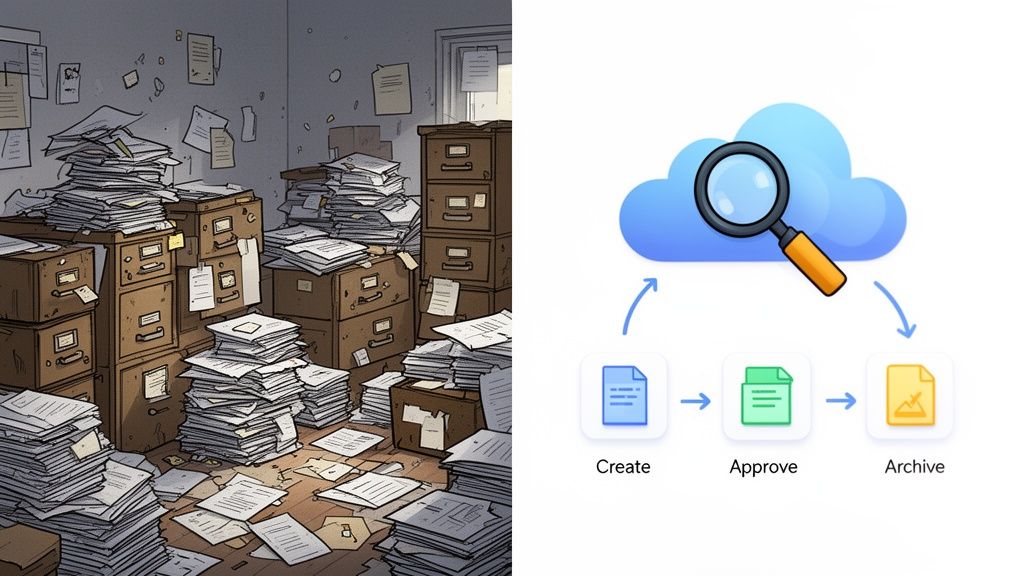
This technology is a huge step up from basic cloud storage services like Dropbox or Google Drive. While those tools are great for stashing files, a true document management system (DMS) is built to handle a document's entire journey. It's an active, intelligent hub designed specifically for business workflows.
Cloud Storage vs. Cloud Document Management
It's easy to confuse the two, but their purposes are fundamentally different. Basic cloud storage is like a digital locker, while a DMS is more like a full-service logistics center for your information. Here's a quick breakdown of how they stack up.
| Feature | Basic Cloud Storage (e.g., Google Drive) | Cloud Document Management (e.g., Superdocu) |
|---|---|---|
| Primary Use | Storing and sharing individual files. | Managing the entire document lifecycle and business workflows. |
| Workflow Automation | None. Manual processes are required for approvals and tracking. | Built-in. Automates reminders, approval routing, and notifications. |
| Security & Compliance | Basic user permissions and password protection. | Advanced features like audit trails, role-based access, and compliance controls. |
| Version Control | Limited. Can be confusing to track the latest version. | Robust. Automatically tracks every revision and maintains a clear history. |
| Search Functionality | Searches by file name and some content. | Advanced search with filters, metadata, and full-text content search. |
| Integration | Limited integration with other business tools. | Deep integrations with CRMs, accounting software, and other core systems. |
Simply put, while cloud storage is a fine starting point, a true DMS gives you the structure and automation needed to run a business efficiently and securely.
From Simple Storage to Smart Workflows
A cloud-based document management solution like Superdocu is designed to manage a document from its creation all the way to its final, secure archiving. It’s not just about where the file lives; it's about what you do with it. This covers everything from collecting a document securely, to team collaboration, to getting formal approvals.
This is where you start to see the power of intelligent workflows. Instead of manually chasing a client for a signature or reminding a new employee to turn in their paperwork, the system handles it for you. It can automatically:
- Send reminders for contracts or licenses that are about to expire.
- Route a document to the right person for approval.
- Notify you the moment a client uploads their files.
- Create a detailed audit trail that tracks every single interaction with a file.
Think of a cloud-based document management system less like a digital folder and more like a dedicated administrative assistant—one that works 24/7 to keep your business running smoothly, without errors or delays.
This shift is happening on a global scale. The document management market is on track to grow from USD 7.68 billion in 2024 to USD 18.17 billion by 2030. A huge part of this growth comes from cloud-based systems, which made up over 67% of the market revenue in 2024. As you can read in the full research about document management system market trends, businesses everywhere are choosing more flexible and scalable options over old-fashioned on-premise systems. It’s a clear sign of how modern companies are working smarter, not harder.
The Real-World Wins of a Cloud DMS
Moving to a cloud-based document management system isn't just a tech upgrade; it’s a strategic move that delivers some serious business advantages. Forget vague promises like "cost savings"—let's get into the nitty-gritty of what actually changes when you bring order to your document chaos.
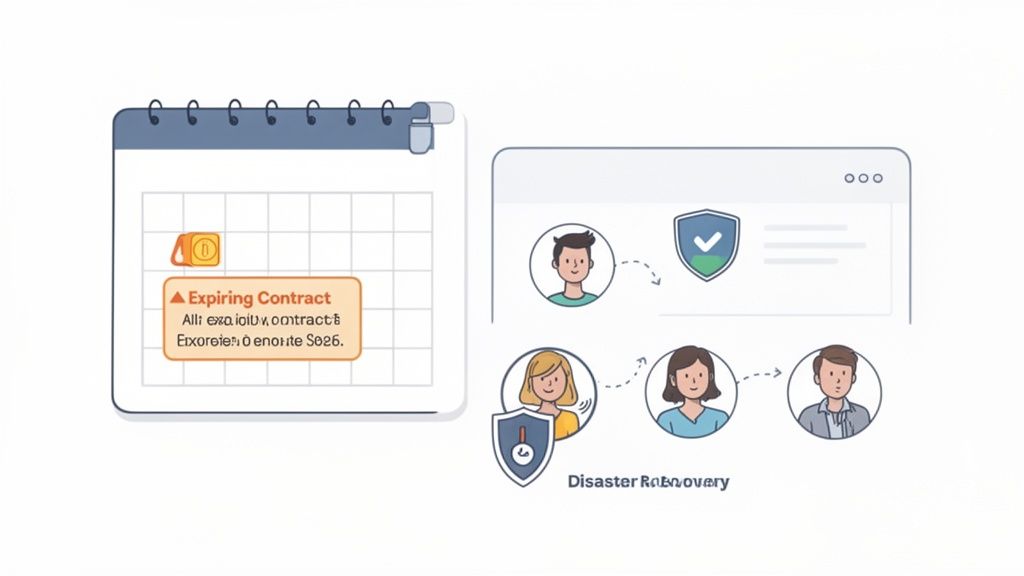
The core idea is simple: turn messy, manual tasks into smooth, dependable workflows. Instead of someone wasting half their morning digging through shared drives or chasing down signatures, the system does the heavy lifting. This frees up your people to do the work that actually matters, cutting down on administrative drag and costly mistakes.
Slash Administrative Overhead and Boost Efficiency
One of the first things you'll notice is how much manual work just disappears. Think about onboarding a new employee. The old way is a mess of back-and-forth emails, printing, scanning, and manually creating folders. With a cloud DMS, you send one link to a clean, branded portal. The new hire uploads everything, and the system instantly files it all away correctly.
This kind of automation adds up to big wins:
- Automated Nudges: Stop nagging clients for documents. The system can send polite, scheduled reminders until everything is in.
- No More Manual Filing: Documents get tagged and sorted automatically based on rules you set. That’s hours of tedious work gone.
- Faster Turnarounds: Client onboarding or application approvals that used to drag on for days can now be wrapped up in hours.
A cloud DMS gives you back your most precious resource: time. When you automate the repetitive stuff, your team can finally focus on the bigger picture instead of getting stuck in the weeds.
Elevate Your Client Experience
Let's be honest, first impressions count. A clunky, confusing document process is frustrating for clients and makes you look disorganized. A professional client portal flips the script, offering a smooth, secure, and modern experience.
Imagine a mortgage applicant who can securely upload all their sensitive financial documents right from their phone and get an instant confirmation. That builds incredible trust. Or a law firm using a dedicated portal to collect discovery documents, showing clients their confidential information is in safe hands. Little things like this make a huge difference in client satisfaction and keep them coming back.
Strengthen Security and Nail Compliance
Trying to manage security and compliance with paper files or a jumble of digital folders is a nightmare. A proper cloud-based system gives you a solid framework for protecting sensitive data and meeting all those tricky regulatory requirements.
This peace of mind is built on a few key pillars:
- Contract Expiration Alerts: A system like Superdocu can keep an eye on renewal dates and shoot a reminder to your team, so you never get caught off guard by an expired contract.
- Audit Trails: Every single action—who viewed a file, who downloaded it, who changed it—is logged. This creates a bulletproof record for any audit.
- Disaster Recovery: Your most important business documents aren't living on a server in your office. They're safe in the cloud, protected from fires, floods, or hardware meltdowns, ensuring you can keep operating no matter what.
Put it all together, and you get a business that’s more efficient, more professional, and a whole lot more resilient.
What Are The Must-Have Features?
When you're shopping for a cloud document management system, it's easy to get lost in a sea of features. But here’s the secret: only a handful of them truly separate a powerful business tool from a glorified online folder. Think of these as the non-negotiables—the core engine that will actually drive efficiency and protect your business.
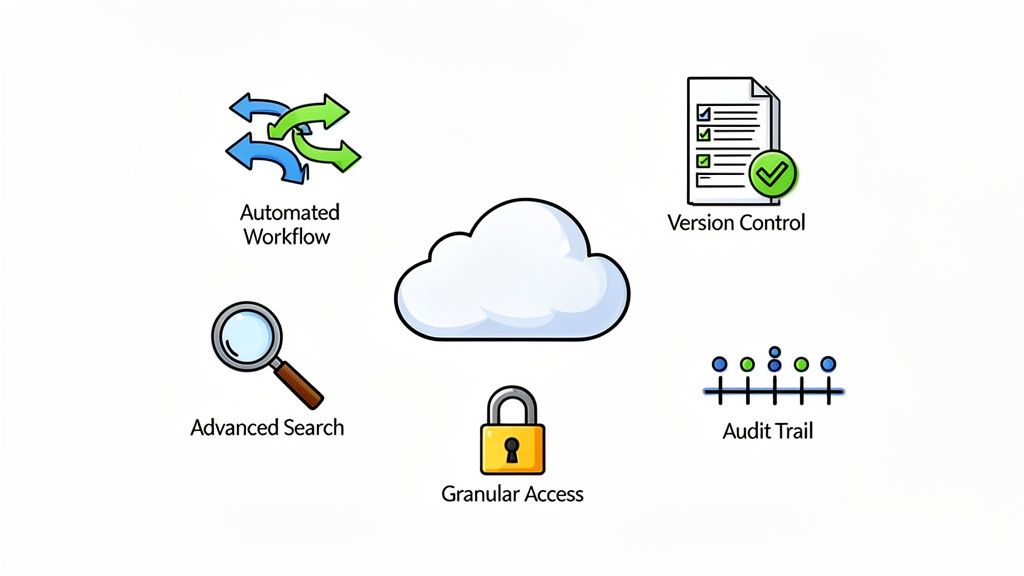
It’s a bit like buying a car. You wouldn't consider a model without basics like air conditioning or power windows. In the same way, certain features are simply standard equipment for any modern business, whether you're managing legal contracts, real estate deals, or logistics paperwork.
Let's dig into what you absolutely need to look for.
H3: Automation That Does The Heavy Lifting
The real magic of a proper DMS is its ability to put repetitive tasks on autopilot. Chasing down missing documents, sending reminders, and manually filing paperwork are massive time sinks that are just begging for human error. A good system lets you build smart workflows that handle all that for you.
Here's what that looks like in practice:
- Automated Nudges: The system should automatically email clients or staff when documents are missing or about to expire. This is a lifesaver in compliance-heavy fields like transportation, where tracking driver certifications is a constant chore.
- Intelligent Filing: Forget dragging and dropping. A document should be automatically sorted and filed based on rules you set the moment it's uploaded.
- Approval Chains: Need a contract reviewed by three different people? The system should automatically pass it from one person to the next, keeping the process moving without you having to intervene.
By taking the manual work out of the equation, these automated workflows give your team their time back. They can focus on what they do best, not on administrative busywork. This leads directly to faster project turnarounds and a much smoother client experience.
H3: Fort-Knox Security And Access Control
When you're dealing with sensitive client financials or employee PII, security isn't just a feature—it's everything. A top-tier cloud DMS must give you airtight tools to protect your data and, just as importantly, control exactly who can see it.
Look for these security essentials:
- Granular Access: You need the power to set permissions down to the individual user or team. For instance, the HR manager can see every employee file, but a team lead can only access documents for their direct reports.
- Complete Audit Trails: The system must keep a detailed log of every single action. Who viewed a file? Who downloaded it? Who made an edit, and when? This total visibility is crucial for compliance audits and internal accountability.
- Version Control: This is the feature that finally kills off files named "Contract_Final_v3_really_final." It saves a complete history of every revision, ensuring everyone is working on the latest version without creating a mess of confusing duplicates.
This level of security used to be reserved for giant corporations, but the cloud has changed the game. The market for document management software is expected to more than double, rocketing from USD 5.88 billion in 2024 to USD 12.09 billion by 2032. And what’s fueling that growth? Cloud SaaS solutions, which already hold over 67% of the market and are expanding at a staggering 17.4% CAGR. You can read more about how cloud platforms are taking over and why so many businesses are jumping on board.
H3: Smart Search and Seamless Connections
A great DMS shouldn't be an island. It needs to play nicely with the other tools your business relies on every day. These integrations are the glue that connects your processes, saving you from the headache of constantly switching between different apps.
For example, a platform like Superdocu connects to thousands of other apps through its Zapier integration. Imagine automatically creating a new client folder in your DMS the second a new lead is added to your CRM. Or, by connecting to DocuSign, you can handle eSignatures without ever leaving your workflow. A clean, branded document portal is also essential for giving clients a professional, easy-to-use hub for their files.
Finally, don't overlook search. You need to be able to find any file in seconds, and that means going beyond just searching by filename. A powerful system will search the full text inside your documents and let you filter by things like client name, date, or document type. This is what turns your digital archive from a cluttered mess into a well-organized, instantly searchable library.
H3: Essential Features Checklist for a Cloud DMS
To make your evaluation process easier, here's a quick checklist of the critical features every business should demand from a cloud-based document management system.
| Feature | Why It's Critical | Example Application |
|---|---|---|
| Automated Workflows | Frees up team from repetitive tasks and reduces human error. | Automatically sending a reminder for an expiring compliance certificate. |
| Granular Access Control | Ensures sensitive information is only seen by authorized personnel. | Restricting access to financial reports to the accounting department only. |
| Full Audit Trails | Provides a complete, unchangeable record of all document activity. | Proving a client viewed and downloaded a contract on a specific date. |
| Version Control | Prevents confusion and ensures everyone uses the most current file. | Tracking all changes made to a legal agreement during negotiations. |
| Full-Text Search | Allows you to find information instantly, even if it's buried in a document. | Searching for a specific clause across hundreds of client contracts at once. |
| Third-Party Integrations | Connects the DMS to your other business tools for a seamless process. | Linking your CRM to automatically create a new client folder in the DMS. |
| Secure Client Portal | Offers a professional and secure way to share and receive files with clients. | A real estate agent sharing property documents with a buyer through a branded portal. |
Think of this checklist as your starting point. Any system that ticks all these boxes is well on its way to being a valuable asset for your company, not just another piece of software.
Understanding Security and Compliance in the Cloud
Let's be honest, handing over your company's sensitive files to a third party can feel a little unnerving. When you're looking at cloud based document management, security and compliance aren't just bullet points on a feature list—they're the entire foundation of trust. But here’s something that might surprise you: a modern cloud system is often far more secure than that old server humming away in your office closet.
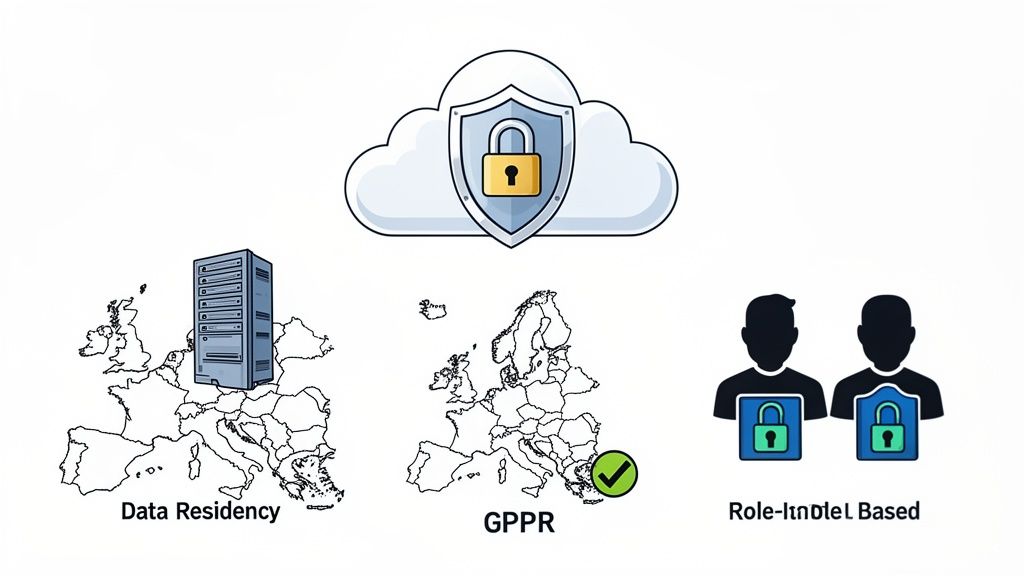
This isn't by accident. Top-tier cloud platforms build security in layers, protecting your data from every conceivable angle. The first line of defense is encryption, which essentially acts as digital armor for your information, making it completely unreadable to anyone who doesn't have the key.
Your Data Under Digital Lock and Key
Think of encryption as an incredibly complex way of scrambling your data. The best cloud platforms apply this protection at two critical points, making sure every file is secure from the moment it leaves your device until it's safely stored.
Here’s a simple breakdown of how it works:
- Encryption in Transit: This protects your data while it's zipping across the internet—for instance, when a client uploads a sensitive contract to your portal. It’s the difference between sending a valuable package in a locked armored truck versus an open-top convertible.
- Encryption at Rest: As soon as your document arrives, it's stored on the server in that same scrambled, encrypted state. This means even if a hacker somehow gained physical access to the server, the files would be nothing but gibberish.
By combining these two methods, your data is shielded both during its journey and while it's sitting on the server. This dual-layer approach is the gold standard for enterprise-grade security and is absolutely essential when you're handling sensitive business information.
Meeting Strict Compliance Standards
Beyond just keeping bad actors out, a solid cloud DMS helps you navigate the tangled web of regulatory compliance. Rules like Europe's General Data Protection Regulation (GDPR) have incredibly strict standards for handling personal data, and the penalties for getting it wrong are steep.
A truly compliant platform bakes these requirements right into its DNA. For example, a provider like Superdocu hosts all its data exclusively in Europe, which immediately helps businesses check the box on GDPR’s data residency rules. This ensures your data never leaves a specific geographic area, keeping you in line with local privacy laws.
The right platform makes compliance easier with built-in tools:
- Data Residency: Guarantees your files are stored in specific countries or regions to meet legal and regulatory demands.
- Role-Based Permissions: Puts you in the driver's seat, letting you control exactly who can see, edit, or download which documents.
- Audit Trails: Logs every single action taken on a document—who opened it, when, and what they did. This creates a clear, unchangeable record for any compliance checks.
Built for Resilience and Recovery
What would happen if a fire or flood hit your office tomorrow? With an on-premise server, that could mean losing everything. This is where a cloud based document management system really shines, with disaster recovery built right in.
Leading cloud providers don't just store your data in one place. They make copies and spread them across multiple, highly secure data centers. If one location goes down, your information is still perfectly safe and accessible from another. The chances of actually losing data are minuscule—we're talking the equivalent of losing a single document in 10 million years. These systems are engineered for 99.99% availability, meaning your business can keep running, no matter what.
To see how these elements come together, you can learn more about what it takes to build a secure document intake platform and the features that truly protect your business.
Getting Your New System Up and Running Smoothly
Adopting a new cloud-based document management system isn't like flipping a switch. It’s a process, and a well-thought-out plan is what separates a smooth transition from a chaotic one. The goal is to get your team on board and see a return on your investment quickly, all while keeping business disruptions to a minimum.
The real work starts long before you upload a single file. It begins with a hard look at your current processes and a clear vision for what you want to achieve.
Start with a Solid Plan
Before you even think about looking at software options, you need to look at your own operations. What problems are you actually trying to solve? Maybe your team wastes hours chasing clients for paperwork. Perhaps compliance deadlines are a constant source of stress. Or maybe finding a specific contract feels like an archaeological dig.
Get specific about these pain points.
- Find the Bottlenecks: Sketch out how documents move through your business right now. Where do things get stuck or grind to a halt?
- Define What Success Looks Like: Is it faster client onboarding? Is it slashing compliance errors by half? Is it simply making your team's workday less frustrating?
- Talk to Your Team: The people who will use the system every day know the real-world challenges better than anyone. Their insights are pure gold.
This initial deep dive becomes your roadmap. It will guide every decision you make, from which provider you choose to how you design your new digital workflows.
Choose a Partner, Not Just a Product
When you're comparing systems, remember you’re not just buying software. You're entering a long-term partnership. A great vendor does more than just provide a platform; they offer reliable support, helpful training, and a system that can scale as your business grows.
Look for a provider who gets your industry. A vendor’s commitment to your success often shines through in their onboarding process. For instance, a system like Superdocu offers pre-built templates for fields like legal, real estate, and HR, which dramatically cuts down the time it takes to get started. That kind of built-in expertise can be a massive advantage.
Map Out Workflows and Move Your Data
Once you’ve chosen your partner, it’s time to design your new digital processes. This is your chance to turn clunky, manual steps into streamlined, automated workflows. Don't just copy your old system online—this is a golden opportunity to improve it. Start small with one or two key processes, like client intake, to build some early momentum.
Then comes data migration: getting your existing files into the new system. This can seem overwhelming, but a step-by-step approach makes it manageable.
- Clean House First: Before you move a thing, purge all the duplicate, outdated, and trivial files. There’s no sense in bringing digital clutter into your new, clean space.
- Move What Matters Most: You don't need to move everything at once. Start with your active, high-priority documents.
- Tag Everything: Create and stick to a consistent naming and tagging system. This makes the powerful search features of your new system useful from day one.
Think of it like moving into a new house. It’s the perfect chance to declutter and get organized, so your new space is efficient and easy to navigate from the get-go.
Roll It Out to the Team
The true test of success is whether your team actually uses the system. The best way to ensure they do is to roll it out in phases, not all at once. Kick things off with a small pilot project in a single department that's excited about the change. This lets you iron out any wrinkles, get honest feedback, and create internal advocates who can spread the word about how great the new system is.
Training and clear communication are everything. Show your team exactly how the new cloud-based document management system makes their specific jobs easier. For example, you can demonstrate how a secure, branded portal simplifies collecting documents from clients—a topic we cover in our guide to building an effective client portal.
When you focus on the "what's in it for me," you turn potential skepticism into genuine excitement. That's how your new system becomes an essential tool everyone relies on.
Cloud Document Management in the Real World
Theory is great, but what does this all look like in practice? The real magic of a cloud based document management system is how it untangles messy, real-world business problems. It's not just about cleaning up digital files; it's about turning chaotic, time-sucking tasks into smooth, predictable workflows.
Let's look at a few before-and-after stories from different fields. You'll see how these systems don't just store documents—they fundamentally change how work gets done, solving the day-to-day headaches businesses know all too well.
An Immigration Law Firm Ends the Paper Chase
Picture an immigration law firm completely buried in paperwork. Their team was stuck in a never-ending cycle of chasing visa applicants for missing documents. It was a constant barrage of emails and phone calls—a manual, inefficient process that frustrated everyone and put critical deadlines at risk.
Then, they brought in a cloud DMS and gave each applicant a branded, secure portal. The change was immediate.
- A Clear Checklist: Instead of a confusing list of requests, applicants now see a simple, personalized checklist of exactly what’s needed.
- Automated Nudges: The system takes over the follow-up, sending polite, persistent reminders for anything that's missing. This freed up the paralegals to focus on actual legal work.
- Instant Alerts: The moment an applicant submits the final document, the legal team gets an automatic notification, letting them kick off the next step without missing a beat.
The firm slashed its administrative burden and delivered a faster, far more professional experience for clients going through a very stressful time.
By automating document collection and reminders, the firm turned a massive operational bottleneck into a real competitive edge, boosting both their internal efficiency and their clients' happiness.
A Real Estate Agency Makes Renting Simple
A property management agency was wrestling with a clunky and outdated tenant application process. Hopeful renters had to print forms, dig up physical bank statements and IDs, and then either scan them or drop them off in person. It was slow, documents got lost, and it made for a terrible first impression.
Switching to a cloud based document management system completely changed the game. They created a simple online application link they could text or email to anyone interested in a property.
Now, prospective tenants can snap photos of their documents and upload everything right from their phones. The system neatly packages each application into a complete digital file, ready for the team to review. This one change shrunk the application time from days to just a few hours, helping the agency fill vacancies faster and keep their property owners happy.
A Logistics Company Puts Compliance on Autopilot
For a logistics company, tracking driver licenses and vehicle certifications was a high-stakes, manual nightmare. One person was trying to manage everything in a massive spreadsheet, but with hundreds of drivers, things were bound to fall through the cracks. A single expired license could mean huge fines and a truck being pulled off the road.
After moving to a cloud DMS, they set up a simple compliance workflow. Every driver got a digital profile to upload their licenses and certifications. The system automatically reads the expiration dates and sets up reminders for both the driver and the compliance manager, starting 90 days out.
This automated oversight guarantees they’re always in compliance, avoiding costly fines and creating a perfect audit trail. The company can now run its business with confidence, knowing its fleet is always legal and ready to roll.
Frequently Asked Questions
Jumping into a new system always brings up questions, and that's a good thing. When we talk about cloud-based document management, most people want to cut through the jargon and get to the practical details. Let's tackle some of the most common questions we hear from businesses getting started.
These answers will clear up the real differences between various tools, how security actually works, and what you can truly expect from day one.
Is Cloud-Based Document Management Secure for Sensitive Files?
Yes, absolutely. In fact, a dedicated cloud document management system is almost always safer than keeping files on a local server or using a generic storage service. Think about it—these platforms are built from the ground up to protect sensitive HR, legal, and financial information.
They do this with multiple layers of defense:
- Encryption in Transit and At Rest: This means your files are scrambled and unreadable both as they travel across the internet and while they're sitting on the server.
- Granular Access Controls: You get to be the gatekeeper. You decide precisely who can see, change, or download any given document, keeping confidential information locked down.
- Complete Audit Trails: Every click, view, and edit is logged. This creates an unchangeable record, which is a lifesaver for compliance and accountability.
How Is This Different from Google Drive or Dropbox?
This is a great question. The main difference is what the tool is built for. Google Drive and Dropbox are fantastic digital filing cabinets for basic storage and sharing. But a true cloud-based document management system is an active business engine built around your workflows.
Here’s an analogy: Google Drive is like a self-storage unit where you keep your boxes. A DMS is like a full-service warehouse with a logistics team that receives, sorts, tracks, and manages your inventory for you. It does the heavy lifting by automating processes, sending reminders, and managing a document's entire journey.
What Does a Typical System Cost?
Most modern cloud DMS platforms run on a subscription model, usually priced per user, per month. This is a huge advantage because it eliminates the massive upfront cost of buying and maintaining your own servers and software. The final price tag can shift based on how many people need access, how much storage you need, and which advanced features you want.
You'll usually find tiered plans, which let you start small and add more horsepower as your business grows. This model puts powerful, enterprise-level document tools within reach for small and medium-sized businesses.
How Quickly Can We Get Started?
You’d be surprised how fast you can get up and running. With modern, intuitive platforms, you're looking at a much shorter timeline. A system like Superdocu, for instance, can have you operational in a few hours, not weeks. The platform comes with ready-to-go templates for different industries, which really speeds things up.
For a small team or a single department, you could easily design your first workflow and start collecting documents on the same day you sign up. The trick is to start with one high-impact process, get comfortable, and then expand from there.
Ready to stop chasing documents and start running your business more smoothly? Superdocu makes it incredibly simple to automate how you collect documents using secure, branded client portals and automated reminders. Find out just how easy it can be.