
If you've ever felt like a professional email-chaser, you know the pain of collecting documents. It's a messy, time-consuming vortex of follow-ups, lost attachments, and "did you get my file?" messages.
Document collection software is the cure for that headache. It’s a dedicated tool built to completely overhaul how you ask for, receive, and manage files from clients, new hires, or anyone else. Forget the spreadsheet trackers and the chaotic email threads; this is about creating a clean, automated system that just works.
Understanding Document Collection Software
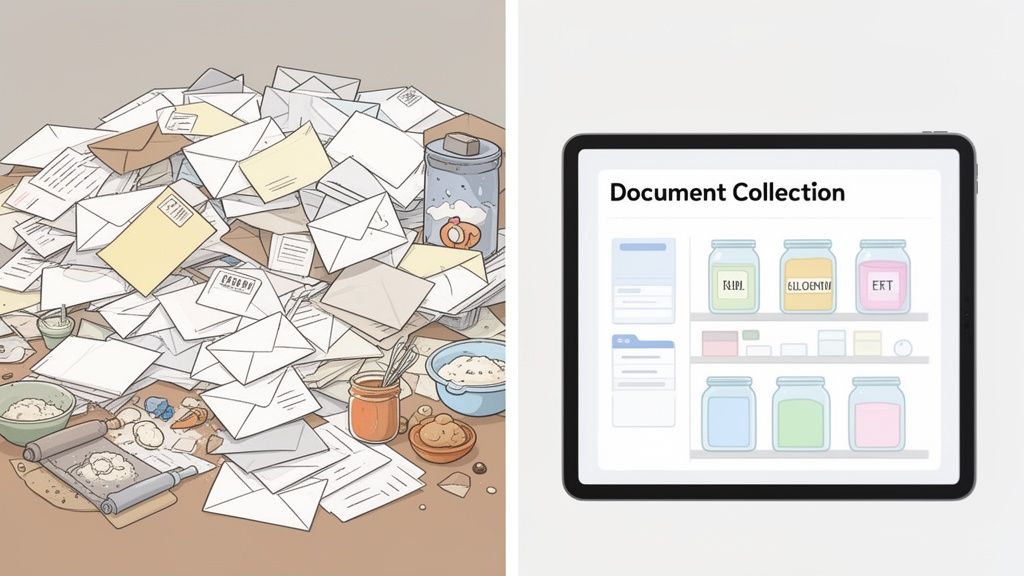
Think about onboarding a new client. Manually, this means sending a massive email with a laundry list of attachments you need. The client gets overwhelmed, sends a few files back, forgets others, and you spend the next week piecing it all together. It's frustrating for everyone involved.
Document collection software flips that entire experience on its head. It acts as a professional, organized hub that brings order to the chaos. You set up a simple request, and the software takes over, guiding the client through exactly what they need to provide.
From Manual Chaos to Automated Order
At its heart, this kind of software is designed to solve a few very common, very expensive business problems:
- Endless Admin Work: Your team is bogged down for hours writing emails, updating spreadsheets, and manually reminding people to send their files.
- A Terrible Client Experience: Your clients are left confused by messy email chains and vague instructions, which causes delays and makes you look disorganized.
- Major Security Risks: Email was never designed for sensitive files. Sending confidential information back and forth leaves you wide open to data breaches and compliance nightmares.
Ultimately, this is about finding a better way to manage legal documents, financial records, or HR forms by creating a structured process from the very start.
And businesses are catching on. The global market for this software was valued at $2.51 billion in 2024 and is expected to more than double to $5.2 billion by 2035. Why? Because teams using these tools are cutting their document collection time by up to 70%.
Manual Document Chase vs Automated Software
Seeing the old way and the new way side-by-side really highlights the difference. The contrast is stark, impacting everything from your team's sanity to your client's perception of your business.
Let's break down the manual document chase versus an automated software approach.
| Aspect | Manual Process (The Old Way) | Document Collection Software (The New Way) |
|---|---|---|
| Request Process | Individual emails and generic file-sharing links. | Centralized, branded client portals with checklists. |
| Tracking & Status | Manual spreadsheets and constant email follow-ups. | Automated dashboards with real-time progress tracking. |
| Reminders | Sent manually, often forgotten or inconsistent. | Automated, scheduled reminders sent until completion. |
| Security | High risk of data breaches via unsecure email. | End-to-end encryption and secure, controlled access. |
| Client Experience | Confusing, fragmented, and often frustrating. | Simple, professional, and streamlined user experience. |
| Efficiency | Labor-intensive, slow, and prone to human error. | Fast, automated, and reduces administrative work by hours. |
The table makes it clear: one method is stuck in the past, creating friction and risk, while the other paves the way for smooth, secure, and professional operations.
A platform like Superdocu acts as your single source of truth. It provides a branded, secure portal where clients can easily upload files, and your team can see the status of every request at a glance, eliminating guesswork and back-and-forth communication.
Core Features That Transform Your Workflow
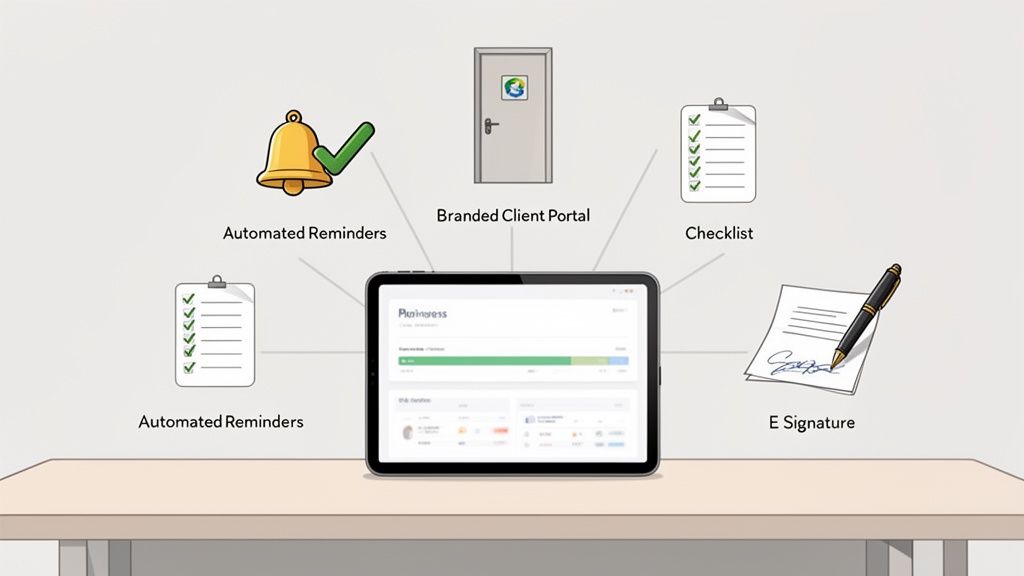
So, we've covered the 'what' and 'why' of document collection software. Now for the good part: the specific features that take this from a neat idea to a genuine game-changer for your business.
Think of these features not as just items on a spec sheet, but as direct solutions to the daily headaches of chasing down paperwork. Each one is built to chip away at manual tasks, beef up your security, and make your clients feel like they're in good hands. Together, they create a smooth system that gives you back countless hours and slashes the risk of human error.
Branded And Secure Client Portals
First impressions count, right? A branded client portal is your business's professional, digital front door. It immediately replaces those messy, confusing email chains with a secure, central hub where clients can see exactly what you need from them.
Instead of getting a long, intimidating list of requests buried in an email, your clients log into a clean, intuitive space that feels organized. That immediate sense of professionalism builds trust and makes the whole process feel less like a chore and more like a guided, supportive experience. If you want to dig deeper into this, we have a great guide on how to collect documents from clients easily.
A dedicated portal is one of the biggest wins for reducing client friction. It pulls all communication and file uploads into one secure place, so nothing gets lost in the shuffle and everyone stays on the same page.
Automated Reminders And Follow-Ups
Let's be honest—the most draining part of collecting documents is the constant follow-up. Automated reminders are your polite but persistent assistant, making sure you never have to type another "just checking in" email again.
You can set up a simple schedule for reminders to go out automatically for any documents that are still outstanding. It’s a simple but powerful bit of automation that frees up your team to focus on work that actually matters, instead of just chasing people down. The process keeps moving forward all on its own.
Here’s a quick look at what a hands-off reminder sequence might look like:
- Initial Request: The client gets their initial document checklist.
- Gentle Nudge: After three days, an automatic email nudges them about any pending items.
- Final Reminder: A week later, a final, friendly reminder goes out before the deadline.
This consistent, no-effort approach keeps things on track and gets you a much higher completion rate, all without straining your team or your client relationships.
Customizable Checklists And Templates
No two businesses—or even two clients—are exactly alike. That's why the best document collection software lets you build customizable checklists and, crucially, save them as reusable templates. This is a huge time-saver for any recurring process, like onboarding a new employee or bringing on a new client.
For example, an HR manager could build a "New Hire Onboarding" template that asks for:
- A signed employment contract
- A copy of their driver's license
- Completed tax forms (W-4, I-9)
- Bank details for direct deposit
The next time someone is hired, the manager can launch that template in seconds. It guarantees consistency, makes sure no steps are ever missed, and speeds up the entire onboarding process.
Built-In E-Signature Capabilities
The old print-sign-scan-email routine feels ancient for a reason. Integrated e-signature functionality removes that last clunky barrier and lets you go fully digital.
Clients can sign contracts, NDAs, and other forms right inside the secure portal with their mouse or finger. This isn't just about convenience; it's about speed. By cutting out the physical paperwork, you can close deals, onboard new clients, and finalize agreements in a fraction of the time. Better yet, these legally binding signatures are captured and stored securely right alongside all the other documents you've collected.
How Document Collection Software Works in Your Industry
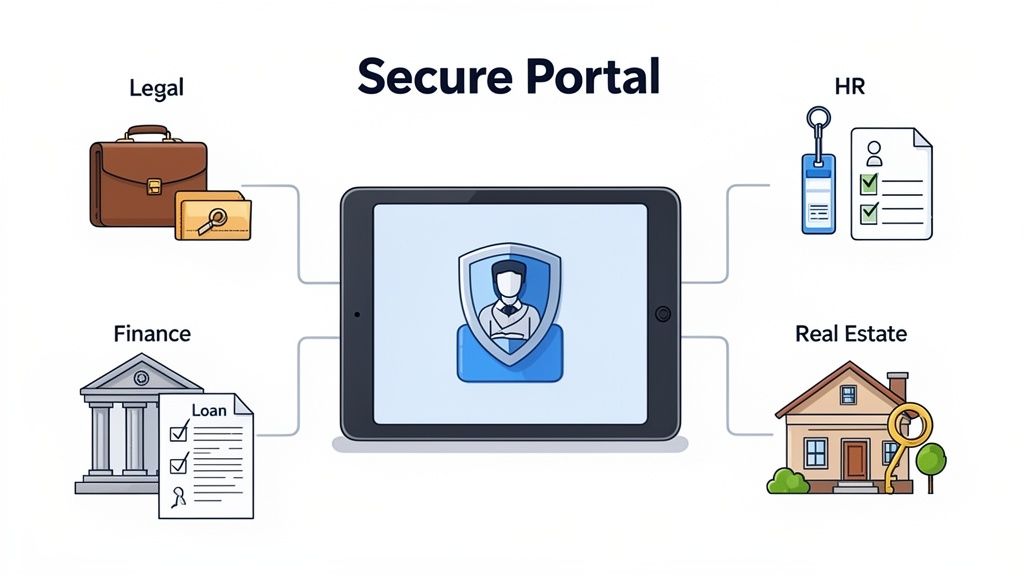
Generic tools are fine for generic problems. But the real magic happens when you apply document collection software to the specific, high-stakes headaches of your own industry. This isn't just about getting files a little bit faster; it's about solving the unique compliance, security, and workflow nightmares that bog you down every day.
Take a paralegal prepping for a big case. The old way means an endless chain of emails begging for evidence, expert reports, and client statements. Files trickle in using different formats, some get lost in the shuffle, and keeping a clean chain of custody feels like a constant battle.
Now, picture this: the paralegal sends one secure link to a client portal. The client sees a simple checklist of every single thing they need to provide, uploads files directly, and the system automatically logs every action. Just like that, you have a defensible audit trail without even trying.
Legal and Compliance
In the legal world, security and accuracy aren't just nice-to-haves—they're everything. A single misplaced document can have devastating consequences. This is exactly the kind of high-stakes environment where document collection software shines.
- Secure Client Portals: These create a protected space for sharing sensitive information, blowing standard email out of the water when it comes to security.
- Audit Trails: Every upload, download, and signature gets time-stamped, building a clear and defensible chain of custody for all your evidence and case files.
- Version Control: The system makes sure everyone is working from the latest version of a document, preventing those costly and embarrassing mix-ups.
This organized approach doesn't just save attorneys and paralegals countless hours. It also builds client trust by showing them you take their data security seriously right from the start.
Human Resources and Onboarding
HR departments grapple with sheer volume and repetition. Trying to onboard a dozen new hires at once can quickly turn into an administrative nightmare of chasing down I-9s, tax forms, signed contracts, and benefit enrollment paperwork.
Think of the software as an onboarding specialist that works 24/7. It gives every new hire a personalized checklist, automatically nudges them about missing items, and neatly organizes every submitted file into a digital folder, ready for you.
This kind of automation frees HR professionals from the grind of paperwork. Instead, they can focus on the human side of their job—welcoming new team members and building a great company culture. It also guarantees a smooth, professional experience for every single new hire.
Finance and Real Estate
For mortgage brokers, loan officers, and real estate agents, deals live and die by the speed and accuracy of paperwork. A delayed loan application or a disorganized tenant screening process can cost you thousands.
The Document Control Software Market, which is all about this kind of precise management, is currently valued at $3.6 billion and is expected to hit $9.6 billion by 2035. That growth is fueled by industries like finance, where this software can slash manual errors by as much as 60% with automated checks and notifications. You can discover more insights about this trend and what it means for the market.
Here’s what it looks like in the real world:
- Loan Applications: A loan officer sends one link to an applicant. The applicant then uploads pay stubs, bank statements, and tax returns into a secure, easy-to-use portal.
- Tenant Screening: A property manager requests rental applications, proof of income, and background check authorizations with a simple, trackable checklist.
- Property Transactions: Everyone involved—buyers, sellers, agents—can upload and access key documents like purchase agreements and inspection reports in one central hub.
This isn't just about speeding up transactions. It’s about creating a smoother, less stressful experience for clients while they're making some of the biggest decisions of their lives.
Transportation and Logistics
The transportation industry is drowning in compliance paperwork. From driver qualification files and vehicle maintenance logs to insurance certificates, just staying compliant is a full-time job.
One of the biggest headaches is managing documents that expire. When a driver's license or medical card expires, a truck can be pulled off the road, costing the company a fortune and creating logistical chaos. Document collection software puts an end to this with automated expiry tracking.
You can set the system to automatically request updated documents 30, 60, or 90 days before the old ones are no longer valid. This proactive approach keeps your fleet compliant and on the road, turning reactive fire drills into a managed, automated process. Platforms like Superdocu give you a simple dashboard to see all upcoming expirations at a glance, so nothing ever falls through the cracks again.
Keeping Your Client Data Safe And Secure
When you’re handling client documents, you’re not just managing paperwork. You’re the custodian of their most sensitive, private information. In an age where data breaches seem to happen every other week, using insecure channels like email to collect confidential files is a massive risk. This is where document collection software delivers its most important promise: bank-level security from the ground up.
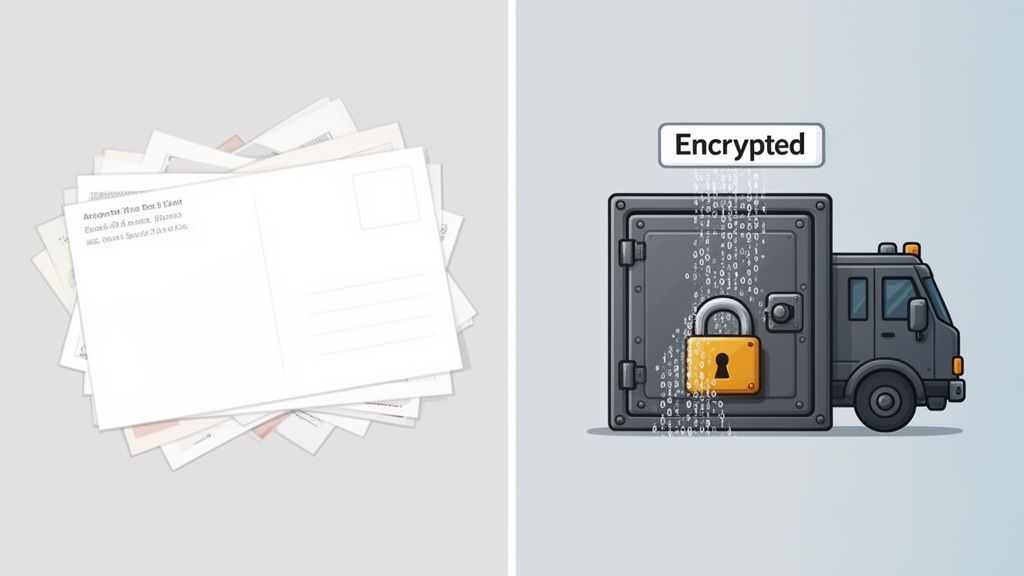
Think about it this way: sending a sensitive file over email is like dropping a postcard in the mail. Anyone who happens to grab it along the way can read its contents. But using a secure platform? That’s like putting the same information in a locked safe and then placing that safe inside an armored truck for delivery. This security process is called data encryption.
Understanding Data Encryption And Compliance
Encryption essentially scrambles your data into a completely unreadable code while it's traveling online and while it’s sitting on a server. Only the people with the right "key"—meaning your client and your team—can unlock and see the original information. This one feature is absolutely vital for protecting your business from expensive breaches and the reputational fallout that comes with them.
But real security isn't just about the tech; it's also about playing by the rules. Several key regulations set the standard for how businesses must manage personal data.
- GDPR (General Data Protection Regulation): This EU law imposes strict rules for handling the data of anyone residing in the European Union. Getting this wrong can lead to eye-watering fines.
- SOC 2 (Service Organization Control 2): This is a tough auditing standard that verifies a service provider is managing your data securely to protect both your organization and the privacy of your clients.
The good news is that modern document collection software is built specifically to meet these standards, taking a huge chunk of the compliance headache off your plate.
Top-tier platforms are built on a foundation of security. They ensure that every file upload, signature, and piece of client information is protected by multiple layers of defense, giving both you and your clients complete peace of mind.
The Importance Of Data Residency
Another critical piece of the security puzzle is data residency—which is just a straightforward way of saying where your data is physically stored. The physical location of the servers holding your client data determines which country's privacy laws apply. For many businesses, particularly those in Europe, keeping data within their own legal borders is non-negotiable.
For instance, choosing a provider that stores your data on European servers means it's protected by GDPR, which is one of the strongest data privacy frameworks in the world. This isn't just a minor technical detail; it's a powerful way to build trust. It shows your clients you’re serious about protecting their information according to the highest possible standards. You can learn more about how to choose a secure document intake platform that gets these details right.
At the end of the day, solid security is non-negotiable. By choosing the right document collection software, you're not just buying a tool to make things run smoother—you're investing in a secure system that protects your clients, defends your reputation, and helps you steer clear of crippling regulatory penalties.
How To Choose The Right Document Collection Software
Picking the right document collection software can feel like a huge task, but it doesn't have to be. The best way to think about it is like choosing a vehicle for your business. A sleek sports car looks great but it’s useless for hauling equipment. A big cargo van is practical for deliveries but not so great for taking clients out to lunch. The "best" choice really comes down to your specific needs, the size of your team, and who you're serving.
The trick is to look past a simple feature list and zero in on the total value the platform brings to your business. A tool that saves your team five hours a week on busywork and makes your clients happy is worth far more than a cheaper option that just causes headaches. This is about making a smart, informed decision that will benefit your business for years to come.
Start With Your Core Needs
Before you even book a demo, take a moment to map out your current process. Where are the biggest bottlenecks?
Are you spending way too much time chasing people down with manual follow-up emails? Do you lose sleep worrying about the security of your client's data? Is the whole experience just clunky and frustrating for your clients? Be brutally honest about what isn't working.
This initial audit gives you a clear scorecard to judge potential solutions against. Your mission is to find software that solves these specific, real-world problems—not one that just piles on fancy features you'll never actually use.
Create a simple needs-based checklist:
- Must-Haves: These are the absolute deal-breakers. For instance, if you handle sensitive financial information, end-to-end encryption and GDPR compliance aren't just nice; they're non-negotiable.
- Nice-to-Haves: These are features that would make life easier but aren't essential, like a direct integration with the project management tool you already use.
- Don't Needs: Get real about the features that sound cool but have no practical application for your business. This will stop you from overpaying for a tool that's too complex.
The Essential Evaluation Checklist
Once you’ve clearly defined your needs, you can start comparing platforms. It’s helpful to know that the broader Document Management System (DMS) market is booming, expected to grow from $9.34 billion in 2025 to an incredible $37.13 billion by 2035. This growth is fueled by businesses hungry for unified platforms that simplify their daily grind.
To make a solid comparison, you need a structured approach. The checklist below covers the most critical things to look for.
Your Document Collection Software Evaluation Checklist
Use this table as your guide when you're sitting in on demos or doing your research. It helps you cut through the marketing fluff and focus on what truly matters for your day-to-day operations.
| Evaluation Criteria | What to Look For | Why It Matters |
|---|---|---|
| Ease of Use | A clean, intuitive interface for both your team and your clients. Does it feel natural to use, or does it require a thick manual? | If a tool is complicated, people just won't use it—plain and simple. High adoption rates hinge on simplicity. |
| Security & Compliance | End-to-end encryption, certifications like SOC 2 or ISO 27001, and clear adherence to GDPR/CCPA. | Protecting client data is everything. A single breach can result in massive fines and destroy the trust you've built. |
| Integration Power | Does it play well with others? Look for native connections to your CRM, accounting software, or other key tools, plus Zapier support. | A well-integrated tool feels like a natural part of your workflow, cutting out manual data entry and connecting your entire tech stack. |
| Scalability | Can the software grow with your business? Check the user limits, storage caps, and pricing tiers. | The platform you choose today needs to support your growth tomorrow, so you don't have to go through this whole process again in a year. |
| Support Quality | What happens when you need help? Look for live chat, email, and phone support, along with a solid knowledge base for self-service. | When you’re stuck, quick and competent support is a lifesaver. Bad support can bring your entire operation to a standstill. |
A well-rounded platform should tick all these boxes. You'll find that Superdocu was built from the ground up with these criteria in mind, blending a simple user experience with strong, European-based security and versatile integrations to fit right into your existing workflows.
For more hands-on advice, you might find guides on the best document management software for law firms useful, as they often cover collection features that are relevant across many industries. You can also dive deeper with our complete guide to document collection software. By focusing on these core areas, you can choose a tool with confidence, knowing it’s the right fit for your business.
Common Questions About Document Collection Software
It's smart to ask questions before bringing any new tool into your business. Getting straight answers is how you make a decision you feel good about. Let's tackle some of the most common questions people have about document collection software to clear things up.
How Is This Different From Dropbox Or Google Drive?
This is easily the most common question we hear, and the difference is huge. Thinking a document collection platform is just a fancier version of cloud storage is like comparing a self-driving car to a parking garage. One actively gets you to your destination, while the other is just a place to park.
Tools like Dropbox or Google Drive are passive file lockers. You can create a folder, share a link, and hope for the best. That’s pretty much where their job ends. They don't help you get the files, track what’s missing, or follow up with people. That messy work—the endless email chains and spreadsheet tracking—is still all on you.
On the other hand, document collection software is an active workflow system. It doesn't just hold files; it drives the entire process of getting them.
- It actively requests documents for you through a branded, professional client portal with a simple checklist.
- It sends automatic reminders for anything that’s overdue, so you don’t have to play the part of the friendly (or not-so-friendly) nudge.
- It gives you a live dashboard where you can see the status of every single document from every client in one glance.
- It can even check files as they're uploaded, making sure you get the right format from the start.
Think of it this way: Cloud storage is just the destination. Document collection software is the automated chauffeur service that makes sure all the right files get to that destination on time and in perfect order, without any of the manual chaos.
How Long Does It Take To Set Up And Implement?
The idea of "implementing new software" can trigger flashbacks of complicated, month-long projects that demand an entire IT team. Thankfully, modern, cloud-based software is built to be the complete opposite. The whole point is to get you up and running fast.
Most of today's best platforms, including Superdocu, have a no-code, drag-and-drop feel. You don’t need to be a tech wizard to figure it out. The setup is usually so straightforward you can have it done in an afternoon, not in a few weeks.
Here’s what a realistic timeline actually looks like:
- Account Setup (Minutes): You sign up, upload your logo, pick your company colors, and invite your team.
- Template Creation (15-30 Minutes): You build your first checklist for a repeatable process, like onboarding a new client, or just tweak a pre-built template.
- Sending Your First Request (Under 5 Minutes): As soon as that template is ready, you can send a secure, professional request to a client with just a few clicks.
Honestly, the system is designed to be so intuitive that you can often send your very first request within an hour of signing up. The barrier to entry is practically zero, and you start seeing a return on your time almost immediately.
Is My Clients' Data Actually Secure On These Platforms?
Security isn't just a feature; it's a necessity, especially when you're handling someone's sensitive financial, legal, or personal documents. We all know that sending confidential files back and forth over email is a huge risk. Data can be intercepted, accidentally forwarded, or exposed in a breach. This is the exact problem that a good document collection platform is designed to solve.
So yes, your client's data is secure. In fact, it’s far more secure than it would be in your inbox. These platforms are purpose-built with multiple layers of defense to protect information.
Look for these core security features:
- End-to-End Encryption: This technology scrambles your data as it travels from your client to you and while it’s stored, making it unreadable to anyone without the key.
- Secure Servers: Your files are stored in highly protected data centers with physical and digital security protocols that are way beyond what a typical business could manage on its own.
- Compliance with Regulations: Reputable providers follow strict data privacy laws like GDPR and CCPA, which means your process will meet global security standards.
- Controlled Access: Unlike an email attachment that can be forwarded to anyone, access to files in a portal is tightly controlled by you and can be revoked at any time.
Using a dedicated platform takes the security burden off your shoulders and puts it onto a system engineered for protection. That gives both you and your clients some much-needed peace of mind.
Can This Software Integrate With Other Tools We Already Use?
Any new tool should feel like it fits right into your existing process, not like it’s creating another island of work. That’s why integrations are so important. The best document collection software doesn't work in a vacuum; it connects to the other applications you already use every day.
This connection usually happens in one of two ways:
- Native Integrations: These are ready-to-go, pre-built connections to popular software. A common example is an integration with an e-signature tool like DocuSign, which lets you add a signing step right into your document checklist.
- Zapier Integration: This is where the real magic happens. Zapier is a service that acts as a universal translator between thousands of different apps.
An integration with Zapier means your document collection software can talk to over 3,000+ other apps. This unlocks an incredible number of automated workflows. For instance, when a client uploads all their documents, you could automatically trigger an action to:
- Create a new client folder in Google Drive.
- Update their status in your CRM, like Salesforce or HubSpot.
- Add a "review documents" task for your team in Asana or Trello.
This turns your software from a simple tool into a central part of your entire business operation.
Ready to stop chasing documents and give your clients a secure, professional experience they'll appreciate? Superdocu has all the tools you need—from branded portals and automated reminders to powerful integrations—to fix your workflow in minutes.