
Think about the last time you had to find an old, important document. Was it a mad scramble through a towering filing cabinet or a frantic search across a dozen different folders on your computer? We've all been there.
A cloud-based document management system is the modern answer to that chaos. It's essentially a smart, digital filing cabinet that lives online, giving you one central place to store, manage, and find your business files from anywhere with an internet connection.
What Is a Cloud Document Management System
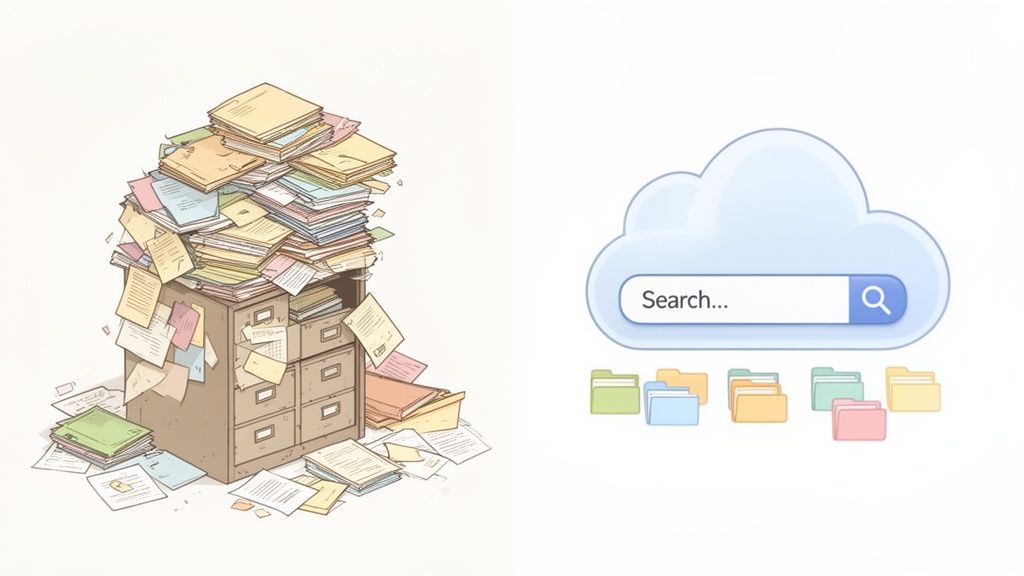
Let’s stick with that filing cabinet analogy. To find a single client contract from three years ago, you'd have to physically pull open drawers and sift through countless folders. It's slow, frustrating, and prone to error.
Now, imagine typing "Contract 2021" into a simple search bar and seeing that exact document pop up on your screen in seconds. That’s the power of a cloud document management system (DMS). It’s specialized software designed to be the single source of truth for all your company’s files, from HR records and invoices to project blueprints and legal agreements.
It’s More Than Just Cloud Storage
You might be thinking, "Isn't that what Google Drive or Dropbox does?" Not quite. While those are great for basic file storage, a true DMS is built specifically for business operations. It doesn't just hold your files; it actively helps you manage their entire lifecycle.
A modern cloud DMS moves beyond being just an electronic archive. With automated filing, digital workflows, and company-wide search functions, it becomes the central information hub of your organization.
This is a critical difference. A DMS has intelligent features that basic storage lacks, such as:
- Version Control: The system automatically tracks every change made to a document. This ensures everyone is working on the latest draft, preventing costly mistakes from using outdated information.
- Automated Workflows: You can create rules to automatically send an invoice to accounting for approval, route a contract for e-signatures, or notify a team member when a task is due. No more manual chasing.
- Granular Security: Admins have precise control over who can see, edit, or share specific files and folders. This is essential for protecting sensitive client or employee data.
The move to these smarter systems is a massive trend. The global market for cloud-based document management systems was valued at USD 7.68 billion in 2024 and is expected to hit USD 18.17 billion by 2030. Cloud systems already make up over 67.2% of this market, and that number is only growing. You can dig into more of this data on Grand View Research.
To help visualize the difference, here’s a quick breakdown.
Traditional vs Cloud Document Management At a Glance
This table sums up the core differences between the old way of doing things—either with paper or a local server—and a modern cloud DMS.
| Feature | Traditional Filing or On-Premise Server | Cloud Based Document Management System |
|---|---|---|
| Accessibility | Limited to the physical office or a specific network. | Access from anywhere, on any device with an internet connection. |
| Search & Retrieval | Manual, slow, and often frustrating. Relies on human memory. | Instant, powerful keyword search. Finds documents in seconds. |
| Collaboration | Difficult. Involves emailing attachments, leading to version confusion. | Real-time collaboration. Multiple users can work on the same file. |
| Security | Vulnerable to physical theft, fire, or flood. On-premise has IT costs. | Advanced encryption, access controls, and automated backups. |
| Cost | High upfront costs for hardware, plus ongoing maintenance and storage. | Predictable monthly or annual subscription fees. No hardware to buy. |
| Scalability | Limited and expensive to expand. Requires buying new hardware. | Easily scales up or down based on your business needs. |
As you can see, the advantages of moving to the cloud are pretty clear.
Ultimately, choosing a cloud DMS isn't just an IT upgrade; it’s a strategic move to make your business more organized, efficient, and secure. If you’re ready to leave the paper-and-server headaches behind, learning more about paperless document management solutions is a great next step. You’ll be turning a routine chore into a real competitive edge.
The Core Benefits of Moving Your Documents to the Cloud
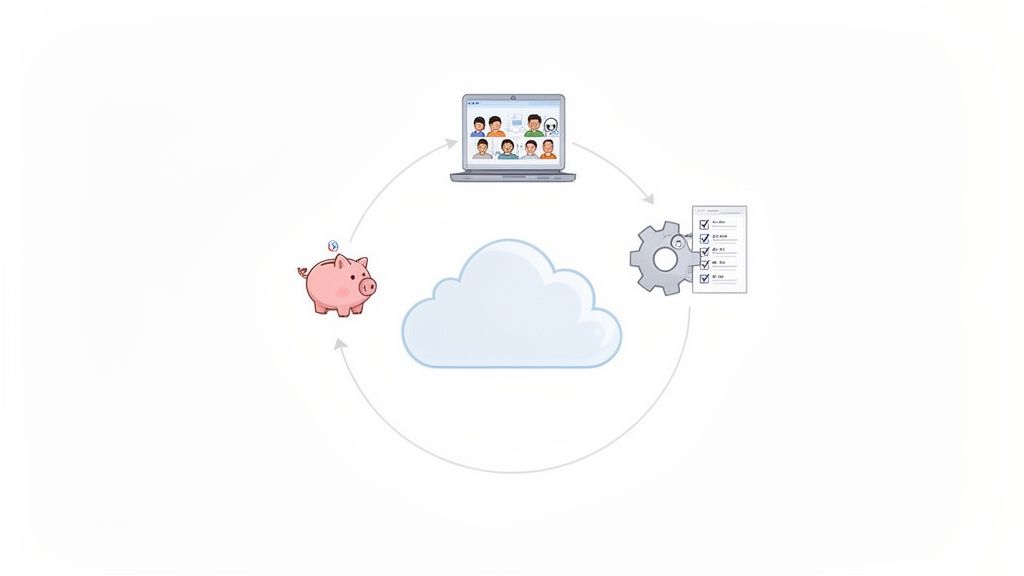
Switching to a cloud-based document management system isn't just a tech upgrade; it’s a fundamental change in how your business works. It's about leaving frustrating, manual processes behind and stepping into a smoother, more modern way of operating. The real wins are the ones your team feels every single day—in how they find information, work together on projects, and ultimately, serve your clients.
Let's dive into the three biggest game-changers: getting access to your files from anywhere, cutting major costs, and making your entire operation run more efficiently. Each one tackles a common business headache and opens the door to new levels of flexibility and growth.
Unlock Anywhere Accessibility and Team Collaboration
The most immediate win is cutting the cord to the physical office. With a cloud DMS, your documents are no longer locked away in a filing cabinet or stuck on a server in the back room. They live in a secure, central hub that you can get to from any device, anywhere you have an internet connection.
This simple shift creates incredible flexibility. Think about it: a lawyer can pull up case files from the courthouse, an HR manager can process new hire forms from their home office, and a real estate agent can access property documents while standing in the house with a client. The work goes where your team goes, not the other way around.
Better access naturally leads to better collaboration. Gone are the days of emailing attachments back and forth, creating a nightmare of V1, V2, and V3_final_final files. Now, everyone can work on the same document at the same time.
A cloud DMS is the backbone for making information available wherever work happens. It ends the version chaos and ensures everyone is working from a single source of truth.
For example, a legal team can create a secure folder to share discovery documents with an outside party. The client only sees what they're supposed to, and the team sees every change and comment as it happens. You just can’t get that level of controlled, real-time teamwork with old-school methods.
Realize Significant and Lasting Cost Savings
Moving to the cloud chops a surprising amount of fat from your budget. The most obvious saving is on physical storage. You can finally stop paying for office space to house rows of bulky filing cabinets or a dedicated server room that needs constant cooling and maintenance.
But the financial perks don't stop there. The savings really start to stack up when you look closer:
- Reduced IT Burden: You're no longer on the hook for buying, maintaining, and upgrading expensive server hardware. The cloud provider handles all of that—the infrastructure, security patches, and software updates—which frees up your IT team for more important work.
- Lower Supply Costs: Once you go digital, you’ll be shocked at how much you save on paper, ink, toner, and printers. These little costs add up to thousands of dollars a year.
- Predictable Expenses: Most cloud DMS platforms run on a subscription model. This turns a huge upfront investment into a predictable monthly or annual operating expense that's much easier to budget for.
These aren't just abstract benefits. By digitizing your files and workflows, you directly reduce the time and money spent on printing, shipping, and storing paper, which has an immediate impact on your bottom line.
Boost Your Operational Efficiency with Automation
This might be the most powerful benefit of all: the ability to automate all those repetitive, mind-numbing tasks. A modern cloud DMS isn't just a digital filing cabinet; it’s an active player in your business processes. It can run entire workflows that used to suck up hours of your team's day.
Picture an HR department onboarding a new employee. Instead of manually emailing forms, tracking them on a spreadsheet, and sending follow-up reminders, the DMS can do it all automatically. A pre-set workflow can send the new hire a secure link to a portal where they upload their documents.
From there, the system sends out automatic reminders for anything that’s missing and pings the HR manager when the file is complete. A process that once took days of nagging and follow-up now hums along in the background. This frees your people to focus on what really matters—like building great client relationships or developing your talent—instead of chasing paperwork.
What a Modern Cloud DMS Can Actually Do for You
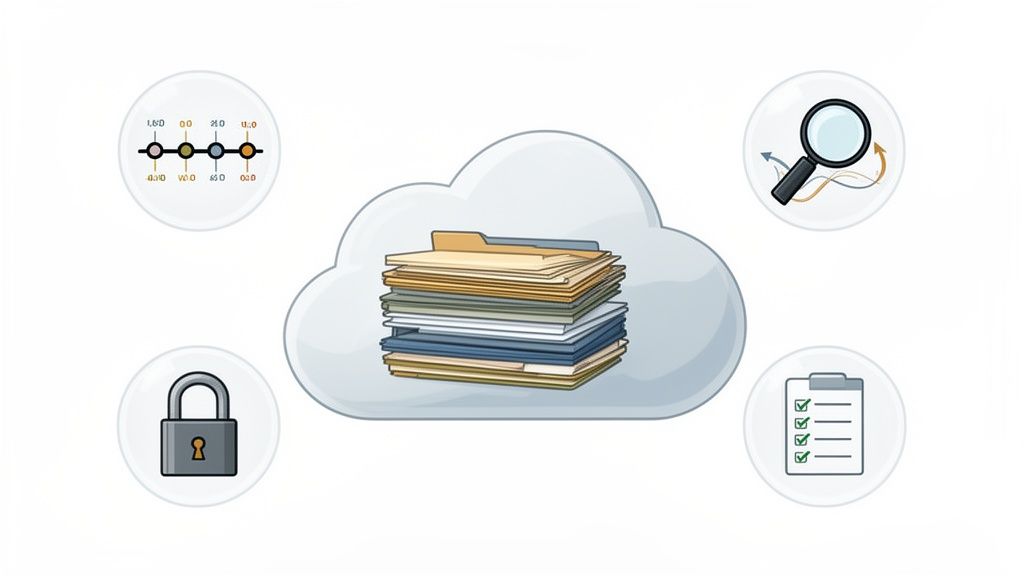
To really get what a cloud-based document management system (DMS) is all about, you have to look past the marketing fluff and see what's under the hood. It’s so much more than a digital filing cabinet; it’s a powerful toolkit designed to bring order, speed, and security to how you work.
Let’s walk through a real-world scenario to see these features in action. Picture an accounting firm buried in paperwork during tax season. They're dealing with a constant flood of client tax forms, financial statements, and highly sensitive personal info. We’ll look at the core features that can turn this chaotic, high-stress period into a smooth, controlled operation.
One Secure Place for Everything
The bedrock of any solid DMS is a centralized repository. Think of it as your company's Fort Knox—a single, secure digital vault for every last document.
For our accounting firm, this means the end of frantic searches. No more digging through old emails for a W-2, checking a local drive for a signed engagement letter, or pulling a dusty binder for last year's returns. Everything for every client is in one spot, creating a single source of truth that puts the entire team on the same page.
Tracking Every Single Change
What happens when a client emails an updated financial statement, but an accountant is still working off the old one? It’s a recipe for costly mistakes. This is exactly where version control saves the day.
A good cloud DMS automatically saves a new version every time a file is changed, creating a crystal-clear history of edits. If an accountant needs to see what changed between two versions of a spreadsheet, they can pull them up side-by-side. The system always shows the latest version by default, but all the old ones are safely archived and just a click away. It’s a game-changer for compliance and audits.
A robust cloud DMS ensures that you're not just storing documents; you're managing their entire lifecycle. From creation and collaboration to archival and deletion, every step is controlled and traceable.
Finding Any File in a Few Seconds
As the firm's digital archive balloons over the years, finding one specific file can feel like searching for a needle in a haystack. That's why advanced search is so critical. A modern DMS blows past simple filename searches.
It uses powerful tech that can read the text inside your documents, even scanned PDFs. You can also search using metadata—custom tags like "Client Name," "Tax Year 2023," or "Document Type: 1099." Our accountant can just type "Smith 2023 1099" and instantly pull up the exact form, saving a huge amount of time.
Putting Tedious Tasks on Autopilot
Now we get to the real magic: automated workflows. This feature lets the accounting firm build custom, rules-based processes that handle the grunt work automatically. Instead of manually chasing clients for missing documents, they can set up a workflow that does it for them.
Here's how they could automate client onboarding:
- Kick-off: The accountant sends the new client a secure link to their portal.
- Upload: The client sees a simple checklist and uploads the required documents.
- Nudge: If a few days pass and documents are still missing, the system sends a polite, automatic reminder.
- Alert: Once everything is submitted, the accountant gets a notification that the file is complete and ready for review.
This kind of automation turns a frustrating, manual process into a smooth, professional experience for the client and frees up the team to focus on actual accounting work.
Controlling Who Sees What
In an industry built on trust and confidentiality, granular access controls are an absolute must. A cloud DMS lets the firm set precise permissions for every single file and folder.
A junior accountant, for instance, might only get view-only access to a client’s final tax return. The partner in charge, on the other hand, can have full permissions to edit and share. You can even grant temporary, secure access to an outside auditor without opening up your entire system. This meticulous control ensures sensitive financial data is always protected.
How Different Industries Use Cloud Document Management
The real value of a cloud document management system shines when you see it in action, solving real-world problems. This isn't just about tidying up digital files; it's about breaking through the specific bottlenecks that grind businesses to a halt. From law firms drowning in compliance paperwork to real estate agencies juggling endless property documents, a modern DMS is a straight line to working smarter.
Let's look at how a few different sectors are using these systems to change how they work, get time back in their day, and give their clients a much better experience. Every industry has its own headaches, but the solution—getting information to flow automatically—is surprisingly universal.
Legal Firms Secure Client Files and Ensure Compliance
For any law firm, handling sensitive information isn't just a good idea—it's an absolute legal and ethical must. The sheer volume of client documents, court filings, and evidence can become a nightmare to manage. A single misplaced file can have disastrous consequences.
This is exactly where a cloud DMS becomes a non-negotiable tool. Instead of relying on risky email attachments or couriering physical documents, a firm can set up a secure, branded client portal. Clients can then upload confidential information like IDs, financial records, and case evidence directly into one central, safe place.
- Automated Document Collection: The system can chase down missing documents with automated reminders, saving paralegals hours of follow-up calls and emails.
- Granular Access Control: You can set specific permissions for paralegals, attorneys, and even clients, making sure only the right eyes see sensitive case files.
- Audit Trails: Every single action—from who viewed a document to when they downloaded it—is automatically logged. This creates an ironclad record, which is crucial for compliance and proving due diligence.
By bringing client intake and case management into one secure system, law firms slash their administrative burden and seriously upgrade their security. The whole process gets faster, more transparent, and feels far more professional to the client.
For a closer look, our guide on document management for law firms lays out more specific strategies for legal pros ready to update their practice.
HR and Staffing Agencies Streamline Onboarding
Human resources and staffing are, by their very nature, buried in documents. Onboarding just one new person means collecting a mountain of paperwork: resumes, applications, I-9s, tax forms, professional certifications, and more. Doing this by hand is slow, full of potential errors, and creates a clunky first impression for your new hire.
A cloud DMS completely flips this script. An HR manager can build a standard onboarding checklist and send one simple link to a new employee. That link opens a secure portal where they can upload everything needed right from their phone or computer.
The system can automatically check for the right file types, send reminders when credentials like a license or certification are about to expire, and ping the HR team once a candidate's file is 100% complete. This frees everyone up to focus on what really matters—recruiting great people and building a positive culture—instead of just chasing paper.
Real Estate Manages Property and Tenant Documents
The real estate world runs on paper. Every single property transaction is a whirlwind of contracts, deeds, inspection reports, loan applications, and disclosure forms. For property managers, the list grows with tenant applications, lease agreements, and maintenance requests. Just keeping all of this organized and easy to find is a massive headache.
With a cloud based document management system, an agency can create a dedicated digital folder for every property or transaction. This becomes the single source of truth, holding every file and making it accessible to agents, brokers, and clients on any device.
Think about it from a property manager's perspective. They can automate the entire tenant application process. A prospective renter gets a link, uploads their proof of income and references, and the system neatly organizes all submissions. The manager can then easily review applications and get leases signed, speeding up the whole cycle, cutting down on vacancies, and giving tenants a modern, seamless experience.
Understanding Security and Compliance in the Cloud
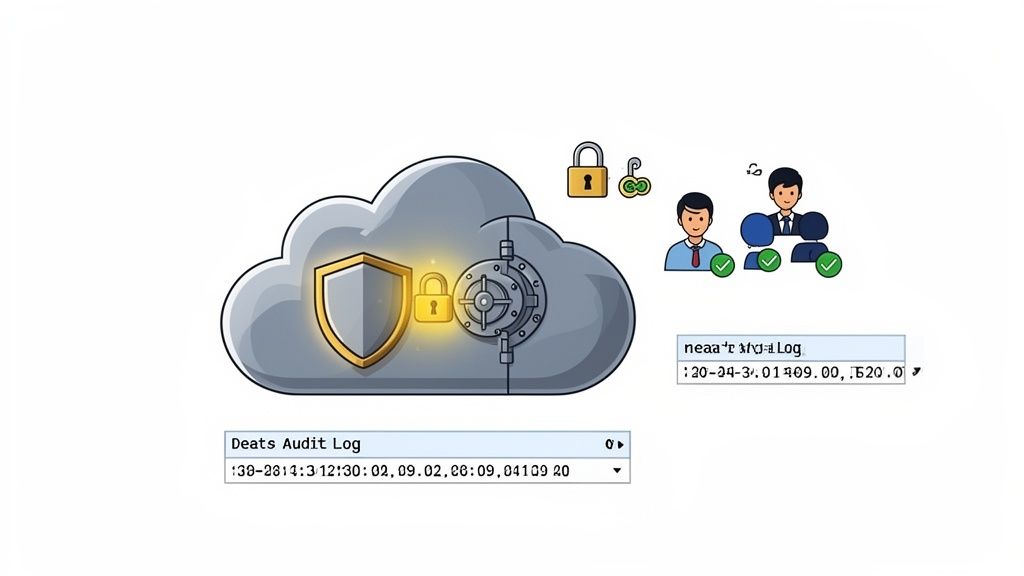
When you hear "the cloud," it’s natural to feel a bit uneasy. Is it really safe? Entrusting your company's most sensitive documents to an outside provider can seem like a big risk. But here’s the thing: a professional cloud-based document management system isn’t just a digital folder—it’s a fortress built with protections most businesses could never afford to build themselves.
Think about the security at your office. You probably have a locked door, maybe a basic alarm, and a server humming away in a closet. Now, picture a high-security bank vault. It has armed guards, 24/7 surveillance, steel-reinforced walls, and sophisticated access protocols.
That’s a much better comparison for a top-tier cloud DMS provider. They have entire teams of cybersecurity experts working around the clock to defend your data. Their whole business model depends on it. The physical and digital defenses they have in place are far beyond what a typical small or medium-sized business could ever manage on its own.
Layers of Digital Protection
So, what does this digital security actually consist of? It’s not one single lock but a series of interlocking safeguards that keep your information airtight. Any reputable system will have these features built right in.
Here are the security measures you should expect:
- Data Encryption: This is the process of scrambling your files into unreadable code. Your data is protected both "in transit" (as it moves across the internet) and "at rest" (while it’s stored on the server). Without the proper key, an intercepted file is just gibberish.
- Role-Based Access Controls: You get to be the gatekeeper. You decide exactly who can see, edit, or share specific documents. For instance, a junior staff member might only have view-only access to certain client folders, while a department head has full administrative rights.
- Detailed Audit Trails: Every single action is tracked. The system automatically logs who accessed a file, what they did, and precisely when they did it. This level of transparency is crucial for accountability and troubleshooting.
For any business that collects sensitive information from clients, securing that initial handoff is critical. You can learn more about locking down this process by reading our guide on building a secure document intake platform.
Staying on the Right Side of Regulations
On top of keeping data safe from threats, businesses also need to comply with a growing number of data privacy laws. Regulations like Europe's General Data Protection Regulation (GDPR) have set a high bar for handling personal data, and the penalties for getting it wrong are steep.
A modern cloud DMS is built from the ground up with compliance in mind. It gives you the built-in tools you need to meet legal requirements for data protection, retention policies, and audits.
Reputable cloud vendors make compliance a core part of their product. They undergo demanding third-party audits and achieve certifications like SOC 2 to prove their security and privacy controls are up to snuff. By choosing a compliant provider, you’re essentially inheriting their robust framework. It takes the guesswork out of navigating complex legal rules and gives you the peace of mind that you’re doing things by the book.
How to Choose the Right Cloud Document Management System
Picking the right cloud document management system can feel like a huge task, but it doesn't have to be. The secret isn't getting lost in a sea of features. It’s about taking a step back and thinking of it like hiring a new digital team member—one that needs to fit your company culture, solve your biggest headaches, and grow with you.
Let's break down how to make a choice you’ll be happy with for years to come.
Start With Your Problems, Not Their Features
Before you even look at a single demo, you need to look inward. What’s actually broken? Don't start by browsing fancy feature lists; start by listing your team's daily frustrations.
Are you constantly chasing down clients for missing paperwork? Do you break into a cold sweat thinking about the security of your sensitive files? Is version control an absolute mess, with "Final_v3_final_final.docx" saved on three different desktops?
Jot down your top three to five document-related bottlenecks. This list is your roadmap. It ensures you find a tool that solves real-world problems, not just one that looks good on paper.
Test Drive for User Experience and Connectivity
A system packed with powerful features is worthless if your team hates using it. The platform you choose should feel natural and easy to navigate right out of the box. This is why you should always sign up for a free trial or schedule a live demo.
And don't do it alone! Get the people who will be in the system every day to test it out. Can they upload a file, kick off an approval workflow, or find a document without needing a three-hour training session? A clean, intuitive interface is non-negotiable. If it's clunky, people will avoid it, and you’ll be right back at square one.
Just as important is how well the system plays with others. Your business already runs on tools like email, a CRM, and e-signature software like DocuSign. Your DMS shouldn't be a lonely island; it needs to connect to the tools you already use.
A truly effective DMS doesn't operate in a silo. It should act as a central hub that connects to your existing software, creating automated workflows that save time and eliminate manual data entry.
Look for native integrations or connections through platforms like Zapier. This is what turns a simple storage tool into a powerful operational hub for your entire business.
Dig Into Security, Support, and Scalability
Once you have a shortlist based on usability and integrations, it's time to vet the essentials: security, support, and pricing.
Start with security. Ask the tough questions. Do they provide end-to-end encryption? What's their backup policy? Are they compliant with standards relevant to your industry, like GDPR or SOC 2? This isn’t something to skim over.
Next, gauge their customer support. What happens when things go wrong? Send a test query during your trial period. A responsive, knowledgeable support team is worth its weight in gold, especially when you're getting everything set up.
Finally, look closely at the price tag. Most providers use a tiered subscription model. Make sure you understand exactly what you get at each level and watch out for hidden costs. Extra users, storage overages, or premium support can add up quickly. You want a plan that fits your budget today but also gives you an affordable path to scale as you grow.
It's also interesting to see how the market is evolving. While the software itself is crucial, the services around it—like implementation and migration help—are becoming the fastest-growing part of the industry. This segment is expected to expand at a CAGR of 17.0% from 2025 to 2030. It shows that businesses are looking for partners, not just providers, a trend you can explore more on this document management market trend.
Frequently Asked Questions
Even when you're sold on the benefits, switching to a new system naturally comes with a few questions. Let's tackle some of the most common ones that pop up when businesses think about moving to a cloud-based document management system.
Is My Sensitive Client Data Actually Safe in the Cloud?
It’s a fair question, and the answer is a resounding yes. In fact, your data is often far safer in a dedicated cloud system than it is sitting on an office server or locked in a filing cabinet.
Think of it this way: top-tier providers build their entire business around security. They use sophisticated tools like end-to-end encryption (scrambling your data so only you can read it), undergo regular security audits, and implement strict access controls. Always check for compliance with major standards like GDPR or SOC 2—that’s your proof they take security as seriously as you do.
How Big of a Headache Is Moving All Our Old Files?
This is probably easier than you think. Modern platforms are designed to get you up and running quickly, not bog you down for weeks. Most offer simple ways to get your files in, like bulk uploading or just dragging and dropping folders straight from your computer.
A little bit of planning goes a long way here. Before you start, take an afternoon to tidy up your existing files and decide what really needs to make the move. For most smaller businesses, the whole migration can be done and dusted in just a couple of days.
Will This System Play Nicely with the Other Software We Use?
Absolutely—that’s one of the biggest perks. Good document management systems are built to connect with the tools you already use every day.
Many integrate with services like Zapier, which acts as a bridge to thousands of other apps. This means you can automatically send a file from your DMS to your CRM, link an invoice to your accounting software, or attach a document to a task in your project management tool. It’s all about creating a connected system where information flows smoothly without you having to manually copy and paste anything.
A great DMS doesn't just store your documents; it makes all your other tools work better.
Ready to stop chasing documents and start automating your workflows? Superdocu makes it simple to collect, manage, and track client files in one secure, branded portal. Learn how Superdocu can transform your document collection process today!