
If you've ever found yourself digging through a seemingly endless email chain just to find one specific attachment from a client, you know the frustration. We've all been there. Trying to request files through email is a recipe for disorganized attachments, version control chaos, and some serious security headaches.
There's a much better way. Using a dedicated file request portal cleans up the whole process, saves a ton of time, and makes you look far more professional to your clients.
Why Email Chains Are Failing Your File Requests
The old-school method of using back-and-forth emails to gather documents is fundamentally broken. It’s not just clunky; it creates a mountain of administrative work, annoys your clients, and leaves the door wide open for mistakes that can cost you.

Think about a mortgage broker trying to collect pay stubs, bank statements, and tax returns. Each document trickles in as a separate email, often with a vague filename like "scan.pdf" or "document1.jpg." The time spent just downloading, renaming, and organizing everything is a huge drain, slowing down the entire loan application.
The Hidden Costs of Disorganization
This email clutter isn't just a minor inconvenience—it has real consequences. It’s about more than just wasted time. Your efficiency takes a nosedive, and so does your professional image. Nothing looks worse than having to ask a client for the same document twice simply because you can't find the first one they sent.
This chaos creates some all-too-common pain points:
- Version Control Nightmares: A client sends an updated document, but it gets lost in the thread. Now you're left wondering which version is the right one.
- Security Vulnerabilities: Standard email isn't encrypted. Sending sensitive financial or personal information this way is a major security risk waiting to happen.
- Lack of Visibility: It's almost impossible to track what you've received and what's still missing without constantly cross-referencing a separate checklist.
Relying on email for critical document collection is like managing your inventory with sticky notes—it might work for a minute, but it's bound to fall apart as soon as things get even a little complicated. A structured system is non-negotiable if you want to scale and stay secure.
A Clear Comparison: Email vs. Dedicated Portals
The difference between wrestling with email attachments and using a purpose-built system is night and day. Let's break it down.
| Fonctionnalité | Email Attachments | Dedicated File Request Portal |
|---|---|---|
| Security | Unencrypted and vulnerable to breaches. | End-to-end encryption and secure, access-controlled storage. |
| Organization | Chaotic. Files are scattered across multiple emails. | Centralized dashboard. All files are automatically organized per client. |
| Tracking | Manual. Requires a separate checklist to track progress. | Automated. Real-time status updates on what's been submitted. |
| Client Experience | Confusing and frustrating, often requiring multiple follow-ups. | Simple, branded, and intuitive upload experience for clients. |
| File Size Limits | Restrictive, often failing for large files or videos. | High or unlimited file size limits accommodate all document types. |
| Version Control | Non-existent. Easy to mix up old and new versions. | Clear version history, ensuring everyone is working from the latest file. |
Ultimately, a dedicated portal turns a messy, insecure process into a smooth, professional, and secure workflow.
A Modern Solution For A Modern Problem
This move away from cluttered and insecure inboxes isn't just a niche trend. The market for secure file transfers was valued at approximately $2.35 billion in 2024 and is projected to keep growing. This signals a major industry shift toward safer, more efficient methods.
To get ahead of this, businesses are increasingly adopting robust document management systems to completely overhaul how they handle client files, leaving the chaos of email behind for good.
Setting Up Your First Secure File Request Portal
Let’s be honest, chasing clients for documents over email is a nightmare. The real solution is moving everything to a single, secure hub where clients can upload what you need. This isn't just about having a place to store files; it's about creating a professional, branded experience that screams "we've got our act together."
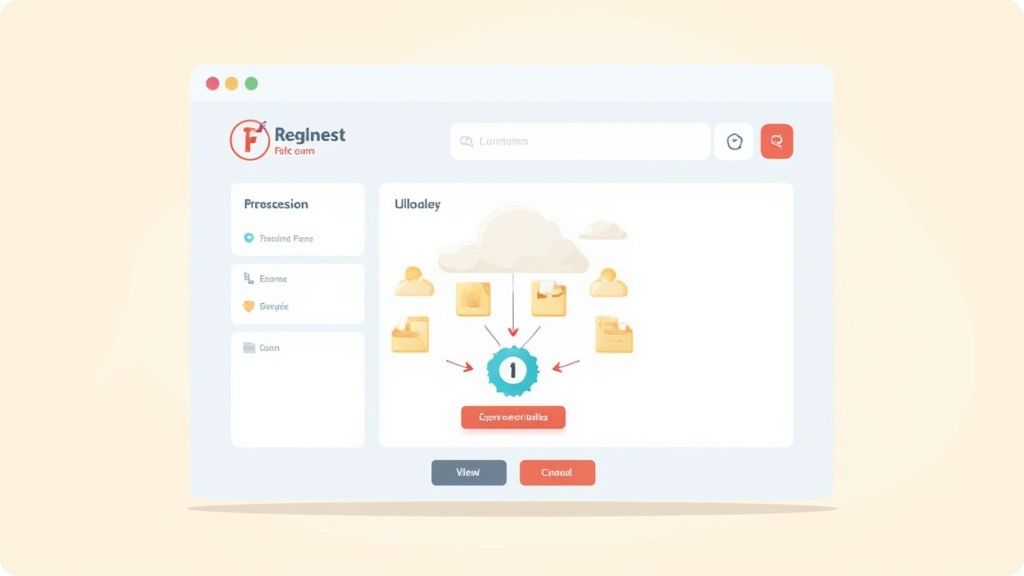
Think of this portal as the digital front door to your business. It should feel like a seamless part of your brand, not some clunky third-party tool. The whole point is to make the process so smooth that it reinforces your professionalism from the moment a client logs in.
Picking the Right Tool for the Job
Choosing the right platform to request files is easily the most critical decision you'll make. This choice impacts everything from your team's sanity to your client's willingness to send you documents on time.
You have to look past basic cloud storage like Dropbox or Google Drive. A true file request portal is built around the act of collecting files, not just storing them. It's a system designed to guide users, check their work, and keep everything organized.
When you're comparing your options, keep an eye out for these must-have features:
- Custom Branding: You absolutely need the ability to add your logo, brand colors, and ideally a custom URL. This immediately tells clients they're in the right place and keeps your brand looking professional.
- A No-Brainer Interface: If your client has to spend more than 30 seconds figuring out how to upload something, the tool has already failed. It needs to be clean, simple, and work perfectly on a phone.
- Top-Notch Security: Look for platforms that use end-to-end encryption for files both in transit and at rest. If you deal with sensitive information, compliance with standards like GDPR isn't just a nice-to-have, it's a necessity.
A great portal makes submitting files so painless that clients actually prefer it. It cuts out all the usual friction and gets rid of that "I'll deal with this later" attitude that endless email chains create.
Getting Your Branded Portal Up and Running
Once you’ve picked your platform, the first thing to do is make it yours. Upload your logo and dial in your brand colors. These small touches instantly transform a generic tool into a trustworthy space that feels like an extension of your business.
Now, let's talk about structure. A messy portal is just as bad as a chaotic inbox. The real magic of these tools is how they force you to be organized right from the start.
This kind of robust, organized system is what's driving major market growth. In fact, the global market for the file servers that power these systems is expected to hit $2.08 billion by 2030. This isn't just a niche trend; it’s a massive shift toward smarter data management. You can read in-depth findings about the file servers market to see just how quickly this space is evolving.
Setting Up a Folder Structure That Actually Makes Sense
A logical folder structure is the backbone of your portal. Think about how you already organize client files and try to replicate that logic. For instance, a law firm could have a main folder for each client, then subfolders inside for things like "Discovery," "Signed Agreements," and "Correspondence."
Use names that people can actually understand. Ditch the internal jargon. Instead of a folder named "CLI-123_FIN_Q4," call it "John Smith – Q4 Financial Statements." This simple clarity saves everyone a headache and makes sure files end up where they belong. If you want to go deeper on this, check out our guide on how to streamline your document request process.
Finally, you need to tell your clients about the change. Send out a short, friendly announcement explaining the new portal and why it’s better for them—more security, easier uploads, and faster service. A little communication goes a long way in making the transition a success.
Save Hours with Reusable Request Templates
Let’s be honest: manually typing out the same list of required documents for every new client is a massive time-drain. Not only is it tedious, but it’s also a recipe for inconsistency and human error. Did you forget to ask for that one crucial form? It happens.
The single most effective way to fix this is by creating standardized, reusable templates for your most common workflows.
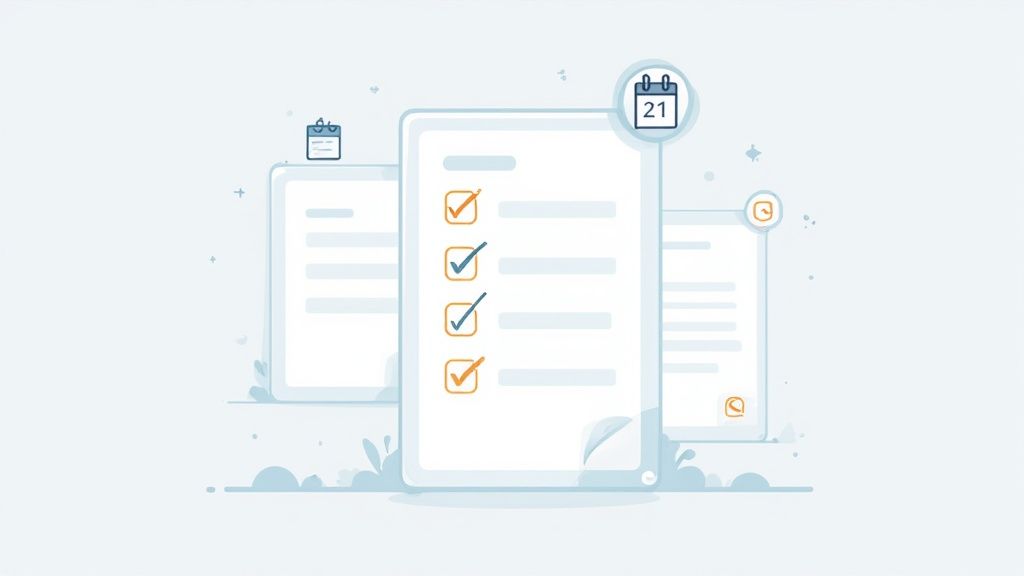
This isn't about a simple email you copy and paste. I'm talking about a pre-built checklist inside your file request portal that you can launch in just a few clicks. Think about your recurring processes: onboarding a new employee, kicking off a design project, or handling an annual compliance review. Each one requires a predictable set of documents.
When you use a template, you guarantee that every client gets the exact same clear, complete request, every single time. This simple shift gets rid of the guesswork and slashes the administrative busywork for your team.
Building Your First Powerful Template
Start by picking one process you do over and over again. A great example is a real estate agent who needs to gather documents for a new property listing. Instead of starting from scratch every time, they can build a "New Listing Onboarding" template.
This template is much more than a static list. It’s an interactive checklist where you can define exactly what you need for each item. This is your chance to add specific instructions to prevent any confusion and make sure you get the right files on the first try.
A solid template should always have these three things:
- A Comprehensive Checklist: Itemize every single document you need, from the signed listing agreement to the latest property tax records. No ambiguity.
- Clear Instructions per Item: Don't just ask for a "utility bill." Get specific. "Please upload a PDF of your most recent electricity or water bill showing the service address."
- Pre-Set Due Dates: You can often set relative due dates, like "due in 7 days from send date," which automatically builds in a sense of urgency and keeps things moving.
A well-designed template does more than save you time—it professionalizes your client's experience. It shows you are organized and have a clear, predictable process, which builds trust right from the start.
Putting Your Templates into Action
Once you've built your template, using it is incredibly easy. Just select it from your list and assign it to a new client.
Imagine an HR manager onboarding a new hire. They can instantly send the "New Employee Onboarding" template. This creates a secure, private portal for the new employee with a checklist that might include:
- Signed Employment Offer (PDF only)
- Completed W-4 Form (PDF)
- Copy of Driver's License (JPG or PNG)
This level of detail and standardization eliminates the frustrating back-and-forth that comes from vague requests. If you need some ideas for wording your requests clearly and professionally, this sample email requesting information is a great starting point to adapt for your templates.
By turning this workflow into a system, you ensure consistency and give your team back valuable time to focus on what really matters.
4. Automating Follow-Ups and Managing Deadlines
Let's be honest: manually chasing clients for documents is a huge time-waster. It's often the single biggest reason projects grind to a halt. Those constant "just checking in" emails not only eat up your day but can also put a strain on your relationship with the client. This is where a little automation can completely change the game, turning a frustrating chore into a smooth, hands-off process.

Instead of cluttering your calendar with follow-up reminders, you can set up a system to send out gentle, automated nudges for you. These can be set to go out as deadlines approach or even when a client has only uploaded some of the files you asked for.
This kind of systematic approach means nothing falls through the cracks. Better yet, it keeps the communication professional and consistent without you having to play the part of the "bad guy" who's always chasing them down.
Finding the Right Reminder Cadence
The secret to making automated reminders work is getting the timing and tone just right. You need to be persistent enough to get the job done, but you definitely don't want to come off as aggressive or annoying.
I've found a simple three-step sequence works wonders as a starting point:
- Initial Reminder: A friendly follow-up 3 days before the due date usually does the trick.
- Day-Of Nudge: A quick, brief message on the morning the files are due can be a very effective prompt.
- Polite Overdue Alert: If the deadline comes and goes, a final, polite reminder 1-2 days later is perfectly reasonable.
Your tone should always be helpful, not demanding. Think of it as a friendly check-in to see if they're stuck on anything or have questions.
Automation isn't about getting rid of the human element. It's about saving your energy for where it's actually needed. Let the system handle the simple pings so you can step in to answer real questions and solve real problems for your clients.
You can learn more about setting up these kinds of workflows with an automated document request tool that takes care of all the heavy lifting.
Using Expiration Dates to Drive Action
Here's another great trick for managing deadlines: set expiration dates on your file request links. It’s a small change that creates a real sense of urgency and, as a bonus, makes the whole process more secure.
When a client sees that the link has an expiry date, they're much more likely to get their documents in on time. It stops your requests from just sitting in their inbox forever and keeps your projects on track.
This also adds a critical layer of security. An upload link that stays active indefinitely is a potential weak spot. But a link that automatically shuts down after a set period—say, 14 days—drastically cuts down that risk. It’s a simple way to make sure sensitive information is only accessible when it absolutely needs to be. For a deeper dive into how this fits into the bigger picture, it's worth reading up on the wider enterprise workflow automation benefits that can help you manage these processes at a larger scale.
Validating Files to Ensure You Get It Right the First Time
Getting the wrong file format, a ridiculously oversized image, or an incomplete form isn't just a small hiccup—it's a workflow killer. Every minute you spend chasing down the right document is a minute you're not spending on actual, productive work. This is exactly why setting up file validations isn't some fancy add-on; it’s absolutely essential for getting things done right the first time.
Instead of just crossing your fingers and hoping a client sends a PDF, you can create a request that only accepts PDFs. It's a simple, proactive step that completely cuts out the frustrating back-and-forth and makes sure every single file you receive is ready to go from the moment it arrives.
Defining Your File Acceptance Rules
The secret to making file validation work is getting specific. Don't leave anything up to interpretation. A modern file request system lets you lay down clear, non-negotiable rules for every document you ask for.
Think about the common headaches you run into:
- Incorrect File Types: A client sends a blurry JPG of a signed contract instead of a crisp PDF. With validation, you can set a rule to only accept
.pdffiles for that specific upload. - Massive File Sizes: You ask for a simple headshot and get a 100MB raw photo that eats up your storage. By capping the file size at something reasonable, like 5MB, you prevent this completely.
- Missing Critical Documents: A project is dead in the water without a signed agreement. You can mark that file upload as mandatory, meaning the client can't even finish their submission until that crucial document is attached.
By setting these rules upfront, you're doing more than just making your life easier. You're actively guiding your client toward a perfect submission, removing any guesswork on their end.
This kind of structured data management is more important than ever. In 2024, global data creation is expected to hit 149 zettabytes. That number is almost impossible to comprehend, but it perfectly illustrates the challenge of managing the flood of incoming information. You can dig into the worldwide data creation stats on Statista.com to see why having a system to control what you receive is so critical.
The Importance of Security and a Clear Audit Trail
When you’re asking for files, especially sensitive ones, how you handle them is everything. Using a dedicated system gives you a massive security advantage over email. Files are encrypted both in transit (while uploading) and at rest (in storage), protecting that information from the second your client hits "submit."
Beyond that, a professional platform provides a complete audit trail. You have a clear, timestamped record of who uploaded what and when. This isn't just for your own peace of mind; it's a non-negotiable for compliance in regulated fields like finance, legal, and healthcare.
Think about what this gives you:
- Compliance Confidence: A crystal-clear record of every action helps you meet strict industry regulations like GDPR or HIPAA without breaking a sweat.
- Dispute Resolution: If a question ever comes up about a submission, you have an unchangeable log to settle it instantly.
- Enhanced Client Trust: When clients see you're using a secure, professional system, it shows you take protecting their data seriously. That builds a ton of trust.
Have Questions About Requesting Files? We Have Answers
Switching to a new system for requesting files can feel like a big move. It's totally normal to have a few questions about how it all works in the real world—from how your clients will adapt to how it fits in with the tools you already use. Let's walk through some of the most common concerns we hear.
What If My Clients Don’t Want to Use It?
This is probably the number one fear people have, but honestly, we see very little pushback from clients. Why? Because a good file request portal is a massive upgrade from the chaos of email. It's clearer, more secure, and way easier for them to track what they've sent.
The secret is all in how you frame it. You're not adding a hurdle; you're giving them an upgrade designed to protect their sensitive information and keep things moving smoothly.
When you send that first request, just add a simple, friendly note. Something like this works wonders:
"To keep your documents secure and our project on track, we're using a simple new portal for all file uploads. It’s quick, easy, and works on any device—just click the link and follow the prompts!"
This message immediately positions the change as a benefit for them. Once they use it and see how straightforward it is, they'll appreciate not having to dig through email chains ever again.
How Secure Is a File Request Portal?
When it comes to security, there's no comparison: dedicated file request portals are light-years ahead of email. Standard email is often unencrypted and a prime target for security breaches. Professional platforms, on the other hand, are built from the ground up with security as their main job.
Look for these non-negotiable security features:
- End-to-End Encryption: This is the gold standard. It scrambles files while they’re being uploaded and keeps them scrambled while they’re stored.
- Access Controls: You get to be the gatekeeper, deciding exactly who can view or upload documents. No more stray emails or unauthorized access.
- Compliance Standards: If you handle personal data, you need a tool that meets regulations like RGPD. Many platforms are built to these exacting standards.
This isn't just tech jargon; it's how you build trust. Being able to tell a client their information is protected by industry-leading security shows you’re a true professional who takes their privacy seriously.
Can This System Integrate With My Other Tools?
Absolutely, and this is where the magic really happens. The best file request platforms don't want to live on an island. They're designed to connect with the software you and your team rely on every single day. Through services like Zapier, you can link your file request workflow to thousands of other apps.
Think about what that looks like in practice. A client uploads a signed contract, and behind the scenes, an integration can automatically:
- File a copy directly into your CRM under that client's record.
- Update your project management board to show a key task is complete.
- Push the document over to a tool like DocuSign for your team's countersignature.
This kind of connectivity transforms a simple file request tool into the central hub of an automated workflow. It gets rid of tedious manual data entry, cuts down on human error, and keeps information flowing exactly where it needs to go. That's a huge time-saver.
Ready to stop chasing documents and start getting work done? With Superdocu, you can create secure, branded client portals, automate reminders, and get the files you need without the hassle. Transform how you request files and give your clients a professional, modern experience. Start your free trial at https://www.superdocu.com/en.