
On the surface, asking for documents seems simple enough. But if you've ever been in the trenches, you know it quickly devolves into a mess of missed deadlines, endless email threads, and frustrated clients. This isn't just a minor administrative chore; it's a critical part of your business that shapes how people see you from the very first interaction.
Getting this process right—with a system built on clarity, security, and automation—isn't a nice-to-have anymore. It's absolutely essential.
Why Your Document Request Process Is Broken
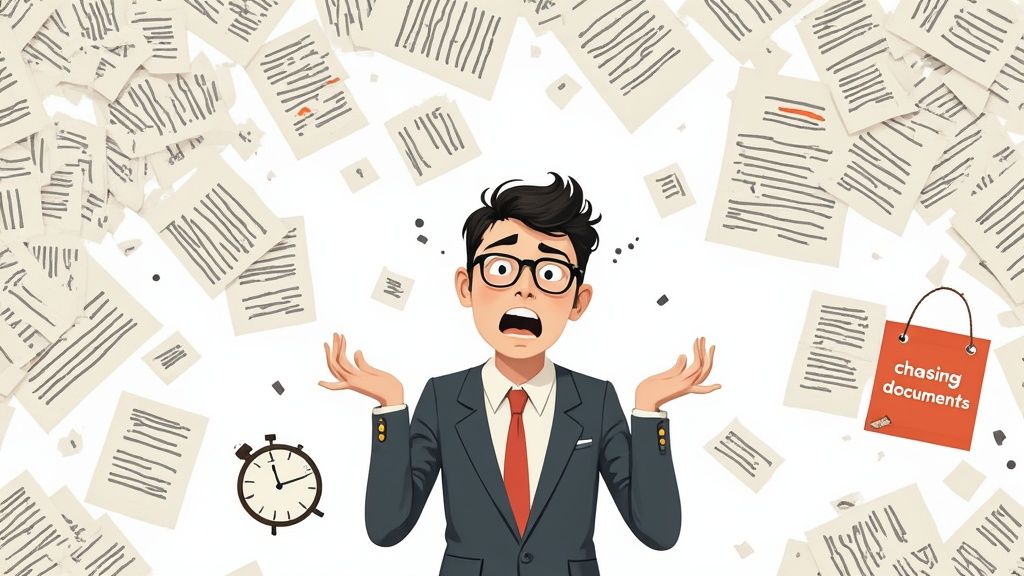
Let's be real: chasing down paperwork is a soul-crushing task. The old way of doing things, usually cobbled together with scattered emails and vague instructions, creates a ton of friction. For your client, it’s a confusing and annoying first impression. For your team, it’s a productivity black hole.
This isn't just a gut feeling; the data is pretty shocking. The U.S. is swimming in over 4 trillion paper documents, and managing it all eats up a staggering 21.3% of employee productivity. On average, professionals spend half their day just looking for information, wasting about 18 minutes to find a single document. You can dig into more of these records management statistics on Armstrong Archives. That lost time adds up, driving up costs and pushing back deadlines.
The Hidden Costs of a Flawed System
When you ask for documents in a disorganized way, you set off a chain reaction of problems that go way beyond simple annoyance. These issues can genuinely hurt your business. Here are the pain points I see most often:
- Poor Client Experience: A clunky process makes you look unprofessional right out of the gate. It erodes trust before you've even had a chance to build it.
- Security Risks: Relying on unsecured email attachments for sensitive files is a huge gamble. You're exposing your business and your clients to serious data breach risks.
- Wasted Time: Think of all the hours spent on manual follow-ups, digging through inboxes for lost files, and fixing mistakes. That’s time you could have spent growing your business.
- Compliance Nightmares: Without a clear, consistent system, it's nearly impossible to prove who sent what and when. Good luck producing a clean audit trail when regulators come knocking.
A broken document request process isn’t just an administrative problem—it's a business bottleneck. It signals to clients that your internal operations may be just as chaotic, undermining their confidence from the very first interaction.
At the end of the day, a manual, thrown-together approach to collecting information just doesn't work long-term. It won’t scale as you grow and leaves you wide open to expensive, embarrassing mistakes. The good news? Fixing it is entirely within your reach.
Crafting a Request People Actually Respond To
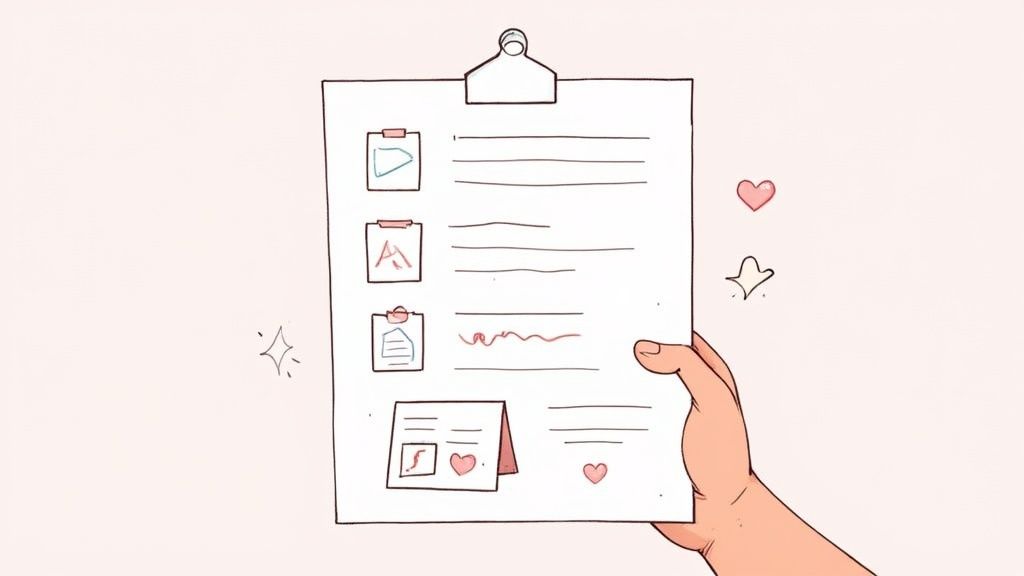
Here's a little secret I've learned over the years: the key to getting the documents you need isn't some complex trick. It's about making it incredibly easy for the other person to give them to you. A vague or confusing request just creates friction and makes people hesitate.
But when you send a clear, well-packaged request? That shows you're a pro who respects their time, and it sets a positive tone right from the start. This is about more than just listing files; it's the psychology of the ask. When you request documents with precision, you get rid of the guesswork, which dramatically increases your odds of getting a quick, accurate response.
Define Your Needs With Absolute Clarity
Ambiguity is the absolute enemy of an effective document request. I can't tell you how many times I've seen projects delayed because of it. Never assume the other person knows what you mean.
Instead of asking for "the signed contract," be specific: "the fully executed Master Services Agreement, signed by all parties, in PDF format." This level of detail completely stops that frustrating back-and-forth that wastes everyone’s time.
Your goal is to answer their questions before they even think to ask them. Think about these points:
- Document Specificity: Name the exact document. If there are version numbers or dates, include them.
- Required Format: Be upfront about whether you need a PDF, DOCX, PNG, or something else. This avoids so many headaches down the road.
- File Naming Conventions: Give them a simple naming structure to follow, like
CompanyName_Invoice_YYYY-MM-DD.pdf. Trust me, your future self will thank you. - Clear Deadlines: Provide a real due date and briefly explain why it matters. A deadline without context feels random and is much easier for people to ignore.
When you make your request easy to understand and act upon, you're not just being helpful—you're strategically guiding them toward a successful submission. Clarity removes friction and makes people more willing to comply.
The Anatomy of a Perfect Document Request
I’ve found that one of the most effective strategies is to package your needs into a simple checklist. It breaks a big ask into small, manageable steps and gives the user a clear visual guide. For a deeper look at the exact wording, our guide on a sample email requesting information has some great examples.
Every solid request I send has a few key components. Think of it as a recipe for getting the right files on the first try.
Anatomy of a Perfect Document Request
| Checklist Item | Why It Matters | Real-World Example |
|---|---|---|
| Clear Subject Line | This is your first impression. A good one makes your email easy to find and signals its importance. | "Action Required: Documents Needed for Project Alpha – Due 10/15" |
| Concise Introduction | Get straight to the point. Briefly explain why you need the documents. | "To complete your onboarding, please provide the following documents." |
| Bulleted Document List | Makes your request scannable and shows exactly what’s needed at a glance. | "- Signed Non-Disclosure Agreement – Certificate of Insurance (PDF)" |
| Formulaire d'information | Don't make them hunt for help. Give them a direct point of contact for any questions. | "If you have any questions, you can reach me, Jane Doe, at…" |
| Submission Instructions | Tell them exactly how and where to send the files. This is crucial for security. | "Please upload all files directly to your secure client portal here." |
When you structure your requests this way, you're creating a better experience for the other person. You’re turning a potentially confusing chore into a simple, step-by-step process they can follow with confidence.
Automating Requests with Workflows and Portals

Manually chasing files is a surefire way to burn out your team and introduce mistakes. It’s time to stop thinking of document collection as a bunch of individual tasks and start building a system that practically runs itself. This is exactly where automated workflows and client portals become a complete game-changer.
Think about what happens when you onboard a new client. Instead of firing off three separate emails for their ID, a signed contract, and initial project files, you can trigger a single automated sequence. This system sends one professional request with a clear checklist and a link to a secure portal where they can upload everything at once.
Building Your First Automated Workflow
A workflow is really just a series of actions that happen automatically, one after another. The initial request is just the starting gun. The real magic is in everything that happens next—without you having to lift a finger.
For that new client, a simple workflow might look something like this:
- The Initial Ask: A branded email goes out with a clean list of required documents and a link to their private portal.
- Automatic Nudges: If the documents haven't been uploaded within three business days, the system sends a polite follow-up. You could schedule another one for the day before the deadline.
- Confirmation of Receipt: As soon as the client uploads their files, they get an instant confirmation email. They know their part is done.
- Alert Your Team: Your team gets a notification that the files are in and ready for review.
This hands-off approach keeps everything consistent and professional. Nothing slips through the cracks, and your team is freed up to focus on meaningful work instead of playing email tag.
The Shift to Branded Client Portals
Let's be honest: email attachments aren't just clunky; they're a huge security risk, especially for sensitive information. A branded client portal is a secure, central, and far more professional way to request documents. It’s not just a file drop—it's an extension of your brand and client experience.
A great portal gives clients a simple dashboard where they can see exactly what you need, what they've already sent, and the status of their documents. This level of transparency builds trust and cuts down on client anxiety, making them feel organized and supported from the very beginning. You can see more on how an automated document request tool makes this possible.
By moving away from insecure email threads and toward a branded portal, you're not just improving security—you're elevating the entire client journey. It signals that you are organized, professional, and serious about protecting their data.
Choosing the Right Automation Technology
This kind of automation is more accessible than you might think, thanks to the growth of Intelligent Document Processing (IDP). The IDP market is on track to hit $6.78 billion by 2025, and over 80% of companies are planning to invest more in it. Why? Because businesses that adopt these tools have reported cutting manual processing errors by up to 90%. You can dig into more of these document processing statistics and what they mean for businesses on SenseTask.
So, what's the right tool for you? It really depends on your needs.
- Simple Form Builders: For basic file collection, tools like Google Forms can be a good, simple starting point.
- Integration Platforms: Services like Zapier can act as the glue, connecting your forms to cloud storage and your email to create a basic workflow.
- Dedicated Software: Specialized platforms offer the most robust, all-in-one solution with branded portals, built-in reminders, validation dashboards, and compliance features baked right in.
Tracking Submissions Without Losing Your Mind
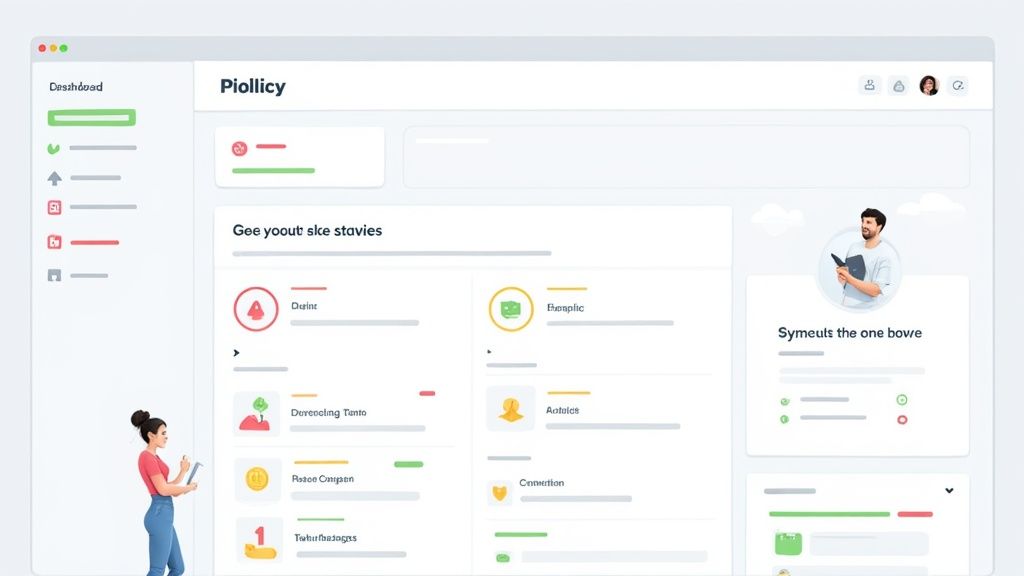
You’ve hit "send" on your document requests. Now what? For many, this is where the real chaos begins—a messy black hole of follow-up emails, missed deadlines, and files scattered across inboxes.
The trick is to stop passively waiting and start actively tracking. You need a system that gives you a bird's-eye view of every single request in your pipeline. It doesn’t matter if it’s a simple spreadsheet or a sophisticated dashboard; what matters is that it’s visual. A good visual system turns a jumbled list of names into an actionable overview, letting you spot problems at a glance.
This isn't just about tidiness. It's about taking control of your workflow.
Using a Simple Traffic Light System
One of the simplest and most effective methods I’ve ever used is the old-school traffic light system. It's dead simple to set up and instantly tells you the status of every request.
You can build this logic into any tool you’re comfortable with:
- Green (Submitted): All documents are in and ready for review. This one's done.
- Yellow (Partial): They’ve sent some, but not all, of the files. This is your cue for a gentle nudge.
- Red (Outstanding): You’ve received nothing. These are your top priority, especially as deadlines get closer.
This kind of color-coding immediately shows you where to put your energy. No more sifting through email chains to figure out who still owes you what.
A clear tracking dashboard does more than just organize your work. It empowers you to communicate proactively with stakeholders, providing them with accurate status updates and preventing last-minute surprises.
Handling Partial Submissions Gracefully
Partial submissions are a fact of life. Someone sends two out of the three files you asked for, and it can be tricky to handle without sounding demanding. They might think they’re done, so your follow-up needs to be helpful, not accusatory.
When you see a request sitting in the "Yellow" pile, lead with appreciation. Acknowledge what they have sent—it shows you’re paying attention.
Then, be crystal clear about what's missing. Something like, “Thanks so much for sending over the signed agreement! We just need the Certificate of Insurance to get this wrapped up,” works perfectly.
It’s also crucial to keep your own team in the loop. A quick status update prevents internal frustration and ensures everyone is on the same page. A simple, “We have the initial forms from Client X, still waiting on their final approval,” can save a lot of headaches and make for a much smoother handoff later.
How to Follow Up Without Being Annoying
Following up on a document request can feel like walking a tightrope. You need to get the documents, but you don't want to burn a bridge by being a pest. The secret isn't in the follow-up itself, but in having a smart, professional system in place from the very beginning.
A well-timed follow-up isn't nagging. It’s a helpful nudge that pulls your request out of a cluttered inbox and back to the top of their to-do list. It shows you’re on top of your game and serious about the deadline. Think of yourself as a helpful guide, not a bill collector.
Finding the Right Follow-Up Rhythm
I've found that the best approach is a simple, predictable rhythm that anticipates delays and offers gentle prompts. A three-step cadence seems to work wonders in almost any scenario, whether you're onboarding a new client or chasing down paperwork from a vendor. It gives them multiple chances to respond without you ever feeling aggressive.
It really just comes down to timing and tone.
-
The Pre-Deadline Nudge: A few days before the due date, send a quick, friendly email. This is a low-pressure way to get your request back on their radar. Something simple like, "Just a friendly reminder that we're looking for those documents by this Friday," works perfectly.
-
The Day-Of Check-In: If the deadline hits and the files are still missing, send another brief message. Assume they're swamped, not ignoring you. A simple, "Just checking in on the documents for Project Alpha, which are due today," is all you need.
-
The Post-Deadline Follow-Up: Once the deadline has passed, it’s okay for your tone to be a bit more direct, but always keep it professional. Restate why the documents are important and, crucially, ask if there’s anything you can do to help on your end.
Having a structured follow-up plan takes the emotion out of it. You're not chasing people; you're just following a standard business process. This keeps projects moving and relationships intact.
Let Automation Handle the Awkward Part
Let's be honest, manually tracking due dates and sending reminders is a soul-crushing time suck. It can also feel incredibly awkward. This is exactly where automation becomes your secret weapon.
Using a system like Content Snare to automate the follow-up process is a total game-changer. You can build a workflow that schedules these reminders to go out at the perfect intervals without you lifting a finger.
The system handles the "pre-deadline nudge" and the "day-of check-in" for you. In my experience, this alone prevents over 90% of late submissions. It frees you up from the busywork and ensures every request gets the same professional treatment, taking all the awkwardness out of the equation. This lets you focus your energy only on the few exceptions that truly need a personal touch.
Keeping Sensitive Documents Secure and Compliant
When you ask someone for their sensitive information, you're taking on a huge responsibility. It's not just about collecting files. You’re being trusted with pieces of their identity, whether it's financial records or personal data. This is where top-notch security and compliance are absolutely critical.
Let’s be honest: sending sensitive files as email attachments is playing with fire. One wrong click, a misaddressed email, or a hacked account can snowball into a full-blown data breach. That's why smart businesses are moving away from email and embracing encrypted, dedicated portals. These tools give you a secure, controlled space for every single document exchange.
Upholding Data Integrity and Retention
Getting the document is just the first step. Now you have to protect it. This means having a clear game plan for checking the document, storing it safely, and eventually getting rid of it according to rules like GDPR or HIPAA.
- Validation Protocols: The moment a document comes in, you need to confirm it's legitimate and complete. Does it have the right signatures? Are the dates correct? This initial check stops problems before they start.
- Secure Storage: Every file must be stored in an encrypted environment with iron-clad access controls. This locks down the data from anyone who shouldn’t see it, both inside and outside your organization.
- Retention Policies: You can't just hoard data forever. You need a formal policy that defines exactly how long you'll keep certain documents and a secure process for destroying them when the time is up.
If you want to get into the nitty-gritty of setting this up, our guide on building a secure document intake platform walks through the must-have features for protecting client data.
Think about the high-stakes world of global patents to see why this matters. Innovators use the Patent Cooperation Treaty (PCT) to file patents in multiple countries through one streamlined system. In a recent year, almost 273,900 international applications were filed this way. This single, standardized process lets them file in up to 157 countries at once, a feat that would be impossible without a secure, reliable, and compliant system. You can see more of these global intellectual property trends from WIPO.
At the end of the day, a secure and compliant process isn't just about ticking boxes on a checklist. It's about earning and keeping trust. When clients see you take their data security seriously, they see you as a professional they can rely on.
This commitment to security does more than just protect your clients. It protects your business from legal headaches and cements your reputation as an organization that handles sensitive information with the respect it deserves.
Answering Common Questions About Document Requests
Even the most polished document collection process can hit a snag. We've all been there—facing a unique situation that makes you second-guess the best way to ask for what you need. Let's walk through a couple of the most common questions that pop up and how to handle them like a pro.
How Should I Ask for Multiple Documents at Once?
When you need a handful of documents from one person, resist the urge to fire off a bunch of separate emails. That's a surefire way to cause confusion, bury important files in an inbox, and make things harder for everyone involved.
The best approach is to bundle everything into a single, well-organized request. Think of it as a complete package. Create a simple checklist that spells out exactly what you need, specifying any required formats and deadlines. If you really want to make it seamless, give them one secure link where they can upload everything at once. It’s not just more efficient; it shows you respect their time.
The real goal here is to make it incredibly easy for the other person to give you what you need. A single request with a clear checklist and one upload spot removes all the friction and dramatically boosts your odds of getting everything right on the first attempt.
What's the Best Way to Make Sure I Get the Right Document Version?
Getting an old version of a file is more than just an annoyance—it can derail an entire project. The trick to avoiding this is being crystal clear from the very beginning. Don't just ask for "the contract." Instead, ask for the fully executed contract from on or after a specific date.
Here are a couple of other practical tips I've picked up:
- Suggest a Naming Convention: A simple instruction can make a world of difference. Ask them to name the file something clear, like
Contract_V3_Signed_2024-10-26.pdf. - Add a Version Field: If you're using a client portal or form for submissions, include a small text box where they can type in a version number or a quick note.
A little bit of foresight goes a long way. These small details clear up any ambiguity and ensure you're always working with the most up-to-date information.
Stop chasing documents and start building a better client experience. Superdocu gives you the tools to automate your document collection with branded portals, automated reminders, and secure workflows. See how Superdocu can transform your process.