
You already know the scene. An audit request lands, and within an hour your team is chasing files across inboxes, shared drives, desktop folders, and old spreadsheet trackers no one fully trusts. Someone uploads the wrong version. Someone else forgets to answer. A manager asks for status, and the honest answer is, “We think we're close.”
That isn't just an accounting problem. It's a workflow problem, a document collection problem, and a control problem that spreads across HR, legal, operations, vendor management, safety, and compliance. When audits run through spreadsheets, the business pays for the mess in delays, rework, missing evidence, and weak follow-up.
A proper audit management system fixes that by turning scattered activity into one controlled process. It gives leaders a live record of what was requested, what was submitted, what was reviewed, what failed, and what still needs remediation.
Table of Contents
- The End of Spreadsheet Audits
- What Is Audit Management Software Really
- Core Capabilities and Must-Have Features
- Strategic Advantages and Measuring ROI
- Audit Management in Your Industry
- How to Choose and Implement Your Software
- The Future of Auditing Is Automated
The End of Spreadsheet Audits
Spreadsheets survive in audit teams for one reason. They feel cheap and familiar. But once an organization runs recurring audits across multiple departments, that comfort turns into exposure. Files sit in too many places. Status updates depend on manual follow-up. Evidence reviews become a hunt instead of a controlled process.
A core failure is that spreadsheet audits don't create a reliable operating system for the business. They create a patchwork. That may be tolerable for a one-off checklist. It doesn't hold up when you need repeatable control over policy reviews, onboarding records, vendor files, safety documentation, contract approvals, or corrective actions.
This is why adoption is moving quickly. The global audit management software market reached $1.9 billion in 2025 and is projected to reach $2.19 billion in 2026 at a 14.9% CAGR, with expectations to reach $3.89 billion by 2030, according to global audit management software market projections. That growth reflects a clear shift away from manual processes as regulatory complexity increases.
A modern audit system centralizes planning, requests, evidence, findings, approvals, and remediation. It also forces discipline. Every request has an owner. Every document has a status. Every finding has a trail. That's the difference between “we completed the audit” and “we can prove exactly what happened.”
Practical rule: If your audit process depends on people remembering to chase documents manually, you don't have a process. You have heroic effort.
That same operational discipline is why many teams pair audit modernization with stronger document management software practices. Audits break down when the underlying document flow is broken first.
What Is Audit Management Software Really
Audit management software is best understood as a GPS for compliance and operational control. A paper map might get you there if the route never changes. Real businesses don't work that way. Policies change, evidence expires, departments hand work back and forth, and regulators or customers ask different questions at the worst possible moment.
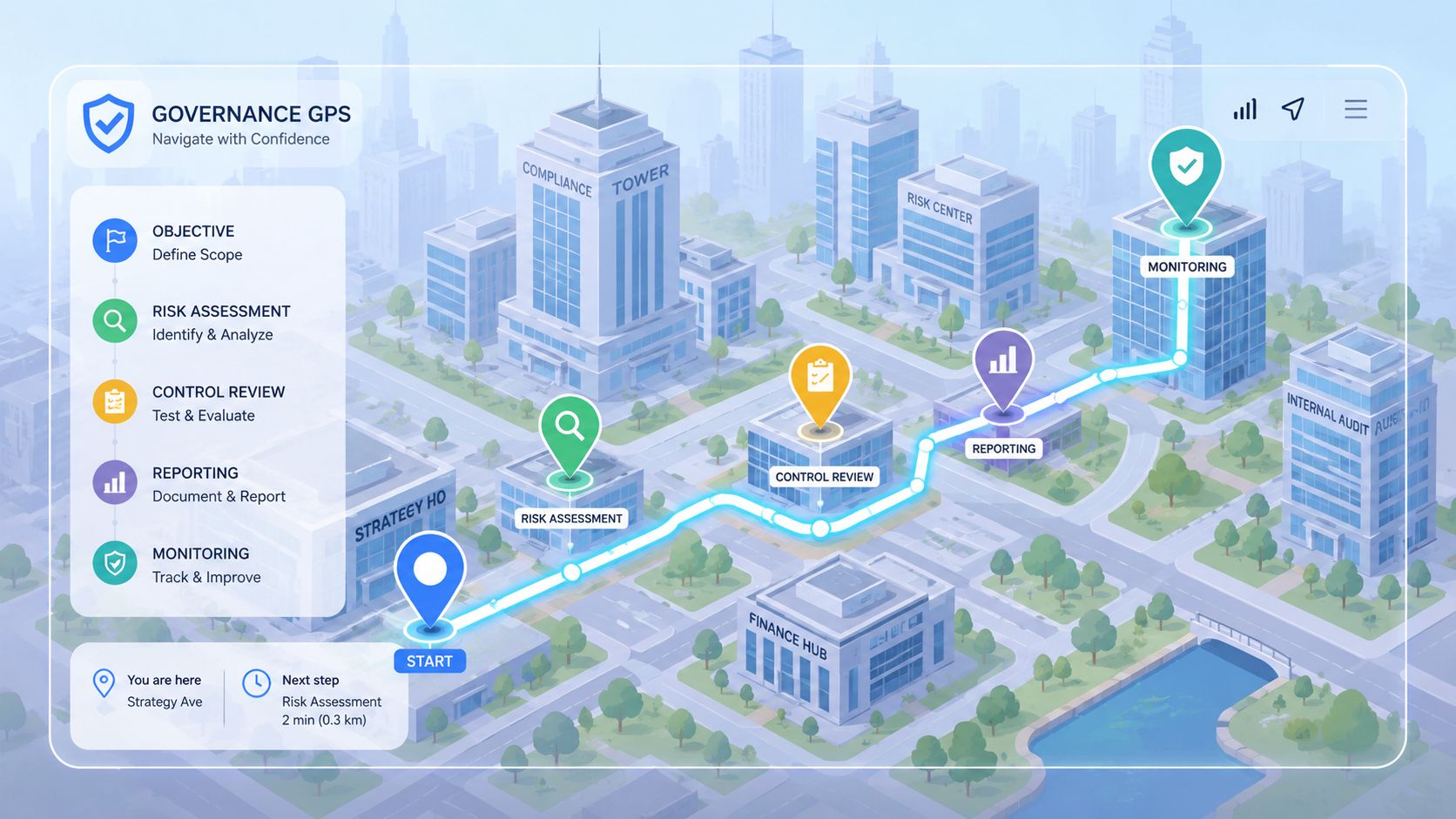
More than storage
Audit management software is a purpose-built system for the full audit lifecycle. It supports planning, scheduling, fieldwork, evidence collection, review, reporting, remediation, and follow-up in one governed environment.
That matters because audits aren't just documents. They are decisions linked to deadlines, controls, responsibilities, and proof. A shared drive can store a file. It can't tell you whether the right file arrived, whether it was reviewed, whether it failed a requirement, or whether the owner corrected the issue.
A mature platform also creates repeatability. Teams don't have to rebuild the same audit from scratch every quarter. They can standardize requests, procedures, review steps, and escalation paths. For leaders trying to improve consistency, resources like Logical Commander's internal audit tips are useful because they focus on operating discipline, not just paperwork.
Why generic tools fall short
Generic project tools can assign tasks. Basic storage systems can hold documents. Neither one is designed to preserve an audit trail across the whole process.
Here's where companies usually go wrong:
- They confuse file storage with control. A folder structure is not a review workflow.
- They treat audit as finance-only work. In reality, operational audits often pull records from HR, legal, procurement, facilities, and frontline teams.
- They over-customize with manual workarounds. Once your process relies on side emails and separate trackers, the system is no longer the system.
A strong audit process doesn't just record the past. It directs the next action and proves who took it.
That's why the best systems feel less like passive repositories and more like guided operating frameworks.
Core Capabilities and Must-Have Features
The best audit management software doesn't win because it has more screens. It wins because it removes friction from the daily work auditors and process owners do. If a platform can't handle planning, evidence intake, review logic, and remediation without constant manual patching, it won't last.
Planning that reflects real risk
Good planning features do more than fill a calendar. They let teams build audit programs around risk areas, recurring obligations, and department ownership. That means you can schedule a policy audit, assign preparatory requests in advance, define required evidence, and set review steps before the scramble starts.
Useful planning usually includes:
- Recurring schedules: Set repeat audits for monthly, quarterly, annual, or event-based reviews.
- Template-based scoping: Reuse standard requests and test steps for common audit types.
- Role assignment: Make ownership explicit for reviewers, approvers, and document providers.
Without those basics, teams spend too much time rebuilding structure instead of assessing control quality.
Evidence collection that doesn't collapse under volume
This is the section most buyers underestimate. Audit quality often fails at the point of evidence intake, not final reporting. If people submit files by email, upload them to random folders, or send partial records with no validation, the audit drifts into cleanup work.
Strong systems create a controlled request-and-review flow. They centralize incoming records, tie them to the request, show status clearly, and preserve a history of what was submitted and when. For finance and compliance leaders trying to tighten traceability, these insights for CEF financial leaders are a useful reminder that a clean audit trail starts long before the final report.
Teams that want less manual chasing should also think in terms of document workflow management systems, because the mechanics of requesting, collecting, validating, and approving documents are where audit efficiency is usually won or lost.
One capability matters more as data volumes increase. Enterprise-grade audit management software can use AI-powered analytical engines to process 100% of audit data rather than relying on statistical sampling, which can increase the probability of proactive risk mitigation by up to 40% in high-volume regulatory environments by detecting subtle anomalies, according to Diligent's overview of key audit software features.
That doesn't replace judgment. It changes where judgment is applied. Instead of spending hours deciding what to sample, teams can spend more time investigating exceptions that deserve attention.
Issue tracking that leads to action
Many audits produce findings. Fewer produce closure. That gap usually comes from weak remediation management.
A useful issue module should let the team:
- log the finding clearly
- assign a corrective owner
- set due dates and approval steps
- attach remediation evidence
- keep a record of validation and closure
If findings live in a separate spreadsheet, they go stale fast. If they stay tied to the originating audit, leaders can see unresolved risk in context.
Operational warning: A finding without an owner, due date, and validation step is just a comment.
Reporting and dashboards matter too, but only after the underlying workflow is solid. A polished dashboard built on chaotic evidence handling only makes the chaos easier to view.
Strategic Advantages and Measuring ROI
Most CEOs don't need another software pitch. They need a reason to believe this will lower risk, save management time, and produce cleaner oversight. That business case is real, but only if you look beyond the audit team's convenience.
What the business gets
The first gain is control. Cloud-based audit management solutions provide secure, centralized document storage accessible to board members, management, examiners, and auditors, enabling immediate retrieval of critical audit evidence and data from any device or location, according to this overview of cloud-based audit solution features. That changes executive visibility. Instead of waiting for someone to assemble support, leaders can access what they need when scrutiny arrives.
The second gain is cycle speed. Reviews move faster when requests, submissions, reminders, and approvals happen inside one system. The third is consistency. Standardized workflows reduce the variation that creeps in when each department handles evidence differently.
A fourth benefit often matters most: less hidden management drag. When audit status is visible, department heads spend less time in ad hoc follow-up meetings and fewer hours resolving confusion about versions, owners, or next steps. Companies looking at a broader control environment often see the connection with compliance tracking software, because the same discipline supports audits, obligations, renewals, and corrective actions.
Audit Process Transformation
| Audit Phase | Manual Process (The Old Way) | Automated with Software (The New Way) |
|---|---|---|
| Planning | Audit scope and deadlines live in spreadsheets and email threads | Audit plans, owners, and schedules are centralized and visible |
| Evidence collection | Teams chase files manually and receive inconsistent formats | Requests, submissions, and status tracking follow a standard workflow |
| Review | Review notes sit in separate files and version control breaks down | Comments, approvals, and document history stay attached to the record |
| Findings | Findings are logged in separate trackers with weak follow-up | Issues are assigned, tracked, and validated in the same system |
| Reporting | Teams compile updates manually for leadership | Dashboards and status views support quicker reporting |
| Remediation | Corrective actions depend on reminders and memory | Deadlines, ownership, and closure evidence are governed |
How to measure return without guessing
You don't need invented ROI math to justify this investment. Track the operational shifts you can observe directly.
Use a before-and-after view:
- Preparation effort: Measure hours spent requesting and organizing evidence.
- Audit cycle time: Track how long audits stay open from kickoff to closure.
- Exception follow-up: Review how many findings remain open past deadline.
- Retrieval speed: Check how long it takes to produce supporting evidence when leadership or an examiner asks.
- Rework: Count how often teams resubmit incomplete or outdated records.
If those indicators improve, the platform is delivering value. If they don't, the problem usually isn't the software category. It's poor workflow design or weak adoption.
Audit Management in Your Industry
Audit management becomes much more persuasive when you stop treating it as a finance-only system. In most businesses, the pressure comes from operational records. Employee files. Property documents. contract packets. Licensing records. Safety logs. Driver credentials. The same control problem appears in different clothes.
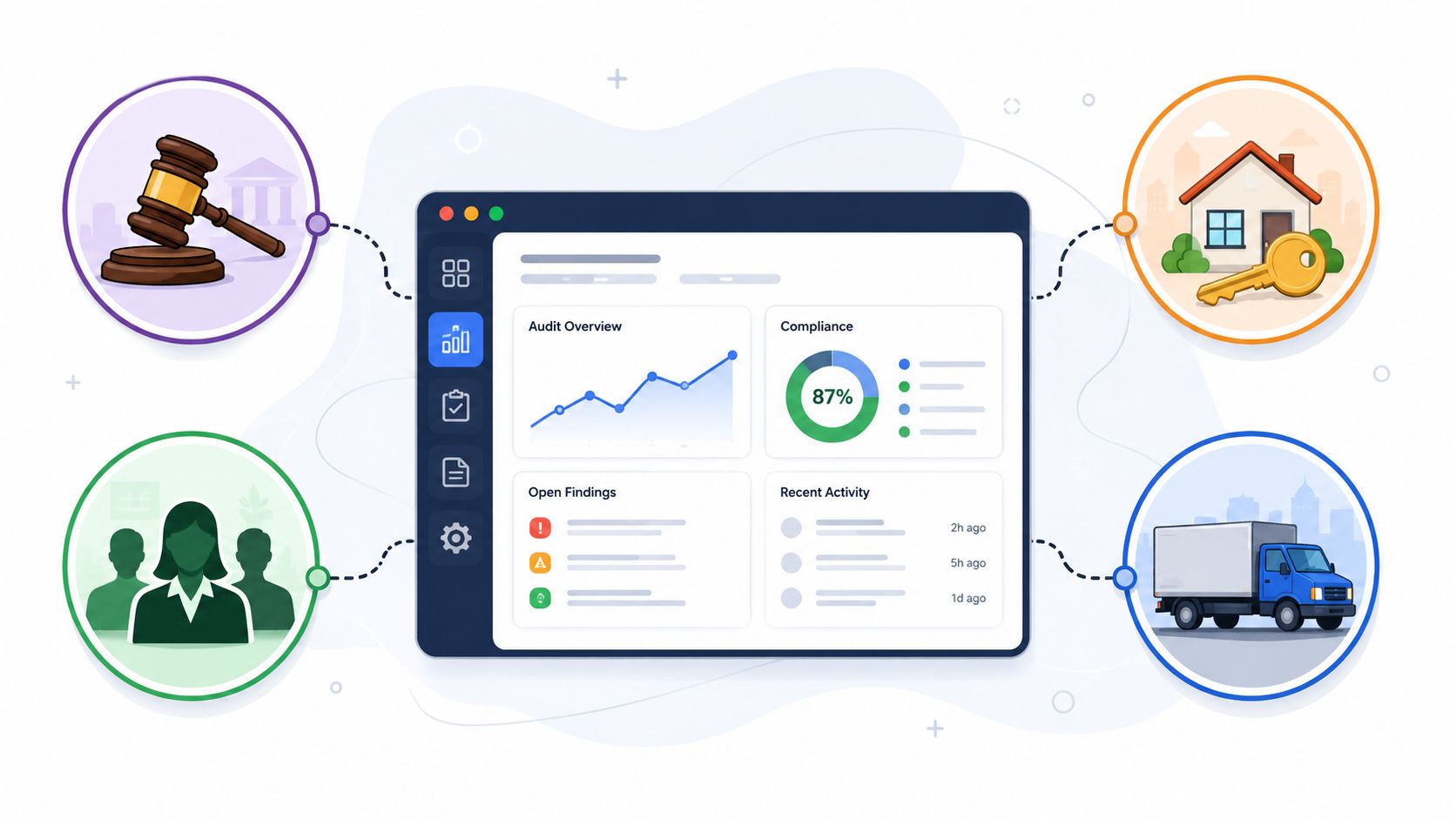
Juridique
A legal team often faces audits around engagement files, conflict checks, signed agreements, identity records, retention rules, and approval history. The weakness in a manual process isn't legal judgment. It's document movement.
A centralized audit workflow lets the team request missing records, review file completeness, flag exceptions, and preserve a trail of who approved what. That reduces the familiar last-minute scramble before an external review or internal compliance check.
HR
HR audits are relentless because the records change constantly. Onboarding packets, certifications, policy acknowledgments, right-to-work documents, training confirmations, and offboarding records all expire, renew, or vary by role.
An HR team using a real audit workflow can run recurring reviews on active employee files, route missing items back to managers, and document remediation clearly. That turns HR audits from a periodic panic into an ongoing maintenance process.
In HR, the audit problem usually isn't that records never existed. It's that nobody can prove which version was valid at the required time.
Immobilier
Real estate teams manage lease files, tenant records, ownership documents, disclosures, inspection evidence, vendor certificates, and transaction paperwork. These records don't live in one neat stream. They arrive from tenants, brokers, contractors, legal counsel, and internal teams.
An audit platform helps by tying required documents to the property, transaction, or portfolio process involved. If a file is incomplete, the missing item is visible immediately. If a reviewer asks for proof, the team doesn't need to reconstruct the chain from old emails.
Transport
Transportation operations carry some of the hardest recurring documentation burdens. Driver credentials, vehicle records, incident files, maintenance logs, policy acknowledgments, and onboarding documents all need review at the right time.
A manual system makes this hard because it depends on repeated outreach and local tracking. An automated audit workflow creates a routine: request, submit, validate, escalate, close. That consistency matters when operations move quickly and missing paperwork can expose the business.
Operational departments often think they have a documentation problem. In reality, they have an orchestration problem. Audit management software is valuable because it governs the handoffs.
How to Choose and Implement Your Software
Most failed implementations start before the contract is signed. The company buys a platform based on a feature list, then discovers its actual pain point was messy intake, inconsistent ownership, or weak approval logic. Software can't fix a process no one has defined.
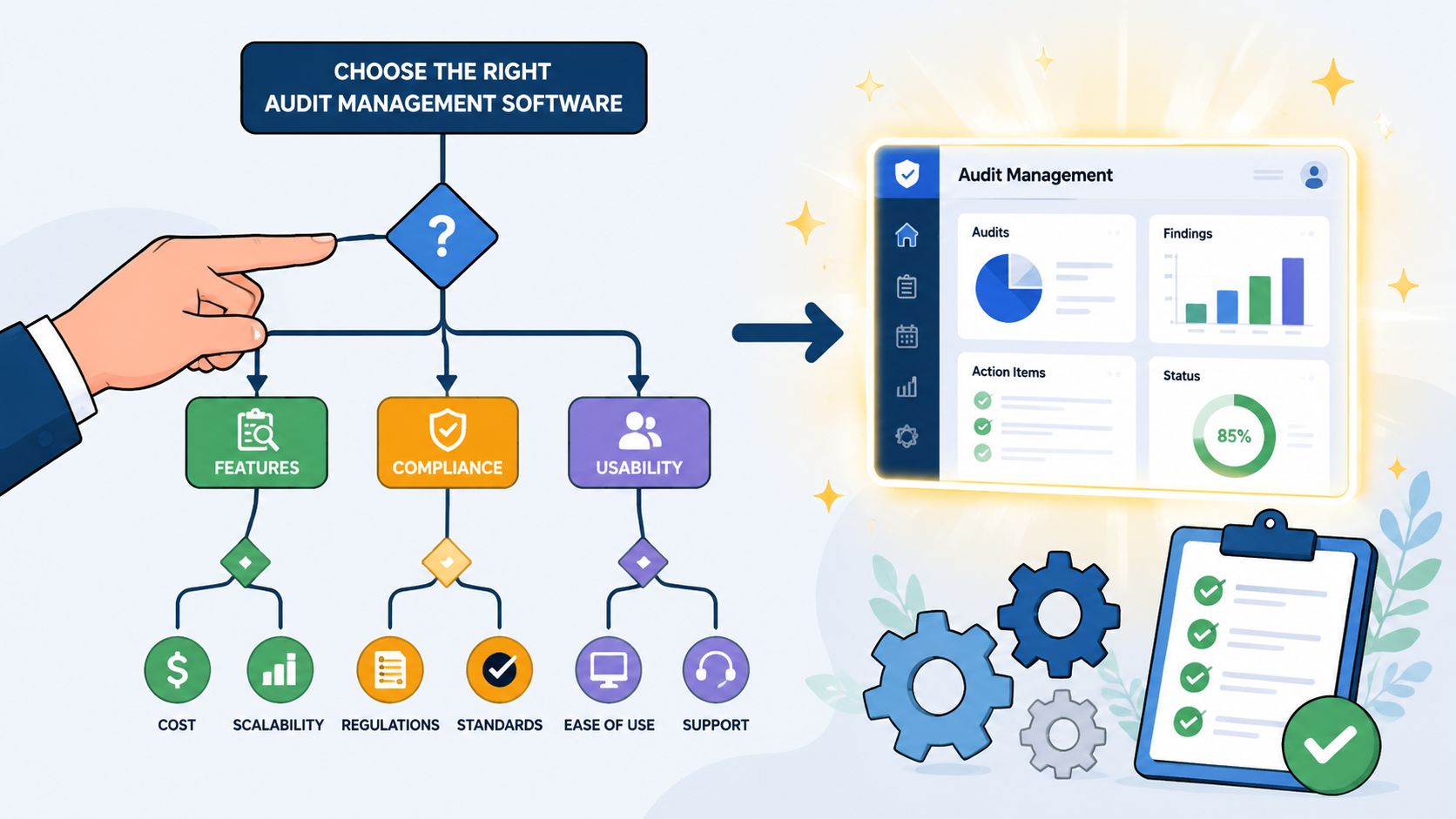
What to look for before you buy
Start with the controls that matter in daily use, not the flashiest demo.
- Usability: If department owners can't submit records and respond to findings easily, adoption will stall.
- Workflow flexibility: The system should support operational audits, compliance reviews, and recurring document checks without forcing one rigid pattern.
- Security and governance: Access controls, audit trails, and retention discipline aren't optional.
- Scalability: You want a platform that can handle more departments and more audit types without rebuilding everything.
Integration deserves special scrutiny. Modern audit management platforms are defined by RESTful APIs, pre-built connectors for ERP and CRM systems, and webhook support, which collectively reduce the latency between issue identification and remediation by 30-50% compared to manual workflows, according to this guide to audit management platform integrations.
That matters because disconnected systems create lag. Findings sit in one place. Corrective actions happen somewhere else. People copy updates manually, and accountability weakens.
How to roll it out without creating another mess
A strong implementation is usually simpler than companies expect. The discipline is what matters.
Use this sequence:
Pick one audit type first
Start with a recurring process that hurts today, such as employee file reviews or vendor document checks.Map the current workflow in detail
List every request, handoff, review point, escalation, and approval. Include the side emails and workarounds. Those constitute the actual process.Standardize before you automate
If every manager requests evidence differently, fix that first. Automation amplifies inconsistency as efficiently as it amplifies good process.Train by role
Reviewers, approvers, and submitters don't need the same training. Keep it role-specific and practical.Watch the first cycle closely
The first audit run will expose gaps in reminders, ownership, request wording, and exception handling. Adjust early.
Buy software for the process you want to run every month, not the demo you liked for thirty minutes.
If leadership treats implementation as an IT project only, adoption slows. This is an operating model change. It needs process owners at the table.
The Future of Auditing Is Automated
Audit teams aren't moving to automation because it's fashionable. They're moving because the manual model can't keep up with the pace, volume, and cross-functional nature of modern control work. The challenge isn't limited to finance. It shows up anywhere the business depends on collecting documents, proving compliance, and closing corrective actions reliably.
The adoption curve is clear. The audit software market is forecast to increase by USD 2.83 billion between 2024 and 2029, growing at an 18% CAGR, according to Technavio's audit software market analysis. That tells you where organizations are heading as compliance pressure rises.
The practical shift is from reactive audits to continuous control. Instead of waiting for a review cycle to expose missing evidence or stale records, teams can build workflows that surface problems earlier and route them to the right owner. That same lesson shows up in adjacent compliance work. For example, this piece on choosing the right accessibility testing is useful because it illustrates a broader truth: manual review still matters, but automation is what gives teams consistent coverage at scale.
Executives should read the signal correctly. This is not about replacing professional judgment. It is about removing avoidable manual friction so judgment can be used where it matters most.
If your audits still run through spreadsheets, inboxes, and scattered folders, it's time to replace that patchwork with a controlled workflow. Superdocu helps teams automate document requests, reminders, collection, validation, and follow-up so audits move faster with less manual chasing and a cleaner evidence trail.