
If you've ever felt like you're drowning in a sea of paperwork, chasing clients for documents, you're not alone. The endless cycle of sending emails, managing attachments, and dealing with delays is a massive drain on time and resources.
The best way to handle document requests isn't just about sending another follow-up email. It's about building a smart, automated system that makes the whole process smooth, secure, and professional for everyone involved. Think branded portals, automatic reminders, and secure upload links—all designed to cut out the manual grunt work.
Stop Chasing Paperwork and Start Automating

Let's be honest: does your current document request process look something like this? You send an email, wait, send a reminder, and then try to make sense of the files that trickle in. Sometimes they're the wrong version, sometimes they're incomplete, and they're almost always buried in a long email thread.
This manual back-and-forth is more than just annoying. It slows down your projects, creates a clunky experience for your clients, and frankly, opens up a lot of security risks. Every minute your team spends hunting down a missing contract or a client's ID is a minute they could have spent on work that actually matters.
The True Cost of Manual Document Collection
The problem runs deeper than just wasted time. When you rely on standard email, you're sending and receiving sensitive information over an unsecured channel. It’s a huge vulnerability.
Beyond that, it’s just a frustrating experience for your clients. They have to dig through their inbox to figure out what you need, and the whole process can make your business look disorganized.
Think about these all-too-common headaches:
- Endless Follow-Ups: Manually sending reminders is a chore that's easy to forget, leading to missed deadlines.
- Version Control Nightmares: Getting multiple versions of the same file creates total confusion. Which one is the final one?
- Serious Security Risks: Email was never designed for securely transferring things like financial records or personal IDs.
- Poor Client Experience: A messy, confusing process reflects poorly on your brand and can annoy the very people you’re trying to help.
A well-structured system to request documents does more than save time—it builds client trust by demonstrating a professional and secure approach to handling their sensitive information.
Making the switch to an automated document request tool changes the game entirely. It gives you a central hub where clients can securely upload everything you need. They get automatic reminders, and you get a clear, organized view of every submission. In this guide, we’ll walk through exactly how to set one up.
Designing Your Document Request Workflow
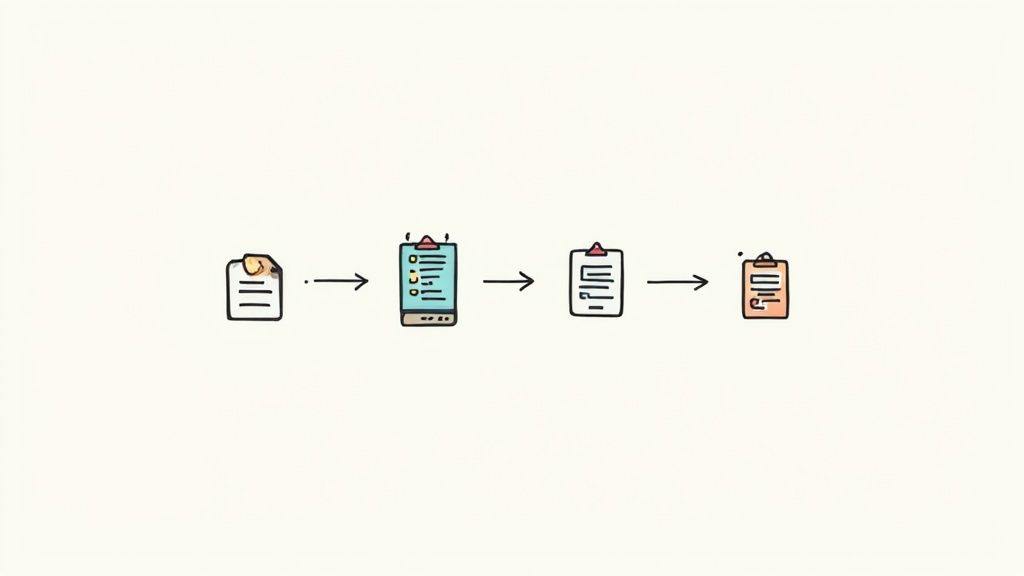
Before you can flip the switch on automation, you need a solid blueprint. A thoughtful workflow is what separates a smooth, efficient system from a confusing mess. It’s the game plan that turns the chaos of chasing paperwork into a series of clear, predictable steps.
Your first move? Map out every single touchpoint from start to finish. Pick a specific process, like onboarding a new hire or processing a loan, and list out every document you need. Don't just list the final forms; think about every little piece of information that has to be collected along the way.
Identifying Document Requirements and Dependencies
Once you have your master list, it’s time to get organized. The simplest way to start is by sorting documents into two piles: mandatory and conditional. Which items are absolute must-haves to move forward, and which are optional or depend on other factors?
Think about hiring a new employee. A signed offer letter and their I-9 form are non-negotiable. But a direct deposit form? That might be optional if they’d rather get a paper check.
Next, you need to think about the sequence of events. Do you need Document A before you can even ask for Document B? Getting these dependencies right is key to a good client experience. For instance, you wouldn't ask a mortgage applicant for a home appraisal before you’ve even seen their initial loan application. That’s just putting the cart before the horse.
Let's break it down with a mortgage application example:
-
Phase 1: The Essentials. These are the documents you need right away to see if the applicant even qualifies.
- Completed Loan Application (Form 1003)
- Photo ID
- Last 2 years of tax returns
- Recent pay stubs and W-2s
-
Phase 2: The Conditionals. Once the initial review looks good, you can ask for the next round of paperwork.
- Bank statements to verify funds
- Gift letters (if applicable)
- A signed purchase agreement
-
Phase 3: The Final Pieces. These are the last items you’ll need to get everything ready for closing.
- Homeowner's insurance policy
- The appraisal report
This phased approach keeps clients from feeling overwhelmed by a giant to-do list right at the beginning. It creates a logical flow and builds momentum as they check each step off the list.
A well-designed workflow doesn't just help your team work smarter. It guides your clients through a complex process with clarity, which makes a world of difference in reducing stress and delays.
Visualizing Your Process for Maximum Clarity
Now that you have your list and its logic down, draw it out. A visual map helps everyone on your team see the entire process at a glance and spot potential hiccups before they become real problems. You don’t need fancy software—a flowchart on a whiteboard or a simple digital tool gets the job done.
This map should clearly show the journey a request for documents takes from the first email to the final "complete" status. For a deeper dive into the tools that can help, check out a complete guide to workflow automation software. It’s a great resource for connecting your manual plan to a real, working system.
At a minimum, your visual map should answer these questions:
- Trigger: What kicks this whole process off? (e.g., a client signs a contract)
- Action: What’s the very first set of documents you ask for?
- Review: Who checks the submitted files, and what are they looking for?
- Decision: Is the document good to go, or does it need fixing? What happens next in each case?
- Follow-up: If something’s wrong, how do you ask for a correction? If it’s approved, what’s the next step?
By taking the time to design this workflow, you're building a powerful, repeatable playbook. This blueprint ensures every client gets the same organized and professional experience, every single time you request documents. It’s the critical foundation you need before you can automate anything.
Building a Secure and Branded Client Portal
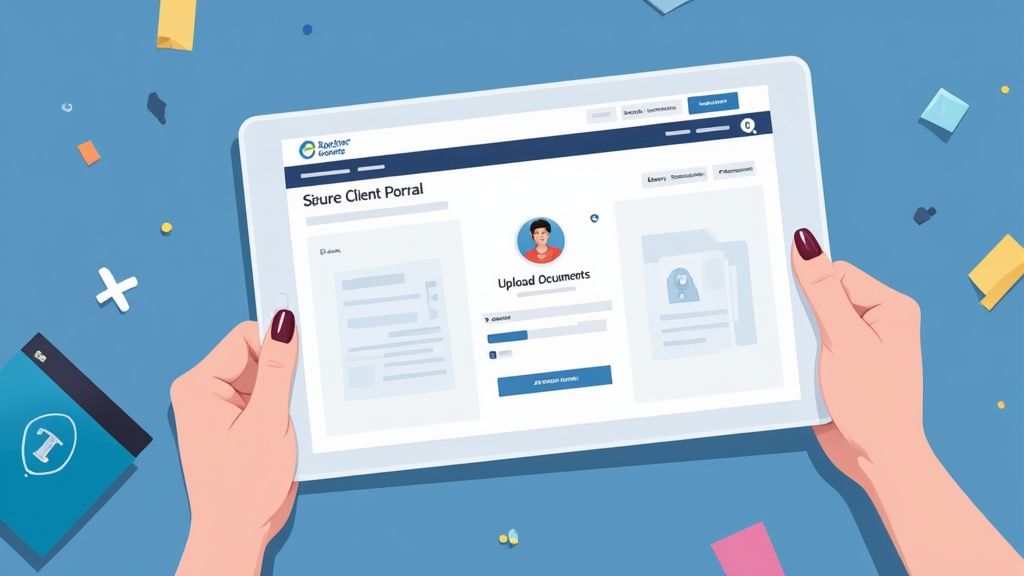
Still chasing clients for documents over email? You’re not just creating a disorganized mess of attachments and replies—you’re gambling with their sensitive information. Let's be honest, email is like sending a postcard. It’s not secure, it’s not professional, and it tells your clients you haven’t modernized your process.
Switching to a dedicated, secure client portal isn't just a minor upgrade. It’s a fundamental shift that shows you're serious about security and client experience. When someone needs to upload their tax returns, bank statements, or personal ID, they need to feel confident that their data is locked down. A secure portal gives them that much-needed peace of mind.
Why a Portal Beats Email Every Single Time
The biggest win here is security. Your standard email isn't built for sensitive files. It’s often unencrypted and a prime target for prying eyes. A good client portal, on the other hand, uses end-to-end encryption, protecting files both while they’re being uploaded and after they’re stored on the server.
This isn’t just a technical detail; it’s a powerful signal to your clients. It shows them you're a professional who takes their privacy seriously, which is one of the fastest ways to build trust right from the start.
A branded, secure portal is more than just a tool; it's a statement. It communicates that you are organized, professional, and committed to protecting your clients' most sensitive information.
Think about it—we're all getting used to secure online systems, from government services to online banking. This digital shift has made document management more accessible and transparent for everyone. To stay current, your business needs to offer that same level of security and convenience. For a deeper dive, solid document management services are the backbone of any system that organizes and protects client files effectively.
Creating an Experience That Feels Like You
First impressions count, and your client portal is a major touchpoint. If you send clients to a generic, third-party-looking page, it can feel jarring and even a little sketchy. People are right to be cautious. hesitation is the last thing you want when you need them to upload important files.
This is where branding comes in. A great portal should feel like a natural part of your business.
Here's what I mean:
- Your Company Logo: It’s the first thing people should see. Instant recognition.
- Brand Colors: Using your color palette makes the experience feel seamless and familiar.
- Custom Messaging: Your welcome messages and instructions should sound like you. Are you formal and direct? Friendly and casual? Keep the tone consistent.
When the visual experience flows from your website to your portal, it removes any doubt for the client. They know they're in the right place, and that continuity builds the trust you need to request documents without friction. If you want to go deeper on this, we've got a whole guide on how to set up a white-label client portal.
Must-Have Features for Your Document Portal
Not all portals are built the same. When you’re shopping around, it’s easy to get lost in feature lists. You need to focus on what actually makes the process smoother for you and your clients. A good portal should do more than just accept files—it needs to actively guide the user and eliminate confusion.
When choosing a platform, there are some non-negotiable features you should be looking for. I've seen too many businesses get this wrong, so let's break down the essentials.
Feature Comparison for Document Request Tools
This table highlights the core features you should prioritize to ensure you're choosing a tool that's secure, user-friendly, and professional.
| Fonctionnalité | Why It's Important | What to Look For |
|---|---|---|
| Individual Client Logins | This prevents clients from ever seeing each other's data, which is a massive privacy and security must-have. | Look for systems offering secure, password-protected accounts or unique, single-use access links for simplicity. |
| Clear Upload Instructions | Vague requests lead to wrong files and endless back-and-forth. Clear instructions save everyone time. | You need the ability to add custom descriptions, notes, and specific file type requirements for each document you request. |
| Submission Status Dashboard | Everyone needs to know where things stand. Clients want to see their progress, and you need a quick overview of what's missing. | A simple, visual dashboard with statuses like "Submitted," "In Review," and "Approved" is a game-changer. |
| Mobile-Friendly Interface | Many clients will just snap a picture of a document with their phone. If your portal isn't mobile-friendly, you're creating a roadblock. | The design must be responsive, meaning it works perfectly on a desktop, tablet, or smartphone without any weird formatting. |
Ultimately, choosing the right tool isn't just about ticking boxes. It's about creating a system that’s so simple and intuitive your clients can use it without needing a single email or phone call for help.
When you combine tight security with thoughtful branding and user-focused features, you don't just get a better way to request documents. You get a system that elevates your brand and shows every client you value their business and their privacy.
Automating Reminders and Managing Deadlines

Let's be honest: the single biggest time-waster in collecting documents is chasing people down. Manually sending reminder after reminder isn't just boring; it's an administrative black hole that can easily swallow hours of your week.
This is exactly where automation stops being a "nice-to-have" and becomes a total game-changer.
When you set up an automated reminder system, you're essentially building a small, focused engine that does the chasing for you. It sends out a series of perfectly timed, gentle nudges that keep the process moving. This frees up your team to focus on the work that actually matters, not playing calendar police.
The goal isn't to bombard your clients. It's to create a helpful, persistent rhythm that keeps their submission from falling through the cracks. When done right, a good sequence feels less like a nagging machine and more like a helpful assistant.
Crafting Your Reminder Sequence
The secret to effective automated reminders isn't volume; it's strategy. You need a logical progression that gently escalates in urgency without ever feeling aggressive. A few random pings will just get lost in the noise of a busy inbox.
I like to think of it as a three-part cadence: the gentle nudge, the firm reminder, and the final alert. Each message has a specific job and tone, all designed to guide the client toward the deadline. If you want to dive deeper into the mechanics, you can learn more about setting up automated email reminders and see how different platforms handle this.
Here’s a simple, real-world example I often use for a 14-day deadline:
- Reminder 1: The Gentle Nudge (Day 7): Halfway to the deadline is the perfect time for a friendly check-in. The tone here is light, assuming they just got busy and forgot. No pressure.
- Reminder 2: The Firm Reminder (Day 11): With just 3 days left, the message gets more direct. It clearly states the approaching deadline and briefly touches on why it's important to get the documents in.
- Reminder 3: The Final Alert (Day 14): This one lands on the due date. The message is urgent but still professional, making it clear that the deadline has arrived.
The best reminder systems are built on empathy. They operate on the assumption that people are busy and forgetful, so they offer helpful prompts that make it easy for them to get things done.
Following a structure like this brings consistency. Every client gets the same professional experience, and you never have to second-guess whether a follow-up was missed. The system just handles it.
Sample Email Copy for Each Stage
The words you use really matter. Your automated messages need to be clear, concise, and match your brand's voice. Feel free to adapt these simple templates.
Example 1: Gentle Nudge (7 Days Out)
- Objet : Just a friendly reminder about your documents
- Corps du mail Hi [Client Name], Just a quick and friendly reminder that we're still waiting on a few documents for your [Project/Case Name]. You can securely upload them anytime using the link below. Thanks!
Example 2: Firm Reminder (3 Days Out)
- Objet : Your document submission deadline is approaching
- Corps du mail Hi [Client Name], This is a reminder that the documents for your [Project/Case Name] are due in 3 days on [Date]. Submitting them on time will help us keep everything moving smoothly. Please use the secure portal link to upload the remaining items.
Example 3: Final Alert (Due Date)
- Objet : URGENT: Your documents are due today
- Corps du mail Hi [Client Name], This is a final reminder that your documents for [Project/Case Name] are due by the end of today. Timely submission is needed to avoid any delays. If you have any trouble, please let us know.
Enforcing Deadlines with Link Expiration
Automated reminders are fantastic for encouragement, but sometimes you need a hard stop. This is where setting an expiration date on your document request link becomes an incredibly useful tool. It creates a definitive window for submissions.
This isn't just about creating urgency; it’s also a big plus for security. A link that stays open forever is a potential vulnerability. By setting it to expire, you shrink the risk of someone accessing it long after a project has wrapped up.
Most document collection platforms let you set a specific expiration date and time. Once that moment passes, the client can no longer get into the upload portal. It’s a simple setting that transforms a soft deadline into a firm one, ensuring your request for documents gets completed when you need it to.
Let's Connect Your Document Request System to Everything Else
A slick system for collecting documents is great, but it can't be an island. True efficiency happens when your document request process talks to the other software you use every single day. If it doesn't, you’ve just created another digital filing cabinet that forces you to manually shuttle files and update records.
Think of it this way: connecting your document request platform to your other tools turns it from a simple collection box into the central hub of your entire administrative workflow. It’s all about building bridges between your apps so information flows on its own, cutting out the tedious and mistake-prone manual work.
Using Zapier to Automate Just About Anything
For any business juggling a handful of cloud-based apps, a tool like Zapier is a game-changer. It’s like a universal translator that gets your software talking to each other, no custom coding required. You just set up simple “if this, then that” rules, which Zapier calls "Zaps."
When a client submits a document through your portal, that’s your "if this" (the trigger). The "then that" (the action) is what happens next in another app. Instead of you having to download the file, update your project manager, and log it in your CRM, Zapier does it all in a flash.
Integration isn't just a cool tech feature; it's a real competitive edge. A study on workplace automation showed it can boost productivity by 25-30%. Why? It gets rid of the repetitive tasks and frees up your team to focus on the work that actually matters.
A single document submission can set off a chain reaction of automated tasks, keeping every part of your business perfectly in sync. The possibilities are pretty much endless, but here’s a real-world scenario to get your gears turning.
Zapier in Action: A Real Estate Agency
Imagine a client uploads their signed purchase agreement to your portal. Instantly:
- Trigger: The signed agreement is submitted.
- Action 1: Zapier pops a new task into your project management tool (like Asana), assigning it to your closing coordinator. The task is neatly titled: "Start Closing Process for [Client Name]."
- Action 2: It simultaneously flips the client's status in your CRM (like HubSpot) from "Prospect" to "Under Contract."
- Action 3: Finally, it saves a copy of that signed agreement into the right client folder in Google Drive for safekeeping. All done.
Direct Hookups with E-Signature Platforms
While Zapier is perfect for connecting lots of different apps, some connections are so critical that they're often built right into the document collection platform itself. The best example of this is a direct link to e-signature services like DocuSign or Dropbox Sign (which you might remember as HelloSign).
This creates an incredibly smooth experience for your clients. You're no longer asking them to sign a document, download it, and then figure out how to upload it back to your portal. You can combine all those steps into one.
With a direct integration, you embed the signing process right inside your document request. Your client gets one link, opens it, fills out what they need to, signs digitally, and hits submit—all in one go. It’s faster, way simpler, and dramatically cuts down the chance they’ll get frustrated and give up.
This is a must-have in industries where signatures are a daily part of doing business:
- Legal Firms: Getting engagement letters and discovery documents signed off.
- HR Departments: Sending out offer letters, NDAs, and all that onboarding paperwork.
- Financial Services: Processing loan applications and compliance forms that need a wet signature equivalent.
Building Your Fully Connected Workflow
The end game here is to create a workflow that runs itself, where manual data entry is a distant memory. Each tool should automatically pass information to the next, creating a reliable, hands-off flow of information. When you request documents, it should be the starting pistol for a process, not the finish line.
Just think about the journey of a single file without any integrations. A team member probably has to:
- Download the file.
- Rename it to match your company's naming convention.
- Upload it to the right folder in your cloud storage.
- Hop over to the CRM to log that the document is in.
- Open the project management tool to check off the "Collect Document" task.
- Ping the next person in line to let them know they can start their part.
That's not just time-consuming; it's a minefield for human error. A file gets mislabeled, a CRM entry is forgotten, a task isn't marked as complete, and the whole process grinds to a halt.
By connecting your tools, you collapse all those steps into a single event that fires off the second your client clicks "Submit." This gives you consistency, accuracy, and hours back in your team's day—time they can spend serving clients instead of shuffling files.
Your Top Questions About Improving Document Requests, Answered
Even with a great system in place, questions always pop up when you start formalizing how you request documents. Moving away from scattered emails and into a structured workflow is a big shift, after all. This section tackles the most common questions we hear from businesses, with practical advice to help you iron out the kinks.
How Can We Securely Request Sensitive Documents Online?
For anything sensitive, the gold standard is using a dedicated client portal or a secure file request platform built with end-to-end encryption. This isn't just a "nice-to-have"; it's a must.
Think about it: regular email is often unencrypted and a favorite playground for hackers. A specialized platform, on the other hand, protects files at every single point in their journey. They’re encrypted while being uploaded (in transit) and while they’re sitting on the server (at rest). This multi-layered security is the modern benchmark for protecting client data.
When you're shopping for a tool, make sure it checks these boxes:
- Password-Protected Access: This ensures only the person you invited can get in.
- Expiring Links: A great feature that automatically shuts down access after a certain time, minimizing the risk of old, forgotten links being compromised.
- Role-Based Permissions: This gives you tight control over which team members can see or download the files once they're submitted.
Taking these steps does more than just lock down data—it builds instant trust. When clients see you're using a professional, secure system to request documents, it tells them you take their privacy seriously.
How Do I Get Clients to Submit Documents on Time Without Being Pushy?
The secret here is a simple combination of crystal-clear communication and friendly, automated reminders. Nobody likes being nagged, and frankly, it doesn't work very well. A helpful, systematic approach gets you much better results.
First, set clear expectations right from the start. Give your client a simple checklist of every single document you need, along with a specific but reasonable deadline. When people know exactly what you’re asking for and when you need it, they're much more likely to deliver.
Then, you can let automation handle the polite follow-ups. A good document collection system will let you schedule a series of gentle nudges that feel helpful, not demanding.
- The First Nudge: A quick, friendly reminder sent about a week before the deadline usually does the trick.
- The Follow-Up: A slightly more direct message can go out a day or two before the due date.
Keep the tone professional and supportive. Something like, "Just a friendly reminder that we're waiting on a few documents to move your project forward. Here's the secure link to upload them," works wonders. This automates the chase, keeps communication consistent, and saves you from those awkward manual follow-up calls.
Should I Request All Documents at Once or in Stages?
This really boils down to the complexity of your project. While there’s no single right answer, a good rule of thumb is to match your request style to the amount of effort required from your client.
For straightforward tasks like a simple job application or a new client intake form, asking for everything at once is the most efficient way to go. You can create one clear checklist that they can power through in a single session. It keeps things simple and avoids dragging out the process.
But for more involved, multi-stage projects—think mortgage applications, legal cases, or complex business loans—a staged approach is infinitely better. Dropping a list of 30 different documents on someone's lap is overwhelming and can make them want to give up before they even start.
Breaking the request down into logical phases makes the whole thing feel more manageable.
- Stage One: Start with the basics, like identity verification and initial financial documents.
- Stage Two: Once you've reviewed that first batch, you can request property-specific files or more detailed legal paperwork.
Using a platform that supports these phased requests creates a smooth, easy-to-track experience for both you and your client. This thoughtful way to request documents shows you respect their time and are there to guide them, not just dump work on them.
What’s the Best Way to Handle Document Rejections?
When a client uploads the wrong file or a blurry photo, how you handle the rejection is key to keeping the experience positive. Don't just send a blunt email that says, "This is wrong." Be specific, be helpful, and give them a clear path to fix it.
Your document platform should let you reject a specific file while leaving a clear comment explaining exactly what the problem is and what you need instead.
For example, instead of a generic "Incorrect file," try a more constructive approach:
- "This photo of your ID is too blurry for us to read. Could you please upload a new, clear picture?"
- "This looks like a W-2, but we need your full 2023 tax return (Form 1040). Please upload that document instead."
- "This agreement is missing a signature on page 4. Please sign that page and re-upload the complete document."
This kind of specific feedback removes the guesswork and makes it easy for the client to get it right on the next try. It keeps the process moving and turns a potential roadblock into a minor, easily fixable step.
Ready to stop chasing paperwork and create a seamless, professional experience for your clients? Superdocu makes it easy to build secure portals, automate reminders, and manage your entire document collection workflow in one place. Start your free trial today and see how simple it can be.