
If you're running a small business, there's a good chance part of your day disappears into work that shouldn't need your full attention. You send the same reminder twice because a client forgot a document. You copy details from one form into another system. You check whether an agreement was signed, then chase someone internally, then chase the client again. By noon, you've been busy for hours and moved the business forward only a little.
That kind of work feels normal when you're growing. It isn't a sign that the business is healthy. It's usually a sign that your process depends too much on memory, inboxes, and manual handoffs.
Workflow automation for small business fixes that. Not by turning your company into a robot, but by making routine tasks happen the same way every time. If a client submits a form, the next step happens automatically. If a document is missing, the reminder goes out automatically. If a record needs updating, the system does it without waiting for someone to remember.
For many owners, this sits inside a broader shift toward digital transformation for small businesses. The practical payoff is simple. Less admin. Fewer dropped balls. More time for work that requires judgment.
Table of Contents
- Your Business Can Run Itself Mostly
- What Is Workflow Automation Really
- The Tangible Benefits and Business ROI
- Your Practical Five Step Implementation Roadmap
- Automation in Action Across Different Industries
- How to Choose Your First Automation Tool
- Your Journey to Automation Starts Now
Your Business Can Run Itself Mostly
A common example looks like this. A new client says yes. Your team sends a welcome email, asks for ID, asks for supporting documents, waits, follows up, saves files in the right folder, updates a spreadsheet, and lets the next person know the file is ready. None of that work is difficult. It just keeps happening, every day, in slightly different ways.
That creates two problems. First, your staff spends time pushing work along instead of doing skilled work. Second, the client experience starts to depend on who remembered what.
Small businesses usually underestimate the opportunity. Only 4% of businesses have fully automated their workflows, yet McKinsey research shows approximately 50% of all work activities can technically be automated, according to workflow automation statistics collected here. That's a wide gap between what's possible and what most companies have accomplished.
The work that should stop living in inboxes
The easiest tasks to automate are usually the ones people complain about most:
- Document chasing: Asking clients for the same missing file more than once
- Data re-entry: Copying names, dates, or IDs between forms, spreadsheets, and CRMs
- Status updates: Telling coworkers that a file is complete, incomplete, approved, or waiting
- Routine reminders: Nudging clients or candidates to finish a required step
- Basic routing: Sending each request to the right person based on a simple rule
Busy isn't the same as efficient. If the same manual step happens every time, it usually belongs in a workflow.
The phrase "your business can run itself" needs a little honesty. The business won't run itself completely. Clients still need advice. Employees still need judgment. Owners still need to make decisions. But the repetitive part can run with much less supervision than most small teams think.
That's the shift. You stop treating admin work like a series of personal favors and start treating it like a system.
What Is Workflow Automation Really
Workflow automation is easiest to understand as a digital assembly line for office work. A factory assembly line moves a product from station to station. A business workflow moves information, documents, and decisions from step to step.
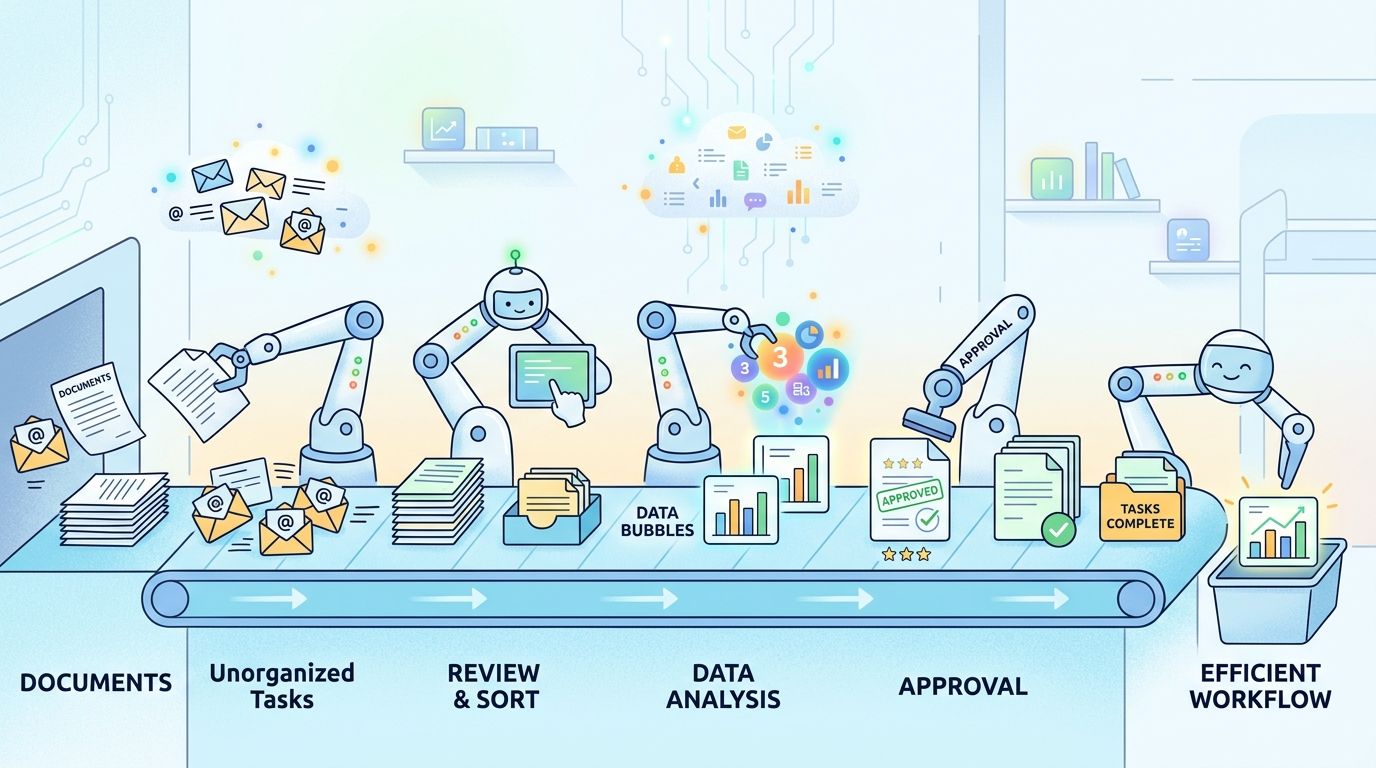
The digital assembly line idea
Every automated workflow has three basic parts.
Trigger. This is the starting event. A client submits a form. A contract gets signed. A file is uploaded. A deadline arrives.
Action. This is the work the system performs. It sends an email, creates a task, stores a document, updates a record, or requests the next file.
Logic. This is the rule set. If the applicant is missing ID, send a reminder. If the lead came from a paid ad, assign it to sales. If the document is complete, move it to review.
That structure matters because many small business owners think automation means "buy software and hope it does things." It doesn't. Software only follows a sequence you've defined. The better the sequence, the better the result.
A simple lead follow-up example
Take a common sales situation.
A prospect fills out a form on your website asking for a quote. In a manual process, someone checks the inbox, reads the form, copies the details into a CRM, sends a response, creates a reminder to follow up, and maybe forwards the lead to the right person.
In an automated process, the flow might work like this:
- The trigger fires when the form is submitted.
- The system creates a contact in your CRM.
- A response email goes out with the next step.
- Logic checks the lead type and assigns it to the right person.
- A follow-up task is created if the prospect doesn't reply.
Think of automation as instructions with memory. The system doesn't get distracted, forget the next step, or skip a handoff because someone's in a meeting.
This is why workflow automation for small business doesn't need to be technical to be useful. Most good tools use visual builders. You can see the path. When X happens, do Y. If Y is missing, do Z.
The point isn't sophistication. The point is consistency. If your team handles the same process ten times a week, there should be one reliable way for it to happen.
The Tangible Benefits and Business ROI
Business owners don't need another lecture about "efficiency." They need to know whether automation changes capacity, cost, and client experience in a real way.
The short answer is yes, when the workflow is a good fit. Companies implementing workflow automation report a 90% reduction in processing time and an 85% improvement in accuracy by replacing rule-based, manual tasks with automated systems, based on workflow automation best practices summarized here. Those are not soft benefits. They affect throughput, error rates, and staff workload directly.
What the numbers mean in real operations
A reduction in processing time matters because small businesses often hit growth limits in the back office before they hit them in sales. The problem isn't demand. The problem is that every new customer creates more admin.
If your team is manually collecting intake documents, sending reminders, confirming receipt, and updating records, growth adds friction. When those steps are automated, the same team can handle more volume without being buried.
Accuracy matters just as much. Manual workflows usually break in predictable ways:
- Someone enters the wrong date
- A required document gets missed
- A handoff sits in an inbox
- A client receives the wrong version of a request
- A follow-up never goes out
Each of those mistakes creates rework. Rework is expensive because it steals time twice. You spend time making the error, then time fixing it.
Practical rule: Automate tasks that are frequent, rule-based, and costly when done wrong. Leave judgment-heavy work with people.
For owners thinking about broader automation strategy, this guide on driving ROI with AI automation is useful because it frames automation around operational outcomes rather than feature lists.
Why the ROI shows up fast
The best returns usually come from boring workflows. Not ambitious ones.
An automated invoicing flow saves time because invoices go out on time and in the right format. An automated lead tracking flow saves time because prospects don't wait for a human to move data around. An automated document collection flow saves time because reminders happen without staff intervention.
The strongest early ROI usually comes from work like:
- Client onboarding: Request forms, documents, approvals, and next-step emails
- Accounts workflow: Invoice generation, status updates, and payment reminders
- Sales admin: Lead capture, routing, and follow-up tasks
- Scheduling and intake: Confirmations, reminders, and record updates
There is another financial effect owners often miss. Better workflow discipline protects service quality. Faster handoffs and cleaner records make clients feel your business is organized. That doesn't show up as a line item first. It shows up in fewer delays, fewer apologies, and fewer "just checking in" emails.
Your Practical Five Step Implementation Roadmap
Most failed automation projects don't fail because the tool was weak. They fail because the team automated a mess.
Research shows that 70% of failed automation initiatives stem from poor initial process definition, not tool limitations. Automating a broken process only makes the problem faster.
That is the core rule for workflow automation for small business. Map first. Automate second.
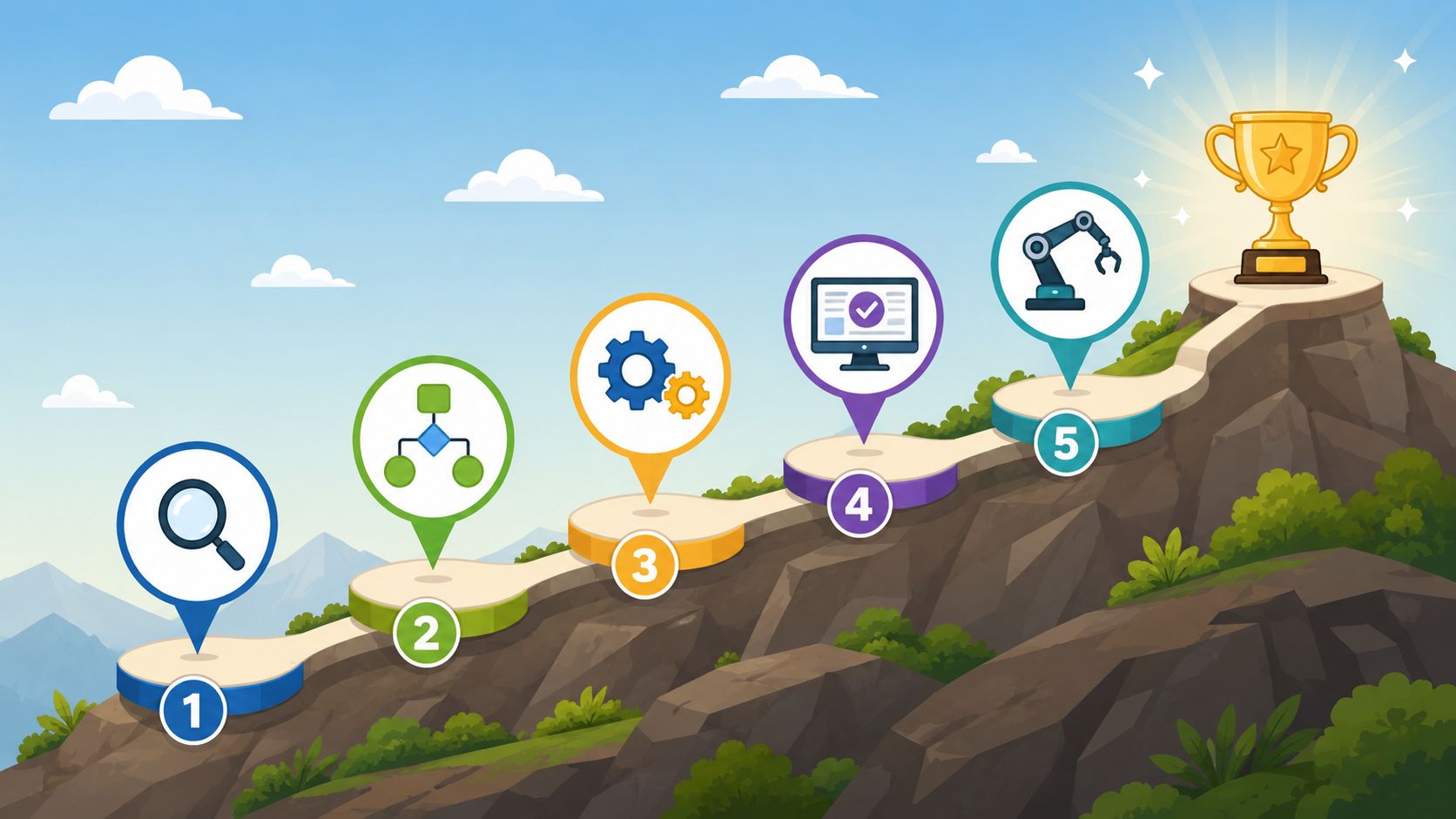
Step 1 map the process manually
Before you open Zapier, Power Automate, Make, or anything else, write down the exact workflow as it happens now.
Track one process for a week if you need to. Look for the actual path, not the ideal one. Who starts it? What information is needed? Where do delays happen? What makes the process stop? Which exceptions show up all the time?
A simple map should include:
- Start point: What event begins the workflow
- Required inputs: Documents, data, approvals, or signatures
- Decision points: What changes the path
- Owners: Who handles each step today
- End point: What counts as complete
If you want a practical example of where to begin, this guide on how to automate repetitive tasks is a useful companion because it keeps the focus on recurring admin work rather than abstract transformation.
Step 2 pick one narrow workflow
Don't start with "automate operations." That's too broad and usually means nobody agrees on the workflow.
Start with one contained process that has three qualities. It happens often. It follows clear rules. It creates annoyance when delayed.
Good first candidates include client onboarding, document collection, invoice routing, new lead assignment, and employee onboarding paperwork.
A bad first candidate is something full of exceptions, unclear approvals, or high judgment. If your team debates every case, map it first but don't choose it for the first build.
The first automation should solve one painful problem cleanly. It doesn't need to transform the whole company.
Step 3 choose tools that fit the process
Tool selection should follow the workflow, not the other way around.
If you're automating handoffs across many apps, an integration tool like Zapier or Make may fit. If you're automating document requests and reminders, a document-focused platform may fit better. If you live inside Microsoft 365, Power Automate may be the most practical choice because it fits the stack you already use.
Many teams lose months in this area. They buy a flexible platform, then spend weeks trying to force a process into it. Better questions are simpler:
- Does it connect to the systems you already use?
- Can a non-technical manager adjust the workflow later?
- Does it support reminders, approvals, and status tracking?
- Can it handle exceptions without becoming fragile?
Step 4 test edge cases before rollout
Most workflows work in the happy path. The true measure is the messy path.
What happens if a client uploads the wrong document? What if the file arrives late? What if someone submits incomplete information? What if an approval sits untouched? What if the workflow triggers twice?
Run those cases deliberately. Small businesses often skip this because they want the automation live quickly. Then they spend more time cleaning up failure than they would have spent testing.
Use a short pilot first. One team. One process. One clear owner.
Step 5 measure and refine
Once the workflow is live, review it like an operations system, not a software project. Ask whether it reduced manual touches, shortened delays, and lowered avoidable errors.
The teams that get the most value usually keep a short review list:
- Where did the workflow stop unexpectedly
- Which reminders got ignored
- Which steps still require manual cleanup
- Which exceptions happen often enough to deserve their own rule
This part never really ends, and that's normal. Good automation isn't static. It gets adjusted as your process gets cleaner.
Automation in Action Across Different Industries
The clearest automation wins show up in businesses that collect the same documents, ask the same questions, and repeat the same handoffs every day. That's why document-heavy industries often benefit early.
A broad pattern holds across small teams. Nearly 75% of leaders who implement workflow automation achieve time savings equivalent to at least four hours per 40-hour week, according to Salesforce's small business workflow automation guide. In practice, that time usually comes from removing follow-ups, re-entry, and status chasing.
Where document-heavy teams save the most time
Below are examples that come up often in consulting work.
| Industry | Automated Workflow Example | Key Documents Collected |
|---|---|---|
| Legal | Client intake workflow that requests matter-specific files, sends reminders, and routes complete submissions to review | ID documents, signed agreements, supporting evidence |
| HR | New hire onboarding that gathers required paperwork and alerts internal teams when files are complete | ID, tax forms, contracts, certifications |
| Real Estate | Tenant or buyer application flow that collects documents, tracks missing items, and prepares the file for review | ID, proof of income, bank statements, application forms |
| Finance | Loan or client onboarding process that gathers financial records and moves complete files to underwriting or review | Bank statements, ID, income records, disclosures |
| Transportation | Driver onboarding workflow that requests compliance paperwork and flags expiring files for renewal | Licenses, insurance, vehicle records, compliance documents |
| Immigration | Case intake that collects applicant forms and supporting evidence in stages based on visa type | Passports, civil records, application forms, supporting evidence |
A law firm, for example, often loses time before legal work even starts. Staff members ask for identity documents, engagement letters, and supporting files. Clients send some items, not all. The team follows up manually. The file sits incomplete. Automation helps by turning intake into a sequence. Request the correct items, remind automatically, and route the case only when the file is fully ready.
HR teams have the same issue with onboarding. A candidate accepts an offer, but account setup, compliance forms, and document checks happen through email threads. An automated onboarding flow makes the handoff cleaner. The candidate gets a structured request. HR sees what's still missing. Internal teams only step in when the file is complete.
Real estate and finance teams deal with a different version of the same problem. Documents arrive from multiple parties, often in pieces. A workflow can separate "waiting on applicant" from "ready for review" without someone manually updating a tracker every hour.
The industry changes. The bottleneck usually doesn't. People spend too much time asking for the same missing item and too little time doing the work that clients actually pay for.
How to Choose Your First Automation Tool
Most small businesses don't need the most powerful platform. They need the one they'll actually maintain.
That means the right tool isn't always the one with the longest feature list. It's the one that matches your process, your team's technical comfort, and your failure tolerance.
What matters more than feature count
One risk gets ignored in too many buying decisions. A frequently overlooked risk is that 85% of critical workflows in small businesses lack proper alert systems, leading to silent failures that can compound over time. Choosing a tool with dependable monitoring is essential.
If an automation fails and nobody knows, you've created a hidden admin problem. A document request doesn't send. A record doesn't update. A client assumes you're waiting on them. Your team assumes the system handled it.
So start with operational basics:
- Monitoring: Can the tool tell you when a workflow fails?
- Ownership: Can you assign someone responsible for each workflow?
- Audit trail: Can you see what happened and when?
- Ease of editing: Can a manager update rules without calling a developer?
- Integration fit: Does it connect cleanly to the apps you already rely on?
For businesses centered on document collection, document workflow management systems are worth reviewing because they focus on a specific bottleneck instead of trying to be everything. One example is Superdocu, which handles document request workflows, reminders, validation, and secure collection. That's a different use case from broad automation connectors like Zapier or Make, and that distinction matters.
A simple shortlisting method
Use a three-way shortlist.
General automation platform. Good for cross-app workflows, especially if you need to move data between many systems.
Ecosystem-native tool. Good when most of your work already lives inside one software environment, such as Microsoft or Google.
Specialized workflow tool. Good when one repetitive process, like document collection or onboarding, is your main bottleneck.
Then test each option against the same practical scenario. Build one real workflow. Don't judge by the demo. Judge by setup time, clarity, exception handling, and whether your team can understand the workflow after a week away from it.
The best tool is the one that keeps the process visible, stable, and easy to improve.
Your Journey to Automation Starts Now
Workflow automation for small business isn't a luxury project for large companies. It's a practical way to stop wasting skilled time on repeat admin.
The biggest mistake isn't waiting too long to buy software. It's automating before you've defined the process. When the workflow is clear, the tool choice gets easier. The testing gets easier. The results get easier to measure.
Start small this week. Pick one recurring task that creates friction. Client intake. Missing document follow-up. Invoice approval. New lead assignment. Write down the exact steps as they happen now, including the messy parts.
That single map is where useful automation begins.
If document collection is one of the tasks slowing your team down, take a look at Superdocu. It gives small businesses a structured way to request files, send automatic reminders, review submissions, and keep document workflows moving without relying on inbox follow-up.