
Vendor document collection is all about getting the right paperwork—like contracts, W-9s, and insurance certificates—from your suppliers in a systematic way. It’s the backbone of good compliance, helps you manage risk, and keeps your operations running without a hitch. Get it wrong, and you're looking at missed deadlines, compliance headaches, and friction with your partners.
Why You Need to Ditch Manual Vendor Document Collection
Let’s be real. Chasing vendors for contracts and wrestling with expired insurance certificates is a time-suck. If your current "system" is a chaotic mess of email attachments and sprawling spreadsheets, you're not just being inefficient—you're opening your business up to some serious risks.
This manual approach keeps you stuck in a reactive loop of administrative chaos. Every minute spent digging through an inbox for a W-9 is a minute you could have spent on something that actually moves the needle.

The Real Cost of Sticking with Spreadsheets
The problems with manual vendor document collection go way beyond just being a hassle. They create real, tangible consequences that can hit your bottom line and mess with your operational stability.
When everything is manual, mistakes are bound to happen. A misplaced decimal on an invoice or a forgotten insurance renewal can have major financial blowback. These aren't just what-if scenarios; they happen every day in businesses that are trying to manage this process with outdated tools.
The biggest problem with manual methods is the complete lack of visibility. When a critical compliance document is about to expire, there's usually no system to warn you until it's too late. This leaves you constantly putting out fires.
This lack of a structured system leads to some all-too-common pain points:
- Wasted Hours: Your team burns countless hours on low-value admin work—sending reminder emails, searching for attachments, and manually updating tracking sheets. It’s a grind.
- Compliance and Legal Risks: An expired Certificate of Insurance (COI) or a missing contract addendum could leave you uninsured or in breach of an agreement. That opens the door to hefty fines and legal trouble.
- Strained Vendor Relationships: Nobody likes being hounded. Constant follow-ups and disorganized requests make for a terrible experience for your vendors, which can damage goodwill and make future negotiations a lot tougher. A dedicated supplier document collection system can go a long way in fixing this.
The Market is Moving to Automation
The global push for better document handling is undeniable. Just look at the Document Management System (DMS) market—it was valued at $10.15 billion in 2025 and is expected to hit $17.03 billion by 2029. You can dive into the full document management system market trends if you're curious.
This massive growth isn't a fluke. It shows a major shift away from manual chaos toward controlled, automated systems.
Moving to a more systematic approach isn't a luxury anymore. It's an absolute necessity for any business that cares about security, efficiency, and building strong, lasting relationships with its partners.
Laying the Groundwork for Your Vendor Documents
Before you even think about fancy automation or slick workflows, you have to get the foundation right. A solid plan for collecting vendor documents is your blueprint. It ensures every piece of paper you ask for has a purpose and that everything stays organized. Without this, even the best software will just make a bigger mess, faster.
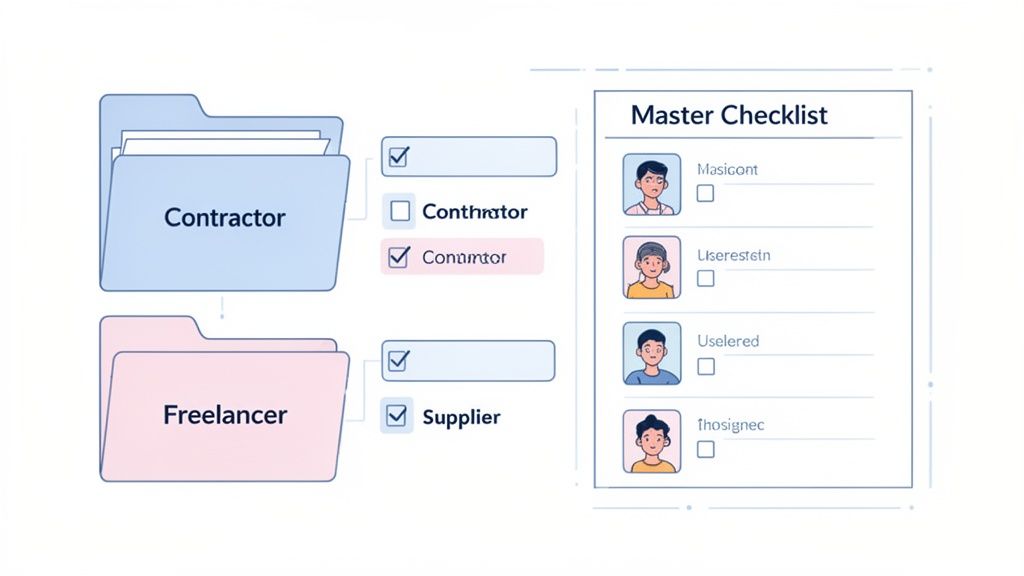
The very first thing to do is figure out who you're working with. Not all vendors are created equal. A freelance writer you hire for a blog post is in a totally different league than a software company that handles all your customer data.
Sort Your Vendors by Risk and Type
Start by grouping your vendors into a few logical tiers. This isn't about making things complicated; it's about being practical and creating a system your team can actually use.
Think about sorting them based on a few key factors:
- How critical are they? What happens if they vanish tomorrow? Is it a minor headache or a full-blown operational crisis?
- What data can they access? Do they touch sensitive customer info, financial records, or your secret sauce?
- How big is the contract? The bigger the dollar amount, the more you need to double-check everything.
- What kind of vendor are they? Think broad categories like independent contractors, software providers, raw material suppliers, or consultants.
This tiered system lets you tailor your document requests. Your low-risk contractor probably just needs to send over a W-9 and sign a basic agreement. But for that high-risk tech partner? You’ll need a much longer list, including things like security certifications and heavy-duty compliance forms.
When you create risk-based tiers, you stop the one-size-fits-all approach. It saves you from burying low-risk partners in paperwork they don’t need while ensuring you do your homework on the relationships that truly matter.
Build Your Master Document Checklist
Once you’ve sorted your vendors into categories, it’s time to create your master checklist. This becomes the single source of truth for everyone on your team, mapping out exactly what you need from each type of vendor.
For every document on your list, make a note of why you need it and which department owns the review. Getting this clear from the start saves a ton of back-and-forth later.
A great way to organize this is by the department responsible for reviewing the documents. It helps clarify who needs to see what.
Here’s a look at what that might entail.
Essential Vendor Document Checklist by Department
This sample checklist can help you pinpoint the critical documents you'll need from vendors across different parts of your business.
| Department | Required Documents Examples | Key Purpose |
|---|---|---|
| Finance & Accounting | W-9/W-8BEN Forms, Banking Information, Invoices | To ensure proper tax reporting, get payments set up correctly, and keep the books clean. |
| Legal & Compliance | Signed Master Service Agreement (MSA), NDA, Certificate of Insurance (COI) | To lock in legal terms, protect your company's secrets, and make sure they have liability coverage. |
| IT & Security | SOC 2 Report, Data Processing Agreement (DPA), Security Questionnaires | To check their cybersecurity setup, ensure they comply with data laws (like GDPR), and lower cyber risks. |
| Procurement | Business Licenses, Supplier Code of Conduct, References | To confirm the vendor is a real business, get them to agree to ethical standards, and check their track record. |
Tailor this to your specific needs. The goal is to have a comprehensive, go-to resource that leaves no room for guessing what's required from a new partner.
Define Clear Ownership and Storage Rules
A plan is useless if nobody follows it. To make sure your new framework actually works, you have to assign clear ownership for every single step.
Who sends the initial request? Who's responsible for checking that the Certificate of Insurance is valid? Who gives the final thumbs-up to bring the vendor on board? Write it all down. When roles are clear, people are accountable, and things get done.
Finally, set up a standardized digital filing system before the first document comes in. It’s as simple as creating a logical folder structure and sticking to a consistent naming convention.
Here’s a simple naming format to get you started:VendorName_DocumentType_YYYY-MM-DD
For example: CreativeSolutions_MSA_2024-10-26.pdf
This small bit of discipline is what separates a searchable, organized system from a digital black hole. It ensures anyone on your team can find what they need in seconds, which is the whole point of this exercise. Getting these basics right makes everything else—especially automation—infinitely more effective.
How to Automate Your Collection Workflow
Alright, you’ve got your plan and your checklist. Now comes the fun part: building a powerful, automated machine that handles all the heavy lifting for you. This is where you graduate from chasing down paperwork to letting a smart system manage the entire process. A hands-off workflow frees up your team to focus on strategic relationships, not administrative grunt work.
The first big upgrade? Ditching those messy, endless email chains for a clean, centralized portal. This gives your vendors a single, secure place to upload everything, and it instantly makes your company look more professional and buttoned-up.
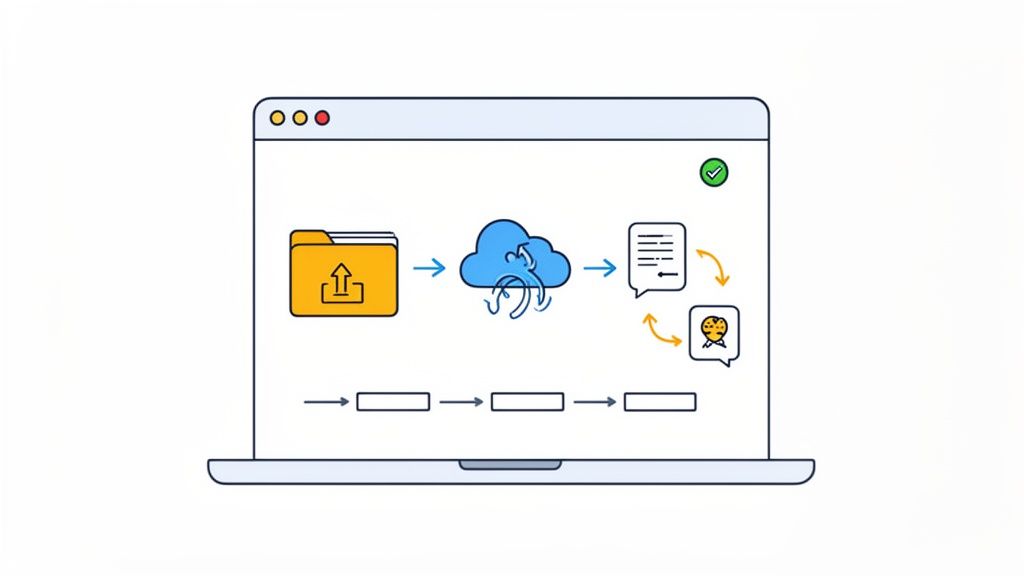
A simple, visual workflow like this helps everyone—both your team and your vendors—see exactly where things stand. It cuts down on confusion and the back-and-forth "just checking in" emails. It's a small change that makes a huge difference in the experience for everyone involved.
Setting Up Smart Automation Triggers
The real magic starts when you set up automation triggers. These are just predefined rules that kick off actions on their own, without anyone having to click a button. Think of them as tireless administrative assistants who never forget to follow up.
Your workflow should be built around a few key triggers that handle the most common headaches:
- The Initial Nudge: As soon as a new vendor is added to your system, an automated email goes out with a link to your secure portal and a clear list of what’s needed. No more forgetting to send the welcome packet.
- Polite Reminders: If a vendor hasn’t submitted their files after a set time—say, five business days—the system automatically sends a friendly follow-up. You can even schedule a series of reminders that get a little more direct as a deadline approaches.
- Submission Alerts: The moment a vendor uploads their documents, your point person (or the whole team) gets an instant notification. No more manually checking your inbox or a shared folder every hour.
This trigger-based approach transforms your collection process from a manual, reactive chore into a proactive, self-running system. It ensures every vendor gets the same great experience and that nothing ever falls through the cracks.
Building In Review and Approval Steps
Automation isn't just about collecting files; it's also about streamlining what happens next. A well-designed workflow should include built-in steps for your internal review and approval, creating a clean handoff between team members.
For example, when a vendor submits their Certificate of Insurance, the system can automatically assign it to your compliance officer for review. Once they give it the green light, the workflow can then ping the finance team that the vendor is cleared for payment setup. This creates a clear digital audit trail and gets rid of those classic "waiting on so-and-so" bottlenecks. For more ideas on this, you can explore our complete guide to building a vendor onboarding automation platform.
The Shift to Intelligent Document Processing
This push for automation is completely reshaping how businesses get work done. A technology called Intelligent Document Processing (IDP) is a huge part of this, and the market for it is projected to hit $6.78 billion by 2025. This space is growing at an incredible rate, mainly because companies are desperate to cut costs and keep up with compliance rules. In fact, over 80% of enterprises are ramping up their investment in document automation this year—a sure sign that doing things by hand is on its way out. You can find more stats on this at sensetask.com.
Real-World Automation Scenarios
Let's look at how this plays out in a couple of real-world situations. Seeing these workflows in action makes their value obvious.
Scenario 1: Onboarding a New Marketing Contractor
- The Trigger: A manager adds the new contractor to your system.
- What Happens Next: An automated welcome email is immediately sent. It includes a link to the branded portal and requests a signed W-9, a direct deposit form, and the NDA.
- Vendor Action: The contractor uploads the documents. The system instantly notifies the manager and the HR department.
- Internal Review: HR checks the W-9 and banking info. The legal team reviews the signed NDA. Both teams approve the documents right inside the system.
- The Final Step: With all approvals in, the system automatically notifies the finance team to add the contractor to payroll.
The entire process is done in a fraction of the time it would take manually, and everyone can see the status at any given moment. It’s a smooth, professional start to your new partnership.
Keeping Vendor Data Secure and Compliant
Let's be honest, handling sensitive vendor information like W-9s, bank details, and contracts is a huge responsibility. It's not just another administrative chore. A single data breach from a third-party vendor can spiral into a nightmare of financial penalties, legal battles, and a reputation that’s hard to repair. This is why building a rock-solid, secure, and compliant process for collecting vendor documents isn't optional—it's essential.
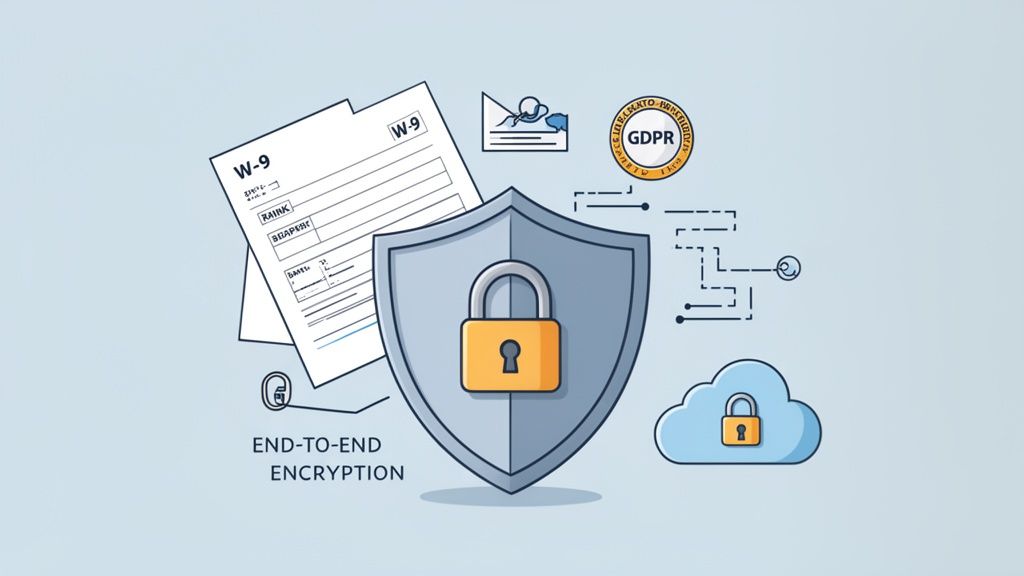
The old method of emailing sensitive files back and forth is just asking for trouble. Emails get intercepted, sent to the wrong person, or just sit unprotected in an inbox for years. The modern standard is a secure, central hub that uses end-to-end encryption. This protects the data while it’s being uploaded (in transit) and while it’s sitting on your servers (at rest).
Navigating the Maze of Global Compliance
When you onboard a new vendor, you're suddenly playing by more rules than just your own. You're stepping into a complex web of data protection regulations that can change dramatically depending on where your vendor is located. To stay on top of this, you have to be fluent in the required documentation, and this essential guide to Certificate of Insurance templates is a great place to start.
For instance, if you're working with partners in Europe, the General Data Protection Regulation (GDPR) is your new reality. It lays down very strict rules for how you handle the personal data of anyone in the EU. A slip-up here isn't cheap—fines can reach up to 4% of your annual global turnover.
Here are a few of the big regulations you absolutely need to know:
- GDPR: The gold standard for data privacy, protecting citizens of the European Union.
- CCPA/CPRA: California’s laws giving consumers significant control over their personal information.
- SOC 2: A rigorous compliance standard that audits how organizations manage customer data, focusing on security, availability, and confidentiality.
The smartest move you can make is to choose a document collection platform that is already built to be compliant with these standards. It takes a massive technical and legal burden off your plate and puts it in the hands of specialists.
Your vendor document collection system is an extension of your own security posture. If your vendor portal has weak security, it creates a backdoor into your business, regardless of how strong your internal defenses are.
Your Security Evaluation Checklist
When you're looking at any tool or process for collecting vendor documents, you have to look past the slick marketing and get into the weeds of its security features. You're essentially performing due diligence on a critical piece of your company's infrastructure.
Use this checklist to make sure you’re asking the tough but necessary questions:
- Encryption Standards: Is data encrypted both in transit (TLS 1.2 or higher) and at rest (AES-256)? This is non-negotiable.
- Access Controls: Can you set up specific, role-based permissions? Your marketing intern definitely doesn't need to see a vendor's banking information. The platform should make it easy to enforce the principle of least privilege.
- Audit Trails: Does the system keep a detailed log of every single action? You need to know who viewed, downloaded, or approved a document and exactly when they did it. This is your lifeline if a security issue ever comes up.
- Data Residency Options: Can you pick where your data is physically stored? For GDPR, you might be required to host data on servers located within the EU.
- Secure Deletion: What’s the process for offboarding a vendor? The platform must have a bulletproof way to permanently delete their sensitive data upon request, aligning with "right to be forgotten" rules.
Building trust with your vendors starts by showing them you take their data security as seriously as you take your own. When you make these security and compliance measures a priority, you don't just build a more efficient process—you build a fundamentally safer one. For a deeper look into this topic, check out our guide on selecting a vendor compliance document portal.
Make Your Workflow Talk to Your Other Business Tools
A great vendor document collection process shouldn't be an island. Real efficiency kicks in when it communicates with the other tools you use every single day. When you connect these systems, you're not just moving data around; you're building a cohesive ecosystem that kills off manual data entry and slashes the risk of human error.
Think about it: what if approving a vendor’s insurance certificate automatically created their profile in your accounting software? That’s not science fiction. It’s exactly what happens when your collection platform is integrated with the rest of your tech stack. These connections turn a series of isolated chores into a smooth, automated relay race.
Start with eSignatures—The Obvious Win
If you're looking for an immediate impact, connecting an eSignature tool like DocuSign is the place to start. We've all been there—emailing a PDF, waiting for the vendor to print, sign, scan, and email it back. It’s a clunky process that can stall an entire project.
Integrating an eSignature solution directly into your workflow changes the game completely.
- When you request documents, the system automatically sends the Master Service Agreement (MSA) for signature.
- Your vendor gets a notification and can sign electronically on their phone or computer in minutes.
- The executed contract is then automatically filed back into the vendor’s profile in your system, and your team gets a notification. Done.
This one connection turns a multi-day waiting game into a process that often takes less than an hour. You get a legally binding, fully audited agreement on file before any work even thinks about starting.
When your vendor document platform talks to your other software, you're building a single source of truth. This is what powers smarter, faster decisions across the entire company.
Use Zapier to Connect Everything Else
But what about the tools that don't have a direct, ready-made integration? This is where a service like Zapier becomes your secret weapon. Think of Zapier as a universal translator, letting you link your document platform to thousands of other apps using simple "if this, then that" rules called Zaps.
The possibilities are practically endless. You can design custom automations that fit your company's unique process without needing a developer.
Here’s a real-world example I've seen work wonders. Let's say you use a project management tool like Asana or Trello to track vendor onboarding.
- Trigger: A vendor’s Certificate of Insurance gets approved in your system.
- Action: Zapier sees this and instantly creates a new task in your Asana project, assigning it to the finance department.
- Result: A task titled "Set Up Payment for [Vendor Name]" pops up for the finance team, complete with a link to the vendor's approved profile.
This simple Zap creates a seamless handoff from compliance to finance. It completely eliminates the risk of a fully vetted vendor getting stuck in limbo, wondering when they'll get paid.
Plug into Your Core Systems
Beyond specific tasks, integrations can tie your vendor documentation right into the heart of your operations—your accounting software and CRM.
Accounting Software (QuickBooks, Xero): Once a vendor is approved, an integration can automatically create their profile in QuickBooks or Xero. When the first invoice arrives, they’re already in the system, ready for payment. It also syncs their W-9 info, which is a lifesaver come tax season.
CRM or Internal Databases: Key data, like a vendor's primary contact or their contract expiration date, can be automatically pushed to your central database. This gives your procurement and vendor management teams a complete, up-to-date view of every partner relationship without having to constantly switch between apps.
These connections are about more than just saving time. They create data consistency across your whole organization, ensuring everyone is working from the same reliable information. This is the final piece of the puzzle—turning your collection process into a truly automated and scalable machine.
Measuring Success and Solving Common Problems
So, you've got your new vendor document collection system up and running. Great! But the job isn't done just because you've flipped the switch. Now comes the part where you see what's actually working and what's not.
Without keeping an eye on a few key numbers, you're essentially flying blind. You won't know if you're saving time, where vendors are getting stuck, or how to make things even better. It’s the difference between just having a process and having a process that delivers real results.
Key Metrics for Your Dashboard
You don't need a dozen complicated charts. Just a few solid Key Performance Indicators (KPIs) will tell you most of the story. Think of it as the health check for your workflow.
Here are the big three I always recommend tracking:
- Average Vendor Onboarding Time: How long does it take, from the moment you send that first request to the vendor getting the final green light? If this number is going down, your system is working. It's a clear win.
- Document Submission Error Rate: What percentage of documents get kicked back on the first try? If this is high, it’s a red flag. It usually means your instructions are confusing or your submission portal isn't as user-friendly as you think.
- Time to Document Approval: This one is all on you. It measures how long it takes your team to review a document after a vendor submits it. A long delay here points to an internal bottleneck, not a problem with your vendors.
Put these three metrics on a simple dashboard. When you see a sudden spike—like a jump in the error rate—you know exactly where to start digging. Maybe that new W-9 request template isn't as clear as you thought.
Tackling Common Collection Hurdles
No matter how smooth your process is, you're going to hit a few bumps. It’s just part of working with people. The trick is to handle these issues gracefully and turn a potential headache into a chance to strengthen your vendor relationship.
Scenario 1: The Vendor Submits the Wrong Document
It happens constantly. A vendor uploads a W-8BEN when you need a W-9. Resist the urge to send a blunt "incorrect document" rejection. That just creates more back-and-forth.
Instead, be specific and helpful. A simple message like, "Hi there, you uploaded a W-8BEN, but since you're a US-based company, we need a signed W-9. I've attached a blank one for you to make it easy!" solves the problem in one go.
Scenario 2: Your Vendor Isn't Tech-Savvy
Let’s be honest, not everyone is comfortable with digital portals. Forcing a non-technical partner through a complicated upload process is a recipe for frustration.
Keep a simple, one-page PDF guide with screenshots ready to email. Even better, offer to jump on a quick five-minute screen-share to walk them through it. That small bit of personal help builds a ton of goodwill and gets you the documents you need without the drama.
By keeping a close watch on your KPIs and handling issues with a human touch, your process becomes more than just a workflow—it becomes a smooth, efficient machine that gets smarter over time.
Final Questions and How to Tackle Them
As you get ready to roll out your new vendor document process, a few common questions usually pop up. Let's walk through them so you can feel confident and prepared for a smooth launch.
What Documents Are Absolutely Essential?
Every business is a little different, but there's a core set of documents you'll almost always need. Think of this as your non-negotiable checklist for any new vendor.
- A signed contract or Master Service Agreement (MSA)
- A completed W-9 form (or the relevant tax form for their region)
- A current Certificate of Insurance (COI) that meets your liability requirements
- Their banking details for setting up payments
If you're dealing with vendors who handle sensitive data or operate in regulated industries, you'll want to add security certifications like a SOC 2 report or specific business licenses to your list.
How Do I Get Stubborn Vendors to Use a Digital Portal?
Change can be tough, and you'll likely run into some vendors who are set in their email-everything ways. The trick is to frame it as a win for them.
Explain that the portal is far more secure than email, gives them a single place to see what they've submitted, and actually gets them onboarded—and paid—faster. Making sure your portal is mobile-friendly and dead simple to use is also a huge factor. For anyone still dragging their feet, have a quick video tutorial or a one-page PDF guide ready to go.
A smooth, professional onboarding experience usually wins over even the most hesitant vendors once they see how much easier it is than digging through old emails.
Ready to stop chasing paperwork and automate your entire process? Superdocu offers a streamlined solution to collect, track, and manage all your vendor documents in one secure, branded portal. Start your free trial today and see how easy it can be.