
This is the release we’ve been working toward for a while. Superdocu now has a full API v2, an MCP server that connects directly to Claude and ChatGPT, and an open-source CLI. Here’s what that means in practice.
API v2
The API has been rebuilt from scratch. API v2 covers nearly everything in the product: contact management, workflow assignment, document and form validation, reminders, activity timelines, shared documents, and downloads. Authentication is improved, permissions are more granular, and the documentation is complete.
If you built something on v1, the migration guide is in the developer docs. If you’re building something new, start with v2.
MCP: connect Superdocu to Claude or ChatGPT
Superdocu now ships an MCP server. That means you can connect your Superdocu account directly to Claude, ChatGPT, or any MCP-compatible AI assistant and talk to your data in plain English.
Things you can do once it’s connected:
- Ask how many contacts are pending review and get a breakdown by status
- Have the AI flag contacts with missing or expiring documents
- Create a contact, assign a workflow, and send the invitation in one prompt
- Approve or reject documents by name, with the AI handling the lookup

Every action requires explicit permission. The AI tells you what it’s about to do and waits for confirmation before making changes. You stay in control of what runs.
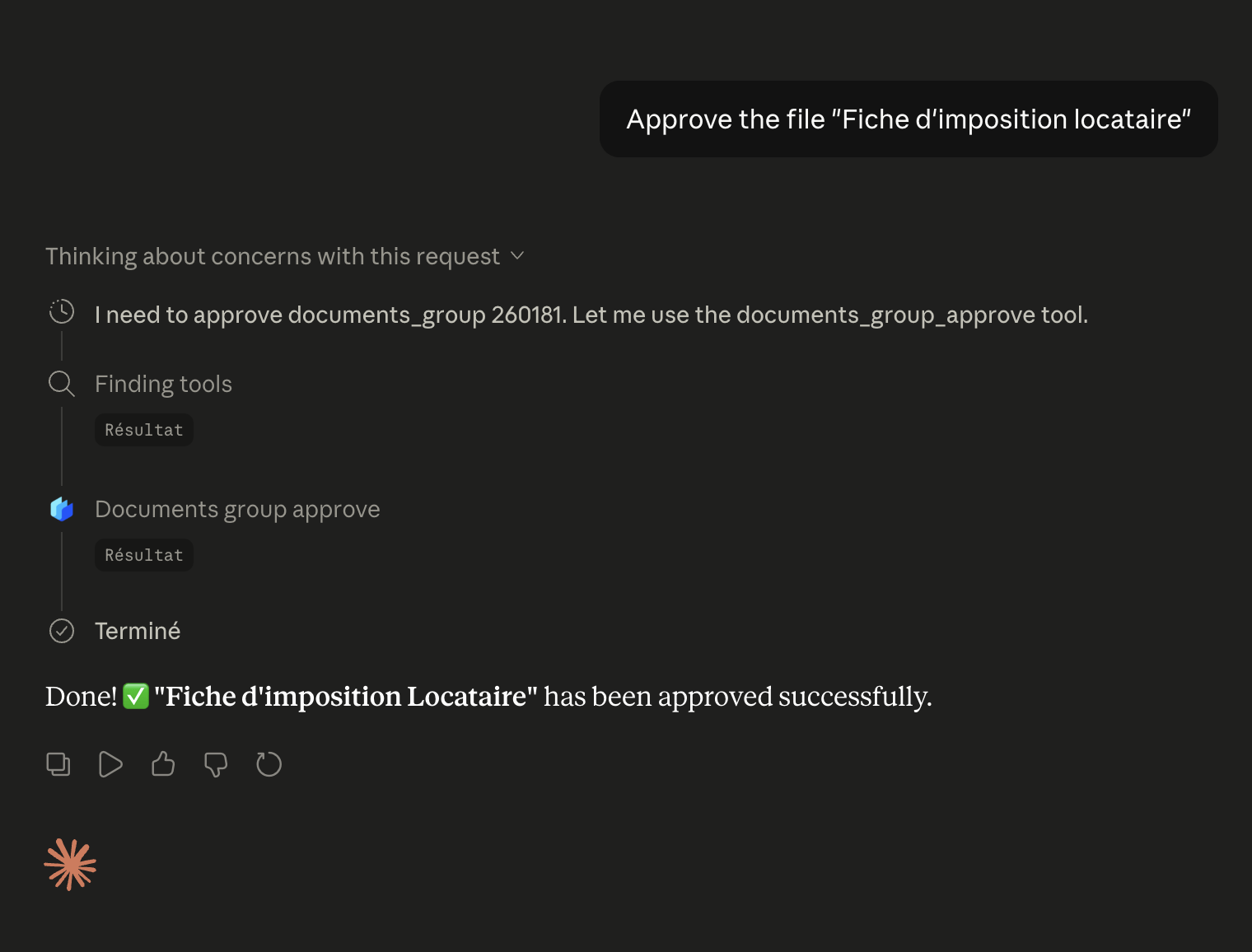
Setup instructions are in the developer docs. This is the same MCP connection powering the AI document collection workflows we’ve been building toward.
Superdocu CLI
For teams that prefer scripts over dashboards, there’s now a command-line interface. The CLI exposes API v2 through simple commands and works with macOS and Linux.
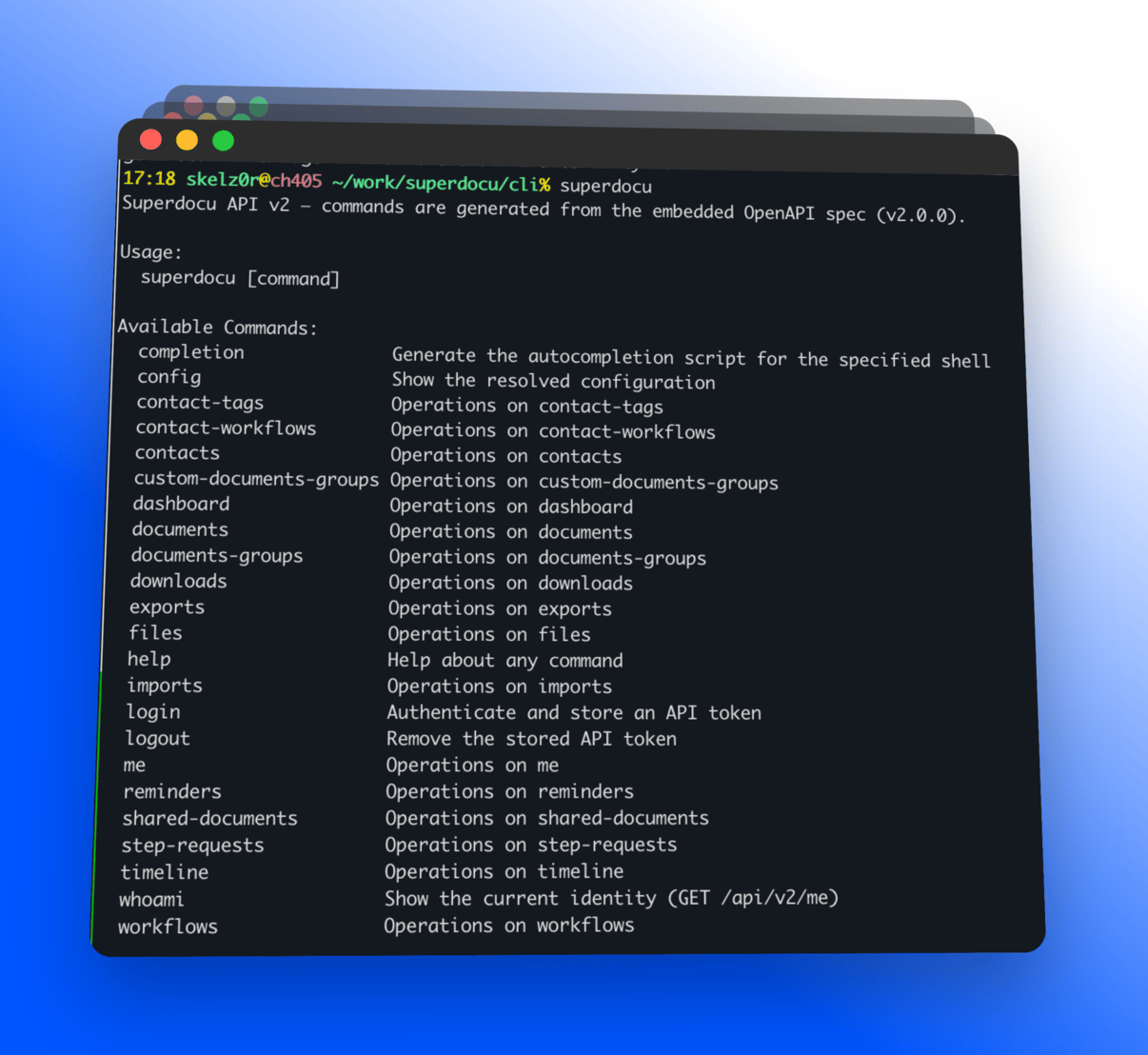
Commands cover contacts, workflows, documents, validations, reminders, and more. It’s open-source — you can use it directly, wrap it in scripts, or call it from AI coding agents. See the CLI docs to get started.
Smaller improvements
- Multiple-choice limits — Set a maximum number of selections on multiple-choice fields.
- Number field prefixes/suffixes — Add units, currency symbols, or percentage signs to number inputs (€, %, etc.).
- Faster workflow module editing — Module configuration opens and saves faster.
- Conditional logic tooltips — Clearer labels on condition rules in the builder.
- 30-day remember me login — Contacts can stay logged in for 30 days without needing a new magic link.
- Improved form confirmation messages — Clearer feedback after submitting a form step.
- Help center reorganized — Articles now grouped by category with audience-based filtering and better search. Browse the help center →
Frequently asked questions
What is Superdocu MCP?
Superdocu MCP is a Model Context Protocol server that lets you connect your Superdocu account to AI assistants like Claude or ChatGPT. Once connected, you can manage contacts, review documents, and trigger actions using plain-English prompts. Every action requires explicit confirmation before it runs. Read the MCP setup guide.
What is the Superdocu CLI?
The Superdocu CLI is an open-source command-line interface that exposes API v2 through terminal commands. It works on macOS and Linux and supports contacts, workflows, documents, validations, and more. See the CLI documentation.
What changed in API v2?
API v2 is a full rebuild covering nearly all product functions including contacts, workflows, documents, forms, reminders, shared documents, and activity timelines. It has improved authentication, more granular permissions, and complete documentation. Read the API v2 tutorial.
Is Superdocu MCP safe to use for document approvals?
Yes. Every MCP action requires explicit permission before it runs. The AI describes what it is about to do and waits for your confirmation. You can also scope which tools the AI has access to.
Try it
Everything above is live. The MCP server and CLI docs are at developers.superdocu.com. Not yet on Superdocu? Start a free trial and see how it handles your document collection workflows.