
Chasing down documents from clients, new hires, or partners is a universal business headache. Endless email chains, missing files, and insecure transfer methods waste valuable time and create unnecessary risk. This process, often managed through manual follow-ups and disorganized inboxes, quickly becomes a significant bottleneck for professionals in legal, HR, real estate, and financial services. The right software transforms this chaotic task into a streamlined, automated, and secure workflow.
This guide is designed to help you find the best SaaS for collecting documents for your specific needs. We move beyond generic marketing descriptions to provide an in-depth analysis of the top 12 platforms available today. Whether you're an immigration firm needing a secure client portal, a mortgage broker automating loan applications, or an HR manager simplifying onboarding, you will find a solution here.
Inside this resource, you will discover:
- Detailed breakdowns of each platform’s core features.
- Honest assessments of their strengths and limitations.
- Practical use cases tailored to different industries.
- Clear pricing information to help you budget effectively.
Each entry includes screenshots and direct links to help you evaluate the tools quickly. We'll explore everything from dedicated document collection portals like Superdocu and FileInvite to versatile form builders like Jotform that can be adapted for file uploads. These tools are built on powerful frameworks, and for a deeper understanding of the underlying technology, you can explore this complete guide to cloud-based document management systems. Our goal is to give you all the information needed to select a platform that eliminates administrative friction and lets you focus on your core work. Let's find the right tool for you.
1. Superdocu
Best for: Secure, branded, and automated document collection for regulated industries.
Superdocu stands out as a powerful and well-rounded SaaS for collecting documents, specifically engineered to transform the often chaotic process of client intake into a streamlined, automated workflow. It excels by combining a user-friendly visual workflow builder with robust security features, making it an ideal choice for SMBs and teams in compliance-heavy sectors like legal, finance, real estate, and HR. The platform's core strength lies in its ability to manage the entire document lifecycle, from initial request to final validation, saving teams significant administrative overhead.

Why Superdocu is a Top Choice
Superdocu’s design philosophy centers on structured automation. Instead of relying on insecure email chains, users can create branded, white-label client portals where they can send secure request links. These portals guide clients through the submission process on any device, while the system automates follow-up reminders, drastically reducing manual chasing and cutting collection times by a reported 70%. Its industry-specific templates (e.g., for mortgage applications or employee onboarding) provide a valuable head start.
A key differentiator is the integrated validation dashboard. Once documents are submitted, team members can review, approve, or request revisions in one centralized place, ensuring all required information is correct and accounted for. Furthermore, its expiration monitoring feature automatically tracks document validity (like licenses or certifications) and sends notifications for renewal, a critical function for maintaining compliance.
Features, Pricing, and Integrations
| Feature | Description |
|---|---|
| Workflow Builder | Create custom, repeatable collection processes with a visual drag-and-drop interface. |
| Branded Portals | Offer a professional, secure client experience with white-label portals. |
| Automated Reminders | Reduce manual follow-up with configurable, automated email and SMS notifications. |
| Security & Compliance | GDPR-compliant with data encrypted and hosted in European data centers. |
| Integrations | Connects to 3,000+ apps via Zapier and includes native DocuSign eSignature support. |
Pricing:
Superdocu offers a tiered structure with a 7-day free trial.
- Starter: €97/month (2 users, 100 active contacts, 20 GB).
- Pro: €247/month (20 users, 300 active contacts, 50 GB, adds Zapier/DocuSign).
- Enterprise: Custom pricing for API access, unlimited users, and advanced features.
Pros:
- End-to-end automation saves significant time on administrative tasks.
- Strong security focus with GDPR compliance and European data hosting.
- Powerful integrations (Zapier, DocuSign) extend workflow capabilities.
- Industry templates and expiration tracking are practical, high-value features.
Cons:
- Contact and storage limits on lower-tier plans may be restrictive for high-volume businesses.
- Key features like API access and unlimited users are locked behind custom Enterprise plans.
Website: https://www.superdocu.com/en
2. FileInvite
FileInvite is a specialized saas for collecting documents that focuses on automating the entire client information and document request process. It’s particularly effective for businesses that handle a high volume of structured requests, like mortgage applications, client onboarding, or financial audits. The platform provides clients with a secure, branded portal where they can see a clear checklist of required documents, upload files, and complete e-signatures.
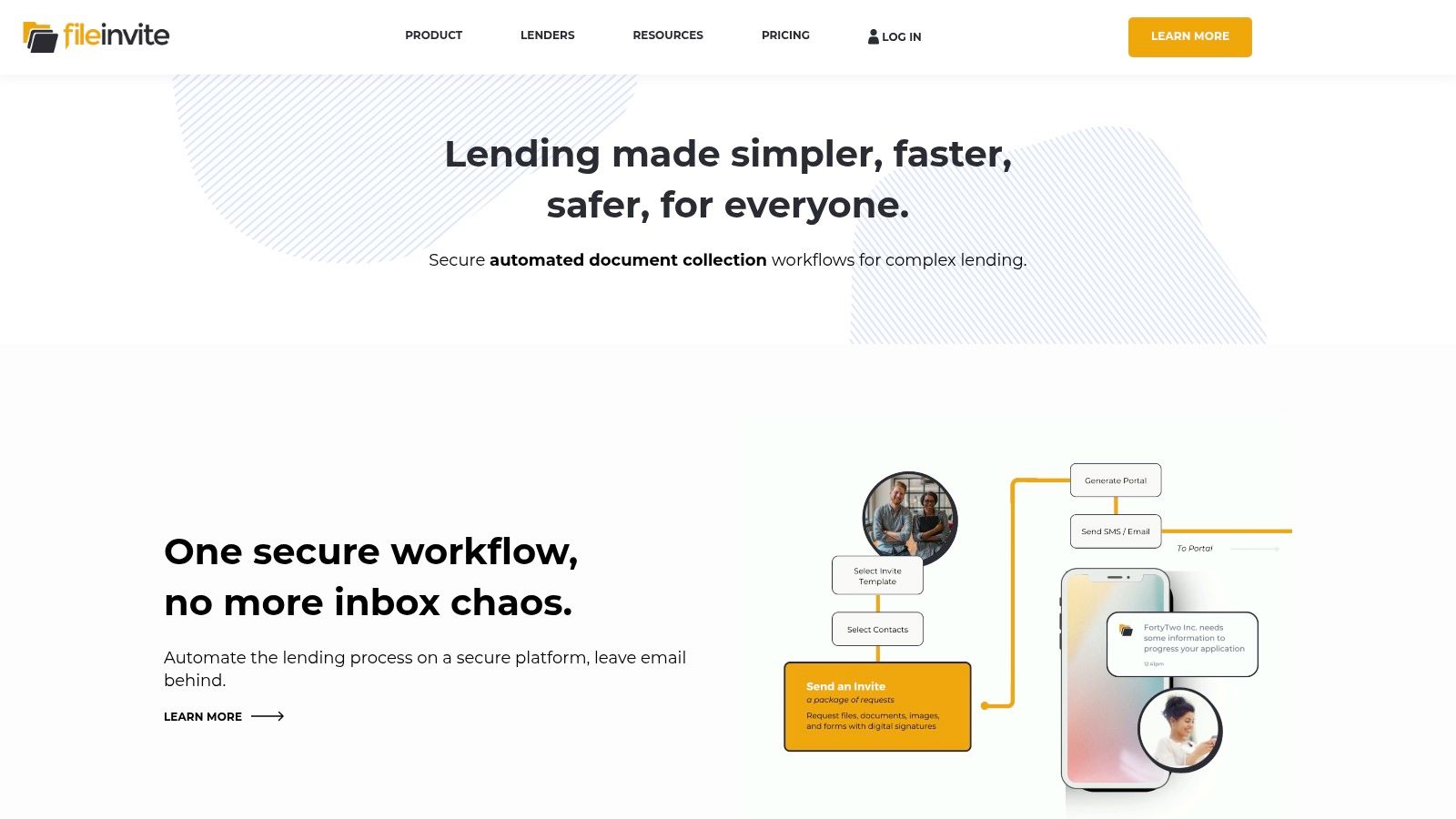
What makes FileInvite stand out is its deep focus on workflow automation. Instead of just being a secure file drop, it actively manages the follow-up process with automated reminders and due dates, significantly reducing the administrative time spent chasing clients. For a deeper analysis of its features, you can explore this detailed review of FileInvite. Its template system allows teams to standardize document requests for different services, ensuring consistency and efficiency at scale.
Key Details & Use Cases
- Best For: Teams in financial services, legal, accounting, and mortgage lending that need a repeatable and auditable document collection system.
- Key Features: Branded client portal, request templates, automated reminders, in-platform messaging, e-signatures, and robust audit trails for compliance.
- Integrations: Connects with cloud storage like Google Drive, OneDrive, and Dropbox, plus API and Zapier access for custom workflows.
- Security: SOC 2 Type II compliant and GDPR ready.
| Feature Analysis | Assessment |
|---|---|
| Ease of Use (Client) | Excellent. The checklist-style portal is intuitive for end-users, reducing client friction and support questions. |
| Automation | Strong. Automated reminders are a core function, saving significant time. Templates streamline the creation of new document requests. |
| Pricing | Pricing is tailored to team size and volume, often requiring a conversation with sales. Higher tiers may include implementation fees. |
| Limitations | Can be more expensive than general-purpose file-sharing tools, making it a better fit for businesses where this workflow is mission-critical. |
Website: https://www.fileinvite.com
3. Content Snare
Content Snare is a streamlined saas for collecting documents designed to simplify how businesses gather information from clients. It is especially well-suited for marketing agencies, accountants, and other service-based SMBs that need to collect structured content and files without complex setup. The platform provides a simple, clean interface for clients to see exactly what is required, upload documents, and provide answers in one place.

What sets Content Snare apart is its balance of simplicity and powerful automation. Its drag-and-drop request builder and reusable templates make creating new client intake forms incredibly fast. The system then takes over the follow-up process with automated reminders, freeing up significant administrative time from "chasing" clients for information. To understand how it compares to other tools, you can see this review of client document request software. This focus on ease of use for both the business and the end-client makes it a strong choice for improving onboarding workflows.
Key Details & Use Cases
- Best For: Marketing agencies, accountants, legal professionals, and consultants who need a simple yet effective system for client onboarding and project intake.
- Key Features: Drag-and-drop request builder, reusable templates, automated client reminders, in-platform approvals, and clear progress tracking.
- Integrations: Connects with popular cloud storage services and offers Zapier integration to link with thousands of other business applications.
- Security: GDPR compliant with data centers in multiple regions for data residency requirements.
| Feature Analysis | Assessment |
|---|---|
| Ease of Use (Client) | Excellent. The client portal is exceptionally straightforward, minimizing confusion and encouraging prompt submissions. |
| Automation | Strong. The automated "chasing" sequence is a core benefit, providing customizable reminders that save hours of manual follow-up. |
| Pricing | Offers tiered plans based on the number of active requests and storage, making it accessible for small businesses with predictable pricing. |
| Limitations | It may lack the advanced compliance features and multi-department workflow capabilities required by large enterprise organizations. |
Website: https://contentsnare.com
4. File Request Pro
File Request Pro is a highly flexible saas for collecting documents that excels at creating simple, branded, and secure file upload pages. It’s designed for businesses that need a quick way to embed a file collection form on their website or share a direct link, without requiring clients to log into a complex portal. The platform generates dedicated "upload boxes" that can be fully customized with your branding, domain, and even custom CSS.

What makes File Request Pro stand out is its speed and simplicity for both the business and the end-user. You can create and deploy a professional-looking, secure upload page in minutes. All collected files are automatically organized and synced to your existing cloud storage, such as Google Drive, SharePoint, or Dropbox. This makes it an ideal solution for teams that want to streamline inbound document collection directly into their current workflows without a heavy implementation lift.
Key Details & Use Cases
- Best For: Creative agencies, marketing teams, HR departments, and service businesses that need a fast and branded way to receive large files from clients or applicants.
- Key Features: Custom branded upload pages, website embedding, large file support, custom domain/SMTP, automatic cloud storage syncing, and an optional Salesforce add-on.
- Integrations: Deep integration with Google Drive, OneDrive/SharePoint, Dropbox, and Box. Also offers webhooks and API access for custom solutions.
- Security: Provides secure, encrypted file transfers for all submissions.
| Feature Analysis | Assessment |
|---|---|
| Ease of Use (Client) | Excellent. The client experience is incredibly simple: they just visit a link and drag-and-drop files. No login or account creation is needed. |
| Automation | Good. The primary automation is syncing files to cloud storage. While it has email reminders, it's lighter on complex workflow automation. |
| Pricing | Offers transparent, tiered pricing based on storage limits and features. It's cost-effective, especially for its branding and integration capabilities. |
| Limitations | Lacks the advanced, multi-step workflow and approval features of dedicated client portal systems. Email request quotas are tied to plan tiers. |
Website: https://filerequestpro.com
5. Dropbox – File Requests
Dropbox – File Requests is a simple yet powerful saas for collecting documents, built directly into one of the world's most popular cloud storage platforms. Instead of requiring complex portal setups, it allows you to create a unique link where anyone can upload files directly into a designated Dropbox folder you choose. The key advantage is its simplicity; uploaders do not need a Dropbox account, making it an extremely low-friction solution for ad-hoc or large-scale document intake.

What makes Dropbox File Requests stand out is its seamless integration into existing Dropbox workflows. Files arrive organized in a pre-selected folder, ready for sharing, review, or processing using your established team procedures. While it lacks the advanced automation and client-facing checklists of specialized platforms, it excels at straightforward, one-way file collection. For teams already invested in the Dropbox ecosystem, it’s a fast, efficient, and cost-effective method to gather necessary documents. For more details on how it fits into a secure document intake strategy, you can explore this guide to document intake platforms.
Key Details & Use Cases
- Best For: Individuals and teams already using Dropbox who need a quick and easy way to receive files from clients, collaborators, or the public without login barriers.
- Key Features: No-account-needed uploads, customizable request titles and descriptions, optional deadlines, and large per-file limits (up to 250GB on higher-tier plans).
- Integrations: Natively integrated with the entire Dropbox suite of tools and thousands of third-party apps via its API and Zapier.
- Security: Offers robust security features including 256-bit AES encryption for files at rest and SSL/TLS for files in transit.
| Feature Analysis | Assessment |
|---|---|
| Ease of Use (Client) | Excellent. The drag-and-drop interface is incredibly simple, removing virtually all friction for the person uploading the files. |
| Automation | Minimal. The feature is primarily for manual collection. It lacks automated reminders or structured workflows found in dedicated tools. |
| Pricing | Included with all Dropbox plans, including the free tier. The primary cost is the Dropbox storage space the uploaded files consume. |
| Limitations | Lacks advanced features like e-signatures, form-filling, or automated follow-ups. Uploads can fail if your Dropbox account runs out of storage. |
Website: https://www.dropbox.com
6. Box – File Request
For organizations already embedded in the Box ecosystem, Box File Request is a powerful, built-in saas for collecting documents without requiring an external tool. It allows users to create secure, branded upload widgets that funnel files and associated metadata directly into a designated Box folder. This feature transforms Box from a simple storage platform into a structured content intake system, ideal for enterprise-level processes with strict governance and automation needs.

What makes Box File Request stand out is its deep integration with the wider Box platform, particularly Box Relay and Box Tasks. Instead of just collecting a file, its submission can trigger complex, multi-step workflows like approvals, task assignments, or data processing. This makes it a perfect fit for regulated industries where the entire content lifecycle, from intake to archival, must be managed within a single, compliant environment.
Key Details & Use Cases
- Best For: Existing Box enterprise customers in IT, legal, finance, and HR who need to streamline document intake directly into their managed content cloud.
- Key Features: Branded upload forms, metadata template capture, admin controls for enabling/disabling, and native integration with Box Relay for workflow automation.
- Integrations: Natively connects to the entire Box suite (Tasks, Relay, API). Extensive integrations are available through the Box App Center and APIs.
- Security: Inherits Box's robust enterprise-grade security, including Box Shield, governance policies, and compliance with standards like HIPAA, FINRA, and FedRAMP.
| Feature Analysis | Assessment |
|---|---|
| Ease of Use (Client) | Excellent. The upload interface is simple and clean for external parties. No Box account is needed for the person submitting files. |
| Automation | Strong. Its power lies in its native connection to Box Relay, enabling sophisticated, rule-based automations upon file submission. |
| Pricing | The feature is included with Box Business plans and above. It is not available on Personal or Personal Pro plans. |
| Limitations | Requires more initial configuration than standalone tools. Its primary value is unlocked when used as part of a broader Box implementation. |
Website: https://www.box.com
7. ShareFile (by Progress)
ShareFile is a comprehensive saas for collecting documents that extends beyond simple file requests into a full-fledged client experience platform. It integrates secure file sharing, client portals, e-signatures, and workflow automation into a single environment, making it a powerful choice for SMBs in regulated industries like accounting, legal, and financial services that need an all-in-one solution for client interactions.
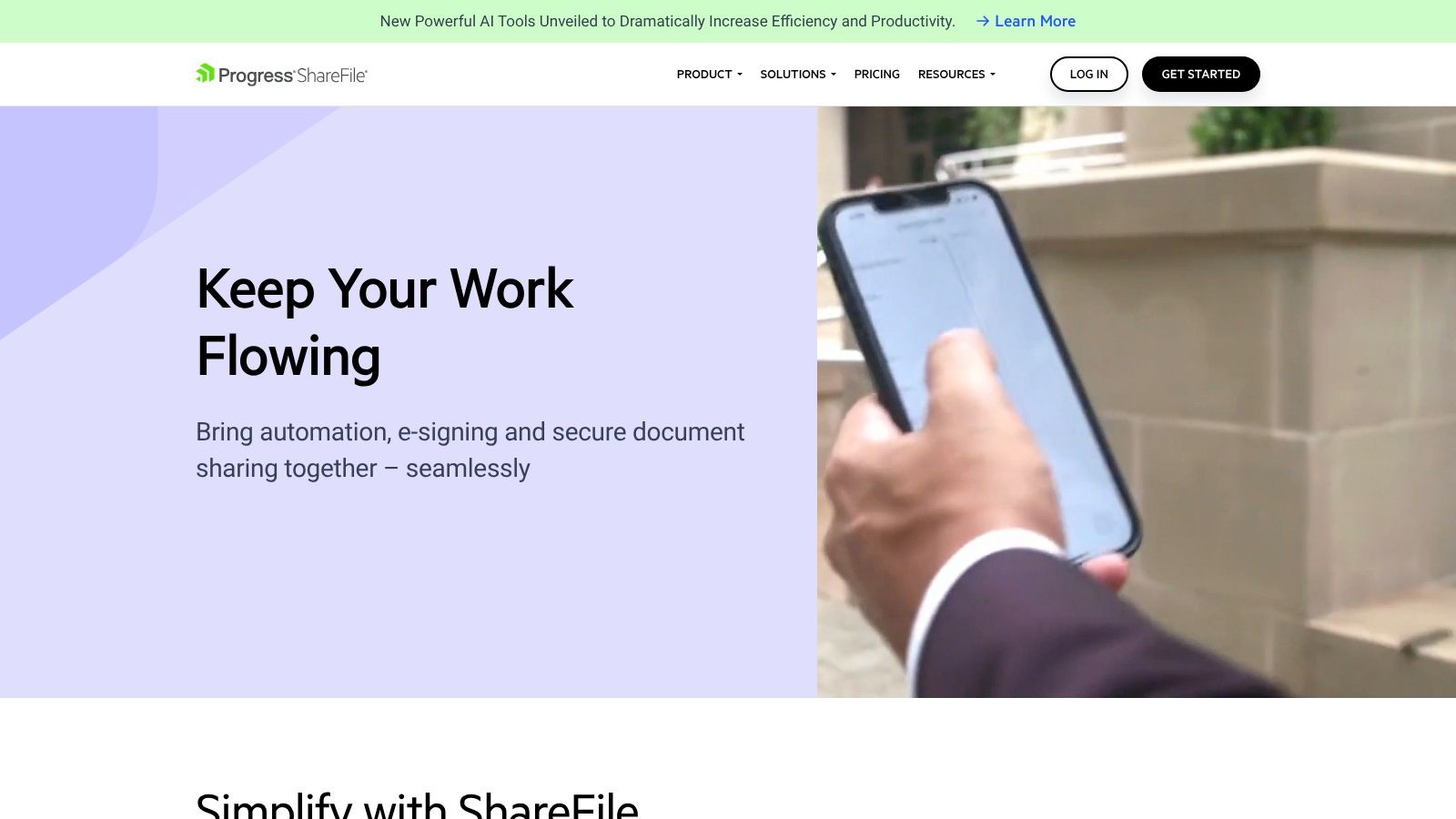
What sets ShareFile apart is its ability to manage the entire document lifecycle from request to signature and storage, all within a secure, auditable portal. The platform provides industry-specific templates and workflows, such as those for accounting firms, which significantly speeds up implementation. For high-stakes transactions, optional Virtual Data Room (VDR) capabilities offer enhanced security and control over sensitive information, making it a versatile tool for both routine collection and complex deals.
Key Details & Use Cases
- Best For: Accounting, legal, wealth management, and insurance firms that need a unified platform for secure client collaboration, document collection, and e-signatures.
- Key Features: Custom-branded client portal, unlimited client users, e-signatures, automated workflows, document requests, detailed audit trails, and industry-specific templates.
- Integrations: Offers integrations with Microsoft 365, Google Workspace, and other business tools, plus API access for custom connections.
- Security: Meets compliance standards like FINRA and HIPAA, with robust encryption and granular user permissions.
| Feature Analysis | Assessment |
|---|---|
| Ease of Use (Client) | Good. The client portal is straightforward, offering a central place for clients to upload files and sign documents without confusion. |
| Automation | Strong. Workflow automation allows for creating repeatable processes for client onboarding, document approvals, and information requests. |
| Pricing | Clear per-user pricing is available online, starting with a 3-user minimum. A 30-day free trial is offered. |
| Limitations | The per-user pricing and user minimums can make it costly for larger teams. The advanced Virtual Data Room (VDR) features require higher-tier plans. |
Website: https://www.sharefile.com
8. Encyro
Encyro is a lightweight and affordable saas for collecting documents designed for security-conscious solo practitioners and small firms. It focuses on providing a compliant solution for secure file sharing, e-signatures, and client communication, making it ideal for industries like accounting, tax preparation, and legal services that must adhere to strict data protection regulations. The platform offers a branded public upload page where clients can securely send files without needing an account.

What makes Encyro stand out is its strong emphasis on compliance at a very accessible price point. It meets HIPAA, GLBA, and IRS 4557 standards, providing features like audit trails and multi-factor authentication. While it may not have the advanced workflow automation of more expensive platforms, it covers the essentials effectively, including templated messages, e-signature requests with reminders, and even built-in invoicing and payment processing for US and Canadian users.
Key Details & Use Cases
- Best For: Solo accountants, tax professionals, lawyers, and small professional service firms needing a simple, compliant, and cost-effective client portal.
- Key Features: Branded public upload page, secure messaging, e-signatures with KBA options, audit trails, and integrated invoicing/payments.
- Integrations: Offers an Outlook add-in for sending secure messages directly from your inbox and works with most popular email clients.
- Security: HIPAA, GLBA, and IRS 4557 compliant.
| Feature Analysis | Assessment |
|---|---|
| Ease of Use (Client) | Excellent. The public upload page is extremely simple for clients to use, as it doesn't require them to create an account or password. |
| Automation | Basic. E-signature reminders and message templates provide some efficiency, but it lacks the complex workflow automation of competitors. |
| Pricing | Highly affordable, with a free tier and a pro plan that includes unlimited clients for a single low monthly fee, making it ideal for SMBs. |
| Limitations | The user interface and integration options are less sophisticated than premium suites. Add-on costs apply for extra staff and KBA checks. |
Website: https://www.encyro.com
9. Jotform
Jotform is a versatile and widely-used no-code form builder that excels as a saas for collecting documents by integrating file uploads directly into data collection workflows. It's ideal for businesses that need to gather information and supporting files simultaneously, such as HR departments collecting resumes, event organizers gathering submissions, or service providers managing client intake. Users can quickly build custom forms with a powerful drag-and-drop interface and add a file upload field to accept documents, images, and other attachments.
What makes Jotform a standout choice is its massive library of pre-built templates and an extensive ecosystem of integrations. You can build a sophisticated document intake process in minutes and automatically route uploaded files to cloud storage like Google Drive, Dropbox, or Box. Its workflow automation tool, Jotform Approvals, allows teams to create multi-step review processes for submitted documents, streamlining internal handoffs and decision-making without needing complex software.
Key Details & Use Cases
- Best For: Businesses of all sizes needing a fast, flexible way to combine data entry with document uploads, especially for HR, marketing, and client onboarding.
- Key Features: Drag-and-drop form builder, advanced file upload field (up to 1GB per file), conditional logic, Jotform Approvals for workflows, extensive template gallery, and e-signature collection.
- Integrations: Connects with over 150 apps, including major cloud storage providers, CRMs, payment gateways, and project management tools. Zapier and API access are available.
- Security: GDPR, CCPA, and HIPAA compliance options are available on specific plans.
| Feature Analysis | Assessment |
|---|---|
| Ease of Use (Client) | Excellent. The form-based interface is universally understood, making it incredibly simple for clients to fill out fields and upload files. |
| Automation | Strong. Integrations and the Jotform Approvals feature enable powerful, automated routing and review workflows for submitted documents. |
| Pricing | Offers a free-forever plan with limitations. Paid plans are tiered based on submission counts, storage space, and advanced features. |
| Limitations | The free plan's 100MB storage limit is quickly consumed. While the per-file limit is 1GB, some widgets and fields may impose lower caps. |
Website: https://www.jotform.com
10. Formstack Forms
Formstack is a powerful business process automation platform, and its Forms product serves as an excellent starting point for any saas for collecting documents. While known for its robust form-building capabilities, its real strength lies in creating end-to-end workflows. Users can build intelligent online forms that securely capture both data and file uploads, then route that information through approval processes and generate populated documents.
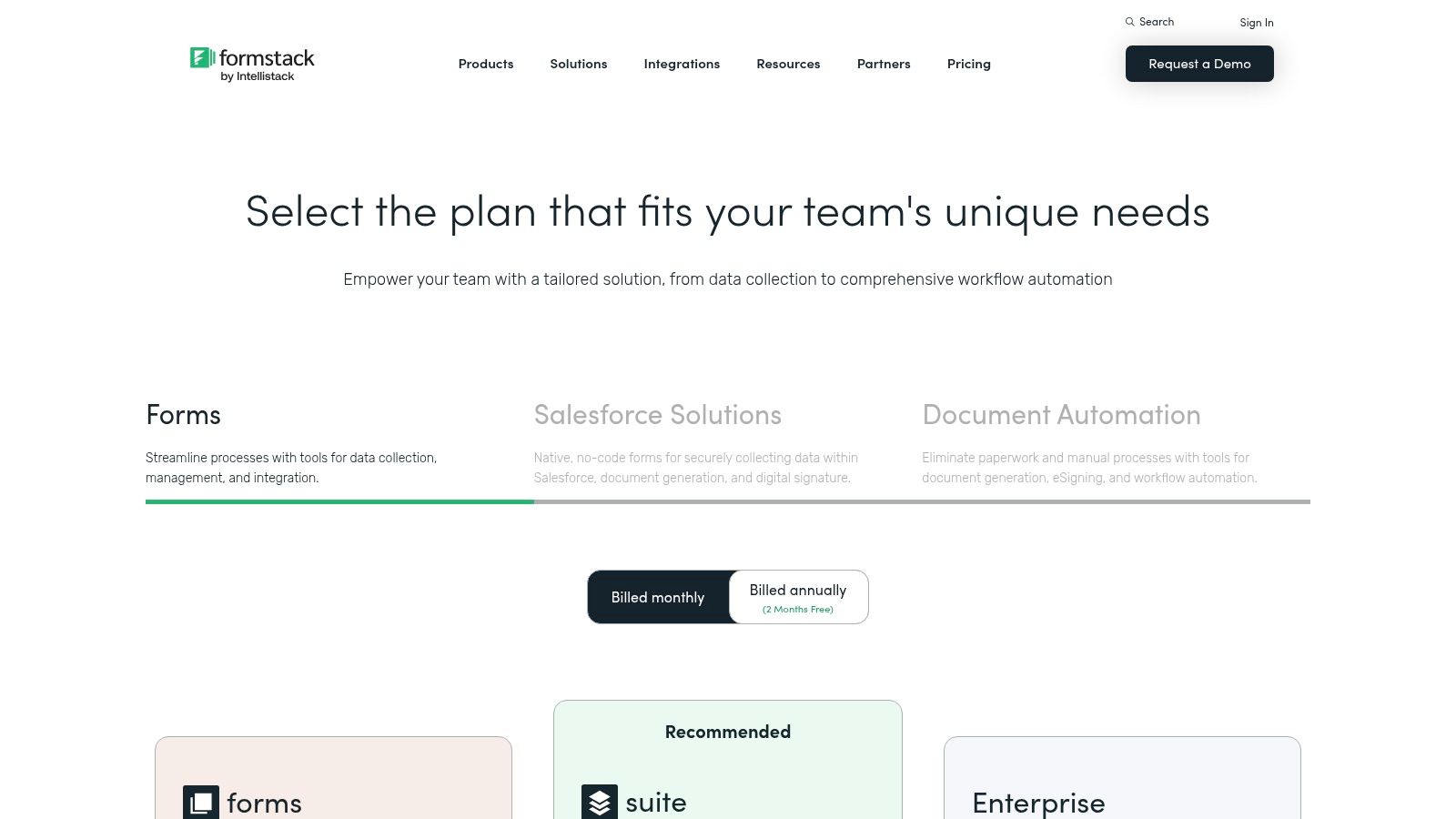
What makes Formstack stand out is its bundled suite approach. When you combine Forms with Formstack Documents and Formstack Sign, you get a seamless system for data collection, document generation, and e-signature. This is ideal for regulated industries like healthcare or finance that need to transform client-submitted data into official, signed contracts or reports without manual intervention. The platform’s advanced features, like conditional logic and pre-filling, reduce friction for the end-user, improving completion rates for complex information requests.
Key Details & Use Cases
- Best For: Organizations in regulated industries (healthcare, finance) and enterprise teams needing to connect data collection directly to document generation and e-signature workflows.
- Key Features: Drag-and-drop form builder, conditional logic, workflow automation with approvals, HIPAA compliance options, and a bundled suite for documents and e-signatures.
- Integrations: Deep integration with Salesforce and other CRMs, plus hundreds of other apps via its integration tool or Zapier.
- Security: Offers HIPAA-compliant plans, GDPR ready, and provides robust security controls for enterprise needs.
| Feature Analysis | Assessment |
|---|---|
| Ease of Use (Client) | Excellent. The dynamic, conditional forms provide a clean and guided experience for clients, only showing relevant fields. |
| Automation | Strong. The platform excels at form-to-document automation, especially when using the full suite. Group approvals and workflows are powerful. |
| Pricing | The starting price is higher than basic form tools. Full capabilities and compliance features often require higher-tier Suite or Enterprise plans. |
| Limitations | The core value is unlocked by bundling products, which increases the cost. It may be overly complex for simple file upload needs. |
Website: https://www.formstack.com/products
11. Typeform
While primarily known as a conversational form builder, Typeform is a surprisingly effective saas for collecting documents, especially when user experience is a top priority. It allows you to embed a File Upload question within a beautiful, engaging form, making it ideal for collecting application materials, creative assets, or identification documents. The one-question-at-a-time interface significantly boosts completion rates compared to traditional, lengthy forms.

What makes Typeform stand out is its ability to seamlessly integrate document collection into a broader data-gathering workflow. You can use logic jumps to ask for specific files based on previous answers and then automatically route the uploaded documents to cloud storage services like Google Drive, Dropbox, or Box. This creates a smooth, automated process for both the user submitting the files and the team receiving them, reducing manual sorting and organization.
Key Details & Use Cases
- Best For: Creative agencies, HR departments, and marketing teams needing to collect files as part of a visually appealing application, survey, or feedback form.
- Key Features: Conversational form interface, File Upload question type, logic jumps, easy embedding options, and a wide range of native integrations.
- Integrations: Connects directly with Dropbox, Google Drive, Box, and thousands of other apps through Zapier to automate file routing and storage.
- Security: GDPR and CCPA compliant, with data encryption in transit and at rest.
| Feature Analysis | Assessment |
|---|---|
| Ease of Use (Client) | Excellent. The engaging, one-step-at-a-time format is extremely user-friendly and known for achieving high completion rates. |
| Automation | Good. Its strength lies in automatically routing submitted files directly into designated cloud storage folders, streamlining workflows. |
| Pricing | The File Upload feature is available on paid plans, which are tiered based on response limits and advanced features. |
| Limitations | The 10MB per-file upload limit is a major constraint for large documents, high-resolution images, or video files. It is not built for bulk collection. |
Website: https://www.typeform.com
12. PandaDoc
PandaDoc is widely known as an e-signature and document automation platform, but it also serves as a capable saas for collecting documents, especially when the collection is tied to a signing or form-filling process. It allows you to embed a "Collect files" field directly into your proposals, contracts, or intake forms, enabling clients to upload supporting documents at the moment they are signing or providing information. This is ideal for workflows where signatures and supporting evidence are needed together.

What makes PandaDoc a strong contender is its seamless integration of document collection within a broader automation workflow. Instead of using one tool for signatures and another for file uploads, PandaDoc consolidates the steps. Its Forms feature is particularly useful for self-service intake, where you can create public forms that collect data, payments, e-signatures, and file attachments from clients without manual intervention. This is perfect for client onboarding, registration processes, or application submissions where you need to gather a complete package in one go.
Key Details & Use Cases
- Best For: Sales teams, HR departments, and legal professionals who need to collect supporting documents as part of an e-signature or proposal process.
- Key Features: "Collect files" field in documents, shareable Forms for data and document intake, e-signatures, payment processing (Stripe, PayPal), and document analytics.
- Integrations: Connects with major CRMs and cloud storage providers like Google Drive, OneDrive, Box, and Dropbox.
- Security: HIPAA compliance is available on certain plans.
| Feature Analysis | Assessment |
|---|---|
| Ease of Use (Client) | Excellent. Clients can drag and drop files directly into the document they are viewing, making the upload process simple and contextual. |
| Automation | Good. While not a dedicated document collection chaser, its core strength is automating the entire document lifecycle from creation to signing. |
| Pricing | Offers a free eSign plan with paid tiers starting from Essentials. Advanced features like Forms and file collection are in Business/Enterprise plans. |
| Limitations | There is a 50MB per-file upload limit, and some features do not support ZIP files. The core focus remains on signatures, not bulk collection. |
Website: https://www.pandadoc.com
Top 12 Document-Collection SaaS Comparison
| Product | Core features | UX (★) | Value/Price (💰) | Target (👥) | Unique selling points (✨) |
|---|---|---|---|---|---|
| Superdocu 🏆 | Workflow builder, branded portals, industry templates, validation dashboard, expiry tracking, Zapier & DocuSign | ★★★★★ | 💰 Tiered — Starter €97/mo, Pro €247/mo, Enterprise custom; 7‑day trial | 👥 SMBs & regulated teams (legal, HR, real estate, immigration, construction) | ✨ GDPR + EU hosting, prebuilt vertical templates, automated validation; 🏆 |
| FileInvite | Client portal, checklists, approvals, e-sign, automated reminders, audit trails, cloud integrations | ★★★★☆ | 💰 Business/enterprise priced higher; possible setup fees | 👥 Lenders, financial services, regulated teams | ✨ Purpose-built collection; SOC2 & GDPR |
| Content Snare | Drag‑and‑drop request builder, reusable templates, portal, automated reminders | ★★★★☆ | 💰 SMB-friendly plans; storage/active-request caps by plan | 👥 Agencies, accountants, SMBs | ✨ Very easy setup, reusable templates, good client UX |
| File Request Pro | Branded upload pages/boxes, large files, cloud sync, API/webhooks, custom domain/SMTP | ★★★★☆ | 💰 Mid-priced; strong enterprise options | 👥 Teams needing fast branded web uploads | ✨ Custom domains/CSS, fast to deploy, strong enterprise features |
| Dropbox – File Requests | Public upload links to folders, admin controls, large per-file limits on higher tiers | ★★★★☆ | 💰 Included in Dropbox plans (storage consumed) | 👥 Teams already using Dropbox storage/workflows | ✨ Extremely low-friction uploads; scales with Dropbox |
| Box – File Request | Upload forms with metadata, admin scoping, integrates with Box Relay/Tasks & API | ★★★★☆ | 💰 Business/Enterprise plans required (enterprise pricing) | 👥 Enterprises needing governance & compliance | ✨ Strong governance, metadata capture, Box automation |
| ShareFile (by Progress) | Client portal, e-sign, workflow automation, audit trails, optional VDR | ★★★★☆ | 💰 Per-user pricing (3-user min); 30-day trial | 👥 SMBs & regulated industries (accounting, legal) | ✨ End-to-end workflows + VDR option |
| Encyro | Public upload pages, e-sign (KBA), invoicing/payments, audit trails | ★★★☆☆ | 💰 Very affordable entry; unlimited clients | 👥 Tax, accounting, professional services | ✨ Compliance-focused (HIPAA/GLBA/IRS), low-cost |
| Jotform | No-code forms with file uploads (up to 1GB), approvals, templates, integrations | ★★★★☆ | 💰 Freemium → paid plans for storage & higher limits | 👥 Teams needing forms + attachments | ✨ Massive template & integration ecosystem |
| Formstack Forms | Drag‑drop forms, workflows, Documents & Sign bundle, HIPAA options | ★★★★☆ | 💰 Higher starting price; Suite often needed for full automation | 👥 Regulated orgs, Salesforce users | ✨ Forms → documents → e-sign end-to-end when bundled |
| Typeform | Conversational forms, File Upload (10MB), logic jumps, integrations | ★★★★☆ | 💰 Paid plans required for upload features | 👥 Marketing, creative teams, applications | ✨ Conversational UX for higher completion rates |
| PandaDoc | e-sign, collect-files field, forms with payments, document automation, cloud imports | ★★★★☆ | 💰 Tiered; Business/Enterprise for advanced features | 👥 Sales, contracts, teams needing docs + e-sign | ✨ Tight document automation + signature + attachments combo |
Final Thoughts
Navigating the landscape of SaaS for collecting documents can feel overwhelming, but the journey to a more streamlined, secure, and professional workflow is well worth the effort. We've explored a dozen powerful platforms, from dedicated document collection powerhouses like Superdocu and FileInvite to versatile form builders like Jotform and secure file-sharing giants like Dropbox and ShareFile. Each tool offers a unique blend of features, catering to different business needs, industries, and budgets.
The core takeaway is this: manual document collection via email is no longer a viable or secure option for modern businesses. The risks of data breaches, the frustration of chasing clients for missing files, and the sheer inefficiency of it all create significant bottlenecks. Adopting a specialized platform isn't just a minor upgrade; it's a fundamental shift that enhances client experience, strengthens security, and frees up your team's valuable time.
Key Insights Summarized
As you move forward, keep these critical points in mind:
- Dedicated vs. All-in-One: Tools built specifically for document collection (like Superdocu, Content Snare, FileInvite) often provide a superior, more guided experience for your clients with features like automated reminders and pre-filled data. General tools like Dropbox or Box offer basic file requests but lack the advanced workflow automation that saves the most time.
- Client Experience is Paramount: The best SaaS for collecting documents makes the process effortless for your clients. Look for features like mobile-friendly interfaces, clear instructions, status tracking, and the ability to upload files without creating an account. A smooth client journey reflects positively on your brand and reduces friction.
- Security Cannot Be an Afterthought: For industries like legal, finance, and HR, compliance is non-negotiable. Always prioritize platforms that offer robust security measures, including end-to-end encryption, access controls, detailed audit trails, and compliance with standards like SOC 2, HIPAA, or GDPR.
Your Actionable Next Steps
Choosing the right tool requires a clear understanding of your specific operational needs. Don't just pick the one with the most features. Instead, follow this simple evaluation process:
- Map Your Current Workflow: Identify every step of your current document collection process. Where are the delays? What tasks are most repetitive? This map will reveal exactly what problems you need your new software to solve.
- Prioritize Your "Must-Have" Features: Based on your workflow map, create a shortlist of essential features. Do you need automated, multi-step reminders? Is collecting eSignatures a priority? Do you require deep integration with your existing CRM or cloud storage?
- Run a Pilot Test: Nearly every tool on our list offers a free trial or a limited free plan. Use it. Create a test request and send it to a colleague or even to yourself. Experience the process from both the administrator's and the client's perspective to get a true feel for its usability.
- Calculate the True ROI: Consider not just the monthly subscription cost, but also the hours your team will save. If a $50 per month tool saves your team 10 hours of administrative work, the return on investment is immediate and substantial.
The transition from chaotic email threads to a centralized, automated system is a game-changer. It transforms a frustrating administrative burden into a seamless, professional interaction that builds client trust and empowers your team to focus on high-value work. The right SaaS for collecting documents is waiting to unlock that new level of efficiency for your business.
Ready to eliminate document chaos and create an exceptional client experience? Superdocu is a purpose-built platform designed specifically for secure and automated document collection, featuring customizable checklists, powerful reminders, and a branded client portal. Start your free trial of Superdocu today and see how simple collecting documents can be.