
If you're still chasing down suppliers with endless email chains and trying to track everything in a messy spreadsheet, you're not just creating a headache for your team—you're opening up your business to serious risks. Let's be honest, that disorganized scramble creates compliance gaps, delays projects, and frays the supplier relationships you work so hard to build.
It's time to move past that chaos. A modern, centralized system can turn this process from a frustrating chore into a real strategic advantage.
Why Old Ways of Requesting Files No Longer Work

Does your process to request files from suppliers feel like a constant game of cat and mouse? If you’re still leaning on manual follow-ups and scattered files, you're fighting a losing battle. The modern supply chain just moves too fast for those old-school methods to keep up.
Every untracked email or misplaced document isn't just an inconvenience; it's a potential point of failure waiting to happen. This traditional approach creates a domino effect of problems that go way beyond simple administrative burnout. When a supplier's insurance certificate expires without anyone noticing, the fallout can be severe.
The Hidden Costs of Manual File Collection
The real price you pay isn't just the hours your team wastes sending "gentle reminder" emails. The bigger cost comes from all the operational friction and security holes that a manual process creates.
Think about it. When was the last time you needed a supplier's quality certification for an urgent audit? Was it right where it should be, or did it kick off a frantic search through someone's inbox?
This constant scramble introduces very real risks:
- Compliance Gaps: Missing or expired documents can mean failed audits, huge fines, and a black eye for your company's reputation.
- Operational Delays: Projects get put on hold while you wait for paperwork, blowing up timelines and leaving customers unhappy.
- Security Vulnerabilities: Emailing sensitive files back and forth is a major security risk, especially as cyber threats targeting supply chains become more common.
- Damaged Relationships: Let's face it, nobody likes being nagged. Constant, disorganized follow-ups make you seem difficult to work with and can sour relationships with even your best suppliers.
The heart of the problem with manual methods is the complete lack of visibility. Without a single source of truth, it’s nearly impossible to know the real-time status of your document requests. You're essentially flying blind.
The Shift to a Proactive System
Getting away from these reactive, chaotic methods isn't just a nice-to-have; it's a must. A structured, automated system for requesting, tracking, and managing supplier files is a modern business necessity. It’s the only way to ensure every required document is accounted for, up-to-date, and stored securely.
This proactive approach does more than just plug the holes in the old way of doing things. It actually creates new opportunities. It gives your suppliers a professional, easy-to-use process, which strengthens your relationship. More importantly, it transforms document management from a painful task into a source of organized, valuable data that helps you make smarter decisions and protects your company from risk.
The next few sections will walk you through exactly how to build this modern, efficient system from the ground up.
Building Your Supplier Document Checklist
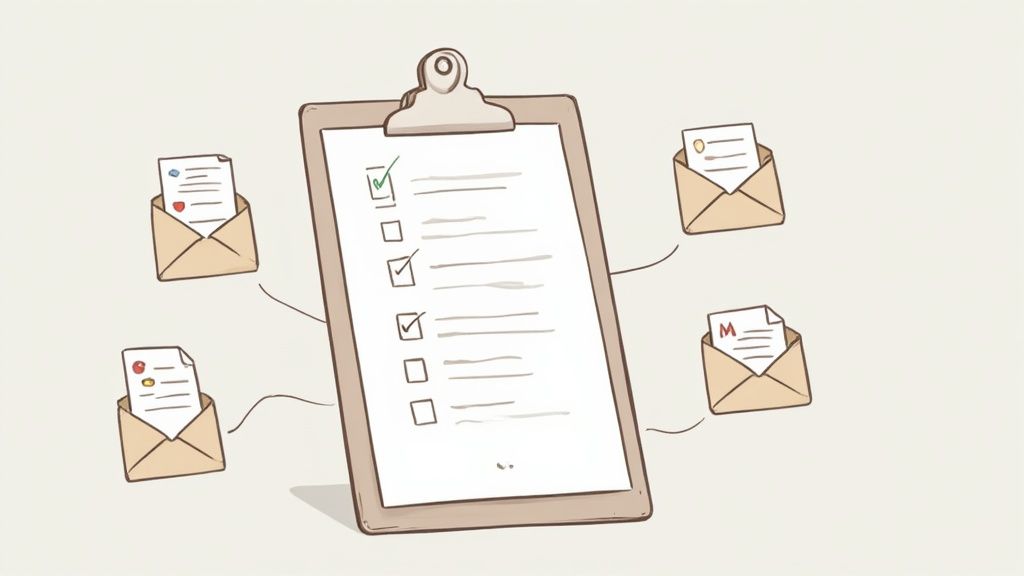
Before you can even think about asking suppliers for files, you need to know exactly what you need and, just as important, why you need it. Firing off a vague, disorganized request is the quickest way to get ignored or end up with a mess of incomplete documents. A solid checklist is your foundation.
A great first step is to take a hard look at your current supplier files. Where are the gaps? Are you constantly chasing down expired insurance certificates? Are W-9s and bank details scattered across different team members' inboxes? This simple audit will instantly show you what’s broken and what your new process needs to fix.
The whole point is to build a master list that becomes your company’s go-to resource for any and all supplier documents.
Categorize for Clarity and Efficiency
Resist the urge to create one gigantic, intimidating list. Instead, group the documents you need into logical categories. This isn't just about keeping your own team organized; it makes it much easier for suppliers to understand what you're asking for. They can immediately see what's for legal, what's for finance, and what's for getting them set up in your systems.
Common categories usually look something like this:
- Legal & Corporate: These are the non-negotiables that prove they are a legitimate business. Think articles of incorporation, business licenses, and of course, a signed Master Service Agreement (MSA).
- Financial & Tax: Absolutely critical for getting them paid and staying on the right side of the IRS. This is where you'll ask for W-9 or W-8BEN forms, bank account details for direct deposit, and certificates of insurance.
- Compliance & Certifications: This bucket is for documents proving a supplier meets specific industry or regulatory standards. This could be anything from ISO certifications and GDPR compliance statements to specialized safety permits.
- Operational Information: This is the practical stuff you need for day-to-day work. It might include key contact lists, service level agreements (SLAs), or even product catalogs.
To help you get started, here's a table that breaks down the essentials.
Essential Supplier Document Checklist by Category
| Category | Document Type | Purpose |
|---|---|---|
| Legal & Corporate | Business Registration/License | Verifies legal existence and right to operate. |
| Master Service Agreement (MSA) | Outlines the terms of the business relationship. | |
| Non-Disclosure Agreement (NDA) | Protects confidential information shared between parties. | |
| Financial & Tax | W-9 (US) or W-8BEN (Int'l) | Required for tax reporting and compliance. |
| Bank Account Information (ACH Form) | Enables secure and efficient electronic payments. | |
| Certificate of Insurance (COI) | Confirms liability and coverage limits. | |
| Compliance | Industry-Specific Certifications | Proves adherence to quality or safety standards (e.g., ISO 9001). |
| Data Processing Agreement (DPA) | Mandated for GDPR and other data privacy regulations. | |
| SOC 2 Report | Validates security controls for technology vendors. |
This table is just a starting point. For a deeper dive, check out this comprehensive vendor onboarding document checklist to make sure you've covered all your bases.
Tailor Requests to the Industry
A one-size-fits-all checklist just doesn't cut it. Asking a local catering company for a SOC 2 report will only get you confused looks. Your requests have to be tailored to the industry and the specific service they’re providing.
For example, a manufacturing partner will need to provide things like quality control reports, material safety data sheets (MSDS), and proof of their production capacity. In fact, a growing trend shows manufacturers are now demanding proof that suppliers can handle sudden production spikes of 75–400% to build a more resilient supply chain.
On the other hand, when you request files from a software company, you’re focused on entirely different risks. You'll need their SOC 2 report, data processing agreements (DPAs), and details on their security protocols to protect your data.
Expert Tip: The more relevant your request is, the faster and more accurately your suppliers will respond. A tailored checklist shows you respect their time and understand their business.
By putting in the effort to audit, categorize, and customize your checklist upfront, you're not just organizing paperwork. You're building a smarter, more efficient system that makes life easier for everyone and strengthens your supplier relationships right from the start.
How to Write Requests That Actually Get a Fast Response
The way you ask for something makes all the difference. A vague, confusing email from you means a slow, inaccurate response from your supplier. It’s the kind of message that gets flagged for "later" and then forgotten, kicking off a week of painful follow-up emails.
On the other hand, a crystal-clear, professional request gets things moving. It's not about being demanding; it's about making it ridiculously easy for them to give you exactly what you need, right away. It's about respecting their time and removing any and all guesswork.
The Anatomy of a Perfect Request
Every great request boils down to three things: clarity, context, and a clear call to action. Nail these, and you'll slash the back-and-forth that kills productivity. An ambiguous request is an ignored request, simple as that.
Put yourself in your supplier's shoes. What’s the absolute minimum they need to know to get this done without having to email you back with a single question?
Whether you're sending an email or using a portal, make sure your message includes these key elements:
- A Subject Line They Can't Miss: Don't be clever, be clear. Something like "Action Required: Document Submission for [Your Company Name]" is perfect.
- A Quick Explanation (The 'Why'): People are more likely to help if they know why. A simple line like, "We're gathering these documents for our annual compliance audit," builds trust and shows it's not just busywork.
- An Itemized List of Documents: Use a bulleted or numbered list. Get specific on formats—think signed agreements as PDFs or data sheets in XLSX format.
- A Firm (but Fair) Deadline: Give them a clear due date. This creates a healthy sense of urgency and helps them plan their work.
- One Secure Upload Link: Never, ever ask a supplier to email sensitive files. Give them a single, secure link to a portal where they can drag and drop everything. It's easier and safer for everyone.
Here's the biggest shift you can make: stop just asking for what you need and start explaining why. Suppliers are your partners. A little context turns a demand into a collaborative effort.
A Model Request You Can Adapt and Use Today
When you put it all together, a solid request feels professional and is incredibly simple to act on. It shows you value the supplier's time by getting straight to the point.
Let's walk through a real-world example.
Example Request Email
Subject: Action Required: Document Submission for Onboarding with Global Corp
Hi [Supplier Contact Name],
We're excited to get you set up as a new partner. To finalize the onboarding, we just need you to securely submit a few documents. This is a standard step for us to ensure all our partners meet compliance and payment requirements.
Please upload the following files by Friday, October 25th:
- A signed copy of the Master Service Agreement (PDF)
- Your company's Certificate of Insurance (PDF)
- A completed W-9 Form (PDF)
- Your bank details via our ACH Authorization Form (PDF)
You can securely upload all documents using this private link:
[Insert Secure Upload Link Here]
Getting these documents over to us quickly will ensure there are no delays in processing your first payment. Just let me know if you run into any issues.
Best,
The Procurement Team
Global Corp
See how that works? It’s direct, polite, and actionable. It explains the purpose, lists the files, sets a deadline, and provides a secure upload method. Best of all, it connects the request to a real benefit for them—getting paid on time. That little detail is your secret weapon for getting exactly what you need, fast.
Automating Your Document Collection Workflow
Let's be honest: manually chasing down supplier documents with emails and spreadsheets is a nightmare. It's a surefire way to miss deadlines, create compliance headaches, and burn out your team. This is where you pivot from constantly chasing suppliers to intelligently managing the entire process. Setting up an automated workflow to request files from suppliers is how you get your time back and seriously cut down on risk.
The idea is simple but powerful: create a system that does the nagging for you. Think automatic follow-ups for looming deadlines and alerts for documents that are about to expire. The goal is to make sure nothing slips through the cracks, without you having to babysit your inbox.
Designing a "Set It and Forget It" Reminder Schedule
The real magic of automation is its consistency. A smart reminder schedule makes sure every supplier gets the right message at the right time. This not only looks professional but also frees up your team from the mental burden of remembering who to follow up with and when.
Your schedule should be persistent but not pushy. You want to guide suppliers toward the deadline, not bombard them. A solid, effective cadence usually looks something like this:
- Initial Request: The first ping. Clear, direct, and with the due date front and center.
- 7-Day Reminder: A friendly nudge a week out for anyone who hasn't responded yet.
- 3-Day Reminder: A slightly more urgent tone as the deadline gets close.
- Deadline Day Alert: A final "due today" notification.
- Past-Due Notice: An immediate alert the day after the deadline. This could also trigger an internal notification for your team to step in with a phone call.
Just because it's automated doesn't mean it has to sound like a robot. You can—and should—customize the tone and wording of each reminder to match your company’s voice. This is all about gaining efficiency, not sacrificing your professional relationships.
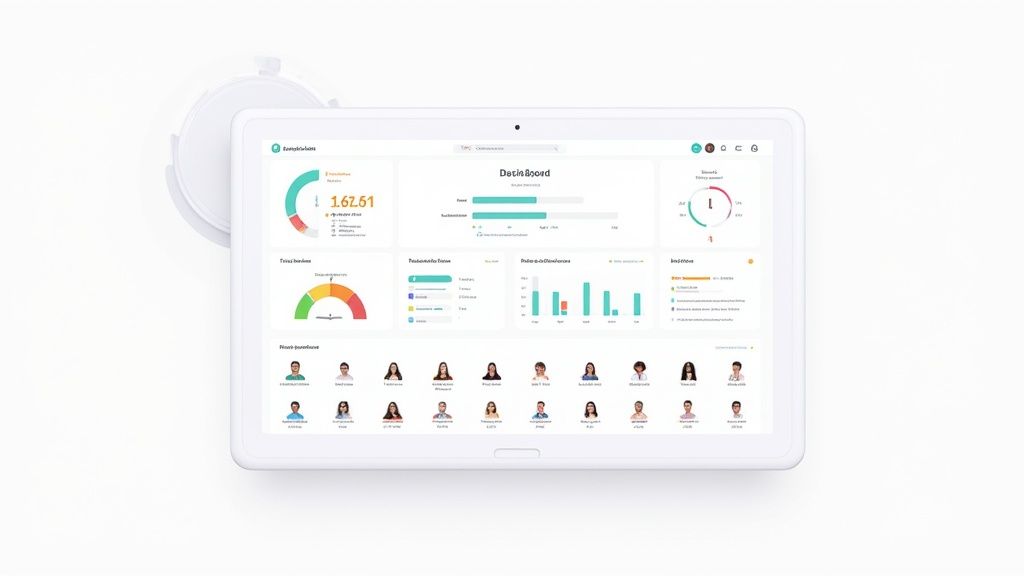
The Central Dashboard: Your Single Source of Truth
An automated workflow is only half the solution if you don't have a central dashboard. This is your command center, giving you a real-time, bird's-eye view of every single file request. No more digging through endless email chains to figure out who sent what.
A good dashboard should instantly tell you the status of any document:
- Sent: Your request is out the door but hasn't been opened.
- Viewed: The supplier has seen the request but hasn't taken action.
- In Progress: They've started uploading documents but aren't done yet.
- Submitted: Everything is uploaded and waiting for your team's review.
- Approved: You've checked the documents and given them the green light.
- Rejected: You've sent files back with notes for correction.
This kind of visibility changes everything. Imagine you need to confirm that all your critical logistics partners have submitted their new insurance certificates. Instead of a multi-day audit of your inbox, you can filter your dashboard and get the answer in seconds. This is where a dedicated https://www.superdocu.com/en/blog/automated-document-request-tool/ really proves its worth, saving countless hours of administrative work.
Managing Renewals and Expirations
One of the sneakiest compliance risks is an expired document—like an old insurance certificate—sitting in your system. A good automated platform solves this by tracking expiration dates and kicking off renewal requests on its own.
For instance, you can configure the system to automatically ask for a new insurance certificate 30 or 60 days before the current one expires. Your supplier gets plenty of notice, and you maintain perfect compliance without lifting a finger. This proactive approach is a lifesaver when you're managing hundreds of suppliers at once.
As the logistics automation market continues to grow, supplier evaluations are becoming more precise. The files we request now often need to contain data that can be digitally analyzed for authenticity. The move toward data-driven validation makes automated tracking more important than ever. If you're collecting sensitive information, especially around security protocols, you might also want to look into tools that provide security questionnaire automation to standardize how you gather that critical risk data from all your suppliers.
Keeping Supplier Data Secure and Compliant
When you request files from suppliers, you're doing more than just collecting paperwork. You're becoming the custodian of their sensitive information. In a world where data breaches are constantly in the news, treating supplier document security as a low priority is a gamble you just can't afford to take. A sloppy process isn't just unprofessional—it can lead to serious compliance violations and hefty fines.
The regulatory landscape today is a minefield. With ever-changing compliance demands, companies are being forced to take a much closer look at how they handle supplier data. In fact, more than 75% of organizations have had to increase their compliance budgets just to keep up with the sprawling web of rules and regulations.
Building a Secure Foundation
Your first line of defense is where you keep the documents. Stashing sensitive files like W-9s or banking details in a shared network drive—or worse, an email inbox—is asking for trouble. These old-school methods simply don't have the security layers needed to fend off unauthorized access or modern cyber threats.
Real security begins the moment a file is uploaded.
- Data Encryption: Any document you receive must be encrypted, both while it's being uploaded (in transit) and once it’s stored on your servers (at rest). This means that even if someone managed to breach a server, the data itself would be completely unreadable.
- Access Controls: Not everyone in your company needs access to every supplier file. You need to implement strict, role-based access controls. This ensures only specific people, like your finance team, can view sensitive financial records.
A secure process isn’t just about protecting your company; it’s about building trust. When suppliers see you’ve invested in a professional and secure system, they’ll feel far more comfortable sharing the information you need to do business together.
Creating an Indisputable Audit Trail
A well-designed file request system does more than just keep you organized. It creates a bulletproof, chronological record of every single action taken. This audit trail becomes your best friend when it’s time to prove compliance with regulations like GDPR or CCPA.
A solid audit log should automatically track every key event:
- When a request was sent and who it went to.
- The exact time a supplier viewed the request.
- A timestamp for every file upload.
- A record of which team member reviewed, approved, or rejected a document.
This detailed history makes it easy to demonstrate compliance during an audit and gives you invaluable insight if a dispute ever pops up.
Suppliers might use all sorts of ways to send you documents, so it's critical to think about the security of each channel. Even for something as old-fashioned as a fax, you should be looking into secure online fax methods to close any potential security gaps. Of course, for a more seamless and modern solution, a dedicated https://www.superdocu.com/en/blog/secure-document-intake-platform/ is built to handle these challenges from the start.
Implementing a Data Retention Policy
Finally, a huge piece of the compliance puzzle is knowing when to let go of old data. Hanging onto supplier documents forever just increases your risk for no good reason. A straightforward data retention policy keeps you compliant while minimizing your data footprint.
Your policy should spell out exactly how long you need to keep different types of documents. For instance, tax forms might need to be kept for seven years, but an expired insurance certificate can probably be deleted much sooner. By automating this process, you can ensure documents are securely purged once they're no longer legally required, keeping your systems clean, lean, and secure.
Questions That Always Come Up When Requesting Supplier Files
Even with a perfectly planned workflow, you're going to get questions. It's just part of the process. Getting ahead of these common hurdles can save everyone a ton of time, smooth over friction with your partners, and get your new system running like a well-oiled machine from day one.
Let's walk through some of the questions we see pop up all the time.
What Should We Do About Suppliers Who Don't Respond?
It’s definitely frustrating when a supplier goes silent, but a multi-step approach usually gets things moving. The best bet is a mix of clear, proactive communication and patient, automated follow-ups. Try not to assume the worst; they’re probably just busy, not deliberately ignoring you.
Your first request should always be polite and clear, with a reasonable deadline spelled out right from the start. As that date gets closer, an automated reminder sent 3-5 days beforehand is a perfect, low-pressure nudge. If the due date comes and goes, another automated email can go out—this time with a slightly more urgent tone.
Still hearing crickets? It's time to pick up the phone. A real conversation is often the quickest way to cut through the digital noise.
A Quick Tip from Experience: More often than not, the delay is because your contact person left the company or switched roles. A quick call can clear that up in minutes, getting you the right person to talk to and solving the problem on the spot.
Always remember to make the process as easy as possible for them. Give them a direct, secure link to upload their files and offer to help if they run into any technical trouble. And for your own sanity and audit trails, make sure you log every attempt to communicate in your central system.
How Can We Ask for Sensitive Financials Without Being Awkward?
Asking for sensitive documents like financial statements or tax forms requires a delicate touch. You have to build trust and be completely transparent, otherwise, you risk damaging the relationship. The key is to frame it as a standard part of your confidential due diligence—a process that all your partners go through. This lets them know they aren't being singled out.
How you ask is just as important as what you ask for.
- Email is a No-Go: Never, ever use standard email for this. It’s simply not a secure channel for transferring sensitive data.
- Use a Secure Portal: A dedicated, encrypted portal is the professional standard. It immediately signals that you take their data security as seriously as you take your own.
- Explain Your Security Measures: Be upfront about how you protect their information. Something as simple as, "Your documents will be encrypted upon upload, and access is strictly limited to our finance and compliance teams," goes a long way.
When you reassure them of your commitment to confidentiality and show them you have a secure, professional process in place, they'll be far more willing to comply without any hesitation.
Can We Just Build a System with the Tools We Already Have?
Ah, the classic "build versus buy" debate. The honest answer? It really depends on your scale and how complex your needs are.
If you're a small business managing just 10-20 suppliers, you can definitely get by with a DIY system. It’s a decent starting point. You could probably piece together a workflow using tools you're already familiar with.
For instance, you could use:
- Google Forms to create a submission form.
- A Google Sheet to manually track who has sent what.
- An email add-on to schedule a few basic reminders.
But this approach has a ceiling. Once you start dealing with more than 50 suppliers, the manual work needed to update the sheet, chase down follow-ups, and track expiration dates becomes a massive time sink. It's also incredibly prone to human error, and the risk of a critical document expiring without anyone noticing grows with every new supplier you add.
This is where dedicated supplier management platforms really shine. They come with built-in security and compliance, give you a dashboard to see everything at a glance, and fully automate renewal requests. The investment almost always pays for itself in saved admin hours, tighter compliance, and much lower risk.
How Often Should We Be Asking for Updated Files?
The simple rule here is to let the document’s natural lifecycle guide you. Not all files are the same; some need to be refreshed annually, while others are "one and done." A fantastic best practice is to create a master list that defines the renewal schedule for every type of document you collect.
Here’s what that typically looks like:
- Annually: Certificates of Insurance (COIs) are the most common one here, as most policies expire yearly.
- Periodically: Things like industry-specific compliance certifications might be renewed every one to three years, depending on the governing body.
- One-Time (Unless Something Changes): Documents like a W-9 form or your supplier's bank details only need to be requested again if their information changes.
A good automation system lets you set these expiration dates for each document. It will then automatically fire off a new request 30-60 days before the current file expires, which gives your supplier plenty of time to get you the new version. This way, you maintain a perfect chain of compliance without ever having to remember to check a calendar.
Managing supplier documents shouldn't be a source of constant stress. Superdocu turns this chaotic process into a simple, automated workflow. You can create secure request portals, send automatic reminders, and track everything from a single, central dashboard.
Start your free trial with Superdocu and stop chasing documents today!