
If you want to request files efficiently, you have to get out of the endless email chains. It's time to adopt a structured, automated system. This means creating a central, secure portal where clients can upload everything you need, which instantly reduces human error and is far more secure than email attachments.
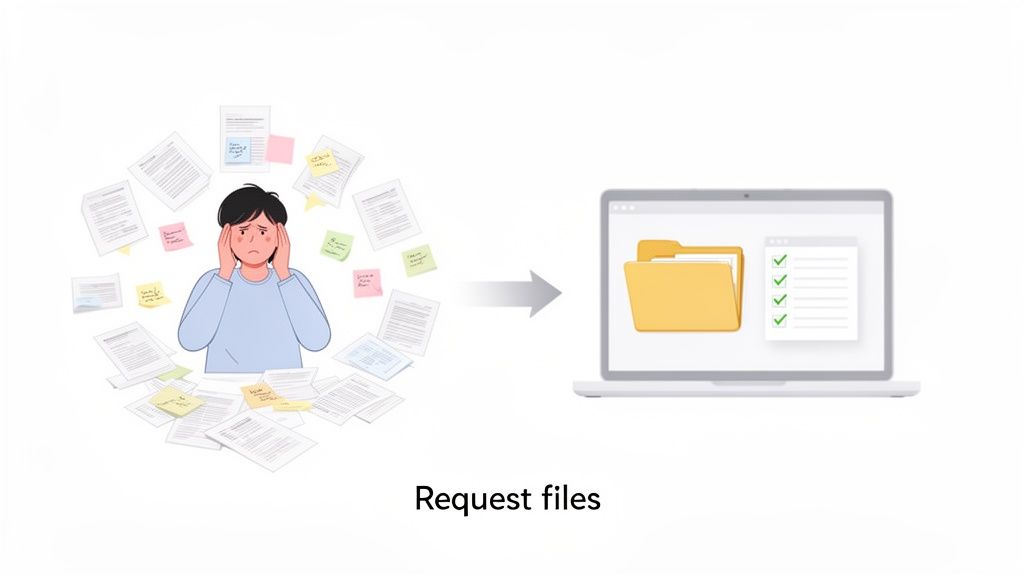
Why Manual File Requests Are Holding You Back
Chasing down documents feels like more than just a minor annoyance, doesn't it? It's a massive drain on your time and a source of risk you just don't need. When you're stuck using emails and spreadsheets to manage file requests, you’re not just wasting hours—you're opening your business up to hidden costs that slowly eat away at your bottom line.
Think about it. Every follow-up email you send, every minute spent digging through a messy inbox, and every time you have to track down a missing document is productivity down the drain. This disjointed process also creates a clunky, unprofessional experience for your clients.
The Hidden Costs of Old Methods
Sticking with outdated methods leaves you vulnerable in a few key areas:
-
Human Error: Let's be honest, manually tracking dozens of files for multiple clients is a recipe for disaster. It’s far too easy to forget a follow-up, misplace a critical document, or even ask for the wrong thing. These simple mistakes can cause serious project delays.
-
Security Gaps: Email was never built for securely transferring sensitive information. Attachments can be intercepted, accidentally sent to the wrong person, or left sitting on unsecured servers. It's a huge risk when you're dealing with confidential client data.
-
Poor Client Experience: No one enjoys constant back-and-forth emails or confusing instructions. A messy, disorganized process reflects poorly on your business and can erode trust before you’ve even started the real work.
Switching to a structured system isn’t just a "nice-to-have" anymore; it's a fundamental part of running a modern business. We're seeing a huge shift toward automation, with the Intelligent Document Processing market expected to reach $6.78 billion by 2025. This isn't surprising when you learn that over 80% of companies are investing more in document automation to cut costs and stay compliant with regulations like GDPR. If you're curious, you can read more about the rise of document processing automation to see where things are headed.
By digitizing your file request process, you transform a chaotic, high-risk chore into a smooth, professional interaction. You're building a system that works for you, protects your clients, and makes your business stronger from the inside out.
Designing Your Automated Collection Workflow
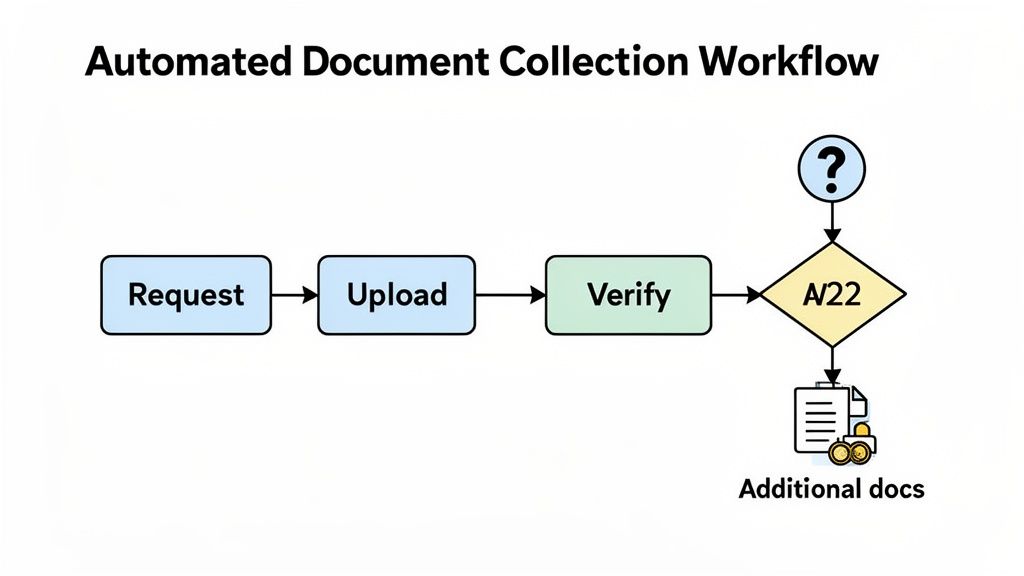
Moving away from the chaos of manual file chasing is where you truly start to regain control. Designing an automated workflow isn't about becoming a programmer; it's about mapping out a logical, repeatable process that works for you 24/7. This system becomes your central hub, ensuring every file you need is requested, received, and checked off without you having to micromanage it.
The real goal here is to build a predictable engine for your business. Instead of starting from scratch with every new client or project, you'll have a solid framework that does the administrative heavy lifting. That frees you up to focus on the high-value work your clients are actually paying you for.
Before diving into automation, let's look at what a world of difference it makes.
Comparing Manual vs Automated File Requests
This table breaks down the differences in steps, time, and risks between a traditional manual process and a modern, automated workflow.
| Stage | Manual Process (Email & Spreadsheets) | Automated Workflow | Key Benefit |
|---|---|---|---|
| Request | Manually draft and send individual emails. | Send a single, branded request from a pre-built template. | Consistency & Speed |
| Tracking | Use spreadsheets or notes to track who sent what. | A live dashboard shows the status of every document in real-time. | Total Visibility |
| Reminders | Set calendar alerts and manually send follow-up emails. | Automated, scheduled reminders go out until all files are received. | Saves Hours |
| Validation | Open each file to check for correctness and completeness. | Set rules to pre-validate file types, naming, and expiry dates. | Fewer Errors |
| Storage | Download attachments and manually organize them into folders. | Files are automatically named and stored in a secure, central location. | Organization |
| Risk | High risk of human error, missed files, and security breaches. | Low risk with built-in compliance, audit trails, and security. | Peace of Mind |
The contrast is stark. Automation isn't just a minor improvement; it fundamentally changes how you manage information, freeing up valuable time and dramatically reducing risk.
Mapping The Document Journey
Before you can automate a single thing, you have to know exactly what you're automating. Think of it as drawing a blueprint. What's the very first document you need from a new client? What happens right after they submit it? Are there other files you can only request after that first one is approved?
Start by listing every document you need to request files for a specific process, like onboarding a new hire or kicking off a new client project. Don’t just make a list—think about the sequence and any dependencies.
For instance, an HR onboarding process might look like this:
- First Request: A signed employment offer and a government-issued ID.
- Triggered Request: Once the offer is signed, then the system automatically asks for payroll bank details and emergency contacts.
- Final Step: After everything is submitted and approved, the system sends a final confirmation and a link to the welcome packet.
Mapping this out often reveals hidden bottlenecks and inefficiencies you didn't even know you had. It’s the essential first step to building a system that doesn’t just work, but works smart.
Creating a Master File Checklist
With your journey mapped, it's time to create a master list of every potential document you might need. This is more than a simple checklist; it's your central database of requirements. For each file, you’ll want to define specific attributes that will power your automation.
For every document, try to define these details:
- File Name: Use a clear, consistent name (e.g., "Proof of Address – Utility Bill").
- Client-Facing Description: Write a simple, plain-English explanation (e.g., "Please upload a utility bill from the last 3 months showing your name and current address.").
- Required File Types: Specify if you only want a PDF, JPG, or PNG.
- Expiration Date Tracking: Note if the document expires, like a driver's license or an insurance certificate. Your system should be able to track this.
This master checklist becomes the foundation for all your reusable templates, bringing clarity and consistency to every single request you send.
A well-designed workflow does more than just collect files; it creates a seamless, professional experience for your clients. It shows you're organized, efficient, and respectful of their time, building trust from the very first interaction.
Building Reusable and Smart Templates
Here’s where you get the biggest return on your time. Instead of writing new emails and checklists for every single client, you can build templates for common situations. You might create one template for "New Business Clients," another for "Freelancer Onboarding," and a third for "Annual Compliance Review."
But these aren't just static Word docs. A modern automated document request tool lets you build in conditional logic, meaning the system can change its requests based on what the client tells you.
Think about a property manager onboarding a new tenant. The first form asks if the applicant has a pet.
- If they answer "No," the workflow just moves on to the next step.
- But if they answer "Yes," the system instantly triggers a follow-up request for a signed pet agreement and vaccination records.
This kind of smart logic ensures you get everything you need upfront without bothering clients with forms and requests that don't apply to them. It makes the entire process feel personal and hyper-efficient, finally putting an end to the frustrating back-and-forth that kills productivity. By setting up these rules just once, you create a system that scales with you and ensures nothing ever falls through the cracks again.
Crafting a Positive Client Experience
Automation is a game-changer, but it can feel cold and robotic if you're not careful. Think about it: when you ask a client for files, that interaction is one of the first real touchpoints they have with your process. A clunky, confusing system creates friction and makes them wonder if they made the right choice. But a smooth, professional one? That builds trust right out of the gate.
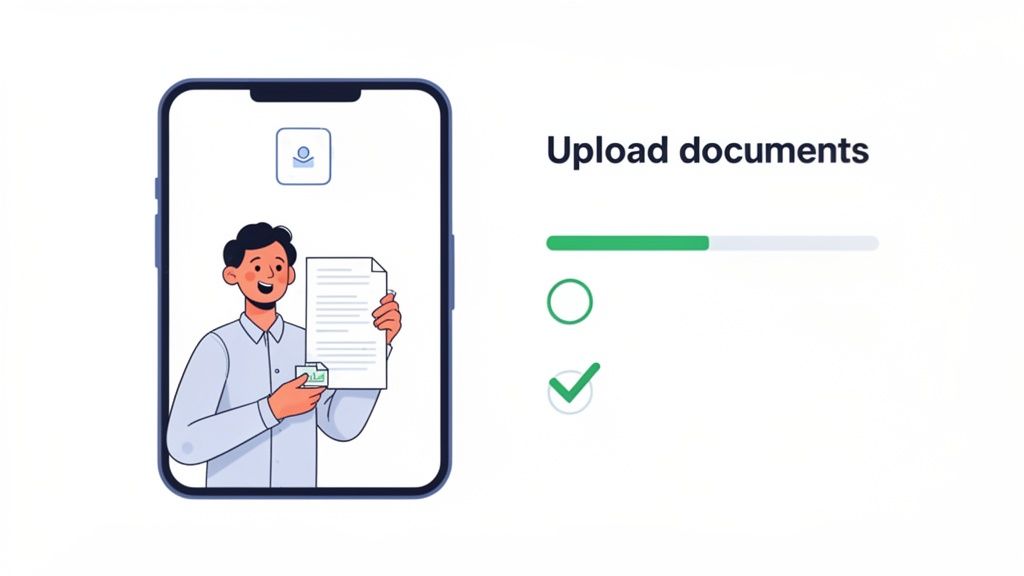
Turning this simple task into a positive experience isn't just about being efficient. It’s about showing clients you value their time and take their security seriously. A clear, intuitive process telegraphs professionalism and sets the tone for a fantastic working relationship.
Design an Intuitive and Branded Portal
Your client portal is essentially the digital front door for your business. It needs to feel like an extension of your brand, not some generic third-party tool you've bolted on. This is where customization really matters for creating a seamless, trustworthy experience.
Start with the basics to make it your own:
- Your Logo: This is non-negotiable. It instantly tells clients, "You're in the right place."
- Brand Colors: Weave in your color palette to create a look that's consistent with your website and other communications.
- Custom Domain: If you can, host the portal on a custom subdomain like
files.yourcompany.com. This small detail goes a long way in reinforcing security and brand ownership.
Beyond just looking good, the portal has to be dead simple to use. Clients shouldn't need a user manual. Use clear headings, maybe a progress bar, and simple visual cues to walk them through the upload. A clean, uncluttered interface makes the whole process feel less like a chore and more like an effortless step forward.
Write Clear and Helpful Communications
The words you use in your automated emails and on-screen instructions can make or break the experience. Ditch the corporate jargon and stiff, formal language. Your goal should be a clear, friendly, and helpful tone that guides people, step by step.
Put yourself in your client's shoes for a minute. They might have no idea what a "Form W-9" is or why you need it. Adding a quick, one-sentence explanation next to each request can save you from a dozen back-and-forth emails.
For example, instead of a blunt "Upload W-9," try this:
"W-9 Form: Please upload your completed W-9 so we can get you set up for payments."
That little bit of context makes the request feel collaborative, not demanding. It shows you've actually thought through the process from their perspective.
Your goal is to make the client feel guided and supported, not barked at by a machine. Every automated message is a chance to reinforce your brand's helpful, human voice.
Set Up Reminders That Nudge, Not Nag
Automated reminders are your best friend for keeping things on schedule, but nobody likes being nagged. The trick is to be helpful and specific. A generic "Your documents are pending" email is easy to ignore. One that clearly lists exactly what's still missing? That gets action.
I've found a simple, three-step cadence works wonders without overwhelming people's inboxes:
- The Gentle Nudge: Send the first reminder a few days before the due date. It’s a low-pressure prompt for those who simply forgot.
- The Due Date Reminder: A quick note on the actual due date adds a touch of urgency without being aggressive.
- The Final Follow-Up: If you're still missing files a day or two after the deadline, a final, polite follow-up is perfectly reasonable.
And here’s the most important part: your system absolutely must stop sending reminders for files that have already been uploaded. When clients see that the system is smart enough to recognize their progress, it turns a potential annoyance into a seamless, professional interaction that keeps everything moving.
Putting Security and Compliance First
When you ask a client for files, you're doing more than just collecting data—you're taking on the responsibility for protecting it. Relying on email to transfer sensitive documents like financial records or IDs is a bit like sending a postcard with your bank details scrawled on the back for all to see. It's a huge, avoidable risk that can shatter client trust and leave your business facing serious consequences.
This isn't just about being professional; in many fields, it's a legal requirement. A secure document intake platform isn't a luxury—it's a fundamental part of any modern workflow. Think of it as a digital safe for your clients' most critical information, giving everyone involved peace of mind.
Understanding Core Security Concepts
You don't need a degree in cybersecurity to grasp the basics of data protection. It really comes down to knowing what to look for when you're choosing a platform to handle all these file requests. I always tell people to focus on three pillars of security.
These are the non-negotiables that form the foundation of any trustworthy system:
- End-to-End Encryption: This is the gold standard, period. It means a file is scrambled the second it leaves your client's computer and stays that way until it lands safely with you. No one in the middle—not even the platform's provider—can peek at the contents.
- Secure Access Controls: This is all about deciding who gets to see what. You can give team members access only to the files they absolutely need to see, which is crucial for keeping sensitive information locked down to authorized eyes only.
- Data Residency and Compliance: This simply means where your data is physically stored. Regulations like GDPR in Europe are incredibly strict about this. Using a platform that stores data in a compliant location takes a huge weight off your shoulders.
These aren't just fancy features; they're essential for building a process that protects both your business and your clients. We break this down even further in our guide on choosing a secure document intake platform.
Assessing the Risks in Your Current Process
It's time for an honest look at how you're asking for files right now. Are you just shooting off emails? Using a generic file-sharing link? Each method has its own set of risks. Ask yourself: if a data breach happened tomorrow, could you confidently prove you did everything possible to protect your client's information?
This is becoming more important every day. Just look at the numbers: in the 2024-2025 academic year, US schools enrolled a staggering 1,177,766 international students. Imagine the sheer volume of passports, visas, and financial statements being requested. For university admissions or HR teams onboarding global talent, a platform with built-in encryption and GDPR compliance is the only sane way to handle that data securely. You can see more on the global student data trends to get a sense of the scale.
The question isn't just about efficiency—it's about liability. A single security oversight can lead to financial penalties, reputational damage, and a complete loss of client trust.
Building a secure workflow is an active choice. When you use a dedicated, compliant system to request files, you're sending a clear message to your clients: "We take your privacy seriously." It turns a potential weakness into a powerful way to build trust and cement your reputation as a partner they can count on.
Tailoring File Requests for Your Industry
Generic solutions rarely get the job done, and that’s especially true when you're asking people for important files. The way a marketing agency gathers client assets is completely different from how a law firm handles sensitive case documents. This is where tailoring your process to your industry's specific needs transforms a helpful tool into a serious competitive advantage.
When you create workflows that speak your industry's language, you eliminate a ton of friction for clients, vendors, or new hires. It means you get exactly what you need, the first time. Think industry-specific terms, requesting documents in a logical order, and using features that solve your biggest headaches.
Legal and Immigration Client Intake
Let's face it, legal and immigration firms are built on a mountain of paperwork. Every new client relationship kicks off with collecting a huge number of sensitive documents—ID cards, financial records, and crucial evidence. Trying to manage this manually isn't just slow; it's a huge compliance risk waiting to happen.
A purpose-built workflow for a new immigration client, for example, can be a lifesaver.
- The Initial Packet: You can start with the absolute must-haves: a signed retainer agreement (easy with an eSignature integration), a clear copy of their passport, and their birth certificate.
- Smart, Conditional Requests: Based on how they fill out an initial form, the system can get smarter. If they mention they're married, it automatically asks for the marriage certificate. If they list children, it knows to request their birth certificates, too. No more back-and-forth emails.
- Built-in Document Validation: You can even set rules to only accept high-resolution PDFs or JPGs for critical documents. This simple step prevents those blurry, unusable phone pictures from ever landing in your system.
This kind of detail is non-negotiable in high-stakes fields. For industries like immigration, where backlogs can be crushing, efficient document collection is everything. In FY 2024, there were 473,464 family-sponsored green card filings, and with over 500,000 cases pending each quarter, there's no room for error. You can dig into more of these numbers on the Docketwise blog about green card statistics.
For law firms, a tailored file request system isn’t just about saving time. It's about building an airtight, auditable case file from day one, which is invaluable for compliance and client trust.
HR and Employee Onboarding
HR teams are document collection machines, especially when a new employee starts. A new hire’s first few days set the tone for their entire experience, and a clunky, paper-based process sends all the wrong signals. A smooth digital workflow, on the other hand, makes them feel organized and valued right from the get-go.
An automated onboarding checklist can completely change the game.
| Stage | Document/Task | Automation Benefit |
|---|---|---|
| Pre-Day 1 | Signed Offer Letter, I-9 Form | eSignature integration gets the "yes" faster. |
| Day 1 | Bank Details for Payroll, Emergency Contacts | A secure portal keeps sensitive data safe. |
| First Week | Policy Acknowledgements, Benefits Enrollment | Automated nudges ensure nothing gets missed. |
This organized approach keeps everything compliant and, more importantly, frees up HR to focus on the human side of things—like actually welcoming their new colleague—instead of just chasing paperwork.
Real Estate and Tenant Applications
The real estate world moves incredibly fast. A delay in getting a tenant's application documents can mean losing a great renter to another property down the street. That's why a smooth, mobile-friendly way to request files is a must-have for property managers and agents.
Think about the typical tenant application. Instead of a messy email chain with ten different attachments, you can send one simple, clean link.
- Start with the Application Form: A digital form captures all their basic info first.
- Prompt for Key Documents: The system then walks them through uploading exactly what you need:
- Proof of Income (like their last two pay stubs)
- Government-Issued Photo ID
- Reference Letters (if you require them)
- Get Screening Authorization Instantly: An embedded eSignature field lets the applicant authorize a background and credit check on the spot.
This creates a far more professional experience that makes your management company look good. It also guarantees every applicant submits a complete package, which makes comparing your options fair and fast.
Supply Chain and Vendor Onboarding
Managing suppliers is another area drowning in documents. Every new vendor comes with a stack of paperwork: contracts, insurance certificates, tax forms, you name it. Trying to track all of this manually is a logistical nightmare, especially when you factor in expiration dates. For a deeper dive, our guide on building a supplier document collection system offers even more strategies.
Here's where automating with expiration date tracking really shines. When you request a vendor's Certificate of Insurance, you can log its expiration date right in the system. From there, the platform can automatically send a reminder to both you and the vendor 30 days before it expires, asking for the updated copy.
This proactive approach stops compliance gaps before they happen and ensures your entire supplier network stays vetted without you having to micromanage it. By tailoring how you collect documents, you can turn a tedious administrative chore into a strategic asset that supports your business, no matter what industry you're in.
Got Questions About Requesting Files? We’ve Got Answers.
Moving away from chasing files through email threads and adopting a more structured system is a smart move, but it's natural to have a few questions. It’s a new way of working, after all. We hear the same concerns from professionals all the time, so let's tackle them head-on.
This isn't about just throwing new software at a problem. It's about finding a better, more secure way to work with your clients that also saves you a ton of time. Let's clear up the big questions around security, client communication, and how this all fits with the tools you already use.
What's Genuinely the Most Secure Way to Get Files From Clients?
Email is out. The single best way is to use a dedicated client portal that provides end-to-end encryption. Think of it like a secure, digital room for you and your client. Unlike email, which can be easily intercepted, a secure portal wraps every document in a layer of encryption from the moment it's uploaded to the moment you access it. The information is never left exposed.
When you're looking at different platforms, here are the non-negotiable security features you should be looking for:
- Role-Based Access Control: This is just a fancy way of saying you can control exactly who on your team sees what. The marketing intern doesn't need access to sensitive financial records, and this feature makes that easy to enforce.
- Detailed Audit Trails: You need a clear log of every single action. Who viewed a file? Who downloaded it? When was it approved? This creates total accountability and transparency, which is crucial for compliance.
- Compliance with Standards: Look for platforms that are built to meet standards like GDPR. This means they’ve already done the heavy lifting on data protection, taking a massive weight off your shoulders.
This approach doesn't just boost security; it centralizes everything. No more digging through ten different email chains to find one critical file. Everything is in one organized, professional, and ultra-secure place.
How Do I Automate Reminders Without Being Annoying?
Nobody likes being spammed. The trick to effective automated reminders is to make them smart and specific, so they feel helpful, not harassing. A generic "Your files are due" email is easy to ignore. A reminder that says, "Hi Jane, we're just waiting on your Proof of Address to finalize your application" is specific, actionable, and much more likely to get a response.
A smart schedule is also key. A gentle nudge a few days before the deadline is a good start, with another on the due date for anything that's still missing. The best systems let you customize the timing and the message.
Here’s the real game-changer: the system should automatically stop nagging clients about documents they've already submitted. This is so important. It shows you’re paying attention and respecting their time by only asking for what you actually still need.
Can I Connect This to the Other Tools I Already Use?
Yes, and you absolutely should. A good document collection platform isn't meant to be another isolated piece of software. It should act as the connective tissue for your other essential tools, creating a workflow that practically runs itself.
Think about what this looks like in the real world:
- CRM to File Request: A new client signs up and you add them to your CRM. This can automatically trigger a file request for all their onboarding documents. Zero manual effort required.
- File Approval to Cloud Storage: Once you click "approve" on a submitted document, it can be automatically filed away in the correct folder in your Google Drive or Dropbox.
- Embedded eSignatures: You can integrate a tool like DocuSign right into the request. Your client can upload their ID, fill out a form, and sign a contract all in one seamless flow.
Tools like Zapier can act as a bridge, connecting your platform to thousands of other apps. When you set this up, your file request tool stops being just a tool and becomes the central hub for your client data, cutting out hours of tedious admin work.
Ready to stop chasing documents and start building a smarter, more secure workflow? Superdocu makes it easy to request files with branded client portals, automated reminders, and powerful integrations. See how much time you can save by starting a free trial today.