
Chasing down files manually is a grind. We've all been there, lost in an endless swamp of email chains, hunting for that one missing attachment, and sending "just a friendly reminder" follow-ups. It feels unproductive because it is unproductive. The time you waste, the project delays, the sheer frustration—it all adds up, quietly chipping away at your business's efficiency.
But there's a much smarter way to handle collecting documents, one that turns this administrative headache into a smooth, automated process.
Why Your Manual File Request Process Is Broken
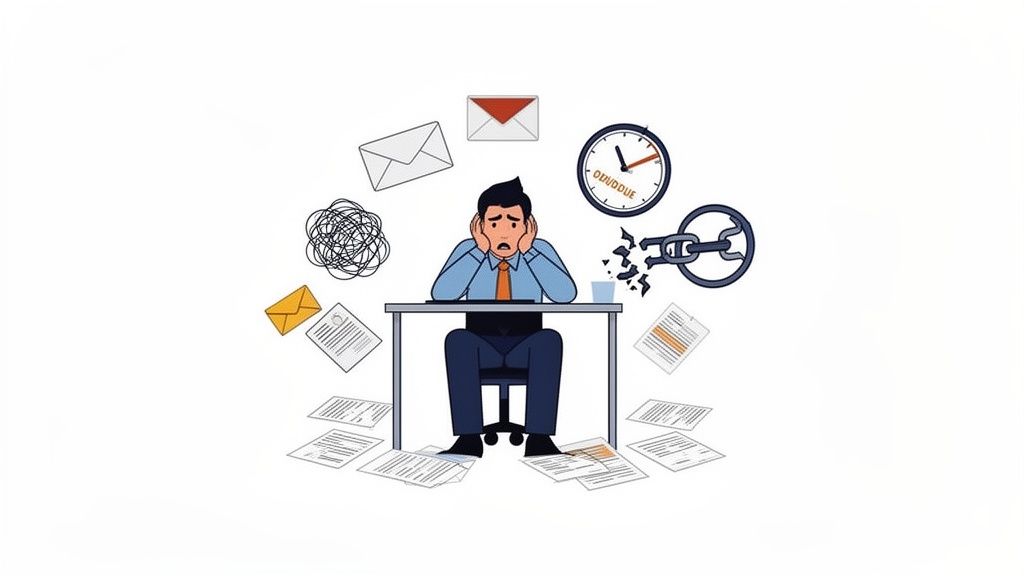
If you feel like you spend more time managing your inbox than doing the work you were hired for, you're definitely not alone. The old-school way of asking for files is just fundamentally inefficient. It creates unnecessary friction for everyone involved—your team and your clients. Every manual follow-up is a small cut, draining your team's valuable time and hurting the client's experience.
Think about a standard onboarding process in any busy HR department. The specialist needs a new hire to send over a signed contract, an I-9 form, and their direct deposit info. This simple request quickly spirals into a messy email thread. The new hire sends two of the three documents, forgetting one. The specialist has to follow up, and the final document eventually arrives in a separate, unsecure email. Now, everything is disconnected and hard to track.
The Hidden Costs of Inefficiency
This little hiccup might seem minor, but when it happens over and over again across an entire organization, the impact is huge. When you request files manually, you're doing more than just wasting time—you're opening the door to serious risks and operational bottlenecks.
The hidden costs stack up faster than you'd think:
- Administrative Overload: We've seen studies showing that professionals can lose a huge chunk of their day to administrative busywork. Manually tracking who sent what, sending countless reminders, and trying to organize scattered files eats up hours that should be spent on strategic, high-value tasks.
- Stalled Projects: When you're waiting on a critical document, everything grinds to a halt. A mortgage broker can't move a loan application forward. A creative agency can't kick off a new campaign. A legal team is stuck waiting on a key piece of evidence. The entire timeline is held hostage by a missing file.
- Poor Client Experience: Let's be honest, a clunky and confusing process doesn't make a great impression. Clients get frustrated trying to decipher long email threads, and they start to wonder if their sensitive information is actually being handled securely. It reflects poorly on your business.
The real problem isn't just the time spent chasing documents—it's the compounding effect of delays, security vulnerabilities, and the poor impression it leaves on clients. Every manual follow-up is a crack in your operational foundation.
Manual vs Automated File Requests a Quick Comparison
To put it in perspective, let's look at a direct comparison between the old way and the new way. The differences are stark and highlight just how much you stand to gain by moving to a dedicated platform.
| Feature | Manual Process (Email) | Automated Platform |
|---|---|---|
| Submission Tracking | Manual spreadsheet or flagging emails; error-prone | Centralized dashboard with real-time status updates |
| Reminders | Manual follow-ups; easy to forget | Automated, scheduled reminders until completion |
| Security | Often unencrypted; high risk of data exposure | Secure, encrypted portal with access controls |
| File Organization | Manual downloading and renaming; time-consuming | Files automatically organized by client and request |
| Client Experience | Confusing email threads; lacks professionalism | Simple, branded portal; clear instructions |
| Validation | You have to open each file to check it | Automatic validation (e.g., checks for a signature) |
As you can see, an automated system doesn't just save time—it adds layers of professionalism, security, and reliability that are simply impossible to achieve with email alone.
Designing a Seamless File Request Workflow
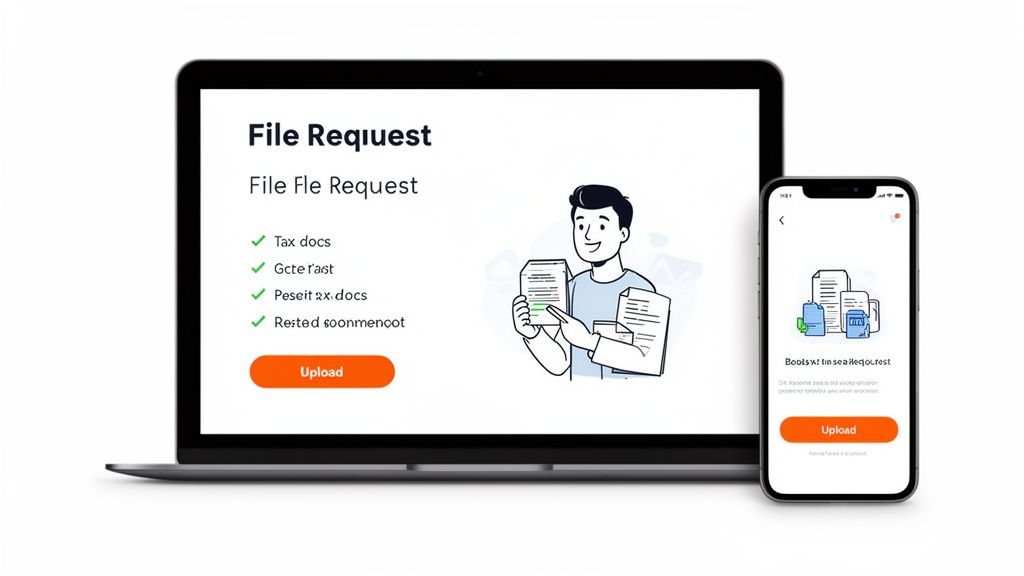
If you're moving away from manual file requests, you have a golden opportunity to build a better system from the ground up. An effective workflow isn't just a digital checklist of your old process. It's a thoughtfully designed experience that makes it incredibly easy for clients to give you exactly what you need, right when you need it.
The whole point is to get rid of the friction and confusion that bogs everyone down.
This all starts with being crystal clear. Before you even think about sending a request, you have to know precisely what you need. Vague requests like "send over your financials" are a recipe for disaster, leading to endless back-and-forth emails and wrong documents. A well-designed system anticipates those common client questions and answers them upfront.
Building Your Master Request List
Think of this list as the foundation of your entire workflow. Every single document you need should be its own item, complete with simple, clear instructions. It's not just about listing file names; it's about giving enough context to prevent mistakes before they happen.
For example, a CPA firm collecting tax documents might be tempted to just ask for "W-2s." That’s not good enough.
A much better request would be: "Please upload your 2024 W-2 form from each employer. Make sure all pages are included and that the scan is clear and legible." See the difference? That small tweak saves you a ton of headaches.
Here’s a simple formula for structuring each item on your request list:
- Use a Simple Name: Call it what it is (e.g., "Signed Engagement Letter").
- Add a Clear Description: Briefly explain what the document is for and why it’s important.
- Provide an Example: If you can, show a sample of a correctly filled-out or formatted document. This is a game-changer for more complex forms.
This level of detail takes the guesswork out of it for your clients, which means they’re far more likely to get it right on the first try.
Crafting a Professional and Branded Portal
Once your list is solid, the next move is to create a welcoming and intuitive place for clients to actually upload their files. A custom-branded portal blows an email inbox out of the water. It immediately establishes a sense of trust and professionalism, showing clients you take their data security seriously from the very first click.
Your welcome message and instructions are your first impression here. Keep them simple, friendly, and to the point.
Pro Tip: Your portal's welcome message should do three things in seconds: confirm who the request is from, state what you're asking for, and provide a clear call-to-action (like "Start Uploading"). Cut the jargon and ditch the long paragraphs.
Look at how a clean interface uses clear headings, a progress bar, and separate upload slots for each document. It creates an organized and stress-free experience for the user.
This kind of setup doesn't just look professional—it acts as a self-service tool. Clients can easily upload what you need from any device—their laptop, a tablet, or even their phone—without having to download or install a single thing.
The easier you make it for them, the faster you get what you need. By designing a workflow with the client's experience in mind, you can turn the chore of document collection into a smooth, positive interaction for everyone involved.
Automating Reminders Without Annoying Your Clients
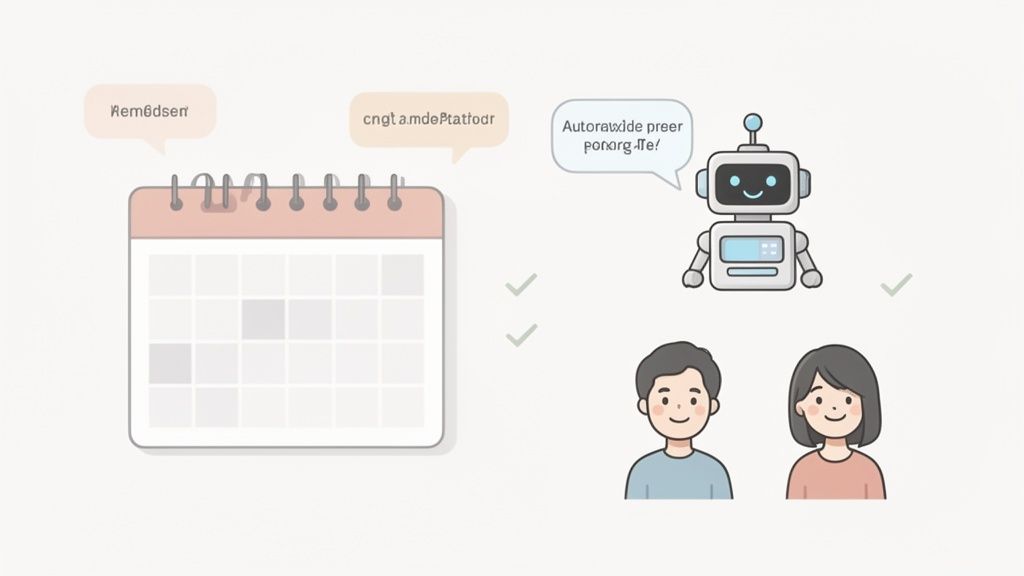
Let's be honest, nobody enjoys chasing down clients for missing documents. It’s awkward, eats up your time, and can even strain the relationship you've worked hard to build. The trick is to be persistent without being a pest. This is where a good automated reminder system completely changes the game.
Instead of relying on your memory or a chaotic spreadsheet, you can set up a smart follow-up sequence. It’s like having a virtual assistant who gently nudges clients for you, keeping your request files top-of-mind without you having to do a thing.
Designing a Smart Reminder Schedule
Timing is everything. A well-placed reminder can be the difference between getting a file on time and chasing it for weeks. From my experience, a simple, multi-step schedule works wonders.
Here’s a sequence that’s both effective and respectful of your client's inbox:
- The Pre-Deadline Nudge: Send a friendly heads-up three days before the due date. This is perfect for the client who meant to upload the files but simply got sidetracked.
- The Day-Of Alert: A quick prompt on the actual due date creates a healthy sense of urgency and often gets immediate results.
- The Gentle Overdue Follow-Up: If the deadline slips, an automatic reminder one or two days later is usually all it takes to get things back on track.
This approach keeps the process moving without ever making your client feel harassed. You can find more strategies like this in our guide on how to automate reminders for document collection.
Your goal is for the system to act like a helpful personal assistant, not an aggressive debt collector. The tone of your reminders is just as important as the timing.
Friendly Yet Firm Reminder Templates
The words you choose matter. You need to be crystal clear about what you need while keeping the tone positive and professional. Keep your messages short, friendly, and focused on the next step.
Here’s a simple template you can adapt for that initial "pre-deadline" nudge:
Subject: Friendly Reminder: Documents Due Soon
Hi [Client Name],
Just a quick heads-up that the documents we requested are due in 3 days. You can upload everything securely right here: [Link to Portal]
Thanks,
[Your Name]
Beyond Deadlines: Proactive Renewals
For some businesses, compliance is a constant cycle of expiring documents. Think about an HR team that needs to track professional certifications or a logistics company managing driver's licenses. Manually trying to stay on top of all those expiration dates is a nightmare waiting to happen.
This is where a truly powerful file request system shines. It can monitor expiration dates for you. When a document is about to expire, the system automatically triggers a new request for the updated version.
This shifts you from a reactive scramble to proactive compliance. It ensures you always have current, valid information on file, protecting your business and your clients from serious risk.
Ensuring Security and Compliance When You Request Files
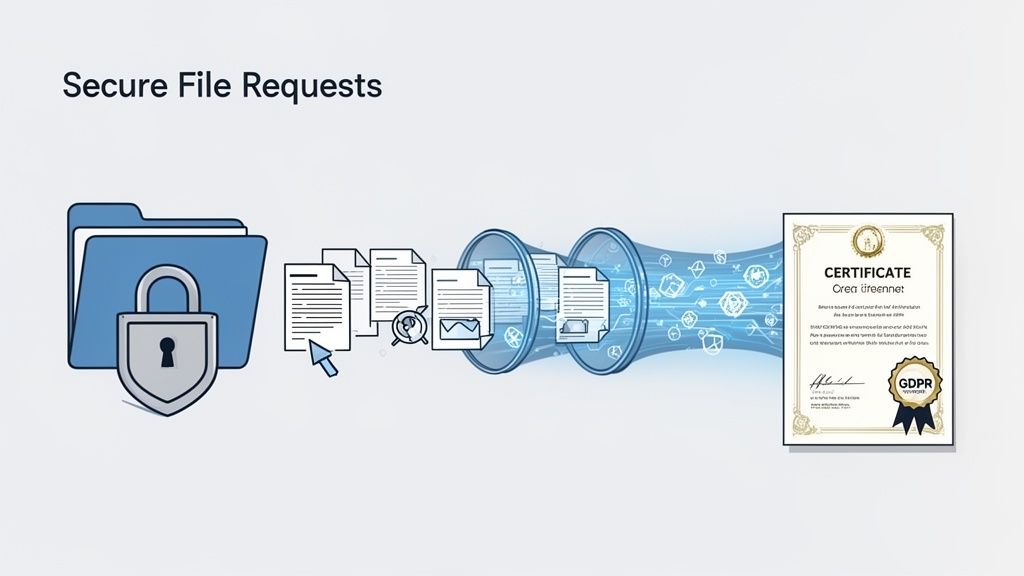
When you ask a client for sensitive information, you're taking on a massive responsibility. It’s not just about getting the documents you need; it’s about proving you can be trusted to protect them. In an era of constant data breach headlines, moving away from insecure email attachments isn't just a good idea—it's essential for your business's credibility.
The new standard is a secure, branded portal. Unlike email, which is notoriously easy for bad actors to intercept, a dedicated platform to request files offers end-to-end encryption. This keeps everything from passports and financial statements to confidential contracts locked down from the moment your client hits "upload" until it's safely in your hands.
Understanding Key Security Features
As you evaluate different tools, a few security features are absolutely non-negotiable. Think of these as the foundation for building a digital fortress around your clients' most private information.
- End-to-End Encryption: This is the big one. It makes data unreadable to anyone but you and your client, protecting it both while it’s traveling over the internet and while it's stored on a server.
- Secure Hosting: Where is the data stored? Look for platforms that host data in regions with strong privacy laws, like Europe. This adds another layer of regulatory protection.
- Access Controls: You should have granular control over who on your team can see or edit submitted files. This simple feature drastically minimizes the risk of internal data leaks.
These aren't just technical terms; they represent a real commitment to keeping client data safe. They show clients you’re serious about protecting them, which builds tremendous trust.
You wouldn't send a stack of cash through the regular mail, right? So why would you send someone's most sensitive personal data through an open channel like email? A secure portal is your digital armored truck.
Navigating Compliance with Confidence
Regulations like GDPR have completely changed the game for handling personal data. Following these rules isn't a choice; it's the law. A good platform will have compliance baked in, helping you stick to the rules automatically every time you request files.
This is especially critical in document-heavy fields like immigration. For example, USCIS recently handled over 473,000 family-sponsored green card applications. A staggering 50,000 of those were denied, often due to simple paperwork errors, according to recent green card statistics. A secure, compliant intake process helps reduce those errors and ensures all information is handled by the book.
A well-built system takes the guesswork out of compliance. You can learn more about finding the right secure document intake platform to protect your clients and your business. By putting security first, you're not just protecting data—you're building a reputation as a business people can count on.
7. Connecting Your File Request Process with Other Tools
Getting your file request system humming is a great first step, but the real magic happens when it starts talking to the other software you rely on every day. Nobody wants to spend their time manually downloading documents from one platform just to re-upload them to Google Drive or update a client’s status in their CRM. That’s exactly the kind of busywork that automation was made for.
When your tools are connected, you create a smooth, end-to-end workflow where one completed task automatically kicks off the next. This doesn't just save a ton of admin hours; it also dramatically cuts down on the risk of human error.
Automating What Happens Next with Zapier
Picture this: a client finishes uploading all their onboarding documents. Instead of you having to log in, check the portal, download the files, and then do five other things, an integration tool like Zapier can handle it all in an instant.
This creates a perfect handoff between your systems. A single completed file request can trigger a whole chain of events automatically:
- Cloud Storage: A new folder is instantly created in Google Drive or Dropbox, and all the submitted files are dropped right in, perfectly organized.
- CRM Updates: The client’s record in your CRM, like HubSpot or Salesforce, flips from "Awaiting Documents" to "Ready for Review."
- Team Notifications: A message pings a specific channel in Slack or Microsoft Teams, letting the right team member know it’s time to get started.
This kind of automation means your team can move faster. The bottleneck of waiting for someone to manually check a status is gone. The moment the files land, the next person in line is ready to go.
Adding E-Signatures to Your Workflow
In many lines of work—from legal to finance—collecting a document is only half the battle. You often need a legally binding signature on it, too. This is where integrating your file request tool with an e-signature platform like DocuSign can be a game-changer.
Think about the old way: you ask a client to download a PDF, print it, sign it with a pen, scan it, and then finally upload it back to you. By integrating e-signatures, you turn that clunky, multi-step chore into one simple action right inside your portal. It's a much better experience for them and gets you what you need way faster.
This small change transforms a confusing process into a single, fluid step. It’s one of those simple improvements that delivers a huge boost to both your turnaround time and your client’s happiness.
By exploring the various integrations available for your file request platform, you can connect your entire software stack and build a truly automated workflow that practically runs itself.
Tailoring File Requests for Different Industries
How you ask for files should change depending on your industry. A cookie-cutter approach just doesn’t cut it when you’re dealing with the specific demands of different professions—the stakes are simply too high for a generic process.
Think about it: a law firm's document needs are worlds away from what an HR department requires. The terminology, the specific files, and the compliance rules are completely different. Customizing your request process for these unique situations isn't just a nice feature; it's fundamental to working efficiently and earning your clients' trust.
Streamlining HR Onboarding
HR teams are in a constant whirlwind of onboarding new hires. This means collecting a huge pile of sensitive documents, from signed employment contracts and tax forms to professional licenses and banking details. A messy process at this stage makes a terrible first impression and opens the door to serious compliance headaches.
A smart move is to use pre-built templates for your new hire packets. This way, you know every single required document is clearly listed with simple instructions.
- Contracts and Agreements: Use built-in e-signature tools to get employment offers signed and returned in a flash.
- Certifications: Set up automatic reminders for licenses or certifications that are about to expire. This keeps your records up-to-date without any manual chasing.
- I-9 and W-4 Forms: Offer clear examples right next to the upload fields to cut down on mistakes and the endless back-and-forth emails.
Getting this right makes new employees feel organized and valued from their very first day.
Accelerating Real Estate and Mortgage Processes
In real estate and mortgage lending, time is everything. A single missing document can hold up or even kill a deal. Real estate agents are constantly chasing tenant applications and signed leases, while mortgage brokers need a ton of financial paperwork like bank statements, pay stubs, and tax returns.
A secure, custom portal for each client is an absolute game-changer here. It gives them one organized place to upload their most sensitive financial information, which looks far more professional and is way more secure than trading attachments over unencrypted email.
This is also a massive challenge for companies that help international students, who have to submit a mountain of paperwork for housing and visas. To give you an idea of the scale, the UK recently handed out over 48,000 study visas in just one quarter. Imagine the paperwork. Automated platforms that let you request files with custom links for things like transcripts and financial statements are a lifesaver, preventing delays and cutting down on the manual follow-up that bogs down these time-sensitive applications. You can learn more about the challenges of international student document processing.
By adapting your file collection strategy for each industry, you can turn a major headache into a real competitive edge.
Got Questions About Requesting Files? We've Got Answers
Switching from chasing files manually to using a more modern system can feel like a big leap. It’s only natural to have questions about how it all works, especially when it comes to security, efficiency, and keeping things professional for your clients. Let's tackle some of the most common ones we hear.
What's the Safest Way to Ask Clients for Files?
Hands down, the most secure method is a dedicated client portal that uses end-to-end encryption.
Think of it this way: email is like sending a postcard. It’s convenient, but it can be intercepted along the way. A secure portal, on the other hand, is like a digital armored truck, protecting sensitive documents every step of the journey—from your client's computer to yours. Look for platforms that are GDPR compliant and host data in privacy-conscious regions. This adds another layer of protection and, just as importantly, builds trust with your clients.
How Can I Spend Less Time Chasing People for Documents?
The secret is automation. Stop setting calendar reminders for yourself and let a smart workflow do the heavy lifting.
You can set up a sequence of automated reminders that gently nudge clients before and after a deadline. This completely removes the need for you to manually send those "just checking in" emails or make awkward phone calls. A good system will let you control the timing and message of these reminders, so they feel helpful, not annoying. You'll be surprised how much this one change can speed up submission times.
A professional, branded experience is no longer a luxury—it’s a core part of building client confidence. When clients see your logo and colors, they feel more secure uploading their confidential information.
Can I Make the File Request Look Like It's Coming from My Company?
Absolutely. This is where using a white-label solution really shines.
You can fully customize the client portal and all email notifications with your company's logo, brand colors, and unique voice. This creates a completely seamless and professional experience. When a client clicks a link to request files, they see your brand, not some generic third-party tool, which makes them feel far more comfortable and secure.
Ready to stop chasing documents and start getting your time back? Superdocu makes it incredibly simple to request files securely, send automated reminders, and create a professional experience your clients will appreciate. Start your free trial and see for yourself.