
We've all been there. The endless back-and-forth emails, the wrong file versions, the insecure download links. Chasing clients for the documents you need is more than just a headache; it's a huge drag on your business. When you have to request files the old-fashioned way, you create friction that stalls projects, frustrates clients, and frankly, opens you up to some serious security risks.
Getting this process right isn't just about being more efficient. It’s about showing your clients you’re a professional outfit from the very first interaction.
The Hidden Costs of Chasing Client Files

The real cost of a messy file request system goes way beyond the time you spend sending another "Just following up…" email. It’s a silent killer of profitability, client happiness, and even your operational integrity.
Think about it: every minute your team spends digging through an overflowing inbox for a single attachment is a minute they aren't doing billable work. That administrative quicksand adds up fast, dragging down productivity across the board.
And what about the client? When they're confused about what you need or how to send it securely, they don't feel supported. This early friction can sour their whole perception of your business, making them wonder if you're as organized as you claim to be. A clunky, outdated process makes you look difficult to work with before you've even started the actual work.
The Ripple Effect of Inefficiency
This manual approach doesn't just create isolated problems; it sends shockwaves through your entire workflow. One missing document can bring a whole project to a grinding halt, triggering a domino effect of missed deadlines and rescheduled tasks for everyone involved. It’s a recipe for internal stress and makes any kind of resource planning feel like guesswork.
Worse yet, it creates massive security gaps. Relying on email or personal file-sharing links to handle sensitive information is a gamble. These methods typically lack essential security features like end-to-end encryption or proper access controls, leaving confidential client data vulnerable. For more ideas on improving this crucial first step, our guide on how to get information from clients has some great strategies.
The real damage isn't just the lost hours; it's the erosion of client trust and the introduction of unnecessary security risks. A professional, secure system signals to your clients that you value their time and data.
Compliance and Legal Headaches
For many of us, the stakes are even higher. Strict regulations around data handling aren't just suggestions—they're the law. For example, laws governing employee personnel files have very specific rules about response times and how data is managed.
A perfect real-world example is Washington State’s SHB 1308. It created a firm 21-calendar-day deadline for employers to respond to personnel file requests. If you miss it, you're looking at statutory damages. Trying to track those deadlines and prove delivery with a manual system is a logistical nightmare.
Moving to a dedicated, automated system isn't just a "nice-to-have" anymore. It's a critical step to reduce risk and make sure your business is built on a secure and compliant foundation.
Designing Your Secure File Request Workflow
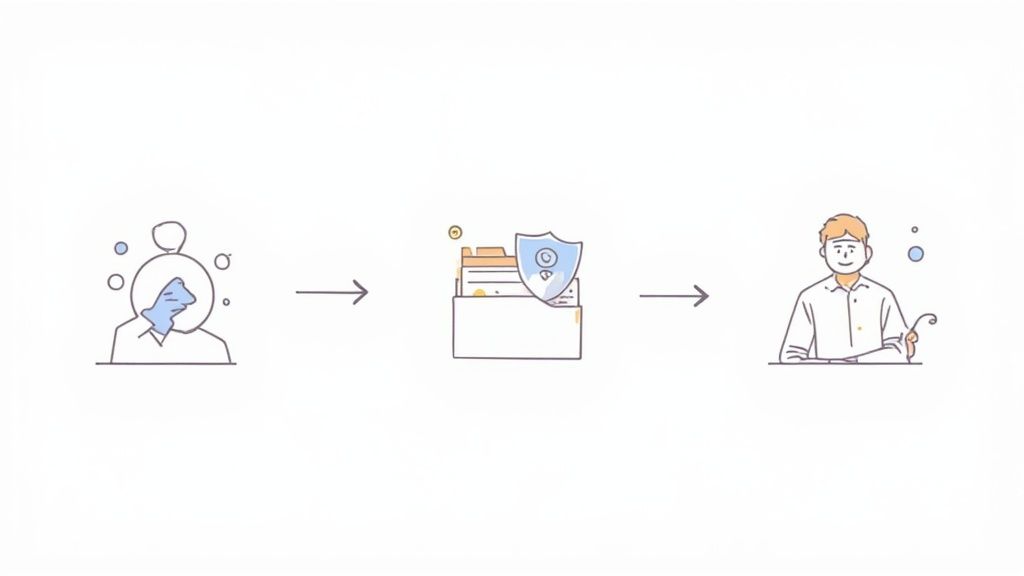
Putting together a solid system to request files isn't about finding one perfect tool. It’s about crafting a repeatable process that puts security first and makes life easy for your clients. A well-oiled workflow gets rid of the guesswork and friction, which makes the whole exchange feel professional and smooth for everyone.
Before you can get organized, though, you have to decide how you'll be collecting documents. The method you choose sets the stage for everything else, from security to the client's overall impression of your business.
Comparing Common Methods to Request Files
Let’s be honest, we’ve all asked clients to just email us a file. While it’s easy, it opens up a world of security risks. On the other hand, a dedicated client portal might seem like overkill for a simple one-off request. Here’s a quick look at the common methods and where they shine—or fall short.
| Method | Security Level | Efficiency | Client Experience | Best For |
|---|---|---|---|---|
| Email Attachments | Low | Low | Poor | Quick, non-sensitive, one-off file exchanges. Not recommended for confidential data. |
| Generic Cloud Storage (Google Drive, Dropbox) | Medium | Medium | Fair | Collaborating on shared documents internally. Client-facing use can be confusing. |
| Secure File Upload Forms | High | High | Good | One-time collection of sensitive documents from multiple clients without requiring them to create an account. |
| Dedicated Client Portals | Very High | Very High | Excellent | Ongoing client relationships requiring frequent, secure document exchange and a branded experience. |
Ultimately, the best choice depends on your specific needs. But for any professional service that handles sensitive information, leaning towards a secure form or portal is always the smarter move.
Define Exactly What You Need
Once you have a method, it’s time to get crystal clear on what you’re asking for. Ambiguity is the number one cause of frustrating back-and-forths. If a client has to guess what "proof of address" means, you might get an old, expired bill, and the whole process grinds to a halt.
Get ahead of this by creating a master list of all the documents you typically request for each service you offer. Be incredibly specific.
- For HR onboarding: You might need a "Signed Employment Agreement" (PDF format), "Government-Issued ID" (a clear, unexpired copy), and a "Bank Details Form" (completed and signed).
- For a real estate deal: Your list could include a "Pre-Approval Letter" (dated within the last 60 days), "Proof of Funds" (bank statement from the last 30 days), and the "Signed Purchase Agreement."
This level of detail means you get the right file the first time. It also gives you the building blocks for creating reusable request templates, which will save you tons of time down the road.
Get Smart With Naming Conventions
A folder filled with files named scan_doc_1.pdf or IMG_5834.jpg is a nightmare waiting to happen. A simple but incredibly effective way to restore order is by using a smart naming convention. It helps you find what you need in seconds.
The key is to be consistent and logical. A great starting point is a format like: [ClientName]_[DocumentType]_[Date].
For example, a file from your client Jane Doe might be named JaneDoe_ID_2024-08-15.pdf. You instantly know who it belongs to, what it is, and when you got it. Even better, some platforms can automatically rename files for you as they're uploaded, taking the burden off your client.
A consistent naming convention is more than just a good habit; it’s the foundation of a workflow that can grow with your business. It slashes the risk of human error and saves hours you'd otherwise waste hunting for lost files.
Lock Down Permissions and Access
Not everyone on your team needs to see every client file. A core principle of data security is giving people access only to the information they absolutely need to do their job. It's a non-negotiable part of modern compliance and security.
Your chosen platform should give you fine-grained control over who can see what. Think about setting up roles for your team.
- Administrators: Full access to all client data and system settings.
- Project Managers: Can view and manage files, but only for the clients they are assigned to.
- Team Members: Might only be able to view specific documents for their task, without any permission to download or delete them.
For example, an accountant on your team probably needs to see financial statements, but they have no business looking at a client's personal ID. By locking down access, you dramatically reduce the risk of an accidental data breach and create a clear audit trail. This thoughtful approach is what turns an efficient process into a secure and scalable one.
Making Your File Request Feel Like It's Coming From You

Let’s be honest, a generic, unbranded link to request files can feel impersonal. Worse, it can come across as a little suspicious to a client. When you're asking for sensitive information, the digital space you invite them into needs to feel like a secure, professional extension of your business—not some random third-party website.
This is where branding and customization are more than just nice-to-haves; they’re essential for building immediate trust. It’s not about making things pretty. It’s about signaling to your client that their data is being handled with care inside a system you stand behind.
Your Brand is Your Handshake
When a client clicks a link you've sent them, the very first thing they should see is your brand. That familiar logo and your company's colors instantly tell them they've landed in the right place. Think of it as a powerful, non-verbal cue that says, "You're safe here."
Imagine the client's journey. They're going from your website or an email—where your brand is front and center—to a file upload portal. A smooth transition keeps their confidence high. An abrupt jump to a generic, unfamiliar interface? That's a surefire way to create friction right when you need them to take action.
Customization is your first line of defense against client hesitation. A branded portal tells clients, "You are still with us, and we are handling your documents securely." That message is crucial, especially when you request sensitive files.
This attention to detail transforms the entire process. It feels less like a transactional chore and more like a white-glove service.
Set It and Forget It with Request Templates
Branding is one part of the puzzle; consistency is the other. Chances are, you ask for the same sets of documents over and over again. Manually typing out instructions and checklists for every new client isn't just a time-sink—it's practically an invitation for mistakes.
Creating reusable templates for your most common requests solves this problem instantly. It guarantees every client gets the same clear, vetted instructions, which cuts down on confusion and the endless back-and-forth emails. Plus, it standardizes the experience, no matter who on your team is sending the request.
Here are a few places where templates are a game-changer:
- New Employee Onboarding: One template can request a signed contract, government ID, and direct deposit info with the same clear instructions for every single new hire.
- Mortgage Applications: Build a template that lists every required financial document, from tax returns to bank statements, with specific date ranges and formatting notes.
- Legal Case Discovery: A standardized template ensures you consistently ask for all the right initial documents, tailored to a specific type of case.
Personalize the Message for the Moment
While templates create a solid foundation, your messaging still needs to adapt to the situation. The way you ask a contractor for a W-9 should sound different from how you ask a new client for their personal financial records.
Here's how you can tweak your copy to fit the context:
- A Friendly Onboarding: Keep the language welcoming and upbeat. Something like, "Welcome aboard! To get everything set up, please upload the following documents. We're so excited to have you on the team!"
- A Formal Financial Request: Be clear, direct, and reassuring. For example, "To proceed with your application, please securely upload the required financial statements listed below. All documents are encrypted for your protection."
This focus on tone shows you're both professional and empathetic, which makes clients much more comfortable with the whole process. And this isn't just a small-business problem. The need for clear, high-volume document management is universal. Just look at the U.S. Department of Justice, which processed a record-breaking 157,180 information requests in a single year, proving how vital robust systems are. If you're curious, you can read the full report about the DOJ's document management strategies to see how massive organizations tackle this challenge.
Automating Follow-Ups and Managing Deadlines

Let’s be honest: chasing down client files is a drag. It’s that tedious, time-sucking task nobody wants to do. Those "just checking in" emails drain your team's morale and can even create a bit of friction with your clients. This is exactly where automation can be a game-changer, transforming a manual headache into a process that runs itself.
When you set up an automated system to request files, you’re not just saving time; you’re reclaiming focus. Instead of your team mentally juggling who owes what, an intelligent system can handle all the gentle nudging. This frees everyone up to do the high-value work that actually drives your projects forward.
Crafting Reminders That Get Results
The trick to a good automated reminder is making it helpful, not pushy. If your reminders are too frequent or aggressive, clients will feel hounded. The goal is to create a sequence of polite prompts that guide them to completion without adding stress.
We've found a simple three-part sequence works wonders.
- The Pre-Deadline Nudge: Send a friendly heads-up 2-3 days before the due date. This is perfect for clients who genuinely forgot and gives them plenty of time. Keep the tone light: "Just a quick reminder that we're looking forward to receiving your documents by Friday!"
- The Day-Of Reminder: If the deadline hits and the files are still outstanding, a direct but polite reminder works best. It reinforces the due date without sounding accusatory.
- The Post-Deadline Follow-Up: A day after the deadline has passed, a message with a bit more urgency is appropriate. You can professionally explain that their project is on hold until the documents arrive.
This structured approach brings consistency to your communication and keeps things moving, all without anyone on your team lifting a finger. You can get even more ideas for fine-tuning this by checking out different approaches to automated follow-ups for document collection.
The Power of Expiration Dates
Here’s another surprisingly effective tool: setting expiration dates on your file upload links. This might seem a little strict at first, but it accomplishes two very important things.
First, it’s a smart security move. A link that stays open indefinitely is a potential risk. By setting a link to expire in, say, 72 hours, you drastically shrink the window for any potential unauthorized access. This is a simple way to show clients you're serious about protecting their data.
Second, it creates a natural sense of urgency. A deadline with a real consequence—the link expiring—is far more compelling than a vague request. It subtly signals that this isn't just another item on a to-do list; it's a time-sensitive action required to keep things on track.
Setting an expiration date is a proactive security measure that doubles as a psychological tool to encourage timely submissions. It frames the request not as an open-ended task but as a specific, time-bound action item.
When you combine automated reminders with expiring links, you create a powerful, self-managing workflow. It minimizes delays, tightens up security, and ensures you get what you need to request files without the hassle. It’s a small process tweak that pays off big in productivity and client happiness.
Keeping Client Data Safe and Sound
When you ask a client for files, you're doing more than just collecting documents. You're taking on the responsibility for their private, often sensitive, information. Getting this right isn’t just good business—it’s a fundamental part of your professional duty. One slip-up can lead to a damaging data breach, torpedoing your reputation and landing you in legal hot water.
Plain old email just wasn't built for this kind of work. It's like trying to move valuables in a paper bag; it lacks the basic safeguards to protect information as it travels from your client to you. To truly keep everyone safe, you need a system designed from the ground up with security in mind.
The Cornerstones of Secure File Collection
When you’re looking at different ways to request files, a few security features are non-negotiable. These aren't just technical terms; they're the foundation of any system you can actually trust. Think of them as your first line of defense against both prying eyes and honest mistakes.
Make sure any tool you use has these essentials:
- End-to-End Encryption: This scrambles the data from the moment a client hits "send" until it lands securely in your system. It essentially makes the file unreadable to anyone who might try to intercept it along the way.
- Strict Access Controls: You absolutely need the power to decide who on your team can see, download, or edit certain files. It’s all about giving people access only to what they need to do their job, which is a powerful way to prevent internal data leaks.
- Detailed Audit Trails: A complete log of every action—who uploaded a file, who opened it, and when—is critical. It gives you a clear, transparent record that’s invaluable if you ever need to investigate an issue or prove compliance.
Without these pillars in place, you're leaving some pretty big holes in your security net.
Staying on the Right Side of Industry Rules
Every industry has its own rulebook. If you're in healthcare, you live and breathe HIPAA. If you do business in Europe, GDPR sets the standard. And if you're a financial advisor, you're accountable to FINRA.
This is where a secure file request portal really shines. It's built to help you meet these specific demands. A HIPAA-compliant system, for example, will have the necessary encryption and access logs baked right in. A GDPR-ready platform will give you the tools to handle client consent and data deletion requests properly.
A secure, dedicated portal isn't just a tool—it's your compliance partner. It helps you build a process that meets industry standards by default, rather than leaving it to chance.
This is especially true in fields dealing with huge amounts of personal information. For instance, recent data showed over 473,000 family-sponsored green card applications were filed, each one packed with deeply personal details. This staggering volume is exactly why immigration and legal firms can't risk using anything but the most secure, compliant systems available. You can discover more insights about these immigration data trends on niskanencenter.org to get a sense of the scale.
Where Security Really Hits Home
Let's make this real. Think about a mortgage broker who asks for tax returns and bank statements over a standard email. If that email gets hacked, their client's entire financial life is exposed. The fallout could be devastating—from identity theft for the client to massive fines and a ruined reputation for the brokerage.
Or, imagine an HR team onboarding a new executive. They need to collect a signed offer letter, Social Security details, and direct deposit information. Using an insecure channel for this is just asking for trouble. A single breach could expose the new hire's most private data before they even walk in the door.
In both cases, a secure file request portal completely changes the game. The mortgage broker sends a professional, encrypted link. The HR department uses a secure portal where the new hire uploads everything directly into a protected space. The client feels secure, the business is protected, and everyone stays compliant. The simple act to request files becomes a powerful signal of your professionalism and your commitment to keeping the people you serve safe.
Connecting File Requests into Your Existing Tech Stack
A great system to request files should never be an island. Its true power is unlocked when it talks to the other tools you use every day, making your entire operation smarter and more connected. When your file collection platform integrates with your tech stack, it acts as the starting pistol for a dozen automated workflows.
This eliminates the soul-crushing admin work of manually moving information from one system to another. It’s not just about saving time; it’s about creating a single source of truth for client data and project status, which drastically cuts down on human error.
Building Your Automated Information Highway
Think about what happens the moment a client uploads a document. Without integrations, someone on your team has to download it, rename it, and move it to the right folder in your cloud storage. Then, they have to update the client’s record in your CRM and maybe even create a task in your project management tool. It's a recipe for mistakes.
With integrations, all of this happens automatically. You can use platforms like Zapier to create powerful "if this, then that" workflows.
- File Uploaded → Create Folder: A new client uploads their initial paperwork, and a neatly named folder is instantly created for them in Google Drive or Dropbox. No more manual setup.
- Document Submitted → Update CRM: Your Salesforce or HubSpot record for that client is automatically updated to show the documents have been received, keeping everyone in the loop.
- All Files Received → Trigger Next Task: Once the final document is in, a new task can be assigned in Asana or Trello, signaling your team to begin the next phase of the project.
This seamless flow of information is what separates a good process from a great one. You can explore a variety of powerful integrations for file request systems to see what's possible for your own setup.
Real-World Impact on High-Volume Workflows
This level of automation becomes absolutely essential when you're dealing with a high volume of complex applications. For example, the demand for EB-5 visas has surged, with recent data revealing 9,878 petitions were filed globally in a short period. Each petition involves a mountain of sensitive documents that must be tracked meticulously. Trying to manage that influx manually would be impossible. You can learn more about these post-RIA application statistics to appreciate the sheer scale of the challenge.
An integrated system doesn’t just make you faster; it makes you more resilient. It allows your business to handle sudden spikes in workload without overwhelming your team or sacrificing accuracy.
By connecting your file request process to the rest of your software, you build an automated, error-resistant workflow. This ensures that every piece of client information lands exactly where it needs to be, ready for your team to take action without any of the usual administrative lag.
Have Questions About Requesting Files? We've Got Answers
Switching up how you collect documents from clients is a big move, and it's natural to have a few questions. Getting a handle on the details from the get-go is the best way to make sure the transition is painless for both your team and your clients.
Let's walk through some of the things people often ask. The whole point is to feel confident that you’re setting up a system that’s secure, efficient, and dead simple for everyone to use—no matter how comfortable they are with technology.
What's the Safest Way to Get Files From Clients?
Without a doubt, the most secure method is using a dedicated client portal or a specialized file request tool that provides end-to-end encryption. Think of it this way: regular email is like sending a postcard that anyone could potentially read along the way. A secure portal is like sending your documents in a locked armored truck. It protects the data from the second it leaves your client's computer to the moment it arrives safely with you.
If you want to really lock things down, look for tools that offer extra layers of security. Things like password-protected uploads, links that automatically expire after a set time, and detailed audit trails that show you exactly who accessed a file and when.
How Do I Actually Get Clients to Send Their Files on Time?
You have to make it ridiculously easy for them. A clean, simple drag-and-drop interface is a game-changer. It takes all the friction out of the process, turning what used to be a chore into a quick, two-second task. And, of course, be upfront about the deadline right from the start.
The real secret weapon? Automated reminders. Gentle, friendly nudges can work wonders. I also find it helps to frame the request in terms of their benefit. Explaining how getting the documents quickly helps you get them their results faster connects their small action to the big outcome they’re waiting for.
Can I Use This With Clients Who Aren't Tech-Savvy?
Of course. The trick is to pick a platform with a user interface so intuitive that it requires zero explanation. The best systems don't force your clients to create yet another account or remember a new password.
Keep your instructions in plain English. For example, your email could literally say, "Just click the secure link I sent, and drag your files right into the box on the screen." For anyone who's still a bit nervous, hopping on a quick screen-share to walk them through it the first time can make all the difference. It shows them just how easy you've made it.
Ready to stop chasing documents and start focusing on what matters? Superdocu makes it easy to request files with branded portals, automated reminders, and top-tier security. Start your free trial today and see how simple it can be.