
We’ve all been there: chasing clients for documents through an endless chain of emails. It feels like a standard part of doing business, but frankly, it’s a huge risk. When you request files over email, you're practically inviting security issues, version control chaos, and frustrating delays that can derail entire projects. It’s a messy way to work, often leading to sensitive data landing in the wrong inbox or your team working off an outdated document.
Why Emailing to Request Files Is Broken

For years, email has been the go-to for just about everything, but it was never built for collecting documents in a structured way. Using it to request files from clients is just a bad habit—one that quietly kills productivity and opens you up to some serious problems. Every time you hit "send" on a request, you kick off a messy back-and-forth that buries critical files in long, confusing threads.
This isn't just a minor annoyance; it creates real friction in your operations. Think about an accounting firm trying to get tax documents before a deadline. They send the initial request, but the client only sends back half of what's needed. A follow-up gets lost in a crowded inbox. Suddenly, the deadline is looming, and your team is firing off "gentle reminders" that feel increasingly desperate.
The Real-World Consequences of a Broken Process
The headaches of using email for file requests go way beyond just being frustrating. They create tangible business problems that can hit your bottom line and tarnish your professional reputation.
Here’s a look at where this old-school process usually falls apart:
- Security Gaps: Let's be honest, email is not secure. Sending sensitive files like financial statements, signed contracts, or personal IDs back and forth leaves you and your client vulnerable to data breaches. One wrong click and that data could be intercepted or sent to the wrong person.
- Version Control Chaos: A client emails "Final_Contract_v2.docx," then follows up an hour later with "Final_Contract_v3_updated.docx." Which one is correct? When multiple versions are flying around, it's almost impossible to know, leading to mistakes and rework.
- Lack of Visibility: At any given moment, can you tell who has submitted their documents and who hasn't without digging through your inbox? Probably not. You have no central dashboard to see what’s outstanding, making follow-ups a manual, time-consuming chore.
- Poor Client Experience: Asking clients to hunt down files, deal with attachment size limits, and navigate confusing email threads is clumsy and unprofessional. It creates unnecessary work for them and can sour their perception of your business.
The real problem is the complete lack of a central hub. When you request files over email, everything is scattered—inboxes, download folders, local hard drives. It’s a compliance nightmare waiting to happen.
This disorganized approach also makes it harder to get information from clients effectively, as they can get overwhelmed by unclear instructions and endless replies. Once you see these pain points for what they are, it becomes obvious that a purpose-built system isn't just a nice-to-have; it's a critical upgrade.
Alright, let's move past those endless, insecure email chains and build a proper system for collecting client documents. Your goal is to create a professional, branded space where clients can easily and securely upload what you need. This isn't just about finding another file-sharing tool; it's about setting up a dedicated client document collection portal that makes the whole process better for everyone.

When you request files this way, you're doing more than just collecting paperwork—you're building trust. A secure portal featuring your logo and brand colors immediately signals to clients that their sensitive information is in professional hands. That small touch can make a huge difference in how quickly and confidently they respond.
Designing a Frictionless Client Experience
The whole point is to make submitting documents so straightforward that your clients barely have to think about it. If the process is clunky or confusing, you’ll end up right back where you started: chasing people with follow-up emails. A great file request portal feels intuitive from the moment a client clicks your link.
So, where do you start? With clarity and simplicity.
Your instructions need to be crystal-clear. Don't just ask for a "signed contract." Instead, be specific: "Please upload a PDF of the fully executed Master Services Agreement." The less guesswork for them, the faster you get what you need.
To guarantee a smooth process, make sure your portal has these essentials:
- Drag-and-Drop Uploads: Nobody wants to click through five different menus just to upload a single file. A simple drag-and-drop box is the modern standard, and clients expect it.
- Mobile-Friendly Design: A huge chunk of your clients will probably open your request on their phone. If the portal is a pain to use on a small screen, you’re just creating a roadblock that will delay submissions.
- Clear File Naming Guidance: Help yourself stay organized by telling clients exactly how to name their files. Something like, "Please name your file: CompanyName_Q4_Financials.pdf" can save you a ton of headaches later.
This kind of thoughtful approach makes the interaction feel less like a chore and more like a guided, professional step in your partnership.
Customizing Your Portal and Forms
A generic "Upload Here" page just doesn't cut it. Customization is what turns a simple file request into a seamless extension of your brand. Your portal should be instantly recognizable, reinforcing your company's professional identity from start to finish.
But it’s not just about looks. Custom forms let you gather crucial information with the files.
For instance, a law firm onboarding a new client doesn't just need a copy of an ID. They can add fields to the form to capture case numbers, dates of birth, or key contact details right at the moment of submission. This completely removes the need for a separate, follow-up email to get that context.
A well-designed request portal does more than collect files; it organizes information. By capturing key details upfront in a form, you prevent the back-and-forth that kills efficiency and delays progress.
Think about the little pieces of information that would make your life easier. You can add custom fields for project names, invoice numbers, or client IDs. Suddenly, a simple file drop becomes a structured data submission, saving your team a ton of administrative time and ensuring every document arrives with the context needed to get work done.
Putting Reminders and Notifications on Autopilot
Let's be honest: manually chasing clients for files is one of the most draining tasks for any team. It's the digital version of tapping someone on the shoulder over and over, and nobody enjoys it—not you, and certainly not your client. Switching to an automated workflow is all about getting those hours back and keeping projects moving without the constant nagging.

The idea is straightforward: set up a series of gentle, automated nudges that go out to clients at just the right moments. You could set up a reminder to go out three days after the first request, for example, and then another one a week later. This persistent-but-professional approach keeps your request from getting lost in a busy inbox, all without you lifting a finger.
Designing a Smart Reminder Sequence
The secret to effective reminders is a mix of good timing and the right tone. You don't want to overwhelm your clients, but you also can't let a request just sit there unanswered. A good system lets you build a custom schedule that matches your project’s urgency.
Here’s a practical sequence I've seen work really well:
- Initial Reminder (3 days post-request): Start with a friendly check-in. Something simple like, "Just a quick reminder about the documents we need for your project. Let us know if you have any questions!" works perfectly.
- Second Reminder (7 days post-request): This one can be a bit more direct and gently highlight why the documents are needed. For example: "We're excited to get your account set up, but we're still waiting on the required files to move forward."
- Final Reminder (14 days post-request): The goal here is to create a little urgency without sounding aggressive. Frame it around the project timeline: "To avoid any delays in your project timeline, please upload the outstanding documents as soon as you can."
The best part? As soon as the client uploads the files, the system automatically stops the reminders. This is a must-have feature. Nothing's worse than annoying a client who has already given you what you asked for.
Keeping Your Team in the Loop Instantly
Automation isn't just for your clients—it’s a massive win for your internal communication, too. Instead of your team having to constantly check a portal or dig through emails to see if a file has arrived, you can set up instant notifications.
The moment a client submits a document, the right people on your team should know. This simple alert system closes the gap between file submission and action, making your whole operation run smoother.
Think about it. When a new hire uploads their signed employment agreement, the HR manager gets an immediate Slack message. When a real estate client submits proof of funds, the agent is notified right away. This instant feedback loop means that work can continue the second you have what you need. It’s a small change that shifts your workflow from reactive to proactive, ensuring every file request keeps your business moving forward.
How Businesses Use This in the Real World: Onboarding & Compliance
Theory is great, but let's talk about how this actually works on the ground. A structured system for requesting files isn't just a "nice-to-have"—for many businesses, it's the difference between smooth sailing and total chaos. Different industries have their own unique headaches when it comes to paperwork, and a smart file request workflow is flexible enough to solve them.
We'll look at a few examples from HR, real estate, and legal teams. Notice how each one goes way beyond just collecting files. They're building a process that's repeatable, secure, and professional, which saves a ton of time, cuts down on risk, and just makes the whole experience better for everyone involved.
HR: Taming the New Hire Onboarding Beast
If there's one place where document collection can get out of hand, it's HR onboarding. A single new hire can mean a dozen or more critical documents, each with its own set of compliance rules. Trying to chase down I-9s, W-4s, direct deposit forms, and signed offer letters through email is a recipe for disaster and can land you in legal hot water.
This is where an HR team can completely change their game by creating a "New Hire Packet" template.
Instead of that long, confusing email crammed with PDF attachments, the HR manager sends one clean, branded link. The new employee gets a simple checklist guiding them through every single document they need to provide, with clear instructions for each.
- Employment Agreement: You can hook this up with an eSignature tool, so the new hire signs and sends it back in one seamless step.
- Form I-9 & Identification: The portal can ask for a clear photo of their passport or driver's license, and you can even add a quick note about what forms of ID are acceptable.
- Tax & Payroll Forms: W-4s and direct deposit forms get uploaded directly into a secure folder, not buried in someone's crowded inbox.
This isn't just about getting organized. It sets a professional tone from day one and shows new hires that you take their sensitive information seriously. Plus, the HR team gets a central dashboard to see at a glance who has turned in what, and who needs a gentle nudge.
Real Estate: Managing the Mountain of Paperwork in a Transaction
Real estate deals are notoriously document-heavy. Agents and brokers are constantly collecting a massive amount of sensitive financial info from clients—think bank statements, tax returns, pay stubs, and property disclosures. Emailing these files back and forth is a huge security risk, and it’s nearly impossible to keep everything straight for even one transaction.
A savvy real estate agent can set up a unique request portal for each client or property. For a buyer, this portal becomes the go-to place for all the financial documents needed for a mortgage pre-approval. For a seller, it’s where they can securely upload property disclosures and inspection reports.
This approach immediately solves a few critical problems:
- A Central Hub: Every document for a specific deal lives in one place. The agent, the transaction coordinator, and the client all know where to look.
- Security and Trust: Clients are rightly nervous about emailing things like bank statements. A secure, encrypted portal gives them the peace of mind they need to send over their information without hesitation.
- No More Confusion: The portal acts as the official checklist. There's no back-and-forth wondering what’s been submitted and what's still holding up the closing.
Legal: Ensuring Rock-Solid Compliance for Client Cases
For law firms, managing client intake and evidence collection isn't just about good organization—it's a fundamental part of their ethical and legal duties. A legal team has to securely gather signed engagement letters, client ID, and all the confidential documents that form the backbone of a case.
Take an immigration law firm, for example. They frequently need to request files from clients in response to a "Request for Evidence" (RFE) from a government agency. These are time-sensitive and demand absolute accuracy. In the U.S. immigration system, RFEs have become a major bottleneck. In fact, USCIS data from Q2 FY2025 showed processing times for key forms like the I-129 jumped by over 80% year-over-year. The pending caseload has ballooned to a record 11.3 million, creating massive delays for applicants. You can read more about these processing backlogs on Boundless.com.
A law firm using a file request portal can create a specific RFE template for a client. It would clearly list every single piece of evidence needed—from birth certificates to employment verification letters—making sure nothing gets missed. This systematic approach not only makes the client's life easier but also builds an organized, defensible record of every document submitted, which is absolutely critical for compliance and successful case management.
Managing Security and Document Retention Policies
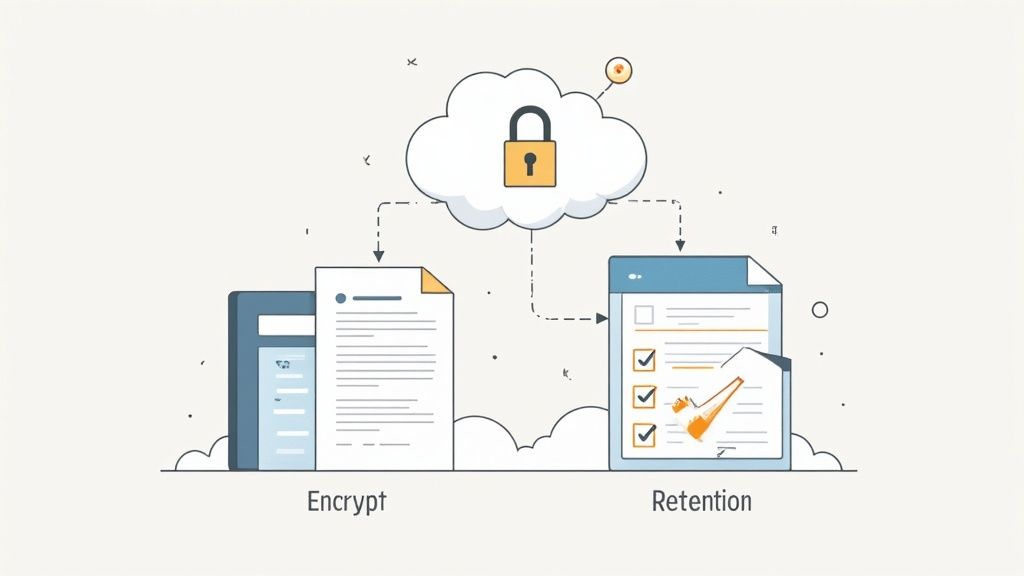
When you ask a client for their documents, you're not just collecting files—you're taking on a huge responsibility. You become the guardian of their sensitive information, and they're placing their trust in you to keep it safe. This is why having solid security and governance practices isn't just a nice-to-have; it's absolutely essential.
The bedrock of any trustworthy file request system is end-to-end encryption. This is what keeps data scrambled and unreadable from the moment a client clicks "upload" until it's sitting securely on your server. Pair that with secure cloud storage, and you've built your first line of defense against data breaches.
But security doesn't stop there. The next layer is all about controlling who sees what. Let's be honest, not everyone in your company needs access to every client file. A good system lets you set specific permissions, dictating who can view, download, or edit documents, which drastically cuts down on the risk of internal leaks or mistakes.
Managing the Document Lifecycle
Once you have the files, you need a plan for their entire lifecycle. Just letting documents pile up forever isn't just a storage headache; it's a massive compliance risk waiting to happen. That’s where a document retention policy comes into play.
A smart retention policy isn't just about deleting old files. It's an automated governance strategy that protects your business from liability and ensures you comply with data privacy laws like GDPR and CCPA.
For instance, you can set up automated rules to archive or permanently delete client files after a specific time—say, seven years for financial records. This simple step stops you from holding onto data longer than you're legally supposed to, which shrinks your risk profile. If you want to get into the weeds on this, check out these document retention policy best practices to help build out your own strategy.
Another simple but effective tool is putting expiration dates on your file request links. This prevents clients from sending you outdated information months after a project has wrapped up, keeping your data current and organized. Poor document handling has real-world consequences. Just look at the median processing time for a simple green card replacement form (I-90), which shot up by a staggering 429% by December 2025. This turned what should be a straightforward file request into a years-long nightmare, all due to system backlogs. You can read more about these USCIS data trends on niskanencenter.org.
Your Security Evaluation Checklist
When you're shopping for a platform to handle file requests, you have to be confident in its security. Don't just take their word for it—vet them yourself.
Here’s a quick checklist to run through when evaluating any tool:
- Data Encryption: Is it using AES-256 encryption for data both in transit and at rest? This is the industry standard.
- Access Controls: Can you get granular with permissions, setting up specific roles for your team members?
- Compliance Certifications: Does the provider have certifications for major regulations like GDPR or SOC 2?
- Audit Trails: Can you see a log of all activity? You need to know who accessed what file and when.
- Secure Data Centers: Where is your data actually being stored? What kind of physical and digital security do they have?
Choosing a tool that checks all these boxes means your process for requesting files won't just be efficient—it'll be built on a foundation of security and trust your clients can count on.
Common Questions About Requesting Files
Switching to a new system for collecting client documents always raises a few questions. It’s one thing to see how it works in a demo, but another to picture it in your day-to-day. Let's tackle some of the most common "what if" scenarios we hear from businesses making the shift.
What if Clients Still Email Me Their Documents?
This is going to happen, especially at first. Old habits die hard. The trick is to be consistent without making it a hassle for your client.
When someone emails you a file, just send a friendly reply that gently nudges them toward your new process. Try something like: “Thanks so much for sending this over! To keep your documents secure and make sure we process them right away, could you take a moment to upload it to our client portal? Here’s the link.”
This approach does two things: it educates them on the new way of doing things and subtly reinforces the security and efficiency benefits for them.
How Do I Introduce This New Process Without Confusing People?
Clear communication is your best friend here. The first time you ask a client to use the new system, don't just drop a link in an email and hope for the best. Take a moment to explain what’s happening and why.
Frame the change as a direct benefit to your client. Focus on things like better security, easier tracking for them, and a more organized experience. A quick heads-up is all it takes to avoid friction.
For instance, you could add a simple note to your request email: "We've just launched a new secure portal to better protect your sensitive information. Please use the link below to upload everything safely in one place."
Is This Kind of Software Affordable for a Small Business?
You bet. You don't need a massive enterprise budget to look and operate like a pro. Many of the best tools are designed specifically for small and mid-sized businesses.
They usually offer flexible subscription plans that can grow with you. When you consider the hours saved from not having to chase down files or manually organize attachments, these systems often pay for themselves surprisingly fast.
Can I Integrate This with My Other Tools?
Yes, and honestly, you should. A good file request platform isn't meant to be another isolated piece of software. It should act as the hub that connects your other essential tools, like your CRM, project management software, or eSignature services like DocuSign.
Integrations are the key to true automation. When a client submits a document, it can automatically trigger a task in your project manager, update their record in your CRM, and kick off the next step in your workflow without you lifting a finger. That's how you make your entire operation run smoother.
Ready to stop chasing documents and build a smarter, more secure workflow? Superdocu gives you everything you need to request files, automate reminders, and manage client documents in one easy-to-use platform. Start your free trial today and see how simple it can be.