
Chasing down client files can feel like a full-time job. It’s that constant, nagging task that quietly sucks up your team's time and grinds entire projects to a halt. The truth is, a messy, disorganized way of requesting documents isn't just a minor annoyance—it’s a major hidden cost that hits your bottom line and chips away at your client relationships.
Every manual email, every confusing request, and every back-and-forth to get the right file creates friction. It’s a process that’s practically begging for errors and keeps your best people stuck doing low-impact work.
Why Your Manual Document Process Is a Money Pit

Let's look beyond the obvious "it takes too much time" complaint and get real about the financial and operational damage of clinging to old-school methods. Each follow-up, clarification, and misplaced document doesn't just waste a few minutes; these tiny delays pile up into massive bottlenecks that can completely derail a project.
Think about a real estate agency on the verge of closing a sale. A single missing signature or an incorrectly filled-out disclosure can hold up the whole deal, leaving both the buyer and seller fuming. The agent is now stuck playing secretary, chasing paperwork instead of lining up their next commission. That’s not just lost time; it’s lost revenue and a hit to their professional reputation.
The Ripple Effect of a Broken Process
The stakes get even higher in a legal firm. An incomplete client file can threaten an entire case, leading to blown deadlines or serious compliance issues. The administrative slog of manually tracking down affidavits, contracts, and financial records eats up expensive paralegal and attorney hours—time that should be spent on winning the case, not hunting for a PDF.
It’s the same story in HR. Onboarding a new employee means a mountain of paperwork. Manually collecting I-9s, tax forms, and banking details is a recipe for human error. One wrong digit or a forgotten form can screw up payroll, risk compliance penalties, and create a terrible first impression for your new hire.
These examples all point to the same thing: having a system isn't just about "being organized." It's a core business strategy. Moving away from scattered emails and clunky spreadsheets to a structured, centralized system is absolutely essential if you want to scale. For a deeper dive, our guide on how to streamline business processes is a great place to start.
The true cost of manual document collection isn't just the hours spent chasing files. It's the delayed projects, the frustrated clients, the compliance risks, and the brilliant work your team could have been doing instead.
The Shift Toward Smarter Systems
Businesses are waking up to these costs, and it's fueling a massive move toward automated solutions. The Intelligent Document Processing (IDP) market is on track to hit $6.78 billion by 2025, growing at a staggering rate of up to 40% annually.
Why the surge? Because over 80% of businesses are planning to invest more in document automation to slash operational costs and navigate increasingly strict compliance regulations.
To give you a clearer picture, here’s how the two approaches stack up.
Manual vs Automated Document Request Impact
| Metric | Manual Process | Automated Process |
|---|---|---|
| Team Time | Hours spent per week on chasing, follow-ups, and organization. | 90% reduction in administrative time. |
| Client Experience | Confusing, frustrating, and slow. Multiple emails and attachments. | Simple, branded portal. Clear instructions and easy uploads. |
| Error Rate | High. Wrong files, incomplete forms, and version control issues. | Near-zero. Validation rules ensure the correct document is submitted. |
| Security Risk | High. Sensitive data shared insecurely via email. | Low. Encrypted, secure portal with access controls. |
| Turnaround Time | Days or weeks. Dependent on manual follow-up. | Hours. Automated reminders and a clear deadline drive completion. |
| Scalability | Poor. Process breaks down as client volume increases. | Excellent. Handles hundreds of requests as easily as one. |
Ultimately, turning this point of friction into a competitive advantage is no longer a "nice-to-have"—it's a must. By implementing a modern system to request documents, you can transform a chaotic, costly process into one that is smooth, professional, and profitable.
Designing a Smarter Document Collection Workflow
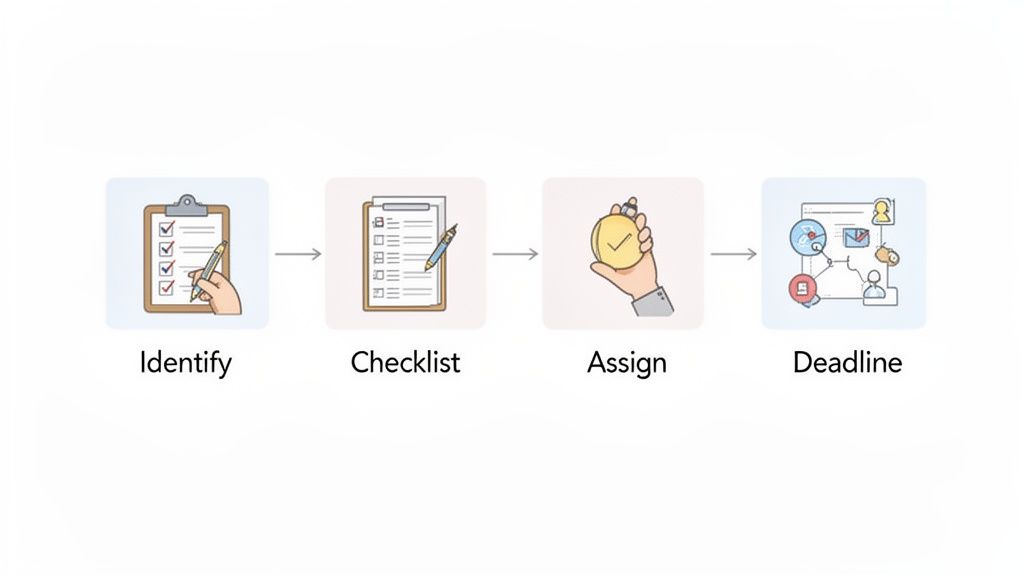
Before you ever hit "send" on a document request, taking the time to map out a smart workflow can save you—and your client—a world of headaches. This isn't about just winging it with a to-do list. It's about building a predictable, repeatable system that makes the whole process smoother for everyone involved. A solid workflow means every request goes out looking professional, clear, and complete from the very beginning.
The biggest mistake I see is treating every request for documents like a one-off task. The key is to standardize the process. Think about the different types of projects or clients you handle. Onboarding a new employee as an HR manager requires a totally different set of paperwork than what a real estate agent needs to list a new property.
Identify and Categorize Your Document Needs
First things first, create master checklists for each of your core services. These become your blueprints for every new client or project. This simple step completely eliminates that dreaded "oh, and one more thing…" email that drives clients crazy and makes your team look unprofessional.
If you’re a mortgage broker, for instance, your checklists might be broken down like this:
- Pre-Approval Checklist: Pay stubs, W-2s, bank statements, and credit check authorization.
- Full Application Checklist: The last two years of tax returns, proof of assets, and any applicable gift letters.
- Closing Checklist: Proof of homeowner's insurance and final signed disclosures.
Organizing your requests this way does more than keep you sane; it gives your clients a consistent, predictable experience. They know exactly what to expect at each stage, which is a huge factor in building trust and keeping things moving.
A great workflow anticipates the client's questions before they even ask them. By providing a clear roadmap of required documents upfront, you remove uncertainty and empower them to gather everything efficiently.
Set Realistic Deadlines and Assign Clear Ownership
Let’s be honest: a request without a deadline is just a suggestion. But slapping an arbitrary due date on everything isn’t the answer, either. That just creates stress and often leads to clients sending incomplete or rushed information.
Think about how long it actually takes for someone to find and upload certain files. A quick photo of a driver's license? That takes minutes. Digging up two years of tax returns? That could easily take a client a few days. Your deadlines should reflect that reality. A great tactic is to break down a large request into smaller chunks, each with its own realistic due date.
Just as important is deciding who on your team owns each part of the process. When everyone thinks someone else is handling it, things inevitably fall through the cracks.
- Who is responsible for sending the initial request?
- Who reviews the documents once they’re submitted?
- Who follows up if a file is missing or incorrect?
- Who gives the final "all clear" once everything is in?
Defining these roles in a shared project board or your document collection software creates accountability. For example, a junior paralegal might handle the initial request and follow-ups, while a senior attorney performs the final verification of sensitive legal files. This ensures the right person is handling the right task at the right time.
By mapping out these key elements—your document checklists, realistic deadlines, and clear team roles—you build a workflow that’s not just efficient, but scalable. You end up with a system that runs smoothly whether you're juggling one client or one hundred.
Writing a Document Request Email That Gets a Response
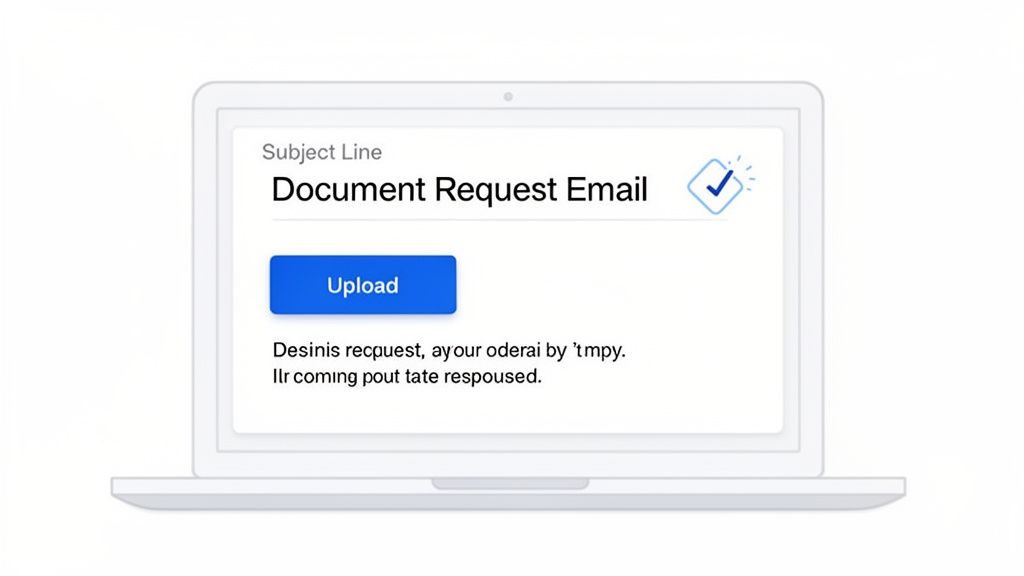
You've planned your workflow and prepped your checklists, but now comes the real moment of truth. How you actually ask clients for their documents can mean the difference between getting what you need in an hour and spending two weeks chasing them down. A great request email isn't just a list of demands; it's a masterclass in clear, respectful, and effective communication.
Just think about your own inbox—it’s a constant battle for attention. Your request has to cut through that noise, and it all starts with a subject line that’s impossible to ignore or misunderstand.
Crafting Subject Lines That Demand Attention
Let’s be honest, generic phrases like "Documents Needed" or "Urgent Request" are practically invisible. They get skimmed over and forgotten. A powerful subject line, on the other hand, gives the recipient immediate context and a clear next step before they even open the email.
It’s about reducing their mental workload. That’s what gets you a quick response.
Check out the difference:
- Vague: "Important Documents"
- Better: "Action Required: Please Upload 3 Documents for Your Mortgage Application"
And another:
- Vague: "New Client Onboarding"
- Better: "Welcome, [Client Name]! Next Step: Submit Your Onboarding Paperwork"
See how the better examples get specific? They mention the context (mortgage application), name the task (upload 3 documents), and use action-oriented language. That clarity is everything.
The Anatomy of a High-Converting Request
Once they open the email, the body of your message needs to be ruthlessly efficient. Your one and only job is to make it incredibly easy for the client to understand what you need, why you need it, and exactly how to send it.
Long, dense paragraphs are the enemy here. They kill momentum.
Instead, stick to a simple, clean structure:
- A friendly, personal greeting: Start by acknowledging your relationship and the project you're working on together.
- A clear statement of purpose: Get straight to the point. Something like, "To move forward with your case, we just need to collect a few key documents."
- An itemized list of what you need: Use a bulleted or numbered list. Never, ever bury the required items in a paragraph of text.
- A single, obvious call-to-action (CTA): This is the most crucial part. Give them one clear link to your secure portal or upload page.
A common mistake I see is offering too many ways to send files. Saying "you can email them, fax them, or use our portal" just introduces decision fatigue. Pick one secure, preferred method and stick with it. It removes friction and gets you what you need faster.
For more inspiration on structuring these messages, you can adapt the templates in our guide covering a sample email requesting information.
Setting the Right Tone for the Situation
The tone of your request has to match your industry and your relationship with the client. You wouldn’t use the same language to request sensitive financial data from a new wealth management client as you would to welcome a new marketing client.
Formal Tone (e.g., Legal or Financial)
- Subject: Document Submission Required for Case File #12345
- Body Snippet: "Pursuant to our engagement, we require the following documents to be submitted by October 26th to proceed. Please use the secure link below to upload all files."
Friendly Tone (e.g., Creative Agency or Consultant)
- Subject: Let's Get Started! A Few Items Needed for Your Project
- Body Snippet: "We're so excited to kick things off! To get the ball rolling, could you please upload the following items through our client portal? It should only take a few minutes."
No matter the tone, the core principles never change: be clear, be concise, and make the next step effortless. When you treat your document request email as a critical part of the client experience, you'll get what you need faster and reinforce your brand's professionalism at the same time.
Automating Your Document Collection System
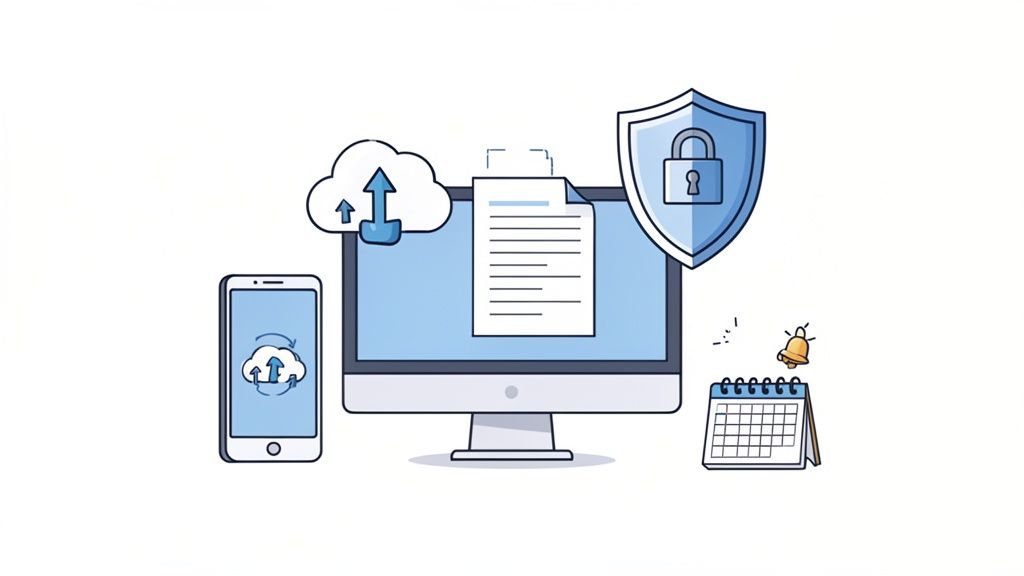
Polished emails and manual checklists can get you started, but they won't help you scale. The real game-changer is building a system that runs on its own, freeing up your team from the endless cycle of chasing down files. This is where you stop managing tasks and start managing a hands-off system that works for you around the clock.
The first move? Get those sensitive files out of your email inbox. Every time a client attaches a tax return, a signed contract, or personal ID to an email, it creates a serious security risk. A dedicated, automated system plugs that hole immediately.
Build Your Hub with a Secure Client Portal
The core of any modern document collection process is a secure client portal. This is your branded, central space where clients can log in and upload everything you need. It instantly transforms the client experience from a messy email thread into a professional, organized exchange.
Think of it as a private digital filing cabinet you provide for your clients, one that connects directly to your workflow. They can access it on their phone while in line for coffee or on their laptop late at night. That level of convenience makes a huge difference in how quickly you get what you need.
A great portal does more than just accept uploads; it guides the client. Instead of a generic "Upload Files" button, it should show them the exact checklist you created, with a clear slot for each document. No more guesswork for them, no more back-and-forth for you.
Security Features That Are Non-Negotiable
When you request documents, especially the sensitive kind, security can't be an afterthought. Your clients are trusting you with their most private information. One breach can shatter that trust—and your reputation—instantly.
Here are the absolute must-haves for any system you use:
- End-to-End Encryption: This scrambles the data from the moment it leaves your client's device until it’s safely in your system, making it unreadable to anyone who might try to intercept it.
- Secure, Compliant Hosting: Your data needs to be stored in facilities that meet major security standards, like GDPR. This isn't just a "nice to have"; it's a requirement for avoiding massive fines.
- Access Controls: You need granular control over who on your team can see or touch submitted files. This ensures only authorized staff can handle sensitive client information.
Investing in a secure platform isn't an expense—it's insurance. It protects your clients, your reputation, and your business from the fallout of a data breach. The peace of mind alone is worth it.
By giving clients a visibly secure place to share files, you're not just protecting data—you're building confidence. They’ll be much more willing to send documents promptly when they know their information is safe.
The Magic of Automated Reminders
Now, let's talk about the single biggest time-saver: automated reminders. We’ve all been there, sending that third polite-but-firm "just following up" email. It's tedious for you and a little annoying for the client.
A smart system lets you create a reminder sequence that runs on autopilot. You set the rules once, and the platform takes care of the rest.
For instance, you could set up a simple schedule:
- Initial Request: Sent right away.
- First Reminder: Goes out 3 days later if files are missing.
- Second Reminder: A final nudge sent 1 day before the deadline.
- Overdue Notice: Sent 1 day after the due date has passed.
The best part is that you can set it and forget it. Your team isn't spending its days tracking deadlines in a spreadsheet or manually sending follow-ups. The system gently nudges clients for you, which dramatically speeds up your turnaround times without any manual effort. If you want to dive deeper into these tactics, our guide on how to collect documents easily offers more practical advice.
Ultimately, automating how you request documents is about more than just being efficient. It’s about creating a better, smoother experience for your clients. By providing a secure, professional portal with automated follow-ups, you eliminate friction, build trust, and let your team focus on the high-value work that actually moves the needle.
Tailoring Your Document Requests to Your Industry
A one-size-fits-all approach to collecting documents just doesn’t work. The rules, risks, and client expectations are completely different depending on your industry. What’s perfectly fine for a marketing agency onboarding a new client would be a compliance nightmare for a law firm managing a sensitive case.
Thinking through these industry-specific needs is more than just tweaking email text. It’s about building a process that anticipates the unique pressures of your field. When you get this right, you turn a potential headache into proof of your expertise.
Legal: It’s All About Chain of Custody
In the legal world, every document is a piece of a larger story. Your job is to protect the integrity of that story. When you request files from clients or opposing counsel, you’re not just collecting information—you're preserving evidence. This is where chain of custody becomes critical. The admissibility of a document in court can hinge on having a clean, unbroken record of who touched it and when.
This is why using a secure portal isn't just a nice-to-have; it's a fundamental requirement. It automatically creates a timestamped, auditable trail from the moment a file is uploaded, proving its integrity.
A typical legal request list might look something like this:
- Discovery Evidence: Collecting and meticulously logging emails, contracts, and internal communications.
- Client Affidavits: Gathering signed statements that need to be verified and stored securely.
- Financial Records: Handling bank statements and tax returns that contain incredibly sensitive personal data.
For legal pros, the request process is an extension of your due diligence. A secure, organized system shows you’re serious about protecting client confidentiality and upholding the rigorous standards of your profession.
HR Onboarding: A Race Against the Compliance Clock
For any HR team, getting documents from a new hire is a sprint against time, with compliance hurdles at every turn. The clock starts ticking the second a candidate accepts an offer. Every form, from I-9s to W-4s, is governed by strict federal and state regulations.
Trying to manage this manually is just asking for trouble. A disorganized process is a breeding ground for errors that can lead to hefty fines. For instance, failing to properly complete and store Form I-9 documentation can result in penalties ranging from a few hundred to several thousand dollars per violation.
An automated system built for HR can get you ahead of these problems by:
- Giving new hires a simple, step-by-step checklist to follow.
- Using validation rules to catch incomplete forms before they’re even submitted.
- Securely storing sensitive data like Social Security numbers and bank details.
- Automatically flagging when time-sensitive documents, like work visas or professional licenses, are about to expire.
This doesn't just keep you compliant; it gives your new team member a smooth, professional welcome.
Real Estate: Where Time Is Always of the Essence
Real estate transactions are fueled by deadlines. A single delayed document—a signed purchase agreement, a loan approval, an inspection report—can bring an entire closing to a screeching halt. In this business, speed and simplicity are everything.
Your clients are already stressed. They’re juggling work, family, and a massive life decision. The last thing they need is a confusing email thread or a request to find a fax machine. Your process has to be mobile-friendly and dead simple. A client should be able to snap a picture of their driver's license with their phone and upload it to your portal in seconds.
That level of convenience isn't just a feature—it's a competitive advantage that lets you close deals faster and handle more clients without dropping the ball.
Immigration: Where Incomplete Paperwork Has Real Consequences
Nowhere is the burden of paperwork more intense than in immigration law. The process is a true marathon. To give you an idea, family-sponsored green card applications in the U.S. hit a staggering 473,464 filings in FY 2024. Industry analysis suggests that 25-30% of all delays in these cases come from incomplete or incorrect submissions. A purpose-built platform can cut down follow-up time by as much as 70% by using smart templates and secure client portals. Given the nature of the data, top-notch security with strong encryption and GDPR compliance is non-negotiable. You can dig into more of these green card statistics on docketwise.com.
For immigration professionals, every single document, from a birth certificate to a letter from an employer, is a critical piece of a client's future. A missing signature isn't a small mistake; it can lead to a denial that has devastating consequences for a family. Custom workflows that walk clients through each specific requirement aren't just helpful—they are absolutely essential for getting it right.
Answering Common Questions About Document Collection Workflows
Even the most carefully planned system will run into real-world hiccups. When you switch up how you collect documents, you and your clients are bound to have questions. It’s just part of the process.
Let's walk through some of the most common issues that pop up when firms start modernizing their document request process. Think of this as your field guide for handling those tricky "what if" situations.
How Do I Handle Clients Who Aren't Tech-Savvy?
This is probably the number one concern I hear, especially from professionals who work with older clients or in industries that are still very paper-based. The secret isn't forcing technology on them; it's making the digital path so simple and intuitive that it's actually easier than the old way.
Here’s how you can bridge that gap:
- Pick the Right Tool: Look for software with a clean, simple interface. Ideally, it should feature one big, obvious "Upload" button for each document you need. No confusing menus or tech jargon.
- Keep Instructions Simple: In your request email, add a friendly, reassuring line. Something like, "Just click the link below to get started. It's as easy as attaching a photo to an email."
- Have a Plan B: For that rare client who truly can't or won't use a portal, have a secure alternative ready. But position it as the exception, not the rule. This keeps your main workflow efficient while still accommodating everyone.
Ultimately, most people—regardless of age or tech comfort—appreciate a process that saves them a trip to the post office or a battle with their scanner.
Is It Really Secure to Request Documents Online?
This question is a good thing! It means your clients are smart about protecting their personal information. Your job is to meet their concern with confidence and show them that your new process is a massive security upgrade over old methods.
Sending sensitive documents like tax returns, passports, or contracts as email attachments is incredibly risky. Your response should pivot the conversation from "Is this online portal safe?" to "Our portal is the safest possible way to get these documents to us."
When a client asks about security, be ready to share a few key details about your system. You don't need to be a tech genius to explain it. Just mention things like:
- End-to-End Encryption: "This scrambles your data during transfer, making it completely unreadable to anyone but us."
- GDPR and CCPA Compliance: "Our system meets the highest international standards for data privacy, ensuring your information is handled correctly."
- Secure Cloud Storage: "Your files are stored in a protected data center, not sitting in a vulnerable email inbox."
Communicating these points shows you take their privacy seriously, which goes a long way in building trust and getting them on board.
What if a Client Uploads the Wrong Document?
It's going to happen. Someone will upload a blurry photo of their driver's license, last year's financial statement instead of this year's, or an unsigned agreement. In a manual, email-based system, this kicks off a frustrating back-and-forth that wastes everyone's time.
A good document collection platform turns this problem into a simple fix.
You’ll have a central dashboard where you can review every file that comes in. If you spot an error, you can simply click "reject" on that specific item. This instantly triggers a notification to the client with a clear, pre-written note explaining exactly what's wrong and what you need instead.
No need to draft a new email. No confusion. What used to be a delay becomes a quick, professional correction that keeps the process moving forward.
Ready to stop chasing documents and build a workflow that actually works? Superdocu gives you all the tools you need—from secure client portals and automated reminders to industry-specific templates—to make document collection effortless for you and your clients. Start your free trial today and see how easy it can be.