
You're probably dealing with one of two situations right now. Either employees are sending mileage claims in a spreadsheet you didn't design, or they're handing over screenshots, notes app entries, and fuel receipts that don't match anything in payroll. Both create the same problem. Finance can't review quickly, managers can't approve confidently, and employees keep asking when they'll be paid.
A good mileage reimbursement form fixes only part of that. The primary benefit comes from building the full workflow around it. You need a form that captures the right fields, a review path that doesn't stall in someone's inbox, and records you can find later when tax time arrives.
Table of Contents
- Why Your Manual Mileage Log Is Leaking Money
- Crafting a Compliant Mileage Reimbursement Form
- Calculating Pay-outs Using the 2026 IRS Rate
- Mapping Your Reimbursement Submission and Approval Process
- Automate Your Workflow and Eliminate Errors with Superdocu
- Maintaining Compliant Records for Tax Time
Why Your Manual Mileage Log Is Leaking Money
The problem usually starts small. One employee forgets to log a client visit until Friday. Another rounds up the mileage because they can't remember the exact route. Someone else submits a form without a business purpose, so finance sends it back. None of these errors looks serious on its own, but together they create avoidable cost.
The hidden cost isn't just admin time
Manual mileage logs waste more than payroll hours. They also create payment delays, approval friction, and weak documentation. In small and medium businesses, over 60% of users report frustration with manual, paper-based forms that lack real-time status updates, and 72% of reimbursement requests are delayed by 5–10 days due to submission bottlenecks, according to Modivcare's mileage reimbursement overview.
That frustration shows up in predictable ways:
- Employees resubmit the same claim: They don't know whether finance received it, so they email again.
- Managers approve incomplete requests: They want to clear their inbox, but the record still lacks details needed for compliance.
- Finance becomes the cleanup team: Someone has to match dates, ask follow-up questions, and check whether tolls belong with the mileage claim or elsewhere.
Practical rule: If your team has to ask "Did you get my mileage form?" your process is already costing too much.
Why monthly batching creates bad claims
The most common bad habit is waiting until the end of the month. People assume they'll remember where they drove, why they went, and what the odometer showed. They usually don't.
When a business relies on memory, the form turns into a reconstruction exercise instead of a clean record. Employees guess at distances, forget parking, and merge several trips into one line item. That slows review because finance has to decide whether the claim is merely messy or unsupported.
Here's what I've seen work better. Require same-day entry, even if final submission happens weekly or monthly. That keeps the log accurate while still giving payroll a predictable reimbursement cycle.
Clean reimbursement systems don't depend on employee memory. They depend on simple routines.
A mileage reimbursement form should remove decisions, not create them. If your current method relies on loose spreadsheets, email chains, or handwritten notes, the leaks aren't random. They're built into the process.
Crafting a Compliant Mileage Reimbursement Form
A mileage reimbursement form should collect enough information to answer three questions without follow-up. Who traveled, what trip was taken, and why it was business-related. If the form can't do that on its own, your approval process will stay slow no matter how disciplined your team is.
The baseline for 2026 is clear. The 2026 IRS standard mileage rate is $0.725 per mile, and businesses commonly use mileage reimbursement forms in PDF, Excel, or Google Sheet formats to track the date, destination, reason, miles, and odometer readings for compliance, as noted in Driversnote's guide to mileage reimbursement form templates.
What every form needs
A usable form has to balance compliance and speed. If it asks for too little, finance has to chase missing details. If it asks for too much, employees avoid filling it out correctly.
At minimum, include these blocks of information:
- Employee identification: Full name, department, and submission period.
- Trip details: Date, starting point, destination, and reason for travel.
- Mileage evidence: Starting odometer, ending odometer, and total business miles.
- Additional reimbursables: Separate lines for tolls and parking.
- Approval trail: Space for manager review, finance review, and payment confirmation.
For teams that are still starting with a template, it helps to look at a broader expense report template collection and then tailor it specifically for mileage rather than forcing a generic expenses form to do everything.
Essential Fields for a Compliant Mileage Form
| Field Name | Description | Why It's Required |
|---|---|---|
| Employee Name | Person requesting reimbursement | Ties the claim to the correct worker and payroll record |
| Department or Team | Business unit or cost center | Helps finance code the expense correctly |
| Submission Period | Week or month covered by the request | Prevents duplicate or overlapping claims |
| Trip Date | Date the business drive happened | Supports review and chronological recordkeeping |
| Starting Location | Where the trip began | Clarifies route and business context |
| Destination | Where the employee traveled | Shows the business travel endpoint |
| Business Purpose | Reason for the trip | Justifies why the drive qualifies for reimbursement |
| Starting Odometer | Odometer reading before travel | Supports mileage calculation |
| Ending Odometer | Odometer reading after travel | Supports mileage calculation |
| Total Business Miles | Miles driven for work purposes | Forms the reimbursement base |
| Parking | Parking charges tied to the trip | Allows separate reimbursement |
| Tolls | Toll charges tied to the trip | Allows separate reimbursement |
| Employee Certification | Confirmation that details are accurate | Strengthens accountability |
| Manager Approval | Review by direct supervisor | Confirms the trip was legitimate |
| Finance Approval | Final reimbursement control | Confirms policy and payment readiness |
A lot of owners make one mistake here. They treat the mileage reimbursement form as a static document instead of a control point. The form isn't just paperwork. It's where you prevent unsupported claims from entering payroll.
The best forms don't just capture data. They make bad submissions hard to send.
That usually means using required fields, drop-down choices for departments, and clear instructions beside the mileage table. Even if you stay with Excel or Google Sheets for now, the form should guide behavior instead of depending on perfect judgment from every employee.
Calculating Pay-outs Using the 2026 IRS Rate
Once the form captures the right data, the next job is calculation. This part should be boring. If people are debating the math every month, the process is too loose.
Use the standard mileage rate consistently
For the 2026 calendar year, the IRS standard mileage rate for business use is 72.5 cents per mile. The rate for medical or moving purposes is 20.5 cents per mile, and the rate for charitable service is 14 cents per mile, according to Zoho Expense's summary of U.S. IRS mileage rates.
If you're reimbursing employee use of a personal vehicle for normal business travel, you'll usually focus on the 72.5 cents per mile business rate. The key is consistency. Pick the rate that applies to your policy and use it the same way across the whole company.
A simple calculation example
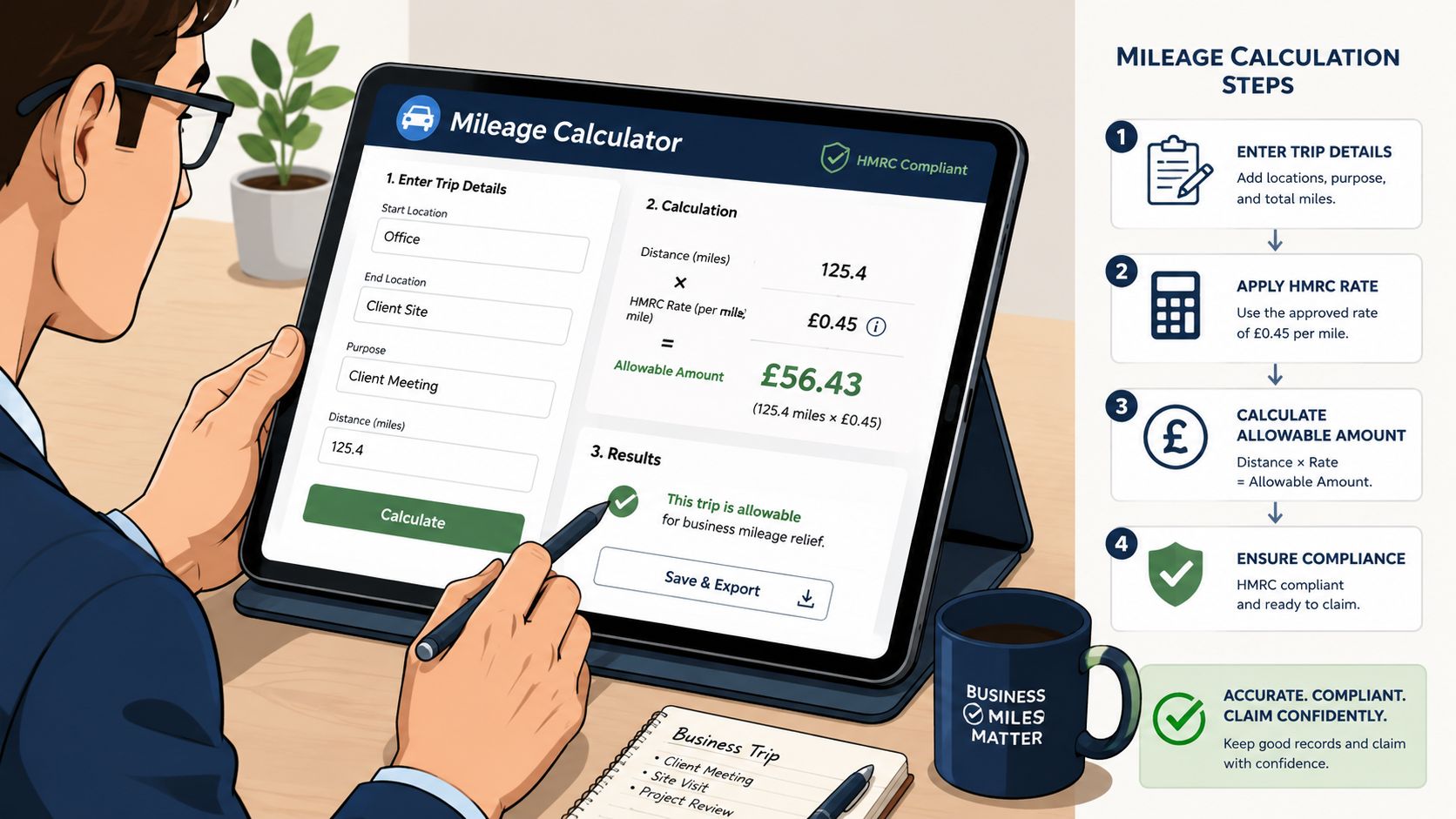
The clean calculation sequence is:
- Take the ending odometer reading
- Subtract the starting odometer reading
- Confirm the result is business mileage
- Multiply total business miles by 72.5 cents
So if an employee records a starting odometer of 12,410 and an ending odometer of 12,438, the trip equals 28 business miles. Reimbursement is 28 × $0.725 = $20.30. If the employee also paid for tolls or parking, those should sit outside the mileage amount and be reviewed separately based on the submitted support.
That separation matters. Mileage covers the standard vehicle-use allowance. Tolls and parking are not the same thing, so they shouldn't be buried in the per-mile figure.
A reimbursement formula should fit on a sticky note. Complexity belongs in policy, not in arithmetic.
If your team operates in multiple regions or occasionally needs guidance on broader vehicle deductions, this practical resource on how to claim car running costs gives useful context on documenting vehicle-related expenses.
Why small businesses usually avoid the actual expense method
In practice, most small businesses prefer a standard rate because it's easier to apply and easier to audit internally. The alternative is the actual expense method, which requires much more detailed recordkeeping around vehicle costs.
That approach can make sense in narrow situations, but it asks for a level of documentation many smaller teams won't maintain consistently. Once you start collecting fuel, maintenance, insurance, and mixed-use records, finance has more judgment calls to make and more exceptions to explain.
For a first system, simplicity wins. If employees can understand the method, managers can review it quickly, and finance can replicate it every time, you're far more likely to get accurate and timely reimbursement.
Mapping Your Reimbursement Submission and Approval Process
A well-built mileage reimbursement form still fails if the process around it is vague. Most businesses don't have a form problem alone. They have a handoff problem.
The reimbursement workflow itself should be predictable. The employee logs the trip, submits the request, the manager confirms the business purpose, finance validates the numbers and any extra reimbursable items, and then payment gets scheduled. That sounds simple, but many teams never define the checkpoints clearly enough for people to follow them the same way.
What a workable process looks like
The most reliable process follows the same sequence every time. The trip should be logged immediately. Then the claim should be calculated from odometer readings, with total miles multiplied by the active IRS rate. Claims should also include an explicit Business Purpose field and separate lines for tolls and parking, because those details help prevent submissions from being flagged during finance review, as explained in File Request Pro's mileage reimbursement workflow guide.
A simple approval path often works best:
- Employee submission: The employee completes the mileage reimbursement form with trip details and attachments.
- Manager review: The manager checks whether the travel was legitimate and policy-compliant.
- Finance approval: Finance verifies the calculation, coding, and supporting items before reimbursement.
- Payment and archive: The approved claim moves to reimbursement and then into record storage.
If you want to standardize those handoffs, it helps to review a structured document approval workflow and apply the same logic to mileage claims.
Where manual workflows usually break
Manual workflows tend to fail in four spots.
First, employees submit incomplete records because the form doesn't force required data. Second, managers approve on trust without checking the business reason. Third, finance gets a claim after payroll cut-off and has to delay payment. Fourth, nobody can tell the employee where the request sits.
That last issue causes more friction than most owners expect. Employees don't mind reasonable review. They mind silence. When there's no status visibility, they email HR, then finance, then their manager. Each follow-up adds work that shouldn't exist.
A strong process answers operational questions before they're asked:
- Has the form been received
- Is anything missing
- Who needs to approve it
- Has it been scheduled for payment
If status only exists in someone's inbox, employees will chase updates manually.
That's why the best reimbursement process isn't just compliant. It's visible. People can see what they submitted, what's pending, and what's been approved without opening a new email thread every time.
Automate Your Workflow and Eliminate Errors with Superdocu
Manual reimbursement systems break because they depend on people remembering every step. Automation changes that by turning policy into process. Instead of hoping employees include the right fields and managers respond on time, you build those requirements into the workflow itself.

Build a request process people will actually use
With Superdocu, you can create a branded request portal for mileage claims instead of relying on shared spreadsheets or email attachments. That matters because employees are more likely to submit correctly when the request flow is simple on a phone or laptop and the form itself tells them what's required.
A strong setup usually includes:
- Required fields: Employees can't submit without the trip date, destination, business purpose, and mileage details.
- Document prompts: The form can ask for parking or toll support when those items apply.
- Branded intake pages: The request feels like part of your business process, not a disconnected tool.
- Central review queue: Finance and HR review claims from one dashboard instead of searching through inboxes.
This approach matters because poor timing and weak capture create avoidable errors. Failure to record trips in real time leads to an estimated 20-30% increase in claim rejection rates. Digital mileage tracker adoption reduces processing errors by over 90% and dramatically accelerates approval times, according to Apps365's analysis of employee mileage reimbursement.
What automation changes in practice
Automation helps in very practical ways. It sends reminders when an employee starts a claim but leaves out supporting information. It routes the request automatically to the right manager. It keeps finance from reviewing submissions that are still incomplete.
That gives you a better operating model:
- The employee receives a secure request link
- The form captures all required data before submission
- The manager gets the request automatically
- Finance reviews only complete claims
- The final record stays attached to the approval history
The biggest improvement isn't speed alone. It's consistency. Every employee uses the same form. Every manager sees the same approval criteria. Every claim leaves the same audit trail.
For service businesses with field teams, transport operations, or dispatch-heavy environments, the same logic appears in broader guides to business process automation for movers. The core lesson is the same. Repetitive paperwork becomes manageable when the workflow enforces the rules.
Why this matters beyond finance
A modern mileage process improves the employee experience too. People stop wondering whether their request was lost. Managers stop acting as status messengers. Finance stops rebuilding broken claims.
If you want to move away from manual collection entirely, this guide on how to automate document workflow is a useful reference point for designing approval rules, reminders, and document intake in one system.
Operational insight: The best automation doesn't replace judgment. It removes the routine mistakes that waste judgment.
That's the distinction. You still decide policy, rates, and approval authority. The system handles the repetitive parts that humans do inconsistently when they're busy.
Maintaining Compliant Records for Tax Time
Reimbursement isn't finished when payment goes out. You also need a record set that makes sense months later, when someone asks why a trip was reimbursed or where the support lives.
What an audit-ready record should include
A compliant file should let a reviewer reconstruct the claim without interviewing the employee. That means keeping the original mileage reimbursement form, trip-level details, odometer-based calculation, any parking or toll support, and the approval history. If your manager approved by email and finance paid from a spreadsheet, those records need to be tied together somehow. Otherwise, you don't really have one record. You have fragments.
The businesses that stay organized treat mileage claims like any other controlled expense. They store the submission, decision trail, and payment reference in one place. That reduces confusion later and keeps the policy enforceable.
Store records so they can be retrieved fast
Paper folders and scattered attachments make retrieval slow. A digital archive works better because finance can search by employee, period, or approval status and find the full trail quickly.
That also helps with everyday operations, not just tax season. When an employee asks about a past claim, HR shouldn't need to dig through old inboxes. When a manager changes roles, the next approver should still be able to review prior submissions cleanly. Organized storage protects continuity as much as compliance.
A mileage reimbursement process works best when form design, approvals, payment, and recordkeeping all fit together. If one part stays manual and loose, the rest of the system has to compensate.
If you want to replace email attachments, patchwork spreadsheets, and missing approvals with a cleaner process, Superdocu is built for exactly that. You can create a branded mileage request flow, enforce required fields, route submissions automatically, and keep every document and approval in one searchable place.