
Thinking about a new document management system? It's easy to get excited about slick software demos, but hold on. The real work—the stuff that guarantees success—happens long before you talk to a single vendor. This is about transforming how your business runs, not just installing a new program. The blueprint for a smooth transition starts with a hard look at your current document chaos, setting clear goals like slashing search time by 40%, and getting everyone important on board from day one.
Your Blueprint for a Successful DMS Implementation

Jumping straight into vendor lists without a clear plan is like starting a road trip without a map. You’ll definitely end up somewhere, but it's rarely where you wanted to go. A successful DMS project begins with an honest, deep dive into how your teams actually work right now.
This first phase is all about discovery. You need to move from vague frustrations like "our files are a total mess" to specific, solvable problems. This isn't just a 'nice-to-have' anymore; it's a business necessity. The global Document Management System (DMS) market, valued at USD 8.7 billion, is expected to skyrocket to USD 39 billion by 2034. That explosive growth, detailed in reports from firms like Market.us, is fueled by businesses scrambling for digital efficiency.
Pinpoint Your Core Challenges
The best way to find the real problems is to talk to the people in the trenches. Go sit with your HR team and ask about the headaches they face with onboarding paperwork. Check in with your legal department and find out how much time they waste hunting for a specific clause in a contract from three years ago. Your mission is to uncover concrete pain points.
You'll probably hear a lot of familiar stories:
- Slow Retrieval: Teams are burning precious time—minutes that add up to hours—digging for files scattered across shared drives, random email threads, and personal hard drives.
- Version Control Chaos: You've seen it. "Contract_Final_v2_JohnsEdits_FINAL.docx." Nobody knows which version is the right one, leading to mistakes and rework.
- Compliance Risks: Sensitive client or employee information isn't properly secured. There's no audit trail to show who accessed what, leaving you exposed.
- Manual Bottlenecks: Critical processes, like getting an invoice approved or onboarding a new client, grind to a halt waiting for someone to physically sign a paper or forward an email.
The goal here is to connect those everyday frustrations to the specific features a DMS can offer. This table can help you translate the pain into a solution.
Matching Business Pains to DMS Solutions
| Common Business Problem | Essential DMS Feature | Example Outcome |
|---|---|---|
| Can't find anything quickly. | Advanced Search & Metadata Tagging | A sales rep finds a specific client contract in 10 seconds instead of 10 minutes. |
| Which version is the latest? | Automated Version Control | The marketing team always works from the most current brief, eliminating rework. |
| Insecure document sharing. | Role-Based Access Controls & Audit Trails | HR can securely store employee files, knowing only authorized personnel can view them. |
| Approval processes take forever. | Automated Workflows | An invoice is automatically routed from the submitter to the manager for approval, cutting the cycle time in half. |
By mapping your specific issues to tangible software features, you're building a business case, not just a wish list.
Define Clear and Measurable Goals
Once you know the problems, you can set goals that actually mean something. "Improve efficiency" is a terrible goal because you can't measure it. You need to get specific.
A well-defined goal is the difference between purchasing software and solving a problem. Aim for clarity: "Reduce client onboarding time from 10 days to 4 days" is a target you can actually measure and achieve.
Instead of vague ambitions, shoot for concrete targets like these:
- Decrease document search and retrieval time by 50% within three months.
- Achieve a 95% on-time submission rate for all new hire paperwork.
- Eliminate all costs associated with printing and physically storing contracts by the end of the year.
- Cut the average invoice approval cycle from seven days down to two days.
Align Key Stakeholders Early
Make no mistake, a DMS touches nearly every part of the business. That's why getting buy-in from key people from the very beginning is non-negotiable. First, find a project champion—a senior leader who gets it and can advocate for the project when you hit roadblocks.
Then, assemble a small, cross-functional team. You’ll want people from IT, legal, finance, HR, and any other department that lives and breathes documents. This group will be your ground crew, helping gather requirements, vet vendors, and eventually, encourage their colleagues to adopt the new system. Getting them involved now turns this from an "IT thing" into a shared business priority.
How to Pick the Right DMS Partner for Your Business
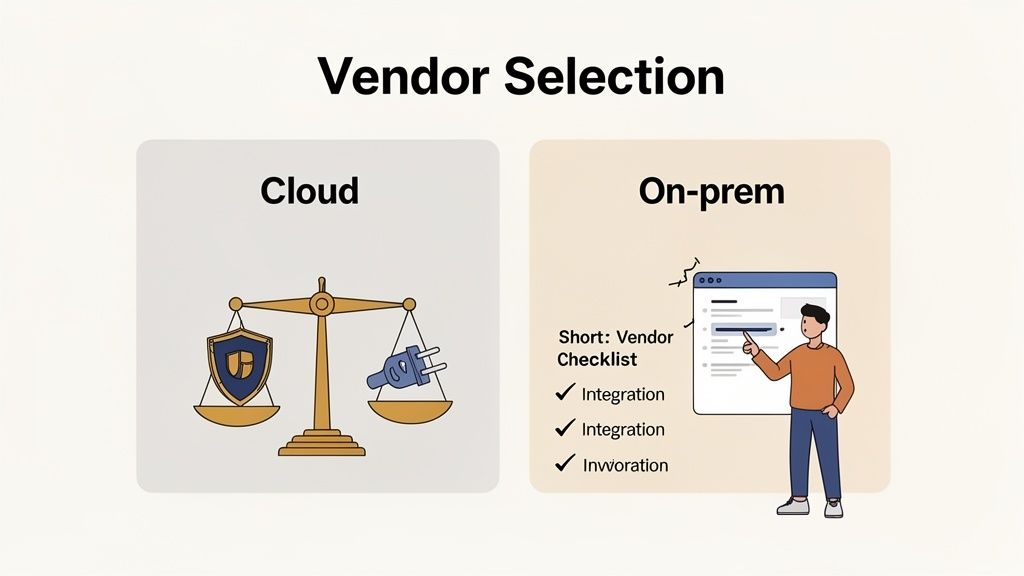
Alright, you’ve done the hard work of defining your goals and mapping out what you need. Now, you can step into the vendor market with a clear head. The sheer number of DMS options out there can feel like a tidal wave, but your plan is your filter. It helps you ignore the flashy marketing and zero in on the partners who can actually solve your problems.
Picking a vendor isn't just about buying software; it's about starting a long-term relationship. The right partner will help you grow, but the wrong one will just create new headaches and frustrate your entire team. You need to look past the slick feature lists and really dig into the fundamentals that will impact your day-to-day work.
Your Core Evaluation Checklist
As you start scheduling demos, keep these key criteria in mind. They'll guide your questions and help you see which vendors truly understand what businesses like yours need.
- Is it actually easy to use? A clunky interface that requires a PhD to navigate is a non-starter. Your team needs to be able to jump in and get work done with minimal friction. If it feels intuitive during the demo, that's a great sign.
- How secure is my data, really? Go beyond the "bank-level security" buzzwords. Ask specifically about data encryption (both in transit and at rest), how they handle user permissions, and if they provide clear audit trails. If you handle sensitive info, they must be compliant with standards like GDPR or HIPAA.
- Will it connect to my other tools? A DMS shouldn't be an island. It needs to talk to the software you already depend on, like your CRM, accounting platform, or e-signature services like DocuSign. Look for native integrations or at least a solid API that works with tools like Zapier.
- What happens when something goes wrong? When you’re in a jam, you need help—fast. Find out about their support channels (phone, chat, email), typical response times, and what their onboarding process looks like. Solid support is your safety net, especially during the first few months.
The Big Question: Cloud vs. On-Premise
One of the first forks in the road you'll encounter is whether to go with a cloud-based (SaaS) or an on-premise system. On-premise solutions give you complete control by hosting everything on your own servers, but that control comes at a steep price: you’ll need dedicated IT staff for maintenance, you’re on the hook for all hardware costs, and software updates can be a nightmare.
For most businesses today, especially small and mid-sized ones, the cloud is the clear winner. There's a reason cloud deployment now holds a 67.2% share of the DMS market. Moving to the cloud can slash costs by 30-50% and cut the time it takes to find a document by 40%. For a deeper dive, check out our guide on the benefits of a cloud-based document management system.
The cloud gives you more than just remote access; it gives you agility. You get automatic updates, storage that grows with your business, and a predictable monthly bill without any surprise six-figure hardware costs.
A platform like Superdocu is designed with this cloud-first mentality. Your data is secure, you can access it from anywhere, and you're always on the latest version without your team lifting a finger. It lets you focus on running your business, not managing servers.
Final Vetting for Your Top Contenders
Once you've narrowed your list down to a few promising options, it’s time to put them to the test. Think of this as the final interview before you sign a contract.
- Demand a custom demo. Don't let them walk you through a generic, pre-packaged presentation. Give them a real-world scenario from your planning phase. For example, show them your current client intake checklist and ask them to build that exact workflow live in their system.
- Talk to their customers. Go beyond the testimonials on their website. Look for reviews on third-party sites from companies that are your size and in your industry. Case studies are great for seeing the real-world ROI they deliver.
- Get the real price. The monthly subscription fee is just the starting point. Ask about any hidden costs for implementation, data migration, training, or what happens if you exceed your storage limits. A vendor with a transparent pricing model is a partner you can trust.
Choosing the right partner is the single most important part of implementing a document management system that will actually make a difference. Take your time, ask the tough questions, and go with the solution that feels like it was built for you.
Getting Your Documents and Workflows into the System
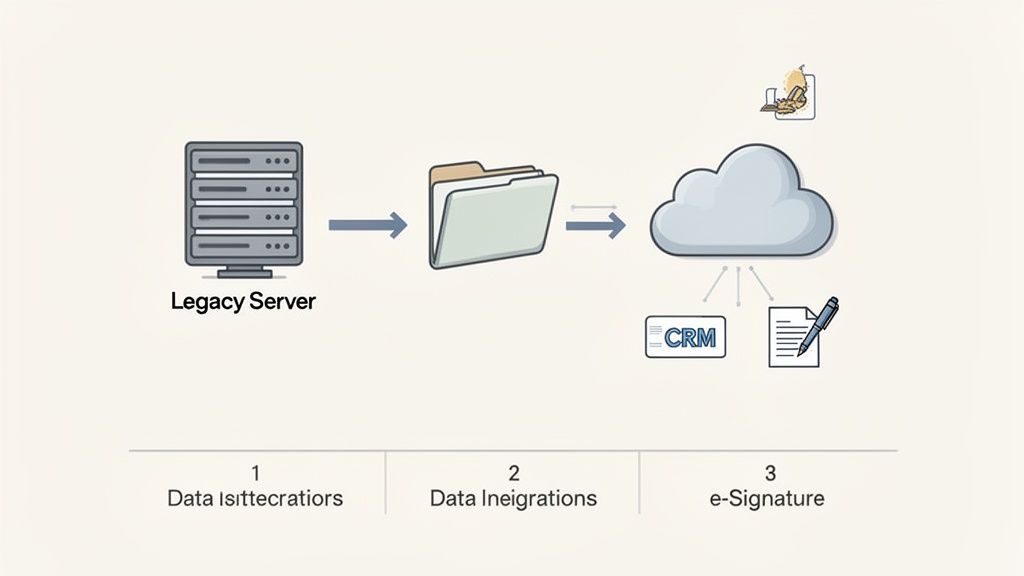
This is where the rubber meets the road. You’ve picked your DMS, and now it’s time to actually move everything over. The temptation to just copy and paste all your folders is strong, but trust me, that path leads to a digital landfill. A successful migration isn't a simple file transfer; it's a carefully planned operation.
The goal here isn't just to relocate your files. It's to fundamentally improve how your business finds and uses information. Think of it less like dumping boxes into a new house and more like hiring a professional organizer to set up your new library, where every book has a specific, logical home.
The All-Important Pre-Migration Cleanup
Before you move a single byte of data, you need to deal with your digital clutter. Shoving years of disorganized, duplicate, and irrelevant files into a shiny new system is the perfect example of "garbage in, garbage out." Seriously, the time you spend cleaning house before the move is the single best investment you'll make in this entire project.
Start by figuring out what you can leave behind. This isn’t just about deleting old files; it's about eliminating the duplicates and outdated versions that cause so much confusion.
- Do a ROT Analysis: Sift through your files and get rid of anything that is Redundant, Obsolete, or Trivial. Be ruthless. That draft of a presentation from 2017? It doesn’t need to make the trip.
- Consolidate Versions: We’ve all seen it:
Report-FINAL.docx,Report-FINAL-v2.docx,Report-FINAL-REAL.docx. Work with your teams to identify the one true master copy and archive the rest. This alone will prevent countless headaches down the road. - Standardize Naming: Come up with a clear, consistent file naming convention that a new hire could understand on day one. For instance, a client contract could follow the format:
[ClientName]-[ContractType]-[YYYY-MM-DD].pdf.
This cleanup phase is where the DMS starts paying for itself before you’ve even fully launched. You’re not just tidying up; you're building healthier data habits that will last.
A Phased Migration Is a Smart Migration
Trying to move every document in your company over a single weekend is a recipe for chaos and panicked Monday morning phone calls. A phased approach is safer, smarter, and lets you learn as you go. You can break down the rollout in a few different ways.
| Migration Approach | Description | Best For |
|---|---|---|
| By Department | Start with one team, like HR or Finance. Move their files, train them, and get their feedback before tackling the next department. | Companies where different teams have very distinct document needs and workflows. |
| By Document Type | Begin by moving all active client contracts, then all vendor invoices, and so on. This keeps related information together from the start. | Businesses with highly standardized, process-driven paperwork. |
| By Priority | Move the most critical, frequently used documents first to show immediate value. Less-used archival data can be moved later. | Organizations that need a quick win and want to solve their biggest pain points first. |
No matter which path you choose, always start with a small pilot group. Their real-world experience will expose any gaps in your plan before you roll it out to everyone else.
A migration plan isn't just about data; it's about people. By starting small and phasing the rollout, you minimize disruption and build momentum, turning a potentially overwhelming project into a series of manageable wins.
Making Your DMS the Hub of Productivity
Getting your files moved is only half the job. The real magic happens when your DMS stops being a fancy filing cabinet and starts communicating with your other business-critical tools. This is where integration makes all the difference.
When you connect your DMS to your CRM, accounting software, or project management platform, you turn static data into an active, intelligent workflow.
Imagine a new client signs up through your website:
- A new contact record is automatically created in your CRM.
- This event triggers a workflow in your DMS, like Superdocu, which then sends the client a personalized request for their onboarding documents.
- As soon as they upload their files, your team gets a notification, and the documents are automatically filed into the correct client folder.
This kind of connection gets rid of mind-numbing manual entry, dramatically speeds up processes, and ensures nothing ever falls through the cracks. As you evaluate systems, look for strong native integrations or a flexible API. To see what's really possible, check out our guide on how to improve your processes with document workflow automation. This is how you go from just managing documents to actually optimizing the way you work.
Making the System Yours: Security, Workflows, and Performance
With your documents safely migrated and your essential tools connected, it's time for the fun part. This is where you mold the generic software into a powerful, secure hub that works exactly the way your business does. Getting the configuration right is what turns a digital filing cabinet into a genuine productivity engine.
Think of it like setting up a new workshop. The heavy machinery is in place, but now you have to arrange your tools on the pegboard, set up the workstations for efficiency, and label every drawer. In the same way, we're about to set up user access, build smart workflows, and put your company's brand on the client experience.
First Things First: Lock Down Your Data with User Roles
Your absolute first priority is controlling who can see and do what. Not everyone in the company needs access to everything—in fact, they shouldn't. A well-defined structure of user roles and permissions is the foundation of solid document security. This is especially true if you're in an industry that handles sensitive client or employee data.
The trick is to define roles by job function, not by individual names. This approach scales beautifully as your team changes and grows.
Here’s a simple, effective way to structure it:
- Admins: These are the keyholders. They have full system control, from managing users to configuring top-level security. Keep this group very small and limited to only the most trusted people.
- Managers/Team Leads: They can typically view and edit files within their own department, approve steps in a workflow, and manage their team’s folder access.
- Standard Users: This is most of your team. They can create, edit, and work with the documents they need for their day-to-day tasks but can’t wander into sensitive areas like HR or finance.
- View-Only/Guests: Perfect for external collaborators like auditors or clients. They can see specific documents you share but have no power to edit, download, or delete anything.
Pro Tip: Always operate on the "Principle of Least Privilege." It's simple: only give people the absolute minimum level of access required to do their job. This one rule dramatically cuts down your risk from both accidental mishaps and intentional threats.
For industries like legal services, this isn't just a good idea—it's a requirement. With regulations like GDPR and HIPAA now the norm, and North American businesses facing over 2,200 cyber threats daily, controlled access is critical. A properly configured DMS helps you stay compliant and protect your data. For more on this, check out the latest DMS security trends from Market.us.
Next Up: Automate Everything with Workflows and Templates
Once your security is tight, you can shift your focus to boosting performance. This is where you get to eliminate all those repetitive, soul-crushing manual tasks that eat up your team's time. A good workflow ensures processes are followed perfectly, every single time, without anyone needing a checklist taped to their monitor.
Take an HR department, for example. You can build an automated onboarding workflow. As soon as a new hire is added, the system can automatically request their I-9 and direct deposit forms, set deadlines, and even send friendly reminders until everything is submitted. No more manual chasing, and every employee file is complete from day one.
A real estate agency could do something similar with templates for property closings. Every new deal gets a pre-built checklist of required documents, making it almost impossible to miss a critical piece of paperwork. You can find more ideas like this in our guide to document management best practices.
Don't Forget the Finishing Touches: Brand Your Client Experience
Finally, make the system look and feel like it belongs to your company. If you're using a platform like Superdocu, you can customize the client-facing portals with your own logo, brand colors, and personalized email notifications.
This is more than just window dressing. It's about building trust. When a client gets a document request that clearly comes from you—with your branding and professional tone—it creates a seamless and secure experience. It tells them you’re a serious organization that cares about their security and wants to make their life easier. It's a small step that transforms an internal tool into a core part of your client service strategy.
Launching Your DMS and Driving Team Adoption
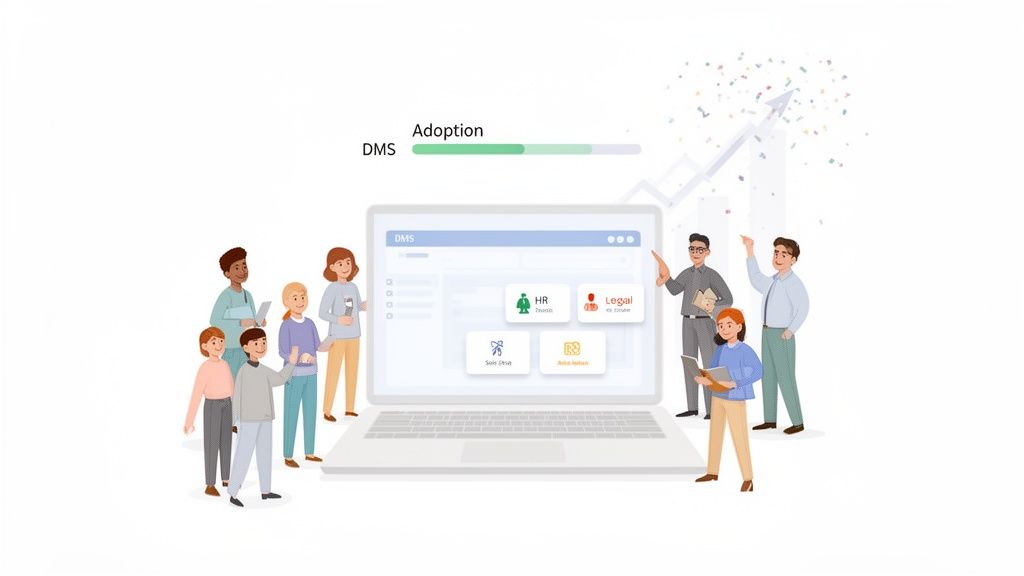
You’ve configured the software, migrated the data, and done all the technical heavy lifting. Now for the hard part: getting people to actually use it.
A perfectly designed DMS is worthless if it just sits there. This final stretch is all about the human side of the equation—turning skepticism into enthusiasm and making sure the new system becomes a natural part of everyone's daily work.
Success isn't about sending a mass email with a login link and hoping for the best. It's a strategic effort that requires clear communication, practical training, and very visible support from leadership. You have to show your team why this change makes their jobs easier, not just what’s in it for the company.
Choosing Your Rollout Strategy
One of the first big decisions is how you'll go live. There are two main paths, and the right one for you depends entirely on your company culture, the complexity of the new system, and how much disruption you can handle.
A full-scale, “big-bang” launch—where everyone switches over at once—creates immediate momentum. It's a clean break from old habits and forces the organization to adapt quickly. The risk, of course, is that any major hiccup affects the entire company simultaneously, which can easily overwhelm your IT or support team.
The alternative is a phased rollout, introducing the DMS one department or team at a time. This approach is much safer and more controlled. You can work out the kinks with a small pilot group, get real feedback, and fine-tune your training before moving on. The tradeoff is a longer transition period, where some people are in the new system while others are still using the old one.
To help you decide, here’s a quick comparison of the two approaches.
DMS Rollout Strategy Comparison
| Factor | Phased Rollout (By Department/Team) | Full-Scale Rollout (All at Once) |
|---|---|---|
| Risk Level | Lower. Issues are contained to a small group and can be fixed before a wider launch. | Higher. A single major bug or server issue can halt productivity across the entire company. |
| Feedback Loop | Excellent. You gather real-world user feedback from the pilot group to refine the process for others. | Limited. You're fixing problems live and under pressure, often with limited user input. |
| Resource Strain | More manageable. Your support team focuses on one group at a time, providing better, more focused help. | High. The support team can be overwhelmed with requests from all users at the same time. |
| Momentum | Slower. The transition period is longer, and it can feel like you're straddling two systems. | Immediate. Creates a clear "this is the new way" message and forces quick adoption. |
| Best For | Larger organizations, complex workflows, or companies where operational continuity is critical. | Smaller companies, simpler DMS setups, or cultures that are highly adaptable to change. |
Choosing the right strategy up front sets the tone for the entire launch and can make the difference between a smooth transition and a chaotic one.
Pro-Tip: No matter your approach, find your champions. Identify a few enthusiastic people in each department and empower them to be the go-to experts for their colleagues. Peer-to-peer support is often more effective and relatable than a top-down mandate.
Making Training Relevant and Pain-Focused
Nobody wants to sit through a two-hour lecture on every single feature. That's the fastest way to make people tune out. Good training is short, role-specific, and laser-focused on solving the exact problems you identified way back in the planning phase.
Ditch the generic, one-size-fits-all session. Instead, create targeted micro-trainings.
- For the Sales Team: Show them how to find the latest marketing collateral in seconds, ending that frustrating search for outdated brochures.
- For Human Resources: Demonstrate the automated onboarding workflow that chases new hires for paperwork so they don't have to.
- For the Finance Department: Walk them through the new invoice approval process that can cut the cycle time from a week down to a single day.
When you frame the training around "here's how this tool makes that daily headache go away," people actually listen. The DMS stops being another piece of software they have to learn and becomes a tool they want to use. In industries like real estate and HR, this can literally double onboarding speeds. Automated reminders alone can push document submission rates up to 95%, turning a manual, frustrating process into something that just works. You can find more data on these market trends at Market.us.
Communicating the "Why" and Celebrating Early Wins
Throughout the launch, keep the communication lines wide open. Be clear, be consistent, and always circle back to the benefits. Don't just announce the new system is live—explain why the change was made and what's in it for everyone.
Keep that momentum going by celebrating and sharing early success stories. When the HR manager hits their 95% document submission goal for the first group of new hires, share that win with the whole company. When a salesperson closes a deal faster because they pulled up the contract on their phone, make sure that story gets told.
These small, tangible victories are social proof that the new system works. They show everyone that the temporary discomfort of learning a new tool is well worth the long-term gains. By providing hands-on support and consistently reinforcing the "why," you’ll get your team on board and finally unlock the full value of your new DMS.
Measuring Success and Optimizing Your System
It's easy to think that once your new DMS is live, the work is done. But the truth is, go-live isn't the finish line—it's the starting line. Now, the real work begins: shifting your focus from implementation to impact. You need to see how the system is actually performing in the wild and constantly tweak it so it grows with your business.
This means you have to start tracking the right key performance indicators (KPIs). Forget vague goals like "being more efficient." We need to look at concrete numbers that prove the system is worth the investment and show us exactly where we can make things even better.
Defining Your Core Success Metrics
To really get a feel for the system's impact, you have to measure tangible changes in how your team works every day. The best KPIs are the ones that directly tie back to the headaches you wanted to solve in the first place.
Here’s what you should be looking at:
- Average Document Retrieval Time: How long does it take someone to find a specific file now compared to the old way? You should be aiming for a 40-50% drop here. It’s a huge win for productivity.
- Project or Client Onboarding Cycle Time: Start the clock when a new project kicks off and stop it when every last document is collected and signed off on. This number should be shrinking.
- Printing and Storage Costs: Keep a close eye on your monthly bills for paper, ink, and any physical storage units. As you go digital, these costs should plummet.
- Error Rate Reduction: How often are people accidentally using an old version of a contract or forgetting a required form? A well-oiled DMS should bring these mistakes down to nearly zero.
A DMS isn't a "set it and forget it" tool. The greatest value comes from treating it like a living system—one that you regularly audit, refine, and adapt based on real user feedback and performance data.
Gathering Feedback and Planning for the Future
The numbers tell one story, but your team's experience tells the rest. Don't forget to talk to them. Schedule quick, regular check-ins or send out a simple survey. Ask what’s working, what's still causing friction, and what they wish could be automated next. This kind of feedback is pure gold for figuring out what to improve.
It also pays to keep an eye on what's happening in the wider world. Global data is projected to hit an incredible 175 zettabytes by 2025. That's a staggering amount of information to manage, and it highlights just how critical these systems are becoming for staying competitive. If you want to dive deeper into market trends, you can find some great insights on market.us.
Best Practices for Ongoing Maintenance
Finally, you need a simple maintenance routine to keep your DMS from turning back into the digital junk drawer you were trying to escape. A little proactive housekeeping goes a long way.
- Conduct Regular Data Audits: Every quarter, take a look at who has access to what. Make sure permissions are still correct, remove old accounts for people who have left, and update roles as teams change.
- Archive Old Documents: Don't let your active workspace get cluttered. Set a schedule to move old, inactive files to an archive. This keeps things running fast and makes current documents easier to find.
- Stay Updated on New Features: Your DMS provider is always adding new tools and features. Make it someone's job to read the release notes and see if there's a new goodie that could solve one of your team's persistent problems.
By actively measuring success and keeping your system tidy, you ensure that implementing a document management system becomes a lasting strategic advantage, not just a one-and-done project.
Frequently Asked Questions
When you're thinking about bringing a document management system into your business, you're bound to have questions. It's a big step, and getting the right answers upfront can make all the difference between a smooth rollout and a project that stalls out. Let's tackle some of the most common ones I hear.
How Long Does DMS Implementation Take?
This is the classic "how long is a piece of string?" question, but I can give you some real-world benchmarks. If you're a small team grabbing an out-of-the-box cloud solution, you could be up and running in a few days.
But a full-blown implementation? That's a different story. When you factor in migrating years of documents, mapping out custom workflows, and getting everyone trained up, you’re typically looking at a timeline of a few weeks to three months. The two biggest variables are always the amount of data you have and how complex your internal processes are.
What Is the Biggest Mistake to Avoid?
I've seen this happen more times than I can count: companies get excited and jump straight into vendor demos without doing their homework. They skip the critical planning phase where you're supposed to dig into your real operational headaches and define what success actually looks like.
This almost always leads to picking a system that looks shiny but doesn't solve the core problems.
The single most important thing you can do is involve your end-users from day one. If the people using the system every day don't feel heard, adoption will fail. Their buy-in is everything.
Can a DMS Help with Industry Compliance?
Yes, and this is one of the biggest reasons companies make the switch. Modern DMS platforms are designed specifically to help you navigate tricky compliance landscapes like HIPAA or GDPR.
They give you the tools you absolutely need to stay on the right side of regulations:
- Granular User Permissions: You get to decide, down to the individual, who can see a document, who can edit it, and who can share it. No more guesswork.
- Detailed Audit Trails: Ever wonder who touched a file last? A good DMS tracks every single action, creating a clear, unchangeable record.
- Secure Data Encryption: Your information is protected, whether it's just sitting in storage (at rest) or being sent to a client (in transit).
Just be sure to double-check that any vendor you're considering has the specific certifications required for your industry. Don't take their word for it; ask for proof.
Ready to eliminate document chaos and streamline how you work with clients? Superdocu provides a secure, easy-to-use platform to automate your document collection and approvals. Start your free trial today.