
If you're trying to improve client experience, there's a good chance the problem doesn't look dramatic from the inside. It looks like inbox clutter. A client sends the wrong file. Your team asks again. Someone forgets an attachment. A document expires halfway through a case. Another reminder goes out, manually, from a different person with slightly different wording.
Clients don't describe that as an "operations issue." They experience it as confusion, delay, and unnecessary effort. In service businesses, especially in legal, immigration, real estate, HR, and finance, the document collection journey often shapes the relationship earlier and more strongly than the actual service delivery.
Most advice on how to improve client experience stays too broad. It talks about empathy, responsiveness, and personalization. Those matter. But if your intake, onboarding, or compliance workflow still depends on email threads and manual follow-ups, you're leaving your biggest friction point untouched.
Table of Contents
- First Map Your Client's Document Journey
- Create a Secure and Simple Submission Process
- Put Repetitive Communication on Autopilot
- Measure the Experience with the Right KPIs
- Apply These Steps with Industry-Specific Solutions
- Your Next Steps to a Better Client Experience
First Map Your Client's Document Journey
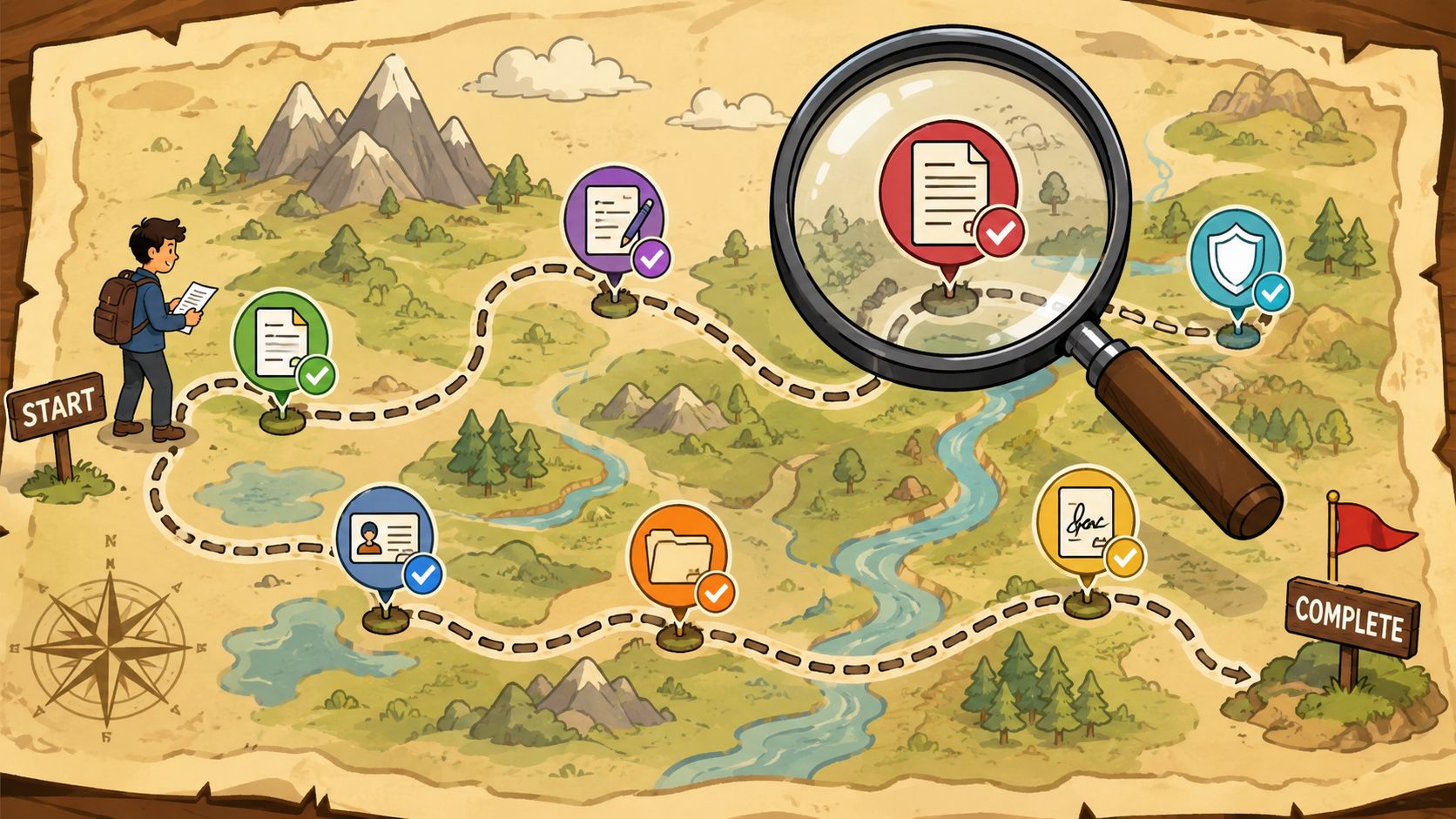
Before you change tools, map the path your client already has to follow. Many organizations know their internal steps. Far fewer can describe the exact sequence a client sees, from the first request to the final approval.
That gap matters. A process can look logical to your staff and still feel scattered to the client.
Start from the client view, not the org chart
Take one real service line. A property purchase. A visa application. A new employee onboarding flow. Then write down every moment when the client must do something related to documents.
Include details such as:
- First request: Where does it arrive. Email, form, portal, phone call summary.
- Clarification points: Where do clients typically ask what a document means or whether a photo is acceptable.
- Re-submissions: Which documents get rejected most often because of missing pages, wrong dates, or unreadable scans.
- Status uncertainty: When the client doesn't know what has been received and what is still missing.
- Ongoing compliance: Renewal requests, expiration tracking, and recurring updates.
Teams often discover two hidden sources of friction quickly. First, they request information according to internal departments. Second, they ask for the same context more than once.
The client doesn't care whether sales, onboarding, compliance, and operations sit in different systems. They experience one company.
A practical way to map this is with three columns: client action, team action, and waiting state. The waiting state is where frustration usually builds. That's the part people forget to document because no one inside the business is actively doing anything. But for the client, waiting without clarity is still part of the experience.
If you want a useful reference point for structuring this work, Superdocu's guide to client document collection workflows is worth reviewing because it focuses on the operational side of gathering files, not just generic onboarding theory.
Group requests by milestone
Once the journey is visible, reorganize requests around milestones the client understands. "Kickoff." "Identity verification." "Property review." "First payroll setup." "Final compliance check." Those are clearer than asking for items in batches tied to departments.
That structure isn't just cleaner. According to Scribbl's onboarding research, implementing a milestone-centric onboarding framework where documentation is organized by client journey phases reduces friction points by 35% and increases client retention rates by 22% within the first 90 days.
Here is the operational difference:
- Old model: Compliance asks for IDs, operations asks for forms later, finance asks for proof of payment after that.
- Better model: The client receives one clearly named milestone with all required documents, purpose, due date, and next step.
- Best model: The next request appears only after the current milestone is complete and validated.
That last step is where many businesses finally learn how to improve client experience in a way clients can feel immediately. Fewer requests. Better timing. Less repetition.
Create a Secure and Simple Submission Process
You can map the journey perfectly and still damage the experience if clients submit sensitive files through email. That's where many firms lose trust without realizing it.
Email feels easy for the business because it's familiar. It rarely feels easy for the client once the request list grows, file naming gets messy, and nobody is sure which version is current.
Why email fails both clients and compliance
In regulated sectors, the damage from a clumsy submission process is measurable. CSG Insights reports that 68% of clients cite document submission complexity as a top reason for dissatisfaction, yet 74% of firms still use manual, non-automated methods that increase errors and fail to meet security expectations.
That combination is common in smaller firms. Staff members compensate with effort. They send reminders, rename files, merge PDFs, and keep their own checklists. Clients compensate too. They forward old attachments, search their phone for prior emails, and resend documents because they aren't sure what was received.
The result is a process that feels low-confidence on both sides.
A secure submission system fixes more than risk. It changes how the service feels. Clients get one place to submit. Your team gets one place to review. Everyone sees the same request structure.
Practical rule: If a client has to search through email to figure out what you still need, the process isn't client-friendly.
What a better submission flow looks like
A stronger setup has five traits.
- One entry point: Clients receive a single request link or portal invitation instead of several messages from different staff members.
- Clear request logic: Each item explains what is needed in plain language, including acceptable formats or examples when needed.
- Mobile-friendly upload: Many clients don't use a scanner. They use a phone. The process has to support that reality.
- Submission visibility: Clients should see what's complete, what's missing, and what needs correction.
- Secure handling: Sensitive records belong in a controlled environment, not mixed into inbox threads.
If your current forms are long, fragmented, or ask for information in the wrong order, it's worth reviewing practical guidance on optimizing client intake forms. Form design affects document collection more than commonly assumed, especially when a bad intake flow creates incomplete requests before upload even starts.
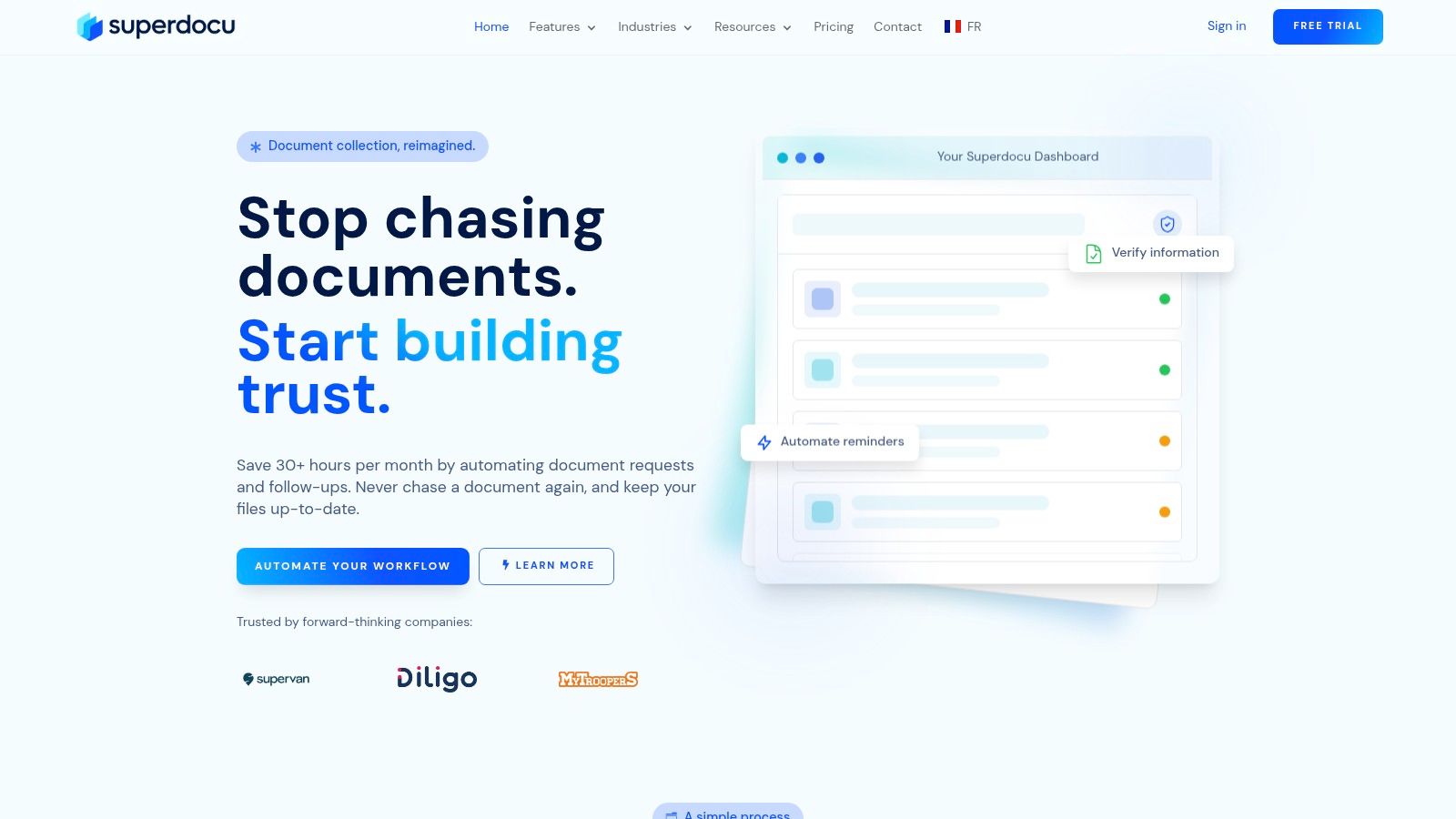
A dedicated portal is usually the right move at this stage. Superdocu is one example. It provides branded request portals, custom request links, validation workflows, automated reminders, and secure collection with GDPR-oriented handling and European hosting. For teams comparing options or defining requirements, this overview of a document submission portal is a useful starting point.
The key decision isn't whether a portal looks modern. It's whether the process reduces effort. A simple, secure submission system tells clients your business is organized, careful, and respectful of their time.
Put Repetitive Communication on Autopilot
Manual chasing is one of the easiest places to improve client experience because clients feel the improvement immediately and your team gets time back at the same time.
The mistake is automating badly. Generic reminders sent on a fixed schedule quickly become noise. Good automation is contextual. It reacts to what the client has done, what they haven't done, and what stage they are in.
Automate by trigger, not by calendar alone
Personalization is no longer optional. Giva's summary of McKinsey data notes that 71% of consumers now expect companies to deliver personalized interactions, and 76% get frustrated when this doesn't happen, which is exactly why reminders and follow-ups need to reflect context instead of sounding like bulk notices.
Set reminders based on triggers such as:
- Request opened but not started: Send a short reminder that restates the deadline and the first item needed.
- Partial submission received: Thank the client, confirm what arrived, and list what is still missing.
- Rejected document: Explain the issue clearly. Missing page, outdated proof, unreadable image, wrong signer.
- Impending expiration: Notify the client before a document becomes unusable in your workflow.
- Milestone completed: Confirm completion and tell them what happens next.
This creates a very different tone from repeated "just following up" emails. Clients feel guided instead of chased.
Keep automation useful and human
The language matters as much as the trigger. Helpful automation answers three questions in every message: what happened, what is needed now, and what comes next.
A useful reminder says, in effect, "We received your ID and proof of address. Your signed authorization form is still missing. Once that's uploaded, we can move to review." That's better than a generic notice because it reduces uncertainty.
Use these rules when setting messages:
- Reference the specific item. "Proof of address" is better than "pending documents."
- Avoid blame. Most delays come from confusion, not resistance.
- State the reason. Clients comply faster when they know why a document matters.
- Limit message volume. A smaller number of precise reminders beats constant nudging.
- Escalate only when needed. If automation stalls, then a person should step in with context.
Automation should remove repetitive pressure from your team, not remove clarity from the client.
One overlooked category is expiration management. In industries with renewals, licenses, identification checks, or recurring verifications, clients don't want surprise requests. They want notice early enough to act. Scheduled alerts and status tracking save relationships, preventing last-minute scrambles that make the business look disorganized.
If you want examples of how teams structure this, see this breakdown of automated reminders for collecting documents. The useful lesson isn't "send more reminders." It's "send the right reminder at the right moment."
Measure the Experience with the Right KPIs
Most businesses say they care about client experience, then measure only broad outcomes. Revenue. Retention. Maybe satisfaction surveys. Those matter, but they don't tell you where document friction starts.
If document collection is a major operational touchpoint, it needs its own scorecard.
Use workflow metrics, not only brand metrics
The business case is already strong. Onramp's CX statistics roundup reports that 84% of businesses that actively work to improve their customer experience report an increase in their revenue. The problem is that many firms invest in "experience" at the messaging layer while ignoring the process layer.
For document-heavy services, the best KPIs are simple and operational:
| KPI | What it tells you | Why it matters |
|---|---|---|
| Time to gather | How long it takes to collect all required items for a case or client | Long collection cycles slow revenue, delivery, and onboarding |
| Submission success rate | How often clients complete requests without staff intervention | Low success usually means the request is unclear or the portal is too hard to use |
| Correction rate | How many files come in incomplete, outdated, or unusable | High correction volume creates hidden admin work |
| Client effort score | How easy clients say submission felt | This surfaces friction your team may have normalized |
| Aging by milestone | Which phase stalls longest | Useful for redesigning specific steps instead of overhauling everything |
These metrics work because they point to action. If time to gather is long but success rate is high, your issue may be timing or client capacity. If correction rate is high, the request wording or validation rules likely need work.
Build a simple operating dashboard
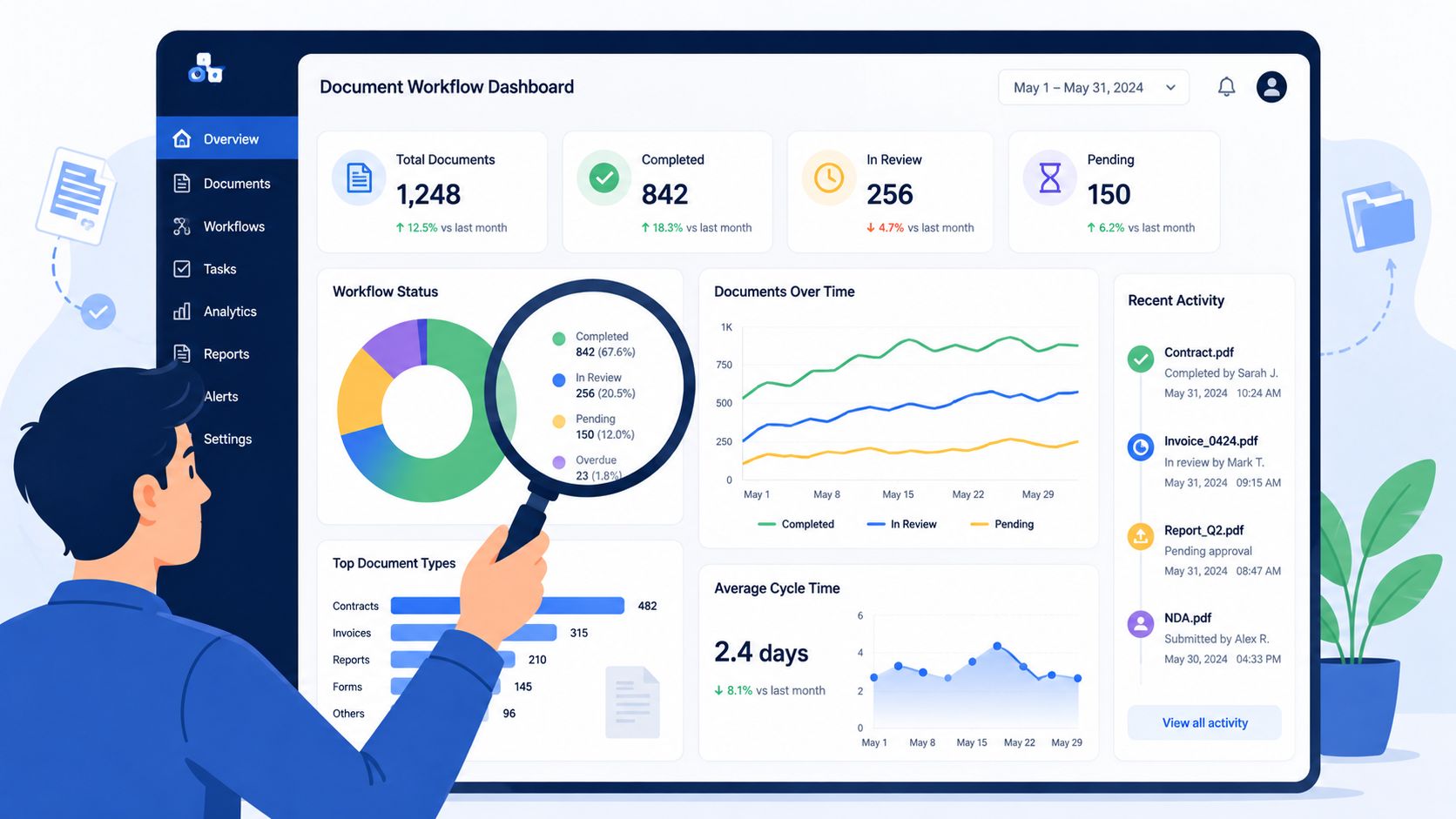
You don't need an enterprise BI project to do this well. Start with one dashboard your operations lead can review weekly.
Track requests at three levels:
- Portfolio level: Which workflows stall most often across the business.
- Team level: Which handlers or practice groups generate the most rework.
- Client level: Which accounts need intervention before frustration grows.
A validation dashboard is especially useful here because it connects experience quality to operational reality. You can see not just whether files arrived, but whether they arrived correctly, on time, and in the right sequence.
Measure the moments where clients do work for you. That's where effort becomes perception.
Once teams begin tracking these workflow KPIs, they stop debating whether the process feels clumsy. They can see where it breaks, who gets stuck, and which request design changes remove friction fastest.
Apply These Steps with Industry-Specific Solutions
The same framework works across industries, but the pain shows up differently. A law firm deals with identity records, signed authorizations, and matter-specific evidence. HR teams collect contracts, IDs, certificates, and payroll details. Real estate and finance teams handle time-sensitive records where one missing file can stall an entire transaction.
That is why generic CX advice often falls flat. People don't need another reminder to "be more responsive." They need a workflow that matches their actual document burden.
Industry-Specific Client Experience Solutions
Usecollect's review of client portals reports that businesses using client portals with automated request and follow-up systems report up to a 71% reduction in document collection time and a 35% increase in staff productivity. Those gains make sense when the workflow is built around real job-specific requests instead of generic file upload pages.
| Industry | Common Problem | Streamlined Solution |
|---|---|---|
| Legal | Clients send evidence across multiple email threads and forget signed forms | Use a matter-specific request flow with labeled categories, required file checks, and milestone-based follow-ups |
| Immigration | Applicants don't know which identity or travel records apply to their case | Present step-by-step document requests with conditional logic so only relevant items appear |
| Real estate | Buyers, tenants, and sellers submit incomplete proof documents and delay approvals | Organize requests by transaction stage and show missing items in one dashboard |
| HR and staffing | New hires receive too many separate requests from recruiting, HR, and payroll | Combine intake into one onboarding sequence with status tracking and reminders |
| Mortgage and finance | Sensitive statements and verification files arrive in inconsistent formats | Route all collection through a secure portal with validation before review |
| Transportation | Driver and vehicle documents expire on different schedules | Track expirations automatically and notify drivers before compliance lapses |
The pattern is the same in every row. Better client experience comes from reducing decision fatigue. Clients shouldn't have to guess what applies, where to send it, or whether you've received it.
Why templates matter more than most teams think
Most small and mid-sized businesses don't fail because they resist change. They fail because redesigning workflows from scratch takes too much time.
Templates solve that. A legal intake template already assumes identity checks, authorizations, and supporting case records. A real estate template assumes offer-stage and due diligence-stage requests. An HR template assumes employee onboarding, payroll documentation, and compliance follow-up.
That matters because speed of implementation affects whether operational improvements happen. A simple template-based rollout lets teams standardize language, deadlines, and review logic quickly, then refine based on the KPIs covered earlier.
If you're serious about learning how to improve client experience, don't start with broad culture slogans. Start where clients work the hardest on your behalf. In many firms, that's the document journey.
Your Next Steps to a Better Client Experience
The fastest way to improve client experience is to fix the part clients already dread. For many service businesses, that isn't the advisory call or the delivery meeting. It's the back-and-forth required to submit the right documents in the right format at the right time.
The good news is that this problem is operational, which means it's fixable. You don't need a brand overhaul. You need a better sequence.
Start with three moves:
- Map the current journey: Identify every request, wait state, correction, and handoff from the client's point of view.
- Replace scattered submission channels: Move away from email attachments and toward one secure, structured collection flow.
- Automate repetitive follow-up: Use trigger-based reminders, completion notices, and expiration alerts so clients stay informed without manual chasing.
When teams do this well, the experience changes in a very practical way. Clients stop asking where to send things. Staff stop hunting through inboxes. Reviews happen faster because files arrive cleaner. Compliance gets easier because records are organized from the start.
This is also where process design becomes a competitive advantage. Clients remember whether working with you felt orderly or exhausting. They remember whether they had to repeat themselves. They remember whether your requests made sense.
A smoother document journey doesn't just reduce admin. It signals competence.
If your business handles document-heavy onboarding, compliance, or client intake, Superdocu is one practical way to put this playbook into action. It lets teams create branded request portals, automate reminders, validate submissions, and track document expirations in one workflow so clients get a clearer, lower-friction experience from the start.