
Improving business efficiency isn't some complex, abstract theory. It really just boils down to a simple, practical loop: find your biggest headaches, smooth out your core workflows, and bring in the right tools to automate the grunt work. This is especially true for those manual, repetitive tasks—like chasing down documents and onboarding new clients—that can be turned into slick, predictable systems, freeing up your team for the work that actually matters.
Why Business Efficiency Is Your Secret Weapon for Growth
When someone says "business efficiency," most people's minds jump straight to cutting costs. And yes, saving money is a nice perk. But the real game-changer is how efficiency unlocks growth and makes your entire company stronger. Inefficiency is a quiet killer; it shows up as hours wasted tracking down client signatures, manually punching in data across three different platforms, or getting stuck in a paperwork jam.
All those little friction points add up, becoming a massive drag on your resources and holding your business back from what it could be. Think of it as a hidden bottleneck. It’s that invisible wall slowing down how fast you can onboard a client, frustrating your team, and eating up time that should be spent on innovation or just talking to your customers. Learning how to get more efficient isn't just about small operational tweaks; it's a fundamental strategic move.
The True Impact of Streamlined Operations
Look past the balance sheet for a moment. When you start focusing on efficiency, you create a positive ripple effect that touches every part of your organization. When your processes are clear, automated, and actually easy to follow, you'll see immediate improvements in the areas that directly fuel your growth.
Just think about these outcomes:
- Happier Clients: A smooth, professional onboarding experience makes an incredible first impression. Clients notice and appreciate when things are fast and clear, building trust right from the start.
- A More Engaged Team: Nothing burns people out faster than mind-numbing, repetitive tasks. When you take that administrative burden off their plates, they can focus on more interesting, meaningful work. In fact, 66% of CEOs are already seeing real benefits from AI, especially in how it improves operations and the employee experience.
- More Room to Grow: Every hour you save on admin is an hour you can pour back into things that actually make you money—like sales, marketing, or developing your next great idea.
By turning tedious tasks into a real advantage, you're not just saving time. You're building a business that's more resilient, scalable, and ready to compete.
Four Core Areas of Business Efficiency
To get started, it's helpful to break down efficiency into four foundational concepts. Think of these as the pillars you'll build on as you start spotting and fixing those bottlenecks in your own business.
Here's a quick overview of the foundational concepts you'll need to build a more efficient and productive business.
Four Core Areas of Business Efficiency
| Pillar | What It Means | Your First Action |
|---|---|---|
| Process Optimization | Looking at your core workflows and figuring out how to cut out useless steps, reduce delays, and make everything crystal clear. | Map out a single, frustrating process from start to finish (e.g., new client intake). |
| Automation | Using technology to take over repetitive, rule-based tasks that someone on your team is currently doing by hand. | Find one daily task that involves copying and pasting data between two different apps. |
| Resource Management | Making sure your team's time, skills, and tools are pointed at the activities that deliver the biggest impact. | Ask your team: "What's one task that takes up way too much time for way too little reward?" |
| Data & Measurement | Tracking key performance indicators (KPIs) to see what's working and make smarter decisions about what to improve next. | Define one simple metric to track, like "average time to onboard a new client." |
Focusing on these four areas gives you a solid framework. It’s the starting point for turning your operations from a source of constant friction into a powerful engine for sustainable growth.
Finding and Fixing Your Hidden Inefficiencies
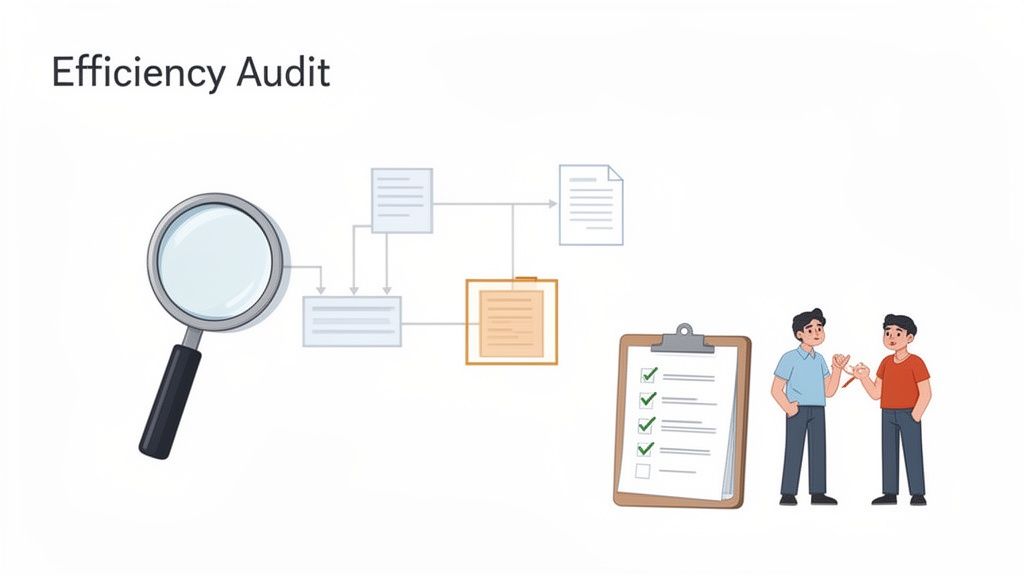
You can't fix a problem you can't see. When it comes to business efficiency, the biggest drains on your resources aren't always the spectacular system failures. They're the small, daily frictions—the tiny time-wasters that pile up, frustrate your team, and quietly eat into your profits.
The first step toward plugging these leaks is a simple "efficiency audit." Don't worry, this doesn't require expensive consultants or complex software. It's really about taking a hard, honest look at how work actually gets done in your business, especially in areas tangled up in manual paperwork and endless email threads.
Map Your Core Workflows
To get started, just pick one high-impact process and map it from start to finish. You can’t boil the ocean, so focus on a single workflow that you know causes regular headaches. Client onboarding is a perfect candidate because it’s where so many things can go wrong, impacting revenue, team morale, and first impressions.
Grab a whiteboard or open a simple diagram tool and get everything down. Be brutally honest.
- How does it all kick off? A signed contract? A phone call?
- What information do you need to gather? Who’s responsible for chasing it down?
- Where are the handoffs? When does a file or task move from one person to the next?
- How many emails or calls does it really take to get what you need?
- What’s the final step that means it’s officially done?
This simple exercise is incredibly revealing. You’ll immediately see redundant steps, confusing handoffs, and the exact spots where work grinds to a halt. More often than not, the culprit is a messy, unstructured process for collecting documents.
Talk to Your Team
Your flowchart shows you what is happening, but your team can tell you why. The people in the trenches have a ground-level view of what’s truly broken, and their insights are pure gold.
Pull people aside for quick, informal chats. You're not looking for blame, just honesty. Try asking open-ended questions like these:
- "What's the most frustrating part of the onboarding process for you?"
- "If you had a magic wand, what's the one thing you'd change about how we do this?"
- "Where do you spend most of your time just waiting for something?"
- "Which task here feels like it takes way more time than it should?"
Listen for the patterns. When three different people mention chasing clients for the same documents over and over, you’ve just hit a major bottleneck. These conversations aren't just about gathering data; they get your team invested in finding a fix.
The goal of an efficiency audit isn't to assign blame. It's to create a shared understanding of a process so you can collectively make it better.
A Real-World Scenario: The Onboarding Domino Effect
Think about a small marketing agency. A new client signs, and the account manager needs a signed contract, brand guidelines, social media access, and payment details. On paper, it looks straightforward.
But here’s what really happens.
The account manager emails a welcome packet. The client sends back the signed contract but forgets the brand guidelines. A day later, the guidelines arrive, but it's the wrong file format. Another day is lost getting the right one. All the while, the design team is sitting on their hands, unable to start.
This tiny delay has a domino effect, pushing the entire project timeline back before it even begins.
By mapping this out and talking to the team, the agency owner pinpoints the root cause: there’s no central, clear system for gathering what they need from clients. Naming that problem is the first critical step. If you want to build a more resilient system for yourself, you can learn more about document management best practices and stop the chaos before it starts. Fixing this one, small inefficiency can completely transform the client experience.
How to Automate Your Document Collection Process
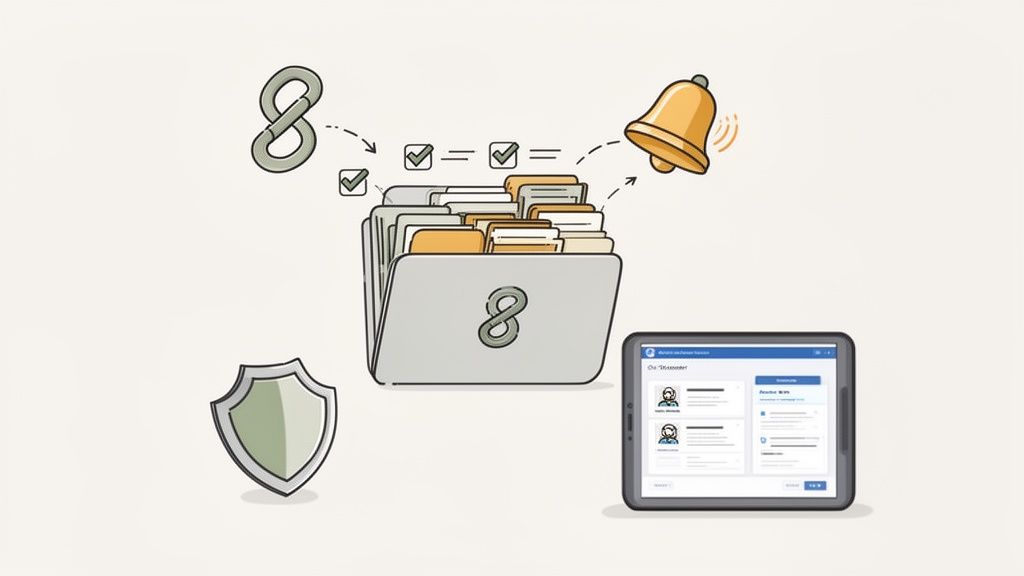
Manually chasing documents is one of the most stubborn productivity killers I see in businesses. It’s the endless email chains for new hire paperwork, the constant phone calls nagging clients for signed contracts, and the messy shared folders full of incorrectly named files. This chaos doesn't just waste time; it looks unprofessional and creates friction right when you're trying to build trust.
Think about the real-world headaches. A staffing agency needs a candidate’s ID, resume, and certifications before a deadline hits. A property manager is juggling applications, proof of income, and rental agreements for multiple properties at once. Each manual step—every email you send, every reminder call you make—is a small crack in your operational foundation.
Luckily, this is one of the easiest problems to fix with the right tools. Making the switch from manual chaos to a dedicated platform can turn a frustrating chore into a smooth, professional, and automated workflow.
Moving Beyond the Inbox
Here’s the thing about using email for document collection: it was never designed for the job. Inboxes become black holes, attachments get lost, and there's no simple way to see what you have and what you're still waiting on. A dedicated platform completely changes the game.
Instead of a messy email thread, you create a single, secure portal for each request. That simple shift provides immediate benefits that go way beyond just saving a few minutes.
- A Single Source of Truth: All documents for a specific client, project, or employee are in one place. No more digging through old emails.
- Clear, Actionable Checklists: Clients see exactly what they need to provide in a simple checklist. This cuts down on confusion and the classic "oops, I forgot that one" response.
- A More Professional Look: A branded, easy-to-use portal shows you're organized and tech-savvy, which makes a great first impression.
Your document collection process is often one of the first direct interactions a new client or employee has with your company. Automating it doesn't just make you more efficient—it makes you look more professional and trustworthy.
The Power of Automated Reminders
Let’s be honest, a huge amount of time is wasted on follow-up. How many hours has your team spent writing those polite-but-firm reminder emails? This is where automation can become your most valuable employee.
A good document collection platform handles this entire process for you. You can set up a schedule for automated reminders that are only sent to people who still have outstanding items. Your team no longer has to play the role of document debt collector.
The system works tirelessly in the background, gently nudging clients to complete their checklists. This frees up your team to focus on actual, high-value work, knowing the follow-up is being handled consistently and professionally every single time. It's one of the simplest ways to collect documents from clients easily without all the manual grind.
A Secure and Centralized Client Portal
When you’re handling sensitive information, security isn't optional. Sending personal data like financial statements or IDs over email is a major security risk. A dedicated platform provides a secure, encrypted space for these exchanges.
A client portal offers a controlled environment where clients can upload their documents with confidence. They log in, see what’s required, and upload files directly. This process not only protects their data but also gives them peace of mind that their information is being handled correctly.
This level of organization and security is nearly impossible to achieve with a manual, email-based system. It also helps you stay compliant with data protection regulations like GDPR, which is a must for any business handling personal information.
The Tangible Business Impact of Automation
Moving to an automated document workflow isn't just about convenience; it delivers real results that hit your bottom line. Using tools like Superdocu can slash operational costs by up to 25% while boosting efficiency in industries like legal, real estate, and HR.
The trend is clear: projections show that by 2025, a massive 80% of enterprises will be using AI-powered document processing to automate tasks and cut costs. In a field like real estate, where tenant applications can be overwhelming, branded portals with eSignature features can minimize errors by 98%. The numbers speak for themselves.
Connect Your Tools for Smarter Workflows
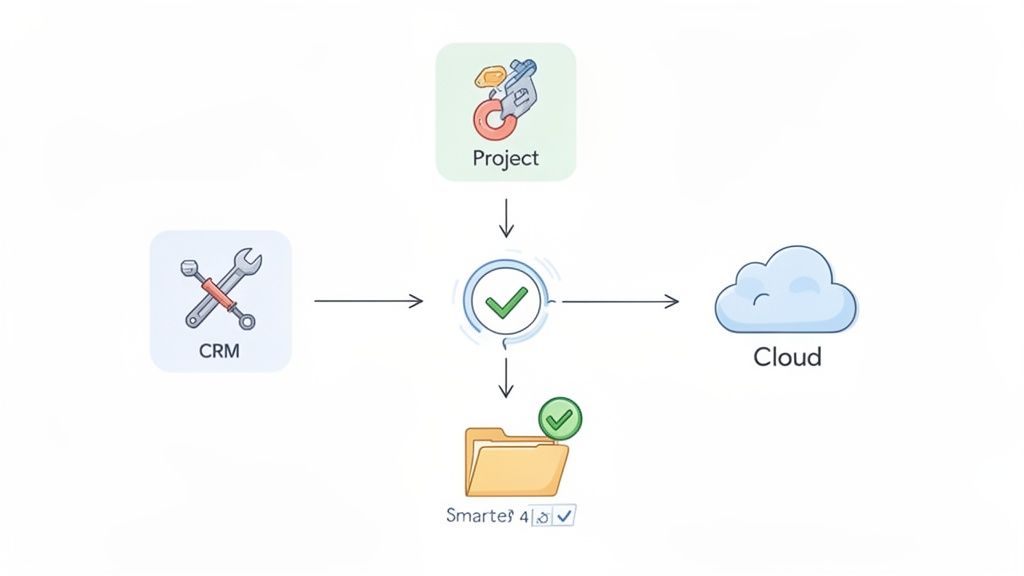
Fixing your document collection process is a huge win on its own. But the real magic happens when that solution makes all your other tools work better, too. The ultimate goal is a connected business ecosystem where information flows on its own, without anyone having to lift a finger. This is how you truly accelerate efficiency across your entire operation.
Think about the software you already use every day: your CRM, project management tools, and cloud storage. When these platforms are stuck in their own silos, your team becomes the human glue, constantly copying and pasting information between them. It’s not just tedious work; it's a breeding ground for costly mistakes.
The Power of a Connected System
When your tools can finally "talk" to each other, you create a powerful ripple effect. Suddenly, improving one small process—like collecting a client's files—enhances your entire workflow from start to finish. You’re no longer just patching holes; you're building a genuinely seamless operational flow.
Modern integration tools are the key. Services like Zapier act as a universal translator, letting thousands of different apps share information automatically. And you don’t need to be a developer to get started. It’s as simple as defining a trigger in one app (like "new document received") and an action in another ("create a project board").
True efficiency isn’t about making one task faster. It’s about creating a system where your tools work together, eliminating manual data entry and making sure everyone has the right information at the right time.
This interconnected approach is what allows a business to scale. As you grow, your processes become more solid, not more chaotic.
How This Looks in the Real World
Let's get practical. Imagine how much time you'd save if simple, rule-based tasks just happened automatically. When a platform like Superdocu is plugged into your tech stack, setting up these kinds of workflows is incredibly straightforward.
Here are a few scenarios we see all the time that eliminate hours of weekly admin work:
- Smooth Client Onboarding: A client finishes their onboarding forms in Superdocu. Instantly, an automation creates a new client folder in Google Drive, sets up their project in Trello, and updates their status in your CRM. No manual steps needed.
- Effortless New Hire Paperwork: A new employee submits their signed contract. A trigger automatically adds them to your HR system, creates their company email, and enrolls them in payroll. Done.
- Seamless Sales Handoff: A deal is marked "Closed-Won" in your CRM. This immediately triggers a document request in Superdocu for all the project kick-off materials, ensuring a perfect handoff from sales to the delivery team.
Each of these examples gets rid of multiple manual steps, cuts down on human error, and speeds up the entire process. If you want to dive deeper, our guide on document workflow automation shows just how much time is waiting to be reclaimed.
Boost Your Throughput with Intelligent Processing
This level of integration gets even more powerful when you add Intelligent Document Processing (IDP). Modern platforms don’t just collect documents; they can actually read and understand them. The impact on business throughput is staggering—we’ve seen firms handle 400% more documents without hiring more people.
For instance, IDP can slash processing times by 50% or more. One engineering firm used it to cut their RFP response time from three weeks down to just one. When you combine that with Superdocu's ability to integrate with over 3,000 apps via Zapier, the possibilities become immense. HR teams can verify candidate credentials faster, mortgage brokers can accelerate loan approvals, and everyone benefits from data accuracy gains of up to 30%. You can learn more about these impressive intelligent document processing findings to see how this works in practice.
Measuring Your Success and Fostering Improvement
Alright, you've put in the work. You've automated workflows and connected your tools. It’s tempting to dust off your hands and call it a day, but here’s where the real magic happens. Improving efficiency isn't a project you just check off a list; it's a continuous loop of doing, measuring, and refining.
Without tracking your progress, you're flying blind. You need to know if the changes you made are actually moving the needle. This is where we stop guessing and start measuring what truly matters.
Define Meaningful Metrics
Forget about vague, feel-good metrics. The right numbers act as your compass, pointing you toward what’s working and what still needs attention. Your Key Performance Indicators (KPIs) should be tied directly to the bottlenecks you originally set out to fix.
What does that look like in practice? Instead of a fuzzy goal like "improving productivity," let's get specific.
- Time to Complete Client Onboarding: How long does it really take from a signed contract to a fully onboarded client? A shorter cycle here means happier clients and revenue hitting your bank account faster.
- Reduction in Administrative Hours: Actually track the hours your team spends on manual drudgery each week. Watching this number drop is one of the most satisfying signs that your automation is working.
- Document Error Rate: How often do you have to chase clients for missing information or correct mistakes? A lower error rate means less back-and-forth and fewer frustrating delays.
These are tangible numbers. They take the abstract idea of "efficiency" and turn it into something you can actually measure and achieve.
Use Your Tools to Track Progress
The last thing you want is for tracking your KPIs to become another time-sucking administrative task. That would defeat the whole purpose. Thankfully, the tools you use to automate should also be the tools you use to measure.
A platform like Superdocu is a perfect example. It doesn't just shuffle documents around; it gives you a bird's-eye view of your entire process. You can see at a glance who has submitted what, where things are getting held up, and who needs a nudge. This built-in reporting is your command center.
Don’t just set and forget your new processes. Use the data from your tools to ask critical questions: Where are clients getting stuck most often? Which reminders are most effective? The answers are your roadmap for the next round of refinements.
Foster a Culture of Continuous Improvement
Data tells you what is happening. Your team can tell you why. The final piece of the puzzle is building a culture where people feel comfortable sharing feedback to make things even better. Efficiency is a team sport.
Check in with your team regularly. Ask them what’s working and what still feels clunky. Their on-the-ground perspective is priceless for spotting those small, nagging issues that data alone might miss.
Think about it: workflow automation is proven to help companies reallocate 20-30% of their resources in fields like construction and finance. AI-driven systems can slash human error by a staggering 98% and boost data accuracy by 30%. For a real estate agent chasing property documents or an immigration lawyer collecting visa paperwork, this isn't just theory. Using a feature like Superdocu’s validation dashboard turns that team feedback—"clients always forget this one field"—into an instant, automated fix.
To see just how big this trend is becoming, check out some of the top trends in document management for 2025.
When you combine hard data with human insight, you create a powerful cycle. Your business doesn't just get efficient for a moment—it builds the muscle to stay agile and ready for whatever comes next.
Common Questions About Improving Business Efficiency
Diving into a major efficiency overhaul can feel like a huge undertaking, but it doesn't have to be. Most businesses stumble over the same questions at the start. Let's tackle those common hurdles head-on so you can feel confident taking the first steps and get your team excited for what's ahead.
What's the First Step to Improve Business Efficiency?
The best way to start is to keep it simple. Don't try to boil the ocean. Instead, pick just one significant bottleneck that’s a constant source of pain.
Think about a single, recurring process that always causes frustration or delays. Is it client onboarding? New hire paperwork? Whatever it is, map out every step from start to finish. More importantly, talk to the people who actually do the work—ask them about their specific pain points. Focusing all your energy on fixing that one thing first will give you a quick, tangible win. That initial success is crucial for building the momentum you'll need for bigger changes down the road.
How Can a Small Business Afford to Automate Processes?
It's tempting to look at automation tools as just another line item on the budget. But a better way to think about them is as an investment in getting your most valuable asset back: time. Many modern platforms are built specifically for small businesses, offering affordable plans that can scale with you.
Start by calculating the real cost of doing things the old way. How many hours does your team waste each week on manual, repetitive tasks? When you actually do the math, you’ll often find that the monthly subscription for a tool is a fraction of the cost of the time it frees up for work that actually makes you money.
Think of it this way: efficiency isn't just about cutting costs. It's about creating capacity for growth. When you fix your operations, you free up your team to focus on innovation, client relationships, and the high-value work that truly pushes your business forward.
How Do I Get My Team Onboard with New Processes?
Let’s be honest, people don’t always love change. The secret to a smooth transition is to answer everyone's favorite question: "What's in it for me?"
Frame any new tool or process by showing exactly how it will eliminate their most annoying tasks and make their jobs easier. Don't just tell them; show them. Get your team involved in the decision. Ask for their input on which bottlenecks to tackle first and provide clear, hands-on training for any new system you bring in. When they see for themselves that a new platform means less time chasing documents and more time for meaningful work, they'll become your biggest advocates.
Is Improving Efficiency Just About Cutting Costs?
While saving money is a great perk, it's really just the tip of the iceberg. The true goal of improving business efficiency is to build a stronger, more resilient, and scalable company.
When your operations run smoothly, you deliver a better client experience, which builds loyalty and leads to more referrals. It also boosts team morale by getting rid of frustrating, soul-crushing work, which helps you keep your best people. Ultimately, it’s a strategic move that makes your business more competitive and ready for whatever comes next.
Ready to eliminate the bottlenecks in your document collection and free up your team for more important work? See how Superdocu can automate your workflows with a branded client portal, automated reminders, and seamless integrations. Start your free trial today and transform your efficiency.