
Requesting documents sounds simple enough, but we all know the reality. It’s the endless email chains, the attachments that won't open, and the constant back-and-forth that grinds projects to a halt. Whether you're onboarding a client or wrapping up a legal case, chasing paperwork can quickly turn into a full-time job, frustrating you and the person on the other end.
It's time to move past that chaos and create a process that's smooth, professional, and secure.
The Real Cost of Chasing Documents
Think about a mortgage broker trying to close a home loan. They need pay stubs, bank statements, tax returns, proof of ID… and they needed it all yesterday. So, they send a long checklist email. Over the next week, the files dribble in. Some are blurry phone pictures, others are password-protected PDFs, and one crucial document is just… missing.

This isn’t just a minor headache. It's a direct hit to your bottom line and your client relationships. Every minute you spend tracking down paperwork, trying to make sense of a messy inbox, or re-explaining what you need is a minute you’re not spending on actual, valuable work. This administrative drag is the hidden tax on manual document collection.
Uncovering the Hidden Inefficiencies
The true cost goes far beyond just wasted time. It shows up in other painful ways:
- Delayed Timelines: Manual collection is a classic project-killer. It stalls deals, slows down new hire onboarding, and puts legal cases on hold. That one delay can create a domino effect across your entire organization.
- Poor Client Experience: Let's be honest, a messy, disorganized request process just looks unprofessional. It creates friction and can make clients uneasy about sending you their most sensitive information.
- Security Risks: Email was never built for secure file sharing. When you rely on attachments, you're exposing your business and your clients to potential data breaches, which can destroy trust and lead to serious compliance issues.
This is exactly why the Intelligent Document Processing (IDP) market is on track to hit $6.78 billion by 2025. More than 80% of enterprises are boosting their investment in document automation because the shift away from manual processes is no longer optional. The drive comes from massive cost savings and the ever-growing need to meet strict regulations. You can find more document processing statistics that show why over 65% of Fortune 500 companies have already made the switch.
A Smarter Way Forward
Automating your document requests is the solution. It replaces those chaotic email threads with a single, secure, and branded portal where everything happens.
By centralizing the collection process, you provide a clear, simple path for clients to submit their information. This not only speeds up turnaround times but also reinforces your professionalism and commitment to data security from the very first interaction.
Instead of hunting for files, you get a clear, real-time dashboard showing you exactly who has submitted what and what’s still missing. This level of control flips the script, turning a reactive, stressful task into a proactive, managed workflow. It sets the foundation for a much more efficient and secure way of doing business.
Creating Your First Automated Workflow
If there's one change that will completely overhaul how you gather documents, it’s this: shifting from a scattered checklist to a structured, automated workflow. Think of it as creating a repeatable blueprint that guides everyone—you and your clients—through the entire process, without any guesswork.
Let's walk through this with a real-world, high-stakes example: an HR team onboarding a new remote employee. The mission is to get them fully compliant and ready for their first day. This isn't just about sending a welcome email. It's a precise sequence of documents that need to be collected, signed, and filed correctly.
Without a smart workflow, the HR manager is stuck chasing down files, answering the same questions over and over, and trying to keep track of everything in a messy spreadsheet. It's a surefire way to create delays and, frankly, a terrible first impression for the new hire.
Mapping the Document Journey
Before you even touch any software, grab a whiteboard. The first step is to simply map out the entire collection journey from your client's perspective. For our new employee, there's a logical flow to what they need to provide.
Here’s what that map might look like:
- Identity Verification First: This is the non-negotiable starting point. You can't move forward without confirming who they are, so you'll need a government-issued ID like a driver's license or passport.
- The Employment Agreement: Once their identity is confirmed, it's time for the official contract. This document needs to be reviewed and signed.
- Payroll and Tax Forms: With the agreement signed, you can collect the essentials for payroll, like a W-4 and direct deposit information.
- Benefits Enrollment: Finally, after the core legal and financial steps are complete, the new hire can select their benefits, which often requires a few more forms.
See the logic? Defining this sequence is everything. It stops you from awkwardly asking for tax information before an employment contract is even on the table, creating a smooth, professional experience for the new employee.
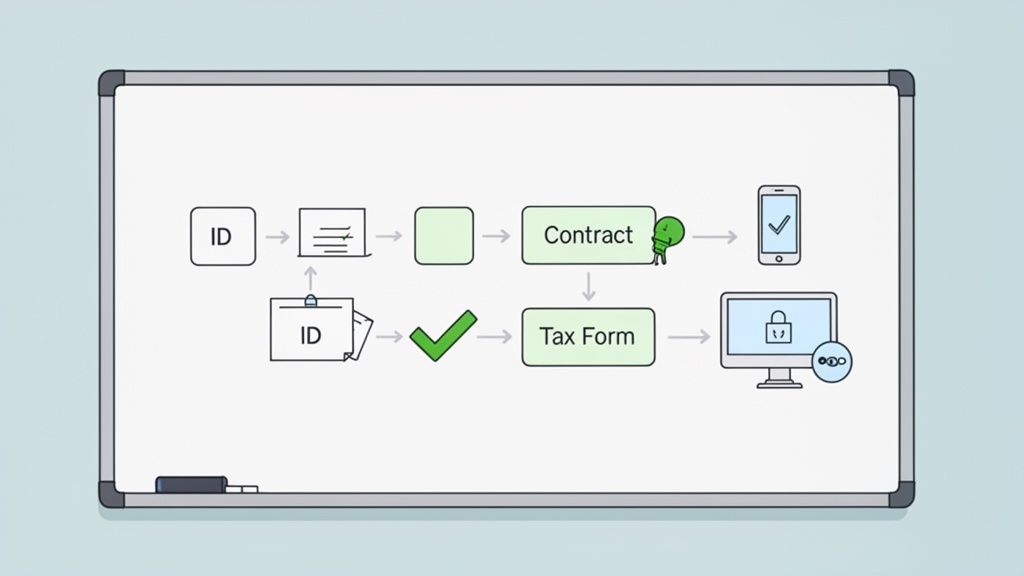
A visual map like this shows how distinct stages in your document requests workflow create a clear path forward, guiding the user from one step to the next without any confusion.
To give you a clearer picture of just how different this approach is, let’s compare the old way with the new way.
Comparing Manual vs Automated Document Workflows
This table breaks down the differences in steps, time, and client experience between a traditional manual process and a modern automated workflow.
| Stage | Manual Process (The Old Way) | Automated Workflow (The New Way) |
|---|---|---|
| Initiation | Send a long email with a list of attachments and instructions. | Send a single, secure link to a branded portal. |
| Submission | Client downloads, prints, signs, scans, and emails documents back. | Client uploads files and e-signs directly in the portal. |
| Validation | Manually check each file for errors, legibility, and completeness. | System auto-validates file types and checks for signatures. |
| Follow-Up | Send reminder emails and make phone calls to chase missing documents. | Automated reminders are sent based on preset deadlines. |
| Tracking | Update a spreadsheet or checklist to track what's been received. | A central dashboard provides real-time status for all requests. |
| Completion | Manually file downloaded documents into the correct folders. | Approved documents are automatically named and routed. |
The difference is night and day. Automation doesn't just save time; it creates a more professional, secure, and frustration-free experience for everyone involved.
From Blueprint to Actionable Template
Once your workflow is mapped out, you can build it in a dedicated system. A crucial next step is to explore the best document automation software solutions, as these platforms are designed to turn your blueprint into reality. Many come with pre-built templates that give you a huge head start.
An HR manager, for instance, could grab a "New Employee Onboarding" template and find that most of the necessary document slots are already there. This saves a ton of time. But the real magic is in the customization.
A template isn't a rigid rulebook; it's a starting point. The ability to tailor it to your specific company policies, regional compliance needs, and brand voice is what transforms a generic process into your process.
You can tweak the template with small but critical details, such as:
- Adding Specific Instructions: For the ID upload, add a clear note: "Please make sure all four corners are visible and the image isn't blurry."
- Setting File Requirements: You can lock uploads to specific formats (like PDF or JPG) or set size limits to prevent people from sending massive, unusable files.
- Assigning Deadlines: Set a firm deadline for the signed contract—say, three days before their start date—and let the system send automated reminders so you don't have to.
This level of detail gets rid of ambiguity, cuts down on the endless back-and-forth emails, and ensures you get what you need right the first time. For the new hire, the process feels organized and supportive from day one. To learn more about setting up these kinds of systems, check out our guide on how to automate your document workflow.
Designing a Client Portal That Builds Trust
Let's be honest: a clunky, generic interface for your document requests doesn't just confuse people—it kills the trust you need for clients to hand over sensitive files. When someone gets a request link that looks totally disconnected from your brand, their first thought is usually, "Is this legit?" That moment of hesitation is where response rates die.
This is exactly why a polished client experience is so important. A professional, white-labeled client portal isn't just a tool; it's a secure, digital handshake. It instantly tells clients they're in the right place and that their information is safe, which is a massive deal when 81% of consumers feel they have little control over the data companies collect.
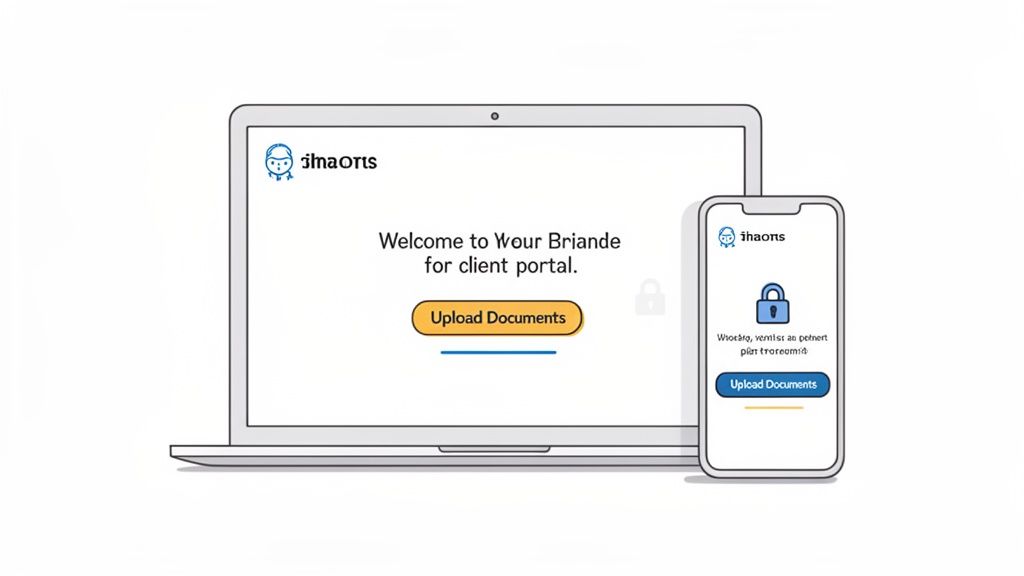
Crafting a Professional First Impression
Think of your client portal as the first real digital interaction someone has with your back-office process. Making it feel seamless and familiar is the quickest way to build confidence. The first step is simple: make the portal look and feel like an extension of your brand.
This isn't just about making things look pretty; it's about reassurance. A portal that mirrors your website and emails feels trustworthy right off the bat.
Here are the non-negotiable branding elements to get right:
- Your Company Logo: Put your logo front and center. It should be the first thing they see, leaving no doubt who the request is from.
- Brand Colors: Ditch the default blues and grays. Use your company's color palette for buttons, headings, and links. It creates a cohesive, professional experience.
- A Welcoming Message: Customize the greeting. Instead of a robotic "Please upload your files," try a short, friendly message that explains why you need the documents and thanks them in advance.
These small tweaks transform a generic tool into a dedicated, branded space that feels like it belongs to your company.
Writing Invitation Emails That Actually Get Opened
The invitation email is your front door to the portal, but a bad one will get ignored or flagged as spam. Your goal here is to be clear, concise, and reassuring. Ditch the jargon and long paragraphs. You want to guide the client to do one thing: click the link.
Here’s a simple email structure that I've found works wonders:
- A Clear Subject Line: Something direct like, "Action Required: Document Request from [Your Company Name]" or "Securely Upload Your Documents for [Project Name]."
- A Personal Greeting: Always address the client by their name.
- The Core Instruction: Get straight to the point. For example, "To move forward with your application, please use the secure link below to upload the required documents."
- A Clear Call-to-Action: Make the link a big, obvious button or clearly hyperlinked text. No one should have to hunt for it.
Pro Tip: I always mention the portal's security directly in the email. A simple line like, "We use this secure portal to protect your sensitive information," can make a huge difference in a client's willingness to click.
Removing Barriers to Submission
The final piece of the puzzle is making the upload process itself completely painless. The absolute last thing a client wants is another username and password to remember. In my experience, forcing people to create an account is the fastest way to get them to give up.
A modern client portal should allow for "guest" uploads, where the secure link is all they need. It also absolutely must be mobile-friendly. People should be able to snap a photo of a document with their phone and upload it right then and there. Every little bit of friction you remove makes it that much more likely you'll get the files you need on the first ask.
You can dive deeper into these ideas in our complete guide to creating the ideal client portal for your business.
Putting Follow-Ups and Tracking on Autopilot
Let’s be honest. Sending the initial document request is the easy part. The real grind, the part that drains your time and patience, is the endless loop of follow-ups. It’s the constant inbox checking, the spreadsheet updating, and the manual chasing that brings productivity to a screeching halt.
This is where your workflow gets bogged down and deadlines start to slip. You end up stuck in a reactive cycle, babysitting requests instead of focusing on the work that actually matters.
The secret to breaking free is putting that entire follow-up process on autopilot. By setting up smart, automated reminders, you build a system that gently nudges your clients for you. This isn’t about blasting them with aggressive demands. It's about sending helpful, timely prompts that keep everything moving forward without you having to lift a finger.
Think about it: no more manually tracking who sent what. The system does the heavy lifting, sending a polite reminder a few days before a deadline and another if it passes. This simple automation for your document requests is your safety net, ensuring nothing ever gets missed.
Get a Bird's-Eye View with a Central Dashboard
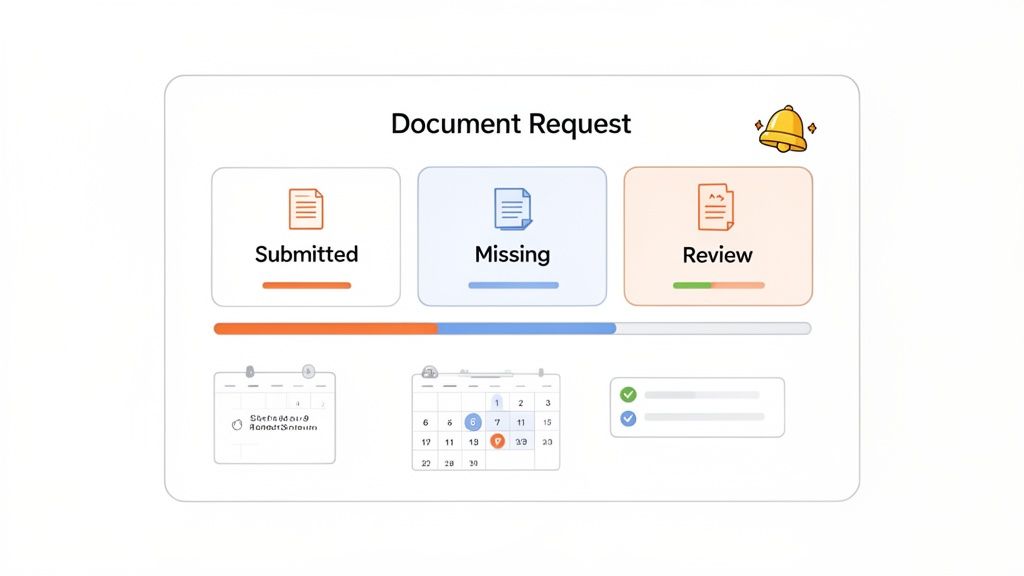
Using spreadsheets and email folders to track document progress is a recipe for chaos. They’re disconnected, instantly outdated, and give you absolutely no real-time visibility. An automated system throws that mess out the window and replaces it with a clean, central dashboard.
This dashboard becomes your command center, giving you a complete, at-a-glance overview of every request in your pipeline. In a single glance, you can see the precise status of every document:
- Submitted: You immediately know which files have been uploaded and are teed up for your review.
- Missing: See exactly what’s still outstanding from each client, so you know where to focus your attention.
- In Review: Track documents you're currently validating, creating a clear and transparent workflow for your team.
This kind of clarity is a total game-changer. Imagine a legal team managing discovery. They can instantly see that eight of their ten clients have provided financial statements, but two are still pending. No more digging through email chains or asking colleagues for updates—the answer is right there on the screen.
Personalize Your Reminders for a Human Touch
Just because it's automated doesn't mean it has to feel robotic. A good system lets you customize the timing, frequency, and even the tone of your follow-up messages. This is key to making sure your reminders come across as helpful, not annoying, which goes a long way in preserving your client relationships.
The goal of an automated reminder isn't to be a nuisance; it's to be a helpful assistant for your client. By personalizing the message and timing, you turn a potential annoyance into a valued part of a professional and supportive process.
You can set up a simple, powerful sequence that works wonders:
- A gentle nudge sent three days before the deadline.
- A firm but friendly reminder on the day the documents are due.
- A final follow-up a couple of days after the deadline has passed.
This structured approach is miles more effective than sending random, manual emails whenever you happen to remember. We dive deeper into these strategies in our guide on using automated reminders to collect documents.
Proactively Manage Expiring Documents
The work doesn’t stop once you have the file. For so many businesses, staying compliant means keeping track of critical documents that expire, like licenses, certifications, and insurance policies. Trying to manage all those renewal dates manually is practically asking for trouble.
This is another area where automation is a lifesaver. You can set an expiration date for any document you collect, and the system will automatically trigger a new request for an updated version 30, 60, or 90 days before the old one is invalid.
This proactive approach is crucial in regulated industries. For instance, in 2025, even as immigration processes aimed for speed, backlogs remained, mirroring the 12-22% U.S. visa decline rates. In response, automation delivered a huge ROI: 88% of finance firms made it a priority, and logistics firms cut customs delays by 35%. Staying ahead of document expirations isn't just good practice; it's a core business necessity.
Weaving Security and Your Favorite Tools into the Process
When you're asking clients for sensitive information—think financial records, personal IDs, or medical histories—you're doing more than just collecting files. You're asking for their trust. And in this business, a breach of that trust can be fatal to your reputation. Security isn't just a feature; it's the very foundation of your entire process.
It all starts with the basics, like end-to-end encryption. This is non-negotiable. It ensures that from the moment a client hits "upload" to the second you open the file, it's completely unreadable to anyone without the right key. Files are protected while they're flying across the internet and while they're sitting on a server.
But it goes deeper. You also have to think about data sovereignty and compliance. If you're working with clients in Europe, for instance, you absolutely need to be GDPR-compliant and ensure their data stays on European servers. These aren't just technical checkboxes; they're a direct commitment to your clients' privacy and a critical part of keeping your business on the right side of the law.
Connecting Your Entire Workflow, Not Just Your Inbox
Getting documents faster is great, but the real magic happens after they arrive. A standalone tool for collecting files is a good start, but one that talks to the rest of your software is a total game-changer. This is where integrations come in.
Integrations stitch together your different tools into one seamless system, killing off manual data entry for good. Your document collection platform transforms from a simple inbox into the central hub of your entire operational workflow.
Think about how this plays out in the real world:
- For a Law Firm: A new client submits their intake forms. Instantly, an integration creates a new matter in your case management software. No one has to copy and paste a single piece of information.
- For an HR Team: A new hire uploads their signed offer letter. That action automatically triggers the next step in your HRIS, like kicking off the payroll setup or assigning their first day of training.
- For a Mortgage Broker: The borrower finally uploads the last of their loan documents. Your CRM is immediately updated, and the underwriting team gets an automatic notification that the file is ready for review.
These connections turn a series of clunky, separate tasks into a single, elegant process. You save a ton of time and drastically cut down the chances of human error.
The real power here is making your data do the work for you. Instead of your team manually shuttling information between platforms, the system does it automatically. This keeps everything consistent and frees up your people to focus on the work that actually requires their expertise.
Supercharge Your Process with DocuSign and Zapier
Two of the most powerful integrations you can have are for electronic signatures and workflow automation. They solve two of the biggest headaches in any document-heavy process: getting legally-binding signatures and making different apps talk to each other.
DocuSign is the name everyone knows for e-signatures. When you build it directly into your document requests, you can add a signature step to any file you collect. A client can upload their ID, fill out a form, and sign a service agreement all in one go, without ever leaving your branded portal. It completely gets rid of that awkward, multi-step process of asking them to download a file, find another tool to sign it, and then figure out how to upload it again.
Then you have Zapier, which is like a universal translator for over 3,000 different apps. It works by creating "Zaps"—simple automations that follow an "if this, then that" logic.
With Zapier, you could:
- Automate Filing: As soon as a document is approved in your portal, a Zap can automatically file it away in the correct folder in Google Drive, Dropbox, or OneDrive.
- Streamline Communication: You could set up a Zap to post a message in a Slack channel the moment a high-priority client submits all their documents.
This kind of automation is a lifesaver in high-volume situations. Just look at the chaos around visa applications. In 2025, F-1 visa issuances dropped by 12-22%, with scary predictions of potential 80-90% drops because of consulate backlogs. For immigration firms drowning in paperwork, an automated portal with built-in eSignature is no longer a luxury—it’s a critical tool for survival. You can get a deeper look into these challenges from AACRAO's 2025 data analysis. By integrating your tools, you're not just being more efficient; you're building a more resilient business.
Common Questions About Automating Document Requests
Switching to an automated system for collecting documents can feel like a big move. It’s totally normal to have questions about how it will work in the real world, especially when it involves your clients. Let's walk through some of the most common worries businesses have when they first start.
The great thing is, modern systems are built to make this change easy for everyone, saving you time while actually improving your client relationships.
How Can I Ensure My Clients Will Use a New Portal?
Client adoption is probably the biggest concern, and it really boils down to two things: simplicity and trust. First off, the process has to be dead simple. That means a clean, mobile-friendly design and, most importantly, no logins or account creation. A client should be able to click a link and start uploading documents in seconds.
The other piece of the puzzle is building trust right away. Use a platform that lets you brand the portal with your company's logo and colors. It’s a small detail, but it instantly reassures clients they’re in the right place. In your invitation email, take a moment to explain why this is better for them.
A simple line like, "We're now using this secure portal to better protect your information. Just click the link below to upload your documents in a few easy steps," goes a long way. A friendly, confident intro sets a positive tone and gets people to take action.
What Is the Best Way to Handle Non-Tech-Savvy Clients?
This is a really valid worry, especially if your clients span different generations or comfort levels with technology. The best approach is to pick a tool that was designed with simplicity at its core. The ideal platform doesn't need any software downloads or complicated steps. If they can open a link in a web browser, they can use it.
To give them extra peace of mind, just add a helpful line to your request: "If you run into any trouble, please call us at [Phone Number], and we'll be happy to help." Just knowing that support is available can ease a lot of anxiety.
Another game-changing feature is the ability for clients to upload photos directly from their phone's camera. This completely eliminates the need for a scanner and makes life so much easier for anyone who isn't comfortable with traditional office gear.
Can This System Connect with My CRM or Cloud Storage?
Absolutely, and this is where you start to see huge efficiency gains. The real power of an automated system for document requests isn't just in collecting the files, but in what happens after they arrive. Look for a platform that integrates with tools like Zapier, which acts as a bridge to thousands of other apps you already use.
You can set up little automated workflows, called "Zaps," to handle all sorts of tedious tasks.
- Automatic Filing: Create a rule to automatically save an approved document into a specific client folder in Google Drive or Dropbox.
- CRM Updates: Set up a workflow to update a contact's status in your CRM once all their required documents have been submitted and approved.
These connections get rid of manual data entry, cut down on human error, and keep all your systems in sync without you lifting a finger.
How Do I Manage Documents That Expire and Need Updates?
Trying to track expiration dates in a spreadsheet is a recipe for compliance headaches. This is a perfect job for automation. A solid platform will let you assign an expiration date to any document you collect, whether it’s a professional license, insurance certificate, or industry certification.
From there, you can set up the system to automatically send a new request for an updated version 30 or 60 days before the old one expires. You can even customize the reminder message to explain why the update is needed, making the whole process feel proactive and clear. When thinking about automating document requests, it's useful to understand the types of critical information often required, like a comprehensive Vehicle Provenance Report in the auto industry.
This hands-off approach ensures your records are always up-to-date and you stay compliant, saving you from that last-minute scramble that always comes with manual tracking.
Ready to stop chasing paperwork and start automating your process? Superdocu makes it easy to create secure, branded client portals, send automated reminders, and integrate with the tools you already use. Start your free trial today and see how simple document collection can be.