
Let's be honest—we've all felt the pain of digging through a chaotic shared drive or a mountain of emails, desperately trying to find that one crucial file. It’s like trying to find a specific book in a library where all the books have been tossed into a giant pile on the floor. Frustrating, right? This is the exact kind of digital mess that document management software (DMS) is designed to clean up.
What Is Document Management Software and Why Does It Matter

Think of a DMS not just as a digital filing cabinet, but as an intelligent, central hub for all your company's information. It takes your static files—like contracts, invoices, and reports—and turns them into active, easily accessible assets. Instead of wasting time hunting for the right version of a document, your team gets exactly what they need, the moment they need it.
The Real Cost of Disorganized Documents
When files are all over the place, the problems are more than just a minor annoyance. They create real bottlenecks that can slow down your entire business. These issues often fly under the radar until they cause a serious headache, like a missed deadline or a compliance slip-up.
Without a solid system in place, you’re likely dealing with:
- Wasted Time: How many hours do your employees lose searching for files, redoing lost work, or just trying to figure out if they have the most recent version of a document?
- Serious Security Risks: When sensitive data is scattered across personal drives, unsecured cloud accounts, and email inboxes, it's a prime target for a data breach.
- Compliance Nightmares: For industries like law, finance, and healthcare, strict regulations are a non-negotiable. A messy paper trail makes audits a nightmare and can lead to hefty fines.
A DMS cuts through this chaos by giving you a single, secure source of truth. It centralizes your files, lets you control who sees what, and tracks every single change, building a rock-solid foundation for your operations.
A Modern Fix for a Growing Problem
The push for smarter, more efficient ways of working has turned document management software from a "nice-to-have" into a core business tool. The market itself tells the story: it was valued at USD 5.88 billion and is expected to hit USD 12.09 billion by 2032, largely thanks to the rise of paperless offices and remote work. You can read more about the market growth for document management tools.
To see the difference a DMS makes, let's compare the old way with the new way.
Manual Document Handling vs Automated DMS
| Task | Manual Process Without DMS | Automated Process With DMS |
|---|---|---|
| Finding a Document | Sifting through shared drives, emails, or physical cabinets. | Quick keyword search finds the exact file in seconds. |
| Approving Invoices | Printing, signing, and physically passing papers between desks. | Automated workflow routes the invoice to the right person instantly. |
| Version Control | Files named "Final_v2_final_FINAL.docx" lead to confusion. | The system automatically tracks versions and shows the latest one. |
| Security | Documents are easily misplaced, shared incorrectly, or left unsecured. | Role-based access and audit trails ensure only authorized users see sensitive data. |
It's clear that a modern DMS does far more than just store files. It automates the tedious, time-consuming tasks that bog your team down.
For a law firm, that could mean a branded client portal to securely collect case files. For an HR team, it might be an automated system that gathers all the necessary paperwork from a new hire. By solving these everyday challenges, a DMS frees up your team to focus on what they do best.
The Essential Features of Modern Document Management Software
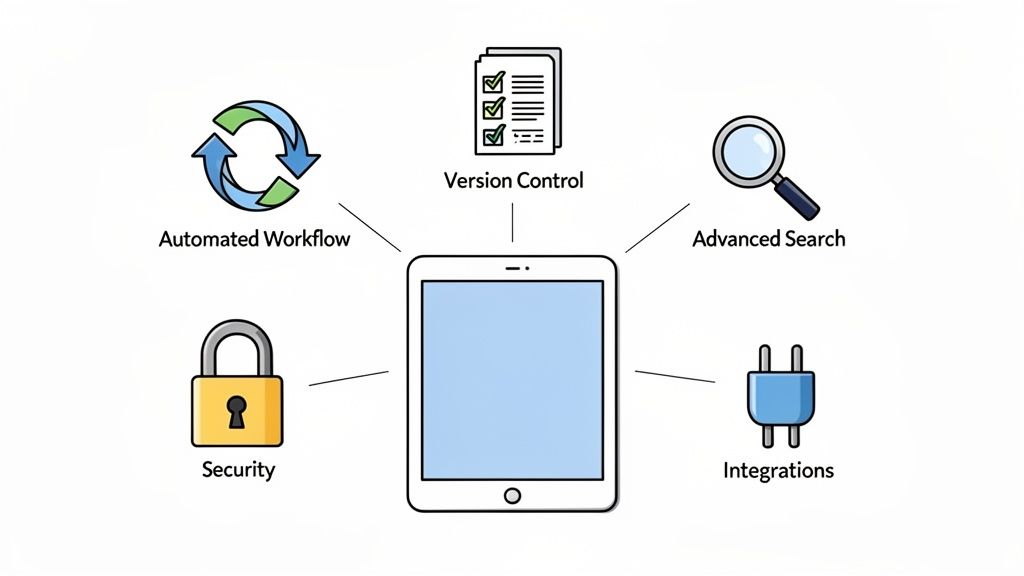
Not all document management platforms are built the same. While plenty of them offer basic file storage, a truly great system is packed with features that make your business sharper, safer, and more organized. These are the tools that take a simple digital folder and turn it into the command center for your entire operation.
Getting to know these core functions is the key to picking a solution that will actually make a difference. It's about looking past a simple features list and understanding how each one solves a real-world headache, whether it's chasing down client paperwork or catching a costly mistake before it happens.
Centralized Storage and Advanced Search
At its core, a DMS is about breaking down information silos. No more hunting for files scattered across personal hard drives, buried in email threads, or lost in different cloud accounts. Everything lives in one secure, central place, creating a single source of truth for the whole team. To see how this works in practice, it helps to understand how a cloud-based document management system brings all your information together.
But just having everything in one place isn't enough. The real game-changer is advanced search. Imagine you need to pull up every contract signed with a specific client last year. A modern DMS makes this easy by letting you search with:
- Keyword Search: Scans the actual content of every document for specific words or phrases.
- Metadata Tagging: Lets you add your own custom labels like "Invoice," "Q4," or "ClientXYZ" to find files instantly.
- Optical Character Recognition (OCR): This amazing tech reads the text in scanned documents and images, making them completely searchable.
This means your team can find what they need in seconds, not hours. It's the difference between a library with a detailed digital catalog and one where you have to pull every book off the shelf.
Automated Workflows and Task Management
This is where a good DMS really starts to work for you. Automated workflows take on the repetitive, manual tasks that drain your team’s time and energy. Think of it as putting your most tedious administrative processes on autopilot.
A law firm, for example, could set up a workflow for new client intake. The system automatically sends a secure link for the forms, keeps track of what’s been submitted, and nudges the client with polite reminders for anything that's missing. The legal team doesn't have to chase anyone; they just get a notification when the client's file is ready.
An automated workflow can reduce document processing time by up to 80%, freeing up your team to focus on meaningful work instead of endless follow-ups.
This kind of automation is a lifesaver for processes like employee onboarding, invoice approvals, or compliance checks. Nothing ever gets missed.
Version Control and Audit Trails
Have you ever found yourself staring at a file named "ProjectProposal_Final_v3_USE_THIS_ONE.docx"? Version control ends that chaos for good. The system automatically keeps a perfect record of every change made to a file, so you always know you're looking at the latest draft.
This simple feature prevents a world of headaches by ensuring everyone is working from the same page. If a mistake is made, you can just roll back to a previous version with a single click.
Working hand-in-hand with this is the audit trail. This feature creates a detailed log of every action taken on a document: who opened it, who changed it, and when. For industries like finance or healthcare where compliance is king, this unchangeable record is absolutely essential for security and regulatory reviews.
Robust Security and Seamless Integrations
Finally, any document management software worth its salt has to be serious about security. This means features like role-based access control, which lets you decide exactly who can see what. Your data is also protected with powerful encryption, both when it's being sent and when it's sitting on a server, keeping sensitive information locked down tight.
A modern DMS also needs to play well with the other tools you rely on. Integrations with platforms like DocuSign for e-signatures or Zapier to connect with thousands of other apps create a smooth, connected workflow. This lets your DMS become the central hub for all your document-related work, tying all your essential business tools together.
How a DMS Drives Real Business Growth and ROI

While the features of a document management system are great on paper, the real magic is in the tangible results you see every day. Bringing a DMS into your business isn't just about tidying up digital files; it's a strategic move that directly fuels growth and delivers a solid return on your investment. The real value comes when you connect these smoother processes to real-world outcomes like saving money, boosting security, and keeping clients happy.
Think about the daily grind of manual paperwork. Every hour an employee spends hunting for a missing file, chasing a client for a signature, or recreating a lost document is an hour they can't spend on work that actually makes money. A DMS solves this problem at its core, turning wasted time into productive, profitable work.
From Administrative Overload to Operational Efficiency
The first thing you'll notice with a DMS is a massive jump in efficiency. By automating the monotonous tasks and giving everyone instant access to the information they need, the system cuts down on administrative labor costs. This isn't just a small improvement; it's a fundamental shift in how your team gets things done.
Let's take a mortgage broker processing a loan application. The old way is a chaotic mess of emails, attachments, and phone calls just to gather dozens of documents. With a document management software solution, the broker sends a single, professional portal link where the client can upload everything directly into an organized checklist. Simple.
This smarter approach delivers some key wins:
- Reduced Labor Costs: Your admin team can save hundreds of hours a year because automated reminders and workflows do all the nagging for them.
- Faster Turnaround Times: Work that used to take weeks can now be wrapped up in days, letting you serve more clients and close deals quicker.
- Elimination of Paper-Related Expenses: The cost of paper, ink, printers, and physical storage cabinets really adds up, often running into thousands of dollars annually.
By automating these low-value tasks, you free up your team to focus on what they do best: building client relationships and growing the business.
Fortifying Security and Building Client Trust
In an age of constant cyber threats, strong data security isn't just a nice-to-have—it's absolutely essential. A single data breach can result in crippling financial penalties and, even worse, destroy the trust you've built with your clients. A DMS acts as a digital fortress for your most sensitive information.
Security is baked right in with features like granular access controls, which make sure employees only see the documents they're supposed to. Full audit trails track every single action—who viewed a file, who downloaded it, and when—giving you an unbreakable record for compliance.
For any business handling sensitive information, the cost of a data breach is infinitely higher than the investment in a secure DMS. When you protect your clients' data, you're protecting your reputation and your bottom line.
This commitment to security also becomes a powerful selling point. When you can confidently tell clients their personal and financial information is protected by enterprise-grade security, you build a foundation of trust that truly sets you apart from the competition. Applying the right strategies is crucial, and you can learn more by exploring these essential document management best practices to keep your data safe.
Enhancing the Client and Employee Experience
Let's be honest, a clunky and confusing document collection process can sour a client relationship from the very start. A modern DMS changes this experience from a necessary evil into a smooth, professional interaction. Instead of a messy email chain, clients get a clean, branded portal that walks them through every step.
This creates a night-and-day difference that clients immediately notice.
- Before DMS: Clients are frustrated with endless email attachments, vague instructions, and constant follow-up calls.
- After DMS: Clients love the professional, easy-to-use portal that makes submitting documents effortless, whether they're on a computer or their phone.
This better experience isn't just for clients. Your own employees benefit from a clear, organized system that removes the friction from their daily work. Happier employees lead to lower turnover and a more productive team. In the end, a smooth operation isn't just an internal perk—it's a genuine competitive advantage that helps you win and keep more business.
Document Management in Action Across Different Industries
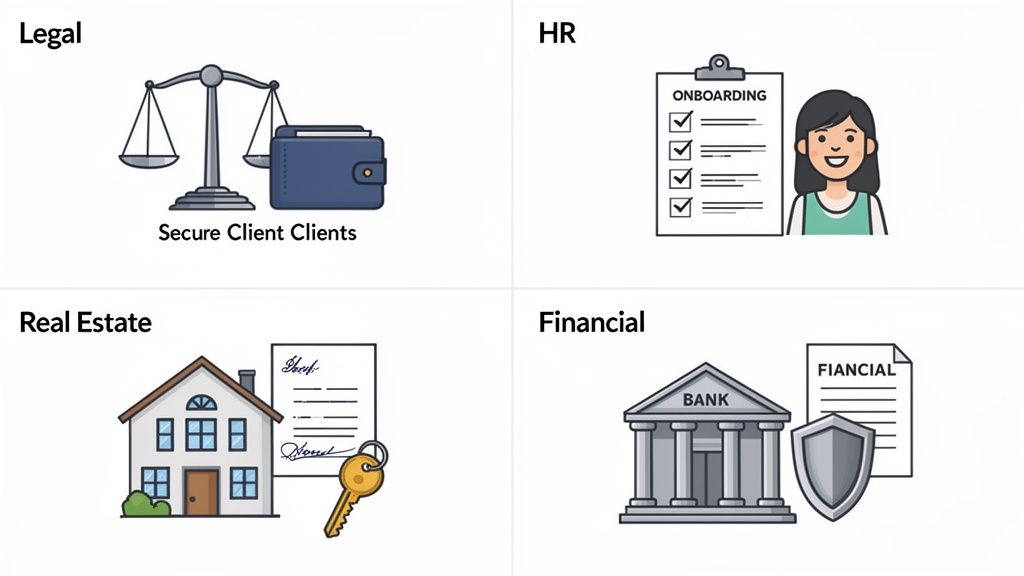
This is where the rubber meets the road. You can talk about features all day, but seeing how document management software solves real, messy, industry-specific problems is what truly makes its value click.
While every business benefits from getting organized, certain industries are absolutely drowning in paperwork. For them, a good DMS isn't just a "nice-to-have"—it's a critical part of their daily operations. Let's look at a few examples of how these systems perform in some of the most demanding fields.
The Legal Sector: Navigating a Minefield of Compliance and Case Files
Law firms are built on a foundation of documents. From client retainers and court filings to mountains of evidence, the sheer volume is staggering. But it’s not just about volume; it’s about risk. One misplaced document or a single missed deadline can have catastrophic legal and financial fallout.
Take an immigration law firm, for example. They juggle countless visa applications, each with dozens of supporting documents and non-negotiable expiry dates. It's a high-stakes, high-stress environment. A DMS brings much-needed order to this chaos.
- Smart Checklists: The firm can set up a unique template for each visa type. Kick off a new case, and the system instantly generates a secure client portal with a checklist of every single required document. Nothing gets missed.
- Expiry Date Alerts: The software automatically tracks passport and visa expiry dates, sending out reminders to the legal team and the client long before it becomes a crisis. This puts an end to last-minute panic.
- A Secure Vault for Clients: Forget insecure email attachments. Clients can upload hyper-sensitive files like birth certificates and bank statements directly into an encrypted, access-controlled portal.
In the legal world, precision is everything. A DMS provides the structure and automation needed to manage complex caseloads flawlessly, turning potential chaos into controlled, compliant workflows.
This isn't just about being more efficient. It’s about building client trust by showing you have a rock-solid, professional process for handling their most personal information.
Human Resources: From Onboarding to Offboarding
HR is the nerve center of all employee information. From the moment someone applies to their final exit interview, their entire journey is documented—contracts, tax forms, performance reviews, you name it. A document management software solution is the only way to keep this process smooth, secure, and sane.
Think about the classic onboarding experience: a mess of printed forms, chasing signatures, and endless scanning.
A DMS turns that entire ordeal into a slick, automated welcome. The system sends the new hire a digital welcome packet, lets them fill out and e-sign everything online, and automatically files it all away in a secure employee folder. It saves the HR team a ton of time and, just as importantly, makes a great first impression on the new employee.
Financial Services: Where Security and Accuracy Are Everything
For anyone in finance—from mortgage brokers to wealth managers—document security and accuracy aren't just best practices; they're the law. These firms handle incredibly sensitive client data. A single mistake or breach can lead to crippling regulatory fines and instantly shatter a client's trust.
A mortgage broker, for instance, has to collect a mountain of financial paperwork for just one loan application: pay stubs, bank statements, tax returns, and more. A DMS makes this collection process surprisingly simple.
The broker can create a secure, branded portal for each client. Applicants get a clear list of what’s needed and can upload their documents directly. This kills the long, confusing email chains and gives both sides a real-time view of the application’s progress. Behind the scenes, powerful encryption and audit trails ensure every piece of data is protected and fully compliant with financial regulations.
Real Estate: Closing Deals Without the Delays
Real estate moves fast. Deals live and die by the timely exchange of contracts, inspection reports, and closing documents. A delay of a few hours can cause an entire transaction to collapse, so efficient document handling is a massive competitive advantage.
With a DMS, a real estate agency can create a central "deal room" for each property. Everyone involved—agents, buyers, sellers, and lawyers—gets secure access to only the documents they need to see. Version control guarantees that everyone is looking at the most current purchase agreement, and automated workflows can zip contracts around for signatures, dramatically speeding up the closing process. It's a simple change that helps agents close more deals and gives clients a much smoother experience.
A Practical Checklist for Choosing the Right DMS
Picking the right document management software feels like a huge decision, and it is—but it doesn't have to be overwhelming. The trick is to break down what you actually need and then ask vendors the right questions. This way, you can find a solution that fits your business perfectly. Think of this checklist less as a feature list and more as a guide to starting the right conversations.
We've designed this to help you cut through the sales pitches and zero in on what really matters: how the software will affect your team’s day-to-day work, your company's security, and your ability to grow down the road.
Start with Security and Compliance
Before you even look at a single feature, you have to know your data will be safe. Security isn't just a bullet point on a sales page; it's the bedrock of any system you can trust. A single data breach can be devastating, so you need to be direct and ask vendors exactly how they plan to protect your information.
Make sure you get clear answers on these non-negotiables:
- Data Encryption: Is your data encrypted both while it's being uploaded (in transit) and while it's stored on their servers (at rest)? This is the absolute minimum standard.
- Access Controls: How detailed can you get with permissions? You need the ability to control who can see, edit, or share specific files and folders. For example, sensitive HR documents should be completely invisible to everyone outside the HR department.
- Compliance Certifications: Does the software meet critical industry standards? Depending on your business, this could be GDPR, SOC 2, or HIPAA. Don't just take their word for it; ask for proof.
Any vendor that takes security seriously will welcome these questions and have confident, straightforward answers.
Think About Scalability and Future Growth
The DMS you pick today has to work for the company you'll be tomorrow. It's a waste of time and money to get a system up and running only to discover you've outgrown it in a year. True scalability means the software can handle more users, a mountain of new documents, and more complex processes without slowing down.
Here's a great question to ask a potential vendor: "How does your platform support a business that doubles in size over the next three years?" Their response will reveal a lot about their system's architecture and whether they're truly invested in long-term partnerships.
You want a platform that won't buckle during a busy season when documents are flying in, or make it a hassle to add new team members. A scalable system ensures your investment keeps delivering value as you expand.
Prioritize Ease of Use and Team Adoption
Let's be honest: the most powerful software on the planet is worthless if your team hates using it. A system with a steep learning curve will lead to frustrated employees and abysmal adoption rates. You'll end up paying for a tool nobody wants to touch. The goal is to find a solution that just makes sense right from the start.
Look for signs of a user-friendly system:
- A clean, modern interface that isn’t cluttered or confusing.
- The ability for a non-technical person to set up automated workflows.
- A great mobile experience, so your team can get work done from anywhere.
Never skip the demo or free trial. Get a few of your team members to play around with it and give you their unfiltered feedback. If they can figure out the basics without a two-hour training session, you’re on the right track.
Understand the Full Pricing Model
Software pricing can be a minefield of hidden fees that pop up right after you've signed the contract. Before you commit, make sure you have a crystal-clear understanding of the total cost of ownership. A vendor who values your business will be upfront about every potential charge.
Be sure to ask about:
- Per-User Fees: Is the price based on how many people are on the platform?
- Storage Limits: What happens if you go over your storage limit? Are the overage fees reasonable?
- Support Costs: Is hands-on customer support included in your plan, or is that an extra cost?
- Implementation Fees: Are there one-time charges for setup, training, or migrating your old files?
A simple, transparent pricing structure is a good sign you've found a vendor that wants to build a lasting relationship, not just make a quick sale. Finding a true partner means finding a company whose business model works with yours, not against it.
Solving Your Document Collection Headaches for Good
We've spent a lot of time talking about the common frustrations that come with handling documents the old way—the messy files, the security worries, and the constant back-and-forth with clients. Now, let's switch gears and look at how a modern document management software like Superdocu can make those headaches a thing of the past.
Think about swapping out that chaotic collection process for a slick, branded client portal. Instead of messy email chains, you send one simple link. Your clients get a clean, straightforward checklist where they can upload files from any device, whenever it's convenient for them. It’s a small change that completely transforms their experience from a burden into a smooth, professional interaction.
Turning Manual Labor into Automated Workflows
The real magic happens with automation. You can set up simple workflows that take care of all the tedious stuff for you. The moment a client gets their document request, the system kicks in.
- Automated Reminders: The platform sends out polite, scheduled follow-ups for any missing documents. No more chasing people down.
- Real-Time Dashboards: A central dashboard gives you a live, at-a-glance view of every single request—what’s done, what’s pending, and what needs a quick review.
- Expiry Date Tracking: For critical documents like licenses or insurance certificates, the system keeps an eye on expiration dates and automatically prompts you to get an updated copy.
This kind of automation is a game-changer. It frees up your team from chasing paperwork so they can focus on work that actually matters. It’s not uncommon for businesses to get back hundreds of admin hours a year, which goes straight to the bottom line.
A Professional Front for Your Business
Using a dedicated platform isn't just about getting organized; it's about looking good. With white-labeling, every interaction with your client—from the first email to the portal they upload files to—is decked out in your company's logo and colors. This creates a consistent, trustworthy image that builds client confidence from day one. You can learn more about how this works by checking out our guide on document workflow automation.
By tackling the biggest pain points head-on—security, client experience, and wasted time—a tool like Superdocu becomes more than just software. It becomes a core part of how you do business, delivering real ROI, keeping you compliant, and providing the seamless service clients now expect. It’s the final answer for any business ready to leave document chaos behind for good.
Frequently Asked Questions About Document Management Software
Jumping into any new system brings up questions. When it's something as critical as your company's information, you need straight answers before making a move. Here are some of the most common things people ask about document management software.
How Secure Is Cloud-Based Document Management Software?
This is usually the number one concern, and for good reason. Trusting your sensitive files to a cloud provider can feel like a leap of faith. The reality, though, is that modern cloud systems are often much more secure than keeping files on a local server or emailing them back and forth.
Think of it this way: reputable cloud DMS platforms are built like digital fortresses with layers of protection:
- End-to-End Encryption: Your files are scrambled from the moment they leave your computer until they’re stored, making them completely unreadable to anyone without the key.
- Strict Access Controls: You get to be the gatekeeper. You decide precisely who can see, change, or share any given file. This means sensitive HR records or client financials are only accessible to the people who absolutely need them.
- Compliance with Regulations: Top-tier platforms are built from the ground up to meet tough international standards like GDPR. This gives you a secure framework that helps keep your business compliant.
A study by the Cloud Security Alliance found that cloud environments often experience fewer security incidents than traditional on-premise data centers, thanks to dedicated security teams and advanced threat detection.
At the end of the day, these platforms offer enterprise-level security that most small and medium-sized businesses simply couldn't afford to build on their own.
Is Migrating Our Existing Documents Difficult?
The idea of moving years' worth of files can definitely feel overwhelming, but it’s a lot more manageable than it sounds. Modern document management systems are designed to make getting started as painless as possible. The whole point is to get you working efficiently, not to bog you down in a complicated setup.
Most platforms have simple tools like bulk uploaders, allowing you to drag and drop entire folders at once. Many also offer dedicated support to walk you through the migration, ensuring everything goes smoothly without interrupting your team’s work. It’s a one-time effort that pays off in saved time and sanity for years.
Can a DMS Integrate with Our Other Tools?
Absolutely. A good DMS doesn't live on an island. It should act as a central hub that plugs right into the other software you use every day. That’s what elevates it from a simple storage box to a true workflow powerhouse.
For instance, using an integration platform like Zapier, your DMS can connect to thousands of other apps. Imagine automatically creating a new client folder in your DMS the moment a new contact is added to your CRM. Or, by integrating with an e-signature tool like DocuSign, you can seamlessly send documents for signature right from your workflow, making the whole process faster and more secure.
Ready to transform your document collection process from a chaotic chore into a streamlined, professional experience? Superdocu provides the secure, automated, and easy-to-use platform you need. Start your free trial today and see the difference.