
At its core, document management for accountants is all about swapping out chaotic, manual processes for a secure, automated system. It's the move from scattered emails and risky shared drives to a central hub where every client document is gathered, organized, and protected. This isn't just a minor upgrade; it’s a fundamental shift that strengthens security, boosts productivity, and improves your client relationships.
Moving Beyond Digital Filing Cabinets

Does this sound familiar? You're digging through endless email chains for a single tax form, constantly chasing clients for missing paperwork, and feeling that all-too-common stress as deadlines inch closer. For too many accounting firms, this isn't just a bad week—it's business as usual.
Think of a traditional system, even one using basic cloud storage, as a library with no librarian. Documents get misplaced, shoved into the wrong folders, or shared without any real record of who has them. This manual approach isn't just frustrating; it's a real threat to your firm's health.
The Hidden Costs of Disorganization
Relying on outdated processes creates a massive drag on your operations. Every minute your team spends hunting for a document is a minute they aren't spending on billable work. That lost time adds up fast, hitting your bottom line and creating bottlenecks that slow down the entire client experience.
Even worse, these manual systems open the door to risks that a dedicated document management for accountants platform is built to eliminate.
- Security Vulnerabilities: Emailing sensitive financial data back and forth is like sending it on a postcard. Generic file-sharing links aren't much better, exposing your firm and your clients to potential data breaches.
- Compliance Headaches: Trying to prove you’ve followed data retention policies during an audit is a nightmare without a central system. You’re left scrambling to piece together a paper trail that may or may not exist.
- Client Frustration: A clunky, confusing document submission process is a bad look. It chips away at client trust and makes your firm seem disorganized.
Disorganized document handling isn't just an internal problem; it's a client-facing issue. When clients have to resend documents or navigate confusing submission methods, it reflects poorly on your firm's professionalism and care.
When Manual Systems Break Down
The real breaking point for manual systems always comes during peak season. When tax deadlines loom, the trickle of documents turns into a flood. Without an automated way to handle it all, your team gets buried, leading to mistakes, missed deadlines, and serious burnout.
Just think about these all-too-common scenarios:
- A team member unknowingly works from an old version of a client’s financial statement, causing an incorrect filing.
- A critical document is trapped in a former employee’s inbox, grinding a project to a halt while someone hunts for the password.
- A client helpfully sends a file named "Scan.pdf," forcing your team to waste time just figuring out what it is.
These aren't just minor annoyances; they are major operational hurdles that compound over time. They stop your firm from growing and keep your best people stuck doing low-value admin work instead of focusing on high-impact advisory services. Making the switch to a proper document management system isn't just about convenience—it's about survival.
What Modern Document Management Really Means

If you're still picturing a document management system (DMS) as just a fancy digital filing cabinet, it's time for a major rethink. Modern document management for accountants isn't about passively storing files. It’s an active, intelligent command center that manages the entire life of every client document, from the first request to the final archive.
Think of it as the most reliable digital assistant your firm has ever had. This assistant doesn't just put files in folders—it automatically chases clients for documents, sends out reminders, neatly organizes every single submission, and makes sure every piece of sensitive information is locked down tight and fully compliant. That’s what a true DMS does. It’s a complete workflow engine, not just a shared drive in the cloud.
This move from passive storage to active management is critical. When there's no dedicated system, chaos isn't just a possibility; it's a certainty. Recent studies show just how messy things get: a staggering 48% of professionals waste time struggling to find the documents they need, while 47% admit their company’s online filing systems are just plain confusing. You can learn more about these document management statistics and see why so many firms are stuck in the past.
The Three Pillars of an Effective DMS
A powerful document management system stands on three core pillars. Together, they eliminate the frustrating manual work that bogs down your team and creates bottlenecks. Understanding these pillars is key to seeing what separates a basic tool from a real solution.
- A Secure and Centralized Hub: Everything in one place, protected by bank-level security. Say goodbye to digging through old emails, shared drives, or someone's desktop folder to find a crucial file.
- An Automated Workflow Engine: The system is the one doing the work. It actively pushes documents through your processes—from client submission to internal review and final approval—all without someone having to nudge it along.
- A Professional Client Portal: This gives your clients a simple, secure, and branded way to upload their documents, check on the status, and communicate with your team. It makes your firm look good and makes their life easier.
A modern DMS transforms your firm's document workflow from a reactive, chaotic process into a proactive, predictable, and secure operation. It’s about controlling the flow of information, not just storing it.
From Manual Handling to Automated Workflow
To really see the difference, let’s look at a task every firm deals with: collecting tax documents. The old way is a painful, multi-step slog filled with manual labor and a high risk of error. The new way, powered by a DMS, is smooth, efficient, and professional.
Take a look at how the process changes.
Manual Document Handling vs Automated DMS
| Process | Manual Method (The Old Way) | Automated DMS (The New Way) |
|---|---|---|
| Document Request | Manually emailing a checklist to each client. | Sending an automated request link from a pre-built template. |
| Client Submission | Receiving documents via insecure email attachments. | Clients upload files to a secure, branded portal. |
| Follow-Up | Your team manually tracks missing items and sends reminders. | The system automatically sends scheduled reminders for outstanding documents. |
| Organization | Staff downloads, renames, and files each document by hand. | Documents are automatically named, categorized, and filed into the correct client folder. |
| Security | Sensitive data sits in multiple inboxes, creating compliance risks. | All data is encrypted and stored in one secure, auditable location. |
This table shows a fundamental shift in how work gets done. An automated system doesn't just speed things up; it builds consistency, tightens security, and, most importantly, frees up your team. They can finally stop chasing paperwork and start focusing on high-value client work—the kind of work that actually grows the firm.
Essential Features for Your Accounting Firm
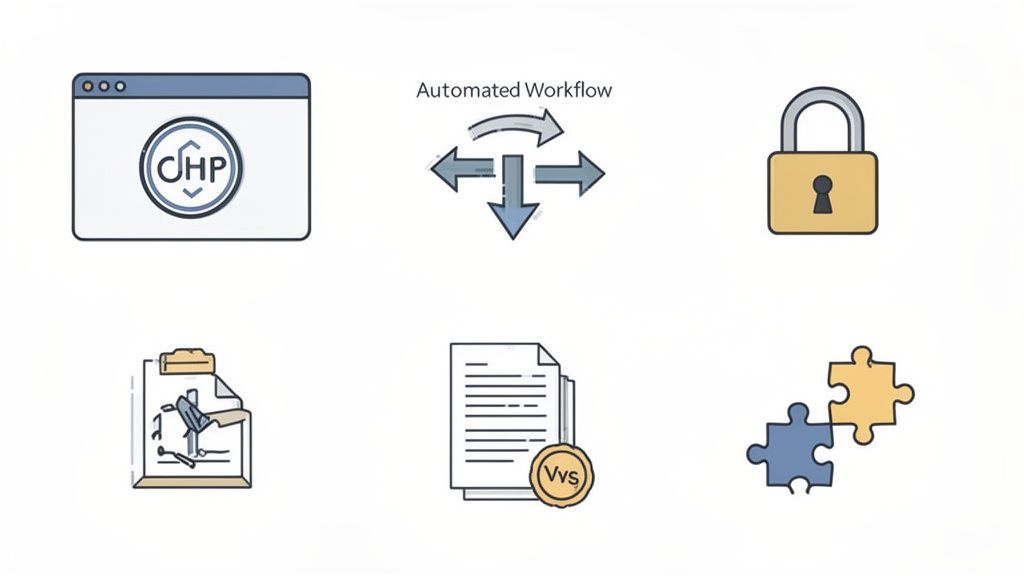
When you're shopping for a document management system (DMS), it's easy to get lost in a sea of features. But for accounting firms, the stakes are higher. A generic cloud drive just won't cut it. You're dealing with sensitive data, tight deadlines, and complex compliance rules.
You need a platform built to handle the unique grind of accounting. The right features will do more than just store files; they'll become the engine that powers your firm's efficiency. Let's dig into the features that separate a basic tool from a true game-changer.
Secure Client Portals
Stop chasing clients through endless, insecure email threads. A secure client portal is your firm's digital front door—a professional, branded space where clients can upload sensitive documents, check on outstanding requests, and communicate directly with your team.
This completely changes the client experience. What used to be a clunky, confusing process becomes a smooth, professional interaction. When clients log into a portal with your logo on it, it builds immediate trust and reinforces your reputation as a modern, secure firm.
Automated Workflows and Reminders
Here’s where a great DMS really starts to pay for itself. Manually following up on document requests is a huge time-sink that pulls your best people away from billable work. The right document management for accountants system can automate this entire headache.
Think about how this could work:
- Kick off the request: You send a document checklist to a new client using a saved template.
- The system takes over: The DMS then sends polite, scheduled reminders for any files that are still missing. You set the timing, and it does the nagging for you.
- Stay in the loop: Your team gets a notification the moment a file is uploaded, so everyone knows exactly where things stand without constant check-ins.
This kind of automation means nothing gets missed, you get what you need faster, and your team can focus on accounting—not chasing paperwork.
The goal of automation isn't just to be faster; it's to create a reliable and predictable system. When workflows are automated, you eliminate human error and ensure every client receives the same high level of service.
Bank-Level Security and Encryption
In our line of work, data security isn't just a feature; it's a fundamental responsibility. You're holding clients' most sensitive financial information, which makes your firm a magnet for cyber threats. A solid DMS is your first line of defense.
Make sure any system you consider has these security staples:
- End-to-End Encryption: This protects data both while it's being uploaded and after it’s stored on the server. Think of it as a digital armored car.
- Access Controls: You need the ability to decide exactly who can see, edit, or download certain documents. This minimizes the risk of both internal and external breaches.
- Audit Trails: A clear, unchangeable log that shows who touched a document, when they did it, and what they did. It's essential for compliance and for figuring out what went wrong if there’s ever an issue.
Version Control and Document Retention
Working off an old version of a tax form or financial statement is a recipe for disaster. Version control solves this by making sure everyone is always looking at the most current file. It neatly archives older versions, giving you a clear document history without cluttering your workspace.
Just as important is knowing how long to keep everything. A good DMS helps you enforce your document retention policies automatically, so you're not holding onto files longer than you need to (or deleting them too soon). To get your policies in order, check out these 10 document retention policy best practices to help keep your firm compliant.
Seamless Software Integrations
Your DMS shouldn't be an island. To get the most out of it, it needs to play nicely with the other tools you rely on every day, like your practice management or tax software.
When your systems are connected, information flows automatically between them. This kills double-entry and manual file transfers. For instance, creating a new client in your practice management system could instantly trigger a welcome packet and document request from your DMS. It’s this kind of connected workflow that saves incredible amounts of time and prevents costly errors.
Implementing a DMS Without Disrupting Your Firm

Bringing in new technology can feel like a huge project, especially when your team is already stretched thin. The fear of grinding daily work to a halt is perfectly valid. But making a smooth, successful switch to a document management system is completely possible with a good plan.
Think of it less as a sudden, disruptive overhaul and more as a guided evolution. It’s like upgrading your firm’s entire navigation system—you wouldn't just tear out the old maps and hope everyone finds their way. You’d plot the course, let people get comfortable with the new tools, and make sure the destination is clear. A smart DMS implementation follows that same logic, turning a potentially messy process into a predictable, positive change.
Step 1: Start with a Process Audit
Before you can improve your workflow, you need to know exactly how it works right now. A process audit means mapping out how a document travels through your firm, from the moment a client sends it to its final resting place in your archives.
Your goal is to find the bottlenecks, the security risks, and all the time-consuming manual steps. This audit is what builds the business case for a new system. When you can show that your team spends, say, 15% of their week just chasing down missing files, the value of a system that sends automatic reminders becomes crystal clear.
- Map the journey: Trace the path for key services, like tax prep or client onboarding.
- Pinpoint the pain: Where do things get bogged down? Where do mistakes usually happen?
- Ask your team: Get input from the people doing the work every day. They know exactly what’s frustrating.
Step 2: Choose the Right Technology Partner
Not all DMS platforms are created equal. Once you have a handle on your firm’s specific needs, you can start looking at potential software partners. Look past the shiny feature lists and find vendors who truly get the unique world of document management for accountants. They should speak your language, from compliance requirements to client communication challenges.
During software demos, ask questions that hit on the pain points you found in your audit. How does their system handle a multi-stage review process? Can you create reusable checklists for your most common document requests? A great partner will give you concrete solutions, not generic sales pitches. You can learn more about what to look for by exploring the key features of a modern client document collection portal and see how much the right platform can help.
Step 3: Plan Your Data Migration Methodically
Moving years of client files and financial data can feel like the scariest part of this whole process. But it doesn’t have to be a nightmare. A phased approach is almost always the best bet. Instead of trying to move everything over a single weekend, start small. Pick a pilot group of tech-friendly clients or a single internal department to go first.
A "big bang" migration, where you flip the switch for everyone at once, is a high-risk gamble. A phased rollout lets you work out the kinks on a small scale, gather real-world feedback, and build confidence for a firm-wide launch.
This methodical strategy keeps disruption to a minimum and gives your team a chance to learn the new system in a lower-stress setting. Once the process is proven with your pilot group, you can map out a clear schedule for moving everyone else over, one client or service line at a time.
Step 4: Train Your Team and Your Clients
The most powerful software on the planet is worthless if nobody knows how to use it. A critical part of your plan must be solid training for your team. The key is to focus on how the new DMS solves their biggest headaches. Show them how automated follow-ups will give them back hours in their week or how a central repository means no more hunting through shared drives for a missing file.
And don't forget your clients. Create simple, easy-to-follow guides—like short videos or one-page PDFs—that show them exactly how to use the new client portal. When you frame the change as a benefit to them (better security, easier uploads, clearer communication), you'll find they get on board much faster and with a lot less friction.
Squeezing Every Drop of Value From Your System
Putting a new document management system in place is a great start, but it’s really just the beginning. If you want to truly see a jump in your firm's productivity, you have to think beyond just storing files. Your DMS should become the engine that powers your entire operation. A powerful tool, after all, is only as good as the strategy behind it.
Think of it like buying a top-of-the-line espresso machine. Just having it on the counter doesn't guarantee a perfect cup of coffee. You need to know how to grind the beans, tamp the grounds, and pull the shot just right. These next few strategies will help you do just that—get the most out of your investment and see a real return.
Nail Down a Standardized File Structure
The first rule of sane document management for accountants is creating a single source of truth. This all starts with a logical, standardized folder structure that everyone in the firm can use without even thinking about it. Skip this step, and your fancy new DMS will quickly become just as messy as the old shared drive you were trying to escape.
A uniform structure means anyone can find any client document in seconds. It cuts out the frustrating scavenger hunts for misplaced files and stops duplicate or outdated versions from muddying the waters.
You could start with a simple, clean structure that can grow with you, something like this:
- Top Level:
Client Name - Second Level:
Year (e.g., 2024) - Third Level:
Service Type (e.g., Tax Preparation, Audit, Advisory) - Fourth Level:
Document Status (e.g., Client Provided, In Review, Final)
This kind of consistency is the foundation of an efficient firm.
Create Reusable Workflow Templates
One of the biggest wins you'll get from a good DMS is automating the tasks you do over and over. Stop reinventing the wheel for every new client or project. Instead, build out reusable workflow templates for your core services, like client onboarding, tax prep, or audit engagements.
These templates can be pre-loaded with everything you need:
- Standard Document Checklists: A complete list of every single document you need from the client.
- Automated Reminder Schedules: Set it and forget it. The system can send follow-up emails for you.
- Internal Task Assignments: Automatically ping the right team members when it's their turn to act on a file.
By building templates, you guarantee every client gets the same high-quality, professional experience, and you make sure no critical steps ever fall through the cracks. It drives consistency and slashes the admin time needed to kick off each new job.
Lock Down Security with Smart User Permissions
Your DMS holds some of your clients' most sensitive financial information, so security has to be front and center. A key strategy here is to implement role-based access controls. Let's be honest: not everyone on your team needs to see every single file for every single client.
Effective user permissions aren't about holding your team back; they're about protecting your clients and your firm. By granting access strictly on a need-to-know basis, you drastically reduce the risk of an accidental data leak or a malicious breach.
For instance, a junior accountant might only need to view certain workpapers, while a partner has full control over the system. This level of granular control is a pillar of good data governance and is absolutely essential for staying compliant with regulations like GDPR. Make it a habit to review these permissions regularly to ensure they always match your team members' current roles.
Choosing the Right Document Management Solution
Let’s be honest, wading through the sea of document management options can feel like a chore in itself. There are so many platforms out there, and it’s tough to distinguish between a basic digital filing cabinet and a tool that will actually move the needle for your firm.
The right choice really boils down to your specific needs. What works for a solo practitioner just starting out is completely different from what a growing 20-person firm requires. You have to consider your budget, your team's tech-savviness, and whether you need special features like e-signatures or rock-solid compliance tools.
Comparing Your Options
To make a smart decision, it helps to understand the main flavors these tools come in. They all manage documents, of course, but their purpose and how they help an accounting firm can be worlds apart.
Think of it this way: a system designed for easy client collaboration is fundamentally different from one built just to store your internal files. Let's break down the three most common categories you'll run into.
A side-by-side look makes the differences crystal clear. We've put together this table to help you see how generic storage, all-in-one software, and specialized document management systems stack up.
Comparing Document Management Solutions for Accountants
| Solution Type | Generic Cloud Storage (e.g., Dropbox) | All-in-One Practice Management | Specialized DMS (e.g., Superdocu) |
|---|---|---|---|
| Primary Focus | Simple file storage and sharing. | Broad firm management (billing, projects, CRM). | Secure document collection and workflow automation. |
| Client Experience | Basic and often confusing for clients. | Can be complex; document handling is one of many features. | Professional, branded, and easy for clients to use. |
| Automation | Very limited; requires manual organization. | Some automation, but often not a core strength. | Advanced automation for reminders and follow-ups. |
| Best For | Very small firms with minimal needs and a tight budget. | Firms wanting a single system for all operations. | Firms prioritizing efficiency and a great client experience. |
Looking at this comparison, you can start to see where the real value lies for an accounting practice that wants to grow and impress its clients.
Looking Beyond Basic Storage
As the table shows, generic cloud storage like Dropbox just doesn't cut it for most firms. You quickly outgrow it. These tools lack the robust security, smart automation, and professional client experience that are non-negotiable in today’s world.
All-in-one practice management software is a step up, but document handling is often just an add-on—not the main event. It gets the job done, but it might not be as smooth or intuitive as you'd like.
This is where a specialized platform shines. By focusing squarely on the client journey, it turns the painful process of collecting documents into a streamlined, professional, and almost effortless experience. This focus is a game-changer. If you want to dig deeper, you can explore the many advantages of a cloud-based document management system and see how it can truly simplify your operations.
The best document management for accountants isn't just about where your files live. It's about how they get there. Prioritize a system that makes life easier for your clients and your team, not just one that offers the most storage space.
Making the Final Call
When it comes down to it, your choice should hinge on a few simple, practical questions:
- How quickly can my team learn and adopt this system?
- Will my least tech-savvy client find it easy and secure to use?
- Does it solve our biggest headache—chasing clients for missing paperwork?
Your firm’s ability to thrive depends on being efficient and building great client relationships. Choose a tool that helps you do both. Look for a true partner that won't just organize your files, but will actively improve your workflows and elevate the service you provide for years to come.
Got Questions? We’ve Got Answers.
As you explore document management systems for accountants, a few questions always pop up. Let's tackle them head-on so you can feel confident about your next steps.
How Long Does It Take To Set Up a DMS?
This is probably the number one question we hear, and the answer is: it’s faster than you think. A modern, cloud-based system can be operational in days, not months.
The biggest variable is always migrating your existing files. A smart approach is a phased rollout. Start with a single department or a small group of clients to get the hang of things. This makes the transition smooth and keeps your team from feeling overwhelmed.
For most firms, getting started looks like this:
- Setting up your client portal with your firm's branding.
- Building out a few initial workflow templates for common jobs, like tax returns or onboarding.
- Walking your team through the new, much simpler process.
Is It Hard to Get Clients to Use a New Portal?
This is a valid concern, but it's rarely the hurdle firms expect it to be. The trick is picking a system that’s genuinely easy to use. When uploading a document is simpler and safer than attaching it to an email, your clients will happily make the switch.
The secret to a smooth rollout is all about framing. Don't just tell clients you have a new system; explain why it's better for them. Highlight the top-notch security for their sensitive information and the convenience of having a single, organized place for everything. A simple one-page guide or a quick video tutorial often works wonders.
What About Security and Compliance?
Security is everything in this business. Any reputable DMS is built with layers of protection that leave standard email or generic cloud storage in the dust.
You should be looking for platforms that offer end-to-end encryption, let you set role-based access controls (so people only see what they need to see), and provide detailed audit trails. These features aren't just nice to have; they're essential for protecting client data and meeting compliance standards like GDPR. Honestly, your data is often far safer in a specialized DMS than on your own in-office server.
Can a DMS Connect With My Other Software?
Absolutely, and you shouldn't settle for one that doesn't. The best document management solutions are built to integrate with the tools you rely on every day, like your practice management or tax software.
These connections are what really unlock major efficiency gains. They get rid of mind-numbing manual data entry and ensure information flows smoothly between your systems. This saves a ton of time and dramatically cuts down on the risk of errors. Always ask a vendor for their list of integrations before you commit.
Ready to stop chasing documents and start focusing on what you do best? Superdocu provides a secure, automated platform that makes document collection effortless for you and your clients. Start your free trial today and see the difference.