
Tired of chasing clients for documents? Document gathering software is the answer. It’s a specialized tool that gets you out of messy email chains and insecure shared folders, giving you one central, secure portal to collect everything you need from your clients.
Think of it as a smart, digital briefcase for every single project. It finally puts an end to that frustrating "paper chase" for good.
End the Chaos of Chasing Client Documents
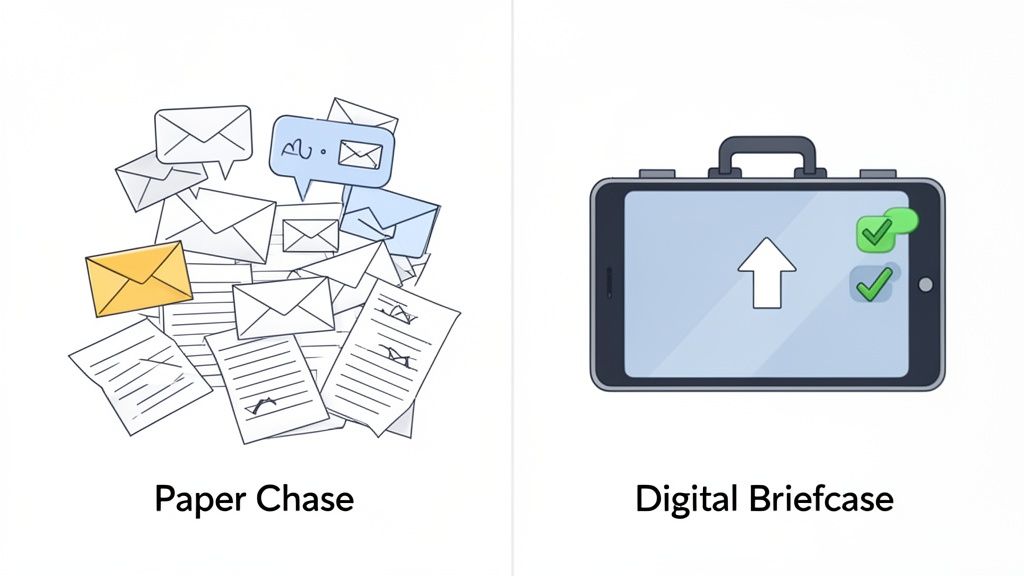
If you've ever had to get files from a client, you know the pain. You need a stack of different documents—IDs, bank statements, signed forms—and you end up spending way too much time sending one reminder email after another.
Files disappear into spam folders, clients upload the wrong version, and sensitive data just sits in someone’s inbox. This old-school manual process isn’t just slow; it looks unprofessional and opens you up to all sorts of security risks.
This is exactly the problem document gathering software was built to fix. Instead of juggling a dozen different tools, it gives you a single, focused platform to request, collect, and keep track of every client file.
It shifts your process from a reactive, administrative nightmare to a smooth, automated workflow. The concept is simple: create one secure, easy-to-use place for everything.
How Document Gathering Software Works
The process is refreshingly simple. First, you create a checklist of every document you need from your client. Then, you send them a single, secure link to a client portal that’s branded with your company's logo.
For the client, it’s a breeze:
- Easy Uploads: They just drag and drop files from their computer or even their phone. No software to install, no complicated passwords to remember.
- Clear Checklists: They can see exactly what you need and what they’ve already sent, which cuts down on all the back-and-forth questions.
- Progress Tracking: Everyone can see the status of the request at a glance. It brings much-needed transparency to the whole process.
The benefits for your team are even bigger. You get a dashboard to see every pending request in one place. You get automatic reminders that gently nudge clients for you. And you get a secure, organized system where every single file is right where it’s supposed to be.
This approach saves countless administrative hours. It also makes your business look sharp and professional from day one, seriously upgrading the client experience. To dig deeper, you can learn more about how a SaaS for collecting documents can overhaul your team's workflow.
The Core Features That Put Document Collection on Autopilot
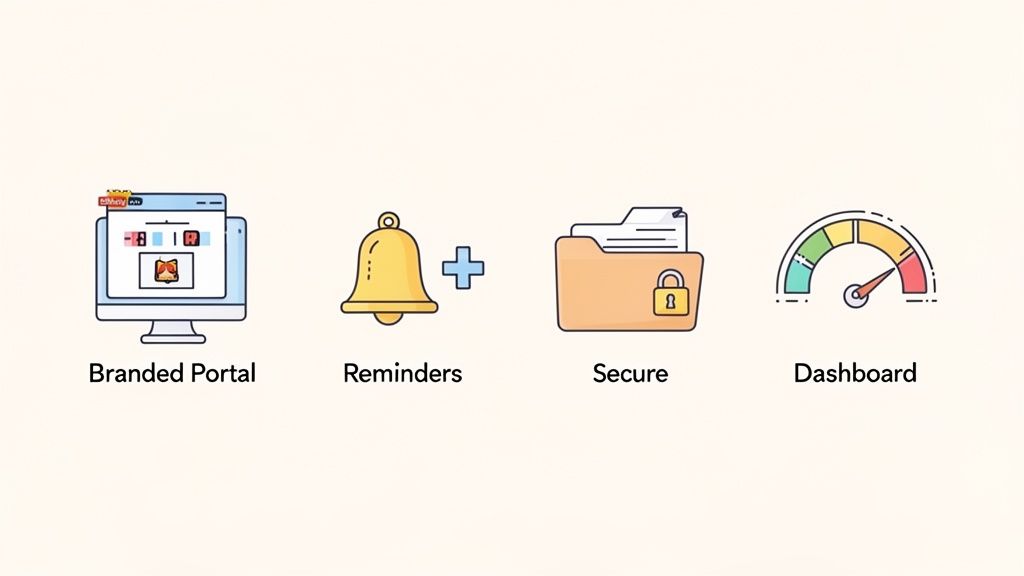
The real magic of document gathering software isn't just about storing files—it's about the features designed to solve the most frustrating, time-sucking parts of the collection process. These tools turn what used to be a manual grind into a smooth, professional, and automated system.
Think of these features less like a checklist and more like a dedicated digital assistant, working 24/7 to make your job easier while giving your clients a stellar experience.
Branded Client Portals
First impressions count, especially when you're asking for sensitive documents. A branded client portal makes sure your first impression is a great one. Instead of sending clients to a generic link, you're welcoming them to a secure upload page that features your own logo and brand colors.
This is more than just a cosmetic touch; it's about building instant trust. A professional portal tells your clients you take their security and their experience seriously. It makes the simple act of uploading a file feel like a natural part of your service.
Automated Reminders and Follow-Ups
Let’s be honest, chasing clients for missing documents is one of the biggest drains on productivity. Those endless follow-up emails and phone calls can easily eat up hours every single week.
This is where automated reminders become your best friend. You can set up the software to send polite, periodic nudges to clients who still have outstanding items on their checklist.
- Custom Schedules: You control when and how often reminders go out, so the tone is always helpful, never pushy.
- Smart Notifications: The system knows exactly what's missing and only reminds the client about those specific documents.
- Lighter Admin Load: Your team is freed from playing catch-up, letting them focus on high-value work that actually moves the needle.
This one feature alone can hand back a huge chunk of your team's week, turning a dreaded chore into a set-it-and-forget-it process.
Secure File Requests and Storage
Email was never built to handle sensitive files securely. That's a fact. Document gathering software closes this security gap by creating a fortified channel for every single client submission.
Every file is protected with end-to-end encryption from the moment it leaves your client's computer to the second it lands in your system. It’s worlds away from email attachments, which can be intercepted or left sitting vulnerably in someone’s inbox.
Modern platforms are built with compliance in mind, adhering to standards like GDPR. To get a better sense of the mechanics, you can dive deeper into the architecture of a secure document intake platform and see how it works to protect client data.
Dashboards and Progress Tracking
When you're juggling multiple clients, trying to remember who sent what is a recipe for disaster (or at least a very messy spreadsheet). A central dashboard gives you a clean, at-a-glance view of every single request.
In one place, you can see the status of all your clients: who's finished, who's still working on their checklist, and which documents are ready for you to review. This level of clarity stops things from falling through the cracks and helps your team manage a bigger workload without the stress. It’s a huge reason the market for this technology is expanding so fast.
In fact, the intelligent document automation (IDA) software market is the fastest-growing segment in its space. Valued at USD 14.66 billion in 2025, it's projected to grow at a compound annual rate of 13.5% through 2033. This boom shows just how much businesses want to automate manual work and support their digital operations. You can learn more from this in-depth market analysis on datainsightsmarket.com.
Reusable Templates
So many of our processes are repetitive. Onboarding a new hire, processing a loan, or starting a new legal case—they all tend to require the same list of documents every single time.
Document gathering tools like Superdocu let you build reusable templates for these common workflows. Instead of starting from scratch with every new client, you can launch a complete, pre-built request in just a couple of clicks. It's a massive time-saver that also guarantees every process is handled consistently across your entire organization.
How Different Industries Use This Software
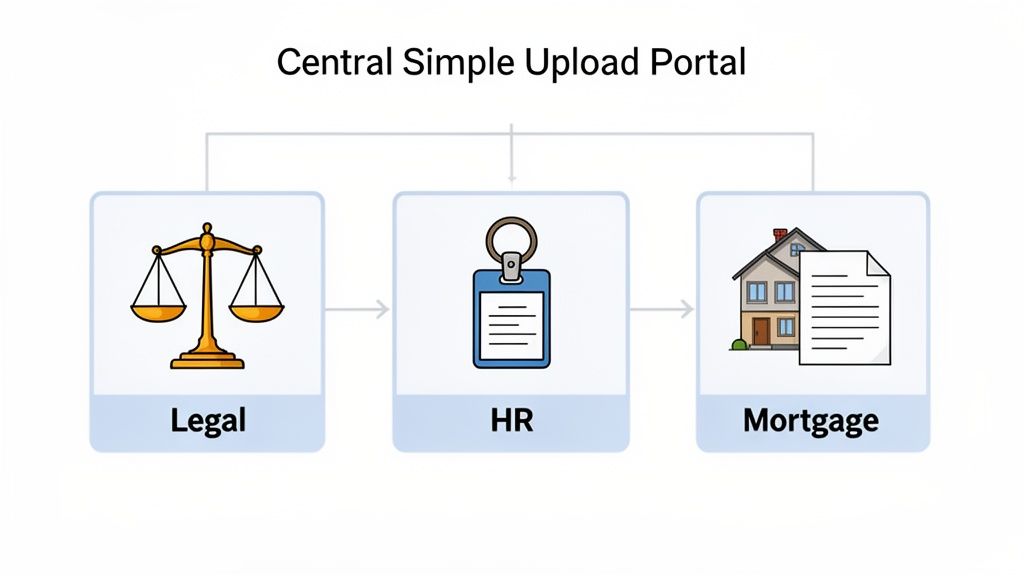
At its heart, document gathering software does one simple thing: it collects files. But that’s like saying a chef’s knife just cuts things. The real magic happens when you see how it’s used in the real world, solving the specific, nagging problems that professionals face every single day.
For anyone whose job depends on getting accurate and timely information from clients, this software is a game-changer. It’s the difference between a smooth, secure process and a chaotic mess of email attachments.
Let's dive into a few examples to see how this plays out on the ground.
Legal Practices and Secure Case Management
If you're in the legal field, you know that security and confidentiality aren't just buzzwords—they're ethical obligations. The old way of gathering discovery documents, client agreements, and IDs over email is a minefield of risk.
Think about a paralegal juggling a complex personal injury case. They’re chasing down police reports, medical records, insurance policies, and signed affidavits. It's an endless stream of encrypted emails, forgotten passwords, and follow-up calls. The administrative burden is huge.
Now, picture this instead:
- A Secure Client Portal: The firm gives the client a single, secure link. This is their private, branded space to upload every sensitive file, all protected with end-to-end encryption.
- A Clear Document Checklist: No more guesswork. The client sees a simple list of exactly what’s needed—medical bills, witness statements, you name it. The checklist ticks itself off as they upload.
- An Automatic Audit Trail: Every submission is automatically logged with a timestamp. This creates a rock-solid, defensible record for compliance or court proceedings.
This isn’t just about better organization. It protects client confidentiality and frees up your legal team to focus on building a case, not chasing down paperwork.
By centralizing document collection in a secure environment, law firms can meet their ethical obligations for data protection while making the process simpler and less stressful for their clients.
HR Departments and Seamless Employee Onboarding
For HR teams, onboarding can feel like you're drowning in paperwork. You need I-9s, direct deposit forms, IDs, and professional certifications—and that's just for one new hire.
A clunky, email-based process is a terrible first impression. It makes the company look disorganized and can leave a new team member feeling frustrated before they even walk in the door.
Document gathering software flips the script. An HR manager can create an "Onboarding Kit" template once. When a candidate accepts an offer, they get a link to their personal onboarding portal where they can quickly upload:
- Signed offer letters and policy acknowledgments
- Copies of their driver's license and social security card
- Bank details for payroll
- Any required licenses or certifications
The HR team gets a clean dashboard showing who’s done and who’s not, with automated reminders handling the nagging. This makes the whole process efficient and scalable, ensuring everyone is ready for day one with zero last-minute scrambling.
Mortgage Brokers and Faster Loan Approvals
The mortgage world runs on documents. A single loan application can require dozens of files: bank statements, pay stubs, tax returns, letters of explanation. For a mortgage broker, speed is everything. The faster you can collect and process these documents, the faster you can close the loan.
Hiccups and delays don't just annoy clients; they can torpedo a home purchase. A document gathering platform becomes the central command center for the entire application.
Here's what that looks like in practice:
- Initial Application: The broker shoots the client a link to a portal that has a complete checklist of every financial document required.
- Easy Uploads for Clients: The client can snap photos of papers with their phone or drag-and-drop PDFs from their computer. It's all in one spot.
- Real-Time Status Updates: The broker sees exactly what’s in and what’s missing, without having to dig through an overflowing inbox.
- Collaboration with Underwriters: Once everything is in, the neat, organized package is shared securely with the underwriting team, kickstarting the approval.
This system cuts down loan processing times in a big way. Clients get a clear, simple path to provide their info, and brokers get the organized files they need to move things along. The transportation industry has found similar wins; check out how to set up a courier onboarding document portal for another great example.
How to Choose the Right Platform
Picking the right document gathering software is a big deal. It’s more than just a new tool; it’s an investment in a smoother workflow, a better client experience, and frankly, peace of mind. With so many options out there, it’s easy to get overwhelmed. But having a clear plan makes all the difference in finding a platform that truly fits your business.
Think of it like buying a car. You wouldn't just grab the keys to the first one you see on the lot. You'd check the safety ratings, take it for a test drive, and make sure it has the space you need. The same logic applies here. A little bit of homework upfront will save you a world of frustration later and ensure you actually see a return on your investment.
To give you a better sense of how these tools stack up against the old ways of doing things, let's compare them side-by-side.
Document Collection Methods: A Head-to-Head Comparison
| Feature | Manual Email & Spreadsheets | Generic File Sharing (e.g., Dropbox) | Dedicated Document Gathering Software (e.g., Superdocu) |
|---|---|---|---|
| Client Experience | Clunky and confusing. Multiple email threads and attachments get lost easily. | Better, but can still require clients to create an account. Lacks branding. | Seamless and professional. Branded portal, no login required, clear instructions. |
| Efficiency | Extremely low. Requires constant manual follow-up, tracking, and organization. | Moderate. Simplifies file transfer but offers no automated reminders or status tracking. | Very high. Automates reminders, uses templates, and provides a central dashboard. |
| Security | Low. Email is not a secure channel for sensitive information. High risk of data breaches. | Moderate. Generally secure but may lack specific compliance features like GDPR. | High. End-to-end encryption, built-in compliance, and secure data storage. |
| Organization | Poor. Documents are scattered across inboxes and local folders. Hard to track versions. | Better. Centralized storage, but no context for why a document was sent. | Excellent. All documents are tied to a specific client and request, creating an organized audit trail. |
As you can see, a dedicated platform is built specifically to solve the chaos of document collection, something that email and generic file-sharing services just can't do effectively.
Your Essential Evaluation Checklist
To make a smart choice, you need to ask the right questions. Use this checklist as your guide to cut through the marketing fluff and focus on what really matters for your team and your clients.
1. Security and Compliance
This is your top priority—no exceptions. Your clients trust you with their most sensitive information, and your software has to earn that trust.
- Is everything protected with end-to-end encryption, both when it's being uploaded and when it's sitting on a server?
- Does the platform meet major compliance standards like GDPR?
- Where is the data actually stored? Look for secure, reputable data centers.
2. The Client Experience
If the software is a pain for your clients, they simply won't use it. Simplicity is everything.
- Is the upload process dead simple? A clear drag-and-drop interface is a must.
- Do clients have to create an account or install software just to send you a file? (The answer should be a hard no.)
- Can you brand the client portal with your logo and colors? This small touch goes a long way in building trust.
3. Automation and Workflow Features
The whole point of this software is to buy back your time. Strong automation features are what separate a simple file-dropper from a true workflow powerhouse.
- Can you set up automated email reminders to gently nudge clients who haven't submitted their documents?
- Does it let you create reusable templates for common document requests, like onboarding a new client?
- Is there a central dashboard where you can see the status of every request in one place?
4. Integrations with Your Existing Tools
A new tool should plug into your current workflow, not create another island of data. The right software connects with the apps you already use every day.
- Does it offer integrations through platforms like Zapier, allowing it to talk to your CRM or project management tool?
- Can it connect with e-signature services like DocuSign to create a seamless, end-to-end process?
Remember, the goal is to find a platform that feels like an extension of your team, not just another piece of software. It should work for you, automating the tedious tasks so you can focus on what you do best.
This growing need for efficiency is why the global document capture software market is booming. Valued at USD 3.91 billion in 2024, it shot up to USD 4.22 billion by 2025. Experts predict the market will hit USD 6.25 billion by 2030, all thanks to the massive push for digital workflows across every industry. You can dig into the numbers in this detailed market intelligence report from 360iResearch.
When weighing your options, one of the biggest decisions is choosing between custom software vs off the shelf solutions. While a custom build offers total control, off-the-shelf tools like Superdocu provide a proven, cost-effective system you can implement right away, without the massive expense and timeline of a custom project.
Bringing It All Together: Implementation and Measuring Your ROI
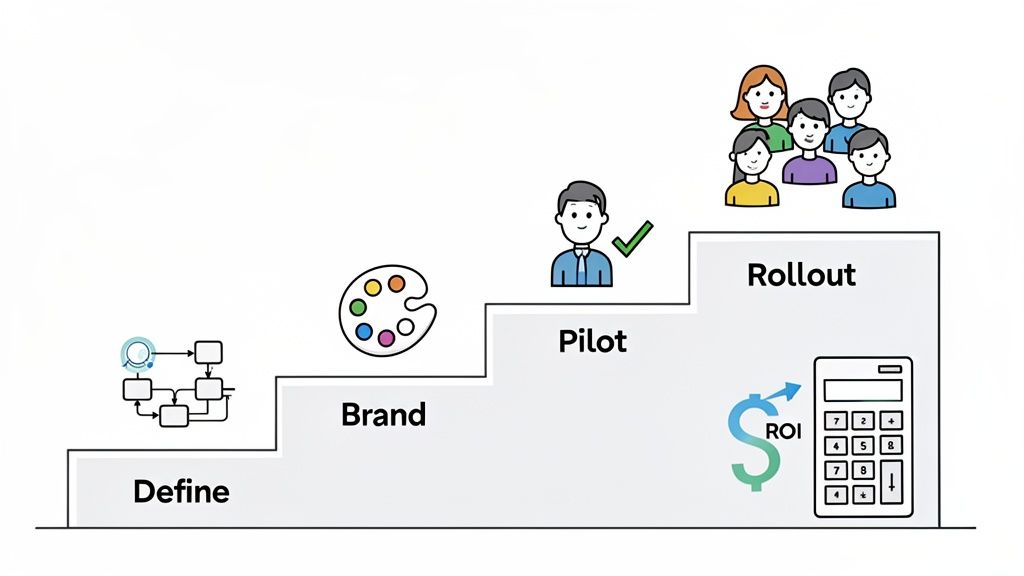
Rolling out new software can feel like a huge project, but the best tools are built to get you up and running without any drama. The trick is to start small, prove the concept, and then expand.
With a smart plan, you can start seeing the benefits of document gathering software almost right away. It's not about flipping a switch and changing everything overnight. It's about getting that first quick win and building from there.
Your Simple 4-Step Implementation Plan
Getting started is probably easier than you think. This isn't a month-long project; it’s a straightforward process that won't get in the way of your actual work.
Define Your First Workflow: Don't try to boil the ocean. Just pick one process that’s a constant headache. Is it new client intake? Employee onboarding? Whatever it is, focus on building a single, reusable template for that one task first.
Customize Your Branding: Before you send anything, spend five minutes adding your logo and brand colors. It's a small detail, but it makes your client portal look professional and builds trust from the very first interaction.
Run a Pilot Test: Grab a friendly client or use it on an internal project. This is your low-stakes trial run. It lets you get a feel for the software, see how the dashboard works, and get some honest feedback without any real pressure.
Roll It Out to the Team: Once you see how smoothly it works, it’s time to bring your team in. Show them the results from your pilot test. When they see how it eliminates all that manual email chasing, they'll be eager to jump on board.
This phased approach lets the value of the software speak for itself, making adoption feel like a natural improvement, not a mandate from the top.
Calculating the Real Return on Your Investment
The ROI here isn't some vague, far-off idea—it's tangible, and you can see it almost immediately. The easiest way to measure it is by looking at the time your team gets back when they stop chasing down documents.
Let’s run the numbers with a real-world example:
Say you have an admin who spends about 5 hours every week hunting down documents through endless email chains. If you pay them $25 per hour, you're spending $125 a week—or $500 a month—just on that one tedious task.
Now, bring in a document gathering tool that costs $99 per month. If that platform automates the follow-ups and cuts that admin time by 80%, the labor cost for that task plummets to just $100 per month.
Here’s how the math shakes out:
- Old Monthly Cost: $500 (all labor)
- New Monthly Cost: $100 (labor) + $99 (software) = $199
- Net Monthly Savings: $500 – $199 = $301
You're not just breaking even; you're getting a 300% return on your investment every single month. And that’s just the financial part. You’re also closing projects faster, keeping clients happier, and making your data way more secure.
This is exactly why the entire document management market is exploding. It was valued at USD 9.34 billion in 2025 and is on track to hit USD 37.13 billion by 2035. Much of that growth comes from businesses in North America finally moving to cloud-based systems to become more efficient and secure. You can dig deeper into the trends in the document management market on researchnester.com.
Frequently Asked Questions
Jumping into any new software for your business brings up questions. It's smart to have them. You're looking to invest in something that makes your life easier and improves how you work with clients, so you want to be sure it’s the right call.
Let's walk through the most common questions we hear from small and medium-sized businesses. We'll give you clear, straightforward answers to help you feel confident in your decision.
Is My Client Data Secure with This Software?
Absolutely. In fact, security is the entire foundation of these platforms and a massive step up from the risks of using standard email.
Think of it this way: sending sensitive documents over email is like mailing a postcard. Anyone who gets their hands on it along the way can read it.
Document gathering software, on the other hand, is like using a private, armored courier. Here’s what’s going on behind the scenes:
- End-to-End Encryption: From the second your client uploads a file until the moment you open it, the data is scrambled. This makes it completely unreadable to anyone without the key, even while it's in transit.
- Compliance Standards: Good platforms are built to meet tough data protection laws like GDPR. This means your process for handling personal information is already aligned with legal and ethical standards.
- Secure Storage: Files don't just sit in a vulnerable email inbox. They’re stored in fortified data centers with layers of security—far safer than an attachment on a local server.
A dedicated platform is a controlled, private environment built for one purpose: handling sensitive information securely. That laser focus on security is what separates professional software from generic tools.
Is It Easy for My Clients to Use?
Yes, and this is non-negotiable. If the software is a pain for your clients, it completely defeats the purpose. The best platforms are designed with your client's experience as the top priority.
For your clients, the process couldn't be simpler. They get a professional email with a single, secure link. Clicking it takes them to a clean, branded portal showing them exactly what you need.
- No Downloads or Installations: Clients don't have to install a thing on their computer or phone.
- No Account Creation: They aren't forced to create yet another account with a password they'll forget.
- Simple Drag-and-Drop Interface: Uploading is as easy as dragging files from their desktop or picking them from their phone.
The whole point is to remove friction. A simple, intuitive interface not only makes your business look sharp and organized but also makes clients happy to send you what you need—fast.
Does It Integrate with My Current Tools?
It should, and this is a key feature of any modern software. A good platform isn't meant to be an island; it's designed to connect with the other business tools you already use to create a smooth, automated workflow. This is how you stop wasting time on manual data entry between different apps.
Most document gathering software connects to other tools through platforms like Zapier, which acts like a universal translator for thousands of different apps. This lets you create simple "if this, then that" recipes.
For instance, you could set it up so that when:
- A new client signs up in your CRM (like Salesforce or HubSpot)…
- It automatically triggers your document software to send them your "New Client Onboarding" checklist.
- Once all documents are in, a task is created in your project management tool (like Asana or Trello) for the next step.
Integrations like these turn the software from a simple collection tool into the engine that runs your administrative process, tying everything together perfectly.
How Is This Better Than Using Google Drive or Dropbox?
This is a fantastic question because it cuts right to the heart of what makes this software different. While tools like Google Drive and Dropbox are great for storing files in the cloud, they are passive. They’re just digital filing cabinets. You can put things in them, but they don't help you get the files in the first place.
Document gathering software is an active system designed to manage the entire back-and-forth of the collection process.
Here’s an analogy: Dropbox is a library where you can store books. Document gathering software is the librarian who actively goes out, finds the exact books you need, sends friendly reminders when they're due, and neatly organizes them on the shelf for you.
Let’s compare them side-by-side:
| Functionality | Google Drive / Dropbox | Dedicated Document Gathering Software |
|---|---|---|
| Workflow Management | None. It's just a folder. | Actively manages requests from start to finish. |
| Automated Reminders | No. You have to follow up yourself. | Sends automatic, polite nudges for what's missing. |
| Progress Tracking | No real-time visibility. | A central dashboard shows the status of every request. |
| Client Experience | Generic and unbranded. | A professional, branded portal that builds client trust. |
In short, file-sharing services are fine for storage, but they don't solve the real headache: the administrative chaos of chasing down documents. A dedicated platform is built specifically to fix that, saving you time and ensuring nothing ever slips through the cracks.
Ready to stop chasing documents and start streamlining your business? Superdocu gives you the tools to automate your collection process with professional, secure, and easy-to-use client portals. See how much time you can save by starting your free trial today.