
So, what exactly is document collection software? Think of it as a specialized digital tool built to automate and organize the entire process of asking for, getting back, and managing files from clients, new hires, or partners. It’s designed to replace messy email threads and forgotten manual checklists with one secure, orderly, and incredibly efficient system.
Tired of Chasing Paperwork?

Does your workday feel like a never-ending cycle of sending emails with subject lines like "RE: RE: Missing Document (FINAL)"? For anyone working in finance, HR, or law, the constant battle to gather the right paperwork is a massive drain on both productivity and sanity.
Trying to collect documents the old-fashioned way is like running a chaotic kitchen during a dinner rush. You've got ingredients (files) showing up randomly, some are wrong, others are missing entirely, and you're constantly yelling across the room to see where things are. It’s stressful, inefficient, and mistakes are almost guaranteed. Important files get buried in crowded inboxes, sensitive data gets passed around insecurely, and you end up spending more time chasing people down than actually doing your job.
The Real Cost of Manual Collection
This disorganization is more than just frustrating—it has a real, tangible cost to the business. In fact, manual processes can eat up as much as 30% of an employee's time with paperwork-related busywork. For an immigration firm waiting on visa documents or a construction company verifying contractor licenses, these delays can derail entire projects and create serious compliance risks.
This is where dedicated document collection software completely changes the game. It’s like upgrading that messy kitchen to a professional chef’s station where everything has its place.
It’s a purpose-built system where every request is crystal clear, every submission is automatically organized, and gentle reminders handle all the follow-ups for you. Instead of chaos, you get a smooth, predictable workflow.
To see just how different the two approaches are, let's break it down.
Manual vs Automated Document Collection
| Aspect | Manual Process (Email & Spreadsheets) | Document Collection Software |
|---|---|---|
| Requesting | Writing individual emails, attaching checklists, and hoping for the best. | Using pre-built templates and sending a single link for all required documents. |
| Tracking | Manually updating a spreadsheet, using color codes, and constant cross-referencing. | A centralized dashboard shows real-time status for every client and every document. |
| Reminders | Sending follow-up emails one by one, which often get ignored. | Automated, scheduled reminders go out without you lifting a finger. |
| Security | Files with sensitive data are sent over unsecure email, creating huge risks. | Secure, encrypted portal protects all data during upload and storage. |
| Client Experience | Confusing and frustrating. Clients have to dig through emails to find what's needed. | A simple, branded portal makes it easy for clients to see what to upload and when. |
This table makes the contrast pretty stark. One method is stuck in the past, while the other is built for modern efficiency.
Platforms like Superdocu are designed to turn the painful task of chasing paperwork into a streamlined, automated experience for everyone involved—your team and your clients. You can learn more in our guide about how to easily collect documents. This shift frees you up to focus on the work that truly matters, all while knowing your document management is running perfectly in the background.
What Exactly Is Document Collection Software?

Think about the last time you needed to gather documents from a client. Was it a messy trail of emails, missed attachments, and endless follow-ups? If that sounds familiar, you already understand the problem that document collection software is built to solve.
It’s a specific tool designed to automate how you request, receive, and manage files from other people. Forget shared folders or disorganized email chains. This is a dedicated system that acts like a project manager for your paperwork—one that never gets tired of chasing down what you need.
You create a single, secure online portal for your client. Inside, they see a clean checklist of every single document you need. That’s it. This one simple shift from email chaos to a unified portal is the core idea, solving a headache nearly every business deals with.
The Power of a Centralized Hub
Let’s be honest, chasing documents is a massive time sink. In fact, many professionals spend nearly a third of their time on administrative tasks, and a huge chunk of that is just getting information from others. Document collection software is designed to give you that time back.
It flips a manual, error-prone process into a smooth, automated workflow:
- Create a request: You build a checklist of exactly what you need, adding clear instructions.
- Send a secure link: Your client gets one link that takes them to a branded, easy-to-use portal.
- They upload their files: The portal walks them through each item, so nothing gets missed.
- The software takes over: It organizes the files, tracks progress, and even sends out automated reminders for you.
This software transforms the client experience from a scavenger hunt through old emails into a polished, professional, and straightforward task. It shows your clients that you value their time and take their data security seriously.
More Than Just Uploads
At the end of the day, a great document collection platform gives you control and makes you look more professional. It’s all about getting complete, accurate information on the first try, which cuts down on the frustrating delays caused by a forgotten attachment or a simple human error.
Imagine a mortgage broker waiting on loan application documents. The software can be set up to prevent the client from even hitting "submit" until every single required file is uploaded. This stops problems before they start and keeps the entire process moving.
By creating a single source of truth for all incoming files, it builds a foundation for a much more efficient and secure business. And that's before we even get into the more advanced features.
The Core Features That Actually Make a Difference
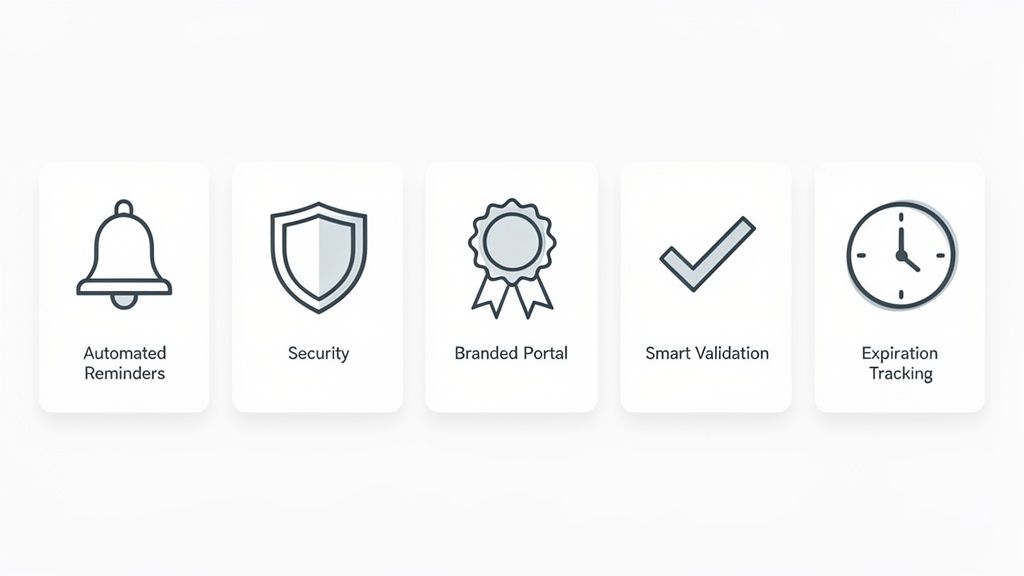
Having a central place for files is a great start, but the real power of document collection software comes from the features working behind the scenes. These aren't just flashy add-ons; they're thoughtfully designed tools that target the most common, soul-crushing bottlenecks in your workflow.
Each feature is built to solve a specific problem, turning a tedious manual task into something that just… happens. Let's break down the components that make this software so essential.
Automated Reminders That Never Forget
Think of this feature as your tireless, perfectly polite follow-up assistant. Manually chasing people for documents is a huge time-sink. It’s easy to lose track, and frankly, it can be an awkward conversation to have over and over again.
Let's say an HR manager is onboarding a new hire who needs to submit a signed contract, ID, and tax forms before their first day. Instead of living in a spreadsheet and sending "just checking in" emails, she can set up an automated reminder schedule. The system will send gentle nudges until everything is in, freeing her up to plan a great welcome experience.
Branded Client Portals for a Professional Touch
First impressions are everything. A messy email chain with a dozen attachments doesn't exactly scream "we've got this." Branded client portals give your clients a secure, professional, and custom-branded space to upload their sensitive information.
Picture a law firm collecting discovery documents for a big case. Rather than asking the client to email hundreds of highly confidential files, they provide a link to a secure portal customized with the firm's logo and colors. The client sees a clear, simple checklist, and the firm immediately reinforces its image as a modern, trustworthy partner.
This simple shift changes the entire client experience. It turns a chaotic back-and-forth into a structured, reassuring process that builds trust from day one.
Smart Document Validation to Cut Down on Errors
One of the biggest workflow killers is getting the wrong information. Incomplete forms, missing pages, wrong file types—it all leads to endless follow-ups. Smart validation acts as a digital gatekeeper, making sure you get exactly what you need the first time.
Take a mortgage broker who needs three months of bank statements for every loan application. With validation rules, the system can physically prevent the applicant from hitting "submit" until exactly three files are uploaded for that request. No more "You forgot to attach the third statement" emails. The process just keeps moving.
Rock-Solid Security and Compliance
When you’re handling someone else's sensitive data, the responsibility is huge. Modern document collection tools are built with security as a foundation, not an afterthought, with features that make compliance far less of a headache.
This usually includes things like:
- End-to-End Encryption: Protecting data when it’s being uploaded and while it's sitting on a server.
- Access Controls: Making sure only the right people on your team can see specific documents.
- Compliance Standards: Adhering to regulations like GDPR to protect client privacy.
This level of security is a major reason businesses are ditching email and spreadsheets for these platforms. Cloud-based systems now dominate the document management market, far outpacing old on-premise solutions, particularly for small and mid-sized businesses looking for secure, scalable tools. You can discover more about document management system market trends and see how the industry is shifting.
Ultimately, these features give both you and your clients some much-needed peace of mind.
How Different Industries Get Work Done
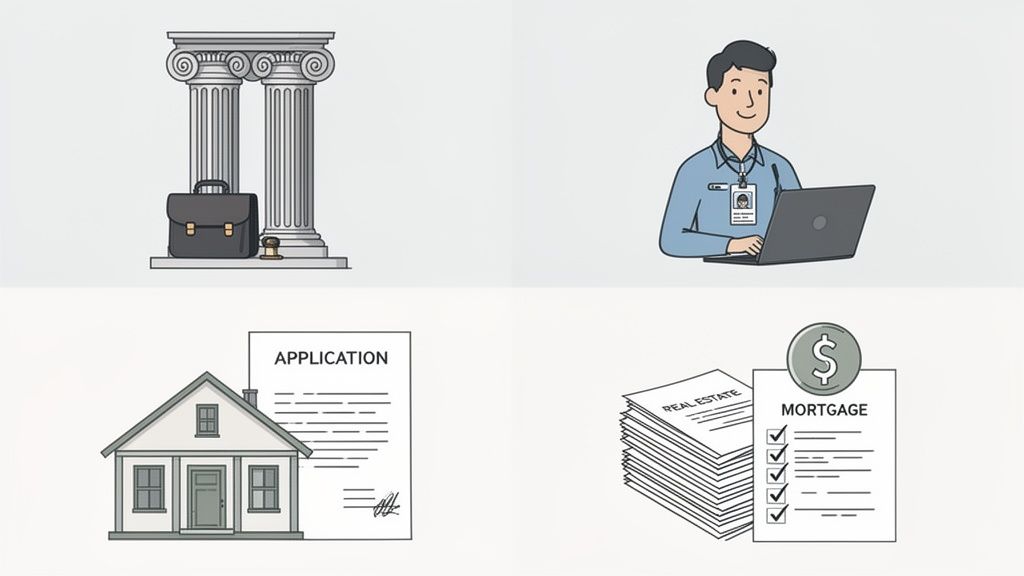
The real magic of document collection software isn't in the features themselves, but in how they solve very specific, very real problems for different businesses. While the tools are universal, the way they're used can turn a sector's biggest headaches into its biggest strengths.
Let's look at a few examples of how this plays out in the real world. From managing complex logistics to simply bringing a new client on board, the challenges are everywhere. Courier services, for instance, have to get drivers on the road fast, a process we dive into here: how to create a seamless courier onboarding document portal.
This growing need for efficiency is why the global Document Collection Software Market has seen such a spike. Professionals in every field are actively looking for smarter ways to handle their workflows. If you want to dig deeper into the numbers, you can explore more about the document collection software market.
Law Firms Simplifying Client Intake
Picture a law firm gearing up for a big case. They need to collect a mountain of sensitive files from a new client—financial records, private emails, the works. Relying on email for this is not just disorganized; it's a massive security risk.
Instead, they use document collection software. The paralegal sends the client a single, secure link to a branded portal. Inside, there’s a simple checklist of every document needed, complete with clear instructions. The client uploads everything on their own time, and the legal team watches the progress on a dashboard. No more endless email chains or follow-up calls.
Human Resources Onboarding New Hires
Now, think about an HR team onboarding ten new employees who all start on the same day. Each person needs to submit a signed contract, tax forms, ID, and bank details. Trying to track all of that manually is a fast track to chaos and could even delay someone's first paycheck.
A better way? The HR manager uses a pre-built template to create a personalized onboarding checklist. Each new hire gets a unique link, and the software automatically keeps track of who has submitted what. If a document is missing two days before the start date, the system sends a polite, automated nudge. It’s a smooth, professional experience that gets everyone ready for day one without the stress.
This isn't just about saving a few hours. It’s about creating a fantastic first impression that defines how a new employee sees the company from the very beginning.
Real Estate and Mortgage Brokers Accelerating Deals
For a mortgage broker helping a family buy their first home, the paperwork is relentless. They need pay stubs, bank statements, tax returns—the list goes on. A single missing document can stall the entire process and put the closing date at risk.
Using a dedicated platform, the broker sets up a checklist for the loan application. They can even add smart rules. For example, a validation rule can ensure the client uploads all three required bank statements, not just one or two. This tiny check catches common mistakes upfront, dramatically cutting down the frustrating back-and-forth that holds up so many deals.
These examples show how the right tool does more than just organize files; it fundamentally improves how a business operates. And when you combine this with solid contract management best practices, you're not just collecting documents—you're building a smarter, more efficient operation from the ground up.
How to Choose the Right Software for Your Business
Picking the right document collection software is a lot like choosing the right tool for a critical job. The perfect one makes your work feel almost effortless, but the wrong one can cause more headaches than it solves. To make the right call, you really need to drill down into a few key areas that will directly impact your team's sanity and your clients' experience.
First things first: ease of use. If the software is a pain to navigate, your team won't want to use it, and your clients definitely won't. You're looking for a clean, intuitive interface that people can pick up without needing a week of training. The whole point is to make life easier, not to add another complicated system to the pile.
And don't forget the client's side of things. A clunky, confusing portal is a quick way to frustrate a customer and make your business look bad. Make sure you test the upload process from their perspective—is it simple? Does it work well on a phone?
Balancing Features with Your Needs
Okay, so you've found a few user-friendly options. Now what? The next step is to make sure the features actually match what your business needs. It's easy to get wowed by a long list of bells and whistles, but you need to focus on what will genuinely make a difference in your day-to-day operations.
Here are a few things to keep on your radar:
- Customization and Branding: Can you put your own logo and brand colors on the client portal? A professional, branded experience isn't just about looks; it builds trust and reassures clients they're in the right place to share sensitive information.
- Integration Capabilities: Does it play nice with the other tools you already use every day? Check for integrations with platforms like Zapier or DocuSign that can help you connect the dots and automate even more of your workflow.
- Security and Compliance: This one is a big deal. Ask where the data is stored and confirm the provider is compliant with regulations like GDPR. Things like end-to-end encryption aren't just "nice to have"—they're absolutely essential for protecting your clients' data.
Choosing the right software isn't just about ticking off feature boxes. It's about finding a partner that gets how important security is and helps you provide a smooth, professional experience for your clients.
To help you stay organized during your search, we've put together a simple checklist. Think of it as a guide to asking the right questions so you can compare your options apples-to-apples and find the perfect fit.
Document Collection Software Buyer's Checklist
| Evaluation Criteria | Key Questions to Ask | Why It Matters |
|---|---|---|
| User Experience | Is the interface intuitive for both my team and my clients? Can clients easily upload documents from a mobile device? | A confusing system leads to low adoption, frustrated clients, and more support tickets for your team. |
| Branding & Customization | Can I add my company logo and colors to the client portal and email notifications? | A branded experience builds trust and reinforces your professional image. |
| Workflow Automation | Can I create templates for recurring requests? Does it send automatic reminders for outstanding documents? | Automation saves countless hours of manual follow-up and administrative work, freeing your team to focus on higher-value tasks. |
| Security & Compliance | Where is the data hosted? Is the platform GDPR/CCPA compliant? Is end-to-end encryption used? | Protecting sensitive client data is non-negotiable. A breach can destroy your reputation and lead to serious legal trouble. |
| Integrations | Does it connect with my CRM, cloud storage (like Google Drive or Dropbox), or other key business tools? | Seamless integrations create a unified workflow, eliminate data silos, and prevent you from having to manually move information between systems. |
| Scalability & Pricing | Do the pricing tiers make sense for my current size and future growth? Is it easy to add more users or increase storage? | You need a solution that can grow with you. A platform that's cheap now but expensive to scale can become a major bottleneck later on. |
By walking through these points for each option you're considering, you'll get a much clearer picture of which platform truly aligns with your business goals.
Planning for the Future
Finally, you need to think about where your business is going. A solution that fits you perfectly today might feel cramped in a year or two. This is where scalability and pricing really come into play.
Take a hard look at the pricing tiers and make sure they align with your growth plans. How easy is it to add more team members or handle a bigger client load? You want a document collection software that can grow alongside you without breaking the bank or creating operational chaos.
When looking at tools for a specific industry, it pays to check out guides tailored to your field. For instance, a property manager might browse the 12 Best Property Management Apps to compare options. For more ideas, you can also check out our own guide on finding the best client document request software for your unique workflow.
If you keep these factors in mind, you can confidently choose a platform that not only saves you time but also elevates your professional image and scales with your success.
Common Questions About Document Collection Software
It's smart to ask questions before bringing any new tool into your business, especially when it involves handling client information. Getting clear answers upfront is the best way to feel confident about your decision.
We've heard a lot of questions over the years, but a few pop up more than others. Let's walk through the four most common ones people ask when they're thinking about switching to a dedicated document collection platform.
Is My Sensitive Client Information Truly Secure?
This is, without a doubt, the number one question—and it should be. You're responsible for your clients' most sensitive data, and that's a huge deal.
The short answer is yes. A good document collection software isn't just a bit more secure than email; it's in a completely different league. Email is like sending a postcard—it’s open and can easily end up in the wrong hands. A dedicated platform is like using an armored truck with a specific, verified destination.
Here’s what makes the difference:
- End-to-End Encryption: Your data is scrambled the moment your client hits 'upload' and stays that way until it lands safely in your system. It’s essentially a secret code that only you and your client’s device can understand.
- Strict Access Controls: You decide exactly who on your team can see what. No more sensitive files sitting in a shared inbox for everyone to access.
- Built for Compliance: Reputable platforms are designed to meet tough data privacy laws like GDPR right out of the box. They take security seriously because their business depends on it.
Think of it this way: you're moving your most valuable assets out of a public mailbox and into a purpose-built digital vault. It’s a massive security upgrade disguised as a convenience tool.
How Difficult Is the Setup Process?
The idea of "implementing new software" can bring on a headache. Visions of complicated setups, calling IT for help, and weeks of team disruption are common. But that’s not the reality with modern, no-code tools.
Most of these platforms are built for regular business people, not tech wizards. You can realistically get everything up and running in a single afternoon. The process is usually as simple as signing up, adding your company logo and colors to the client portal, and building your first document request list.
The best part? You create these request lists as reusable templates. So, the little bit of time you spend on the initial setup pays you back over and over again.
Can My Clients Use This Easily on Their Phones?
Absolutely. It’s a dealbreaker if they can't. With nearly 60% of website traffic now coming from mobile devices, any client-facing tool has to work perfectly on a small screen.
Top-tier platforms are designed with a "mobile-first" mindset. Your clients can get the request on their phone, snap pictures of their documents, and upload them straight into the portal. No printing, no scanning, no digging out the old laptop.
The experience is clean and simple. When you make it that easy for them, you get what you need faster. It makes you look professional and dramatically cuts down on the back-and-forth that kills momentum.
What Kind of Return on Investment Can I Expect?
The ROI isn't some fuzzy, long-term concept here; it's something you'll feel almost immediately. This is about more than just saving a few minutes—it's about fundamentally changing how much time your team wastes on administrative busywork. It's not uncommon for businesses to cut the time spent chasing documents by up to 80%.
The return comes from a few key places:
- Time Back: Automatic reminders mean your team isn't sending "just checking in" emails all day. They can focus on work that actually matters.
- Fewer Mistakes: Smart checklists and document validation ensure you get the right file the first time. No more chasing down a missing page or a blurry photo.
- Faster Results: When you get documents faster, you can onboard clients, close deals, or finish projects sooner. Everything moves more quickly.
For a small business, getting 10-15 hours of administrative time back every single week is a game-changer. That efficiency flows directly to your bottom line and, just as importantly, makes life less frustrating for your team and your clients.
Ready to stop chasing paperwork and start saving time? Superdocu makes it easy to automate your document collection with secure, branded portals your clients will love. Start your free trial today and see the difference.