
Think of document collection software as a dedicated tool built to automate and secure the process of gathering files from your clients, partners, or anyone else. It essentially creates a central, professional hub for people to submit documents, taking the place of messy email chains and the constant back-and-forth of manual follow-ups.
Understanding Document Collection Software
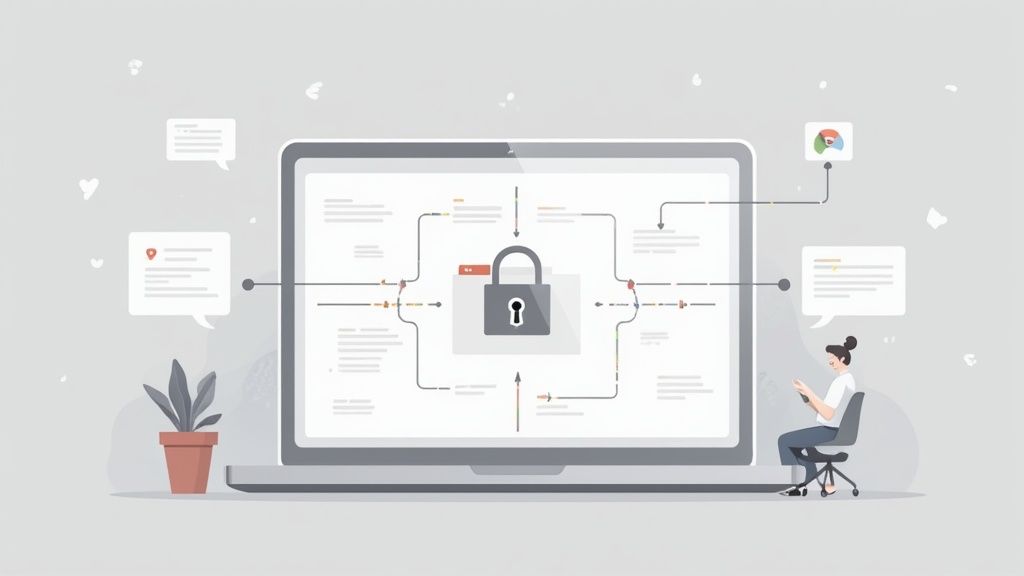
At its heart, this software gives you a structured way to request, receive, and keep track of documents. It’s different from a big, all-encompassing Document Management System (DMS) which manages a file’s entire life. Instead, document collection software zooms in on that crucial initial intake stage.
You can think of it as the secure digital front door for your business. It’s designed to make sure every single required file is submitted correctly and safely, right from the very beginning. This focus helps solve some very common and frustrating business problems:
- Eliminates Insecure Methods: It moves you away from risky email attachments and into encrypted, trackable submission portals.
- Reduces Manual Work: The system can send out automated reminders and use checklists, freeing up your team from the tedious job of chasing down missing paperwork.
- Improves Client Experience: Clients get a clean, simple, and often branded interface that makes uploading what you need straightforward and hassle-free.
Core Features Of Modern Document Collection Platforms

Effective document collection software hinges on a handful of powerful capabilities that cut down on manual work, tighten security, and create a smoother client journey. Instead of juggling spreadsheets and back-and-forth emails, these platforms turn document intake into a predictable, organized process.
Key Features At A Glance:
- Automation: Scheduled reminders and auto-routing reduce administrative overhead.
- Secure Client Portals: Encrypted upload zones replace vulnerable email attachments.
- Custom Request Templates: Standardized checklists ensure you get the right files in the right format.
- Validation Checks: Instant file-type and form-field verification stops errors before they start.
Below is a quick-reference table that maps each feature to its biggest benefit.
Key Features and Their Business Impact
| Feature | Description | Primary Business Impact |
|---|---|---|
| Automation | Triggers reminders, sorts uploads, and flags overdue items automatically. | Time Savings through fewer manual follow-ups. |
| Secure Client Portals | Provides a branded, encrypted environment for document submission. | Lower Risk by preventing email-based breaches. |
| Custom Request Templates | Uses pre-built checklists to guide clients step by step. | Consistency in data collection and formatting. |
| Validation Checks | Enforces correct file types and mandatory fields before final upload. | Error Reduction and higher data accuracy. |
As shown in the table above, each capability delivers a clear, measurable improvement—whether it’s reclaiming staff hours or cutting down on compliance headaches.
Secure Portals And Custom Templates
A secure portal is your front line against data leaks. Clients log in, see a familiar brand interface, and upload documents over an encrypted channel. If you want a deeper dive into how a secure document intake platform defends sensitive information, check out our guide.
Alongside safety, consistency matters. That’s where request templates shine. Imagine an accounting firm rolling out the same tax-season checklist to every client—no more one-off instructions, no more missing pages. Each template comes preset with clear steps, so your team collects the right details on the first try.
Validation And Data Management
Collecting files is only half the battle. To meet compliance and internal policies, smart platforms handle the entire document lifecycle—from secure storage to automated purging based on data storage and file deletion practices. This hands-off approach eliminates guesswork around retention schedules.
On top of that, built-in validation tools catch problems early. A simple rule—like “only accept PDFs”—can prevent a flood of image files or incomplete forms. By validating submissions in real time, you reduce follow-up emails and speed up downstream workflows.
With these core features in place, your document collection process becomes more transparent, secure, and reliable. Use this reference as a roadmap when evaluating solutions, and lean on practical examples to match each feature to your organization’s needs.
The Real-World Wins of Automated Document Collection
Switching to a dedicated document collection software is about more than just gathering files. It's a strategic move that delivers some serious business advantages. When you automate the tedious, repetitive tasks, you're not just saving time—you're freeing up your team to focus on work that actually matters, instead of chasing down paperwork. This means you can onboard clients faster, close deals quicker, and get projects off the ground without delay.
Security and compliance also get a major upgrade. Let's be honest, email was never designed for securely transferring sensitive information. Moving this process to a centralized, encrypted platform drastically cuts down the risk of data breaches. Everything is tracked in one place, which makes audits and staying compliant a whole lot easier.
Building Client Confidence While Boosting Your Bottom Line
Think about the first impression you make. A clunky, confusing document request process doesn't exactly scream professionalism. A smooth, branded, and intuitive portal, on the other hand, tells your clients you're organized and you value their time. That simple, positive experience right from the start can be a huge factor in building trust and keeping clients happy. An automated document request tool is often the key to making this happen for any team that works directly with clients.
Businesses that swap manual, error-prone methods for an automated and secure system often see document-related admin tasks drop by up to 80%. This shift lets teams stop shuffling papers and start focusing on high-impact work.
And it doesn't stop there. When you connect this software with other tools you already use, like your contract management system, things get even smoother. For example, once the initial documents are in, you can seamlessly move into the next phase of the relationship. It's a good idea to explore contract management best practices to see how you can keep that momentum going.
Common Use Cases Across Industries

It’s one thing to talk about features, but where does document collection software really shine? You can see its impact in just about any industry that’s tired of chasing down paperwork from clients, employees, or partners. Think of it as replacing messy, manual processes with a single, automated, and secure system.
The flexibility here is key. This isn't a rigid, one-size-fits-all tool. Instead, it adapts to the specific compliance rules and workflows of different fields. That’s why the market for this software is expected to hit around $1.23 billion by 2031. It’s becoming an essential tool in finance, real estate, HR, and beyond. You can find more details in this document collection software market report from infinitymarketresearch.com.
Finance And Real Estate
In sectors like finance and real estate, every minute counts and mistakes can be costly. A mortgage broker, for example, can set up a secure portal where applicants upload everything from pay stubs to tax returns. The software can automatically check for the right file types and nudge people if something is missing, which really speeds up loan approvals.
Real estate agencies see similar benefits. When onboarding a new tenant, they can use a simple checklist to collect all the essentials:
- Signed lease agreements
- Proof of income
- Identification documents
- Reference letters
This makes sure nothing gets missed before handing over the keys, cutting down on administrative headaches.
Human Resources And Legal
HR departments are often buried in paperwork, especially when bringing on new hires. Document collection software streamlines this entire process. A new employee gets one link to upload their tax forms, I-9 verification, and direct deposit info. It’s a clean, professional experience that also keeps everything compliant.
Legal firms also find this incredibly useful. They can securely request client intake forms, evidence, and signed retainers, all while maintaining strict confidentiality and a perfect audit trail.
How to Choose the Right Document Collection Software
Finding the right document collection software is about more than just a slick demo. It’s about matching a tool to your real-world needs—one that not only fixes your current headaches but can also scale as your business grows. That's how you get a real return on your investment.
The first thing I always look at is security. You have to ask the tough questions. Does it have end-to-end encryption for files both in transit and while stored? What about access controls? You absolutely need the ability to control exactly who can see or touch sensitive client files. This isn't just a nice-to-have; it's a deal-breaker.
From there, you need to think about how the platform will actually fit into your day-to-day work.
Key Evaluation Criteria
A great tool doesn’t create more work. It should integrate smoothly with the systems you already rely on, like your CRM or HR software, to stop you from having to copy-paste information between programs. Ease of use is just as critical—if your team finds it confusing or your clients struggle to upload files, nobody will use it.
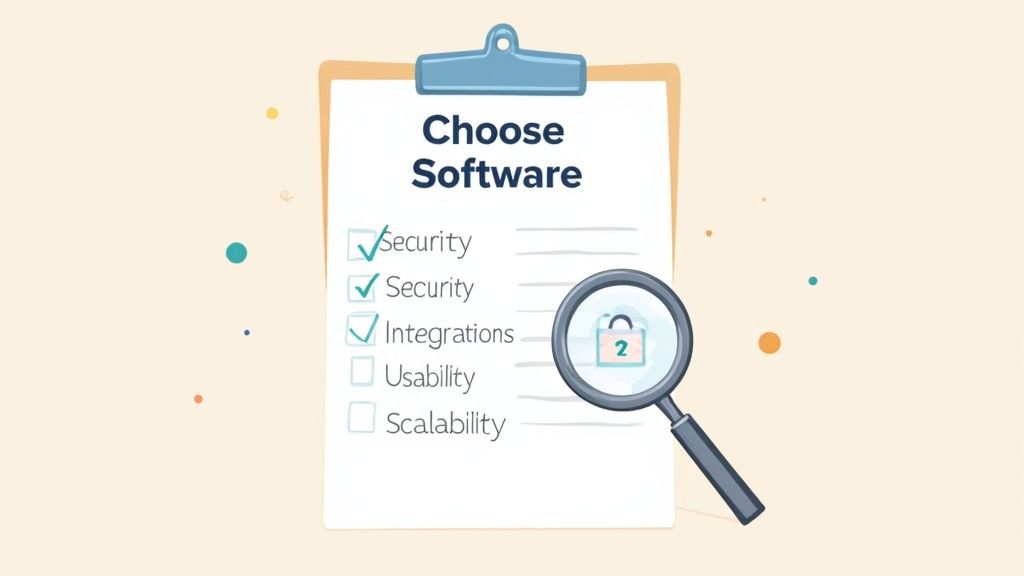
To help narrow down your options, here’s a straightforward checklist of what to look for:
- Security Standards: Insist on seeing proof of encryption, granular access controls, and compliance certifications like GDPR.
- Integration Capabilities: Ask if it connects to your key software out of the box or if it has a flexible API for custom connections.
- Ease of Use: Is the platform genuinely easy to navigate? Test it from both an employee's and a client's perspective.
- Scalability: Can it handle a sudden increase in users or a much larger volume of documents next year? You don't want to have to switch platforms when you succeed.
Where Document Collection Fits In Your Tech Stack
Every organization needs a gatekeeper for incoming files. Document collection software steps in as the initial intake phase, securing uploads and routing them into your system.
After collection, a Document Management System (DMS) takes over, handling storage, retrieval, and archiving. On the flip side, Document Control Software zeroes in on version tracking and compliance for internal records.
According to Future Market Insights, Document Control Software was valued at USD 3.6 billion in 2025. Analysts predict growth to USD 9.6 billion by 2035 at a 10.3% CAGR. Dive into the full report on the Future Market Insights website.
By combining collection tools, a DMS, and control platforms, you build an efficient and compliant information management strategy.
Integration In Practice
In action, your document collection platform validates and forwards files directly into the DMS. This smooth handoff cuts out manual uploads and stops duplicate entries.
- Collection Phase: Clients submit passports, contracts, and forms through an encrypted portal.
- Management Phase: The DMS indexes, tags, and stores documents in the right folders.
- Control Phase: Version histories are tracked and compliance checks (e.g., GDPR) run automatically.
For a closer look at how Superdocu hooks into CRMs, HRIS systems, and cloud storage solutions, check our integration capabilities guide.
Frequently Asked Questions
Got questions about document collection software? You're not alone. Here are some of the most common things people ask when they're thinking about making the switch.
Is Document Collection Software Secure For Sensitive Information?
Yes, absolutely. Any legitimate platform is built with security as its top priority. Think of features like end-to-end encryption, dedicated client portals, and a full audit trail of who accessed what and when. It's a world away from the security risks of email, where attachments can easily be intercepted or sent to the wrong person.
Your data isn't just protected while it's being uploaded; it's also encrypted and secured while it's stored on the server.
How Does This Software Integrate With Other Tools Like A CRM?
Most modern platforms are designed to play nicely with the other tools you already use. For example, you can often connect them directly to your CRM. Imagine a new client signs up—that action can automatically trigger a request for the documents you need from them.
Once the documents are uploaded and approved, the client’s profile in your CRM gets updated automatically. This creates a really smooth, hands-off workflow and cuts out a ton of manual data entry.
What Is The Typical Implementation Time For This Software?
This can really vary, but the good news is that most cloud-based tools are incredibly fast to get started with. For basic use, you could be up and running in just a few hours.
If you're planning something more complex, like custom branding or deep API integrations with your existing systems, you might be looking at a few weeks. A good rule of thumb is to look for a solution that’s known for being user-friendly, as it’ll make it much easier for your team to get on board quickly.
Pro Tip: Look for a platform that offers white-labeling. Being able to add your own company logo and brand colors to the client portal makes a huge difference. It creates a professional, seamless experience that builds trust right from the very first interaction.
Ready to stop chasing documents and start building better workflows? With Superdocu, you can create secure, branded portals and automate your entire collection process in minutes. Start your free trial of Superdocu today!