
If you want to collect documents without the usual chaos, you need a solid game plan. Jumping in without one is how you end up with endless email threads, missing files, and a process that feels anything but professional or secure.
Laying the Groundwork for Smooth Document Collection
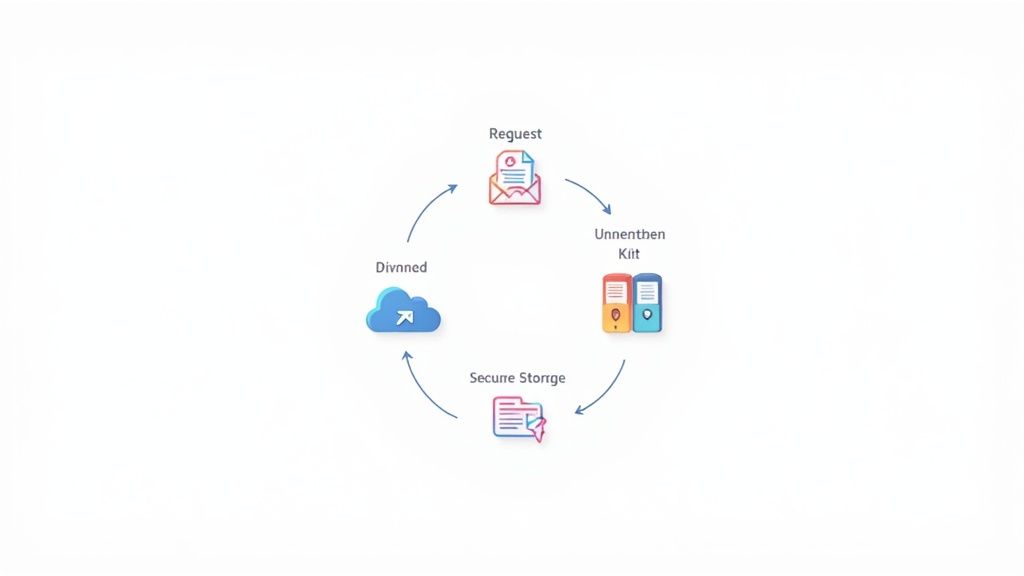
Before you ever ask a client or employee for a single file, you have to map out your entire collection workflow. I've seen it time and again: teams that rush this stage create their own headaches. A little foresight here is the foundation of a system that actually works.
Think of it like building a house. You wouldn't just start throwing up walls without a blueprint. The same logic applies to document collection. Your blueprint should detail every single piece of information you need for a specific task, whether it’s onboarding a new hire or closing a real estate deal. Getting this right from the start changes everything.
Define Your Document Requirements
First things first, make an exhaustive list of every document you need for a specific process. But don't just jot down file names. For each item, you need to understand its purpose and why it’s critical.
This simple exercise forces you to justify each request and often helps trim the fat, eliminating unnecessary back-and-forth. A mortgage broker knows they need pay stubs and tax returns, but a great plan specifies exactly what's needed—like the last two months of bank statements or two full years of tax documents. That clarity prevents guesswork for everyone involved.
Group and Prioritize Your Document List
With your list in hand, start categorizing. Grouping files logically makes the whole process feel more intuitive, both for your team internally and for the person on the other end. This is especially helpful when you need to gather information in stages or handle sensitive data.
Here are a few ways I’ve seen this done effectively:
- By Sensitivity Level: Keep highly confidential files (think financial records or social security numbers) separate from less sensitive items. This immediately tells you where to apply the highest security measures.
- By Submission Stage: For a complex legal case, you might group documents into initial disclosures, expert witness reports, and trial exhibits. This breaks a huge task into manageable phases.
- By Source: If you're collecting paperwork from multiple people—the client, their accountant, and their lawyer, for example—grouping requests by who provides what keeps everyone clear on their responsibilities.
This isn’t just about being organized; it's about turning a messy checklist into a clear, actionable roadmap.
Map the Entire Document Journey
Now that you know what you need and how it's organized, it's time to visualize the entire lifecycle of each file. Where does it come from? What happens to it once you have it? And where does it ultimately end up? Mapping this journey helps you spot potential bottlenecks or security risks before they become real problems.
A document's journey doesn't end when you receive it. Your plan has to cover how it's validated, where it's stored securely, and how it’s eventually archived or destroyed. Ignoring the full lifecycle is a recipe for compliance issues and operational chaos.
Take a new hire’s I-9 form. The journey starts with a request sent to the employee. Once they upload it, it has to be reviewed by HR for accuracy. After it's validated, it’s moved to a secure, access-controlled folder. Finally, federal law dictates how long it must be retained. Planning for every step of that path ensures nothing falls through the cracks.
Your Branded, Automated Document Collection Hub

Once you've mapped out your needs, it's time to build the place where the magic happens. We're talking about a dedicated, secure portal that makes clients feel confident handing over their sensitive files. Let's be honest, moving away from insecure email attachments is the single biggest leap forward you can make.
A dedicated portal is your central command for every document request. When a client clicks a link and lands on a polished, professional page with your logo and colors, it immediately says "you're in the right place." This first impression is critical, especially when you need to collect documents packed with personal or financial details.
Stop Reinventing the Wheel: Create Request Templates
One of the biggest time sinks I see is teams starting from scratch with every new client. You can put an end to that by creating standardized request lists—or templates—for your most common workflows.
Think about it. An HR department can have a "New Hire Onboarding" template ready to go, asking for an I-9, W-4, direct deposit info, and a signed handbook. When someone new joins, you just deploy the template. No more manually typing out the same list over and over. It saves a ton of time and, just as importantly, ensures nothing gets missed.
Here are a few templates you could build right away:
- New Client Intake: Gathers initial contracts, ID verification, and service agreements.
- Mortgage Application: A comprehensive checklist for everything from pay stubs and tax returns to bank statements.
- Vendor Onboarding: The go-to for collecting W-9s, certificates of insurance, and payment details.
This template-driven approach is how you start to scale your operations without drowning in admin work.
Let Automation Do the Heavy Lifting
This is where your new system really starts to work for you, taking over the nagging and follow-ups that eat up so much of the day. Setting up automated reminders is an absolute game-changer. Instead of your team manually chasing down overdue files, the system can handle it.
A smart automation setup does more than just save time—it directly impacts cash flow and keeps projects moving. When documents arrive on schedule, invoices go out faster and key milestones are hit without delay. Automation is the engine that drives an efficient operation.
Imagine a client's deadline is two days away. Your portal can fire off a friendly, pre-written reminder. If the deadline passes, it can send a more urgent notification. This professional persistence gets results and frees up your team to focus on work that actually requires their expertise. For a closer look at creating this kind of smooth experience, check out our guide on setting up a client document collection portal.
Set Clear Deadlines and Manage Expirations
Another critical piece of the puzzle is managing deadlines and document expirations. Not everything is a one-and-done submission. Many documents are only valid for a certain period, and tracking those dates manually is a recipe for disaster.
In the transportation industry, for example, driver's licenses and insurance policies have hard expiration dates. A system that can automatically flag these upcoming deadlines—say, 30 days out—is invaluable. It can then trigger a new request to the driver for their renewed documents, keeping your records compliant and up-to-date without anyone having to remember.
This kind of proactive management turns a chaotic, reactive process into something predictable and controlled. By building a branded, automated, and intelligent portal, you create a system that not only helps you collect documents but also manages their entire lifecycle for you. It's a fundamental shift that turns an administrative headache into a real operational advantage.
How to Collect Documents with Security and Compliance in Mind

When you ask someone to upload a file, you’re not just getting a document—you're accepting responsibility for their sensitive information. It’s a trust exercise, plain and simple. Dropping the ball here can lead to a world of pain, from a tarnished reputation to crippling financial penalties.
The most important thing you can do is shift your mindset. Stop thinking about how to just collect documents and start thinking about how to safeguard them.
This is exactly why old-school methods like email are a liability. Email just wasn't built for securely handling sensitive files, leaving them exposed both in transit and in your inbox. A secure-by-design approach isn't a "nice-to-have"; it's the bedrock of a modern, trustworthy business.
Fortify Data with End-to-End Encryption
The absolute foundation of any secure document process is end-to-end encryption. Think of it as a digital armored truck that protects a file from the moment your client hits "upload" until it's sitting safely on your servers. If anyone intercepted it along the way, all they'd see is unreadable gibberish.
Make sure your encryption covers two critical stages:
- Data in Transit: This protects the file as it travels across the internet.
- Data at Rest: This secures the file after it’s stored, preventing unauthorized access on your servers or in the cloud.
Don't settle for anything less than both. This dual-layer protection closes the security gaps that hackers love to exploit.
Navigate Complex Compliance Rules
Regulations like GDPR in Europe or HIPAA in healthcare aren't just bureaucratic red tape; they're frameworks designed to protect people. You don't need to be a lawyer, but understanding the basics is non-negotiable.
For instance, data residency—the physical location where data is stored—is a huge deal. GDPR has very strict rules about where EU citizens' data can be kept. If your server is in the US and you're collecting info from a client in France, you could be in hot water without even knowing it.
Building trust is the ultimate goal. When clients see you're serious about security and compliance, they feel safer sharing their information. This isn't just a technical requirement; it's a powerful way to strengthen client relationships and build a reputation for reliability.
The global document management market, valued at over USD 8.70 billion in 2024, is exploding for a reason. Businesses are finally investing heavily in compliant, cloud-based solutions to manage these complexities. This growth, projected to climb at a 13.02% CAGR through 2030, shows a massive industry shift toward prioritizing security. As you can explore in more detail, this trend is changing how companies handle everything from client onboarding to internal records.
To help you get a handle on this, here's a quick checklist of the most important security and compliance points to consider.
Key Security and Compliance Checklist
| Compliance Area | Key Action | Why It Matters |
|---|---|---|
| Data Encryption | Implement end-to-end encryption for data both in transit and at rest. | Protects files from interception and unauthorized access at every stage. |
| Access Control | Use Role-Based Access Control (RBAC) to limit who can see what. | Minimizes the risk of internal threats and accidental data leaks. The principle of least privilege is key. |
| Audit Trails | Maintain a detailed, unchangeable log of all document activity. | Provides a clear record for security investigations and proves compliance during an audit. |
| Data Residency | Know where your data is stored and ensure it meets regional laws (e.g., GDPR). | Avoids major legal and financial penalties for non-compliance with data sovereignty regulations. |
| Retention Policy | Define and automate how long documents are stored and when they are destroyed. | Reduces liability by ensuring you don't keep sensitive data longer than legally necessary. |
This table isn't exhaustive, but it covers the core pillars of a sound security strategy. Nailing these fundamentals puts you miles ahead of the competition.
Control Access and Maintain Clear Audit Trails
Not everyone on your team needs to see every file. A junior team member might only need to confirm a document was submitted, while a manager needs full access. This is where role-based access control (RBAC) comes in. It’s a simple but powerful way to enforce the "need to know" principle.
On top of that, a detailed audit trail is absolutely essential. This is an unchangeable log that records every single action taken on a document: who viewed it, when they viewed it, if they downloaded it, and so on. In the event of a security incident or a compliance check, this log is your single source of truth.
Plan for Secure Storage and Destruction
The document lifecycle doesn't end once you have the file. You need a clear plan for how long you'll keep it and how you'll get rid of it securely.
For example, tax documents often need to be kept for seven years, while HR records have their own set of rules. A solid data retention policy isn't just about compliance; it's about minimizing your risk. Holding onto data for too long can become a liability.
And when it's time to delete, make sure it's gone for good. "Secure destruction" means it's permanently erased, not just sitting in a digital recycle bin.
Making Sure Your Document Workflow Actually Works
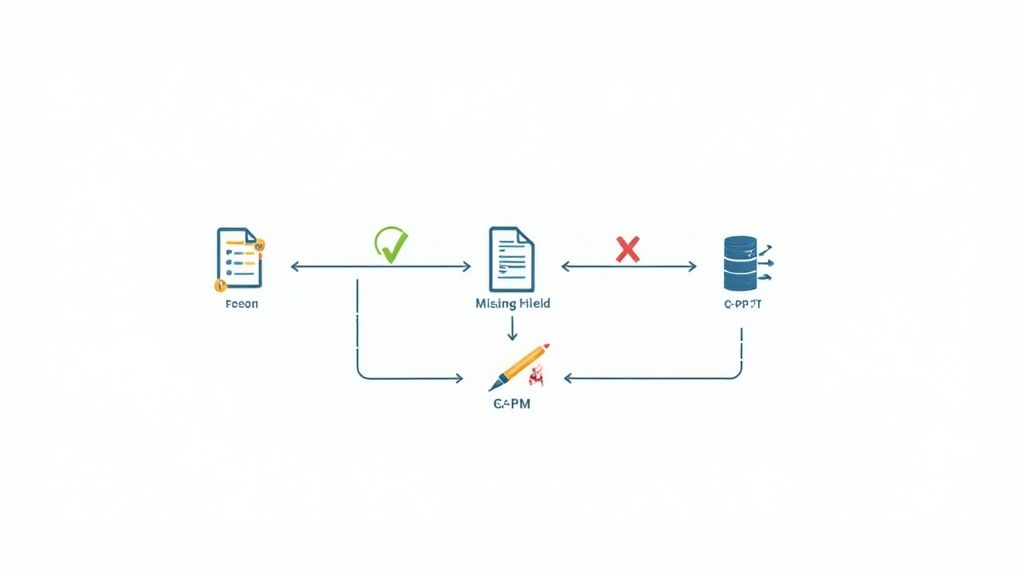
Getting clients to finally upload their files feels like a huge win, but the job isn't done. Now you have to make sure what they sent is actually correct. This is where so many teams get stuck, spending hours on manual reviews, chasing down corrections, and trying to fix simple mistakes. It’s tedious, frustrating, and a massive time-sink.
The key is to shift from a reactive, manual process to a proactive, automated one. When you collect documents with a smart system, you can build in validation rules that act as an instant quality check. Think of it as a first line of defense that catches common errors the moment a file is uploaded, saving your team from the headache of fixing things later.
Put Your Quality Control on Autopilot
Automated validation is like a bouncer for your document portal. It checks every single submission against a set of rules you define, ensuring only complete and correct files get through. It’s a simple idea with a massive impact.
For example, a real estate agency waiting on a signed purchase agreement can set a rule to reject any PDF that isn't digitally signed. The client gets an instant, helpful message explaining what's wrong, so they can fix it on the spot. Your team never even sees the incorrect version, and you've just eliminated a huge potential bottleneck.
You can set up rules for all kinds of common issues:
- Correct File Types: Only allow
.pdfor.docxand automatically reject blurry.jpgphotos of documents. - Completeness Checks: Instantly flag forms where required fields have been left blank.
- File Naming Conventions: Make sure files are named consistently for easy organization later.
- Expiry Dates: Catch expired driver's licenses or insurance certificates before they become a problem.
To get a better handle on the tools that make this happen, it’s worth learning more about how document verification software can automate these checks for you.
Automating that first review doesn't just save time—it creates a far better client experience. People appreciate getting instant feedback to correct a mistake, rather than waiting days for an email asking them to do it all over again.
Connect Your Workflow to the Tools You Already Use
A great document collection process can't exist in a vacuum. To really see the benefits, it needs to talk to the other software you rely on every single day. This is how a simple collection tool becomes the central hub of your entire operation.
The goal here is a seamless flow of information. When a document gets approved, that action should automatically trigger the next step in your process without anyone having to do a thing. This is where integrations with e-signature platforms and automation tools really shine.
Tie Everything Together for a Seamless Flow
Let's break down two of the most powerful integrations you can set up.
-
E-Signature Platforms: Connecting with services like DocuSign or Adobe Sign is a non-negotiable for any business handling contracts. Instead of the old "download, print, sign, scan, upload" routine, you can embed the signature step right into your workflow. The client just clicks a link, signs digitally, and the fully executed document lands right back in your system.
-
Automation Tools: Services like Zapier or Make are the connective tissue between thousands of different apps. You can use them to build powerful "if this, then that" automations. For instance, when a new client's signed contract is approved, you could automatically create their profile in your CRM, add their details to your accounting software, and send a notification to the project manager in Slack.
This level of automation is part of a bigger movement called Intelligent Document Processing (IDP). The market for IDP is expected to hit $6.78 billion by 2025 because it uses AI to extract and process data from documents automatically. With over 80% of enterprises planning to invest more in document automation, it’s clear where things are headed.
By validating submissions and integrating your tools, you create an end-to-end system that doesn't just help you collect documents but makes that information immediately useful across your entire business.
How Document Collection Looks in Different Industries
Sure, every business wants a secure and automated way to collect documents, but what that actually looks like can be wildly different depending on your industry. A one-size-fits-all playbook just isn't going to cut it. The files, compliance rules, and client expectations for a law firm are a world away from those of a logistics company.
Nailing the workflow for your specific field is what separates the pros from the amateurs. It signals to clients that you get it, keeps you on the right side of industry regulations, and honestly, just makes life easier for everyone. Let's dig into what this looks like on the ground in a few key sectors.
Legal: Client Intake and Discovery
Law firms live and breathe documents. From the moment a new client walks in the door to the massive data dumps of evidence discovery, the paper (or digital) trail is everything. The biggest worries? Attorney-client privilege and an ironclad chain of custody. Emailing sensitive case files around is a non-starter.
This is where a secure client portal becomes your best friend. It absolutely needs to:
- Create Case-Specific Folders: You have to keep matters separate. No excuses. This ensures nothing gets lost or mixed up.
- Handle Massive Uploads: Discovery can mean gigabytes of data. Your system can't choke on large files or a high volume of documents.
- Provide Detailed Audit Trails: You need to know who touched a document, when they saw it, and what they did with it. This creates a defensible record if you ever need it.
Think about the discovery phase for a corporate lawsuit. A paralegal can quickly build a request list for financial statements, internal emails, and contracts. The opposing counsel gets a secure link, uploads everything directly into a segregated portal, and voilà—confidentiality is preserved and there's a crystal-clear timeline.
Human Resources: Onboarding and Compliance
HR departments are drowning in paperwork, especially when a new person joins the team. The game here is all about speed, accuracy, and staying compliant with employment laws like I-9 verification. The mission is to get new hires set up for success on day one, not stuck in a cycle of endless email attachments.
In HR, a clunky document collection process is more than just an annoyance—it directly pushes back an employee's start date and their ability to contribute. Getting I-9s, W-4s, and signed handbooks sorted out before they even walk in the door makes for a smooth, welcoming start. It sets the right tone from the get-go.
An automated workflow can fire off a single link to a new hire with a checklist of everything they need to upload. You can build in deadlines to keep things on track and use validation rules to spot an incomplete form right away. This simple shift gets HR pros out of the business of chasing paperwork and back to focusing on people.
Real Estate and Mortgages: Keeping Deals on Track
The entire world of real estate and mortgage lending runs on a mountain of time-sensitive documents. A missing purchase agreement, a delayed appraisal, or a lost title report can kill a deal. Everything hinges on speed and tight coordination between a whole cast of characters: buyers, sellers, agents, and lenders.
Picture a mortgage broker trying to collect documents for a loan application. They need pay stubs, tax returns, bank statements, and maybe even gift letters, often from several different people. A central portal where everyone can upload their files and see the real-time status of the checklist is a lifesaver. It cuts out the confusion and keeps the whole transaction from grinding to a halt.
It's no surprise that the document management services industry is booming, projected to hit $8.7 billion in the U.S. by 2025. This growth is fueled by the need for efficiency and security in high-stakes sectors like real estate. This shift from paper chaos to streamlined digital workflows is only accelerating, a trend you can explore further by checking out the document management industry's growth on ibisworld.com.
Transportation and Logistics: Managing Expirations
In the transportation world, compliance isn't just important—it's everything. These companies are constantly juggling documents that expire, like driver's licenses, vehicle registrations, insurance certificates, and medical cards. If just one of those documents lapses, a truck can be pulled off the road, costing the company a fortune.
Any system built for this industry has to be amazing at tracking expiration dates. For example, a fleet manager can set up a rule that automatically pings a driver 60 days before their commercial license is up. The system then creates a new request for the renewed license. Just like that, a manual, error-prone chore becomes a reliable, automated safety net that keeps the fleet compliant and on the move.
Common Questions About Collecting Documents
Even with a great plan, a few questions always pop up once you start changing how you collect documents. Let's walk through some of the most common hurdles businesses face when they finally decide to get organized and secure.
Is a Portal Really More Secure Than Email?
Yes, and it’s not even close. The truth is, email was never built to handle sensitive, confidential files. When you send an attachment, it's often unencrypted, can be easily intercepted, and ends up scattered across outboxes, inboxes, and various servers forever. This creates a massive, uncontrolled risk.
A dedicated document portal, however, is designed from the ground up for security. It uses end-to-end encryption, meaning your files are protected the moment they’re uploaded and while they're stored. By keeping everything in one controlled environment, you dramatically shrink the chances of a data breach or someone snooping where they shouldn't.
Think of it like this: sending a sensitive document over email is like mailing a postcard. Anyone who gets their hands on it can read it. Using a secure portal is like putting that document in a locked safe and giving the key directly to the person who needs it.
How Do I Get Clients to Actually Use the Portal?
This is a big one. The secret to getting clients on board with a new system is making their life easier, not harder. If your portal is clunky or confusing, they’ll fall back to email every single time. The key is to eliminate friction.
Here’s what makes a portal people will actually use:
- Simple and Obvious: The upload process should be dead simple. One or two clicks, no complicated instructions needed.
- Branded and Professional: Seeing your logo and brand colors instantly builds trust. It tells clients they’re in the right, secure place.
- Mobile-Friendly: People live on their phones. If they can’t easily snap a picture and upload a document from their device, you've already lost.
When the new way is clearly more secure and genuinely simpler than the old way, getting people to use it is a natural next step.
What Is the Best First Step for a Small Business?
If you’re a small business just dipping your toes in, don't try to fix everything at once. That's a recipe for getting overwhelmed. The best approach is to pick your most repetitive, time-sucking document chase and start there.
Create a simple request template for one high-volume process. Good starting points are usually:
- New client onboarding files
- New employee hiring paperwork
- Vendor setup forms (like W-9s and insurance certificates)
By focusing on one single area, you can build a small, manageable workflow, test it out, and see the payoff right away. That first quick win proves the system’s value and gives you the momentum to tackle other processes later on. It’s a practical, effective way to begin your journey to collect documents without the headache.
Ready to stop chasing down documents and build a secure, automated workflow? Superdocu gives you all the tools you need, from branded portals to automated reminders. Start your free trial and see how easy it is to transform your document collection process today.