
Tired of hunting down files in email threads? Automating your document intake can route requests, send reminders, and run checks without manual effort. Collect documents faster and with fewer mistakes by using tailored templates and secure portals.
Understanding Document Collection Basics
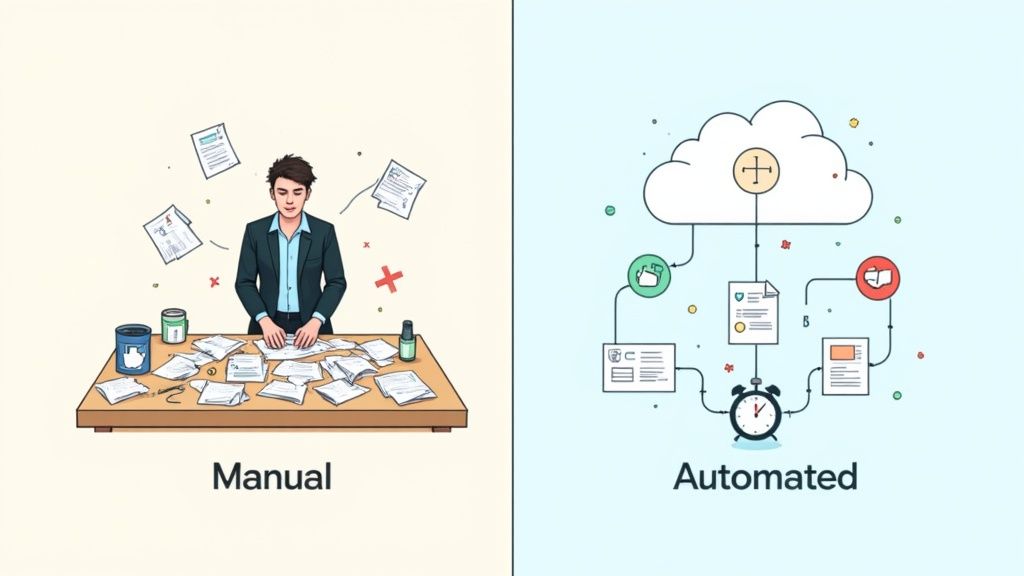
When you rely on manual processes, delays and lost files seem inevitable. Shifting to an automated intake system brings every submission into a single dashboard. No more inbox scavenger hunts or version mix-ups.
- Handle large request volumes without constant follow-ups
- Apply validation rules to flag missing or mislabeled files early
- Keep data safe with encryption and role-based access controls
A midsize clinic cut its processing window from three days to just four hours. At the same time, a freight company saw error rates drop by 60%, slashing rework costs across its operations.
Key Metrics Driving Adoption
Organizations in healthcare, finance, and logistics are rolling out automated collection at a rapid clip. These teams manage thousands of requests every month with minimal oversight.
You’ll notice the metadata panels, version history, and quick filters that make it easy to find and verify submissions.
Users report up to 60% fewer errors and 87% faster turnaround when they switch to automated document intake workflows.
Market Comparison Of Document Solutions
Below is a snapshot of how different solution categories stack up in market size and growth potential.
| Solution Type | Market Size | Projected CAGR |
|---|---|---|
| Document Management | 8.70 billion | 13.02% |
| Collection Software | 1.19 billion | 12.50% |
| DMS Platforms | 10.51 billion | 14.00% |
Taken together, these figures highlight where investment is heading and the areas poised for continued expansion.
Why Businesses Collect Documents
- Compliance rules demand reliable record retention for audits
- Onboarding processes use verified files to reduce fraud risk
- Cross-team projects depend on a central repository for fast access
The global Document Management market topped 8.70 billion USD in 2024 and is expected to grow at a 13.02% CAGR from 2025 to 2030, driven by cloud adoption and remote work shifts. Read the full research on market projections
Moving to automated collection not only speeds up intake—it also gives you tighter control over every document’s journey.
Initial Setup Process
Choosing a solid document collection platform is like laying down a strong foundation. It determines how smoothly your team can gather files without hiccups.
First, outline how many users you have and the level of security each group requires. Then, note any essential integrations — for example linking your CRM or your project board — and lock in your budget.
Don’t forget to review compliance requirements such as GDPR or HIPAA. Pick a provider with clear audit reports to save headaches down the line.
In one case, a lean startup slashed its licensing bill by 20% after switching to a fully cloud-native solution.
Configuring User Roles
- Clearly define Admin, Editor, and Viewer profiles so every person knows their boundaries.
- Set up role-based permissions to keep sensitive documents in the right hands.
- Apply the least-privilege principle, giving people only what they need for their tasks.
When roles overlap, a quick cross-check can reveal gaps that might let unauthorized uploads slip through.
Once everything’s mapped, sketch out your folder structure to match how your organization actually works. A logical hierarchy not only accelerates searches but also cuts down on misfiled submissions.
Defining Folder Structures
- Mirror your main business functions for intuitive navigation.
- Split folders by date to support archiving and retention rules.
- Group related documents together to speed up filtering and audits.
Naming can make or break your setup — choose clear labels like Invoices-Q1-2024 instead of vague titles. Getting this right now eliminates the headache of reorganizing when your team grows.

This view shows how tagging each folder with metadata labels enforces consistency and boosts search accuracy across your entire archive.
Enforcing Metadata Standards
Metadata rules keep files from ending up in limbo and make audits a breeze. But if your tag scheme is too elaborate, people get lost and submission rates drop.
Keep your metadata sets as simple as possible to minimize training time and maintain user enthusiasm.
- Provide a simple reference sheet so users see tag definitions at a glance.
Spending on document collection software is on the rise, with the market forecast to reach USD 1,194.7 million by 2025. Check out the full Archive Market Research report for more details on these trends.
Before rolling out to the entire team, run your workflows with a small pilot group. This can expose permission holes or confusing metadata fields early on. By fine-tuning at this stage, you’ll avoid scrambling to fix issues once you’re live.
Integration Points
- Sync incoming docs to your CRM so contact records stay up to date.
- Backup files automatically in Google Drive or OneDrive for peace of mind.
- Add eSignature steps with DocuSign or Adobe Sign to streamline approvals.
- Use webhooks to trigger alerts or data pushes the moment a document lands.
- Monitor integration health by logging errors to avoid silent failures.
Double-check API rate limits and test every mapping before you flip the switch. Regularly review integration logs to catch any broken links or unexpected behavior.
Expert Tip: Run your integrations in a staging environment first to catch edge cases without impacting production.
With careful integration choices, your document intake process turns into a seamless, hands-off routine — freeing your team to focus on higher-value work today.
Crafting Clear Document Requests
When you ask for documents, specific instructions cut down unnecessary back-and-forth. A marketing agency I worked with slashed their follow-up emails by 50% just by tweaking their email template.
Similarly, a legal firm I supported saw a 30% drop in processing errors once lawyers received clear naming conventions and hard deadlines in their portal. Clear language means fewer misfiled or missing files.
- Define required formats like PDF, JPEG, DOCX
- Spell out naming conventions (e.g., ClientName_DocumentType_Date)
- Set firm deadlines such as “Submit by June 15 at 5 pm”
- Link directly to your secure upload portal
Tailoring Tone For Recipients
Your client emails shouldn’t read like a vendor request. A friendly subject line—“Action Needed: Please Send Contract Copies”—goes a long way. Vendors, on the other hand, often appreciate a concise portal prompt with bullet-point instructions.
| Audience | Channel | Tone | Key Details |
|---|---|---|---|
| Clients | Friendly | Attach ID and proof of address | |
| Vendors | Portal | Direct | Upload invoices in ZIP format |
| Teams | Chat | Casual | Drop files by end of day |
Clear requests reduce back-and-forth and capture complete packages on the first ask.
Avoid vague words like “ASAP” or “soon.” Instead, give a date. And place those instructions right next to the upload field so no one has to hunt for them.
Embedding Instructions In Workflow
Inline help tips in your portal boost accuracy. For example, in Superdocu you can add a description field below each upload button. Users instantly see where each file belongs.
Upload Lease Agreement (PDF)
Max size 10 MB
Name file LeaseAgreement_ClientName_Date
- Place instruction text under each upload slot
- Show an example of a correct filename
- Highlight accepted formats and size limits
With email templates, repeat the essentials at the end. Skimmers will still catch the summary.
- Copy clear instructions into your signature
- Use numbered steps for each document
- Remind recipients of the deadline
One real estate agency reported 45% faster submissions when they added inline tips. That meant less chasing and more accurate files.
By blending crystal-clear email copy with targeted portal guidance, you’ll collect documents right the first time.
Next Steps For Rollout
Kick off a small pilot group to test your new template. Listen closely to real user questions and tweak phrasing accordingly.
- Record a quick, under-five-minute training video
- Track submission times before and after changes
Once you’ve refined the process, update all portals and email signatures. Announce the new workflow company-wide. Consistency drives adoption and reduces follow-up across every team.
Using Templates And Validating Submissions
Templates can shave hours off manual reviews while ensuring each submission meets your standards. By guiding users through every field, you cut down on back-and-forth emails and speed up approvals.
Intake forms let you:
- Enforce Required Fields so no vital detail slips through
- Limit File Sizes to block uploads over 10 MB and keep storage lean
- Check Formats automatically, accepting only PDF, DOCX, or JPEG
- Display Dynamic Hints exactly where people need extra context
Introduce AI-driven extraction and you’ll catch errors before they land in your inbox. In one financial audit, this approach boosted data accuracy by 45% within weeks.
Building Validation Rules
Start by defining rules at the field and file level. Use regular expressions to verify ID formats and automatic checks to reject unsupported file types right at upload.
It’s a balancing act: make rules clear but not overwhelming. Contextual prompts and friendly error messages help users fix mistakes without frustration.
Real-world insight AI-driven field validation reduced manual cleanup by 60% in one audit project.
Customizing Templates For Different Document Types
Every use case has its own checklist. For a financial audit, you might request transaction IDs and amounts. For HR onboarding, signed agreements, proof of address, and tax forms take center stage.
Group sections by file type or workflow step so people focus on one document at a time. Then:
- Duplicate your base template to keep core validations intact
- Add or remove fields based on each document’s needs
- Label sections clearly, with size limits and sample uploads
- Test with real files to confirm validation works as expected
When templates match user expectations, submission errors drop dramatically and frustration all but disappears.
Discover our step-by-step process for collect documents validation complete workflow in Superdocu: Collect And Validate Documents Guide
By combining solid templates with automated checks, you’ll turn chaotic intake into a smooth, reliable system. Start with a simple form, gather feedback, then refine as you go.
Testing And Iteration
Keep an eye on validation logs to spot recurring hiccups. User surveys and quick check-ins reveal confusing fields before they become showstoppers.
Track these core metrics:
- Average Submission Time measures how fast documents come back
- Error Frequency shows how often validation rules block uploads
- Drop-off Rate indicates where people abandon the process
Small, weekly tweaks prevent problems from piling up. Continual testing and tweaks ensure forms stay aligned with real-world needs.
Automating Reminders And Integrations
Keeping document submissions on track shouldn’t mean endless manual follow-ups. By mixing well-timed email and SMS nudges, you’ll see faster responses without overwhelming your audience.
Scheduling reminders on days two and four helped one logistics team boost submission rates by 30%. A simple setup—no more guessing when to ping people.
Scheduling Email And SMS Nudges
A few best practices to avoid reminder fatigue:
- Personalize messages with the recipient’s name and context.
- Experiment with intervals to find the sweet spot for your audience.
- Monitor opens and clicks to refine content and timing.
Well-crafted reminders can cut manual chasing by half, making life easier for everyone.
Integrating With Business Tools
When document requests live alongside your core apps, duplicate entry disappears overnight. Imagine files landing right in your CRM or project board without a second thought.
Native connections to Salesforce or Asana can automatically attach metadata and documents:
- Push client files into Salesforce records
- Create Asana tasks for each project deliverable
- Route copies to Google Drive or OneDrive for secure archiving
This diagram shows how Superdocu talks to portals, reminders and external apps in one tidy loop.
Integration Options For Document Workflows
Choosing the right approach depends on your team’s skills and goals. Below is a quick comparison of three common paths for connecting your document collection process:
| Integration Type | Ease of Setup | Flexibility | Example Tools |
|---|---|---|---|
| Native Connector | High | Medium | Salesforce, Asana |
| Automation Platform | Medium | Medium | Zapier, Make |
| Custom API Integration | Low | High | RESTful endpoints via code |
Pick a native connector if you want something that works out of the box. Go with an automation platform for simple cross-app flows. And dive into a custom API when you need full control.
Setting Up Automated Reminders
Data will point you in the right direction. Keep an eye on:
- Reminder Open Rate to see who’s reading your messages
- Response Rate after each nudge
- Collection Time reduction in hours or days
Start small:
- Define a follow-up rhythm matching your audience’s habits
- Write message templates that feel conversational
- Pilot your reminders with a test group before rolling out
For example, to trigger an email reminder after two days, you might call superdocu.reminders.create({ workflowId: 'abc123', intervalDays: 2, messageTemplateId: 'tmpl456' }).
Dive deeper with our Automated Reminders Guide.
Practical Integration Examples
Real teams, real wins:
A finance department linked Superdocu to QuickBooks Online so every approved document updates invoices automatically.
A real estate office set up a Zap to add new lease uploads into a Google Sheets roster.
Some creative spins:
- Use a Zapier template to drop attachments into Slack channels for instant review
- Fire webhooks to notify stakeholders in Microsoft Teams when files arrive
- Launch year-end archive scripts in Dropbox with a simple API call
Integration feedback shows 40% fewer manual steps across reporting workflows.
Don’t forget to generate API keys in Superdocu, set proper scopes in each app, and always test in a sandbox environment to catch hiccups early.
Now your document workflows are firing on all cylinders—secure, automated, and fully integrated.
Ensuring Security And Compliance
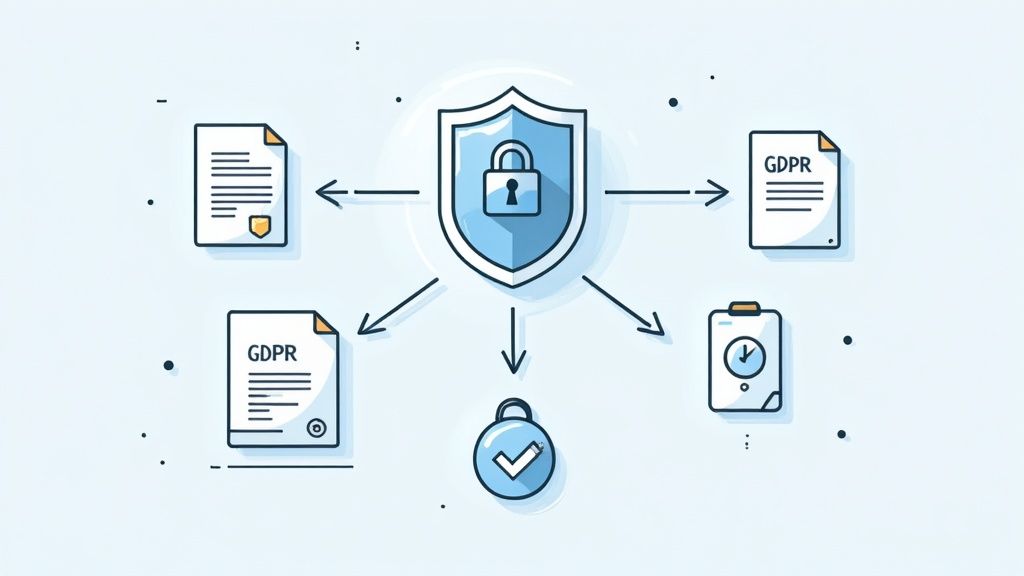
Handling sensitive documents demands more than a single protective layer. Strong encryption, clear access policies and detailed logs work together to keep data safe.
Encryption And Access Controls
Start by encrypting stored files with AES-256 and centralize key management. Enable TLS for data in motion to block eavesdroppers. Together, these measures help meet HIPAA and GDPR requirements.
- Turn on encryption by default across every storage endpoint
- Rotate encryption keys every 90 days to limit exposure
- Review access logs daily for unusual patterns
"Every access log entry offers a clue," notes security expert Alex Johnson.
Add multi-factor authentication on all accounts. SMS codes or authenticator apps create a second barrier, cutting the chance of account takeover by 99%.
- Enforce MFA for administrators and service users
- Use time-based one-time passwords (TOTP) or hardware tokens
- Limit login attempts and lock accounts after consecutive failures
Role-based permissions ensure people see only what they need. For example, finance staff can view invoices but not personnel files.
Compliance Frameworks
Before an audit, align your workflows with HIPAA, GDPR and SOC 2. Each framework has its own focus and schedule for reviews.
| Framework | Focus Area | Audit Frequency |
|---|---|---|
| HIPAA | PHI protection | Semiannual |
| GDPR | Data subject rights | On request |
| SOC 2 | Security controls | Annual |
Automate compliance checks to schedule reviews and generate reports in minutes. Then train your team on document classification and incident response.
One fintech client passed its SOC 2 audit without scrambling at the last minute. Regular policy reviews and dry-run simulations kept controls tight.
By 2025, the Document Management Systems market hits USD 10.51 billion, nearly doubling by 2030 thanks to cloud-native compliance features. Discover more insights about cloud-native compliance on SenseTask.com
Ongoing Security Practices
Regular penetration tests and vulnerability scans help you spot weaknesses before attackers do. Follow up quickly on findings to keep your defenses up to date.
- Carry out a vulnerability scan every quarter and log the results
- Meet with your security team to review findings and assign tasks
- Revise policies and workflows based on the latest risks
When controls slip, real incidents show steep costs. A misconfigured server once exposed 30,000 customer records and led to a $2.4 million fine. Automate certificate renewals and centralize log monitoring to avoid expired credentials causing breakdowns.
You might be interested in our Secure Document Intake Platform guide on Superdocu to see how we help you collect documents safely: Learn more about secure intake in Superdocu
Regular training sessions and policy acknowledgments keep everyone accountable. Track who’s completed each module and send reminders to those who lag behind.
Audit logs act as your final safety net. They reveal unusual activity and support investigations when incidents occur.
Frequently Asked Questions
No matter how big your team is, the questions around collecting documents tend to follow a familiar pattern. Below, you’ll find real-world tips on picking the right platform, staying compliant, automating follow-ups, and weaving integrations into your workflow.
Choosing The Right Tools
I once helped an insurance firm sort through three platforms, weighing license costs, security features, and honest user feedback. Their bottom line? Let your own priorities steer the ship.
- Evaluate pricing tiers and maximum user seats
- Test out built-in validation and reporting features
- Gather candid feedback from your team on ease of use
52% of small businesses switch platforms because usability falls short.
Ensuring Data Compliance
Working with protected files under HIPAA or GDPR can slow everything down—if you don’t have clear rules and logs in place.
- Review encryption methods (both at rest and in transit)
- Assign role-based permissions for each document type
- Block off time every quarter for a compliance audit
Automating Reminders And Integrations
Manual follow-ups get lost in crowded inboxes. A logistics provider I partnered with saw 30% faster submissions after scheduling targeted email and SMS reminders.
- Schedule nudges at critical milestones
- Personalize messages based on the recipient’s role
- Connect your document requests to CRM or cloud storage
By combining reminders with native connectors like Salesforce or Zapier, you’ll slash manual handoffs and accelerate approvals.
Selecting Integration Options
Plugging your document-collection workflow into other systems can eliminate busywork. For example, a recruiter linked Superdocu to their ATS, so candidate files flow in automatically.
- Pick native connectors for a plug-and-play setup
- Use automation platforms for cross-application workflows
- Build custom API calls when you need complex logic
Integrations can cut manual steps by 40%
Troubleshooting Common Issues
Uploads that stall or reminders that never arrive usually point to a quick settings fix. Here’s my checklist:
- Confirm accepted file types and size limits
- Scan reminder logs for any delivery errors
- Verify user roles and portal access settings
A weekly log review often surfaces hidden hiccups before they grow into bigger problems.
Ready to stop chasing files today? Give Superdocu a spin.