
Let's be honest, chasing down files through endless email chains is a nightmare. It’s inefficient, risky, and frankly, a terrible experience for everyone involved. To get a handle on document collection, you have to move beyond the chaos of email and embrace a system built for the job. This isn't just a minor tweak; it's a fundamental shift from scattered attachments and version-control headaches to a smooth, professional workflow that actually works.
Why Email Is Failing Your Document Collection Process

If you're still using email to gather documents, this probably sounds familiar: you send a clear request for five documents, and you get back a reply with one wrong file and an outdated version of another. And so begins the painful back-and-forth that eats up your day and leaves your clients frustrated.
This manual process is more than just an annoyance—it's a serious operational bottleneck. Every minute you spend digging through old email threads for an attachment is a minute you’re not spending on valuable, billable work. Without a central place to manage everything, documents inevitably get lost, duplicated, or missed entirely.
The Hidden Risks of Email Attachments
Beyond the sheer inefficiency, relying on email to collect documents opens you up to some serious security holes. Email was never built to handle sensitive information like financial statements, legal contracts, or personal IDs. When you send files as attachments, they're often unencrypted and vulnerable to being intercepted.
This method also throws a wrench in your compliance efforts. Regulations like GDPR demand careful handling of personal data. Trying to prove compliance, track file access, or manage data retention is nearly impossible when your records are scattered across countless inboxes. You can learn more about clear communication by checking out our guide on how to write an email requesting information.
The core problem is a lack of control. Once an email is sent, you lose oversight of that document, creating a digital liability that can persist for years in someone else’s inbox.
Comparing Email vs. Dedicated Document Collection Platforms
The difference between wrestling with emails and using a dedicated platform is stark. It’s not just about convenience; it’s about fundamentally changing how you handle security, client experience, and your own team's productivity. Here’s a quick breakdown:
| Feature | Traditional Method (Email) | Modern Platform |
|---|---|---|
| Security | Low. Unencrypted attachments, high risk of interception. | High. End-to-end encryption, secure portals, access controls. |
| Client Experience | Poor. Confusing threads, manual uploads, high friction. | Excellent. Branded, intuitive portal, clear instructions. |
| Tracking | Manual. Requires checklists and constant follow-up. | Automated. Real-time status, automatic reminders. |
| File Management | Chaotic. Lost files, version control issues, duplicates. | Centralized. All files in one place, organized by client. |
| Compliance | Difficult. No audit trail, hard to manage data. | Simple. Clear audit trails, built-in retention policies. |
| Efficiency | Low. Time-consuming, repetitive manual tasks. | High. Templates, automation, and integrations save hours. |
As you can see, a modern platform isn’t just a better version of email—it’s a completely different approach designed to solve the inherent problems of the old way.
A Growing Need for Modern Solutions
The move to remote and hybrid work has poured fuel on this fire. Teams need reliable, secure access to client files from anywhere, and outdated email systems just can't keep up. This reality is what's driving huge growth in the document management market, which was valued at over USD 8.70 billion and is expected to grow at a CAGR of 13.02% through 2030.
This isn’t just a trend; it's a clear signal that businesses are ditching manual methods for smarter, automated platforms that can handle the demands of today's work environment.
Designing a Repeatable Document Collection Workflow
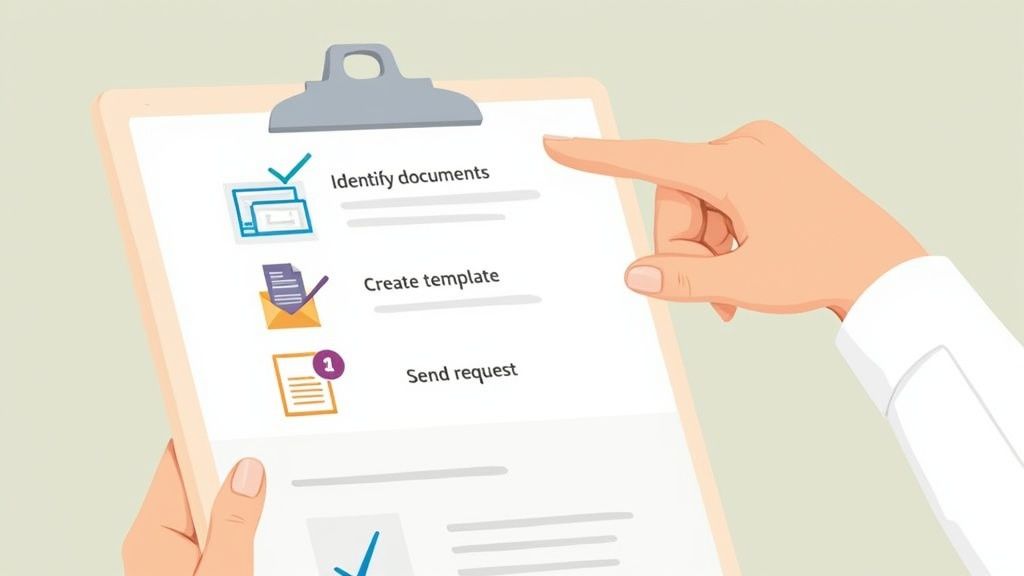
Before you even think about asking a client for a single file, you need a solid, repeatable plan. Trust me, making requests on the fly is a recipe for confusion and wasted time. A well-designed workflow is your secret weapon, ensuring every document collection process—whether it's for onboarding a new client or processing a loan application—is consistent and efficient.
The key is to map out every single document you'll need for a specific task. Put yourself in your client's shoes and walk through the entire journey. What files are absolutely necessary at each stage? A haphazard approach almost always leads to forgotten documents and frustrating follow-up emails.
Standardize Your Document Checklists
Your first move should be to create master checklists for your most common processes. This one simple step is a total game-changer for consistency. It takes the guesswork out of the equation for your team and gives your clients a clear road map, so everyone knows exactly what's required right from the start.
For example, a new employee onboarding checklist might look something like this:
- Government-issued ID: A clear, unexpired copy of a driver's license or passport.
- Tax Forms: A completed and signed W-4 or equivalent tax withholding form.
- Direct Deposit Information: A voided check or a direct deposit authorization from their bank.
- Signed Employment Agreement: The fully executed contract.
This isn't just a to-do list; it’s a blueprint for every new hire. It guarantees you collect documents the same way, every time, which is critical for compliance and keeping your operations running smoothly. As you build out your workflows, leaning on best practices for process documentation can make all the difference in creating something clear and easy to follow.
Build Reusable Request Templates
With your checklists finalized, it's time to build reusable request templates in your document collection platform. A template takes your list to the next level by including specific instructions, formatting rules, and even placeholder fields for each file you need.
Think of it as a pre-packaged request you can send out in seconds. You can get super specific, like requiring a driver's license to be a high-resolution color scan or insisting a proof of address be dated within the last 90 days. This level of detail stops common submission errors before they even happen.
A great template doesn't just ask for a document; it guides the user on how to provide it correctly the first time. This simple shift in approach dramatically reduces back-and-forth communication and speeds up the entire collection cycle.
A mortgage application template, for instance, would have separate, clearly labeled slots for bank statements, pay stubs, and tax returns, each with its own unique instructions. Turning your checklists into dynamic templates gets rid of repetitive manual work and creates a much more professional experience. This organized method is the only way to efficiently collect documents when you're dealing with any kind of volume.
Building a Branded and Secure Client Portal
The way you ask for documents says a lot about your business. Think about it. An impersonal email with a generic upload link doesn't exactly scream professionalism or security. It can make clients hesitate. On the other hand, a branded, secure space for them to share their files? That’s a game-changer. It shows you’re serious about their experience and their privacy right from the start.
This isn't just about sticking your logo on a webpage. A truly branded experience means creating a consistent, professional environment that reflects your company. Your colors, your fonts, your messaging—it all matters. When a client clicks a link to upload their files, they should feel like they've stepped into a secure extension of your business, not some random, unfamiliar website. That seamless feeling is what makes them comfortable sharing sensitive information.
Security Has to Be the Top Priority
While branding sets the stage, security is the bedrock of any document collection system. Let's be blunt: a data breach from a shoddy collection process can be devastating for your reputation and your bottom line. This is where modern client portals blow email out of the water.
When you’re evaluating a platform, here are the non-negotiables:
- End-to-End Encryption: This is the gold standard. It means files are scrambled and unreadable both during the upload process and when they're sitting on a server.
- Granular Access Controls: You need to be in the driver's seat, deciding exactly who on your team can see or touch submitted documents. This is crucial for minimizing internal risks.
- Compliance Certifications: If you're dealing with clients from around the world, look for platforms that meet standards like GDPR. It’s not optional; it’s essential.
A client portal acts as a central hub, bringing order to the chaos of back-and-forth emails and attachments.

As you can see, everything is organized in one place, making life easier for both you and your client.
Making It Easy for Your Clients
Here’s the thing—even the most secure portal is useless if it’s a pain to use. A clunky interface will just lead to frustrated clients and blown deadlines. The real goal is to make submitting documents feel effortless. A well-designed system should guide your clients through the process so clearly that they don’t even have to think about it.
I've always said the best systems pair Fort Knox-level security with dead-simple usability. If your clients can drag, drop, and hit 'submit' in less than a minute without needing a manual, you've hit the jackpot.
This simple approach does more than just speed things up. It dramatically cuts down on the "how do I do this?" emails and calls your team has to handle. By giving clients a straightforward, branded, and secure portal, you turn a tedious chore into a smooth, positive interaction. To learn more, you can check out our in-depth guide to what makes a great client portal.
Put Your Follow-Ups and File Checks on Autopilot

Let's be honest: manual follow-ups are a soul-crushing part of the job. Chasing people for missing files is tedious, frustrating, and a massive time drain that pulls your team away from work that actually matters. This is exactly where automation steps in to save the day, turning a reactive, manual chase into a proactive, hands-off system.
Think about it. Instead of living in a spreadsheet and sending those dreaded "just checking in" emails, you can build a sequence of automated reminders. If a new client hasn't submitted their signed contract, the system can send a polite nudge three days before the deadline, another on the due date itself, and a final, more urgent alert two days after. The process keeps moving forward, and you haven't had to lift a finger.
Set Up Smart Reminders and Expirations
Good automation isn’t just about blasting out emails; it’s about creating a clear sense of urgency and structure. A really powerful way to do this is by setting expiration dates on your document requests. When a request clearly states it will expire in seven days, it communicates that you expect and need a timely submission.
This simple deadline creates a psychological boundary that encourages people to act. Once the deadline passes, the link can automatically deactivate, forcing the person to contact you if they still need to upload their files. It's a subtle but incredibly effective way to keep your timelines on track. If you want to dive deeper, our guide on how an automated document request tool can revolutionize this process is a must-read.
Use Rules to Validate Files Instantly
The next big leap in efficiency is validating documents the moment they’re uploaded. You can stop incorrect files from ever hitting your inbox by setting up simple, rule-based checks. This is a complete game-changer for cutting down the endless back-and-forth caused by simple mistakes.
Here are a few ways this works in the real world:
- ID Checks: Automatically flag a driver's license if the expiration date has already passed.
- Correct File Types: Make sure you get a PDF when you ask for a PDF, not a blurry JPEG snapped on a phone.
- Complete Forms: If a form has five required fields, the system can reject the submission until all five are filled in.
- No Locked Files: Instantly detect and reject password-protected PDFs, saving you the headache of asking for the unlocked version days later.
This kind of intelligent filtering dramatically boosts the quality of the documents you receive from the get-go.
By validating files upon submission, you shift the responsibility for correctness back to the sender right when they're engaged, rather than discovering an error days later when you finally sit down to review everything.
This immediate feedback loop saves countless hours and ensures your team only spends time on complete, accurate files. This shift is powered by what's known as intelligent document processing (IDP). The global IDP market, already valued at USD 2.3 billion, is growing fast as businesses race to digitize their operations and eliminate human error. In fact, by 2025, it's predicted that 50% of B2B invoices will be processed without any manual input, all thanks to this technology. You can discover more insights about the IDP market and how it’s changing business.
Integrating Your Document Workflow with Other Tools
A great document collection process doesn't live on an island. To really make it hum, it has to talk to the other tools you use every single day. When your systems are connected, you kill manual data entry and create one seamless workflow that saves a frankly ridiculous amount of time.
What we're talking about is a domino effect. A client submits a file, and that one action triggers a cascade of events across your entire tech stack. The goal is to build a connected ecosystem where information just flows where it needs to go, keeping everything in sync without you having to lift a finger. This is what separates a good process from a truly great one.
Connecting eSignatures and CRMs
One of the most powerful integrations you can set up is with eSignature software. Think about the old way: ask a client to download a contract, print it, sign it, scan it, and then finally upload it. It's a hassle. Instead, you can embed the signature step right into your collection flow. They review, sign, and submit in one fluid motion. It’s a huge win for speeding up turnaround times.
Connecting to your Customer Relationship Management (CRM) software is just as big of a game-changer. Let me paint a picture for you:
- A new client fills out their onboarding forms through your branded portal.
- The system instantly creates a new contact record for them in a tool like Salesforce.
- It then attaches all their submitted files directly to that new record.
That simple connection means your client data is always complete and current. No one on your team has to waste time dragging and dropping files or copying and pasting information.
The real power of integration is turning a multi-step, manual process into a single, automated event. This not only slashes the chance of human error but also creates a far more professional and polished experience for your clients.
Automating Storage and Project Management
Another must-have connection is with your cloud storage and project management tools. When you collect documents, you need a secure and organized place to put them. Integrating with services like Google Drive, Dropbox, or OneDrive lets you put this entire process on autopilot.
You can set up simple rules so that when a certain type of document comes in, it’s automatically filed away in the right folder. For example, all signed contracts could land in a "Client Agreements" folder in Dropbox, while tax forms are routed to a secure "Finance" folder. Your digital filing cabinet stays perfectly organized with zero manual effort.
On top of that, tying into a project management tool like Trello or Asana can kick off the next stage of a project automatically. As soon as a client submits their project brief, the system could create a new task, assign it to the right person, and notify them that it's time to get started. This creates a smooth handoff between teams and stops projects from stalling. By connecting your tools, you're building a smart, self-running system that handles the grunt work for you.
Getting Document Collection Right in Your Industry
How you gather documents is never a one-size-fits-all game. The way a law firm handles sensitive case files is completely different from how an HR department onboards a new hire. To be efficient and stay out of trouble, you have to nail the approach for your specific field.
Legal: Chain of Custody is King
For lawyers and paralegals, it's all about chain of custody and iron-clad client confidentiality. Every single file, from bits of evidence to a signed affidavit, needs a crystal-clear audit trail. A secure portal is non-negotiable here—it ensures only the right people can see discovery documents, preventing a leak that could torpedo an entire case.
HR: Navigating the Privacy Maze
Human resources teams, on the other hand, are constantly walking a tightrope of privacy laws. When you ask for I-9 forms, W-4s, or direct deposit details, you're dealing with a treasure trove of personally identifiable information (PII). Your process has to be buttoned up and compliant with regulations like GDPR, meaning data is encrypted, stored securely, and only accessible to those who absolutely need it.
Finance and Accounting: Precision is Paramount
Accountants and financial advisors handle some of the most sensitive data out there—think tax returns, bank statements, and investment records. The biggest worry? Fraud and data integrity. A solid system lets you send out specific, uneditable requests for documents from a certain time frame. This simple step dramatically cuts down on clients accidentally (or intentionally) sending old or incorrect information.
This push for precision and security is why automation is taking over. In fact, research shows that over 80% of enterprises are planning to spend more on document automation by 2025. This is especially true in finance, where a whopping 88% of institutions are baking it into their core digital strategy.
The right strategy isn’t just about getting the file. It’s about protecting what’s inside it according to your industry’s unique rulebook. A slip-up in legal can break attorney-client privilege. An error in HR can violate labor laws.
Don't Forget Accessibility and Compliance
Beyond just security, certain industries have very specific rules about how accessible their documents need to be. For example, if you operate in Ontario, Canada, you need to understand regulations like the AODA Document Compliance requirements to make sure your collected files are usable by people with disabilities.
Ultimately, a thoughtfully designed workflow does more than just tick a box. It signals professionalism and builds trust. It shows your clients and employees you get the nuances of your field and can be trusted to handle their information with care. It turns a simple admin task into a powerful reflection of your brand's competence.
Got Questions? We've Got Answers
Switching up how you collect documents always brings up a few questions. Let's tackle some of the most common ones we hear from businesses just like yours.
What's the Safest Way to Get Documents from Clients?
Hands down, the most secure way is to use a dedicated client portal or a platform built specifically for document collection. These systems use end-to-end encryption, which is a world away from the vulnerabilities of standard email.
Think of it this way: email is like sending a postcard, while a secure portal is like using a bank vault. These platforms also give you crucial tools like access controls (so only the right people see the files) and audit trails that log every single touchpoint.
How Can I Actually Get Clients to Send Their Files on Time?
It's a two-part solution: make it dead simple for them and automate your follow-ups. A clean, branded portal where they can drag and drop files is infinitely better than asking them to dig through old email threads.
Then, you add automated reminders. These aren't meant to be pushy; they're just gentle, consistent nudges that keep the request top of mind without you having to personally chase anyone down.
The secret is to remove every possible point of friction. The easier you make it for clients to give you what you need, the faster they'll do it. It’s that simple.
Can a Document Collection Tool Work with the Software I Already Use?
Absolutely. Most modern platforms are designed to play nicely with the tools you rely on every day. You'll find ready-made integrations for CRMs like Salesforce or HubSpot, cloud storage like Google Drive and Dropbox, and eSignature software.
Connecting these systems means no more downloading a file from one place just to upload it to another. It creates a single, smooth workflow and cuts out the tedious manual data entry that eats up your day.
Ready to stop chasing documents and start focusing on what matters? Superdocu makes it easy to create secure, branded portals and automate your entire collection process. Start your free trial today.