
Before you can collect and validate documents efficiently, you need a solid game plan. It all starts by figuring out exactly what you need, who you need it from, and why. This initial groundwork is what separates a smooth, automated workflow from a chaotic mess of follow-up emails.
Build a Smarter Document Collection Plan
Resist the urge to just start sending out requests. I’ve seen it time and again: jumping the gun without a clear plan is the number one cause of frustrating back-and-forth, missing information, and stalled projects. A well-defined plan becomes the single source of truth for your entire process.
Think of it like building a house. You wouldn't start laying bricks without an architect's blueprint. The same logic applies here. Taking the time to map everything out first will save you countless hours and headaches down the road.
Identify Core Document Requirements
First things first: what documents do you actually need for a specific process? A one-size-fits-all checklist just doesn't work. Onboarding a new employee requires a completely different set of paperwork than processing a mortgage application.
For every distinct workflow, make a definitive list. A new hire checklist, for example, might look something like this:
- Government-Issued ID: A driver's license or passport works.
- Proof of Address: Usually a recent utility bill or bank statement.
- Signed Employment Contract: The official, legally binding agreement.
- Tax Forms: The standard W-4 and any required state forms.
Specificity is your best friend here. Don't just ask for "ID." Instead, ask for "a color copy of a valid, unexpired driver's license." This simple change eliminates ambiguity and helps you get the right file on the first try. For more tips on this, our guide on how to collect documents from clients online dives deeper into these strategies.
Define Critical Data Points for Extraction
Okay, so you have a list of documents. The next step is to get granular. What specific pieces of information do you need to pull from each file? This is where true automation and compliance checks begin.
Let's go back to that driver's license. You’re not just confirming you received a file; you're validating the data within it.
- Full Legal Name: Does it perfectly match their application?
- Date of Birth: Is the person over 18?
- Expiration Date: Is the ID actually valid right now?
- License Number: For your records and any necessary verification.
Laying out these data points for every single document transforms a simple file-chasing task into a structured data validation engine. This is essential if you want to collect and validate documents at scale. Using the right tools, like the best document management software, makes this whole process much easier.
Key Takeaway: Your plan isn't just a shopping list of files. It’s a detailed map of required documents, the specific data points you need from them, and the rules that prove they're accurate and complete.
Map the Entire Document Journey
Finally, take a step back and visualize the document's entire lifecycle. Who kicks off the request? What happens the moment a client submits a file? Who reviews it, and where does it end up?
Mapping this journey helps you spot potential bottlenecks before they bring everything to a halt. For client onboarding, a simple flowchart can clarify the whole process. It can show when automated reminders should go out, who gets notified of a submission, and what happens when a validation check fails. This kind of proactive planning is what separates a slick, automated system from a manual, reactive nightmare.
Design a Seamless Document Upload Experience
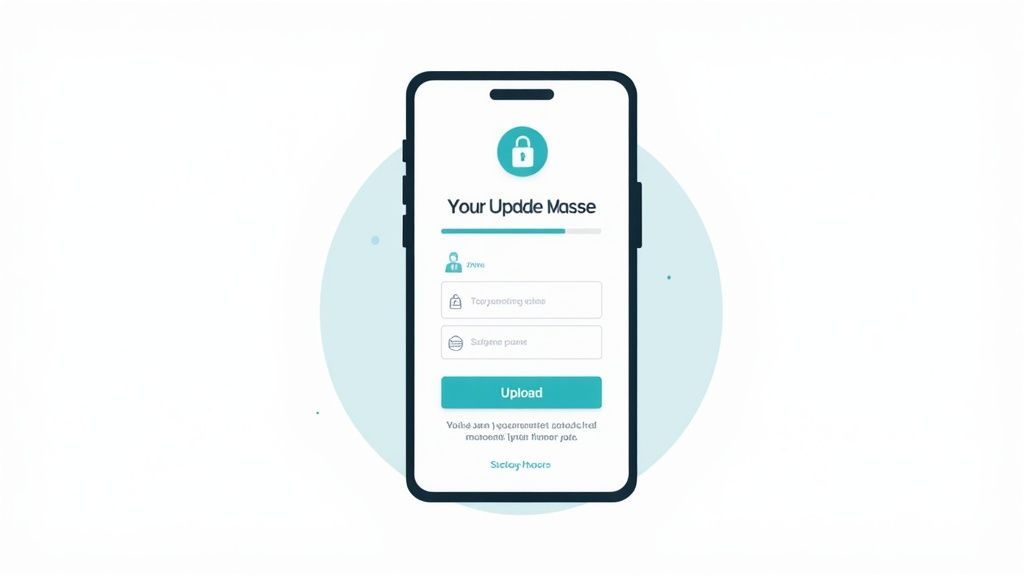
The moment you ask someone for sensitive information, you're really asking for their trust. So, how you make that request is just as important as why you need the documents in the first place. A vague email with a generic upload link just doesn't cut it anymore—it feels impersonal and, let's be honest, a little sketchy.
This is a critical moment in your relationship with a client. You can either build confidence or create friction that makes them abandon the process entirely. The goal is to turn this into a professional, secure, and incredibly simple interaction. This is where dedicated tools like secure request links and branded client portals really shine. They transform a tedious chore into a smooth, reassuring step.
Create a Secure and Branded Portal
Think of your document collection portal as a digital extension of your office. When a client clicks your link, they should land on a page that looks and feels like it belongs to your brand, not some unfamiliar third-party service. That consistency is what builds immediate trust.
A professional portal should let you make it your own. I always look for a few key customization options:
- Add Your Company Logo: This is non-negotiable. It's the most powerful and basic way to show who you are.
- Use Custom Colors: Match the portal to your brand's color palette for a truly seamless experience.
- Write a Personalized Welcome Message: A simple, clear message explaining what you need and why goes a long way in building confidence.
Of course, branding is only half the story. Security is paramount. Your portal must be built on modern security standards. Features like end-to-end encryption are an absolute must-have, ensuring files are protected from the moment they're uploaded to when they're sitting on your server. This isn't just a "nice-to-have"; it's a fundamental requirement to protect your clients and your reputation.
Make the Upload Process Effortless
Once a user trusts the environment, your next job is to make the actual task of uploading as easy as humanly possible. Every bit of confusion or hesitation is another chance for them to walk away. The best upload experiences guide users so naturally that they don't even need instructions.
Imagine a mortgage application. The user needs to upload bank statements, pay stubs, and tax returns. A well-designed system will have separate, clearly labeled upload slots for each document. This removes the guesswork and makes sure you get the right files organized correctly from the start.
Expert Tip: Use progress indicators. I've found that a simple visual cue, like a checklist that updates in real-time or a progress bar, makes a huge difference. It shows users exactly where they are in the process and what's left, which dramatically reduces abandonment rates.
And don't forget mobile. Your upload portal absolutely must be mobile-friendly. A client should be able to snap a photo of their driver's license with their phone and upload it right then and there, without ever touching a computer.
The technology powering all this is growing fast. The global document verification market was valued at $4.24 billion in 2024 and is projected to hit $5.05 billion in 2025, growing at a rate of about 19%. This explosion shows just how critical it is for businesses to have reliable systems to collect and validate documents. You can learn more about these document verification market trends to see where things are headed. A great front-end experience is just the beginning.
Automate Your Document Validation Workflow

If there's one place where productivity goes to die, it's manual document review. It's the ultimate workflow killer, a swamp of repetitive checks and human error that grinds everything to a halt. This is easily the biggest bottleneck for teams trying to collect and validate documents, but it's also where you have the biggest opportunity to make a real impact.
By bringing in smart automation, you can claw back hundreds of hours and seriously boost the accuracy of your entire process. Instead of a team member staring at every single submission, you can build a system that does the heavy lifting, freeing up your experts for the work that actually requires their skills.
Setting Up Your Automated Validation Rules
The bedrock of any automated workflow is a solid set of rules. Think of them as your first line of defense—digital bouncers programmed to instantly spot the most obvious problems. These aren't complicated AI systems; they're simple, logical checks that enforce the requirements you've already defined.
You can set up rules to automatically:
- Check for completeness: Is the document signed? Are all the required fields actually filled out?
- Validate file types: Instantly bounce a blurry JPEG when you specifically asked for a high-quality PDF.
- Verify dates: Automatically flag an ID with an expiration date that's already passed.
- Confirm file naming: Make sure submissions follow a consistent naming convention so you can find them later.
For example, imagine you're onboarding a new employee. You can create a rule that automatically rejects any W-4 form submitted without a signature. That simple check catches the error on the spot, pings the new hire to fix it, and keeps a bad document from ever cluttering up your HR team's queue.
Power Up with Intelligent Document Processing
While basic rules catch the low-hanging fruit, Intelligent Document Processing (IDP) is what truly changes the game. IDP uses AI—specifically Optical Character Recognition (OCR) and machine learning—to actually read and understand what's inside the documents you receive. It's like having a superhuman assistant who can scan a file and pull out all the key data points in seconds.
This lets you automate far more complex checks. Instead of just confirming that a passport was uploaded, an IDP system can extract the applicant's name, date of birth, and passport number. It can then cross-reference that information with the data in their application form to spot any inconsistencies. If you want to dig deeper, our guide on document verification software breaks down how these tools work.
This isn't just some fringe technology anymore. The global IDP market is on track to hit $6.78 billion by 2025, growing at a blistering 35–40% each year. The top platforms can pull data with accuracy rates over 95%—far better than what's possible with manual review alone.
The difference between manual and automated validation is night and day. Let's look at a quick comparison.
Manual vs Automated Document Validation
| Feature | Manual Validation | Automated Validation (with IDP) |
|---|---|---|
| Speed | Slow; hours or days per document | Fast; seconds or minutes per document |
| Accuracy | Prone to human error, fatigue, and inconsistency | Highly accurate (>95%), consistent, and reliable |
| Scalability | Limited by team size and resources | Easily scales to handle thousands of documents daily |
| Cost | High labor costs, plus costs of errors | Lower operational cost; subscription-based pricing |
| Data Extraction | Manual data entry required | Automatic extraction and structuring of data |
| Audit Trail | Difficult to track and maintain | Automatic logging of every action for easy audits |
As you can see, automation doesn't just do the same job faster—it fundamentally changes what's possible, improving everything from accuracy to compliance.
Create a Centralized Review Dashboard
Automation is a powerhouse, but it's not a silver bullet. You'll always have edge cases—blurry scans, unusual documents, or complex situations that need a human brain. That’s why the final piece of your automated workflow is a central dashboard for handling these exceptions.
Key Takeaway: The goal isn't to replace your team; it's to supercharge them. A great system handles 90% of the grunt work, flagging only the tricky 10% that truly requires expert review.
Instead of digging through email chains, your team can log into one place and see every document that needs a second look. The system should clearly state why a document was flagged—things like "Signature mismatch detected" or "Address on ID doesn't match utility bill." This context lets your team make a quick, informed decision instead of starting their investigation from scratch.
This hybrid approach gives you the best of both worlds: the incredible speed and scale of automation, combined with the critical thinking of your experienced team. The end result is a process to collect and validate documents that is both remarkably efficient and exceptionally accurate.
Make Your Tools Work Together and Ditch the Manual Effort
A great document collection system shouldn't be an island. Its real power shines when it’s connected to the other software you use every single day. When your tools can talk to each other, you get to stop playing messenger, shuffling information from one app to another. You can finally build a workflow that actually flows.
This is about more than just shaving off a few minutes. It's about creating a cohesive system where an action in one place triggers the right response in another. This kind of integration is what takes a document process from "good enough" to genuinely efficient.
Bring eSignatures into the Fold for Smooth Agreements
Let's be honest, a huge reason we collect documents is to get them signed. Whether it's a new client contract or a lease agreement, that signature is the finish line. Making someone download a PDF, print it, sign it, scan it, and send it back is a clunky, old-school process that just creates headaches for everyone.
This is exactly why an integration with an eSignature tool like DocuSign is such a game-changer. By building it directly into your document collection process, the signing step becomes part of the same seamless experience.
- What the Client Sees: After they upload their files, they're immediately prompted to sign the agreement, all on the same screen. It’s one fluid motion.
- What Your Team Gets: The signed contract is automatically filed away with the client's other documents. No more hunting down signatures or trying to match a signed PDF to the right person.
What was once a multi-step chore becomes a single, elegant part of the process, making for a much better client experience and helping you close deals faster.
Sync with Your CRM for a Single Source of Truth
Your CRM—whether it's Salesforce or HubSpot—is probably the command center for all your client information. When you collect and approve documents in a totally separate system, you create an information gap. Your team ends up toggling between screens and manually updating records, which is just asking for mistakes and wasted time.
Connecting your document collection tool directly to your CRM closes that gap for good.
Picture this: a new client submits their onboarding documents, and your team gives them the green light. A good CRM integration can then automatically:
- Update the Client's Status: The contact record in your CRM can instantly flip from "Pending Onboarding" to "Active Client."
- Attach Key Documents: A copy of their validated ID or signed contract gets saved right to their CRM profile.
- Kick Off the Next Step: That status change can trigger a notification to the finance team to send the first invoice or ping the project manager to schedule a welcome call.
Key Takeaway: An integrated system makes sure your CRM is always the single source of truth. It cuts out manual data entry, slashes the risk of human error, and keeps your entire team on the same page automatically.
Use Automated Nudges to Keep Things Moving
Is there anything more tedious than chasing clients for missing documents? Those follow-up emails and phone calls are a massive drain on your team's time and energy, pulling them away from work that actually matters. Automating these reminders is one of the simplest yet most impactful integrations you can set up.
Modern document collection platforms let you build out automated reminder sequences via email or SMS. You can set a simple schedule, like a gentle nudge three days after the initial request and a firmer reminder the day before the deadline. This keeps communication consistent without anyone having to lift a finger.
To streamline your document processes and eliminate manual work, exploring various software solutions is essential. For example, you might find utility in reviewing the best property management apps to see how different platforms handle these kinds of automated communications.
Navigate Compliance and Security Standards

When you ask a client for their documents, you're doing more than just collecting files. You're becoming a custodian of their sensitive, personal information. A single slip-up doesn't just tarnish your brand's reputation; it can lead to crippling fines and serious legal trouble.
Building a secure and compliant workflow isn't just a box to check—it's the foundation of a trustworthy business. Navigating the web of regulations can feel intimidating, but it all comes down to a few core principles of data protection and accountability. Getting these right is the first step toward creating a system that’s not only efficient but fundamentally safe.
Decoding Key Data Privacy Regulations
Several major regulations set the global standard for how businesses must handle personal data. While the specifics differ, they all share a common purpose: giving people control over their information and holding companies responsible for protecting it.
Here are the big ones you need to have on your radar:
- GDPR (General Data Protection Regulation): This is the gold standard for data privacy in the EU. If you handle data from anyone in Europe, you have to comply. It emphasizes data minimization (only collecting what you truly need), getting clear user consent, and respecting the "right to be forgotten."
- CCPA/CPRA (California Consumer Privacy Act/Privacy Rights Act): This gives California residents significant control over their personal information, including the right to know what data is being collected about them and the right to tell you to stop selling it.
- HIPAA (Health Insurance Portability and Accountability Act): For anyone working in the U.S. healthcare space, HIPAA is non-negotiable. It lays down strict rules for protecting sensitive patient health information (PHI).
These frameworks aren't just legal hurdles. They're a blueprint for building a respectful and secure relationship with your clients. Choosing a secure document intake platform that was designed with these regulations in mind is a critical head start.
Essential Security Measures for Document Collection
Beyond the big-picture regulations, several technical and procedural safeguards are essential for protecting the documents you handle. Think of them as the locks, alarms, and security cameras of your digital filing cabinet.
End-to-end encryption is probably the most important of all. It ensures a document is scrambled and unreadable from the moment a client uploads it until an authorized person on your team opens it. This protects data both "in transit" (while it's being uploaded) and "at rest" (while it's stored on your servers).
Another key concept is data residency—the physical, real-world location where your data is stored. Some regulations mandate that citizens' data must remain within their country or region. Make sure your platform lets you choose your data storage location to meet these rules.
Key Takeaway: A complete audit trail is your best defense. Every action—from viewing a document to downloading it or marking it as approved—should be logged with a timestamp and user ID. This creates an unchangeable record that is invaluable for security audits and compliance checks.
Industry-Specific Compliance You Cannot Ignore
General privacy laws are just the starting point. Many industries have their own stringent rules for document collection. In the financial world, for example, Know Your Customer (KYC) and Anti-Money Laundering (AML) regulations are everything.
These rules require financial institutions to verify who their clients are by collecting things like government-issued IDs and proof of address. The goal is to prevent fraud, terrorism financing, and other financial crimes. An automated system that can reliably collect and validate documents is no longer a luxury in this space—it's a core compliance tool.
The entire identity verification market is booming, expected to hit $14.3 billion in 2025 and projected to double to $28.6 billion by 2030. This growth is being pushed by evolving rules like the EU AI Act, which is putting even tighter controls on data governance. To stay ahead, it's worth learning more about how AI is shaping document verification and where it's headed.
Common Questions About Document Collection
As companies start to seriously look at how they handle document collection, the same questions tend to pop up. Most of them circle around security, how to actually make automation work, and what it takes to ditch the old, clunky ways of doing things.
Let's dig into some of those common questions and give you some straight, practical answers.
What Is the Most Secure Way to Collect Sensitive Documents?
Hands down, the safest way is using a dedicated, encrypted client portal or a secure file request tool. A lot of businesses are still using standard email, and honestly, it’s a massive security risk. Email isn't built for security; it lacks end-to-end encryption by default, leaving sensitive client information wide open to being intercepted.
To properly protect your clients' data, you need a platform with robust security baked in. Look for these non-negotiables:
- 256-bit AES encryption for data at rest (when files are just sitting on a server).
- TLS encryption for data in transit (as a file is being uploaded).
- Password-protected links and tight access controls.
Using a dedicated portal does more than just secure the files—it gives you a clean, auditable trail. This is crucial for proving compliance with data privacy laws like GDPR and HIPAA and ensures only the right people on your team can ever access that sensitive information.
How Can I Automate the Validation of ID Documents?
You absolutely can, and it's a game-changer. The key is using AI-powered document verification tools. These systems are light-years ahead of just checking if a file was uploaded. They use sophisticated tech to analyze the document itself for content and authenticity.
Here’s a glimpse of how it works: The system uses Optical Character Recognition (OCR) to pull key text like names, birth dates, and expiration dates. From there, it runs a series of lightning-fast checks. It can flag an expired ID, verify the document format is legit by looking for things like holograms, and even perform biometric analysis by comparing the ID photo to a live selfie from the user. This approach doesn't just cut down on manual review time; it's far more effective at catching fraud.
What Are the First Steps to Move Away from Email?
Shifting from a manual, email-based system to an automated one can feel daunting, but it's totally manageable if you tackle it in stages.
- Map Your Current Process: Before you can fix it, you have to know what you're working with. Sketch out every single step, from who asks for a document to how it's reviewed and where it ends up.
- Define Your Rules: Think about the documents you collect all the time. For each one, set clear validation rules. For example, a contract must be signed. A utility bill must be less than three months old. An ID must be a color PDF.
- Start with a Pilot Project: Once you've chosen a platform, don't try to roll it out to the whole company overnight. Start small. Pick a single department or one specific workflow, like new employee onboarding, to test the waters. This lets you iron out any wrinkles on a smaller scale before going live company-wide.
How Do I Handle Documents That Fail Automated Validation?
No automated system is flawless, so you have to plan for the exceptions. When a document fails an automated check, it can't just fall into a void.
A smart workflow will automatically flag any failed submission and send it directly to a specific person or team for a quick manual review, usually within a central dashboard.
The magic is in the context. The system should tell your team why the document failed—maybe it was an "Expiration Date Detected" or a "Signature Not Found." This gives your team the immediate insight they need. From there, they can quickly decide to either manually approve the document (if it was a false alarm) or trigger a request for a new one from the client, often with an automated message explaining exactly what needs fixing.
Ready to stop chasing documents and start automating your workflow? Superdocu makes it easy to collect and validate documents with secure, branded portals and powerful automation. Start your free trial today!