
Your client portal stalls at 9:07 a.m. A lender is waiting on missing files, your team starts sending attachments manually, someone grabs the wrong version, and the approval trail disappears into email threads. For a document-heavy SMB, an outage rarely stays technical for long. It turns into delayed deals, compliance risk, and support work that drags on for days.
Strong business continuity strategies keep those failures contained. In practice, that means clear recovery priorities, backup access to documents, fallback workflows for approvals and submissions, and defined response steps when a vendor, integration, or cloud service breaks. Enterprise teams have larger budgets. SMBs need tighter systems and fewer points of failure.
The gap is still real. Invenio IT reports that many businesses still operate without a documented continuity plan, and smaller firms tend to absorb the hardest impact when operations stop. That matters because document workflows break in predictable places. File access fails. Notifications stop. Staff improvise. Audit trails get messy fast.
Generic continuity advice misses those day-to-day failure points. A document-intensive business needs plans built around intake forms, version control, approvals, retention rules, client access, and recovery speed. It also needs tools that support those controls in normal operations, not only during an incident. For teams evaluating document systems, cloud storage security controls for business files should be part of continuity planning from the start, and regular disaster recovery testing is how you confirm the plan works under pressure.
The ten strategies below focus on what holds up in real SMB environments, including how a platform like Superdocu can support each layer without adding process overhead.
Table of Contents
- 1. Data Backup and Disaster Recovery Planning
- 2. Redundant Cloud Infrastructure and Multi-Region Deployment
- 3. Automated Monitoring and Alert Systems
- 4. Business Continuity Documentation and Runbooks
- 5. API Rate Limiting and Graceful Degradation
- 6. Redundant Third-Party Integrations and Vendor Management
- 7. Security Hardening and Compliance Framework
- 8. Load Testing and Capacity Planning
- 9. Client Communication and Incident Response Transparency
- 10. Team Training, Drills, and Incident Response Exercises
- 10-Point Business Continuity Strategy Comparison
- From Plan to Practice Your Next Steps
1. Data Backup and Disaster Recovery Planning
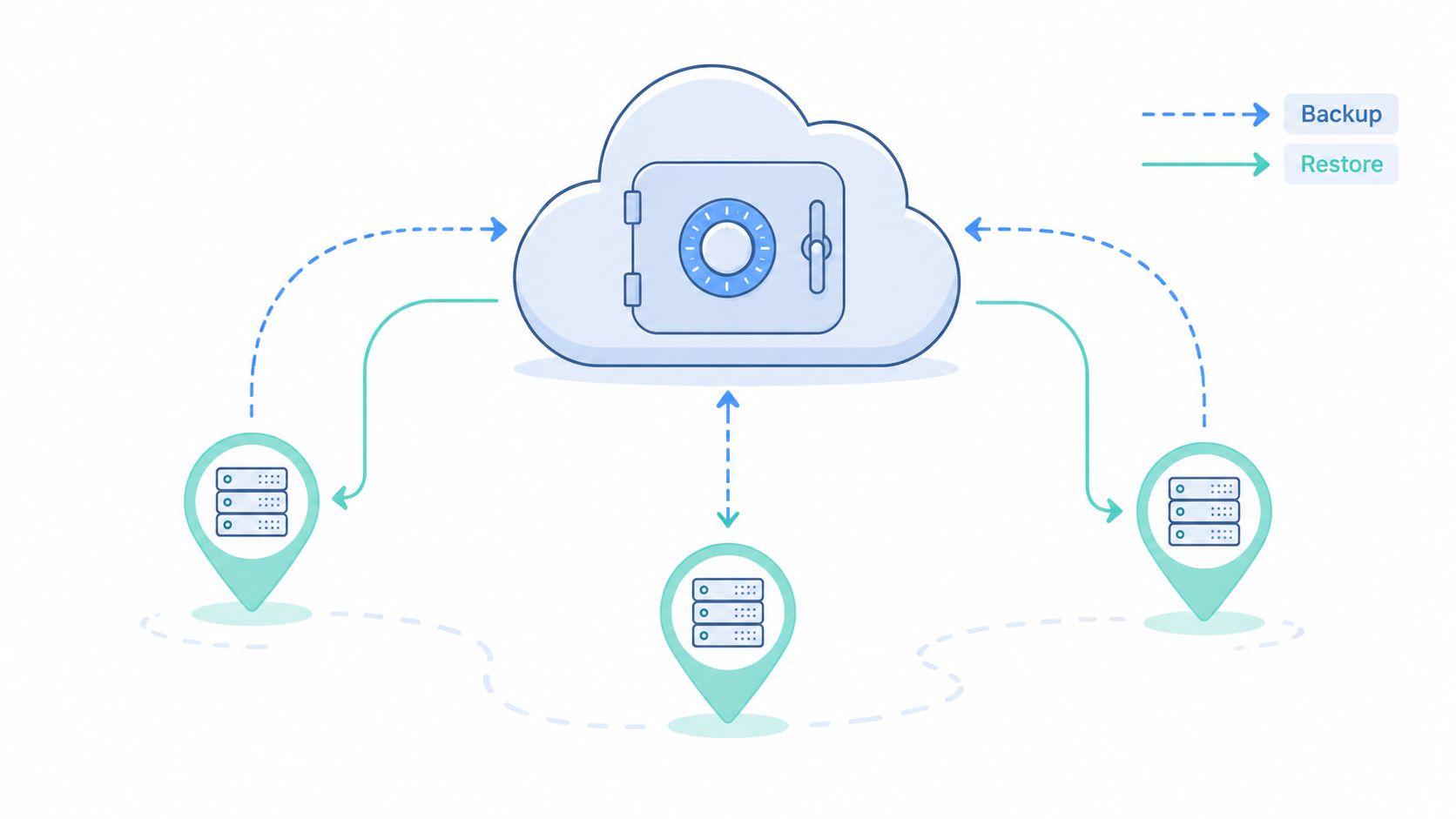
Backups only matter if you can restore from them quickly and cleanly. I've seen SMBs say they're “covered” because files sync to the cloud, then discover they can't rebuild permissions, workflow settings, audit history, or client-facing portals in a real incident. That's not continuity. That's wishful thinking.
For document-heavy teams, your recovery scope has to include more than uploaded files. It should cover templates, submission metadata, notification rules, retention settings, and the people who know how to restore them. If you use a platform like Superdocu, your continuity posture improves when document handling is centralized, secured, and supported by a provider that takes cloud storage security seriously.
Set recovery targets before you buy tools
Recovery metrics should drive the architecture. Practitioner guidance highlights RTO, RPO, incident-response speed, and resource-allocation effectiveness as core KPIs, and it recommends testing backup and recovery procedures at least annually, with geographically distinct backups and redundant systems reducing single-point-of-failure risk, as outlined in technology's role in resilient enterprises.
What works in practice is boring and specific:
- Back up configuration as well as content: Save workflow logic, user roles, branding settings, and notification templates, not just documents.
- Use restore runbooks: List the exact sequence for restoring storage, application access, DNS, integrations, and client communications.
- Run full restoration drills: A backup isn't proven until your team rebuilds a working environment. Teams that formalize this usually get more value from disaster recovery testing than from buying extra storage.
Practical rule: If your team can't name the order of restore steps, your backup plan isn't operational yet.
2. Redundant Cloud Infrastructure and Multi-Region Deployment
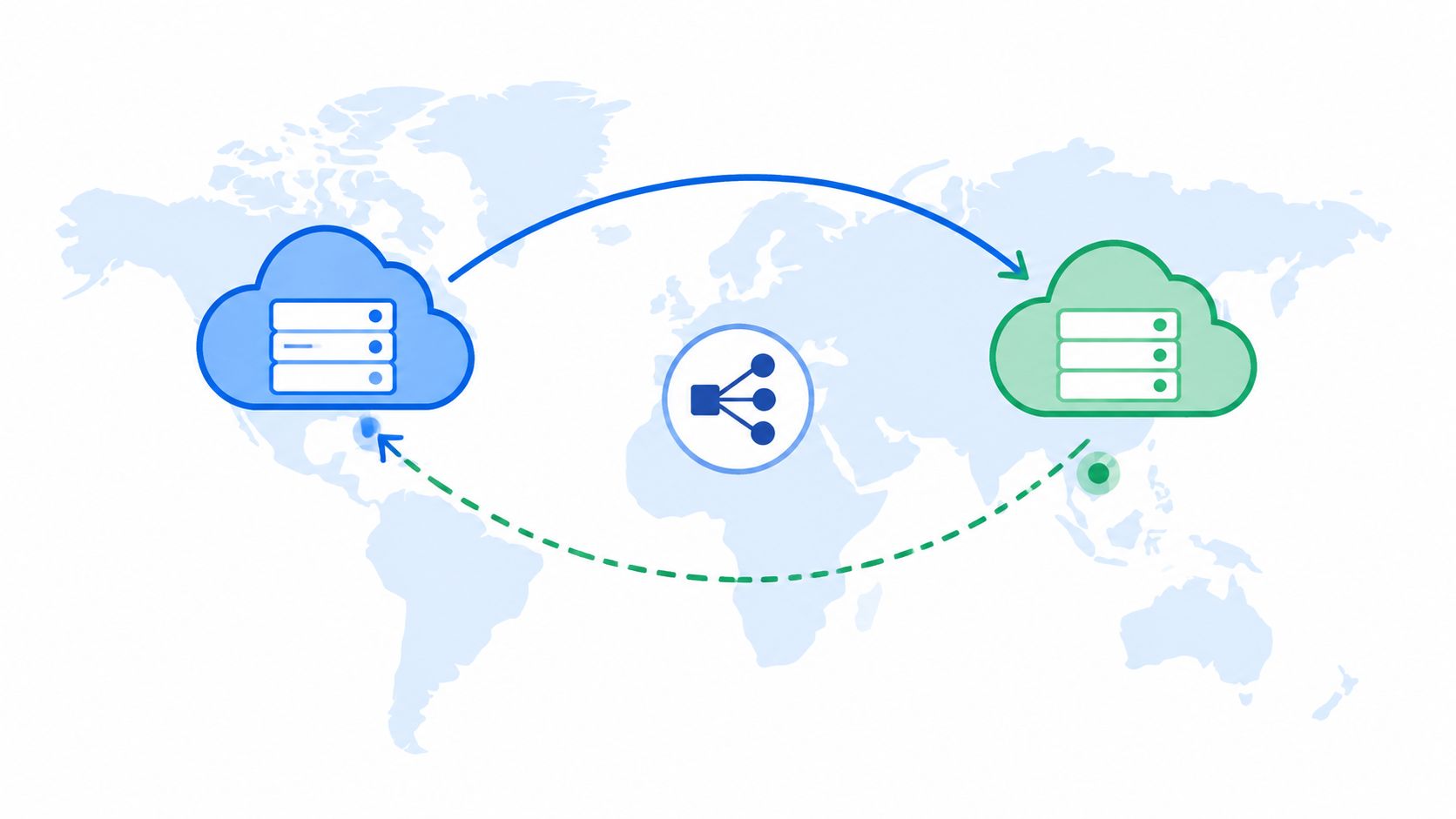
Most SMB outages don't start with a dramatic disaster. They start with one dependency in one place failing. A region has networking trouble. A storage service slows down. An identity provider hiccups. If your entire client intake process lives in one cloud region, one fault can stop the whole business.
That's why mature business continuity strategies treat infrastructure placement as an operational decision, not just a hosting choice. Multi-region deployment, replicated data stores, and automated failover reduce the odds that a local outage becomes a company-wide shutdown. For document workflows, that matters most when clients are trying to upload files against a deadline and can't wait for your team to “look into it.”
Design for regional failure, not just server failure
A practical design uses multiple availability zones first, then expands to regional redundancy where the business impact justifies it. Tools like AWS Backup, AWS Elastic Disaster Recovery, Azure geo-redundant options, and CDN caching help, but the key decision is what must fail over automatically and what can wait for manual approval.
Superdocu's European hosting model fits well for teams that need both resilience thinking and data-location discipline. That's especially relevant for firms handling legal, HR, finance, or compliance documents where access continuity and jurisdiction both matter.
A few implementation choices separate solid architecture from expensive complexity:
- Replicate the critical path: Keep document submission, retrieval, and review available first. Secondary analytics can wait.
- Automate health checks: Traffic routing should respond to service degradation without waiting for an engineer to log in.
- Test failover under realistic conditions: Failover that works in a quiet sandbox can break under live client traffic.
The business continuity market itself reflects this shift toward more formal resilience tooling. Technavio projects the market will grow by USD 1.17 billion from 2023 to 2028 at a 19.6% CAGR, which tells you many organizations have moved beyond single-environment thinking.
3. Automated Monitoring and Alert Systems
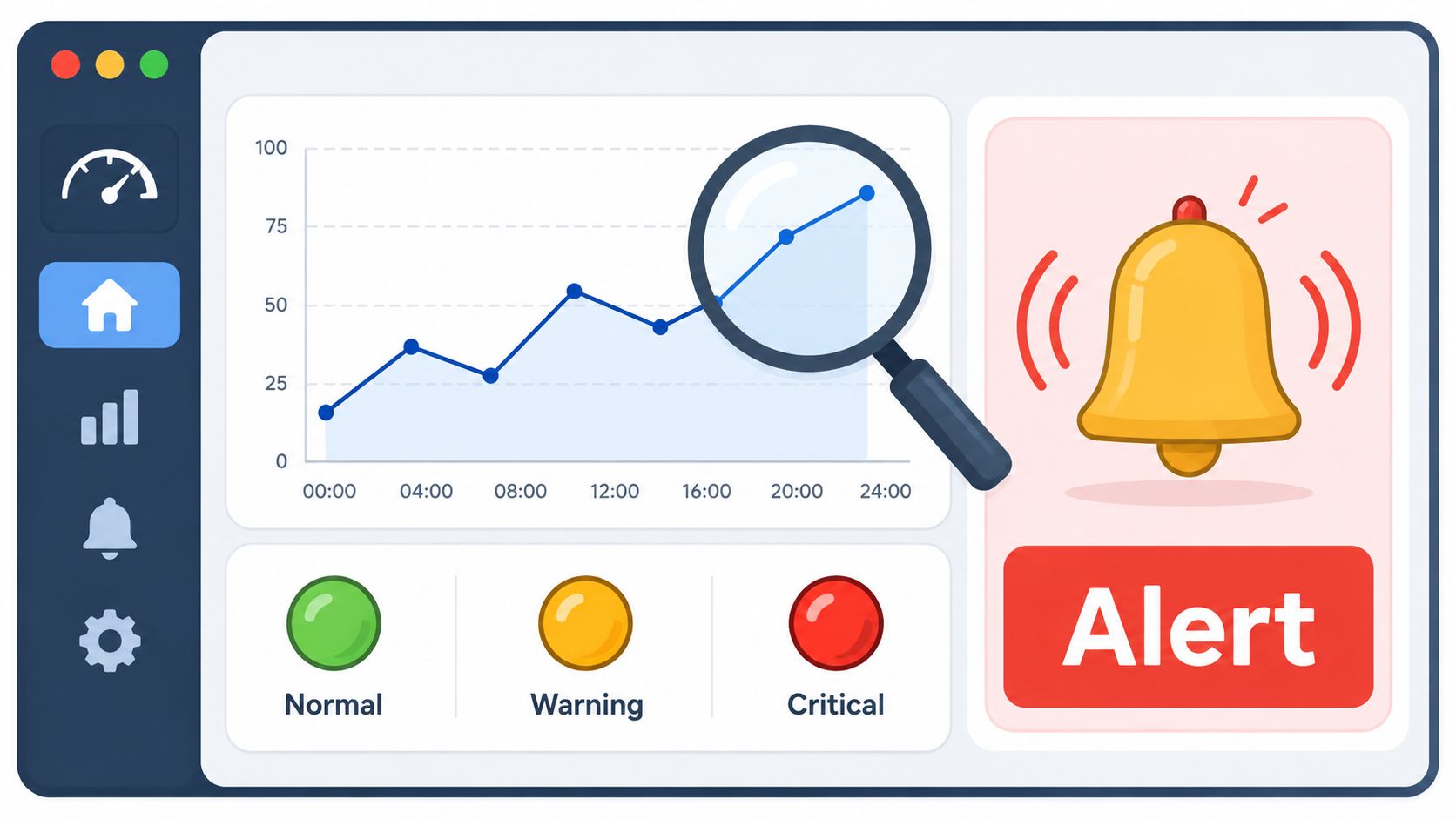
An outage rarely arrives without warning. The warning just gets missed. API latency climbs. Upload completion drops. Reminder emails stall. A queue backs up unnoticed until clients start calling. By then, the team is reacting late.
Datadog, New Relic, and PagerDuty are useful because they help teams spot patterns before users feel the failure. But the best monitoring setups for SMBs are usually narrower than people expect. You don't need hundreds of dashboards. You need a short list of metrics tied to your core service promises.
Watch business signals, not just server health
For a document workflow platform, start with indicators clients feel. Can they access the portal? Are uploads completing? Are review tasks triggering? Are outbound notifications being delivered? For Superdocu-style workflows, those business-level signals matter more than elegant infrastructure graphs.
Good monitoring also needs ownership. Every alert should route to someone who knows what action to take, not just who to notify next.
- Track portal availability: If the login page loads but uploads fail, your uptime metric alone is misleading.
- Monitor workflow completion points: Watch submission success, approval triggers, and notification dispatch separately.
- Reduce alert noise: Correlation rules matter. Too many false alarms train teams to ignore real ones.
A quiet dashboard can still hide a broken business process. Monitor what clients are trying to complete, not only what servers are doing.
One more lesson from operations. If an alert doesn't have a runbook, it's not really part of your continuity system. It's just a flashing light.
4. Business Continuity Documentation and Runbooks
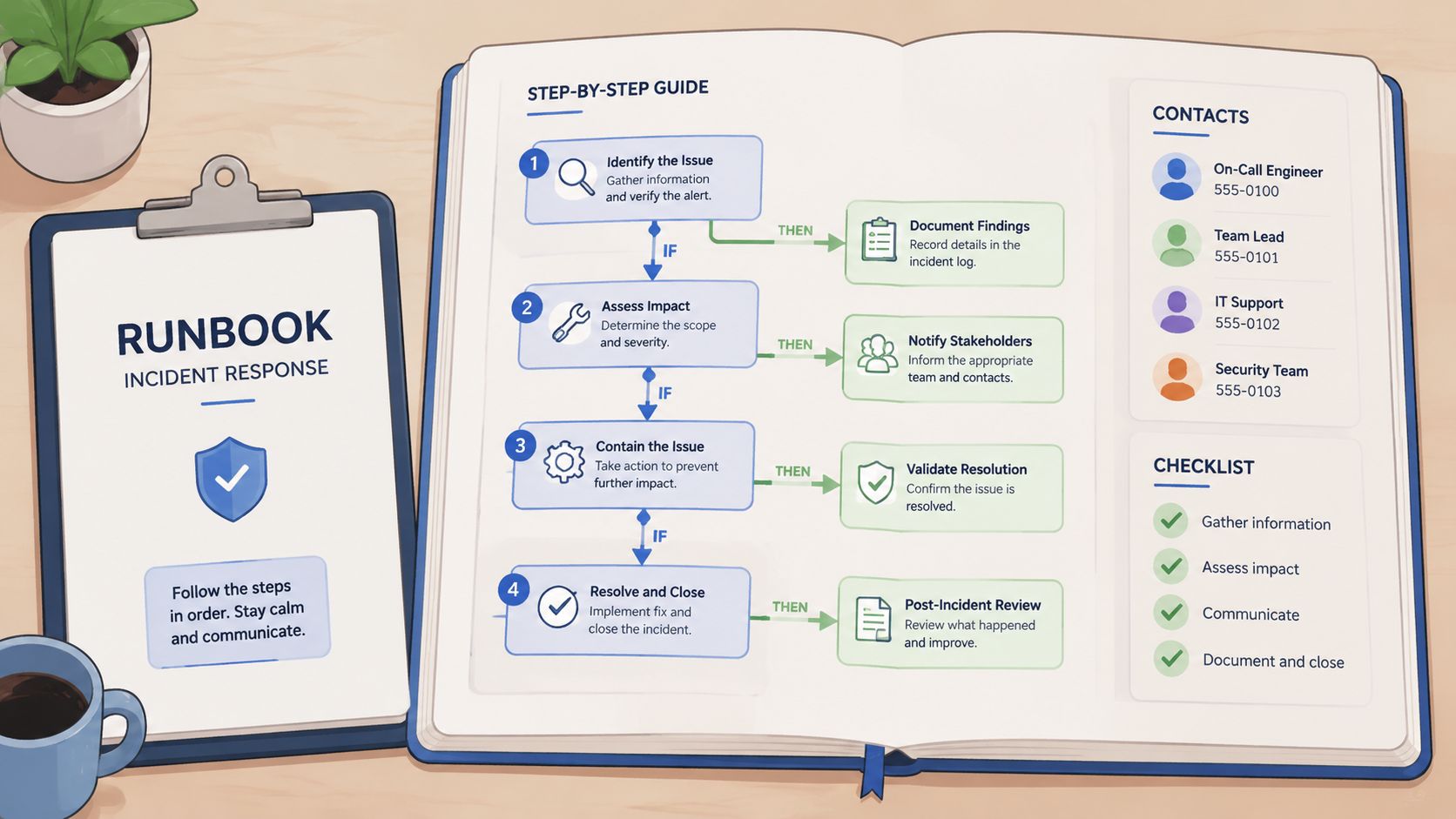
At 8:40 a.m., uploads start failing, the client portal still appears online, and your support queue fills before engineering confirms the cause. In that moment, the team does not need a policy document. They need a runbook with clear ownership, first actions, fallback steps, and approved client messaging.
Continuity frameworks often cover threat identification, business impact, response design, and testing. For document-heavy SMBs, the operational gap is simpler. Those plans rarely translate into short instructions a stressed team can execute in five minutes.
Good runbooks are built around the work clients are trying to finish. For a business that depends on forms, contracts, onboarding packets, compliance records, or approval workflows, that means documenting exactly how to keep intake, review, and communication going when a system breaks. Superdocu fits well here because it centralizes document steps, status tracking, and message history, which gives teams one place to confirm what stopped, what is still moving, and what must shift to a manual path.
Write for speed, not completeness
I usually advise SMB teams to create runbooks for a short list of high-impact failures first. Start with the incidents that block revenue, client deadlines, or regulated work. Failed uploads, portal login issues, delayed approvals, broken e-sign or storage integrations, and manual intake during an outage are the right candidates for most document-centric operations.
A useful runbook answers practical questions in order:
- What triggers this runbook: Define the failure in plain language, such as "client can log in but cannot submit required files."
- Who owns the call: Name the incident lead, backup owner, and the person responsible for client communication.
- What stays available: Protect core document intake, review, and audit steps before lower-priority tasks.
- What manual fallback is approved: List the alternate submission channel, validation steps, file handling rules, and where records must be logged.
- What clients should hear: Keep prewritten templates for delay notices, workaround instructions, and resolution updates.
- When to escalate: Set clear thresholds for legal, compliance, leadership, or vendor involvement.
The trade-off is real. A detailed binder feels safer, but it slows decisions during an incident. A one-page runbook is faster, but only if it includes the exact steps people need. The right balance is a short decision guide supported by linked checklists, templates, and contact details.
For document-intensive teams, examples matter. An HR group may need a manual onboarding intake process that preserves confidentiality and timestamped receipt. A law firm may need a secure fallback for client document collection that maintains chain of custody. A finance team may need a documented process for handling expiring compliance files when the normal approval workflow stalls. In Superdocu, those fallback procedures are easier to operationalize because teams can mirror normal intake fields, assign temporary owners, and preserve a clean record of what was received outside the standard path.
Store runbooks where the team already works, review them on a fixed schedule, and version every change. Outdated contacts, retired tools, and old approval paths turn a manageable outage into a longer one.
5. API Rate Limiting and Graceful Degradation
Rate limiting sounds technical, but the business issue is simple. When demand spikes or one integration behaves badly, you need the platform to protect essential work instead of crashing all at once.
That's especially important for SMBs running document-heavy workflows during deadline windows. If a burst of uploads, webhook retries, or automated reminders hits the same systems at once, you want the platform to keep accepting critical submissions even if less important features slow down. Stripe and GitHub have long treated this kind of traffic control as part of reliability, not as a nice extra.
Protect the core workflow first
Typically, the core workflow is straightforward. Collect the document, confirm receipt, let staff review it, and preserve the audit trail. Reporting widgets, bulk exports, and nonurgent reminder jobs matter, but they shouldn't compete with intake during stress.
That's where graceful degradation earns its keep. Instead of taking the whole platform down, the system can queue lower-priority jobs, disable heavy background tasks, or temporarily reduce refresh frequency on admin dashboards.
A practical setup usually includes:
- Layered throttling: Apply limits at the gateway, service, and database levels so one noisy client or integration can't flood the stack.
- Feature flags for noncritical functions: Turn off analytics-heavy components before you touch submission and review flows.
- Clear fallback behavior: If email delivery is delayed, keep the document intake moving and trigger alternate notifications where possible.
For a Superdocu-style environment, this can mean queuing reminder emails and preserving upload capacity when a client campaign sends a wave of submissions all at once. Clients will forgive a delayed dashboard refresh. They won't forgive losing a time-sensitive submission.
6. Redundant Third-Party Integrations and Vendor Management
A surprising number of continuity failures start outside your company. The portal is up, your team is ready, but a signing service is down, a workflow connector stalls, or a mail provider blocks delivery. The system looks healthy until you follow the client journey from request to completion.
That's why vendor management belongs inside business continuity strategies. The risk isn't just “vendor outage.” It's dependency chains. If your intake flow depends on cloud storage, email, identity, eSignature, CRM sync, and automation tools, one weak link can break the client experience.
Map dependency chains before they break
Current resilience thinking increasingly focuses on impact rather than specific events, and it maps dependencies across people, places, platforms, providers, and processes. It also distinguishes disaster recovery from wider continuity planning, while emphasizing continuous maintenance as conditions change, as discussed in research on business continuity management in changing environments.
For SMBs, this translates into very practical decisions. If DocuSign is unavailable, can a team complete a transaction another way? If Zapier fails, what manual step keeps work moving? If your email provider has trouble, how do clients still get instructions?
- List your critical providers: Start with storage, email, identity, payments, eSignature, and workflow automation.
- Keep backup paths warm: A fallback vendor only helps if authentication, templates, and staff access are already set up.
- Review document-handling vendors closely: Tools that manage sensitive records should meet your operational and regulatory expectations, not just your feature list. Superdocu users should pay close attention to vendor compliance document portal practices.
Field note: If switching vendors requires a procurement cycle, legal review, and fresh staff training, it isn't a real fallback.
7. Security Hardening and Compliance Framework
Security incidents become continuity incidents fast. A compromised account, stolen credential, or misconfigured permission can stop work just as effectively as an infrastructure outage. In document-centric businesses, the damage is usually worse because the files are sensitive, deadlines are real, and regulators don't care that the issue started as an internal mistake.
Too many SMBs separate security from continuity. That split causes problems. If your continuity plan restores access quickly but your security controls are weak, you'll recover into the same vulnerability that caused the interruption.
Continuity fails when access control fails
Strong basics matter more than flashy tooling. Encrypt sensitive data. Limit access by role. Keep logs detailed enough to investigate what changed and who touched what. Train staff on handling client records, sharing links, and spotting risky behavior before a rushed workaround creates a breach.
Superdocu is a good fit for teams that need secure document collection because the platform is built around controlled workflows, GDPR-aware handling, and European hosting. For teams comparing options, the essential question isn't just “is it secure?” It's whether the product helps your staff stay secure while working at speed. This overview of data security and compliance is the kind of operational lens buyers should use.
A few hard truths apply here:
- Shared inboxes weaken accountability: Individual access and clear logs are safer during both normal operations and incidents.
- Manual file passing creates blind spots: Email attachments and local desktop copies make recovery and investigation harder.
- Security controls need continuity logic: Lockouts, password resets, and emergency admin access should all be documented before a real event.
The best continuity plan in the world won't save a team that can't trust its own access model.
8. Load Testing and Capacity Planning
Most SMB systems look stable until everyone uses them at the same time. Tax deadlines, open enrollment, large hiring pushes, audit season, and renewal waves all create concentrated demand. If you haven't load tested the workflows that matter, you're guessing.
Netflix popularized failure injection thinking, and tools like Locust make realistic load simulation accessible even for smaller teams. But the goal isn't to imitate enterprise engineering culture. The goal is to know what breaks first when your portal gets busy.
Test the ugly scenarios
A useful test doesn't stop at homepage traffic. It simulates the exact work your clients and staff perform under pressure. Bulk uploads. Concurrent submissions. Reminder-triggered spikes. Review queues filling up while integrations sync in the background.
For document collection workflows, I'd test combinations, not isolated actions. One client uploading a PDF isn't the issue. Hundreds of users uploading documents while staff review them, notifications fire, and APIs update records is where hidden bottlenecks show up.
What consistently pays off:
- Test realistic peaks: Build scenarios around your seasonal business pattern, not a generic benchmark.
- Measure degradation paths: Identify what slows first, what fails second, and what must stay protected at all costs.
- Tie results to scaling rules: Auto-scaling only helps when thresholds, cooldowns, and service priorities are already defined.
An HR team using Superdocu, for example, should test onboarding surges that combine document upload, validation, reminder scheduling, and manager review. That kind of rehearsal exposes workflow-level friction that raw infrastructure tests often miss.
9. Client Communication and Incident Response Transparency
Clients will tolerate disruption better than confusion. What they won't tolerate is silence, vague updates, or promises your team can't keep. When systems fail, trust shifts from uptime alone to how clearly you communicate impact and next steps.
A common failing among many SMBs is their approach to incident response. They focus on fixing the issue but leave clients guessing. That creates duplicate support work, frustrated account managers, and reputational damage that lasts longer than the outage itself.
Silence causes more damage than the outage
A good incident communication plan answers four things fast. What's affected, who's affected, what clients should do right now, and when they'll hear from you again. Stripe, GitHub, and AWS have set the standard here with status pages and detailed incident updates. SMBs don't need enterprise-scale tooling to follow the same discipline.
For document-centric businesses, communication also has to include workaround instructions. If the portal is unstable, can clients submit through a secure alternate channel? If review is delayed, what deadlines are being extended? If eSignature is impaired, what manual path is approved?
- Prepare templates in advance: Draft messages for upload failures, delayed processing, degraded performance, and third-party incidents.
- Use multiple channels: Status page, email, in-app notice, and direct outreach for high-impact clients.
- Commit to update cadence: Even if there's no fix yet, tell clients when the next update will arrive.
Clients don't need perfection during an incident. They need clarity, honesty, and a reliable next update.
Post-incident transparency matters too. A short summary of root cause, impact, and prevention steps shows maturity and reduces repeat questions from customers and internal teams alike.
10. Team Training, Drills, and Incident Response Exercises
You can buy solid tools and still fail badly if the team freezes in the first hour. Continuity becomes real when people have practiced decisions, handoffs, and communications before a live event forces them to improvise.
This matters even more in SMBs because a few people often wear multiple hats. The operations lead may also handle vendors. The office manager may own client communications. The technical admin may be unavailable when an incident starts. Training closes those gaps.
Rehearse the first hour
Oracle's guidance for smaller organizations is especially useful here because it focuses on what lean teams can sustain. It emphasizes prioritizing highest-impact functions, documenting first-hour actions, assigning clear roles for vendors, payments, and client communications, and testing at least annually or quarterly instead of pretending every SMB can run a full enterprise resilience program. That practical angle is captured well in Oracle's guidance on maintaining business continuity for smaller businesses.
The best drills are short, specific, and slightly uncomfortable. Start with a surprise prompt. “Client uploads are failing and a key account has a deadline in two hours.” Then make the team work through escalation, fallback intake, internal coordination, and external messaging.
A strong exercise program usually includes:
- Role rotation: Let different people lead so knowledge doesn't stay trapped with one manager.
- Cross-functional participation: Operations, support, compliance, and client-facing staff should practice together.
- After-action notes: Capture decisions, confusion points, and runbook gaps while the memory is fresh.
When a finance team practices collecting compliance documents manually or an HR team rehearses emergency onboarding steps outside the normal portal flow, they build confidence that carries into real incidents.
10-Point Business Continuity Strategy Comparison
A document-heavy SMB usually feels continuity failures in one place first. Client files stop moving, deadlines tighten, and the team starts inventing manual workarounds under pressure. A comparison table helps, but only if it shows the trade-offs clearly enough to guide real decisions.
Use this as a prioritization tool, not a checklist to complete all at once. For teams handling intake forms, compliance records, contracts, and review workflows, the right sequence matters as much as the controls themselves. Superdocu fits best where continuity depends on keeping document collection, status visibility, fallback procedures, and client communication usable during an incident.
| Strategy | Implementation Complexity 🔄 | Resource Requirements ⚡ | Expected Outcomes ⭐📊 | Ideal Use Cases 💡 | Key Advantages |
|---|---|---|---|---|---|
| Data Backup and Disaster Recovery Planning | High. Requires policy design, automation, RTO and RPO definitions, and repeated recovery tests | High. Storage, geo-redundant infrastructure, backup tooling, and test time | ⭐⭐⭐⭐. Faster restoration, clearer recovery targets, less data loss | Document-heavy and regulated businesses that need recoverability and audit history | Protects records, supports compliance, and shortens recovery time |
| Redundant Cloud Infrastructure and Multi-Region Deployment | High. Requires distributed architecture, replication, and failover design | Very high. Multi-region capacity, networking, and experienced operations support | ⭐⭐⭐⭐⭐. Near-continuous availability and better regional resilience | SLA-driven platforms and services where downtime quickly affects revenue or client trust | Removes single points of failure and supports smooth regional failover |
| Automated Monitoring and Alert Systems | Medium. Requires instrumentation, dashboards, and alert tuning | Medium. Monitoring tools, log storage, and response ownership | ⭐⭐⭐⭐. Earlier issue detection, shorter repair times, better operational visibility | Production systems that need proactive observability | Catches problems early and supports faster incident decisions |
| Business Continuity Documentation and Runbooks | Medium. Requires process capture, decision trees, and regular updates | Low to Medium. Authoring time, version control, and review discipline | ⭐⭐⭐. More consistent response and clearer audit evidence | Teams that need usable playbooks for incidents, audits, or regulated events | Reduces confusion, standardizes response, and speeds up recovery |
| API Rate Limiting and Graceful Degradation | Medium to High. Requires quotas, circuit breakers, and feature flags | Medium. Gateway tooling, engineering work, and testing | ⭐⭐⭐⭐. Core services stay available under load and cascading failures are less likely | High-traffic APIs and platforms where a few workflows must keep running | Protects priority workflows and improves stability during spikes |
| Redundant Third-Party Integrations and Vendor Management | Medium. Requires backup integrations, failover logic, and contract review | Medium to High. Extra vendor costs and maintenance overhead | ⭐⭐⭐. Lower dependency risk and alternate service paths during outages | Platforms that depend on eSignature, email, OCR, storage, or automation vendors | Limits vendor-related downtime and gives operations a fallback path |
| Security Hardening and Compliance Framework | High. Requires encryption, role-based access, audits, and vulnerability management | High. Security tooling, specialist input, and audit costs | ⭐⭐⭐⭐⭐. Lower breach risk, stronger trust, and cleaner compliance posture | Legal, healthcare, finance, and other sensitive-document environments | Prevents avoidable incidents and supports regulatory requirements |
| Load Testing and Capacity Planning | Medium. Requires scenario design, tooling, and result analysis | Medium. Test environments, load tools, and engineering time | ⭐⭐⭐⭐. More predictable scaling, clearer bottlenecks, and better capacity forecasts | Seasonal or deadline-driven businesses with traffic spikes | Finds breaking points before production does and improves scaling decisions |
| Client Communication and Incident Response Transparency | Low to Medium. Requires status processes, message templates, and update ownership | Low. Communication tools, coordination, and prepared drafts | ⭐⭐⭐. Better client trust, fewer duplicate support requests, and clearer expectations | Customer-facing services where timing and confidence matter | Keeps clients informed and reduces confusion during disruptions |
| Team Training, Drills, and Incident Response Exercises | Medium. Requires realistic scenarios, role assignments, and review | Medium. Staff time, facilitation, and cross-team participation | ⭐⭐⭐. Better readiness, quicker decisions, and fewer process errors | Organizations trying to improve resilience with the team they already have | Builds response habits, exposes weak spots, and improves coordination |
The practical takeaway is simple. Smaller document-focused companies usually get more immediate value from backup discipline, monitoring, runbooks, communication templates, and staff drills than from jumping straight into expensive multi-region architecture. Superdocu supports that middle ground well because it helps teams keep document workflows structured, visible, and easier to recover, even before they invest in enterprise-level redundancy.
From Plan to Practice Your Next Steps
A client portal goes down at 4:30 p.m. on the day renewal packets are due. Your team can still answer email, but nobody can see which files were received, which requests are incomplete, or which clients need a same-day follow-up. That is the moment continuity plans stop being theory. The question is whether the work still moves.
For document-intensive SMBs, the next step is not building the most advanced resilience stack you can afford. It is choosing the few controls that keep intake, review, approvals, and client communication running under stress. Teams usually get faster results from disciplined backups, clear runbooks, alerting, fallback procedures, and ownership than from expensive architecture projects started too early.
Start with scope. Pick the workflows that would create real client, revenue, or compliance damage if they stalled for one business day. In most SMB environments, that short list includes client onboarding, secure document collection, internal review queues, renewal and expiration tracking, and outbound updates during an incident.
Then assign operating decisions to each one. Where is the source of truth? Who can switch to a manual process? How long can the workflow be down before the team starts missing deadlines? Which vendor outage would stop the process cold? If those answers live only in one manager's head, the business is still fragile.
I usually recommend building continuity in an order that matches operational pain:
- Protect the records you cannot recreate.
- Make failure visible fast.
- Give staff a simple fallback path.
- Prewrite client communication.
- Practice the first hour of response.
That sequence works well for smaller companies because it improves recovery without adding much bureaucracy. It also forces trade-offs into the open. A firm may decide not to pay for multi-region infrastructure yet, but still require tested backups, admin access controls, a shared incident checklist, and a documented backup vendor for file transfer. That is a reasonable operating choice if leadership understands the exposure.
Superdocu fits well in that middle ground. It gives document-heavy teams a cleaner operating model to protect in the first place. Secure request portals, structured workflows, reminders, validation views, and controlled access reduce the usual sprawl across inboxes, shared drives, and ad hoc spreadsheets. Recovery gets simpler when the process is already centralized and visible.
It also helps with the practical side of continuity that many articles skip. If a staff member is out, another user can see request status without reconstructing an email trail. If clients need to resubmit documents, the team can restart from a known workflow state instead of hunting through attachments. If compliance reviews matter, access and document handling are easier to control in one system than across scattered tools.
The goal is operational continuity, not document storage alone. Keep the work moving, keep clients informed, and keep recovery steps simple enough that the team will use them under pressure.
If your team handles onboarding packets, compliance files, legal requests, client submissions, or renewal documents, Superdocu gives you a more resilient way to run that work. You can build branded request portals, automate reminders, collect files securely, track expirations, and keep document-heavy processes organized in one system that is easier to protect and recover.