
Automating your onboarding process is all about swapping out the repetitive, manual chores—like sending welcome emails, chasing down documents, and endless data entry—for a smart, software-driven workflow.
This isn't just about efficiency. It's about freeing up your team to focus on what matters, slashing human error, and delivering a polished, consistent experience for new clients or employees from the moment they say "yes." You’re essentially building a reliable system that takes care of the grunt work for you.
Why Manual Onboarding Is Slowing You Down
Let's be real: manual onboarding is a productivity killer. Before we jump into how to fix it, it’s important to see the problem for what it is. This goes way beyond "wasted time"—it's about the real, tangible costs that come with sticking to old-school methods. These are the hidden consequences that quietly undermine your efficiency and reputation.

The Real-World Impact of Inefficiency
I've seen it countless times. A growing marketing agency, for example, struggles every time a new client comes on board. The project manager has to manually send a welcome packet, then follow up for brand assets, and then chase down a signed contract through a dozen emails. This back-and-forth can easily push a project's start date back by a week or more, creating a frustrating first impression while eating into billable hours.
It's the same story in HR. Imagine a manager buried in paperwork for a new group of hires. Each person needs different forms, policy acknowledgments, and IT setup requests. When you're juggling all that manually, mistakes are bound to happen. A forgotten form could cause a compliance headache, and a delayed IT request means your new hire is stuck doing nothing on their first day.
These scenarios bring the core problems of manual processes into sharp focus:
- Delayed Timelines: Both project kickoffs and new hire productivity get stalled right out of the gate.
- Poor First Impressions: A chaotic onboarding experience sends the wrong message—that your company is disorganized.
- Compliance Risks: Manually tracking critical documents is a recipe for missed deadlines and regulatory trouble.
The bottom line is that manual onboarding just doesn't scale. A process that works when you have one new client a month completely falls apart when you're trying to grow. Automation isn't a luxury anymore; it's a necessity for scaling your business efficiently and securely.
The Hidden Costs of Administrative Overload
All that administrative work isn't just an annoyance; it has a measurable financial impact. One study found that 46.4% of HR practitioners spend at least a full week on onboarding administration per hire. The complexity snowballs when you realize a single new person can trigger tasks across up to 50 different systems—from payroll and IT to compliance training.
For most businesses, this fragmentation leads to messy email chains and clunky spreadsheets that are impossible to manage. If you want to dig deeper, you can explore more employee onboarding statistics to see the full picture.
This administrative drag is exactly why teams feel like they're always playing catch-up. Instead of focusing on strategy or building relationships, they’re stuck in a loop of follow-ups and data entry.
To really grasp the difference, a side-by-side comparison makes it clear.
Manual vs Automated Onboarding: A Quick Comparison
Here’s a quick breakdown of how the two approaches stack up in the real world, highlighting the drastic differences in outcomes.
| Aspect | Manual Process | Automated Process |
|---|---|---|
| Time Investment | Hours of manual follow-up and data entry per person. | Minutes to trigger a workflow; the system handles the rest. |
| Consistency | Varies by team member; prone to missed steps. | Standardized experience for every new client or employee. |
| Compliance | High risk of lost documents and missed deadlines. | Secure, auditable trail with automatic reminders. |
| First Impression | Often feels disjointed and slow. | Professional, efficient, and organized from the start. |
Moving away from these outdated methods is the first step toward reclaiming countless hours and building a solid foundation for growth. The goal is to automate the onboarding process not just to save time, but to create a better, more secure experience for everyone involved.
Mapping Your Onboarding Workflow from Start to Finish
Before you can automate a single thing, you have to know your process inside and out. Trying to automate a messy, undefined workflow is like trying to build a house without a blueprint—it’s just going to be a chaotic mess. The first real step is to get visual and map out every single touchpoint, document, and decision from the very beginning to the very end.
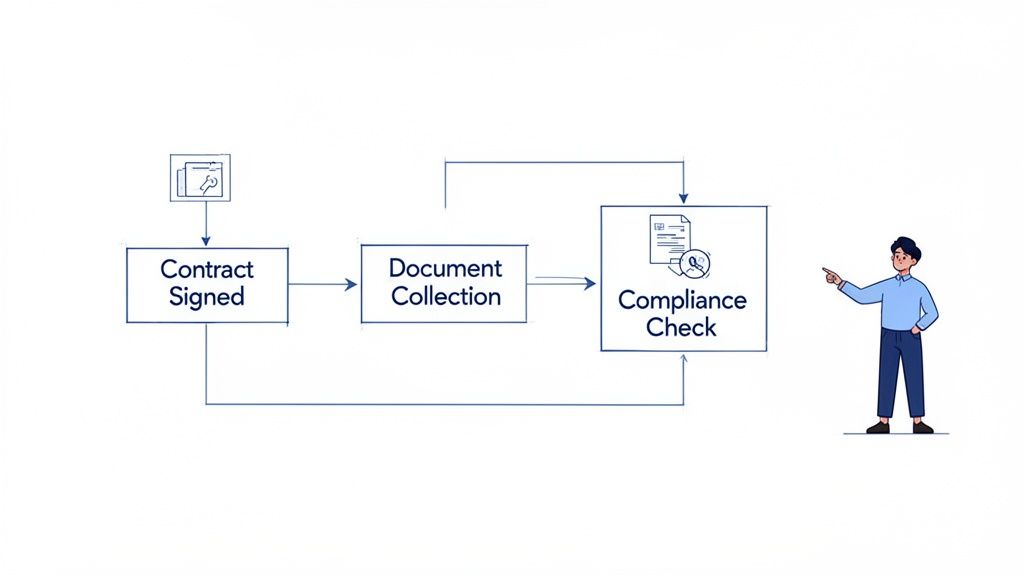
This map will become your guide. It takes all those scattered email chains and forgotten follow-ups and turns them into a predictable, organized system. More importantly, it shines a spotlight on the hidden bottlenecks and repetitive tasks that are practically begging to be automated. Think of it as deconstructing your current process so you can rebuild it smarter.
Identifying Every Step and Stakeholder
Grab a whiteboard or open a simple flowchart tool. The goal here is to trace the entire journey of a new client or employee, leaving nothing out, no matter how small it seems.
Start with the trigger. What’s the one event that kicks everything off? For a new client, it’s probably a signed contract. For an employee, it’s the signed offer letter. From that one point, document every single action that follows.
Make sure you're covering these areas:
- Communication: Jot down every email, welcome message, and internal Slack notification that gets sent. Who sends it? Who’s on the receiving end?
- Document Collection: What specific files do you need? This could be anything from NDAs and tax forms to brand assets and project briefs.
- Internal Tasks: What has to happen behind the scenes? Maybe it's setting up software access, creating a project in Asana, or letting the finance team know about a new vendor.
- Stakeholders: Who is involved in this dance? You’ve got the new person, their main point of contact (like a project manager or HR specialist), and anyone else who needs to approve or review things along the way.
Visualizing the whole sequence makes the silly stuff stand out. You might suddenly realize that three different people are asking a new hire for the exact same contact information, creating a clunky and frustrating experience right from the start.
A Practical Example: Freelancer Onboarding
Let’s look at a common scenario: bringing a new freelance contractor on board. Manually, this often looks like a frantic mess of emails and attachments. Mapping it out brings some much-needed order to the chaos.
Your workflow map might look something like this:
- Trigger: The project manager sends a signed Statement of Work (SOW).
- Manual Action 1: The PM emails the freelancer a welcome packet, an NDA, and a W-9 form.
- Manual Action 2: The freelancer has to print, sign, scan, and email everything back.
- Manual Action 3: The PM has to remember to follow up in two days if the documents are missing.
- Manual Action 4: Once the forms are back, the PM forwards the W-9 to accounting and saves the NDA in a shared drive.
- Manual Action 5: Accounting then has to manually enter the freelancer’s details into the payment system.
This simple map instantly shows that almost every step is manual, repetitive, and a potential point of failure. That follow-up email, the document forwarding, and the data entry—these are all prime opportunities to automate the onboarding process.
Pinpointing Bottlenecks and Automation Opportunities
With your map complete, it's time to play detective. Grab a few different colored markers and start labeling your chart. I like to mark anything that involves chasing someone for information in red—those are your biggest time-wasters. Repetitive data entry can get a yellow highlight.
This color-coded view makes your biggest pain points jump off the page. That manual follow-up email? It can easily be replaced with an automated reminder. The tedious task of saving documents to the correct folder? An integration with a tool like Zapier can handle that the second a form is submitted.
This detailed blueprint is the foundation for everything that comes next. You now have a clear, actionable plan for building an automated workflow that not only saves a ton of time but also creates a much more professional and seamless experience for everyone.
Alright, you've mapped out your onboarding workflow. Now for the fun part: building the engine that's going to drive this whole operation. We're talking about creating smart, reusable templates and checklists that bring consistency to your process and get rid of the guesswork for good.
Think of these as the core building blocks for automating your onboarding.
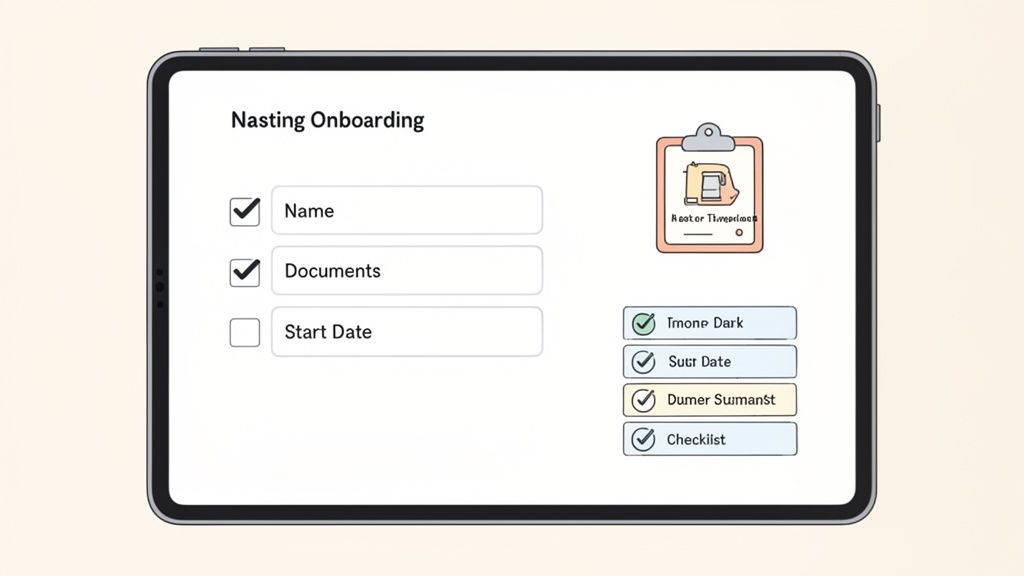
The whole point is to stop reinventing the wheel every time a new client or hire comes on board. Instead, you'll develop a set of master templates that you can quickly tweak for different roles, projects, or service tiers. This isn't just a nice-to-have; in regulated fields like finance or healthcare, consistency is an absolute must.
This move toward structured, digital workflows is more critical than ever. We're well past the point where automation is just about cutting costs. By 2026, it’s going to be the standard for managing remote and hybrid teams effectively. The data backs this up: in 2023, 55% of businesses were already using some form of virtual onboarding.
But there are still gaps. A surprising 36% of remote workers said their onboarding was confusing. The best programs bridge this gap by mixing digital efficiency with a genuine human touch. You can see more on this in these insightful employee onboarding statistics.
Designing a Master Template
First things first: create a single, comprehensive master template. This is your "everything" document. It should include every possible field, document request, and task you might need for any onboarding scenario. Yes, it will be way too long and detailed for any one situation, but that's the point. It's your central library.
From this master, you can spin off specialized versions. For example, a software company could create:
- A "Standard Client" Template: For customers on a basic plan, this would just ask for company info, billing details, and a list of users.
- An "Enterprise Client" Template: A more detailed version that adds fields for a dedicated account manager, security review documents, and a custom implementation plan.
- A "New Employee" Template: This one would be all about HR documents—think I-9 forms, direct deposit info, and policy acknowledgments.
This approach ensures you never forget a critical step while still giving each person a clean, relevant form to fill out.
Pro Tip: Don't just list what you need—explain why you need it. Adding a quick, one-sentence description below a field (e.g., "We need your high-res logo to add to your portal dashboard") works wonders. It dramatically boosts completion rates and cuts down on the back-and-forth emails.
Making Checklists Action-Oriented
Once your templates are set, you need to build the checklists that guide people through the process. A great checklist does more than just list items; it makes it crystal clear what's needed and provides the tools to get it done right the first time.
Instead of a vague task like "Upload Headshot," be specific and actionable: "Upload a professional headshot (JPG or PNG, at least 500×500 pixels)." That small change removes all the ambiguity and stops people from sending you blurry, low-quality files.
A solid checklist for a new marketing client might look something like this:
- Complete the Kickoff Questionnaire: Embed the direct link to the form right in the checklist.
- Upload Brand Guidelines PDF: Specify the exact file type you need.
- Provide Access to Google Analytics: Include a short, simple instruction on how to grant permissions.
If you’re looking for more ideas on what to include, this comprehensive employee onboarding document checklist is a great place to start.
Embedding Instructions and Guidance
One of the smartest things you can do is build instructions directly into your forms and templates. This is a proactive way to head off common questions and mistakes before they even happen.
Use placeholder text in your form fields to show people the exact format you're looking for (e.g., "MM/DD/YYYY" for a date). For anything more complex, use tooltips or little info icons that reveal more guidance when someone hovers over them. This keeps the interface looking clean but offers help exactly where it's needed.
By baking this kind of intelligence into your templates, you’re creating a self-service system. You empower users to give you the right information on the first try, which speeds up the entire workflow.
Getting Your Automated Reminders and Notifications Dialed In
Okay, so you’ve built your templates and checklists. Now for the fun part—automating the single biggest time-waster in any onboarding process: the manual follow-up. This is where you get to build a smart reminder system that does all the nagging for you, making sure nothing ever falls through the cracks.
A great notification system isn't just about sending a generic "don't forget" ping. It's about keeping the momentum going and making sure everyone knows what they need to do next, all without you having to lift a finger. Done right, this transforms a potentially annoying chore into a genuinely helpful nudge.
How to Craft Reminders That People Actually Read
We’ve all gotten those generic notifications that are instantly ignored. To create reminders that get results, you have to put yourself in the other person's shoes. What do they need right now to get this done?
A great reminder message really only needs three things.
First, be crystal clear about what’s missing. Instead of a vague "Your onboarding is incomplete," try something specific like, "Just a friendly reminder that we're still waiting on your signed NDA to get your account fully set up." Specificity is your best friend here.
Second, give them a direct, one-click link to where they need to go. Don't make people dig through old emails or navigate a confusing portal. The fewer clicks it takes, the more likely you are to get a quick response. Seriously, this makes a huge difference.
And finally, a little personalization goes a long way. Using their name and mentioning the project or role they’re being onboarded for makes the whole thing feel less like it came from a robot.
Finding the Right Reminder Rhythm
The timing of your reminders is just as important as what they say. If you bombard someone with daily emails, they’ll just start ignoring you. A more strategic approach keeps the task top of mind without being annoying.
From my experience, a sequence that works really well for collecting documents usually looks something like this:
- The Gentle Nudge: Send this two days after the initial request if you haven't heard back. It’s a simple, low-pressure "just in case you missed this."
- The Follow-Up: At five days, the tone can be a bit more direct. You can mention that this document is needed to move on to the next step.
- The Final Reminder: After seven to ten days, it's time to be firm. Explain that the process is on hold until they act and consider copying in their main point of contact to add a little extra accountability.
Setting up a thoughtful reminder schedule is one of the most powerful things you can do to automate onboarding. It locks in your follow-up strategy, so every single person gets the same professional experience, and you don't have to keep a running list of who owes you what.
Don't Forget Your Internal Team Alerts
Automated notifications aren't just for clients or new hires. They're a fantastic tool for keeping your own team in the loop and kicking off the next part of the workflow.
For example, why not set up a Slack alert that pings the project manager the second a new client submits their kickoff documents? That way, the PM can jump right on it and schedule the first call, cutting out dead time. For a deeper dive, you can learn more about how to set up an automated reminders system to collect documents for everyone involved.
Think about other ways you could use this:
- Notify the finance team the moment a new vendor submits their W-9.
- Tell the IT team to start setting up software access once a new hire signs their policy forms.
- Let an account manager know their client has officially completed the onboarding journey.
These internal triggers are what connect all the dots in a truly automated system. They ensure that as soon as one task is done, the next one starts automatically, creating a beautifully smooth flow from beginning to end.
Making Your Onboarding Workflow Talk to Your Other Tools
An automated process is a great start, but if it operates in a vacuum, it just becomes another isolated task on your to-do list. The real magic happens when your onboarding workflow can communicate with the other software you rely on every day. This is how you finally stop the soul-crushing manual data entry, cut down on human error, and build a connected system that practically runs itself.
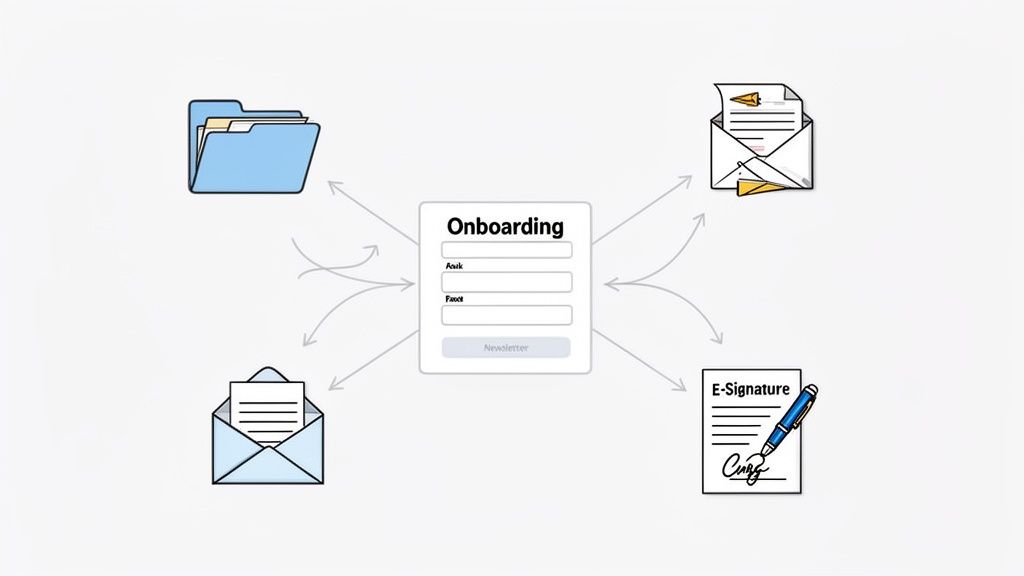
Think of it this way: integrations are the bridges between your software. Instead of you acting as the go-between—downloading a document from one app just to upload it to another—the software handles it automatically based on rules you set.
Connecting Everything with Zapier
If you're not a developer, don't worry. Tools like Zapier act as a universal translator for thousands of different apps. You create a simple "Zap" by telling it what to look for (a trigger) and what to do next (an action).
Let’s walk through a real-world client onboarding scenario:
- Trigger: A new client fills out their onboarding form in your document collection tool.
- Action 1: Zapier instantly creates a new client folder in your Google Drive, automatically naming it with the client's company name from the form.
- Action 2: It then adds the client’s email to a "New Clients" list in your Mailchimp account for their welcome sequence.
- Action 3: Finally, a new task pops up in Asana for the project manager, reminding them to schedule the kickoff call.
With just that one setup, you’ve saved your team from three separate manual tasks for every single new client. This is the core of how to automate the onboarding process beyond just a single platform.
Key Takeaway: Integration isn't just about saving a few clicks. It's about building a reliable, error-proof system where information flows exactly where it needs to go, the moment it arrives. This gives you perfect consistency and frees up your team's brainpower for more important work.
Supercharging Contracts and Payments
Nowhere is this more powerful than with critical steps like contracts and payments. Manually chasing signatures or setting up new vendors is a classic bottleneck.
Imagine connecting your onboarding platform directly to an e-signature tool like DocuSign or PandaDoc. As soon as a new hire submits their I-9 and direct deposit info, the system can automatically send their employment agreement for signature. No delays, no forgetting to attach the right file.
The same logic applies to vendors. When a new contractor completes their onboarding and provides a W-9 and banking details, an integration can create a new vendor profile in your accounting software like QuickBooks or Xero, ready for their first invoice.
Why Connected Systems are No Longer Optional
The quality of an onboarding experience is now directly tied to smart technology. The numbers don't lie: companies with a structured, integrated process report 82% higher retention for new hires. And when you bring AI into the mix, companies see 53% faster onboarding cycles, which means people become productive team members 35% sooner.
A connected ecosystem also just feels better for the user. By creating a unified flow, you stop asking people for the same information over and over—a dead giveaway that your internal processes are a mess. A well-designed onboarding portal can serve as a central, user-friendly hub that guides people through every step.
Ultimately, integrating your tools turns onboarding from a checklist of disconnected tasks into a single, intelligent workflow. It’s the final piece of the puzzle for building a system that can actually scale with your business instead of holding it back.
Got Questions About Onboarding Automation? We’ve Got Answers.
Jumping into any new system can feel like a leap of faith, and automating your onboarding process is a big step. It’s totally normal to wonder where to start, how to keep things secure, and what landmines to avoid. Let’s walk through the most common questions we get, so you can move forward with confidence.
What’s the Very First Thing I Should Do to Automate Onboarding?
Before you even glance at a software demo, you need to map out your current process. Seriously, this is the most critical step. Grab a whiteboard, a stack of sticky notes, or just open a spreadsheet and detail every single thing that happens from the moment you say "welcome" to the final check-in.
Who does what? Which documents are absolutely essential? And where do things always seem to get stuck? This map isn't just an exercise—it's your blueprint for building a better system.
Once you see it all laid out, you’ll immediately spot the tedious, repetitive tasks that are perfect candidates for automation, like sending follow-up emails or chasing down missing signatures. If you skip this, you’ll just end up automating a clunky process, and that doesn't really help anyone.
How Does Automation Actually Make Things More Secure?
This is a big one. Automation drastically improves your security and compliance by getting rid of risky manual habits. Think about it: right now, you might be emailing sensitive documents back and forth. That’s a huge security gap. An automated platform gives you a single, encrypted portal for everything.
It’s a much stronger way to operate. You can set up your forms with required fields, so it’s literally impossible for someone to submit incomplete paperwork. No more chasing down a missing Social Security number or an unsigned policy form.
Plus, the system creates an airtight audit trail. You have a digital record of who submitted what, and precisely when they did it. For industries like transportation or finance, features like automated alerts for expiring certifications are a game-changer for staying compliant.
Can I Use This for More Than Just New Hires?
Absolutely. The beauty of a good automation tool is that it’s flexible. The same principles that work for employee onboarding apply just as well to bringing on new clients, vendors, or even tenants.
You simply create different workflows for each scenario. For example, a client onboarding process might be all about collecting project specs and getting a contract signed with DocuSign. An employee workflow, on the other hand, will focus on things like I-9 verification, benefits enrollment, and direct deposit details.
The secret sauce here is templates. You can standardize the flow for each type of onboarding, which keeps things consistent, while still tailoring the specific forms and messages to the right audience.
What Are the Biggest Mistakes People Make When Automating This?
It's easy to get excited and trip over a few common hurdles. Knowing what they are ahead of time will save you a world of pain.
The single biggest mistake we see is a failure to communicate. If you just roll out a new system without explaining why it's better and how it works, people will get frustrated and ignore it. Take a little time to show your team and your new hires how this new process will make their lives easier.
Another classic pitfall is trying to do too much, too soon. It’s tempting to build a massive, all-encompassing workflow from day one, but that usually ends in a complicated mess.
- Start small. Pick the one or two most annoying, time-consuming parts of your current process and automate those first.
- Get feedback. Once it’s up and running, ask people what they think. What’s working? What isn’t?
- Build on it. Use that real-world feedback to make smart improvements and gradually expand the automation.
And please, don't automate the humanity out of your onboarding. The goal is to let technology handle the paperwork so your team can focus on making a genuine human connection. Automation should support your people, not replace them.
Ready to stop chasing documents and start building a seamless, scalable system? Superdocu gives you all the tools you need to automate your onboarding process, from secure document collection and automated reminders to powerful integrations. Start your free trial today and see how easy it is to reclaim your time.