
Stop Chasing Documents. Start Automating Workflows.
How many hours does your team waste each week sending email reminders for missing documents, correcting submission errors, and manually organizing files? For most businesses, the answer is too many. That work clogs inboxes, slows approvals, and forces experienced staff to spend their day chasing paperwork instead of moving deals, hires, or cases forward.
The frustrating part is that most of this work is predictable. A client submits the wrong file. A candidate forgets one form. A tenant sends an outdated pay stub. Someone on your team notices the gap late, sends another email, waits, then repeats the cycle. Meanwhile, operations stalls.
That's why practical workflow automation examples matter. According to a 2024 McKinsey Global Institute analysis, only 4% of businesses have fully automated their workflows, even though repetitive tasks still consume an estimated 25% to 30% of employee time and organizations with full automation can see productivity increases of up to 40% compared to fragmented systems (McKinsey workflow automation analysis). There's still a large gap between basic automation and the kind that removes bottlenecks.
This article gives you 10 concrete workflow automation examples centered on document-heavy operations. Each one shows the pain point, the workflow logic, useful integrations, and how to put it into practice with Superdocu. If you work in operations, legal, HR, real estate, lending, transportation, or compliance, these are the automations worth building first.
If real estate is one of your bottlenecks, this overview of RPA in real estate is also worth reading.
Table of Contents
- 1. Automated Client Document Collection in Legal Firms
- 2. HR Onboarding and Employee Verification Workflows
- 3. Real Estate Tenant and Property Document Processing
- 4. Mortgage and Loan Document Collection Automation
- 5. Immigration and Visa Application Document Processing
- 6. Transportation and Logistics Driver Onboarding Automation
- 7. Construction Project Document and Permit Management
- 8. Insurance Claims and Policy Documentation Processing
- 9. Vendor and Supplier Compliance Document Management
- 10. Portfolio and Investment Manager Due Diligence Document Collection
- Comparison of 10 Workflow Automation Use Cases
- Your Next Step Automate Your First Workflow
1. Automated Client Document Collection in Legal Firms
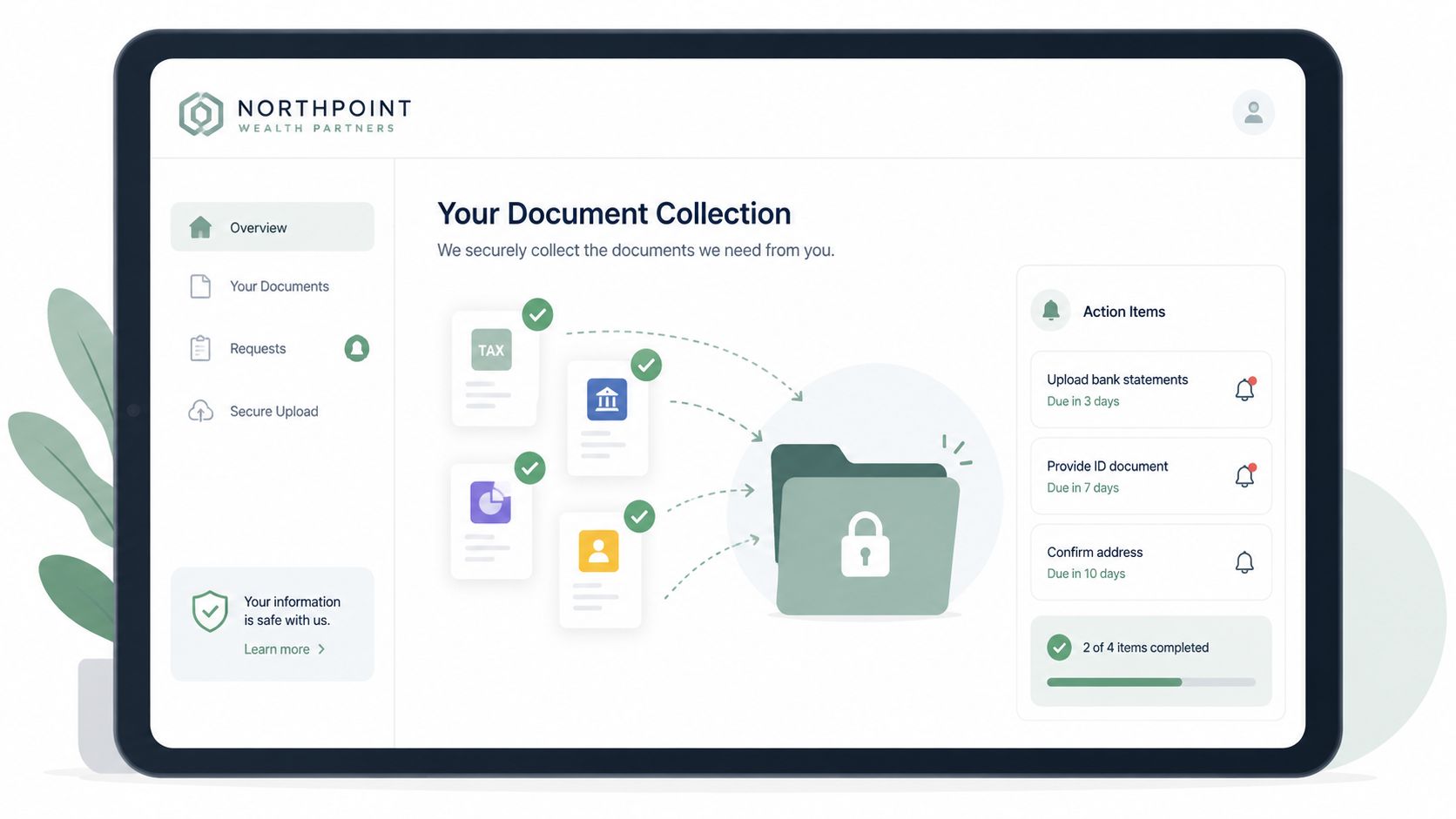
Legal teams rarely struggle with knowing which documents they need. They struggle with getting the right files from the right people at the right time. Discovery packets, contracts, IDs, proof of address, financial records, and signed disclosures often come in through scattered emails, cloud links, and phone follow-ups.
That's where one of the most useful workflow automation examples comes in. Instead of asking staff to manually coordinate every request, firms can send one branded intake portal that routes each party into a role-based checklist. Estate planning, litigation, and corporate matters all need different request logic, so the workflow has to reflect the case type from the start.
Where legal teams get stuck
The biggest mistake is building one generic intake flow for every matter. That creates irrelevant requests, confuses clients, and causes avoidable drop-off.
Use a cleaner sequence instead:
- Case type first: Start with matter selection, then load the correct document template.
- Role-based requests: Ask plaintiffs, defendants, beneficiaries, or vendors for only the files tied to their role.
- Validation before acceptance: Reject incomplete uploads, wrong file categories, or unsigned forms before staff review.
- Escalation rules: Notify the assigned paralegal only when deadlines are near or a required item is still missing.
A workflow that actually works
A strong legal workflow starts when the firm opens a matter. Superdocu sends a branded link, tracks submissions in one dashboard, and triggers reminders on your preferred schedule. If a document needs signature, push it into DocuSign before filing it back into the case record.
Practical rule: Don't automate reminders until you've standardized document naming, case templates, and validation rules. Otherwise you just automate confusion.
For firms refining intake, this guide to legal client intake documents is a solid starting point. In practice, the best legal automations feel boring. That's a good sign. Staff stop chasing clients, clients know exactly what to upload, and the case file stays organized from day one.
2. HR Onboarding and Employee Verification Workflows
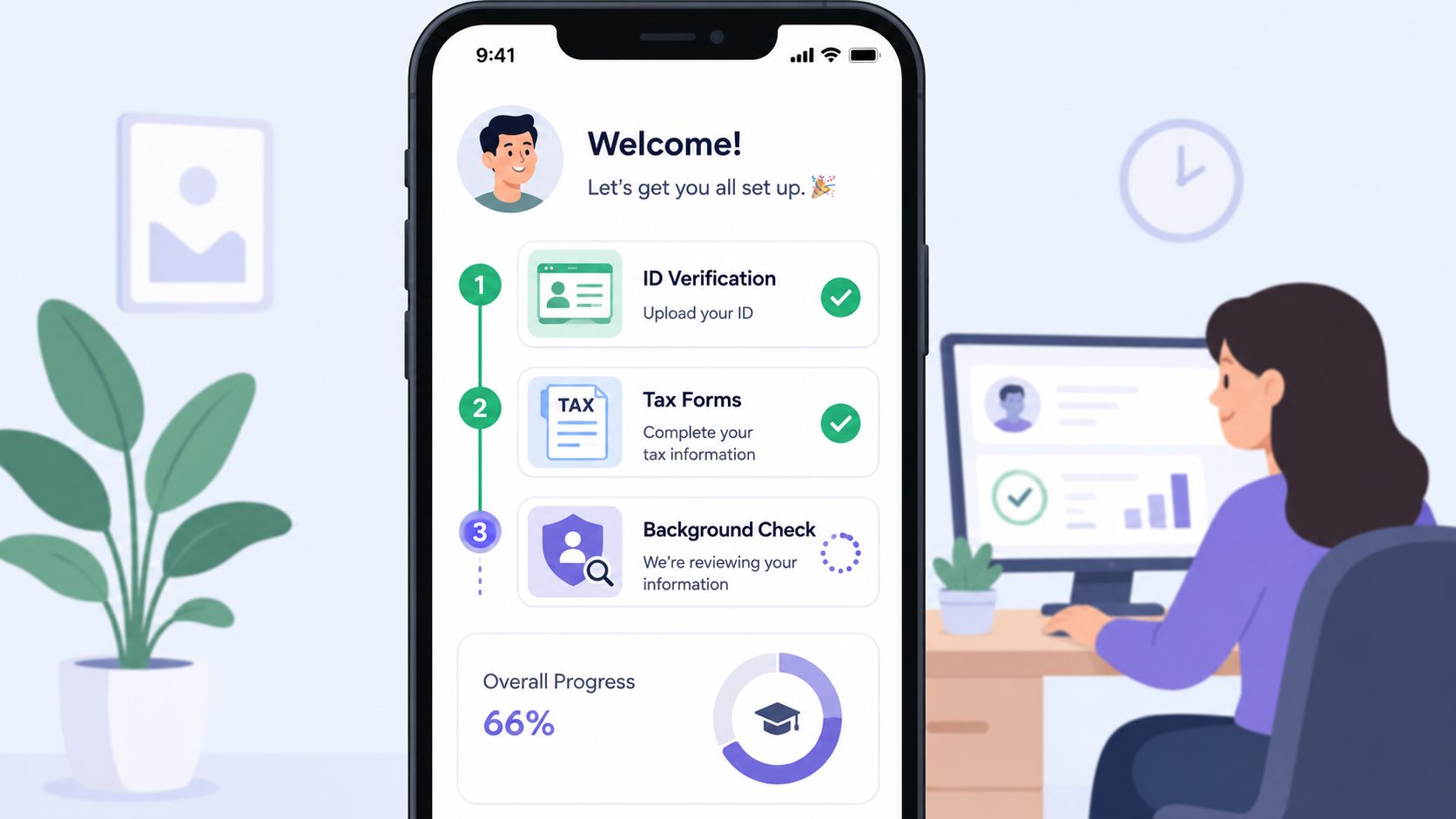
HR teams feel document chaos faster than most departments because every delay hits a start date. Offer letters are signed, but tax forms are missing. Background check consent comes in, but identity documents don't. Benefits enrollment sits untouched because the employee never received a clean sequence.
This is one of the most mature workflow automation examples because the logic is straightforward and the payoff is immediate. Client onboarding is already a primary automation use case, where a workflow can set up accounts or services, notify the account manager, and create follow-up tasks. That model also extends well to employee onboarding, and tools like Zapier and DocuSign are commonly used to connect app workflows and eSignature steps across large app ecosystems (client onboarding workflow example with Zapier and DocuSign).
The best onboarding workflows use conditional requests
A warehouse hire and a finance hire should not receive the same checklist. Conditional logic is what makes the workflow usable.
Start with role, location, and employment type. Then request only the relevant items, such as identity verification, tax forms, policy acknowledgments, certifications, or direct deposit details. When a new hire uploads a document, route the submission to the right HR owner instead of sending every notification to a shared inbox.
Good onboarding automation reduces noise as much as it reduces labor.
How to run it in Superdocu
In Superdocu, build one master onboarding template, then branch it by department or role. Create expiration tracking for certifications and licenses where applicable, archive completed onboarding packets, and use branded reminders so candidates don't mistake your message for spam.
A practical setup usually includes:
- Pre-start launch: Send the request before day one so missing items don't block payroll or access.
- Submission alerts: Notify HR when required files arrive, not on every minor update.
- E-signature handoff: Use DocuSign for offer acknowledgments, policy sign-offs, or consent forms.
- Structured archive: Store completed packets by employee name, location, and hire date.
If you're tightening this process, these employee onboarding best practices map well to an automated setup. Consistency is the main benefit. Every hire gets the same clean experience, and HR stops relying on memory.
3. Real Estate Tenant and Property Document Processing
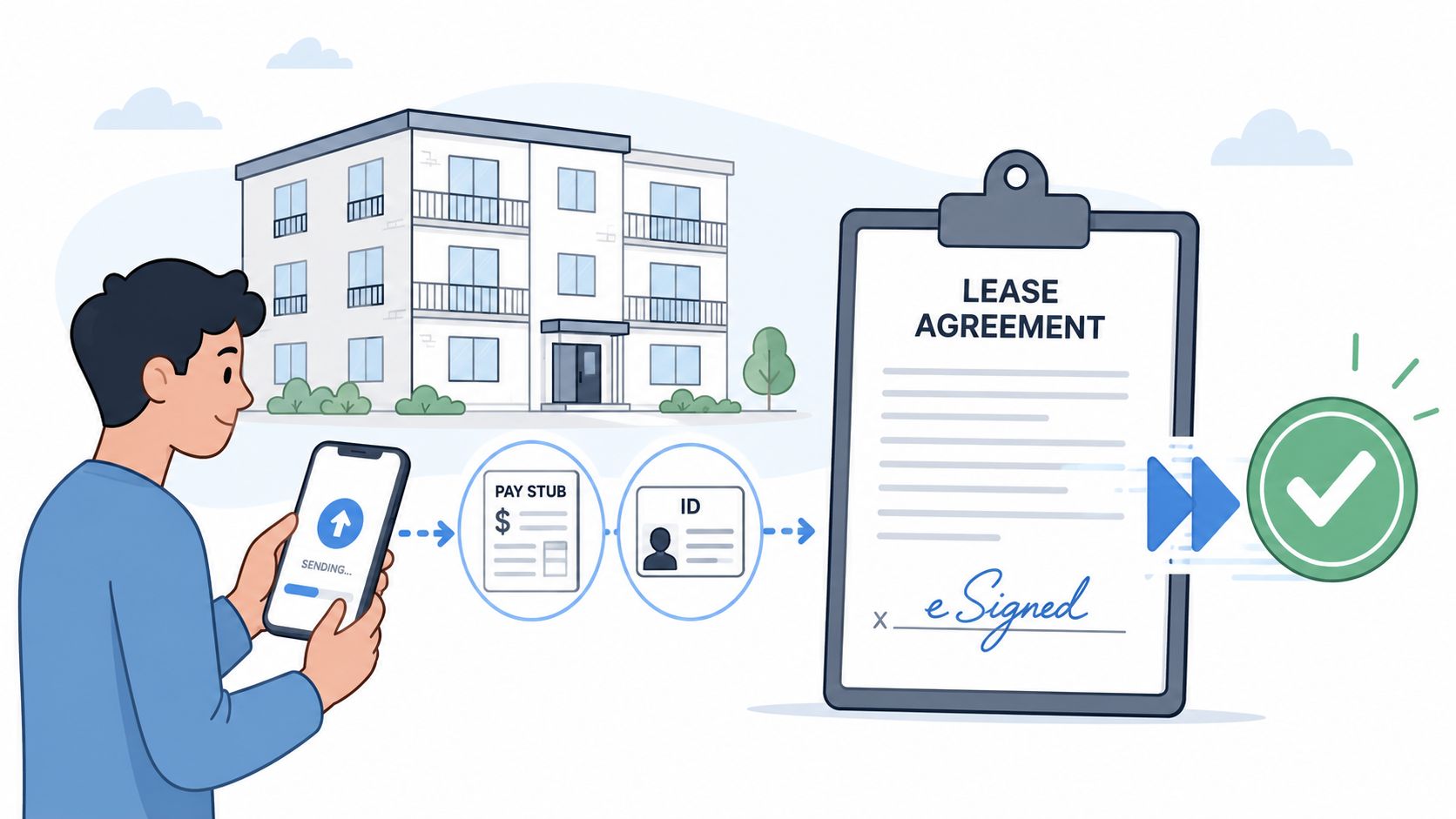
Real estate teams lose time in two places. First, they collect incomplete applications. Then they spend days trying to fix them. Tenant screening, lease prep, income verification, and reference checks all move faster when the workflow controls the order of submission.
Many real estate offices still blast applicants with a long list on day one. That's a mistake. People are more likely to finish when the system asks for the next document only after the previous one has been accepted.
Stop requesting everything at once
A residential renter doesn't need the same flow as a commercial tenant. Even within residential leasing, a salaried employee, a self-employed applicant, and a guarantor need different paths.
Use staged collection:
- Stage one: Basic application, ID, and contact details.
- Stage two: Income proof and employment verification.
- Stage three: References, supporting explanations, and lease signature.
- Stage four: Renewal or move-in documents, if approved.
This approach cuts down on abandonment because applicants aren't hit with a giant checklist before they're invested in the process.
How to build the sequence
Document workflow automation is especially effective in high-friction tasks like extracting data from lengthy files, routing contracts for eSignature, auto-generating files from templates, grouping files by content, and applying classification rules for compliance monitoring (document workflow automation in content management). That same logic works well for rental applications and lease packets.
In Superdocu, create separate templates for residential and commercial leasing. Add validation rules for pay stubs, tax returns, and business documents, then route approved files to the leasing coordinator. If a lease needs signing, move it into DocuSign and return the final version to the tenant folder automatically.
A good property workflow feels sequential, not overwhelming. Applicants know what's next. Leasing staff see what's missing without opening five tools. That's usually the difference between a clean pipeline and a vacancy that drags.
4. Mortgage and Loan Document Collection Automation
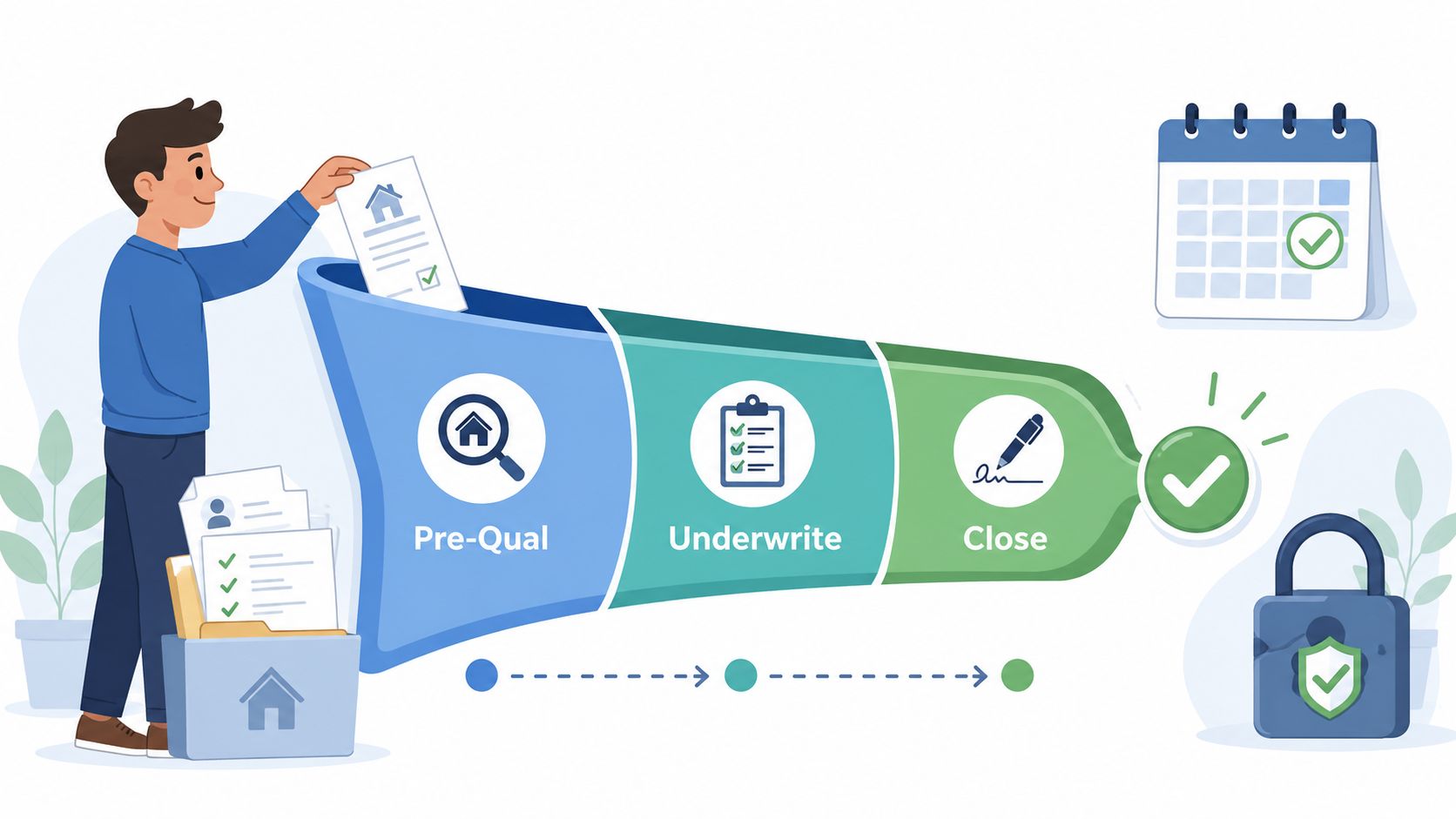
Mortgage teams don't need more files. They need better sequencing. Borrowers often receive a giant document list at the start, send half of it, then stall when underwriting asks for updates or corrections. The process breaks because the request logic doesn't match the loan stage.
This is one of the clearest workflow automation examples for staged collection. Separate pre-qualification, underwriting, and clear-to-close into distinct checkpoints. Each checkpoint should request only what the borrower can reasonably provide at that moment.
Borrowers need guided stages, not a giant checklist
Stage-based collection keeps the deal moving and reduces last-minute surprises. It also makes expired documents easier to catch before closing.
Use a flow like this:
- Pre-qualification: Basic identity, income snapshot, and initial financials.
- Underwriting: Full statements, tax records, employment verification, and property documents.
- Clear-to-close: Updated items, disclosures, and final signatures.
An IT services company that automated repetitive helpdesk workflows achieved a 30% productivity boost within six months, while the system handled routine transactions with 97% accuracy. In a related benchmark, a mid-sized e-commerce business applying similar workflow logic saw a 40% reduction in processing times, a 20% decrease in errors, and $100,000 in annual operational savings (workflow automation case studies across support and operations). The departments differ, but the lesson holds. Structured routing beats manual triage.
What to automate first
In Superdocu, start with document stage rules, not advanced integrations. Build templates for borrower type, trigger reminders when files are missing, and flag outdated pay stubs or statements before a loan officer reviews the file.
For teams mapping the broader process, this breakdown of the mortgage loan application process is a useful reference. Once the intake flow is stable, add DocuSign for disclosures and Zapier for handoffs into your CRM or task system. What doesn't work is trying to automate every exception upfront. Start with the predictable path and give staff a manual override for edge cases.
5. Immigration and Visa Application Document Processing
Immigration workflows become messy because they're rarely one-company, one-client transactions. A single case may involve the applicant, employer, sponsor, family member, translator, and government filing deadlines. Documents arrive from different countries, in different formats, and often in no logical order.
That's why generic intake forms fail here. They can collect files, but they don't orchestrate a fragmented, multi-party process very well.
Multi-country document collection breaks simple workflows
A 2024 report noted that 72% of SMBs struggle most with workflow orchestration across external, untrusted parties, while only 8% of available automation examples provide step-by-step logic for asynchronous, multi-tenant validation with automated escalation (multi-party workflow orchestration gap). Immigration work fits that problem exactly.
The workflow has to do more than request documents. It has to create a trust layer between disconnected people and incomplete submissions.
If your immigration workflow depends on staff manually checking who has sent what, the process won't scale cleanly.
A better operating model
Start by splitting templates by visa category. Work visas, family visas, and student visas need different logic. Then split request paths by participant. The employer gets one checklist, the applicant gets another, and the sponsor gets a third.
Inside Superdocu, the strongest setup looks like this:
- Localized request links: Use branded portals and plain instructions for each party.
- Country-specific validation: Require the right document type before the case can advance.
- Asynchronous escalation: If the employer submits but the applicant doesn't, remind only the missing party.
- Centralized review: Keep every file in one case workspace so staff don't rebuild the packet manually.
This kind of workflow is less about speed alone and more about control. Immigration teams need organized intake, clear ownership, and a reliable record of what was requested, received, rejected, and approved.
6. Transportation and Logistics Driver Onboarding Automation
Transportation teams often automate the initial driver packet but forget the harder part. Documents expire. Medical certificates lapse. Insurance changes. A driver who was compliant at onboarding can become non-compliant later without anyone noticing until dispatch, audit prep, or an incident review.
That's why transportation document workflows should be built around lifecycle management, not one-time collection.
Expiration management matters as much as intake
One underused angle in workflow automation examples is regulatory document expiration management. A 2025 study found that SMBs lose an average of $12,400 annually due to penalties from untracked document expirations, and only 14% of workflow automation guides include a template for recurring expiration alerts with renewal requests (document expiration management gap for SMBs). For transportation operators, that's not an edge case. It's daily operations.
The practical workflow starts with onboarding, then continues through the full document lifecycle.
How to implement it with Superdocu
Set up one mobile-friendly workflow for new drivers and another for active-driver renewals. Drivers should be able to submit from a phone without needing desktop access, because many won't wait until they're back in an office.
A strong setup includes:
- Role-based packets: Separate CDL, local delivery, and passenger transport requirements.
- Expiration tracking: Monitor license, medical, insurance, and inspection records in one dashboard.
- Renewal reminders: Trigger recurring requests before a document lapses.
- Manager alerts: Notify fleet or safety managers only when a deadline is approaching or a driver remains non-compliant.
Superdocu is particularly practical. The platform's expiration tracking and automated notifications make it easier to manage active records, not just initial submissions. What doesn't work is keeping renewal dates in a spreadsheet that only one coordinator understands. That system fails the moment someone is out sick or leaves the company.
7. Construction Project Document and Permit Management
Construction creates a special kind of document chaos because the file set changes by project, trade, jurisdiction, and phase. A subcontractor may be fully qualified for one site and blocked on another because the insurance certificate, permit, or safety documentation isn't current for that specific job.
Teams already know the document types they need. The problem is keeping them current across many subcontractors and many live projects at once.
Construction fails when nobody owns the document calendar
This is another case where recurring automation matters more than intake alone. Licenses, insurance, OSHA-related records, and project permits all have their own renewal cycles. If those dates aren't tracked centrally, the site team ends up discovering missing paperwork at the worst possible moment.
A good construction workflow ties documents to both the company and the project. That means one subcontractor can hold a master profile, while each project still has its own requirements and approval path.
The workflow logic
Build from the outside in. Start with subcontractor prequalification. Then add project-level requirements and ongoing expiration monitoring.
Salesforce's workflow examples make a useful point here. Automation works best as targeted, rule-based tasks such as case creation, quote creation, contract approvals, and onboarding rather than as one giant monolithic system (department-specific workflow examples in service and sales). Construction should be designed the same way. Separate prequalification, permit collection, renewal reminders, and project closeout into distinct automations.
Field note: The best construction workflows let office staff enforce compliance while giving site supervisors a simple way to request missing items without reinventing the process.
In Superdocu, create master templates by trade, then layer in state or project variations. Route expired insurance to the subcontractor contact, not the project manager first. That keeps project teams focused on building, while the system handles the paperwork chase.
8. Insurance Claims and Policy Documentation Processing
Claims teams move fastest when they stop relying on narrative email threads. A claim file should be assembled by workflow, not by whoever happened to respond last. That matters in auto, property, health, and liability claims where evidence arrives in pieces and deadlines matter.
A policyholder also needs clarity. If the request list is vague, you'll get blurry photos, incomplete authorizations, and repeated follow-ups.
Claims workflows need structure, not long email threads
The practical model is simple. Open the claim, send a branded portal, request only the documents relevant to that claim type, then route submissions to the adjuster once the package is complete enough to review.
Reminder timing matters. Too many reminders feel punitive. Too few reminders create avoidable delays. The right cadence depends on the claim type and urgency, but the rule is consistent: remind around missing evidence, not around every document equally.
Practical setup inside Superdocu
Claims portals work best when they combine guidance with validation. Superdocu can give policyholders a clean upload experience, while your internal team gets a dashboard that shows which files are missing or invalid.
A practical claim workflow usually includes:
- Claim-type branching: Separate auto, health, property, and liability request lists.
- Submission guidance: Tell claimants what acceptable files look like before they upload.
- Completeness checks: Flag missing police reports, estimates, or authorizations before adjuster review.
- Routing rules: Send complete files to the assigned adjuster and hold incomplete files in validation.
For claims operations, the biggest gain is consistency. Every claimant gets the same process. Every adjuster receives a more organized package. The workflow won't replace judgment, but it removes a lot of preventable administrative drag.
9. Vendor and Supplier Compliance Document Management
Vendor compliance isn't a one-time procurement task. It's a recurring operational control. W-9s, insurance certificates, banking details, certifications, and questionnaires all have to stay current if finance and procurement want fewer surprises.
Many companies still treat this as email administration. They send a request, save an attachment, and hope someone remembers the renewal date later. That doesn't hold up once the vendor base grows.
Vendor compliance is a recurring workflow
A 2023 DocuClipper report found that 60% of organizations achieve positive ROI within 12 months of implementing automation, with average productivity increases ranging from 25% to 30% in automated processes and error reduction ranging from 40% to 75% compared with manual processing (workflow automation ROI and error reduction statistics). Vendor management is a strong candidate for that kind of return because the work is repetitive, deadline-driven, and easy to standardize.
The trick is not to build one universal vendor packet. Segment by vendor type, risk profile, and geography.
What good vendor automation includes
In Superdocu, set up a vendor portal with tiered templates. A low-risk local supplier shouldn't see the same requirements as a regulated service provider or a high-risk contractor.
Use this structure:
- Tiered onboarding: Load only the documents required for that vendor category.
- Renewal tracking: Monitor insurance, certifications, and forms with automatic follow-up.
- Approval gates: Don't mark a vendor active until required items pass validation.
- System handoff: Push approved status into procurement, ERP, or payment workflows through Zapier.
What works is making the portal the single source of truth. What doesn't work is letting account managers collect “just this one file” by email and promising to upload it later. That exception becomes the new normal fast.
10. Portfolio and Investment Manager Due Diligence Document Collection
Investor onboarding and due diligence usually fail in a quiet way. The firm has most of the documents, but not all of them. Or the subscription packet is complete, but accreditation support is still pending. Or the compliance questionnaire is signed, but filed in the wrong folder.
That creates friction for operations, compliance, and investor relations at the same time.
Investor onboarding breaks when documents arrive out of order
This is one of the best workflow automation examples for high-trust document handling because the sequence matters as much as the file itself. A useful workflow doesn't just collect. It validates, routes, and maintains an audit trail of what happened and when.
The strongest design separates investor types early. Individual, institutional, and foreign investors usually need different paths. If you don't branch the workflow up front, your team ends up cleaning up the same confusion over and over.
How to operationalize it
Build the investor packet in stages. Start with identity and entity information, then move into subscription materials, accreditation support, banking details, tax forms, and ongoing compliance requests. If a signature is needed, send the document to DocuSign and return the final executed copy to the investor file automatically.
A practical Superdocu setup should include:
- Investor-type templates: Different request logic for individuals, institutions, and cross-border investors.
- Validation dashboard: Review documents before they reach compliance or fund operations.
- Annual follow-up workflows: Re-request compliance questionnaires or updated records on schedule.
- Audit-ready history: Keep a clean trail of requests, submissions, approvals, and renewals.
In this environment, good automation protects both speed and control. Investor onboarding moves faster, but compliance also gets a cleaner record. That balance is what matters.
Comparison of 10 Workflow Automation Use Cases
| Example (Ideal use cases) | Implementation Complexity 🔄 | Resource Requirements ⚡ | Expected Outcomes ⭐ | Key Advantages 📊 | Tips 💡 |
|---|---|---|---|---|---|
| Automated Client Document Collection (Legal firms), e.g., discovery, estate planning, corporate contracts | Moderate → High 🔄 (case‑type templates + CM system integration) | Moderate (secure storage, validation rules, integration work) ⚡ | ⭐⭐⭐⭐ Faster processing (weeks→days), improved compliance & audit trails | Centralized secure files, better client UX, faster case timelines 📊 | Create role‑based templates; reminders 3/7/14; integrate eSignature 💡 |
| HR Onboarding & Employee Verification, staffing, healthcare, hospitality | Moderate 🔄 (sequential workflows + HRIS sync) | Moderate (HRIS integration, templates, dashboard) ⚡ | ⭐⭐⭐⭐ Onboarding cut to 3–5 days; higher compliance (I‑9, tax forms) | Consistent hiring experience, centralized hire records, reduced admin burden 📊 | Send requests 10 days before start; use conditional logic by role 💡 |
| Real Estate Tenant & Property Processing, apartments, commercial leases, renewals | Moderate 🔄 (background checks + eSign integrations) | Moderate (verification services, mobile UX) ⚡ | ⭐⭐⭐ Faster screening (10–14→2–3 days), reduced vacancy | Standardized requirements, faster decisions, fraud reduction 📊 | Separate residential vs commercial workflows; set income doc expiry (60 days) 💡 |
| Mortgage & Loan Document Automation, brokers, credit unions, fintech lenders | High 🔄 (multi‑stage LOS integrations + strict validation) | High (robust encryption, complex validation rules, LOS integration) ⚡ | ⭐⭐⭐⭐ Loan cycle shortened (30–45→15–21 days); better approval rates | Ensures TRID/NMLS compliance, reduces conditional delays, improves borrower experience 📊 | Request docs in stages; set validity windows; automate expirations 💡 |
| Immigration & Visa Application Processing, visa firms, corporate immigration, universities | High 🔄 (country‑specific rules, multi‑language, batch filing) | High (legal expertise, localization, support channels) ⚡ | ⭐⭐⭐⭐ Scale handling of applicants, fewer errors, maintained country compliance | Localized templates, batch processing, centralized global files for filings 📊 | Build country & visa‑type workflows; provide multilingual support; automate deadlines 💡 |
| Transportation & Logistics Driver Onboarding, trucking, 3PLs, school districts | Moderate → High 🔄 (DMV/medical verifications, mobile submissions) | Moderate (DMV integrations, mobile friendly, compliance dashboards) ⚡ | ⭐⭐⭐⭐ Onboarding 2–5 days; ensured DOT/FMC SA compliance | Prevents unqualified drivers, real‑time compliance tracking, reduced idle time 📊 | Set expiration alerts for CDL/medical; use mobile design for drivers 💡 |
| Construction Project Document & Permit Management, GCs, subcontractor management | Moderate → High 🔄 (trade/state variations, field access) | Moderate (mobile capture, template variants, expiration tracking) ⚡ | ⭐⭐⭐ Prevents permit delays, maintains safety & insurance compliance | Streamlines audits, verifies certifications, reduces schedule risk 📊 | Create master templates per trade/state; automate 60‑day renewal reminders 💡 |
| Insurance Claims & Policy Documentation, auto, health, homeowners claims | Moderate 🔄 (external record integrations, claim type workflows) | Moderate (integrations with medical/police systems, validation tools) ⚡ | ⭐⭐⭐⭐ Claims time cut by ~50%; improved customer satisfaction & fraud detection | Organized evidence collection, faster adjudication, audit readiness 📊 | Use claim‑type workflows; set deadlines (30–60 days) and reminders at 7/14 days 💡 |
| Vendor & Supplier Compliance Management, enterprise procurement, gov't contractors | Moderate → High 🔄 (payment system blocks, diverse vendor rules) | High (scale, payment integration, international compliance) ⚡ | ⭐⭐⭐⭐ Onboarding reduced (3–4→5–7 days); prevents non‑compliant payments | Enforces enterprise standards, central vendor data for audits and sourcing 📊 | Create tiered templates; automate insurance renewals 90 days prior; block non‑compliant payments 💡 |
| Portfolio & Investment Manager Due Diligence, PE, hedge funds, crowdfunding | High 🔄 (strict regulatory workflows, accreditation checks) | High (security, legal/compliance tooling, KYC/AML integrations) ⚡ | ⭐⭐⭐⭐ Investor onboarding 3–5 days; SEC/regulatory audit readiness | Ensures accreditation, central audit trails, reduces unauthorized participation 📊 | Verify accreditation thoroughly; create workflows per investor type; track expirations 💡 |
Your Next Step Automate Your First Workflow
The value of workflow automation isn't that it looks modern. The value is that it removes recurring operational waste from processes your team already runs every day. Missing documents, expired records, duplicate follow-ups, inconsistent file naming, and scattered approvals are not strategy problems. They're system problems. Once you treat them that way, they become fixable.
Organizations rarely need to automate ten workflows at once. That usually creates too much change, too fast. The better move is to pick the process that causes the most repeated chasing. In many businesses, that's client intake, employee onboarding, tenant screening, loan document collection, or vendor compliance. Start where staff are doing the same follow-up work every week and where delays are easy to see.
The next step is to map the current process in plain language. Who requests the document. Who submits it. What counts as valid. What triggers a reminder. What happens when something is missing. Which documents expire. Which documents need signature. Which staff member should be notified, and when. If you can answer those questions clearly, you can usually automate the workflow.
After that, standardize before you automate. Teams often rush at this stage. They build reminders on top of a messy process and wonder why the workflow feels chaotic. Fix the checklist first. Define file requirements. Create role-based templates. Decide which edge cases need a manual override. Then put the sequence into a tool.
That's also why document-heavy teams benefit from platforms built for this specific job. Superdocu is designed around request portals, branded collection links, validation dashboards, expiration tracking, and reminder schedules. Those features matter because document workflows are rarely just intake. They're intake, review, correction, approval, storage, renewal, and sometimes eSignature as well. When one tool can handle that chain cleanly, the process gets simpler for both your staff and the people submitting documents.
There's also a practical business case for acting now instead of waiting. Automation adoption is still uneven, and many teams remain stuck in partial workflows. According to the same 2024 McKinsey analysis cited earlier, 76% of businesses use automation to standardize daily workflows, yet only a small share have reached full automation, which helps explain why so many organizations still feel stuck between manual work and real operational efficiency. In other words, there's still room to gain an advantage by executing better, not by doing something exotic.
Start with one workflow. Build the template. Launch it with a small group. Watch where people get confused, where files are rejected, and where reminders need tuning. Then improve it. Once one workflow runs cleanly, the next one gets easier because your team has already learned the pattern.
The companies that get the best results from workflow automation usually aren't the ones with the most complex stack. They're the ones that remove ambiguity, assign ownership, and make the process easy to complete. That's what turns automation from a nice idea into a working operating system.
If you're ready to stop chasing files and start running a cleaner process, Superdocu gives you a practical way to do it. You can build branded document request workflows, send automated reminders, validate submissions in one dashboard, track expirations, and connect steps like eSignature through DocuSign and app automation through Zapier. For SMBs handling legal intake, HR onboarding, tenant files, loan packets, immigration cases, driver documents, construction compliance, vendor records, or investor due diligence, it's a straightforward platform for turning document collection into a repeatable workflow.