
A lot of small business owners already have access control problems. They just don't call them that.
It looks like a former employee who still knows where sensitive files live. It looks like an HR assistant who can open compensation records they don't need. It looks like a client portal where too many people can view uploaded tax forms, contracts, or identity documents. In legal, HR, and finance, this isn't a side issue. It's part of how you protect client trust and keep daily work organized.
Access control management is the practice of deciding who gets access to what, under which conditions, and for how long. If that sounds technical, think of it as key management for your business. Some people need the front door key. Some need the records room. Very few should have the master key.
Table of Contents
- Why Access Control Matters for Your Business
- Understanding the Core Security Principles
- Choosing Your Model RBAC ABAC and PBAC Explained
- How to Design Roles and Policies That Work
- Integrating Access Control into Document Workflows
- Your Implementation and Ongoing Management Checklist
- Conclusion Your Path to Secure and Efficient Access
Why Access Control Matters for Your Business
A common SMB scenario goes like this. Someone leaves the company, but their shared drive access stays active. A contractor finishes a project, yet still has portal access. A manager asks, “Who can see client files right now?” and nobody can answer without checking three different systems.
That's why access control management matters. It turns scattered permissions into a business rule: the right people can do their jobs, and everyone else is blocked from information they don't need.

The urgency is growing beyond IT departments. The North America access control market is projected to grow from USD 3.88 billion in 2025 to USD 5.84 billion by 2030, at a CAGR of 8.6%, according to MarketsandMarkets' North America access control market forecast. That projection reflects rising demand for centralized policy enforcement and tighter control over sensitive data.
For small and midsize firms, especially document-heavy ones, this has a practical meaning. Access control isn't just about office doors, alarm panels, and staff badges anymore. It now affects who can open employee records, approve onboarding files, review financial statements, or download signed client documents.
Business reality: If your team handles confidential files, you already have an access control system. The only question is whether it's intentional or accidental.
When access is managed well, work moves faster because people know where to go and what they're allowed to do. When it's managed poorly, teams create workarounds, share credentials, or leave old permissions in place. That creates risk and confusion at the same time.
Understanding the Core Security Principles
The easiest way to understand access control management is to stop thinking about software for a moment and think about a building.

Think in keys badges and visitor logs
If someone walks into your office, three separate things happen.
First, you confirm who they are. That's authentication. In the physical world, it's an ID badge, a PIN, or a receptionist recognizing them. In a digital system, it's a password, sign-in link, or multi-factor check.
Second, you decide what they're allowed to access. That's authorization. One employee can enter the general office. Another can open the finance room. The owner might have a master key. In software, this means one user can view client folders, another can edit them, and another can approve or delete records.
Third, you keep a record of what happened. That's auditing or logging. Security teams rely on this after a problem appears, but it also matters during normal operations. If a sensitive file was opened, changed, or shared, the log helps you answer who did it and when.
IBM describes modern access controls as policy-based and notes the shift from physical locks to digital controls. It also emphasizes that audit trails and logs are now core functions for compliance and investigations, not optional extras, in its overview of access controls and least privilege.
Here's a simple mapping:
| Building example | Digital example | Security concept |
|---|---|---|
| Showing your badge | Signing in | Authentication |
| Using a key for one room | Getting permission to view one folder | Authorization |
| Visitor log at reception | Activity log in your system | Auditing |
If you work with sensitive files, this connects directly to broader compliance work. Teams that handle contracts, ID documents, HR records, or financial paperwork usually need clear rules around who can see what. A practical place to understand that wider context is this guide to data security and compliance.
The least privilege rule
The most useful principle in access control management is least privilege.
It means each person gets only the access needed to do their job, and that access should be removed when they no longer need it. Not “might need later.” Not “used to need last year.” Only what's necessary now.
Give people the smallest keyring that still lets them do their work.
A common misunderstanding among businesses is the assumption that least privilege slows people down. In practice, it often does the opposite. Cleaner permissions reduce mistakes, cut down on accidental exposure, and make approvals easier because the rules are clear.
A legal office is a good example. A paralegal may need access to matter-specific folders and document upload areas, but not firm-wide billing data. An HR coordinator may need candidate files, but not executive compensation records. An accountant may need invoices and payment workflows, but not unrestricted access to every employee document.
When you separate authentication, authorization, and auditing, confusing problems become easier to solve. If someone can't log in, that's usually an authentication issue. If they can log in but can't open a file, that's usually authorization. If you need to know who viewed a document last week, that's auditing.
Choosing Your Model RBAC ABAC and PBAC Explained
Small business owners often hear a pile of acronyms and assume they need an enterprise-grade design from day one. Usually, they don't. The smart move is to choose a model that fits the way your team already works.
How the three models differ
The three terms you'll hear most often are RBAC, ABAC, and PBAC.
RBAC stands for role-based access control. You assign permissions to a role, then assign people to that role. “Recruiter,” “Paralegal,” “Office Manager,” and “Finance Reviewer” are common examples.
ABAC stands for attribute-based access control. Instead of relying only on role names, it considers attributes such as department, location, device, project, or status. A rule might allow access only if the user is in HR, signed in from a managed device, and working on active candidates.
PBAC stands for policy-based access control. Think of this as the rule engine above the other models. Policies define access decisions based on conditions and business logic. In plain language, PBAC says, “Access is allowed only if these rules are true.”
Here's the side-by-side view most SMBs need:
| Model | How it Works | Best for SMBs Who… | Complexity |
|---|---|---|---|
| RBAC | Grants access by job role or function | Want clear, simple permission groups for teams | Low |
| ABAC | Grants access based on attributes such as department, location, or document type | Need more flexible rules across departments or contexts | Medium |
| PBAC | Enforces broader policies that decide access under defined conditions | Need centralized rules across multiple systems and workflows | Higher |
A practical way to picture it:
- RBAC: “All recruiters can view candidate files.”
- ABAC: “Recruiters can view candidate files only for their region and only from approved devices.”
- PBAC: “Access to candidate files is allowed only when company policy conditions are met.”
If your business relies on client portals or shared document spaces, RBAC is often the easiest place to begin. It matches how people already think about work. If you're exploring client-facing file exchange, this overview of a document portal for secure document sharing gives a useful practical backdrop.
A practical recommendation for most SMBs
Most small and midsize firms should start with RBAC.
Why? Because it's easier to explain, easier to audit, and easier to maintain. You can sit with your office manager or department lead and agree on roles in plain English. That's much harder when access depends on a long chain of hidden attributes or technical policy logic.
Start with roles people recognize. Add more complexity only when the work truly requires it.
That doesn't mean RBAC solves every problem forever. As your business grows, you may add ABAC-style conditions such as restricting access by office, client group, or workflow stage. You may also rely on policy rules in systems that support them. But starting with a clean role structure usually gives the biggest improvement with the least confusion.
A useful test is this: if you can't explain a permission rule to a department manager in one sentence, it's probably too complicated for your current stage.
How to Design Roles and Policies That Work
Bad access control usually starts with a bad assumption. Many teams design permissions around software menus or job titles copied from an org chart. That creates bloated roles fast.
Start with information not software
Begin with the information you need to protect.
Make a list of your sensitive categories first. For a legal firm, that may include client identity documents, case files, signed agreements, and billing records. For HR, it may include resumes, offer letters, background documents, payroll records, and disciplinary files. For finance, it may include statements, loan documents, tax records, and approval history.
Then ask three questions for each category:
- Who needs to view it
- Who needs to change it
- Who needs to approve, export, or delete it
That last question matters more than people think. Viewing a document is not the same as changing it. Changing it is not the same as approving it. Approving it is not the same as deleting it.
A simple worksheet might look like this:
- Client intake documents: Intake staff can upload and review completeness.
- Signed contracts: Account managers can view them. Legal leads can approve them.
- Payroll files: Payroll staff can process them. Most managers should not see them.
Build roles around work
Design roles around what people do, not only what their business card says.
A law firm may have these functional roles:
- Client intake coordinator for collecting and checking submissions
- Paralegal for matter-level document handling
- Partner for broader review and approval
- Billing admin for invoices and payment records
An HR team may need:
- Recruiter for candidate collection and interview files
- HR coordinator for onboarding packets
- HR director for higher-sensitivity records and final approvals
A finance office may split permissions between:
- Document collector
- Reviewer
- Approver
- Administrator
Practical rule: Build the role around the task. “Invoice approver” is often clearer than “senior operations specialist.”
That sounds minor, but it reduces confusion. Titles change. Responsibilities shift. Work-based roles hold up better over time.
Once you've named the roles, assign the minimum permissions needed. If a recruiter doesn't need to delete submitted identity documents, don't include delete rights. If a paralegal only works on assigned matters, don't grant firm-wide browsing access. If a finance reviewer only checks completeness, don't let them alter approval settings.
Good access policies feel a little conservative at first. That's fine. It's easier to add a missing permission than to clean up a broad one after sensitive files were exposed internally.
Integrating Access Control into Document Workflows
Access control management becomes real when you apply it to the path a document takes through your business.
Follow one document through the workflow
Take a common example. An HR team requests onboarding documents from a new hire.
One person creates the request. Another monitors incoming submissions. A manager reviews the completed file. Someone else may approve the employee for the next step. Later, the company may need to restrict access because the documents contain identity and employment details.
Access control shows up at every stage:
- Request creation: Who can send the document request?
- Submission intake: Who can open uploaded files once they arrive?
- Validation: Who can mark a file as complete, incomplete, or rejected?
- Approval: Who can sign off on the full package?
- Retention and expiry: Who can still access the file later, and under what conditions?
SecurityScorecard notes that strong architecture combines authentication, authorization, and continuous monitoring, and recommends inventorying protected resources, mapping access lists, and closing permission gaps under least-privilege and zero-trust assumptions in its guide to access control components and types.
That advice fits document workflows perfectly. A file request system isn't secure just because users sign in. You also need clear rules for what each user can do after sign-in, plus visibility into activity over time.
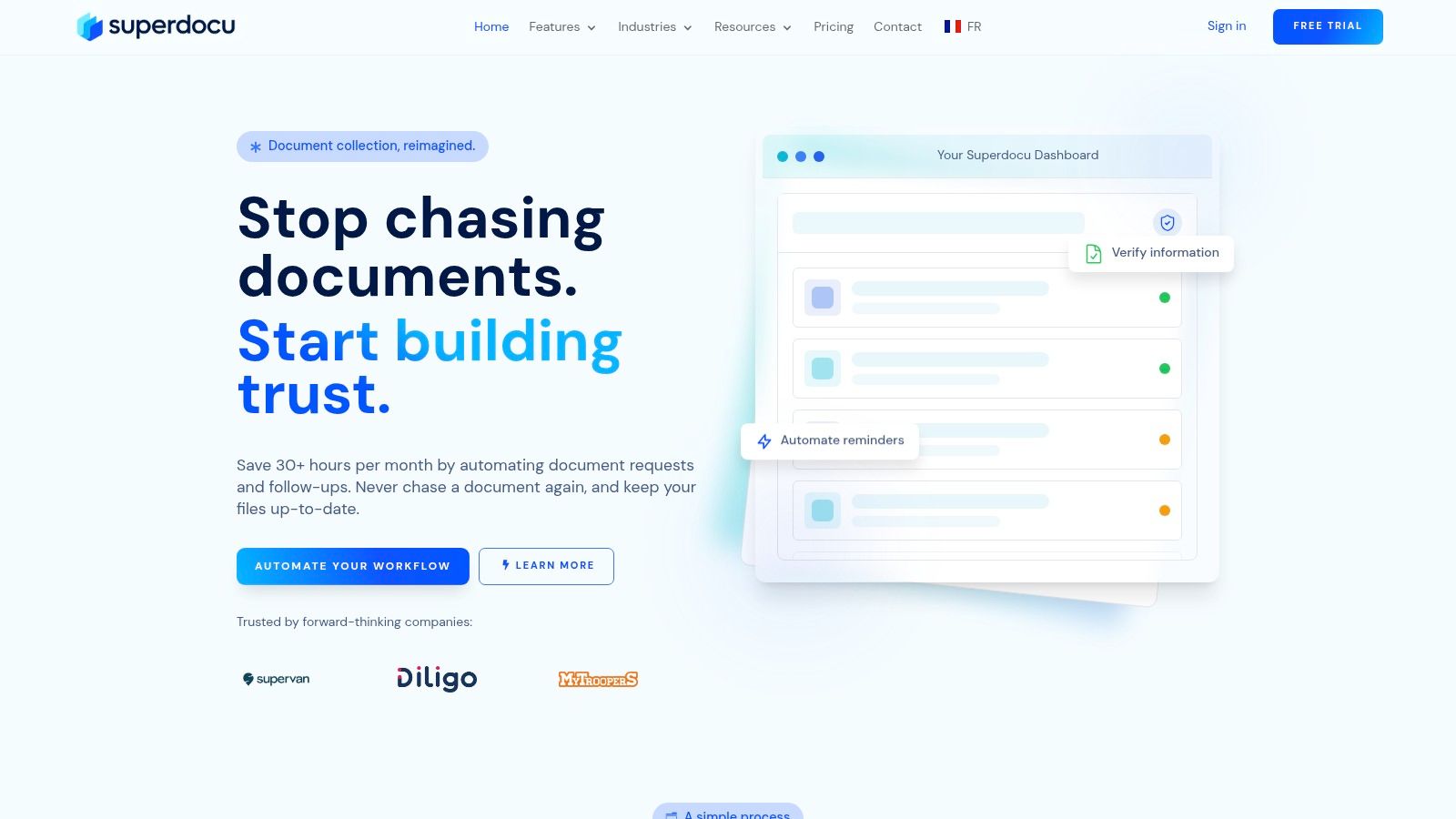
A document workflow platform such as Superdocu's document workflow management system can apply these controls inside the workflow itself. For example, one team member can create requests, another can review submissions, and an administrator can manage broader settings and permissions.
Where teams usually lose control
Many SMBs protect the login page but ignore what happens after access is granted.
That's where trouble starts. A shared inbox receives files. A spreadsheet tracks status. A cloud folder holds everything. Soon, too many people can open too many documents, and nobody is sure which permissions are still appropriate.
Here are the weak spots I see most often:
- Shared access points: Teams use one mailbox or one shared account to avoid setup work.
- Over-broad reviewer rights: Anyone involved in a process can see all submissions, even unrelated ones.
- No lifecycle rules: Expired, rejected, or archived documents remain visible to users who no longer need them.
- Third-party workflow drift: An integration gets added, but nobody reviews what new access path it creates.
A better pattern is to treat each workflow stage as its own access question. Who creates. Who sees. Who changes. Who approves. Who audits.
A secure workflow doesn't depend on people remembering the rules. The system should enforce them.
That's especially important in legal, HR, and finance, where documents often contain personal, contractual, or financial data. Good workflow access control reduces internal exposure, not just external threats.
Your Implementation and Ongoing Management Checklist
Most SMBs don't need a huge project plan. They need a starting point they can finish.

A simple rollout plan
Start with one critical system, not every system.
Choose the place where sensitive documents already move every day. That might be your client document portal, HR onboarding workspace, shared finance repository, or contract workflow.
Then work through this checklist:
List the sensitive resources
Identify the folders, records, workflows, and approvals that matter most.Review current access
Pull the actual user list. Don't rely on memory. Check employees, contractors, former staff, and admin accounts.Define a small set of roles
Keep it practical. Reviewer, approver, intake coordinator, admin, and manager are often enough to begin.Map permissions carefully
Separate view, edit, approve, export, and delete. Those are different powers.Implement in the system you already use
Many platforms include built-in permission controls. Use the simplest structure that matches your work.Test with real scenarios
Can a recruiter see executive HR records? Can a junior accountant delete approvals? Can a former contractor still sign in?Train your team
Staff need to understand why access changed and how to request legitimate exceptions.
This work goes faster when one business owner or department head signs off on role definitions. Otherwise, IT ends up guessing what each team should access.
How to prevent permission sprawl
The biggest long-term failure in access control management is treating it as a one-time setup.
People change roles. Contractors come and go. New software gets connected. Temporary exceptions become permanent. Over time, users collect access they no longer need. That's permission sprawl.
Oso's guidance highlights this governance gap and emphasizes ongoing authorization review, including quarterly reviews of effective permissions, review of new services and third-party integrations, and recurring revocation practices. It also notes NIST-aligned guidance that calls for at least annual access control reviews in its article on access control management and continuous authorization governance.
A workable maintenance rhythm looks like this:
- When someone joins: Assign a standard role. Avoid custom one-off permissions unless there's a documented reason.
- When someone changes jobs: Remove old access first, then add new access.
- When someone leaves: Revoke access immediately across document systems, portals, and connected tools.
- Each quarter: Review effective permissions for critical systems.
- Each year: Do a broader access review across departments and external vendors.
Access reviews should be scheduled work, not a reaction after an incident.
Also watch service accounts and integrations. Teams often focus on employee permissions while forgetting automation tools, connected apps, or external reviewers. Those paths can create hidden access if nobody checks them after setup.
If you're a small business, don't aim for perfection. Aim for repeatability. A simple review process done consistently beats a complicated policy nobody maintains.
Conclusion Your Path to Secure and Efficient Access
Access control management sounds technical, but the core idea is simple. Decide who should have access, limit it to what they need, and review it often enough that permissions stay accurate.
For most SMBs, the best first move is to start with clear roles and the principle of least privilege. That gives you a structure your team can understand without turning daily work into a maze. From there, apply those rules where risk is highest. Usually that means document-heavy systems that handle client records, employee files, approvals, or financial information.
Good access control doesn't just block bad outcomes. It helps good work happen faster. Staff spend less time guessing where files live. Managers spend less time cleaning up access mistakes. Clients get a stronger sense that their information is handled carefully.
That matters in legal, HR, finance, real estate, and any business where sensitive documents move through multiple hands.
If you only take one step this week, do this: pick your most important document system and review who can currently view, edit, approve, and delete files. You'll probably find permissions that made sense once but don't make sense now. Fixing those small gaps is often how strong security starts.
If your team collects client or employee documents regularly, Superdocu is one option to evaluate for structured workflows, role-based permissions, secure document collection, review dashboards, reminders, and expiration tracking within a single platform.