
Shorter than last time, but still packed. Here’s everything that shipped in May.
Conditional logic for workflow steps
This one has been a long time coming. You can now show or hide steps in a workflow based on how a contact answered earlier questions. Build a single workflow that adapts to different profiles — no more maintaining parallel versions for different cases.
A few things you can do with it:
- Show extra document requests only for contacts in a specific country
- Display a step based on a star rating or numeric score
- Skip irrelevant sections when a contact selects “not applicable” on a previous step
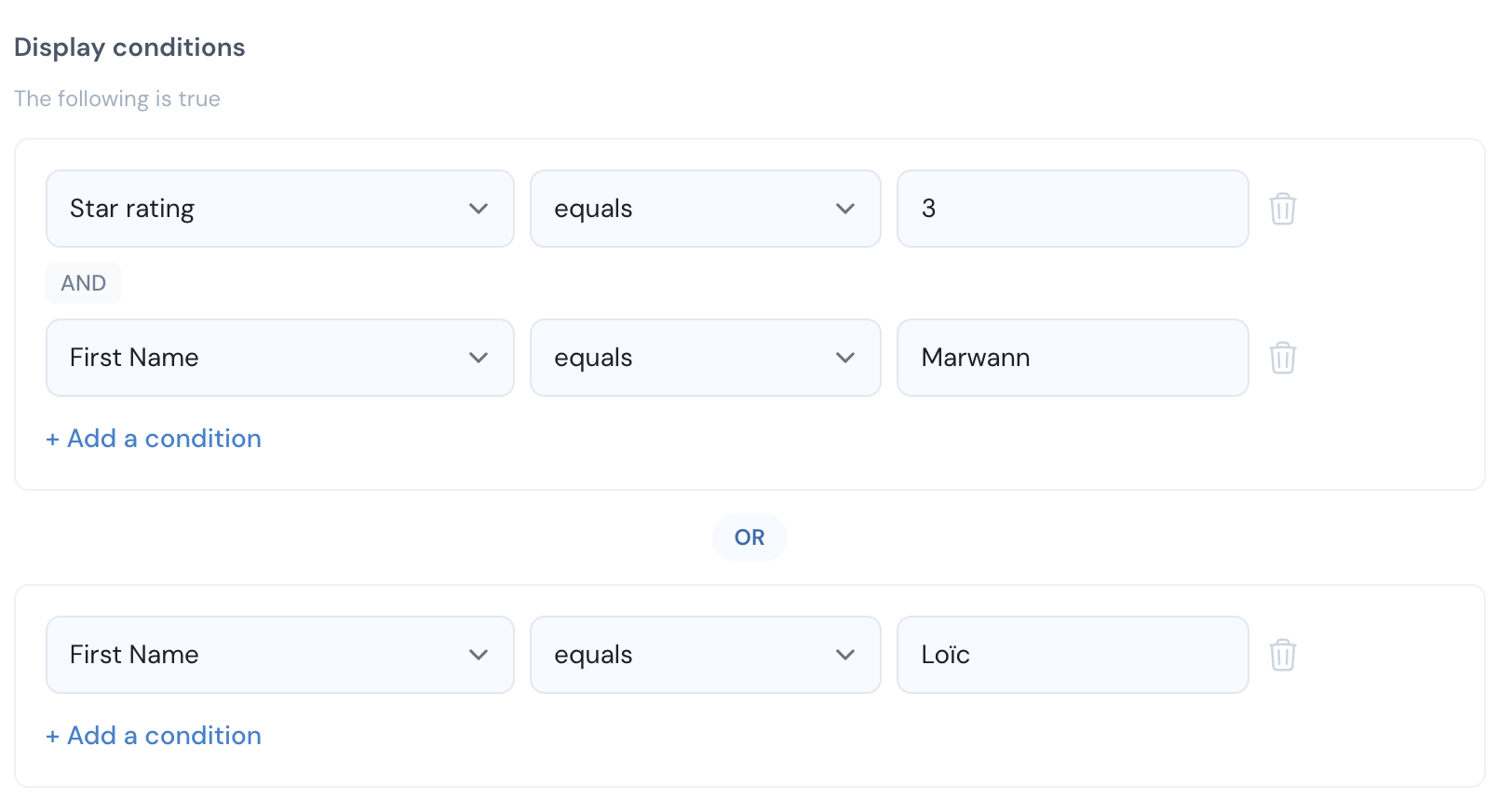
Conditions support AND/OR logic and can reference any field collected earlier in the workflow. See the help center for setup instructions.
Workflow builder upgrades
The workflow editor got a significant overhaul. The layout is clearer, drag-and-drop now works properly throughout, and several new field types have been added.
New field types available:
- Star rating — 1 to 5 stars, useful for satisfaction checks or prioritization
- Scale (1-10) — numeric slider for scoring
- Rating grid — matrix format for evaluating multiple items at once
- Video embeds — add YouTube, Vimeo, or Loom videos directly into a workflow step
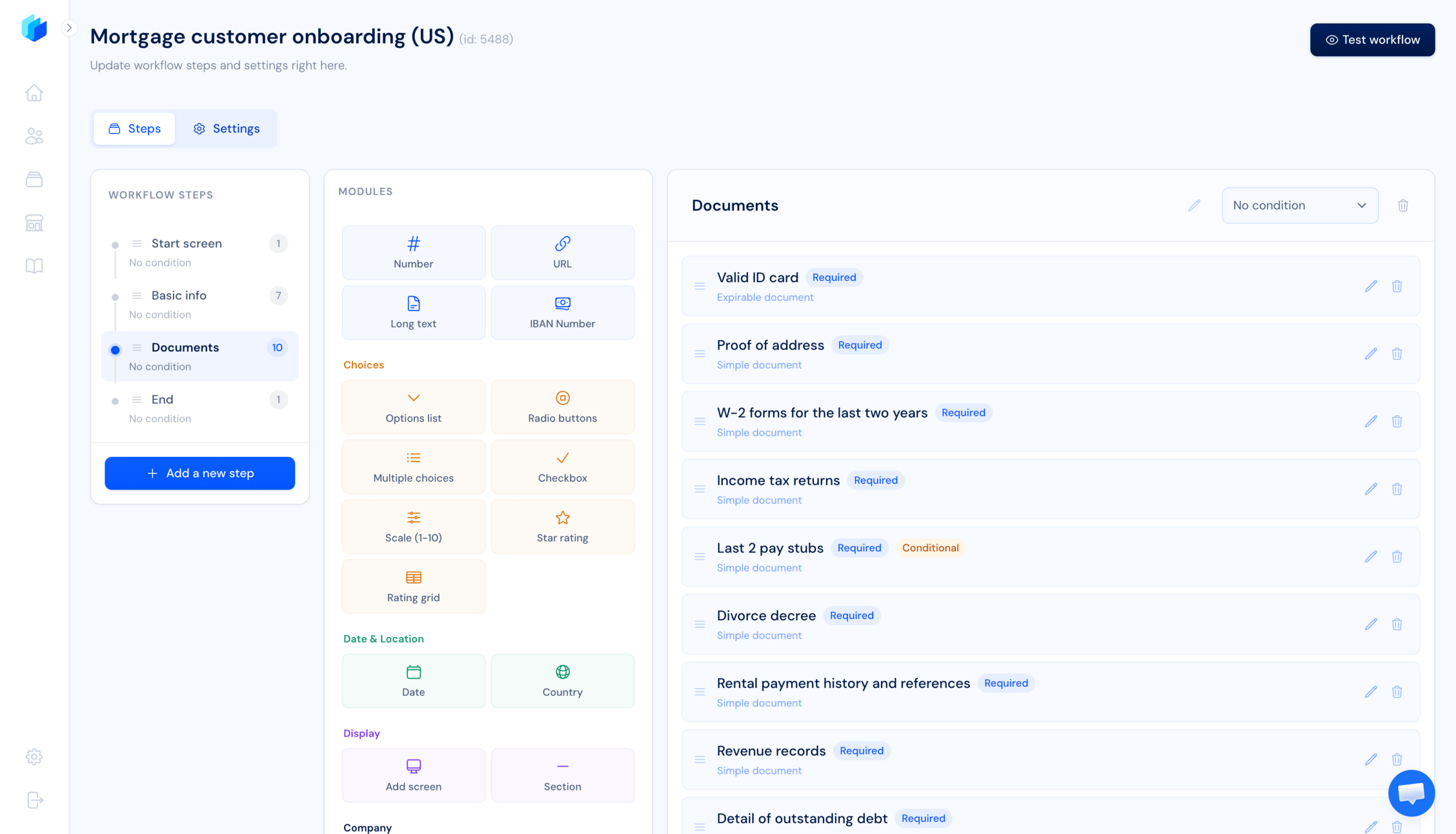
These join the existing field types: document requests, forms, checklists, IBAN, date pickers, and more. This makes it easier to build complete document collection workflows without needing a separate form tool.
Contact workflow management
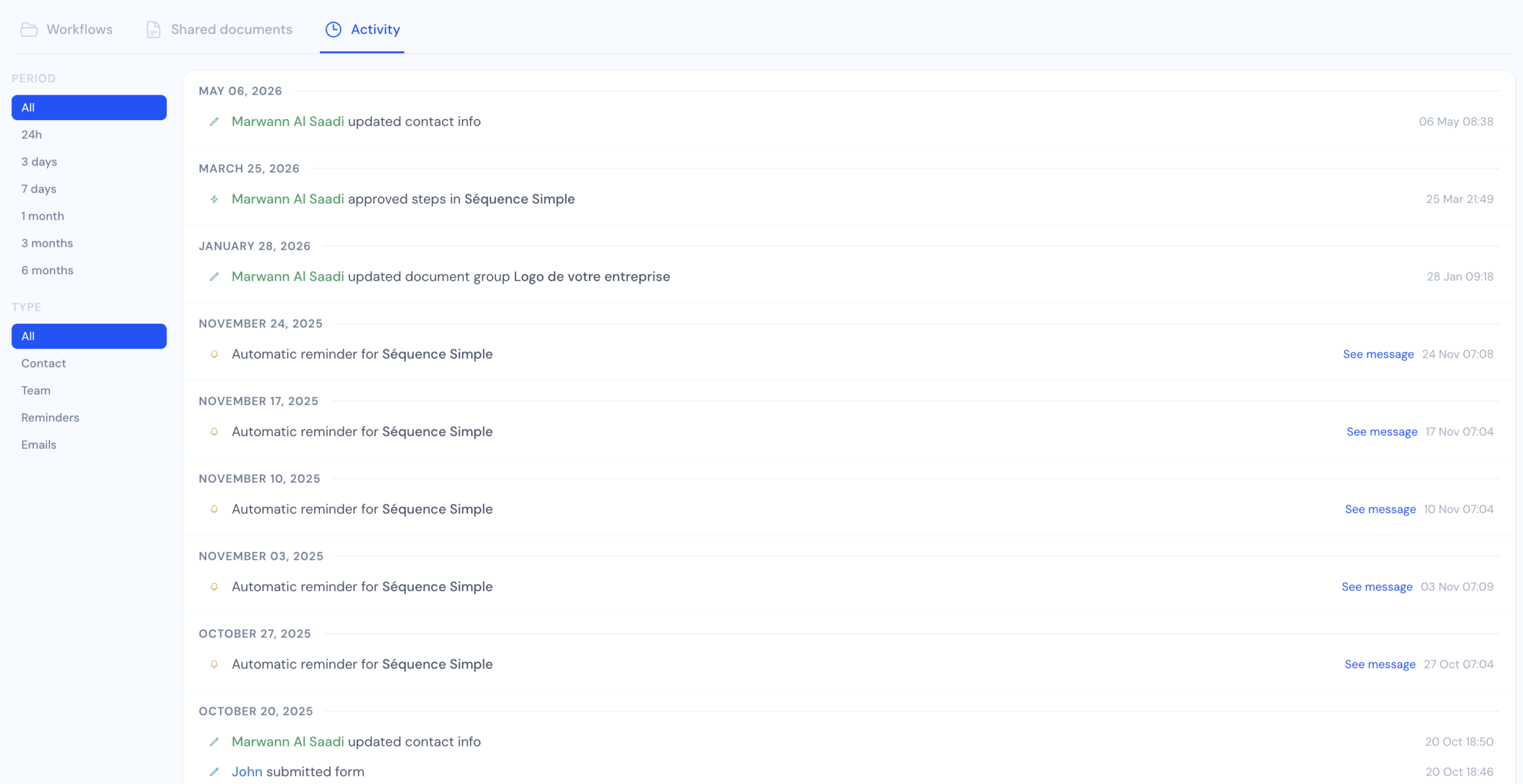
- Activity tab — Each contact now has a full audit trail: who did what, when, including team actions, reminders sent, and automatic events. Filterable by time range and event type.
- Archive workflows — Retire old or deprecated workflows from a contact without deleting the history.
- Custom document requests — Add ad-hoc document requests mid-workflow, outside the standard steps.
- Rejection email improvements — Rejection notifications now include contextual links so contacts land directly on the right document to re-upload.
- Pagination with filter persistence — Filters no longer reset when navigating between pages in the contacts list.
Onboarding improvements
- Guided setup flow — New accounts get a step-by-step checklist to configure their first workflow, portal branding, and team members.
- Build mode — Work on a workflow without it being visible to contacts yet.
- Workspace preview — See exactly what your contact portal looks like before going live.
- Google sign-in — Team members can now log in with Google. No separate password to manage.
Integrations
HubSpot integration (beta) — Superdocu now connects to HubSpot. When a contact completes a workflow or uploads a document, you can sync that data back to the corresponding HubSpot contact record. Available in beta — reach out via your account to enable it.

Google Workspace email sending — Groundwork is in place for sending Superdocu emails from a Google Workspace account. Full release coming soon.
Frequently asked questions
What is conditional logic in Superdocu?
Conditional logic lets you show or hide workflow steps based on how a contact answered earlier questions. For example, you can display a step asking for a work permit only if the contact selected a specific country, or show additional document requests based on a star rating response. Learn more in the help center.
What new form fields were added in the May 2026 update?
The May 2026 update added star rating fields, 1-10 numeric scales, rating grids (matrix format), and the ability to embed YouTube, Vimeo, and Loom videos directly inside workflow steps.
Is HubSpot integration available on all Superdocu plans?
HubSpot integration is currently in beta. Contact the Superdocu team to enable it on your account. It allows syncing document and workflow completion data back to HubSpot contact records.
What is build mode in Superdocu?
Build mode lets you work on a workflow without making it visible to contacts yet. Useful when setting up or updating a workflow before going live.
Try it
Everything above is live. Log in to explore the new workflow builder and conditional logic. New to Superdocu? Start a free trial and see how it handles your document collection workflows.