
Document collection software is a purpose-built tool for one crucial job: requesting, receiving, tracking, and organizing documents from people outside your company—think clients, new hires, or partners. It’s designed to replace the messy, insecure back-and-forth of email attachments, saving a ton of administrative time while seriously beefing up security and compliance.
What Exactly is Document Collection Software?
Think of document collection software as a secure, digital front desk for all your incoming information. It’s different from a broader document management system (DMS), which is more about storing, finding, and archiving files after you already have them. This software, on the other hand, is all about that initial, critical gathering phase.
It’s the digital equivalent of a smart, organized, and automated courier service for your most important paperwork.
This difference is key. A DMS is your company's digital filing cabinet. Document collection software is the automated receptionist that makes sure every form arrives correctly filled out, securely delivered, and ready to go. This focus on the "intake" part of the process is what solves some of the biggest bottlenecks businesses face.
The Real Value It Delivers
The main goal here is to get rid of the chaos. No more chasing people with follow-up emails or digging through endless threads to find a single attachment. By giving clients a single, branded place to upload their files, businesses create a much more professional and smooth experience.
This has a direct impact on how you operate:
- Better Security: It gets sensitive documents out of email—a major weak point for security—and into an encrypted, controlled system.
- Faster Turnaround: Automated reminders and clear checklists mean fewer delays. This helps you get things like client onboarding or loan applications done in a fraction of the time.
- Easier Compliance: From the moment a document is requested, you have a clean audit trail. This makes it much easier to prove you're meeting regulatory requirements right from the start.
The diagram below gives you a good visual of how this works, showing how the software funnels all kinds of user documents into one secure, organized system.

The image really shows how this structured funnel captures and organizes what could otherwise be a messy pile of user inputs, preventing lost files and confusion. It’s this structured approach that’s driving such rapid growth in the market, which was valued at $2.51 billion and is expected to hit $5.2 billion by 2035.
To get a better handle on the specifics, take a look at our complete guide covering essential strategies for effective document collection.
Core Features Every Business Needs
Let's be honest, not all document collection software is built the same. If you're just looking for a place to dump files, basic cloud storage might do. But if you want to actually automate your intake process and stop chasing clients for paperwork, you need a tool with some very specific, powerful features.
These aren't just bells and whistles; they're the engine that drives efficiency. They work together to slash administrative busywork, give your clients a smoother experience, and lock down security from the very first click. Understanding what to look for is the first step toward finding a platform that truly pays for itself.
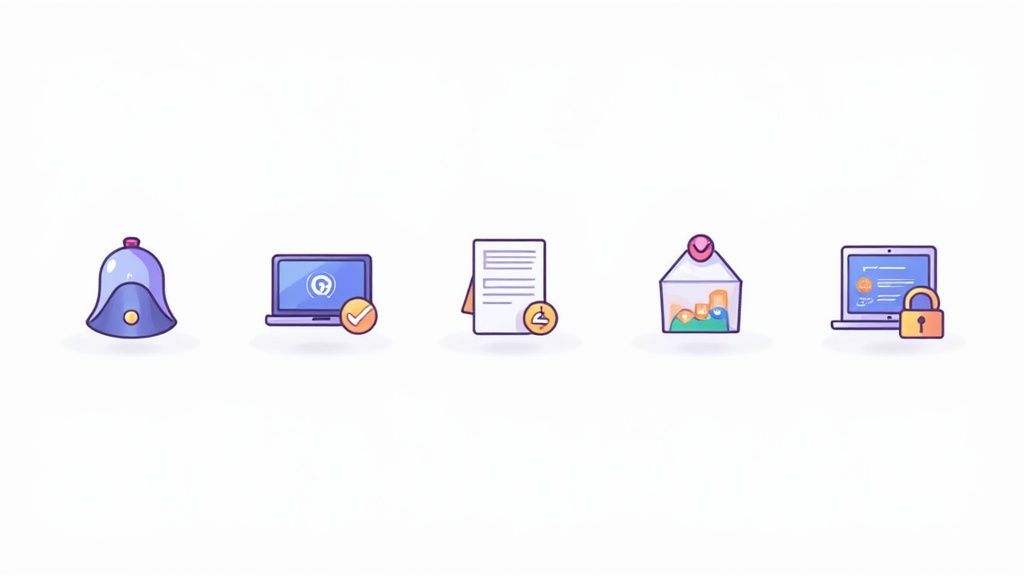
Branded Client Portals
First impressions count for a lot. A branded client portal makes the experience professional and secure right from the start. Instead of shipping your clients off to some generic-looking third-party site, a branded portal uses your logo, your colors, and your messaging. This immediately builds trust and lets clients know their sensitive data is in the right hands.
Think about a mortgage brokerage. They can set up a portal that feels like a natural extension of their website. When an applicant uploads their bank statements or ID, they're doing it in a familiar, branded space, which makes them far more likely to complete the process. That professional consistency is key.
Automated Reminders and Notifications
Manually chasing clients for missing documents is one of the biggest time-sinks in any office. Good document collection software completely eliminates this headache with automated reminders. You can set up a simple schedule to send out polite, persistent notifications until every last file is in.
Imagine an HR team onboarding a new hire. The software can automatically ping the new employee for that missing I-9 form or their direct deposit info. This frees up the HR manager to focus on meaningful work, not administrative follow-up. It also ensures nothing falls through the cracks and dramatically speeds up the whole onboarding process.
From what we've seen, automating these follow-ups can cut the time it takes to complete a request by over 40%. A process that used to drag on for weeks can be wrapped up in just a few days.
Customizable Request Templates
Typing out the same list of required documents over and over is not just boring, it’s a recipe for mistakes. Customizable templates are a lifesaver here. They let you build standardized checklists for your most common processes, so you can create a perfect request list once and reuse it forever.
A law firm, for example, could have different templates for different case types—one for personal injury, another for real estate closings. When a new case opens, the paralegal just picks the right template, and a complete, accurate document request is generated instantly.
Validation Dashboards
Okay, so the documents are flowing in. Now what? You need a central place to see what's going on. A validation dashboard gives you a clean, at-a-glance view of every single request. You can instantly see what's been submitted, what's still missing, and which files are waiting for your review.
This is your command center. From here, your team can quickly approve correct documents or, just as importantly, reject incorrect ones with specific feedback. For instance, if a client uploads an expired ID, you can reject it and leave a quick note explaining the problem, all from one screen. This clear, direct communication loop cuts out all that frustrating email back-and-forth.
Robust Security and Compliance
This last one is non-negotiable. When you're handling sensitive client data, security has to be rock-solid. Any serious document collection platform must offer robust security to protect information, whether it's being uploaded or just sitting on a server.
Here are the absolute must-haves:
- End-to-End Encryption: This scrambles the data from the moment it leaves your client's computer until it's safely stored, making it unreadable to anyone without authorization.
- Access Controls: You need to be able to set granular permissions, controlling exactly who on your team can see, download, or edit certain documents.
- Detailed Audit Trails: The system should log every single action—who accessed what and when. This creates a clear paper trail, which is crucial for staying compliant with regulations like GDPR or HIPAA.
To make it even clearer how these features translate into real-world benefits, here’s a quick summary table.
Key Features and Their Business Impact
This table breaks down each core feature and connects it directly to the value it brings to your operations. Think of it as a cheat sheet for understanding the ROI of a good document collection system.
| Feature | Description | Primary Business Impact |
|---|---|---|
| Branded Client Portals | Secure, customizable online spaces for clients to upload documents, featuring your company's branding. | Increases client trust and professionalism, leading to higher and faster submission rates. |
| Automated Reminders | Pre-scheduled, automatic email or SMS notifications sent to clients for outstanding documents. | Drastically reduces manual follow-up time, accelerates collection cycles, and prevents items from being forgotten. |
| Customizable Templates | Reusable checklists for common document requests that can be deployed with a single click. | Ensures consistency and accuracy across all requests, saving time and eliminating human error. |
| Validation Dashboards | A central hub to track the status of all documents (pending, submitted, approved, rejected) in real-time. | Provides total visibility and control, streamlining the review process and enabling quick feedback. |
| Security & Compliance | Features like encryption, access controls, and audit trails to protect sensitive data. | Protects your business and clients from data breaches, and ensures you meet regulatory requirements. |
Ultimately, these aren't just individual tools. They form a cohesive system designed to make a painful, manual process feel effortless for both you and your clients.
Automating Workflows with Key Integrations
A document collection platform on its own is a great start, but the real magic happens when it talks to the other software you use every day. Think of integrations as the bridges that let information flow freely between your systems. This creates a single, automated process and gets rid of a ton of tedious manual work. Your collection tool stops being an isolated island and becomes the central hub for all your client information.
This connectivity is what takes document collection from a simple chore to a genuine operational advantage. When you link your software to your other core business platforms, you can set up triggers and actions that save an incredible amount of time. It also dramatically cuts down on human error and keeps your data consistent across your entire tech stack.
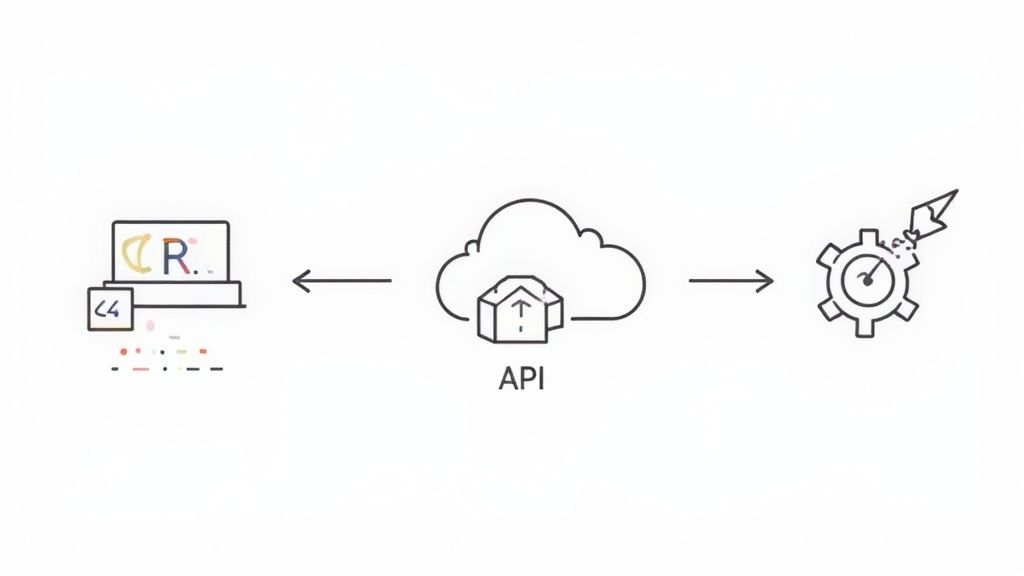
Connecting to Your Core Systems
The most valuable integrations are the ones that connect your document collection software with the platforms your team lives in. These connections are what create a seamless, end-to-end process that barely requires anyone to lift a finger.
Here are some of the most common and powerful integration types:
- Customer Relationship Management (CRM): Hooking your collection tool into your CRM (like Salesforce or HubSpot) lets you trigger requests automatically. For example, the moment a deal stage is updated to "Contract Sent" in your CRM, the system can fire off a request for all the necessary onboarding documents. No more forgetting!
- Cloud Storage Solutions: Connect to services like Google Drive, Dropbox, or OneDrive. As soon as a document is approved in your collection software, it can be automatically filed away in the right client folder in your cloud storage, giving you a perfectly organized, permanent record.
- Electronic Signature Platforms: By integrating with tools like DocuSign or Adobe Sign, you can build the signature step right into your collection workflow. A client can upload a W-9 and immediately be prompted to sign the service agreement, all within the same experience.
Most of these direct connections are made possible through a native API (Application Programming Interface). An API is essentially a set of rules that lets different software programs talk to each other directly and securely.
Expanding Automation with Zapier
So, what happens if a direct integration isn't available for one of the niche tools your business relies on? That’s where platforms like Zapier are a game-changer. Zapier acts like a universal translator, connecting thousands of different apps without you needing to write a single line of code.
With Zapier, you build simple "Zaps" that follow an "if this, then that" logic. For instance, you could create a rule: "if a new client is added to our accounting software, then automatically send them a Superdocu request using the 'New Client Onboarding' template." That kind of custom automation is incredibly powerful, especially for smaller teams.
By using these no-code automation platforms, you can build custom workflows that are a perfect fit for your business processes. This makes sure your document collection software works in perfect harmony with every other tool you use, creating a truly efficient machine. To get a better feel for this, you can check out our guide on how to build an automated document request tool tailored to your specific needs.
Common Use Cases Across Industries
The real value of document collection software shines through in its versatility. While the basic job—gathering files safely and quickly—is the same everywhere, how it's used solves very specific, often critical, problems in different fields. It's the go-to tool for speeding up high-stakes financial deals and just as crucial for protecting patient privacy in healthcare.
By getting rid of the manual back-and-forth, businesses do more than just cut down on admin work. They vastly improve the client's experience. When that first interaction is smooth, professional, and secure, it builds immediate trust. Let's look at how different industries are using this technology to fix their unique headaches.
Financial Services and Banking
The entire financial world is built on trust and a mountain of paperwork. Banks, lenders, and investment firms are constantly handling huge amounts of sensitive information, so getting document collection right isn't just a "nice-to-have"—it's a must. Trying to do this manually is not only painfully slow but also opens the door to serious security risks and compliance nightmares.
In high-stakes sectors like Banking, Financial Services, and Insurance (BFSI), this software is essential for securely managing immense document volumes. It's no surprise the global market is projected to climb from 989 million USD to 1,233 million USD by 2031, growing at a CAGR of 3.7%. Just think about it: U.S. financial institutions alone process billions of digital transactions, making robust systems for collecting KYC documents, loan applications, and audit trails an absolute necessity. You can dive deeper and read the full research about document collection software trends to see where the market is headed.
Here are a few common ways it's put to work:
- Loan Applications: Mortgage brokers and lenders use branded portals to gather everything from pay stubs and tax returns to bank statements and IDs. Automated nudges make sure applicants get everything in on time, which dramatically speeds up the loan approval process.
- Know Your Customer (KYC) Compliance: To meet anti-money laundering (AML) rules, financial institutions automate how they collect government-issued IDs and proof of address. This creates a crystal-clear, auditable trail that keeps compliance officers happy.
- Wealth Management Onboarding: Financial advisors can request and get investment histories, risk questionnaires, and account transfer forms through a secure portal that looks and feels professional.
Legal and Professional Services
For any law firm, precision and confidentiality are everything. Juggling case files, client evidence, and discovery documents through email is asking for trouble. It's a surefire way to lose files or, even worse, breach client privilege. A central document collection platform creates a secure, controlled space for handling sensitive legal materials from start to finish.
This setup ensures that every single communication and file transfer is logged. The result is an unbreakable chain of custody, which can be absolutely critical during legal proceedings.
A law firm can cut the administrative time spent chasing documents by up to 30% just by giving clients a single, secure link to upload their files. That frees up paralegals and attorneys to focus on legal strategy instead of playing records manager.
Key uses in the legal world include:
- Client Intake: Smoothly gathering initial client info, signed retainer agreements, and preliminary evidence for new cases.
- Discovery Process: Requesting and receiving huge volumes of documents from opposing counsel or third parties in a way that's organized and easy to track.
- Real Estate Closings: Collecting deeds, title insurance forms, and signed closing statements from everyone involved in a property sale.
Healthcare and Patient Onboarding
Healthcare providers have to operate under the strict privacy and security rules of regulations like HIPAA. Document collection software built for healthcare guarantees that all patient data is handled with top-tier security, including end-to-end encryption and tight access controls.
This technology makes insecure paper forms and risky email attachments obsolete, protecting sensitive Protected Health Information (PHI) from prying eyes. What you get is a patient onboarding process that's both more secure and far more efficient. For instance, a new patient can fill out all their intake forms, upload their insurance info, and submit their medical history from home before they even set foot in the clinic, saving time for everyone involved.
How to Choose the Right Software
Picking the right document collection software isn't just a tech decision—it directly affects your team's sanity, your clients' happiness, and your company's security. With so many options out there, it's easy to get lost in flashy marketing. The key is to take a step back and figure out what you actually need.
Before you even look at a single product, map out your current process. What kinds of documents are you chasing down? How many requests do you send out each month? And where are the biggest headaches? Answering these questions gives you a clear checklist to measure different platforms against, so you can focus on features that will genuinely make a difference.
Evaluate Security and Compliance
When you’re handling sensitive information, security is everything. It has to be rock-solid, period. The software you choose must protect your business and your clients from risk, so look for platforms that are upfront about their security measures and compliance certifications.
Building trust starts with a secure foundation. For a much deeper dive into this, check out our guide on what makes a secure document intake platform truly dependable.
Here’s what you absolutely need to verify:
- Compliance Standards: Make sure the platform meets the standards for your industry. This could be GDPR if you handle data from people in the EU, HIPAA for healthcare, or SOC 2 for a general seal of approval on security practices.
- Encryption: Data needs to be protected with end-to-end encryption, both when it's being uploaded (in transit) and when it's sitting on a server (at rest).
- Access Controls: You need to control who sees what. The system should let you set specific, role-based permissions to manage who can view, change, or approve any document.
Assess Integrations and Scalability
A tool that doesn't play well with your other software is just another silo. That's the last thing you need. Make sure the document collection platform connects seamlessly with the systems you already rely on, like your CRM, cloud storage, or other essential apps. Look for native integrations or connections through a service like Zapier to build a truly automated workflow from start to finish.
And don't forget about the future. Your business is going to grow, and you need software that can keep up.
Ask vendors how their platform performs when you add more users, send more requests, and store more data. A scalable tool saves you the massive headache of having to switch systems right when your business starts to take off.
Prioritize User Experience and Pricing
At the end of the day, if the software is a pain to use, nobody will use it. A clunky interface will slow down your team and frustrate your clients, completely undermining the reason you bought it in the first place. Always get a demo or sign up for a free trial. Test it out from your perspective and, just as importantly, from your client's perspective.
Pricing can also be all over the map. You'll see per-user fees, different feature tiers, and pricing based on volume. Compare the models and figure out which one fits your budget and how you plan to use it. Clear, transparent pricing with no surprises is the start of a good long-term relationship.
Software Selection Checklist
Choosing the right platform can feel overwhelming. This table breaks down the key criteria to help you compare your options and ask the right questions. Use it as a quick reference guide during your evaluation process.
| Evaluation Criteria | Key Questions to Ask | Importance (High/Medium/Low) |
|---|---|---|
| Security & Compliance | Does it meet our industry’s standards (e.g., GDPR, HIPAA, SOC 2)? Is data encrypted end-to-end? | High |
| Core Features | Does it offer workflow automation, templates, and a branded client portal? Can it validate data? | High |
| Integrations | Does it connect with our CRM, cloud storage, and other essential tools? Is there a Zapier app? | High |
| User Experience (UX) | Is the interface intuitive for our team? Is the submission process simple and clear for our clients? | High |
| Scalability | Can the platform handle a significant increase in users, requests, and stored data without issues? | Medium |
| Pricing Model | Is the pricing transparent and predictable? Does it align with our budget and expected usage? | Medium |
| Support & Onboarding | What kind of customer support is offered? Is there help available for implementation and training? | Medium |
| Customization | Can we customize the portal, emails, and forms to match our brand identity? | Low |
By systematically working through this checklist, you can move beyond the sales pitch and find a solution that truly fits your business needs, both for today and for the long haul.
Implementing Your Software for Maximum ROI
Picking the right document collection software is a great first step, but how you roll it out is what really determines its value. A smart implementation turns cool features into real-world results and ensures you get the most bang for your buck. It all starts with being honest about where you are now and having a clear picture of where you want to be.
First things first, you need to map out your current document-heavy processes. Pinpoint every manual step, every bottleneck, and every delay that plagues things like client onboarding or compliance checks. This deep dive gives you a baseline to measure against and helps you set realistic, specific goals for the new software.
Setting Clear Objectives for Automation
Once you've got your "before" picture, you can define what "after" should look like. Your goals can't be fuzzy, like "make things more efficient." They need to be concrete and tied directly to business outcomes.
For example, your targets might be:
- Cut the average client onboarding time by 50%.
- Slash the admin hours spent on manual follow-ups by 15 hours a week.
- Drop document error rates by 90% by letting the software handle validation.
Having clear targets like these will guide you as you set up the system and give you solid benchmarks to measure success down the road.
Driving User Adoption and Measuring Success
A new tool is useless if your team doesn’t actually use it. You'll need to plan for proper training that goes beyond just clicking buttons. Show your team why this new system makes their lives easier—how it gets rid of the boring, repetitive tasks and frees them up to do more important work. Don't forget to tell your clients about the change, too, emphasizing how the new secure portal gives them a faster, smoother experience.
There's a reason these tools are taking off. The document collection software market is on track to hit 1,194.7 million USD, swept up in the larger Document Management Systems trend, which is projected to reach 19.81 billion USD by 2030. That growth is all about automation and security, which can trim operational costs by as much as 40% for some companies. If you're interested in the numbers, you can discover insights about the document collection market on archivemarketresearch.com.
Key Takeaway: The only way to know if you're getting a good return on your investment is to track it. Keep a close eye on your key performance indicators (KPIs)—things like the average time it takes to complete a request, how many reminders are sent automatically versus manually, and client satisfaction scores. That data is your proof that the investment is working.
Frequently Asked Questions
Jumping into any new kind of business software can bring up a few questions. Here are some straightforward answers to the things we hear most often about document collection software.
What Is the Difference Between Document Collection Software and a DMS?
The easiest way to think about it is to focus on when and why you use each tool.
A Document Management System (DMS) is your company’s digital filing cabinet. It’s built for storing, organizing, and finding files you already have. Think of it as the long-term home for your documents, focused on internal organization and collaboration.
On the other hand, document collection software is the secure front door you use to get those documents in the first place. Its entire job is to handle the intake process from outside people like clients, vendors, or new hires. It manages the request, the submission, and the initial check-up before a file ever makes it into your long-term storage, taming the chaos right at the source.
How Does This Software Guarantee Information Security?
Security isn't just a feature; it's the whole point. A good platform is built from the ground up to be more secure than sending files back and forth over email, and it does this in a few key ways.
Here's what you should expect:
- End-to-End Encryption: Your client's data is scrambled the second they upload it and stays that way until it lands safely in your system. This makes it useless to anyone who might intercept it.
- Secure Client Portals: Instead of attaching sensitive files to an email, clients log into a private, branded portal to upload everything. It’s a dedicated, safe space.
- Granular Access Controls: You decide exactly who on your team can see what. You can limit access so that people only view, download, or approve the specific documents they're responsible for.
- Comprehensive Audit Trails: Every single action—who viewed a file, when it was approved, who downloaded it—is automatically logged. This creates a perfect paper trail for compliance and accountability.
Simply moving sensitive files out of email can drastically cut down on your risk of a data breach. Phishing attacks and simple human error are huge vulnerabilities, and a secure portal closes that door.
Is This Software Suitable for Both Small Businesses and Large Enterprises?
Yes, absolutely. The challenge of getting documents from people securely and without a dozen follow-up emails is something every business faces, no matter its size. Modern platforms are built to scale up or down.
For small businesses and startups, these tools are a game-changer. They let you set up professional, secure, and automated workflows without needing a big team. You can offer a polished, big-company experience to your clients right from the start, often just by using a few ready-made templates.
For large enterprises, the software solves problems of scale and complexity. It helps standardize how different departments collect information, ensures everyone is following compliance rules like GDPR or HIPAA, and plugs right into the other big systems you already use (like your CRM or ERP). Managing thousands of requests while keeping everything locked down and auditable is where these platforms really prove their worth.
Ready to stop chasing documents and start focusing on your work? Superdocu gives you a secure, automated, and simple platform for all your document collection needs. Start your free trial today.