
Let's be honest, collecting documents can be a nightmare. We've all been there—buried under an avalanche of email threads, trying to track down attachments, and sending yet another "gentle reminder" for a file that was due last week. It's a clunky, frustrating process for both you and your clients.
What Is a Document Collection Platform?
Think of a document collection platform as your personal digital assistant, dedicated to one thing: getting the paperwork you need, without the headache. It’s a specialized tool that trades in the chaos of email for a clean, organized, and automated system for requesting, gathering, and managing files from clients, partners, or new hires.
Instead of that long, confusing email listing a dozen required documents, you send a single, simple link. This link takes your client to a secure, professional portal where they see a clear checklist of exactly what’s needed.
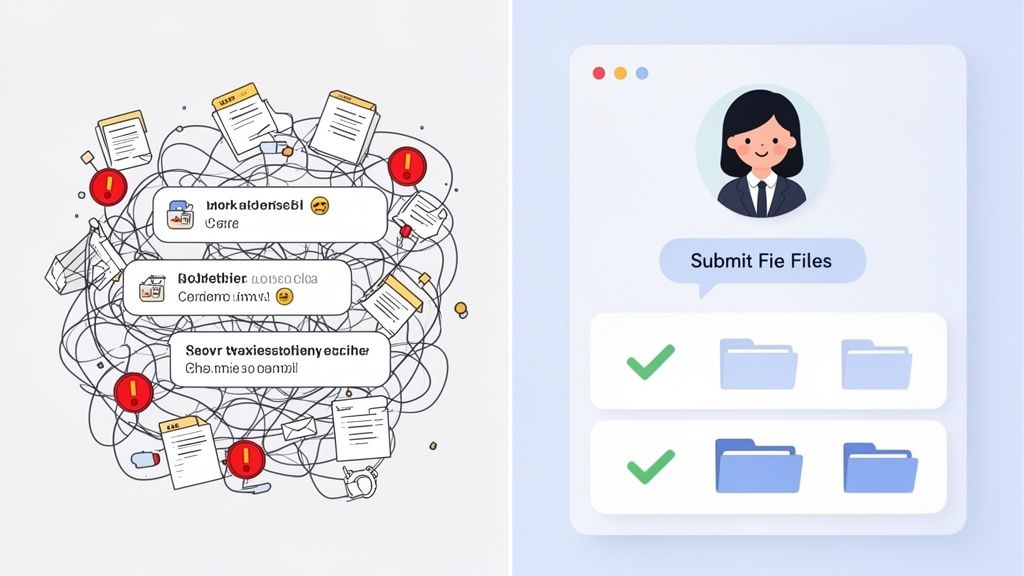
From Manual Chaos to Automated Clarity
This shift from a manual free-for-all to an automated workflow is a game-changer. The platform lays out a clear path for your clients to upload files, see what’s still outstanding, and track their own progress. The benefits are immediate and obvious:
- No More Confusion: A simple, visual checklist means clients know precisely what to provide and when.
- Automated Nudges: The system sends out polite, automatic reminders for missing documents, so you don't have to play detective.
- A Professional Touch: A branded, intuitive portal impresses clients and builds trust right from the start.
- Rock-Solid Security: Forget sending sensitive information over insecure email. Everything is uploaded and stored in an encrypted environment.
The goal is simple: Stop managing piles of paperwork and start managing a smart, efficient process. When you automate the tedious request-and-remind cycle, you get back hours to focus on the work that actually matters.
The difference between the old way and the new way is stark. Let's break it down.
Manual Document Collection vs Automated Platform
| Feature | Manual Process (Email & Spreadsheets) | Document Collection Platform |
|---|---|---|
| Request Process | Long, confusing emails and manual checklists. | A single link to a clear, organized request list. |
| Client Experience | Frustrating, with endless back-and-forth. | Simple, intuitive, and professional. |
| Tracking | Manual spreadsheet updates; prone to human error. | Automated, real-time dashboard showing status. |
| Reminders | Time-consuming manual follow-up emails. | Automated, scheduled reminders for outstanding items. |
| Security | Insecure email attachments, scattered files. | Centralized, encrypted storage; audit trails. |
| Efficiency | Extremely low. Wastes hours on admin tasks. | Extremely high. Frees up team for value-added work. |
This isn't just a nice-to-have tool; it's where business is heading. The market for this kind of software was valued at $2.69 billion in 2025 and is expected to hit $5.2 billion by 2035. You can find more details on this growth in market analyses like those from Wise Guy Reports. This boom shows just how urgent the need is for a better way to handle our documents.
The Core Features That Power Your Workflow
A good document collection platform is so much more than a digital filing cabinet. It’s an active system, packed with features designed to take the manual grunt work out of gathering documents and create a smooth, professional experience for everyone involved.
When you look under the hood, you’ll see how these core components work together to turn a messy, unpredictable process into an organized and efficient one.
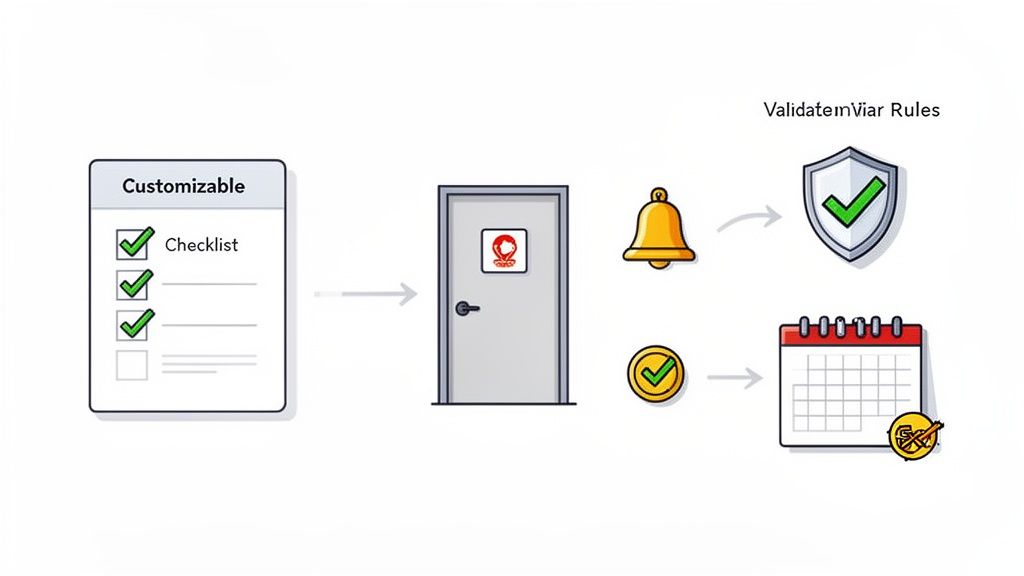
Each feature has a specific job, guiding both you and your clients through the necessary steps while getting rid of all the guesswork and nagging follow-ups.
Customizable Workflows and Templates
The engine of any great document collection platform is its customizable workflows. Think of them as smart, reusable checklists you can build for any repeatable task. Instead of reinventing the wheel every time you onboard a new employee or start a project with a new client, you just launch a ready-made template.
An HR manager, for instance, could set up a "New Hire Onboarding" workflow. This template would automatically request everything they need:
- The signed employment contract
- A copy of a government-issued ID
- Completed tax forms
- Direct deposit information for payroll
This creates a consistent, polished experience for every new hire. More importantly, it saves the HR team from sinking hours into tedious administrative tasks, ensuring nothing critical ever gets missed.
Branded Client Portals
Let’s be honest, first impressions count. A branded client portal acts as a secure and professional front door where clients can submit their sensitive information. Rather than sending them to a generic, third-party upload page, you welcome them with your company's logo, colors, and branding.
It might seem like a small detail, but this has a huge impact. It instantly reinforces your brand's credibility and builds trust. Clients feel more confident knowing they are dealing directly with your company, not some random tool.
Automated Reminders and Notifications
We’ve all been there—endlessly chasing people for missing documents. It’s one of the biggest time-sinks in any business. A document collection platform eliminates this by becoming your polite but persistent assistant, sending out automated reminders for you.
You can configure the system to automatically nudge clients via email or SMS if they have outstanding items. This single feature can slash follow-up time by over 80%, freeing up your team to focus on work that actually matters.
This automation is what keeps the ball rolling without you having to constantly check in. Deadlines are met, projects stay on schedule, and you maintain a professional relationship with your clients. Our guide on document collection software dives deeper into these efficiency gains if you're curious.
Document Validation and Expiry Tracking
Nothing stalls a process faster than receiving the wrong file or an incomplete form. Validation rules are the solution. They act as a bouncer at the door, checking documents as they're uploaded to make sure they meet your requirements—like confirming a PDF has a signature or an ID photo is clear enough to read.
Beyond that, expiry tracking is an absolute lifesaver for staying compliant. The platform can keep an eye on documents with expiration dates, like professional licenses or insurance certificates. It will then automatically request updated versions well before the old ones expire, which is a non-negotiable for industries like transportation or legal services.
Keeping Client Information Safe and Compliant
When you're handling client documents, you're doing more than just shuffling files around. You're the guardian of someone's sensitive, private information. A single data breach can destroy the trust you've worked so hard to build and lead to some serious financial penalties. This is exactly why a dedicated document collection platform isn't just a nice-to-have—it's your digital fortress.
These platforms are designed from the ground up with security in mind, moving your entire collection process out of risky email inboxes and into a controlled, locked-down environment.
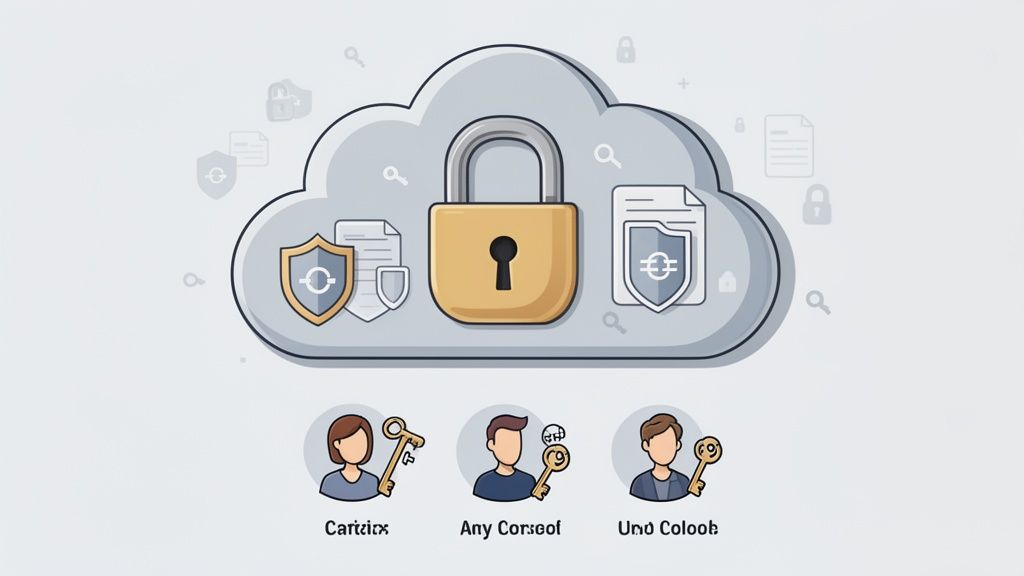
Your Digital Vault for Sensitive Data
Think of the platform as a virtual bank vault. Every single document your client uploads is shielded by end-to-end encryption. This means the data is scrambled the second it leaves their device and stays that way until it's safely in your hands, making it completely unreadable to any prying eyes.
On top of that, these files are stored in secure cloud environments that meet strict global standards like GDPR. This is critical, especially since the document collection software market is projected to grow from $2.51 billion in 2024 to over $5 billion by 2035. With cloud-based tools leading the charge, it’s no surprise that 90% of businesses name data protection as a top priority.
By bringing all your files into one secure hub, you get rid of the scattered risk of sensitive documents lingering in email accounts or on different employee laptops.
This centralized system doesn't just tighten security; it makes audits a breeze. You have a clear, simple record of who accessed what and when. To dive deeper into creating this kind of protected space, check out our article on building a secure document intake platform.
Control Who Sees What and Stay Compliant
Great security isn't just about blocking hackers; it's also about managing who has access internally. That's where role-based access controls come in. This feature lets you grant permissions with pinpoint accuracy.
For example, a junior team member might only get to view specific documents, while a manager has the power to access, edit, and approve them. It’s all about the principle of least privilege—a cornerstone of data security.
Following strict data handling rules, like the NIST SP 800-88 data sanitization standards, becomes much easier when your platform has these controls built-in. It helps you stay on the right side of compliance, protect your clients, and solidify your reputation as a business that takes security seriously.
How Different Industries Use This Platform
A document collection platform isn't some generic tool you just plug in. Its real magic is how it molds itself to fit the unique, often messy, realities of different industries. Think of it less like a one-size-fits-all solution and more like a Swiss Army knife for paperwork.
To really get what it can do, you have to see it through the eyes of the people who use it every day to solve their biggest headaches.
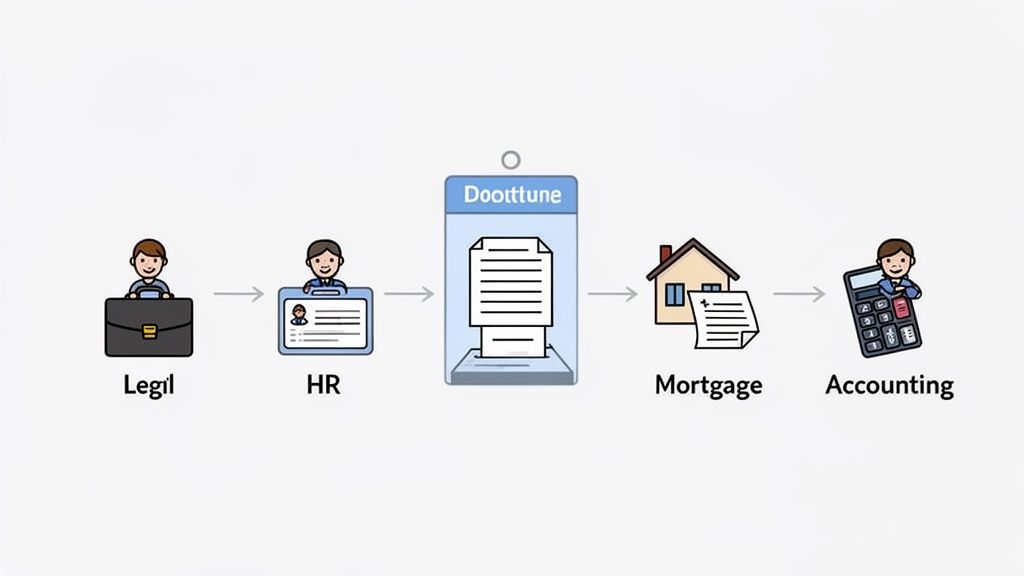
From law firms wrestling with evidence to HR teams onboarding new hires, this single platform wears a lot of different hats. But its core job is always the same: kill the administrative busywork of chasing down documents.
For Legal and Law Firms
In the legal world, every single case is built on a mountain of highly sensitive information. A paralegal’s worst nightmare is a missing deposition or an unverified piece of discovery, especially with a court deadline breathing down their neck. They can spend what feels like an eternity emailing back and forth, begging clients for affidavits, police reports, and financial records.
A document collection platform changes the game by creating a secure, organized digital case file from day one. Instead of a chaotic email chain, the legal team sends their client a single, secure link with a clear checklist of everything needed.
- Secure Evidence Gathering: Clients upload sensitive files directly into an encrypted portal. No more worrying about the glaring security risks of email attachments.
- Clear Audit Trails: Every submission is automatically logged. You get an unchangeable record of who uploaded what and when—which is absolutely essential for maintaining a clear chain of custody.
- Automated Follow-Ups: The system can send polite, automated reminders for anything that’s still outstanding. This frees up the paralegal from having to constantly nudge clients and ensures case files are complete on time.
When things are this organized, the team spends less time playing administrator and more time actually building a winning case.
For Human Resources and Staffing
Bringing a new employee on board should be an exciting moment, but it often gets completely bogged down in paperwork. HR teams have to gather signed contracts, I-9s, W-4s, and direct deposit info—a process that can easily drag on for days, sometimes even weeks.
A clunky, paper-chasing onboarding experience sends the wrong message to a new hire. A document collection platform turns that administrative hurdle into a smooth, professional welcome.
An HR manager can set up a "New Hire Onboarding" template once and use it forever. Every new employee gets the same clear, easy-to-follow request, making their very first interaction with the company a positive one. This ensures all the essential compliance and payroll documents are collected and checked off well before their first day.
For Mortgage and Real Estate
If you're a mortgage broker or real estate agent, your entire world revolves around documentation. Closing a loan means collecting pay stubs, bank statements, tax returns, and a dozen other files. Chasing clients for this paperwork is almost always the biggest bottleneck in the entire process. It’s what delays approvals and frustrates everyone involved.
A document collection platform becomes the central command center for the entire loan application. Brokers can create a custom checklist for each client, who can then easily upload their documents from their phone or computer.
Better yet, the platform's validation rules can automatically check if a document is signed or if a file is in the right format. This catches small errors before they snowball into big delays, helping everyone close loans faster and giving brokers a serious edge over the competition.
Industry Use Cases at a Glance
While the core function is collecting documents, the reason for collecting them varies wildly. Here's a quick look at how different sectors put these platforms to work.
| Industry | Primary Use Case | Key Benefit |
|---|---|---|
| Legal | Evidence collection, client intake | Secure chain of custody, faster case prep |
| Human Resources | New hire onboarding, compliance | Improved new hire experience, 100% compliance |
| Mortgage & Real Estate | Loan application processing | Faster closing times, fewer errors |
| Immigration | Visa & residency applications | Centralized case files, client transparency |
| Transportation | Driver qualification files, compliance | DOT audit readiness, automated expiry alerts |
As you can see, the platform adapts to solve the most pressing—and often costly—problems unique to each field. It’s all about turning a universal administrative pain point into a specific competitive advantage.
How to Choose the Right Platform for Your Team
Picking the right document collection platform feels a lot like hiring a new team member. The right one makes everything click and run smoothly, but the wrong one just adds friction and headaches. With so many options out there, it's easy to get distracted by flashy features. The real goal is to find what will actually make your business more efficient and secure.
This checklist will help you cut through the noise. Think of it as your guide to finding a tool that not only solves today's paperwork problems but is also ready to grow with you down the road. A little homework now prevents major buyer's remorse later.
Start with User Experience and Ease of Use
Let's be honest: if a platform is a pain to use, your team will avoid it and your clients will get frustrated. The interface has to be clean, intuitive, and something you can figure out without a manual. The best way to know for sure? Sign up for a free trial.
Give yourself a simple test: can you create and send your first document request in 15 minutes or less? If you find yourself clicking around aimlessly or hunting for basic features, that’s a huge red flag. A great user experience isn't a "nice-to-have"—it's essential for everyone involved.
Scrutinize Security and Compliance Certifications
You're handling sensitive information, which is a massive responsibility. Don't just take a company's word that their platform is secure; you need to see the proof. A trustworthy vendor will be upfront and transparent about its security practices.
Here’s what to look for:
- GDPR Compliance: This is non-negotiable if you deal with data from anyone in Europe.
- End-to-End Encryption: It ensures that from the moment a file is uploaded, it's protected from prying eyes.
- Secure Data Hosting: You should be able to ask where your data is stored and what physical and digital protections are in place.
A platform that proudly displays its security credentials isn’t just checking a box. It shows a real commitment to protecting your clients’ data, which is the bedrock of the trust you've built with them.
Evaluate Integration and Customization Capabilities
Your document platform shouldn’t be an island. It needs to play well with the other tools you use every single day. Look for built-in integrations with software like DocuSign for e-signatures, or at the very least, connectivity through a service like Zapier, which can link your platform to thousands of other apps.
Customization is just as important for keeping your brand consistent and professional. You should be able to:
- Put your company logo and brand colors on the client portal.
- Personalize the wording in automated emails and reminders.
- Build workflows that perfectly mirror your team's unique processes.
Analyze Scalability and Pricing Models
Finally, think about where your business is headed. Will this platform still work for you in a year? Or five? A scalable solution lets you add more users, manage more documents, and unlock more advanced features without having to start your search all over again.
Also, keep a close eye on the price tag. Be wary of confusing pricing tiers or hidden fees. You want a clear, transparent model that tells you exactly what you’re getting for your money. The best choice is a platform with predictable costs that won’t punish you for being successful.
Getting Your First Document Workflow Up and Running
Jumping into a new piece of software can feel like a chore, but a good document collection platform is designed to get you up and running in a single afternoon. The whole point is to see a quick win and get time back in your day, fast. Let's walk through how to launch your first request and feel that immediate impact.
First things first, you need to make the platform look and feel like your own business. This isn't just about slapping your logo on it; it's about making your clients feel secure and confident from the moment they click the link. Adding your company colors and branding to the client portal creates a seamless, professional experience. It's a small touch that tells your client they're in the right place and that you take their security seriously.
Building Your First Template
Next up is creating your first workflow template. Don't overthink it. Just pick a process you do over and over again—like onboarding a new client or gathering project kickoff documents. Instead of manually typing out that same list of required files in an email every single time, you'll build it once.
For example, a simple new client onboarding template might ask for:
- A signed service agreement
- Completed intake forms
- A copy of their business registration
This template is now your go-to starting point. For a more detailed guide on this, check out our article on how to automate your document workflow. Once the template is saved, kicking off the process for a new client is literally just a couple of clicks.
Sending Your First Automated Request
Okay, your portal is branded and your template is ready. Time for the fun part: sending your first request. You'll generate a unique, secure link for your client. They'll get a professional-looking email that takes them straight to a clean, simple checklist where they can see exactly what's needed and upload their files.
This is where the magic happens. The platform takes over the tedious follow-up. It sends out polite, automated reminders for any missing documents based on a schedule you decide. You are officially out of the business of chasing paperwork.
Seriously, this entire setup—from branding your portal to sending that first request—can be done in less than an hour. It immediately gets rid of the administrative headache and shows you just how valuable a dedicated document collection platform can be by freeing you up for the work that actually matters.
Frequently Asked Questions
If you're considering a document collection platform, you probably have a few questions. Here are some straightforward answers to the most common ones we hear.
How Is This Different from Google Drive or Dropbox?
This is a great question. While platforms like Google Drive or Dropbox are fantastic for storing files, a document collection platform is built for the active process of getting those files in the first place.
Think of it this way: cloud storage is a digital filing cabinet. It’s passive. You still have to do all the manual work—emailing clients, sending follow-ups, and checking if they sent the right thing. A document collection platform is more like an automated assistant. It handles the requests, sends the reminders, and can even check the documents for you, guiding your clients through the entire process.
Is My Client Data Actually Secure?
Absolutely. In fact, it’s one of the main reasons people switch from email. Any reputable platform puts security front and center. They build in multiple layers of protection to keep your and your clients' information safe.
This typically includes:
- End-to-end encryption that protects data as it moves from your client to you.
- Secure data centers that comply with major standards like GDPR.
- Strict access controls, so only the right people can see sensitive files.
This level of security is almost always stronger than what you get with standard email. It gives your clients peace of mind and shows you take their privacy seriously, which is a huge part of building trust.
Can This Platform Integrate with My Other Tools?
Yes, and this is where you can really unlock some major efficiency gains. Modern document collection platforms are designed to be team players. They don't want to operate in a silo; they want to connect with the tools you already use every day.
For instance, many platforms offer connections through a service like Zapier, which acts as a bridge to thousands of other applications. You could automatically create a task in your project management tool when a client uploads their files. Or, you could link it with an e-signature tool like DocuSign to seamlessly add a signing stage to your document request workflow. It turns a simple collection tool into the central hub for your client processes.
Ready to stop chasing documents and start automating your workflow? Superdocu makes it easy to create secure, branded client portals and get the files you need faster. Start your free trial today