
If you've ever felt like you're drowning in a sea of email attachments and chasing clients for paperwork, you know the pain of manual document collection. It's chaotic, insecure, and a massive time-drain. Document request software is the cure for that chaos.
At its simplest, this software gives you a single, secure place to ask for, collect, and organize all the files you need from clients. It takes a tedious, manual chore and turns it into a smooth, professional, and automated workflow. Think of it less like a tool and more like a digital assistant dedicated entirely to handling your paperwork.
How Document Request Software Really Works
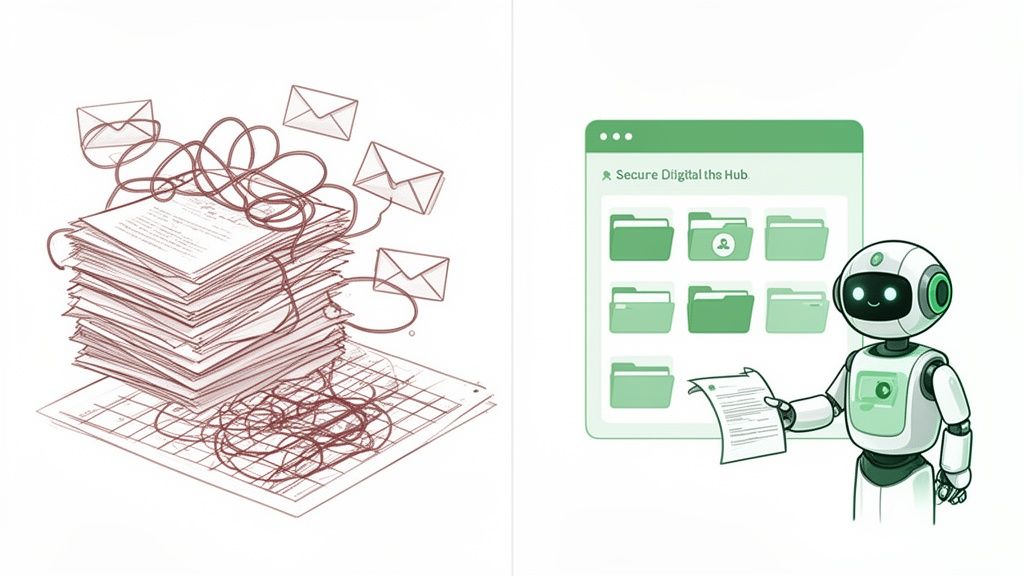
The core idea is to stop the endless back-and-forth. Instead of digging through old emails, sending "just checking in" reminders, and trying to figure out if that attachment is the right version, you get a clean, repeatable system.
Let’s use a real-world example: onboarding a new client. You probably need a signed contract, a copy of their ID, and maybe some initial project files. The old way is a mess—you send an email, they reply with one file, you follow up for the others, they can't find the link… it's a headache.
With a dedicated tool, you create one request that lists every document you need. You send a single, secure link. Your client uploads everything to a professional-looking portal, and you get a notification once it's all there. The fundamental shift is powerful: you go from chasing down documents to simply receiving them.
From Manual Chaos to Automated Clarity
This isn't just a minor improvement; it completely changes how you handle one of the most common business tasks. It’s about leaving behind disorganized inboxes and messy spreadsheet trackers, which are not just slow but also full of opportunities for human error and security risks.
To see the difference, it helps to put the old and new ways side-by-side.
Manual Document Collection vs An Automated System
A manual process is reactive—you're always playing catch-up. An automated system is proactive; it works for you in the background.
| Manual Process (Before) | Document Request Software (After) |
|---|---|
| Writing individual emails for each request | Using reusable templates for common requests |
| Manually following up with clients via phone/email | Sending automated, scheduled reminders to clients |
| Receiving documents as insecure email attachments | Collecting files through a secure, branded portal |
| Tracking progress with confusing spreadsheets | Viewing real-time status on a central dashboard |
The "after" column isn't just about saving time; it's about creating a better, more secure experience for both you and your clients.
The Driving Force Behind Digital Adoption
It’s no secret that businesses are ditching paper and manual processes. This move is powering the massive growth of the Document Management System (DMS) market, which is the engine behind these tools. The global market hit an impressive USD 8.7 billion in 2024 and is expected to climb to USD 39 billion by 2034. That boom tells you everything you need to know about how vital digital efficiency has become.
Platforms like Superdocu are a huge part of this shift, giving businesses of all sizes an easy way to streamline their client document requests. By offering a clear, simple framework for asking for and managing files, these tools free up countless administrative hours and make a much better impression on clients.
The Essential Features of Modern Document Request Tools
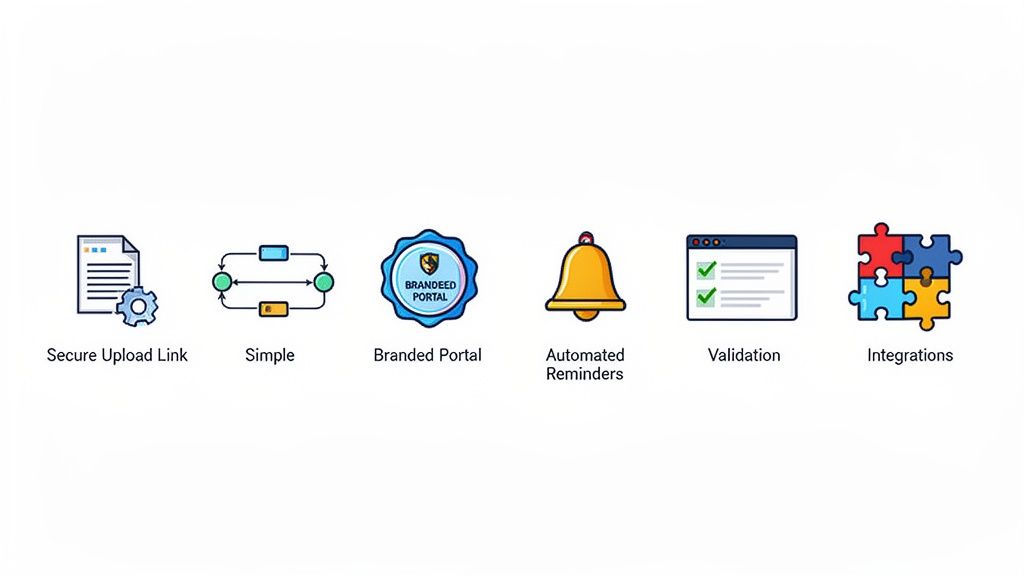
To really get what makes document request software so powerful, you have to look past the basic idea of just "collecting files." These tools are built by people who understand the real-world headaches and security nightmares that come with doing things the old way. Each feature is there for a reason—to fix a specific problem, save you time, and make your clients feel like they're in good hands.
It all starts with Request Links. Think about it: instead of attaching a clunky list of documents to an email, you just send a single, secure link. Your client clicks it and lands on a clean, dedicated page showing exactly what you need. Right away, you've sidestepped the massive security risk of emailing sensitive files back and forth.
This simple concept is the foundation. From there, a whole suite of features comes into play, each one making your workflow smoother and more efficient.
Creating Consistency with Workflows and Templates
One of the biggest time sinks in any business is doing the same repetitive task over and over. This is where Workflows and Templates come in to save the day. If you onboard new hires or clients all the time, you know you're asking for the same set of documents every single time.
Instead of typing out that request list from scratch, you can build a template for "New Employee Onboarding" or "New Client Kickoff." With just a click, you can fire off a pre-built request that has all the document slots, instructions, and deadlines already baked in.
This isn't just about saving a few minutes here and there; it adds up to hours. More importantly, it brings consistency and cuts down on errors. Your whole team uses the same proven process, so crucial documents never get missed again.
A well-built template acts like a digital checklist that guides both your team and your clients. It removes guesswork, clarifies expectations, and guarantees that you collect the correct information in the right format, every single time.
Enhancing the Client Experience with Branded Portals
So, what happens when a client clicks that request link? With a basic tool, they might end up on a generic, confusing page. But a professional document request software lets you create a Branded Portal. This means you can customize the upload page with your company's logo, colors, and a welcome message.
This isn't just about looking good—it's about building trust. Clients feel a lot more comfortable uploading their personal or financial documents to a portal that looks and feels like it belongs to your business, not some random third-party service. Platforms like Superdocu make it incredibly easy to set up a portal that feels like a seamless part of your own website.
To take it a step further, you should also look for a secure document intake platform that puts data protection at the absolute center of its design.
Automating the Follow-Up Process
Chasing down clients for documents is awkward, frustrating, and a huge time drain. Automated Reminders completely take this off your hands. You can set up a schedule of polite, automatic email nudges that go out to clients who haven't finished uploading their files.
For instance, you could set the system to send reminders:
- Three days before the due date.
- On the due date itself.
- One day after the deadline has passed.
This gentle, automated persistence gets the job done without you having to play bad cop. It keeps projects moving and prevents bottlenecks before they even start.
Finally, Integrations are what connect your document request tool to the other software you use every day. By linking with a service like DocuSign, you can add e-signature steps right into your file collection process. Hooking it up to Zapier opens up a world of possibilities, like automatically creating a new folder in Google Drive whenever a client submits their documents. These connections create a unified system where information flows freely, killing off manual data entry for good.
How Different Industries Use Document Request Software
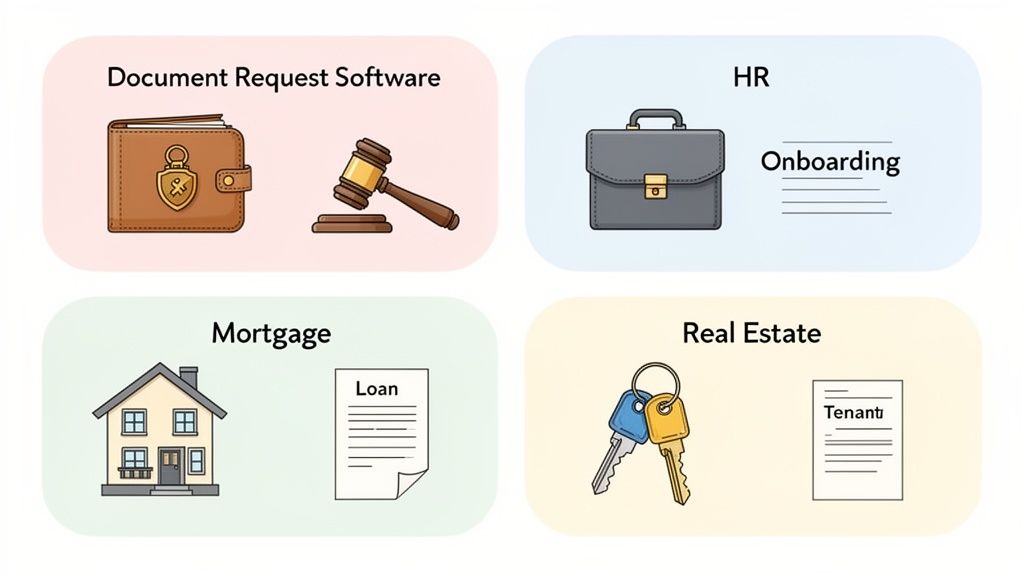
Document request software isn't some niche tool built for a single purpose. Think of it more like a versatile platform that adapts to the specific paperwork headaches of almost any industry. Whether it's a law firm handling sensitive case files or an HR team trying to get new hires set up, the fundamental need is the same: collecting documents securely and without a million back-and-forth emails.
The magic is in how each industry uses the core features to fit its own processes. A simple file upload for a client is, on the back end, a critical step in a complex compliance workflow for the business. This flexibility is exactly why so many professional services are moving to cloud-based systems.
Legal and Professional Services
In law and accounting, security and a clear audit trail are everything. You simply can't afford mistakes. Every document you collect is part of a confidential client record, and you need to prove you've handled it correctly and created an undeniable chain of custody.
For law firms, dedicated document request software is a lifeline during discovery. Instead of chasing clients for evidence through insecure email threads, lawyers can provide a secure portal for them to upload everything. The process gets even smarter when you add tools like AI for responding to discovery requests, helping legal teams sort through and make sense of submissions far more quickly.
The real win here is risk reduction. A secure, trackable system drastically cuts the odds of a data breach and gives you a defensible record of who sent what, and when.
Human Resources and Onboarding
HR departments are constantly swimming in paperwork, especially when hiring. Trying to collect contracts, tax forms, IDs, and various certifications from a dozen new candidates at once can feel like herding cats.
This is where automation makes a world of difference. An HR manager can set up a "New Hire Onboarding" template one time, and from then on, every new employee automatically gets a request for all the required documents. Gentle, automated reminders make sure everything is turned in before their first day, so there are no awkward delays.
This is especially powerful for industries with constant hiring, like logistics. We actually put together a guide on how to build an effective courier onboarding document portal that shows how this works in the real world.
Real Estate and Mortgage Lending
The property and finance worlds are built on a mountain of documents. Mortgage applications, tenant screenings, and home sales all depend on collecting financial statements, pay stubs, and legal forms from a whole cast of characters.
A mortgage broker, for instance, can send a single, simple request link to a client to gather everything needed for their loan application. The platform keeps all the files neatly organized and instantly accessible, which puts the underwriting process on the fast track. Not only does this help close deals faster, but it also creates a much smoother, more professional experience for the client.
This isn't just a small trend; it's a massive shift in how business gets done. Cloud-based document request software is already a huge part of the market, making up 67.2% of the Document Management System market in 2024. Its popularity is driven by the cost savings and easy remote access—perfect for today's hybrid teams in real estate and finance. Experts project the entire market will hit USD 29.78 billion by 2034, which tells you just how vital these tools have become. You can dig into more stats about the document management systems market on Fortune Business Insights.
How To Choose The Right Document Request Software
Picking the right document request software can feel like a big commitment, but it doesn't have to be a headache. If you focus on a few key areas, you can sift through the options and find a tool that actually helps your business instead of just adding another subscription to the list.
Think of it less like shopping and more like architecting your ideal workflow. The right platform won't just patch up your current paperwork headaches; it will grow alongside you. Let's walk through the must-haves so you can build a solid evaluation checklist.
Security And Compliance
This is non-negotiable. You're handling your clients' sensitive information, so security has to be the top priority. Start by looking for end-to-end encryption, which protects files both while they're being uploaded (in transit) and while they're stored on a server (at rest). This is your first line of defense against unauthorized access.
Next, you'll want to check the provider's compliance credentials. A few key ones to look for are:
- GDPR: Absolutely essential if you work with anyone in Europe.
- SOC 2: This is a big one. A SOC 2 certification shows the company takes its security and operational processes seriously.
- Data Residency: Find out where your data is physically stored. For instance, Superdocu keeps all data in secure, compliant European data centers, which is a critical detail for many businesses.
A security slip-up can cost you more than just fines—it can permanently damage the trust you've built with your clients. Make this a dealbreaker.
Your chosen software becomes a custodian of your clients' most sensitive data. Its security features are a direct reflection of your own commitment to protecting them.
Ease Of Use And Client Experience
If a tool is a pain to use, nobody will use it. It's that simple. A clunky, confusing interface will just create more work for your team, completely defeating the purpose of getting a tool meant to simplify things. Look for a clean, intuitive design that your staff can pick up without needing weeks of training.
Just as important is what your clients see. The portal where they upload their documents needs to be dead simple, clean, and work perfectly on a phone. If it's confusing, you'll just end up with frustrated clients and a support inbox full of questions. A great platform makes it feel effortless for anyone to send you files from any device.
Customization And Integration Capabilities
Your brand is your handshake, and your software should reflect it. The ability to add your logo, use your brand colors, and write custom messages in the client portal is crucial. It shows professionalism and builds a sense of trust right from the start.
Beyond looks, think about how this new tool will plug into the software you already use every day. Integration capabilities are what separate a good tool from a great one. Does it connect natively with services like DocuSign? Can it link to thousands of other apps through a platform like Zapier? These connections are what allow you to automate the busywork, like syncing files to your cloud storage or updating a client's status in your CRM.
When you're weighing your options, you'll notice these themes pop up everywhere. For example, guides on the best expense management software also stress the importance of integrations and user-friendliness—these are universal signs of well-designed business software.
Choosing the right tool comes down to asking the right questions. To make it easier, here’s a checklist you can use to compare different platforms side-by-side.
Software Evaluation Checklist
| Feature/Aspect | What to Look For | Why It Matters |
|---|---|---|
| Security | End-to-end encryption, SOC 2, GDPR compliance, secure data residency. | This is about protecting your clients and your business from breaches and fines. It’s a non-negotiable. |
| Ease of Use (Team) | An intuitive interface, simple request setup, minimal training required. | If it's hard for your team to use, adoption will fail, and you won't get the efficiency gains you paid for. |
| Client Experience | A clean, mobile-friendly upload portal that is easy to navigate. | A smooth process for clients reduces friction, prevents support tickets, and reflects well on your brand. |
| Customization | Ability to add your own logo, brand colors, and custom email/portal text. | It reinforces your brand identity and builds trust with clients, making the experience feel professional and secure. |
| Integrations | Native connections to key tools (CRM, storage, e-signature) and Zapier support. | Integrations automate your workflows, eliminate manual data entry, and save your team countless hours. |
| Pricing | Clear, transparent pricing tiers that align with your usage and team size. | You need a plan that fits your budget now but can also scale with you as your business grows. |
| Support | Responsive customer support is available via chat, email, or phone. | When you hit a snag, you need to know you can get help quickly from a real person. |
By systematically going through these points, you can move past the flashy marketing and focus on what truly matters: finding a platform that works for your team, delights your clients, and secures your data.
Getting Your New System Up and Running Smoothly
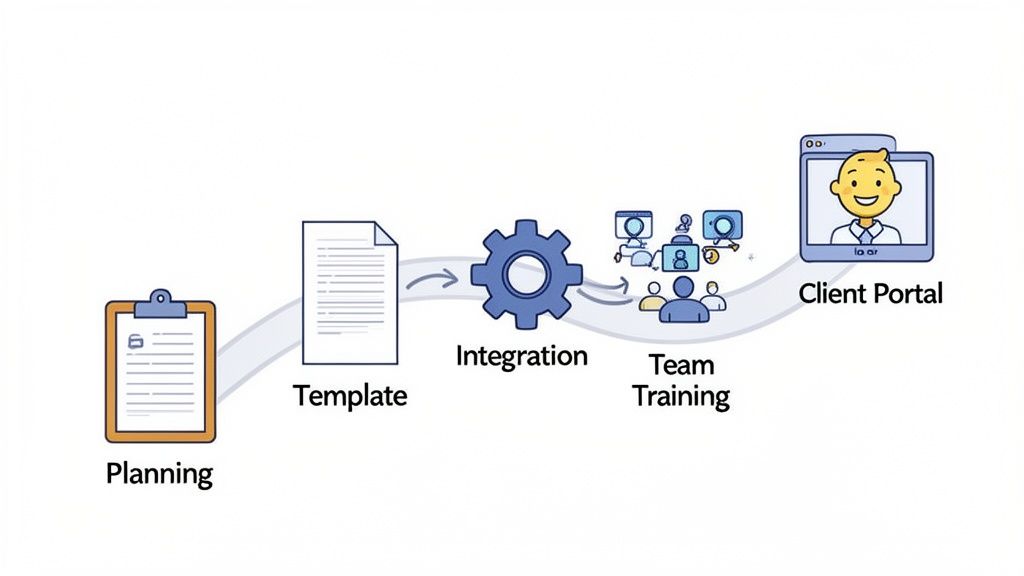
Adopting new document request software isn't just about flipping a switch. A smart rollout plan is what separates a smooth transition from a chaotic one, ensuring you get the benefits without the friction. Get it right, and you'll minimize disruption for your team and clients and start seeing a return on your investment almost immediately.
The key is to start small and aim for a quick win. Don't try to automate every single process on day one. Instead, pinpoint the one or two workflows that cause the most headaches. Is it the constant back-and-forth of client onboarding? Or maybe collecting all the paperwork for a specific service? Pick a high-pain, high-volume process and tackle that first.
By focusing on a single, critical workflow initially, you create a quick win that proves the software's value. This builds momentum and makes getting your team excited about wider adoption much easier.
Your Step-by-Step Implementation Plan
Once you’ve chosen your starting point, follow a clear, structured path to get up and running. A phased approach keeps things manageable and ensures each part is set up correctly before you go live.
- Build Your First Template: Start by creating a reusable template for that initial workflow you identified. Add all the required documents, write clear instructions for each one, and set some default due dates. This becomes your go-to blueprint.
- Customize The Client Portal: Think of this as your digital front door. Add your company logo and brand colors to make the experience feel familiar and trustworthy for your clients. A professional-looking portal immediately elevates their perception of your business.
- Configure Automated Reminders: Take the awkward follow-up calls and emails off your team's plate for good. Set up a simple schedule for automated reminders that gently nudge clients who have outstanding documents.
- Connect Your Key Integrations: Don't let your new tool live on an island. Connect it to the systems you already rely on, like your cloud storage or CRM. This ensures information flows automatically and cuts down on soul-crushing manual data entry.
Training Your Team and Launching
With the technical setup handled, it’s time to focus on your people. Hold a brief training session to walk your team through the new workflow. Show them exactly how to send a request, track progress on the dashboard, and find submitted files.
Finally, let your clients know what’s changing. A simple email explaining the new, easier way they can send you documents is all it takes. Just be sure to frame it as an improvement designed to make their lives simpler and keep their data more secure.
This kind of thoughtful implementation is more important than ever. The global market for the document control tools that power these systems reached USD 5,140.67 million in 2021 and is projected to hit USD 12,973.9 million by 2033. This massive growth shows just how critical these systems are becoming for businesses that need to stay compliant and efficient. If you want to dive deeper, you can explore the full document control software market report here.
Common Questions About Document Request Software
Thinking about adding a new tool to your workflow always brings up good questions, especially when it involves client data and processes you've had in place for years. When looking at document request software, most of the concerns I hear circle back to a few key themes: security, real-world efficiency, and what the experience is actually like for your clients.
Let's walk through these common questions, because getting clear answers is the only way to feel confident about making a change.
"Is My Client Data Actually Secure?"
This is always the first and most important question. And the answer is yes—as long as you choose a platform that was built with security as its foundation, not an afterthought.
Reputable software doesn't just store files; it creates a secure vault around them. Look for a few non-negotiable features. First is end-to-end encryption, which essentially scrambles the documents from the moment they leave your client's computer until they land safely with you. Second, check for compliance certifications like GDPR or SOC 2. These aren't just fancy badges; they're proof that the provider meets rigorous international standards for handling data.
Think of it like a digital armored car. Instead of sending sensitive information in a regular envelope (like email), you're using a secure, trackable service designed specifically for high-stakes delivery.
"How Much Time Will I Realistically Save?"
This is where the magic happens. The time savings don't come from one big change, but from eliminating all the small, repetitive tasks that slowly eat away at your day. Manually writing follow-up emails, digging through your inbox for that one attachment, and keeping a tracking spreadsheet updated—it all adds up.
In fact, one study found that knowledge workers spend around 2.5 hours per day just searching for information. A good document request tool puts that time back in your pocket by automating the biggest culprits:
- Automated Reminders: The system handles all the awkward nudges and follow-ups for you.
- Centralized Organization: All files for a client or project are automatically grouped in one tidy place. No more hunting.
- Request Templates: You can send recurring requests, like for new client onboarding, with just a couple of clicks.
For a small team, this easily adds up to several hours saved each week for every single person. That’s more time to focus on the work that actually matters, not the administrative grind.
"Will This Software Work With My Other Tools?"
It should. Modern tools are built to play well with others, not to operate in their own little world. Any solid document request software will integrate with the platforms you already use every day. This is often done through services like Zapier, a connector that lets thousands of different apps talk to each other.
For example, you could set up a workflow where a new client in your CRM automatically gets a welcome packet and document request. Or, once a client submits everything, their files are instantly copied over to a specific folder in your Google Drive or Dropbox. These connections are what turn a good tool into a seamless part of your entire business process.
"Will My Clients Find It Difficult To Use?"
This is a valid concern, but I've found that the opposite is almost always true. A dedicated portal dramatically improves the client experience.
Think about it from their perspective. Instead of a long, confusing email thread with vague instructions and multiple attachments, they get one clean, simple link. It takes them to a branded page that clearly lists exactly what you need, with obvious upload buttons for each item.
The whole process feels professional, it's incredibly straightforward, and it works perfectly on a computer or a phone. When you make it easier for them to give you what you need, they'll thank you for it.
Ready to stop chasing documents and give your clients a modern, secure experience? Superdocu offers a simple, powerful platform to automate your entire collection process. Start your free trial today and see how easy it can be.