
Let's be honest, chasing clients for documents is a soul-crushing task. It's more than just a minor annoyance; it's a real bottleneck that slows down your entire operation. Relying on endless email chains and "just checking in" phone calls eats up hours you don't have, opens the door to security risks, and frankly, makes for a lousy client experience.
Moving to a modern, streamlined document request system isn't just a nice-to-have anymore. It's a fundamental business need.
The Hidden Costs of Manual Document Requests
We’ve all been there: digging through messy email threads for a specific attachment, reminding a client for the third time to send their files, and manually tracking everything in a spreadsheet. This old-school approach is a recipe for friction. Every manual step is another opportunity for a mistake, a delay, or a complete communication breakdown. It turns a simple task into a huge administrative headache.
This disorganized chaos doesn't just waste your team's time; it can sour a client relationship from the very start.
Think about the security side of things for a moment. Asking clients to email sensitive documents like financial records or personal IDs is incredibly risky. Emails are not secure. They can be intercepted, accidentally forwarded to the wrong person, or left sitting on insecure servers, which is a compliance nightmare waiting to happen.
The True Price of Inefficiency
Beyond the security concerns, the operational drain is massive. Every minute your team spends hunting down a missing document is a minute they aren't focused on billable hours or strategic work. This inefficiency directly hits your bottom line, causing project delays and frustrating new client onboarding.
The shift away from these outdated methods is already well underway. It's no surprise that over 80% of enterprises are planning to increase their investment in document automation. As you can see from insights on SenseTask, the goal is to free up teams from repetitive admin work so they can focus on what actually matters.
The real cost of a poor document collection process isn't just the wasted hours; it's the lost momentum, the compliance risks, and the negative first impression you make on your clients.
Let’s put this into perspective with a direct comparison.
Manual vs Automated Document Requests The Real Cost
The difference between sticking with old habits and adopting a dedicated platform is stark when you break it down. It’s not just about saving time; it’s about reducing risk and improving the entire client experience.
| Feature | Manual Process (Email & Spreadsheets) | Automated Platform (Superdocu) |
|---|---|---|
| Time Spent | 4-6 hours per week chasing, tracking, and organizing documents. | Under 1 hour per week with automated reminders and centralized tracking. |
| Client Experience | Confusing and frustrating. Multiple emails, unclear instructions, no visibility. | Simple and professional. A single, branded portal with clear checklists. |
| Security Risk | High. Unencrypted attachments are vulnerable to breaches and human error. | Low. End-to-end encryption, secure storage, and controlled access. |
| Error Rate | High. Missing files, incorrect versions, and manual data entry errors are common. | Minimal. Built-in validation ensures you get the right files the first time. |
| Overall Cost | High hidden costs in wasted employee time, project delays, and compliance fines. | Low, predictable subscription fee with a clear return on investment. |
As the table shows, the "free" manual process is actually costing you a fortune in lost productivity and increased risk.
Visualizing the Strain of Manual Processes
This is what that stress looks like in the real world. Does this desk feel familiar?

This image nails the feeling of being buried under a mountain of requests, deadlines, and scattered communications. It's the perfect illustration of why a structured, modern system is essential to keep your sanity and your business moving forward.
Building Your First Repeatable Workflow
Let's be honest, moving away from chaotic email threads feels like a huge leap. But it's all about building a smart, repeatable process—one you create once and then use over and over. We'll walk through designing your first document request workflow using a classic example: new client onboarding.
The goal isn't just to get a list of files. It's to create a smooth, guided experience for your client.
Instead of hitting them with one massive, overwhelming email, try breaking your requests into logical chunks. For a new business client, you might create separate folders for "Company Formation," "Financial Records," and "Identification." Right away, this makes the task feel manageable and less intimidating for them.
Designing an Intuitive Client Journey
Clarity is everything. Inside each folder or section, write crystal-clear instructions for every single item. Don't just ask for a "W-9." That leaves too much room for error.
Instead, spell it out: "Please upload a signed and dated W-9 form for your business. We need this for our payment records." That level of detail nips confusion in the bud and cuts down on the inevitable back-and-forth emails.
If you want to really nail this from the start, you might want to explore Passflow's solutions. Tools like this are specifically designed to handle the moving parts of document collection and make the whole process feel effortless.
The real magic happens when you save this entire structure as a template. The next time you bring on a new client, you can send out the complete, organized request in a matter of seconds. This is how you win back dozens of hours that used to disappear into administrative quicksand. You can dive deeper into how to automate document workflow in our more detailed guide.
A well-designed workflow does more than just collect files; it sets the tone for a professional, organized, and efficient relationship from day one.
Seeing how pre-built templates bring these workflows to life can be a great starting point.
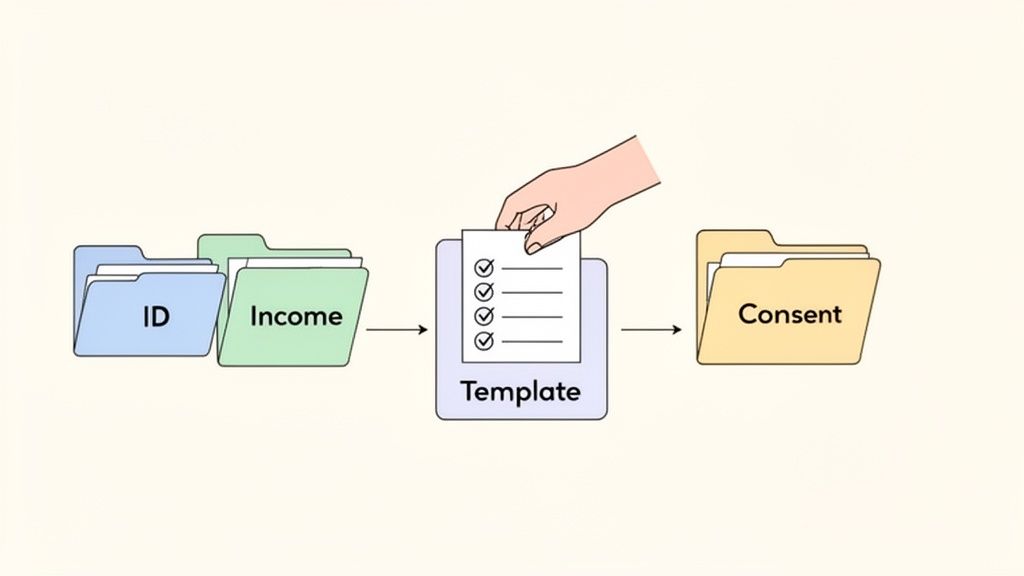
This visual shows how you can group different document types into one cohesive template, guiding the client all the way through to the final consent.
Adding Simple Validation Rules
The last piece of the puzzle for a solid workflow is adding a few simple validation rules. Think of these as your first line of defense against common mistakes, saving you a ton of review time down the road.
Here are a few practical rules I always recommend:
- File Type Restriction: For something like a signed contract, lock uploads to PDF only. This stops clients from sending blurry phone pictures or weird file types you can't open.
- Mandatory Fields: Mark the absolute must-haves, like a signed engagement letter, as required. This ensures the client can't submit their package without the most critical pieces.
- Naming Conventions: You can actually guide clients to name files a certain way (e.g., "CompanyName_W9_2024.pdf"). It seems small, but it keeps your internal records perfectly organized from the moment they arrive.
By building in these small checks, you dramatically improve the quality of documents you get on the first try. Every document request becomes smoother for you and more professional for your client.
Make a Professional First Impression with a Branded Experience
Think about it: every single time you interact with a client, you're shaping their perception of your brand. A document request is no different. When you send a generic, unbranded email asking for sensitive files, it can feel impersonal at best and, at worst, a little shady. That initial moment of hesitation is all it takes to start the very delays you’re trying to prevent.
To get things started on the right foot, you need to build trust instantly. That means putting your professional stamp on every part of the process—your logo, your brand colors, and your company's voice. When everything from the email notification to the upload portal looks and feels like you, clients know they're in the right place and that you're handling their information with care.
Customize the Client Portal
A plain, generic upload page just doesn't cut it. A branded portal, on the other hand, immediately reinforces that you're a legitimate, professional operation. It makes the entire experience feel like a seamless part of working with you, not some clunky third-party tool. If you want to dig deeper into this, our guide on white-label client portals is a great resource.
This isn't just about looking good; it's about making your clients feel secure.
When a client gets a request that looks and feels like it came directly from your company, it erases any doubt. That trust is what gets them to act quickly and upload what you need without a second thought.
Here’s a perfect example of how a clean, branded interface can make the whole process feel intuitive.
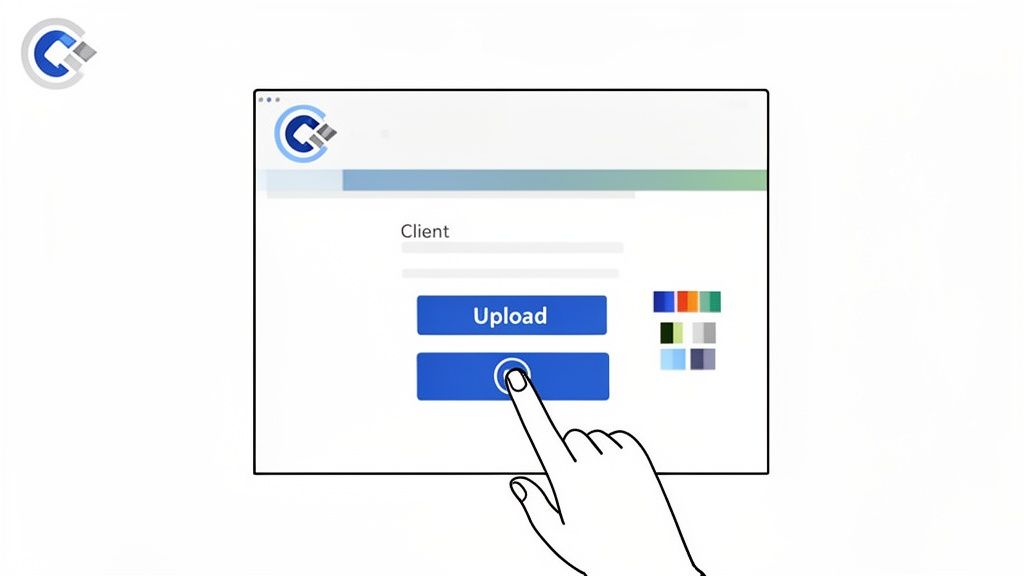
See how simple design choices—like clear buttons and a well-organized layout—turn a chore into a guided, professional interaction? That’s the goal.
Write Emails That Actually Get Opened
The email you send is the front door to this whole process, so the way you write it matters. Vague instructions or a demanding tone will just make people put it off. You want to be clear, direct, and, most importantly, helpful.
I've learned a few things over the years about writing emails that get a fast response:
- Nail the Subject Line: "Document Request" is boring and gets ignored. Try something like, “Action Needed: Upload Your Documents for [Project Name]” instead. It gives context and a clear call to action.
- Explain the "Why": People are more likely to do something if they know why. A quick sentence like, "To finalize your new account, we just need these last few items by Friday," works wonders.
- Set Expectations: Nobody wants to start a task without knowing how long it will take. Just adding, "Uploading your files should only take about 5 minutes," can be incredibly reassuring.
- Give Them a Clear Path: Don't make them hunt for the link. Use a big, obvious button that takes them straight to the secure portal.
By transforming a simple document request into a professional, reassuring experience, you do more than just get files faster. You build trust and strengthen the client relationship right from the start. It’s a small detail that makes a huge difference.
Putting Your Follow-Ups on Autopilot
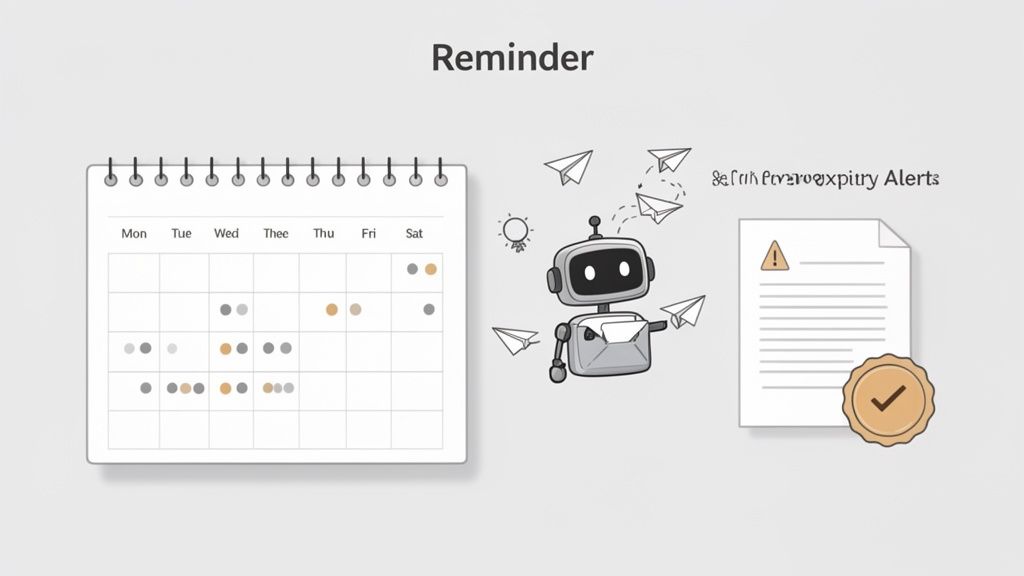
Let's be honest: the biggest time-suck in any manual document request process is the endless follow-up. Chasing clients with those "just checking in" emails is not only awkward, it pulls you away from the work that actually matters.
This is where you can win back a huge chunk of your day. By setting up intelligent, automated reminders, you let technology do the nagging for you. The idea is to create a schedule that’s persistent without being pushy, gently nudging clients toward their deadline so you don't have to.
Designing a Reminder Schedule That Actually Works
There’s a fine line between a helpful reminder and an annoying one. A well-designed sequence respects your client’s time while making it nearly impossible for your request to get lost in their inbox. It’s all about creating a system that gently escalates as the deadline approaches, keeping your document request top of mind.
For a really deep dive into the strategy, our guide on how to send automated reminders to collect documents has some great advanced tips.
Based on my experience, here’s a simple but incredibly effective schedule you can set up.
Sample Automated Reminder Schedule
This is a great starting point for scheduling your follow-ups. It’s designed to maximize response rates without overwhelming your clients.
| Timing | Action | Purpose |
|---|---|---|
| 3 Days Before Deadline | Gentle Nudge | A friendly heads-up that the due date is approaching, giving them plenty of time to act. |
| On Deadline Day | Firm but Polite Alert | A clear message stating that the documents are due today, which creates a healthy sense of urgency. |
| 2 Days After Deadline | Slightly More Direct | A follow-up to check if they need help, while also noting that the deadline has passed. |
| 5 Days After Deadline | Final Escalation | A final notice that their action is required to move forward with their project or service. |
This tiered approach keeps the lines of communication open without flooding their inbox. You can always adjust the timing based on your specific client relationships and project timelines.
The most effective follow-up system is the one you don't have to think about. Automating your reminders turns a manual, frustrating task into a reliable, background process that just works.
Proactively Managing Document Expirations
Automation isn't just for chasing down initial submissions. It’s a lifesaver for managing time-sensitive documents that need to stay current. Think about things like professional licenses, insurance certificates, or annual compliance forms. If one of these expires, it can create major legal and operational headaches.
Instead of manually tracking dates in a spreadsheet (and hoping you don't miss one), you can set up proactive alerts.
Imagine setting a rule that automatically triggers a new document request 30 days before a professional certification is set to expire. The notification can go straight to your contact—and copy you—giving them more than enough time to send over the updated version.
This simple bit of automation transforms compliance from a stressful, last-minute scramble into a predictable and effortless part of your workflow.
Getting Everything In and Signed Off
Once your automated reminders have worked their magic, the documents will start rolling in. This is where even the most organized person can get overwhelmed. Instead of drowning in email attachments and trying to track who sent what, a centralized dashboard becomes your mission control for every single document request.
From this one spot, you can see at a glance what’s come in, what’s still missing, and who you're waiting on. That kind of clarity is a lifesaver.
Give the Green Light or Ask for a Redo—Instantly
When a new file lands in your dashboard, you can pop it open and review it right there. Let's say a client uploads a blurry photo of their driver's license. Instead of drafting a whole new email to ask for a better version, you can just reject that one item with a quick note. Something like, "Hey, could you please upload a clearer, high-res scan?" The system handles notifying them automatically.
This keeps the feedback loop tight and efficient. For documents that look good, one click is all it takes to approve them. The client gets a notification, and you can move on. This simple approve/reject system keeps projects from stalling and cuts out all that frustrating back-and-forth.
The real win here is managing the entire review process without ever leaving your dashboard. It saves you a ton of time and gives your clients a clear, professional experience where they always know exactly what's needed.
From Document Collection to E-Signature in One Smooth Motion
For so many of us, getting the documents is just step one. The final, critical piece of the puzzle is getting a legally binding signature. The old way—downloading a file, uploading it to a separate e-signature tool, and then sending it out—is clunky and adds another manual step to your plate.
A much better approach is to connect your document request workflow directly with your e-signature platform. This lets you set things up so a signature request is automatically sent out as the very last step, right after you've approved all the other documents.
A great example is hooking your system up with a tool like DocuSign. You can create a simple rule: when a contract is approved in your document portal, it instantly creates and sends a signature envelope in DocuSign. No extra clicks needed.
Here’s a quick visual of how you can chain these apps together to create a really fluid process.
This diagram really shows how integrations close the gap between collecting files and getting them signed, turning what used to be a multi-step headache into a single, automated flow.
Think about how this plays out for a real estate agency:
- Round 1: The Paperwork: An agent sends a secure link to a prospective tenant requesting their application, pay stubs, and references.
- Round 2: The Review: The agent checks everything over in their dashboard and approves all the submitted files.
- Round 3: The Signature: That final approval is the trigger. It automatically sends the finalized lease agreement to the tenant via DocuSign to be signed.
This connected process makes the entire journey—from the initial document request to the final signature—incredibly smooth, fast, and easy to track. It's how you close deals quicker and give clients an experience that feels modern and effortless.
Seeing Document Request Workflows in Action
It's one thing to talk about theory, but it’s another to see how a well-oiled document request process plays out in the real world. That’s where you really grasp its value. Let’s walk through two common, high-stakes situations where a smart workflow does more than just save time—it completely changes the game for you and your clients.
Think of these as practical blueprints you can steal and tweak for your own business, whether you're bringing on a new team member or closing a major deal.
The Real Estate Tenant Application
If you're a property manager, you know the tenant application process is a frantic sprint. You're juggling sensitive information and trying to lock down the best applicant before they find another place. One messy document request can send a great prospect running or leave you with an expensive vacancy.
Here’s how a proper workflow keeps everything on track.
The whole thing starts the second a potential tenant shows serious interest. Instead of firing off a confusing email with a laundry list of attachments, the agent sends a single, professional-looking link to a secure portal.
Once they click, the applicant finds the request broken down into simple, manageable steps:
- Personal ID: A specific spot to upload a driver's license or passport. You can even set it to only accept image files like a JPG or PNG.
- Proof of Income: A section asking for their last two pay stubs, configured to only accept PDFs to keep things clean and readable.
- Rental History: A straightforward form for collecting contact info for past landlords. No more digging through emails for a phone number.
- Application Form: An eSignature field is built right in, so they can fill out and sign the official application without ever leaving the page.
The moment the applicant hits "submit," the property manager gets a notification. They can see everything in one central dashboard, approve the entire package with a click, and automatically kick off the next step, like a background check.
An automated real estate workflow transforms a chaotic, multi-email chase into a single, professional interaction. It keeps sensitive data secure, speeds up approvals, and gives the best applicants a great first impression.
The New Hire Onboarding Process
Bringing a new employee on board means collecting some of the most critical and heavily regulated documents your company will ever handle. A solid HR workflow ensures nothing gets missed, paving the way for a smooth first day and keeping you compliant from the start.
As soon as a candidate accepts their offer, the process kicks off. HR sends a welcome email with a link to the company's branded onboarding portal.
From there, the new hire is guided through a simple checklist:
- Form I-9: The system presents the form with clear instructions and a required upload slot for their supporting ID.
- Payroll Info: A secure form gathers their bank details for direct deposit and prompts them to upload a completed W-4.
- Policy Acknowledgment: The employee handbook is right there to download, with an eSignature box to confirm they’ve read and understood the company rules.
This organized approach guarantees all the essential paperwork is handled before the employee even walks in the door. The HR team can easily track everyone's progress from their dashboard and send automated nudges to anyone falling behind. This initial document request feels professional and organized, setting a positive tone for the new hire's entire time with the company.
A Few Common Questions We Hear
Getting a new system dialed in always brings a few questions to the surface. Let's tackle some of the most common ones we hear from folks looking to nail down their document request process.
What's the Safest Way to Actually Request Documents?
Hands down, the most secure method is a dedicated client portal that uses end-to-end encryption. Email just isn't built for this; it's surprisingly easy for messages to be intercepted. A proper, secure portal protects sensitive files like financial statements or personal IDs every step of the way—while they're being uploaded and after they've been stored. This is also a huge part of staying compliant with data privacy rules like GDPR.
How Do I Get Clients to Send Me Their Stuff Faster?
If you want clients to move faster, you have to make it incredibly easy for them. The whole experience matters. Think about it from their side:
- Is the portal mobile-friendly? A lot of people will do this on their phone.
- Are you sending out automated reminders? A gentle nudge goes a long way.
- Are your instructions crystal clear for every single file you need?
I've also found that breaking a massive request into smaller, more manageable chunks makes a world of difference. It feels less overwhelming and encourages people to get started right away.
A professional, branded interface does more than just look good—it builds trust. When the process feels effortless and secure, clients are far more likely to act on your request quickly.
Can This Whole Thing Connect with My Other Tools?
Absolutely. Modern platforms are built to play nice with the other apps you already use. With a tool like Zapier, you can connect your document collection process to thousands of other applications.
Imagine setting up a workflow where every approved submission automatically creates a new client folder in your Google Drive. Or one that kicks off an e-signature request the moment you've got all the right documents. That's the kind of automation that really saves time.
Ready to stop chasing documents and reclaim your time? Superdocu makes it easy to build professional, automated workflows that get you the files you need faster. Start your free trial today and see the difference.