
Ever feel like your inbox is a black hole of client documents? You're not alone. For years, accountants have been buried under endless email chains, chasing down W-2s and 1099s sent as unsecured attachments. A client portal for an accountant is the answer to that chaos.
Think of it as a secure, digital handshake between your firm and your clients. It's a private online space where you can exchange sensitive documents, send messages, and track tasks—all in one place, accessible 24/7. It's less like another piece of software and more like a dedicated, virtual office for each client.
What Is a Client Portal in Modern Accounting?
Let's be honest, the old way of doing things is broken. Relying on a patchwork of emails, phone calls, and maybe even snail mail isn't just inefficient; it's a huge security risk. Every time a client emails you a tax return or a pay stub, that sensitive data is vulnerable. A single breach could seriously damage your firm's reputation.
A client portal fundamentally changes how you work by moving all that interaction into a secure, controlled environment.
From Cluttered Inboxes to Clear Workflows
Instead of digging through a dozen emails to find one specific document, a portal creates a "single source of truth." Everything is organized, labeled, and exactly where it should be. This one change directly tackles the biggest headaches for accountants: getting the right documents securely and collaborating without confusion.
The impact isn't just theoretical. Firms that make the switch have seen their tax preparation cycles cut by an incredible 40%. During the busiest times of the year, some have reported a 95% drop in email clutter just by moving file exchanges and e-signatures into their portal.
To give you a clearer picture, let's compare the old way with the new way.
Old Methods vs. Client Portal Workflows
| Task | Traditional Method (Email & Phone) | Client Portal Method |
|---|---|---|
| Document Request | Send a long email with a checklist; follow up repeatedly. | Send an automated request with a clear checklist; the portal sends reminders. |
| Document Submission | Client emails attachments, often in multiple messages. | Client uploads all files directly to their secure, organized folder. |
| Questions & Clarifications | Back-and-forth email chains that are hard to track. | Secure, in-context messaging attached to the specific task or document. |
| Signatures | Print, sign, scan, and email back. | Client e-signs documents within the portal in seconds. |
| Final Delivery | Email the final tax return as a (hopefully) password-protected PDF. | Securely share the final documents in the portal for the client to access anytime. |
This table shows it's not just a minor upgrade—it’s a complete overhaul of your workflow, saving time for both you and your client.
The Modern Client Experience
Your clients live their lives online. They bank, shop, and manage investments through slick, easy-to-use apps. Why should their accounting experience feel like it’s stuck in the 90s? A portal gives them the modern, on-demand service they expect. For more on how portals integrate into larger business systems, resources like CRM with Client Portal Africa offer some great insights.
This is the difference we're talking about in practice:
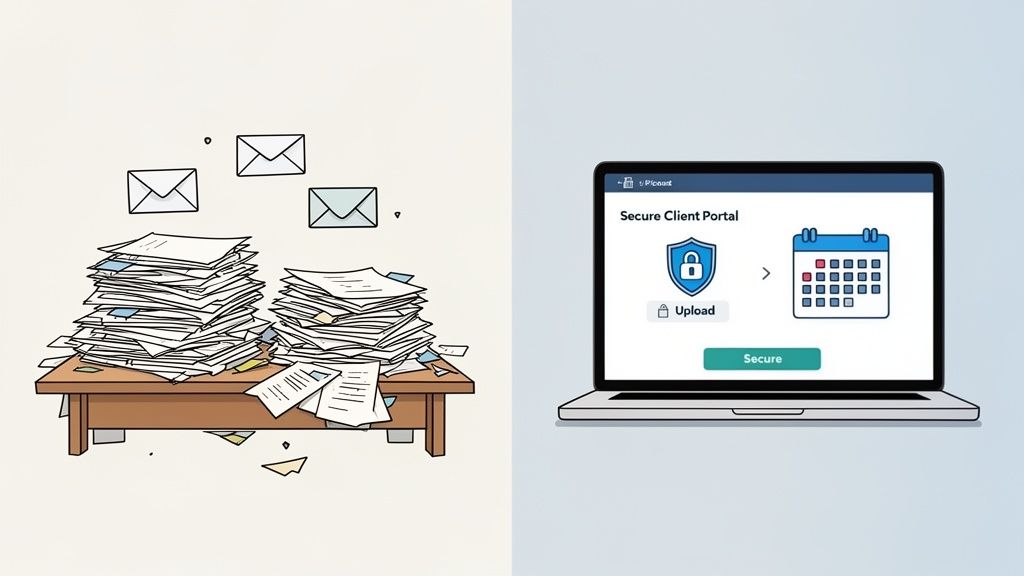
The image above perfectly captures the shift from physical (or digital) mess to streamlined clarity. This is the core benefit of adopting a dedicated document portal. At the end of the day, it's about building a practice that's more efficient, far more secure, and genuinely professional.
Why a Client Portal Is No Longer Optional
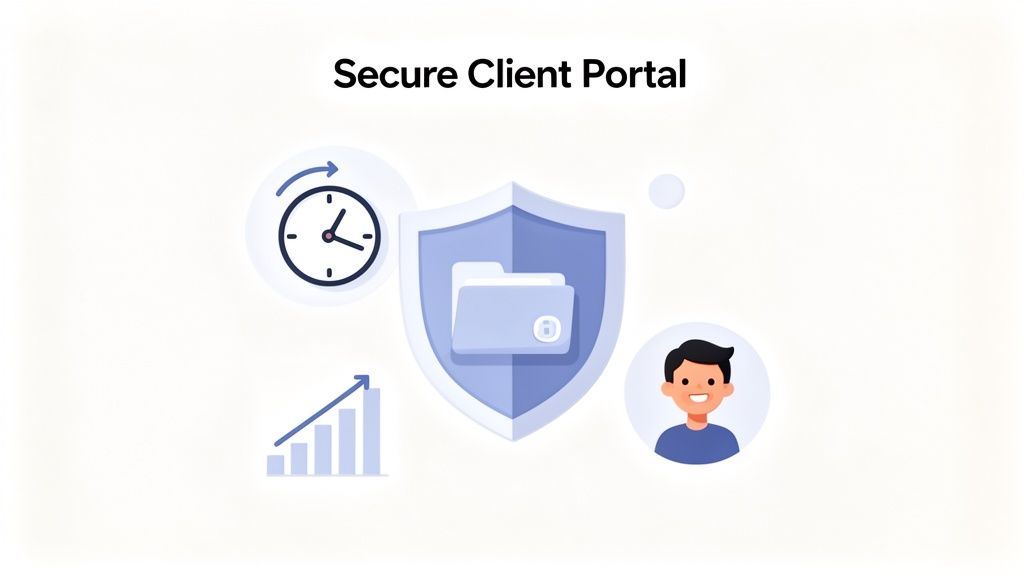
Let's be honest. The days of juggling endless email chains, chasing clients for documents, and worrying about the security of a simple PDF attachment are over. Or at least, they should be. A client portal for an accountant has quickly moved from a "nice-to-have" luxury to a fundamental piece of your firm’s infrastructure. It’s the central hub for better efficiency, tighter security, and a client experience that actually feels modern.
Think about all the time your team sinks into purely administrative tasks—hunting down that one missing W-2, sending yet another reminder email, or taking a call just to confirm a document was received. Every minute spent on that is a minute not spent on billable, high-value work. A portal is how you start getting that time back.
Unlocking Radical Efficiency Gains
The first and most obvious win you'll see with a client portal is automation. Imagine kicking off a tax return process and having the portal automatically request every single document you need from the client. No more manual checklists or sending one-off follow-ups.
Automated collection and scheduled reminders create a predictable, steady flow of information. This alone can slash project turnaround times, letting your team shift their focus from administrative firefighting to strategic, billable work. It moves your entire workflow from being reactive to proactive.
By moving away from email and manual tracking, firms can reallocate a significant portion of their administrative time. This isn't just about saving a few minutes; it's about fundamentally restructuring how your team's valuable hours are spent, leading to higher productivity and profitability.
This new efficiency makes your business model far more scalable. You can confidently take on more clients without having to proportionally increase your administrative staff, setting the stage for smart, sustainable growth.
Fortifying Security and Ensuring Compliance
In an age of constant cyber threats, using email to trade sensitive financial information is like sending a postcard with a PIN written on it. It’s a huge liability. A single data breach can wreck your firm’s reputation and shatter client trust in an instant. A dedicated client portal is your best defense against that nightmare scenario.
These platforms are built from the ground up with security in mind. Key features typically include:
- End-to-End Encryption: Scrambles data while it's being sent and while it's stored, making it useless to anyone who might intercept it.
- Secure Access Controls: Ensures only the right people can see the right documents, often backed by multi-factor authentication for an extra layer of protection.
- Comprehensive Audit Trails: Logs every single action taken within the portal—who accessed what, and when—giving you a clear, chronological record.
This isn't just about being careful; it's about meeting critical compliance standards like GDPR. When a client hands over their most confidential data, they need to know you're doing everything possible to protect it. A portal is a powerful, visible signal that you take their security seriously.
Meeting Modern Client Expectations
Your clients live in a digital world. They bank online, shop on their phones, and expect that same level of convenience from every service provider, including their accountant. A clunky process that relies on phone tag and disorganized email threads feels dated and frustrating. It might even be enough to push them toward a more modern firm.
A client portal provides that seamless, on-demand experience they expect. It gives them 24/7 access to their files and one central, organized place for all communication. This isn't just about looking professional; it's a major driver of client satisfaction and loyalty.
The data backs this up. Client portals are a key part of scaling a firm, with 40% of accountants saying that new tech tools have directly led to higher client satisfaction. And with 83% of high-value clients being tech-proficient, offering a slick digital experience is non-negotiable if you want to attract and retain the best ones. You can find more data on how portals fuel growth in this research on accounting firm client portals.
What To Look For: The Must-Have Features of a Great Client Portal
Not all client portals are the same. When you're picking one out for your accounting firm, don't just think of it as a digital filing cabinet. Think of it as the central nervous system for your client communication and document management. The right features don't just sit there; they actively make your job easier, keep client data locked down, and present a polished, professional image.
A truly effective portal does the heavy lifting for you. It should take over the tedious follow-ups, secure your most sensitive files, and bring order to the chaos of tax season. Let's break down the non-negotiable features that separate a basic tool from one that genuinely improves your practice.
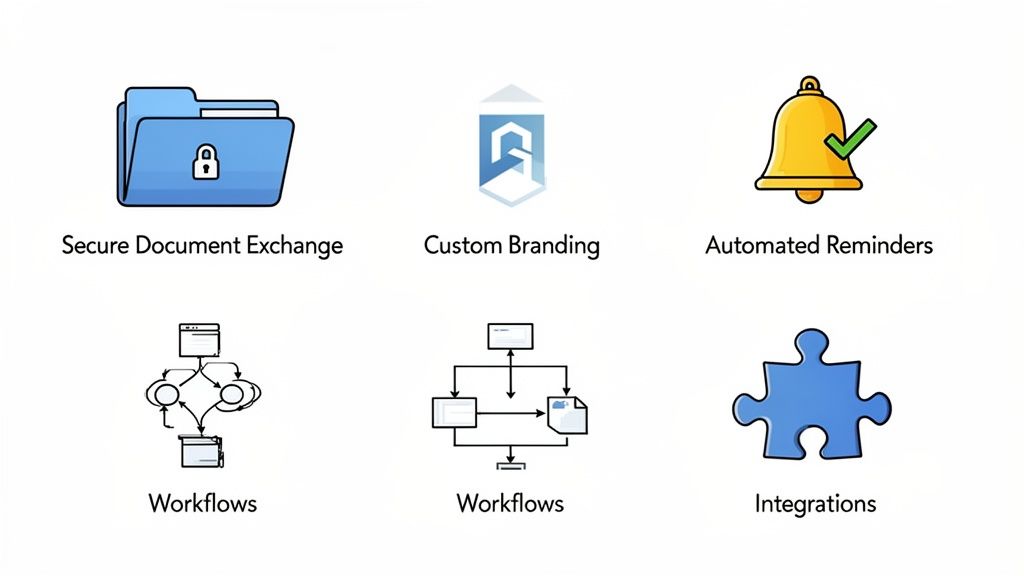
Before we dive into the details, here's a quick overview of the essential features and why they matter for your firm's day-to-day operations.
Must-Have Client Portal Features and Their Impact
| Feature | Why It's Essential for Accountants | Impact on Your Firm |
|---|---|---|
| Secure Document Exchange | Protects sensitive financial data (tax returns, PII) and meets compliance standards like GDPR. Email is simply not secure enough. | Builds client trust, minimizes liability, and creates a clear audit trail for every single document interaction. |
| Custom Branding | Creates a seamless, professional experience for clients, reinforcing that they are in a secure, firm-approved environment. | Boosts your firm's brand credibility and makes clients feel more comfortable sharing sensitive information. |
| Automated Reminders | Ends the time-wasting cycle of manually chasing clients for missing documents or signatures. | Frees up your team's time for billable work, speeds up document collection, and improves cash flow. |
| Custom Workflows | Standardizes processes like client onboarding or tax prep, ensuring no steps are missed and quality is consistent. | Increases efficiency, reduces errors, and provides every client with the same high-quality, guided experience. |
| Key Integrations | Connects the portal to your existing practice management, e-signature, and storage tools, creating a unified tech stack. | Eliminates double-data entry, automates tasks across different systems, and increases overall productivity. |
Now, let's explore what each of these features looks like in practice and how they directly contribute to a more efficient, secure, and profitable firm.
Bank-Grade Secure Document Exchange
Let's start with the absolute basics. A client portal's number one job is to keep sensitive information safe. Sending tax returns, P&L statements, or payroll data over regular email is a huge security gamble. A top-tier portal needs to offer bank-grade encryption for data both as it's being uploaded (in transit) and while it's being stored (at rest).
This is a deal-breaker. It’s essential for keeping your clients' trust and staying compliant with data protection laws like GDPR. Look for portals that also give you a full audit trail, letting you see exactly who viewed, downloaded, or changed a document, and when. This creates an airtight record that protects everyone involved.
A Custom-Branded Client Interface
Your client portal is a digital front door to your firm. When a client logs in, the experience should feel like an extension of your office—professional, familiar, and secure. A generic portal with another company's logo all over it can feel jarring and might even make clients hesitate.
A great portal lets you put your stamp on it. You should be able to add your logo, match your brand colors, and ideally use a custom URL. This consistent branding does two important things:
- It builds trust. A professionally branded space reassures clients that they're in the right place.
- It reinforces your value. It shows you're a modern, organized firm that invests in professional tools.
Automated Reminders and Notifications
Seriously, how much of your team's day is spent chasing down missing documents? This is where automation pays for itself almost immediately. A good client portal should take over the nagging for you, scratching one of the most painful administrative tasks off your list.
Instead of keeping a spreadsheet of who owes what, you can set up automatic reminder sequences. The system will send polite but persistent nudges to clients about that W-2 you're still waiting on or the engagement letter that needs a signature. This gives your staff the time to focus on actual accounting work, not playing collections.
Customizable Workflows and Checklists
Every service you offer, from preparing a tax return to onboarding a new business, follows a predictable set of steps. The best client portals let you map out those processes digitally with customizable workflows and checklists.
Think about it. You could create a "New Tax Client" workflow that, once triggered, automatically:
- Sends a friendly welcome email.
- Prompts the client to e-sign your engagement letter.
- Presents a clear checklist of every document they need to upload (W-2s, 1099s, etc.).
- Prevents them from hitting "submit" until every required field is filled and every document is attached.
This kind of standardization ensures nothing falls through the cracks. Every client gets the same clear, guided experience, and your team can work more efficiently. If you're curious about different options, our guide to the best client portal software breaks down how various platforms approach this.
The results are pretty staggering. Firms using workflow automation are seeing a massive shift in collection speeds. 60.7% of firms now get client documents in just 1-3 days, a huge improvement from only 25% before adopting these tools. According to the 2025 State of Accounting Workflow report, those weeks-long delays have practically disappeared, dropping from 18.5% to a mere 2.8% of cases.
Seamless Integrations with Core Tools
Your client portal can’t live on an island. To be truly useful, it needs to talk to the other software you depend on every day, like your practice management system, cloud storage, or e-signature tools.
A portal's true power is unlocked when it acts as the central hub of your tech stack, not just another separate tool. Integrations ensure that data flows automatically between systems, eliminating manual data entry and reducing the risk of human error.
For instance, when a client uploads a new document, it could automatically create a task in your project management app. Some portals even come with built-in tools like a CSV Analyzer that help you make sense of client data without ever leaving the platform. These connections create a smooth, automated ecosystem that makes the whole firm more productive.
Rolling Out Your Client Portal Without a Hitch
Choosing the right client portal for accountant use is a huge step, but the real test is how you roll it out. A clunky or confusing launch can create more problems than it solves, leaving both your team and your clients frustrated. The goal here is a seamless transition—one that feels like a genuine upgrade, not another piece of tech to learn.
By taking a step-by-step approach, you can get everyone on board and excited from the get-go. Think of it like paving a new, smoother road for your workflows; you need to lay the groundwork carefully so everyone is happy to use it.
Start with an Internal Blueprint
Before you even think about inviting a single client, get your own house in order. A new portal will inevitably change how your team works, so they need to feel confident with the system first. When your team is comfortable, they become champions for the change, not roadblocks.
First, map out your most common workflows. Don't try to tackle everything at once. Just pick two or three high-impact processes to build out initially. Great places to start are:
- New Client Onboarding: This is a client’s first real taste of how you operate. A smooth portal experience here sets a fantastic, professional tone right away.
- Annual Tax Document Collection: This is probably your biggest seasonal headache. Automating it provides an immediate and very noticeable win.
- Monthly Bookkeeping Submissions: For your retainer clients, standardizing this process creates a reliable, efficient rhythm for everyone.
Focusing on these key areas proves the portal's value quickly and lets your team master the new system in a controlled environment before opening the floodgates.
Create Powerful Request Templates
The real power of a client portal comes from standardizing your requests. This is where you build reusable templates for those workflows you just mapped out. A great template is more than just a document checklist; it's a guided journey for your client.
For instance, your "Individual Tax Return" template could be set up to automatically:
- Ask the client to e-sign the engagement letter right at the start.
- Provide a clear checklist for every document you need (W-2s, 1099s, etc.).
- Use validation rules to block them from hitting "submit" until all the required files are there.
Building these templates is a one-time effort that pays you back on every single engagement. It cuts out the guesswork, slashes the back-and-forth emails, and helps you get everything you need in one clean package.
Getting this right is the foundation of a successful rollout. Once these are built, your team can send a complete, professional request in just a couple of clicks. For a deeper look at what makes a great portal, check out our complete guide to client portals.
Plan Your Client Announcement and Launch
Okay, your team is trained and your templates are ready. Now it's time to bring your clients into the fold. Don't just blast out a generic email with a login link and call it a day. You need to frame this change by focusing on what's in it for them.
Your announcement should clearly spell out the benefits:
- Top-Notch Security: Make it clear that this portal is a much safer way to handle their sensitive financial data than email will ever be.
- 24/7 Convenience: Let them know they can upload documents or check on a request's status whenever they want, from any device.
- Everything in One Place: Explain how this ends the chaos of hunting through old emails. Now, every request and document has a permanent, organized home.
You might want to try a phased rollout. Start with a small group of your more tech-friendly clients, get their feedback, and then expand to everyone else. This lets you iron out any wrinkles and build momentum. A well-planned launch establishes the portal as the new, official way of doing things and ensures everyone actually uses it.
Driving Adoption and Getting Maximum Value
So, you’ve decided to implement a new client portal for accountant use. That’s a great first step, but it’s only half the battle. The real win comes from getting your clients and your team to actually use it. A powerful tool sitting empty is just a line item in your budget—it’s not providing any return on your investment.
Getting people on board isn’t just about sending out a login link and hoping for the best. It’s about changing old habits and making the portal an essential part of how your firm operates. The goal is to establish it as the one and only way you handle sensitive client documents and communication. This isn't just another option alongside email; it's the new, secure standard. Success hinges on a clear rollout strategy for both your internal team and your clients.
Training Your Team to Be Portal Champions
Your staff are on the front lines, and their attitude toward the portal will make or break its adoption. If they aren't fully bought in, they'll slip back into old email habits at the first sign of trouble, which completely undermines the whole initiative.
You need to turn your team into the portal's biggest advocates. This starts with thorough, hands-on training. They can’t just be users; they need to be experts who can confidently walk a hesitant client through their very first document upload. Focus your training on these key areas:
- Mastering Key Workflows: Every team member should be able to send a document request or check on a submission's status without fumbling around. It needs to be second nature.
- Articulating the "Why": Give them simple, clear talking points about the portal's security and efficiency. They need to be able to explain the benefits in every client conversation.
- Problem-Solving Skills: Prepare them to answer common client questions and troubleshoot small issues. This positions them as helpful guides, not gatekeepers.
When your team truly understands and believes in the portal, they will naturally steer clients toward it. It will feel less like a mandate and more like a helpful suggestion.
Crafting a Simple Client Onboarding Experience
For your clients, this switch needs to feel completely effortless. If their first experience is clunky or confusing, they’ll run right back to the familiar comfort of their inbox. The goal is to make using the portal easier than the old way of doing things.
Your client's first impression of the portal will determine their long-term adoption. A simple, clear, and benefit-focused introduction is critical to making them feel comfortable and secure from the moment they log in.
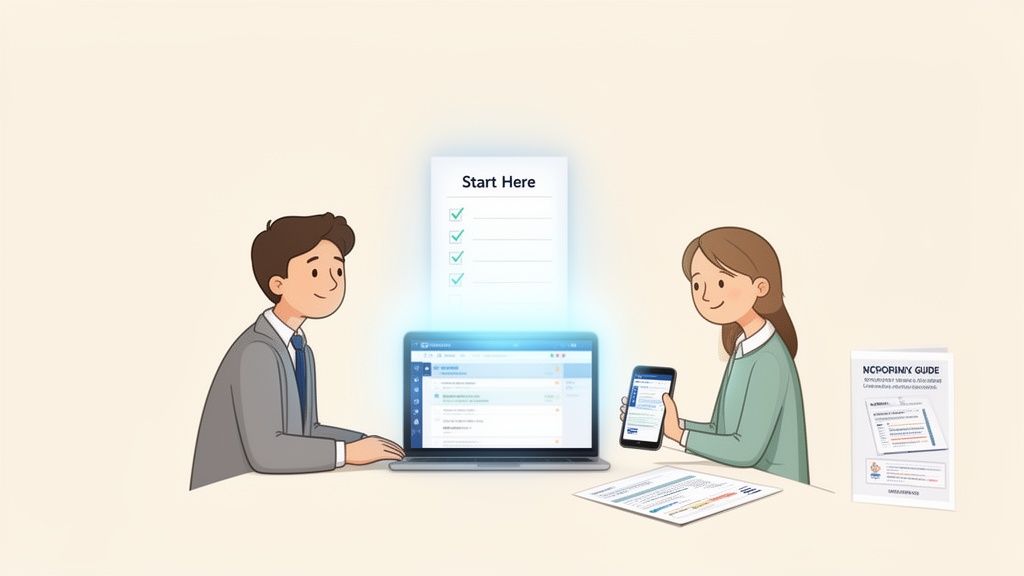
Put together a simple onboarding kit to help them get started. This doesn't need to be a dense, 20-page manual. Think small, digestible resources they can look at when they need them:
- A One-Page Quick-Start Guide: A simple PDF with screenshots showing them exactly how to log in, see what you need, and upload their first file.
- A Short Welcome Video: A quick, two-minute screen recording that walks them through the login process and points out the most important features.
- An FAQ Section: Get ahead of their questions. Include things like, "Is this secure?" and "What happens if I forget my password?"
By making the first few steps incredibly simple, you remove any friction and immediately show them how much easier the portal makes everything.
Consistently Reinforcing the New Standard
After the launch, consistency is everything. You have to gently but firmly establish the portal as the single source of truth for all document exchanges.
What happens if a client emails a sensitive document? Your team’s response should be polite but firm: "Thanks for sending this over! For your security, could you please upload it directly to your portal? Here’s the link to the request."
This kind of consistent reinforcement slowly retrains their behavior. Every single interaction becomes a small lesson, highlighting the portal's security over email and solidifying its role as the official channel. Over time, this makes the client portal for accountant workflows a natural part of your client relationships, maximizing its value and boosting your firm's professional, security-conscious image.
Common Questions About Accountant Client Portals
Switching to a new tool always brings up some good questions. A client portal for accountant use changes up your workflow, so it’s only natural to wonder how it will really affect your team and, more importantly, your clients. Let's tackle the big ones head-on.
Will My Less Tech-Savvy Clients Struggle to Use a Portal?
This is probably the number one question I hear, and it's a valid one. But here’s the good news: modern client portals are designed for everyone, not just the tech-wizards. The best ones have clean, simple layouts that guide clients through the process step-by-step. Think less like complex software and more like using a straightforward website.
Plus, most are completely mobile-friendly. Your clients don't need a clunky scanner. They can just snap a picture of a document with their phone and upload it right then and there.
When you introduce it, frame it as a win for them—no more searching for a scanner or making a special trip to the post office. A simple one-page guide or a quick video tutorial is usually all it takes to get even the most hesitant clients on board. Once they see how easy it is, they'll wonder why they ever did it the old way.
Is a Client Portal Truly More Secure Than Email?
Yes. And it’s not even close. A dedicated client portal is leagues ahead of email when it comes to security. Let's be honest, email was never built to handle the sensitive financial information we deal with every single day. It’s wide open to phishing, hacking, and all sorts of other risks.
A proper client portal is built like a vault. It uses bank-grade, end-to-end encryption, which means the data is scrambled from the moment it leaves your client's device until it's safely with you. This makes the information totally unreadable to anyone who shouldn't have it.
On top of that, you get critical security features that email just doesn't have:
- Secure Logins: Usually protected with multi-factor authentication, adding another lock on the door.
- Granular Permissions: You decide exactly who can see or touch which documents. No accidental cc's.
- Complete Audit Trails: Every single click—every view, download, and upload—is tracked and time-stamped.
Moving sensitive files to a purpose-built portal isn't just a small step up; it's a massive leap in protecting your clients' data and your firm's reputation.
How Much Time Does Portal Setup and Management Really Take?
There’s definitely some setup involved, but we’re not talking about a months-long IT project. Modern, cloud-based portals are designed to get you up and running fast.
The initial setup is usually pretty quick. Many platforms come with ready-to-go templates for common tasks like tax document collection or new client onboarding. You can just tweak them with your firm's branding and specific questions. The main effort is personalizing the portal with your logo and walking your team through the new process.
But that initial time investment pays for itself almost immediately. Once it’s running, the portal’s automated reminders and organized checklists start doing the administrative busywork that used to eat up your day. The time you get back from not having to chase down documents is huge.
Can a Portal Integrate With My Other Accounting Software?
Absolutely. This is where a good portal really shines. While the exact integrations vary, the best platforms are built to play nicely with the other tools in your tech stack. Many connect to thousands of apps through services like Zapier.
This connectivity is what lets you build automated workflows that talk to your practice management software, CRM, or cloud storage. No more mind-numbing manual data entry.
For example, you could set it up so that when a new client fills out their onboarding form in the portal, it automatically creates a contact in your CRM and a new folder for them in your document system. This is how a portal goes from being just a tool to becoming the central hub for your firm’s operations.
Ready to stop chasing documents and start streamlining your client collaboration? Superdocu provides a secure, branded portal with powerful automation to make document collection effortless for you and your clients. Start your free trial and transform your workflow today.