
Think about the last time you hunted for a document in a filing cabinet. You probably waded through stacks of manila folders, hoping the one you needed wasn't misfiled or sitting on someone else's desk. Now, imagine that entire cabinet—and all its chaos—transformed into a smart, secure digital library you can access from anywhere.
That’s the simplest way to understand cloud based document management software. It takes your most important files off a local server or a shared drive and moves them into an intelligent online system that organizes, protects, and automates how you work with them.
So, What Exactly Is Cloud Based Document Management?
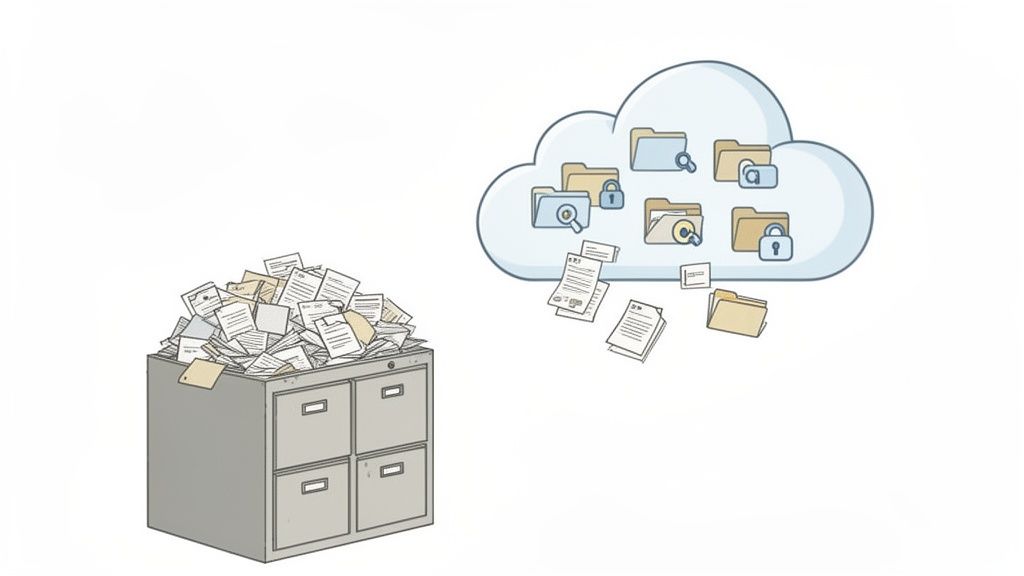
Let's use an analogy. An old-school, on-premise system is like a physical library. To get a file, you have to be in the building. It’s only open during business hours, and if someone else has the document you need, you have to wait. It's limiting, takes up a ton of physical space, and relies on manual processes.
A cloud-based system is like having that entire library digitized and available on your phone. You can pull up any document, anytime, from anywhere. Your whole team can look at the same information at once, the system tracks every change automatically, and new files are available to everyone instantly.
This is the game-changing shift cloud based document management software brings to your business. It's not just about storage—it’s about creating an active, intelligent hub for your information. Instead of just being a digital dumping ground, this software creates a structured environment where your documents are easy to find, share, and manage.
Shifting from On-Premise to the Cloud
For a small business, the difference between storing documents on-premise (on a local server in your office) versus in the cloud is night and day. It’s more than just a technical switch; it’s a fundamental change in how your business operates.
To make this clearer, let's break down the key differences:
On-Premise vs Cloud Based Document Management
| Feature | On-Premise Software | Cloud Based Software |
|---|---|---|
| Initial Cost | High (hardware, software licenses) | Low (monthly/annual subscription) |
| Accessibility | Limited to office network | Anywhere with an internet connection |
| Maintenance | Your IT team's responsibility | Handled by the provider |
| Security | You manage all security measures | Expert-level security included |
| Scalability | Difficult and expensive to scale | Easy to scale up or down |
| Updates | Manual updates required | Automatic updates included |
As you can see, the cloud model removes the heavy lifting. Instead of buying and maintaining expensive servers, you pay a predictable subscription fee. All the headaches of server maintenance, software updates, and data backups? The provider takes care of all of it.
This shift away from clunky local systems is why the market is booming. It grew from USD 3.59 billion in 2017 to an estimated USD 6.78 billion by 2023, largely because businesses need to work smarter and meet tough compliance rules. You can dig into the numbers in this detailed market analysis.
A cloud based document management system becomes your company’s single source of truth. It ends the confusion over which version of a file is the right one and ensures everyone is working from the most up-to-date information.
For small and medium-sized businesses (SMBs), this solves some very real, very frustrating problems:
- Lost or misplaced files that bring work to a screeching halt.
- Version control chaos, where three people are editing three different copies of the same contract.
- Major security risks from having sensitive client data sitting on an old desktop or a vulnerable server in the back room.
By putting all your documents in one secure, accessible place, this software creates a solid foundation for a more efficient and secure business.
Solving Everyday Problems with Core Features

The true power of cloud-based document management software isn’t hidden in its technical jargon; it’s in how it fixes the real, everyday headaches that slow your business down. This is about more than just digital storage—it’s about building a smarter, more efficient engine for your operations.
Let’s connect these core features to the problems they solve.
Think about an HR manager bringing a new employee on board. The old way is a mess of emails with a dozen attachments—the offer letter, I-9 form, benefits packet, you name it. With a cloud platform, you create a slick, branded portal where the new hire finds everything in one organized spot, checking off items as they go. It’s a clean, professional start that makes a great first impression.
Or picture a mortgage broker who needs one last pay stub from a client. Instead of sending yet another “just checking in” email that gets buried, the software can send friendly, automated reminders. This simple step keeps the loan moving forward without adding more to your to-do list.
End Document Confusion with Version Control
We’ve all been there. Staring at a folder full of files like "Contract_Final_v2_Updated_JS_FINAL.docx" and wondering which one is actually the right one. This is one of the biggest sources of mistakes in any business, and version control solves it for good.
It essentially gives your documents a time machine.
Every time someone saves a change, the system logs it as a new version while keeping a full history of every previous draft. This means you can easily roll back to an older copy, compare changes between two versions, and see a clear audit trail of who changed what, and when. There's just one file, with one clear, easy-to-follow history.
Find Anything in Seconds with Advanced Search
Let's be honest, traditional folder systems are broken. If someone misnames a file or puts it in the wrong place, it might as well be gone forever. A modern document management system’s search works less like your computer’s file explorer and more like Google.
You’re not just searching by filename; you can search by the content inside the documents.
- Keyword Search: Instantly find every single document that mentions a specific client’s name or a project ID.
- Metadata Search: Filter your files by author, date, document type, or any other custom tags your team creates.
- Optical Character Recognition (OCR): This is a game-changer. It makes the text in scanned PDFs and even images completely searchable, turning static documents into active, findable data.
This single capability turns a passive digital filing cabinet into an active knowledge base, saving your team countless hours once lost to digging for files. You can find more tips for organizing your files in these document management best practices.
Streamline Operations with Automated Workflows
This is where things get really interesting. Automated workflows put your repetitive, manual processes on autopilot. You can build simple "if this, then that" rules that tell the software exactly what to do when a new document is uploaded or a task is completed.
An automated workflow is like a digital assembly line. Each document is automatically routed to the right person for the right action at the right time, eliminating manual handoffs and potential bottlenecks.
For instance, a law firm can set up a workflow for new client intake. When a client uploads their initial paperwork, the system can automatically:
- Ping the paralegal to let them know it’s ready for review.
- Build out a new client folder with all the standard subfolders.
- Create a task for the lead attorney to review the case.
This is why small and medium-sized businesses are adopting this technology so quickly. Many report 40-60% reductions in administrative overhead by using these features. By connecting your platform with other tools, you can slash document processing times from weeks down to a matter of days. Once you see how these features solve real-world challenges, it becomes clear how this software saves time, reduces costs, and makes your client experience so much better.
Building a Digital Fortress for Your Client Data
When you’re handling sensitive client information, security isn’t just a feature—it’s the entire foundation of your business. The idea of moving critical documents to the cloud might feel like a leap of faith, but modern platforms are built to be digital fortresses, often far more secure than a server sitting in your office closet.
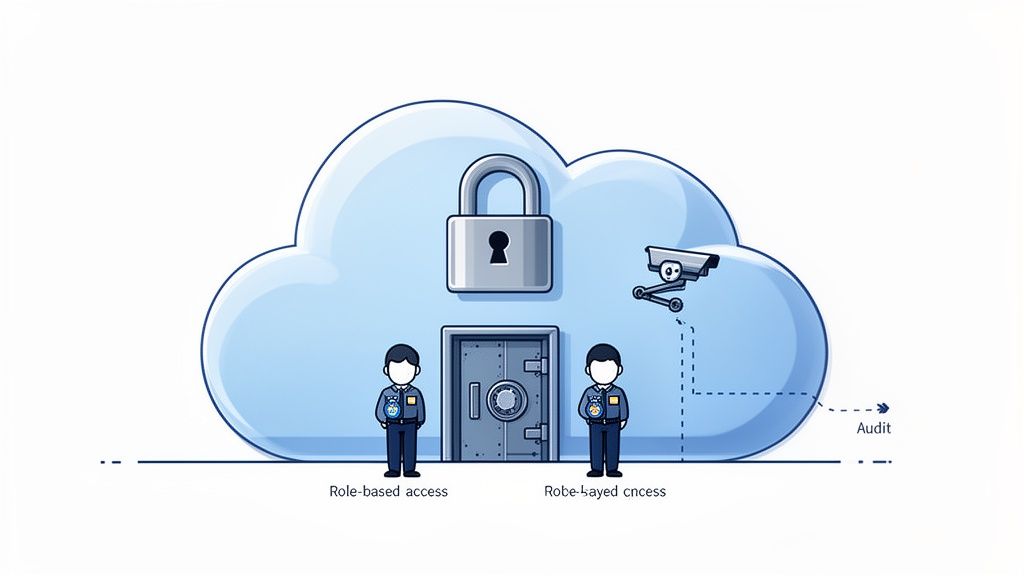
Think of it this way: a cloud-based document management software is like a high-tech bank vault for your data. It’s constructed with multiple layers of protection, each one designed to stop different threats and ensure only the right people get access.
This approach turns security from a constant worry into a real business advantage. It gives you the confidence to operate in high-stakes industries, knowing your clients' data is shielded by enterprise-grade security.
The Unbreakable Vault Door: Data Encryption
The first and most important layer is data encryption. This essentially scrambles your documents into unreadable code, acting as an unbreakable vault door. Even if a cybercriminal somehow managed to intercept a file, it would be complete gibberish without the specific key to unlock it.
The best systems use end-to-end encryption. This means your files are protected both while they're being uploaded (in transit) and while they're stored on the server (at rest). It’s the same level of security used by banks, making your client data virtually impenetrable.
The Security Guards: Role-Based Access
Next up, you need guards to control who gets into the vault. In a digital system, this is handled by role-based access controls. You get to be the security chief, deciding precisely who can view, edit, or download specific files.
This level of control is absolutely critical for protecting sensitive information. For example:
- An HR manager can see every employee file, but individual team members can only see their own.
- A paralegal can access all the documents for a particular case, while the client can only see the specific files shared with them.
- An accountant can view invoices but isn't able to modify client contracts.
This ensures everyone only sees what they absolutely need to, which dramatically cuts down the risk of accidental leaks or unauthorized access. You can find out more about how a secure document intake platform puts these principles into action.
The 24/7 Camera System: Audit Trails
Finally, any good security system needs round-the-clock surveillance. Audit trails serve as the 24/7 camera system for your digital vault, recording every single action that happens inside the platform.
This detailed log tracks who accessed a document, when they viewed it, if they downloaded it, and whether they made any changes. This complete transparency is essential for accountability and is often a non-negotiable requirement for compliance audits in regulated fields like finance and healthcare.
An audit trail gives you an unchangeable record of a document's entire history. It’s your ultimate proof of who did what and when, offering total peace of mind and making compliance checks a breeze.
Making Compliance Automatic
Speaking of compliance, regulations like GDPR and HIPAA can feel overwhelming for a small business. The right software helps make adherence much more straightforward. These platforms are designed with the rules in mind, offering features that help you meet your legal duties almost automatically. To truly secure client data in the cloud, it helps to understand what SOC 2 entails, as it's a key security framework for service providers.
Getting security and compliance right is a major growth driver, with the document management market projected to hit USD 78.9 billion by 2033. For businesses handling sensitive data, features like GDPR-compliant European hosting and automated notifications can slash the risk of issues in compliance audits by as much as 70%.
How Real Businesses Use This Software to Win
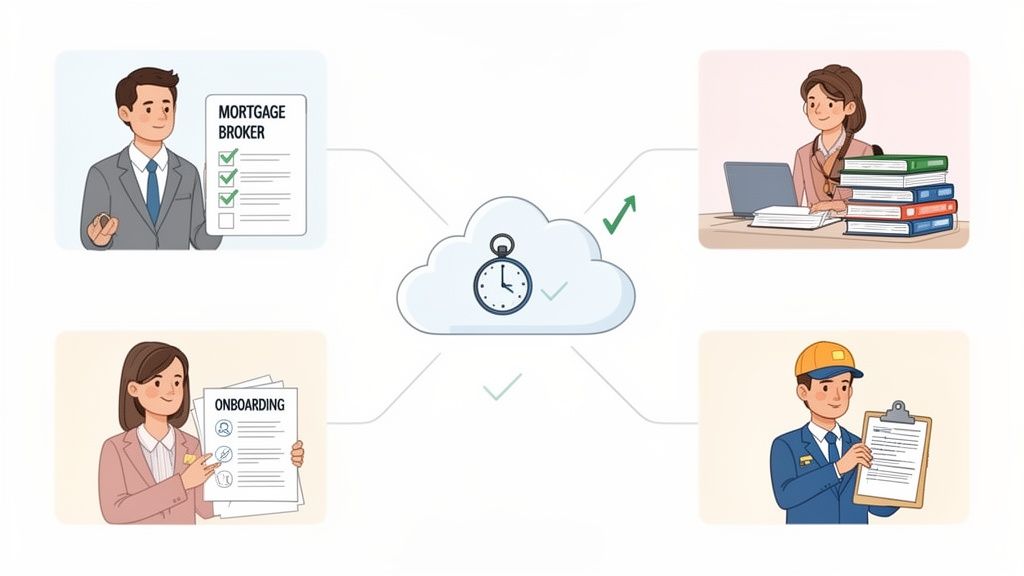
Features and theory are one thing, but the true test of any business tool is how it actually works in the real world. So, let’s get practical and look at how small businesses are using cloud-based document management software to fix real problems, save a ton of time, and grow their bottom line.
Each of these examples is a mini-story about a common business headache—from missed deadlines and compliance nightmares to just plain frustrating client experiences. They show exactly how this technology offers a powerful solution. Think of these less as stories and more as blueprints for running a smarter, more profitable operation.
The Mortgage Broker Who Slashed Loan Processing Time
Meet Sarah, a mortgage broker who felt like she was drowning in paperwork. Her biggest bottleneck was constantly chasing clients for documents—pay stubs, tax returns, bank statements, you name it. Every single loan application turned into a chaotic mess of emails, scanned attachments, and endless follow-up calls. It delayed closings and frustrated everyone involved.
She switched to a cloud-based document management system and set up a secure, branded client portal for each applicant. Instead of a messy email chain, her clients now get a single link to an organized checklist. They can upload files right from their phone or computer, and the system automatically checks off each item as it comes in.
The change was instant. Automated reminders gently nudged clients for missing documents, which meant Sarah wasn't stuck playing phone tag all day. This one simple shift cut her average loan processing time by nearly 50%, letting her close more loans and give her clients a much smoother, professional experience.
The Paralegal Who Eliminated Manual Filing for Good
Now, picture David, a paralegal at a growing law firm. His desk was always buried under stacks of paper from new client intakes. He was spending hours every week manually scanning, naming, and filing documents onto the firm's server. It was tedious, mind-numbing work where one little mistake could mean hours of searching for a misplaced file later on.
David’s firm brought in a platform with automated workflows. Now, when a new client signs on, they just upload their documents to a secure portal. From there, the software takes over completely. It uses preset rules to:
- Automatically name and sort each file based on what it is.
- Create a new digital client folder, complete with all the right subfolders.
- Ping the assigned attorney to let them know the file is ready for review.
What used to eat up hours of David's day now happens in minutes. The firm cut thousands of dollars in annual paper and storage costs, but the real win was getting David's time back. He can now focus on high-value legal work instead of administrative busywork, directly impacting the firm's profitability.
The HR Manager Who Built a Seamless Onboarding Experience
Let's look at Maria, an HR manager who had to onboard 15 new employees for her fast-growing company. Her old process was a clunky mix of emailing PDFs, chasing down attachments, and manual data entry. It was inefficient for her and, frankly, gave new hires a pretty disorganized first impression.
Using cloud-based document management software, Maria built a streamlined digital onboarding workflow. New hires now receive a welcome email with a link to a professional, company-branded portal. Inside, they find a simple, step-by-step guide to complete all their paperwork—from I-9s and tax forms to direct deposit info and benefits enrollment.
The system even connects with e-signature tools, so they can sign their employment contracts right then and there. This not only makes a fantastic first impression but also guarantees all documents are filled out correctly and stored securely from day one. Compliance became a non-issue, and Maria’s administrative workload dropped significantly.
The Transportation Company That Stays Ahead of Compliance
Finally, think about a mid-sized transportation company managing a mountain of compliance documents for its fleet of drivers. Keeping track of driver's licenses, medical certificates, and vehicle registrations was a full-time headache. A single expired document could lead to huge fines or even take a truck off the road.
The company now uses a document management system to automate this entire process. Each driver gets a digital profile where they upload their required documents. The game-changer is the system's ability to track expiration dates.
Weeks before a license or certificate is about to expire, the system automatically sends a notification to both the driver and the compliance manager. This proactive approach has pretty much eliminated the risk of non-compliance. The company stays on the road, avoids costly penalties, and maintains a perfect safety record—all thanks to a smarter way of managing its most critical files.
Choosing the Right System for Your Business Needs
Picking the right cloud-based document management software can feel overwhelming. A quick search brings up dozens of options, and they all seem to promise the world. It’s easy to get lost in feature lists and marketing jargon.
But here’s the secret: the goal isn’t to find the platform with the most features. It’s about finding the one with the right features for how your business actually works.
Think of it like buying a tool. A complicated, multi-function gadget might look impressive, but if all you need is a reliable hammer, the extra bells and whistles just get in the way. We’ll walk through how to find the perfect fit for your team.
Start With User-Friendliness And Adoption
Let's be honest—the most powerful software on earth is completely useless if your team hates using it. The best systems are the ones that feel so natural you barely have to think about them. If your team (and your clients!) can't figure it out without a lengthy training manual, it’s going to cause more headaches than it solves.
Look for a clean, simple interface. When you’re doing a demo or a free trial, see how many clicks it takes to do something basic, like request a file from a client. Is it obvious where to go next?
Your chosen software should simplify work, not add another layer of complexity. If it feels clunky or confusing during the trial period, those issues will only magnify once your entire team is using it.
Evaluate Core Integration Capabilities
Your business relies on a whole suite of tools, and they need to talk to each other. Your document management platform shouldn't be an isolated island; it needs to be a central hub that connects everything.
Without seamless integrations, you’re just creating more manual work for yourself. Look for a few key connections that will make a real difference:
- eSignature Tools: Direct integration with services like DocuSign is a game-changer. It means you can get contracts signed and filed away without the tedious download-and-re-upload dance.
- Zapier: Think of Zapier as the universal translator for your apps. A solid Zapier connection lets you link your document platform to thousands of other tools, from your CRM to your accounting software, automating tasks in the background.
- Email and Calendars: Integrations that bring your tasks and communications into one place mean less time spent switching between tabs.
These connections are what transform a simple file storage box into a dynamic part of your workflow.
Understand the True Cost And Pricing Models
Software pricing can be tricky, so it’s critical to look past the headline number. You need to understand the total cost of ownership to avoid any nasty surprises on your bill. For small and medium-sized businesses looking to implement such systems, exploring the options for a Top Document Management Software for Small Business can be crucial.
You'll generally run into a few common pricing models:
- Per-User Pricing: Simple enough. You pay a set fee for each person on your team who needs access.
- Tiered Pricing: You'll see different price points that unlock more features, users, or storage space as you move up.
- Usage-Based Pricing: Here, the cost is tied to how much you use the platform—think number of documents processed or gigabytes of data stored.
Don't be shy about asking vendors directly about potential hidden costs. Are there extra fees for setup, training, going over your storage limit, or getting priority support? A company with a transparent, easy-to-understand pricing structure is usually a good sign. You can learn more about finding the right fit in our guide on document management for small business.
Essential Feature Checklist for SMBs
To help you cut through the marketing fluff, here’s a simple checklist. Use it to compare different platforms and stay focused on the features that will actually make a difference for a small to medium-sized business.
| Feature | Importance for SMBs | What to Look For |
|---|---|---|
| Branded Client Portal | High | The ability to add your own logo and brand colors. This builds trust and gives your clients a professional, seamless experience. |
| Automated Reminders | High | Customizable, automatic follow-ups for outstanding documents. This feature alone can save your team hours of administrative busywork. |
| Scalability | Medium to High | A system that can grow with you. Make sure you can easily add more users or storage without a massive price jump. |
| Mobile Accessibility | High | A clean, responsive mobile interface is non-negotiable. You and your clients need to be able to upload and access files on the go. |
At the end of the day, the only way to truly know if a system is right for you is to get your hands on it. Always take advantage of free trials. Don't just click around—set up a real-world project, invite a couple of team members, and maybe even a trusted client to try it out. That hands-on experience is worth more than any sales pitch.
Got Questions About Cloud Document Management?
Switching to a new system always brings up questions, and when it’s about something as critical as your business documents, you want to be sure. Let’s walk through some of the most common concerns small businesses have before they make the jump to cloud-based document management.
My goal here is to give you straight, clear answers. No jargon, just the reality of how this technology works so you can feel confident moving forward.
Is the Cloud Really Secure Enough for My Sensitive Files?
This is usually the first question people ask, and the answer is a firm yes. For most small businesses, a top-tier cloud platform offers security that’s light-years ahead of what you could manage in-house. It’s like moving your cash from a shoebox under the bed to a guarded bank vault.
These platforms are built from the ground up with layers of protection. Here’s what that actually means:
- End-to-end encryption is standard. It essentially scrambles your data during upload, at rest, and on its way back down, making it completely unreadable to anyone without the key.
- World-class data centers have physical security, redundant power, and backup systems that are just not feasible for a small business to replicate.
- Granular access controls put you in the driver’s seat. You decide exactly who can view, edit, or download a specific file, which dramatically cuts down on the risk of internal leaks.
Reputable cloud document management software is engineered to meet the strict security and compliance standards of industries like law, finance, and healthcare. This robust security model is significantly safer than relying on email or a local office server.
How Painful Is the Switch from Paper or Email?
You’d be surprised at how easy it is. Modern cloud solutions are designed for regular people, not IT gurus. The user experience is everything, so you won’t need a technical degree to get going.
The setup is usually a breeze. You’ll get your account set up, maybe add your company logo, and start using pre-built templates for your document workflows. Because the software is entirely browser-based, there’s nothing for you, your team, or your clients to install. The best providers also offer hands-on help and free trials to make sure your move is a smooth one.
Can This Software Actually Connect with Our Other Tools?
Absolutely. In fact, that’s one of its biggest strengths. A good document management system isn’t just another isolated tool; it’s designed to be the central hub that connects your other business software.
Many platforms integrate with tools like Zapier, which acts as a bridge to thousands of apps you might already use—your CRM, accounting software, project management boards, you name it. This lets you build some pretty powerful automations. For example, when a new client signs up in your CRM, a document checklist can automatically be created and sent from your management system.
Direct integrations with e-signature services like DocuSign are also a given. This makes it incredibly simple to create, send, and store legally binding agreements all in one place, ending the clumsy process of downloading, signing, scanning, and re-uploading files.
What's the Cost and How Do I Measure the ROI?
Most cloud platforms run on a subscription model, often priced per user or by feature tier. This is great news for small businesses because it gets rid of the huge upfront investment that came with old-school, on-premise software and servers.
The return on that investment (ROI) shows up in a few key ways:
- Huge Time Savings: Businesses often report a 40-60% reduction in time spent on admin work like chasing down documents, manual filing, and repetitive data entry.
- Lower Operational Costs: Think about all the money you’ll save on paper, printer ink, and physical storage cabinets. It adds up fast.
- Faster Turnaround Times: By automating document collection and approvals, you can onboard clients, close deals, and finish projects in a fraction of the time.
- Reduced Compliance Risk: The system acts as a safety net, helping you avoid costly fines by ensuring documents are managed and stored according to industry rules.
When you put it all together, that monthly subscription fee starts to look like a pretty small price to pay for the massive gains in efficiency, security, and savings.
Ready to stop chasing paperwork and start automating your workflows? Superdocu gives you the tools to create secure client portals, send automated reminders, and streamline your entire document collection process. Start your free trial today and see how easy it can be.