
When you hear "automating repetitive tasks," it might sound complex, but it's really just about using smart software to handle the tedious, recurring jobs that eat up your day. Think about all the time you spend chasing documents, sending reminder emails, or manually entering data. The goal is to find one of those bottlenecks, pick a straightforward tool like Superdocu, and build a simple, focused workflow to fix that one problem. Start small, and you'll see the impact immediately.
Why Manual Tasks Are Costing You More Than Time
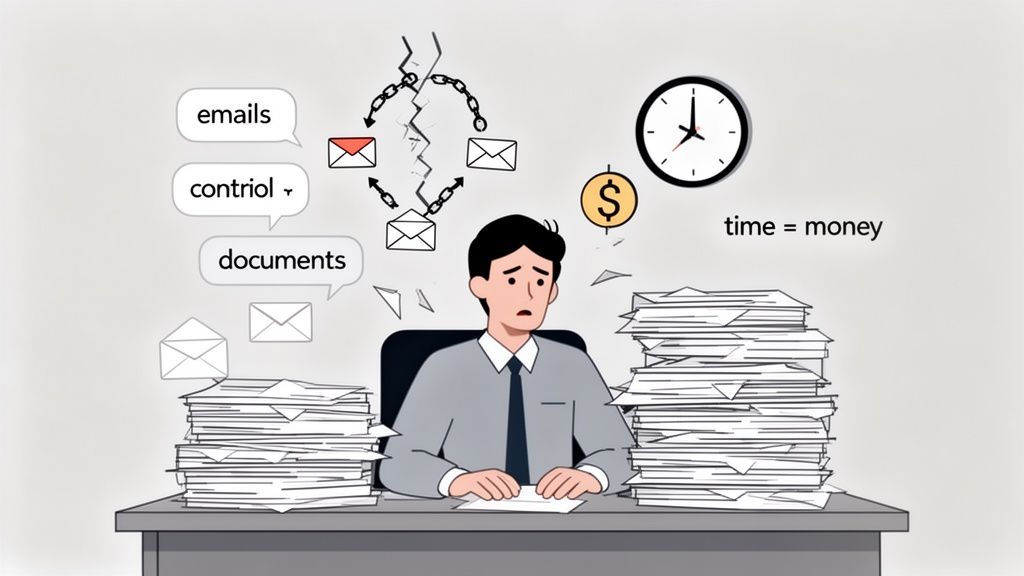
Let's be real—the endless cycle of chasing down documents, firing off follow-up emails, and trying to keep track of a dozen different attachments isn't just a headache. It's a hidden tax on your business. These manual chores create friction, bring projects to a grinding halt, and bleed resources that you should be putting toward growth.
We’ve all been there. The new employee onboarding gets stuck because someone forgot to send back a signed contract. A mortgage application is delayed because of a missing bank statement. These aren't just one-off annoyances; they're cracks in your operational foundation.
The Hidden Costs of Inefficiency
The true cost of sticking with manual processes goes way beyond wasted hours. It opens the door to serious risks and missed opportunities that can hold your business back. Every time a human has to manually complete a step, it's a new chance for something to go wrong.
This administrative drag has real, tangible consequences:
- Human Error: When you’re manually keying in data or tracking document versions, mistakes are bound to happen. One little typo can create a huge compliance headache or, worse, damage a client relationship.
- Security Gaps: Emailing sensitive files like IDs, contracts, or financial statements is a huge security risk. It leaves both your business and your clients exposed to potential breaches.
- Bad Client Experience: Nothing frustrates a client more than having to dig through confusing email chains or resend documents that got lost in the shuffle. It just looks unprofessional.
The real problem is this: every minute you spend on low-value admin is a minute you don't spend on client strategy, growing the business, or coming up with new ideas. You're trading impactful work for busywork.
To see just how different the two approaches are, let's break it down. This table highlights the stark differences in time, cost, and risk between a manual process and a streamlined, automated approach.
Manual vs Automated Document Collection
| Metric | Manual Process | Automated Process |
|---|---|---|
| Time Spent | Hours per week chasing, reminding, and organizing files. | Minutes per week setting up requests and monitoring progress. |
| Error Rate | High. Typos, lost files, and version control issues are common. | Near zero. Data is validated, and documents are stored centrally. |
| Security Risk | High. Sensitive data sent over insecure email channels. | Low. Encrypted portals and secure, compliant storage. |
| Client Experience | Frustrating. Confusing email threads and repetitive requests. | Seamless. A clear, branded portal for easy uploads and tracking. |
| Cost | High. Wasted employee time, plus the cost of fixing errors. | Low. Affordable subscription frees up team for high-value work. |
The difference is clear. Automation doesn't just save time; it reduces risk, improves the client experience, and directly impacts your bottom line.
The Financial Impact of Manual Work
The global Document Automation Software market is expected to reach $5.8 billion by 2025 for a reason—businesses are finally realizing how much manual work is costing them. Think about this: manual data entry can take up 40% of an employee's workday. That's a massive hidden expense just in salary and lost potential.
Making the switch isn't just about making life easier; it's a strategic decision to get your resources back. For businesses that embrace automation, studies show they can cut their operational costs by 20% in just three years.
If you're looking for more ways to get efficient, our guide on how to streamline business processes is a great place to start.
Building Your First Automated Document Request
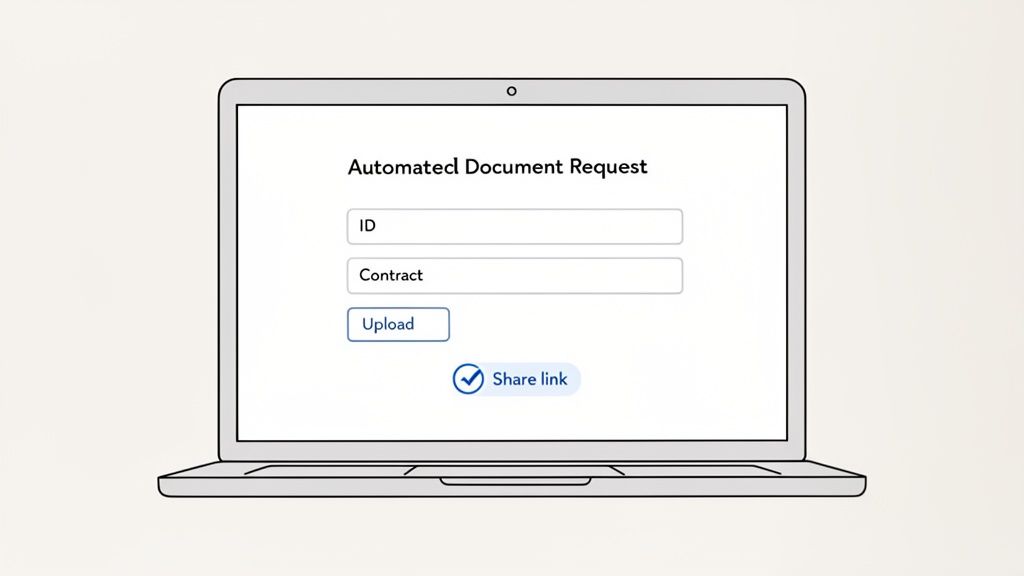
Theory is one thing, but actually seeing it work is another. So, let's stop talking about why you should automate and start digging into how. The good news? Building your first automated workflow is much faster than you think, and you don’t need to be a tech wizard to do it.
The trick is to start small with a process you know inside and out—one that causes you the most headaches.
HR onboarding is a classic example. Think about the last time you hired someone. Instead of kicking off a messy email chain with ten different attachments, you could send a single, polished request that gathers everything you need in one clean sweep.
Start with a Smart Template
The quickest way to get going is to not start from scratch. Why reinvent the wheel? Platforms like Superdocu are packed with pre-built templates for common tasks across different departments. For our HR scenario, you'd just grab the "New Employee Onboarding" template.
Instantly, you have a pre-made checklist asking for all the usual documents:
- Signed Employment Contract
- Government-Issued ID (like a driver's license or passport)
- Bank Details for Payroll
- Completed Tax Forms
Think of these templates as your launchpad. They genuinely handle 80% of the setup work, letting you focus on the specific details of your process instead of staring at a blank screen.
Customize Your Request in Minutes
After picking a template, you can tweak it to fit your exact needs. Maybe your company also requires a signed NDA or proof of a specific certification. Adding a new field for these is as simple as clicking a button and naming it.
This is also where you can add clear instructions for each item. For the ID, you could add a quick note: "Please provide a clear, color scan of the front and back." A little bit of proactive guidance here goes a long way in preventing the back-and-forth emails that drain everyone's time.
The goal isn’t just to grab files; it’s to create a smooth, professional experience for your new hire. A clear, simple request sets a great tone right from their first day.
This is the part where you make the workflow truly yours, making sure it lines up perfectly with how your company operates. For a deeper dive, our guide on how to request documents securely has more best practices.
Generate and Share Your Secure Link
Once your request looks good, all that's left is to generate a unique, secure link. This one link is the magic key to the whole thing. Instead of attaching a bunch of documents to an email, you just send this link to your new employee.
When they click it, they see a clean, branded portal with a simple checklist of what's needed. They can upload files right from their computer or phone—no account creation or software installation required.
That one action replaces what was once a clunky, multi-step process. Just like that, you've built your first piece of automation. It’s a system that now works for you, making sure you get the right documents from the right person, every time. It really is that simple.
Creating a Professional Client Experience
Fixing your internal workflows is one thing, but the real magic of automation is how it transforms your client's experience. Every time you interact with a client, you're either building trust or chipping away at it. A clunky, confusing document request process? That’s a trust-killer.
On the flip side, a smooth, secure, and professional system shows clients you're organized and on top of your game. It reassures them they made the right choice. Think about it from their shoes: a clean, branded portal feels a lot better than a generic email with a long list of attachments they have to hunt down.
Build Trust with a Branded Portal
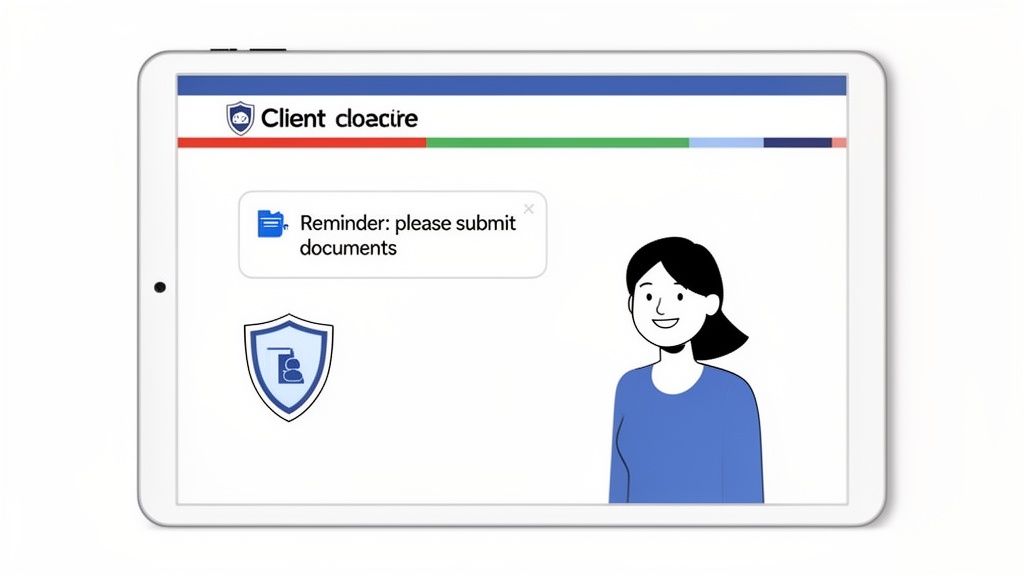
That first click matters. When a client gets a request from you, the page they land on should scream your company, not some random software tool. This is where a branded client portal comes in.
Customizing the portal with your logo and brand colors is a simple move, but it immediately tells the client they're in the right place. It’s a subtle signal that you’ve invested in a secure, professional process just for them.
Here’s what that little bit of branding actually does:
- Reinforces Your Brand: It creates a seamless experience, making the request feel like a core part of your service, not an afterthought.
- Boosts Client Confidence: Let’s be honest, an unbranded page asking for sensitive files can feel sketchy. A portal that matches your website assures them their data is safe.
- Reduces Confusion: There’s no question about who is asking for the information, which is a huge relief, especially for new clients.
You're not just asking for files; you're creating a positive touchpoint. It’s a small detail that makes clients feel secure right from the start.
Your document request portal isn't just a utility; it's a digital handshake. A professional, branded experience tells clients they've made the right choice in trusting you with their business.
Eliminate Follow-Ups with Automated Reminders
Now, let's talk about the secret weapon for getting documents on time without becoming a professional nag: automated reminders. We've all been there, sending that fourth "just checking in" email. It's a huge time-suck, and it can make clients feel pressured.
Setting up an automated reminder system turns this chore into a helpful, hands-off nudge. The trick is to find the right cadence. You want to be persistent, not annoying. A good starting point is a gentle reminder three days after the initial request, with another one a week later if something is still missing.
The message itself is just as crucial. Keep the tone friendly and helpful. Something like, "Just a friendly reminder that we're still waiting on a couple of documents to move forward. Let us know if you have any questions!" works wonders. It's worlds better than a blunt, "Your documents are overdue."
This one change has an outsized impact. It frees up your team, gets you the files you need faster, and keeps the client relationship positive. No more awkward follow-ups.
Connecting Your Automation to Other Business Tools
Getting your documents collected automatically is a huge win, but that’s really just the beginning. The real magic happens when that workflow starts talking to the other software you use every single day. A standalone process solves one problem, sure. But a connected workflow can completely reshape how you do business from start to finish.
This is the leap from automating a single task to orchestrating a whole system.
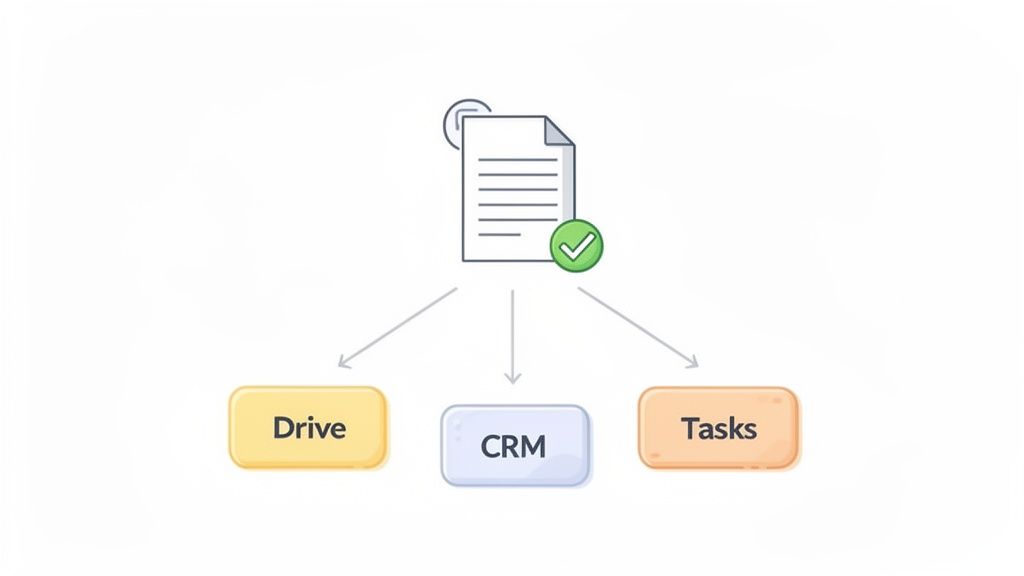
Think about what happens after a client submits a signed contract. Manually, you'd probably have to download it, create a new folder in Google Drive, update their status in your CRM, and maybe shoot a message to the project manager to get things started. Each one of those steps is another little task begging to be automated.
Creating a Fully Connected System
The idea is to create a seamless handoff from one tool to the next. When you connect your document collection platform to the rest of your tech stack, you can set off a chain reaction where one completed step automatically kicks off the next. This is where tools like Zapier are so valuable—they act as the glue between all your different apps.
Here’s a real-world example I see all the time with marketing agencies onboarding a new client:
- Document Submitted: The client uploads their signed proposal through your branded Superdocu portal. Done.
- File Storage Triggered: The moment you approve the document, an automation instantly creates a new client folder in Google Drive and drops the file right in.
- CRM Updated: At the same time, the client's record in a CRM like Salesforce or HubSpot gets switched from "Prospect" to "Active Client."
- Project Kickoff: Finally, a new "Client Onboarding" project pops up in a tool like Asana, with the first task already assigned to the right account manager.
That whole sequence happens in a matter of seconds, without anyone lifting a finger. You've just wiped out at least four separate manual tasks and made sure nothing can possibly fall through the cracks.
The best automation doesn’t just complete a task; it anticipates the next logical step in the process. By integrating your tools, you build a smart, proactive workflow that does the thinking for you.
The Growing Power of Connected Workflows
This kind of connectivity isn't just a nice-to-have anymore; it’s quickly becoming the standard for efficient businesses. We’ve all been bogged down by chasing documents or validating submissions, but automation flips that script entirely. It's no wonder the Document AI market is projected to jump from $14.66 billion in 2025 to $27.62 billion by 2030.
We see this firsthand. Tools like Superdocu help businesses slash manual effort by up to 60%, especially when they start with our industry-specific templates. If you're curious, you can check out all of Superdocu’s powerful integrations to see which of your favorite apps can plug right in.
The push toward these interconnected systems is massive. In fact, over 80% of large companies plan to increase their automation budgets by 2025 to stay compliant and save money. By linking your systems together, you’re not just saving time—you’re building a more reliable, error-proof process that lets your team focus on the work that actually matters.
Taming the Document Deluge: Review and Validation Made Simple
Once your automated workflows start pulling in documents, you need a smart way to handle the influx without getting buried again. This is where a central validation dashboard becomes your best friend. Forget digging through your inbox; everything lands in one organized, easy-to-scan place.
From this single screen, you can see the status of every single document request at a glance—what’s come in, what's still out, and what needs your eyes on it. Approving a file is a single click. If something isn't right, you can reject it and add a quick comment explaining exactly what's needed. No more back-and-forth emails trying to describe why a scan is too blurry or they sent the wrong version.
Never Miss a Renewal with Automated Expiration Tracking
Let's be honest, tracking expirations for things like licenses, insurance certificates, or permits is a massive headache. It's the kind of thing that keeps you up at night, worried something critical will lapse. For most businesses, this used to involve a messy spreadsheet and a prayer.
Now, you can build this right into your workflow. When you first request a time-sensitive document, just set its expiration date. The system takes it from there.
- Insurance Certificates: Get a heads-up 30 days before a contractor's insurance is up for renewal.
- Driver's Licenses: If you run a logistics company, you can automatically track renewal dates for your entire team of drivers.
- Professional Certifications: Make sure your team’s qualifications are always up-to-date without a single manual check-in.
When a document gets close to its expiration date, an automatic reminder goes out to both you and the client. This little nudge gives them more than enough time to upload a new version, so you stay compliant without any last-minute panic.
This simple switch from being reactive to proactive is a total game-changer. It takes one of the biggest sources of admin stress and turns it into a smooth, automated process that just works.
Why Smart Document Processing is the Future
This kind of intelligent management is quickly becoming the new standard. The market for what’s called Intelligent Document Processing (IDP) is expected to explode to $6.78 billion by 2025 because it’s so effective at eliminating tasks that used to burn up entire workdays.
Think about an HR team onboarding a new batch of employees or an immigration firm managing visa applications. IDP technology can automatically pull out key information and validate it, which is huge when you consider that an estimated 80% of businesses suffer from errors caused by manual data entry. You can dig into more stats on how automation is changing document workflows at sensetask.com.
By setting up a system that handles validation and tracking for you, you’re doing more than just tidying up your files. You’re building a rock-solid, automated engine to manage your most important business information.
Have Questions About Automation? We Have Answers.
Diving into automation can feel like a big leap. It's totally normal to have questions swirling around in your head. Most of the time, the concerns we hear from people just like you boil down to three things: time, security, and whether it's all really worth the effort.
Let's clear the air and tackle those common questions head-on. The idea here is to give you straight, practical answers so you can see exactly how automation can work for you, not against you.
"How Long Does It Actually Take to Set Up a Workflow?"
Honestly? You can get your first automated workflow up and running in about 15 minutes. I know that might sound too good to be true, but modern platforms are built for speed and simplicity, not for giving you a headache. They’re usually packed with pre-built templates for everyday business tasks, like onboarding a new client or gathering employee paperwork.
It really is as simple as:
- Picking a template that fits what you’re trying to do.
- Customizing the fields to ask for the specific documents you need.
- Grabbing the secure link and sharing it.
That’s it. There’s no coding, no complex configurations, nothing to install. The whole process is designed to give you a quick, tangible win right out of the gate, proving you don't need to be a tech wizard to get started.
"Is My Client's Data Actually Secure on These Platforms?"
Absolutely. In fact, using a dedicated platform is a massive security upgrade compared to chasing documents over email. Any reputable tool puts security front and center, using things like end-to-end data encryption to protect your information both while it’s being sent and while it’s being stored.
When you move away from email attachments and into a secure, centralized portal, you're doing more than just saving time. You're fundamentally strengthening your security and compliance. It’s one of the simplest and most effective ways to safeguard sensitive client data.
My advice is to always look for platforms that are transparent about their security measures. Check for things like GDPR compliance and find out where their servers are located. This gives you peace of mind that your clients' most important information is locked down with professional-grade security.
"What If My Clients Aren't Tech-Savvy?"
This is a really common and completely valid concern. It’s precisely why today's automation tools are designed with the end-user—your client—in mind. The experience on their end is intentionally made to be incredibly straightforward.
When your client clicks the link, they don't get a confusing dashboard. They get a clean, simple checklist. There's no software to install, no account to create, and no password to forget. They can just drag and drop files or upload them right from their phone. For most people, this is a breath of fresh air compared to the clunky process of scanning documents, attaching them to multiple emails, and hitting send.
"Can I Automate More Than Just Collecting Documents?"
Yes, you can, and this is where you start to see the real magic happen. Document collection is often just the beginning. By using integrations with tools like Zapier, you can connect your platform to the thousands of other apps you’re already using to run your business.
Think about it: once a document is approved, an entire sequence of events can happen automatically. A client record could get updated in your CRM, a new task could be created in Asana, and the final file could be archived in Dropbox. You can build a truly hands-off process that flows through all the tools you rely on every day.
Ready to stop chasing documents and start building smarter workflows? Superdocu makes it incredibly easy to set up secure, branded portals and automated reminders in minutes. Start your free trial today and reclaim your time.