
Forget the idea that "digital transformation" is some massive, expensive project reserved for giant corporations. For a small business, it's about making smart, practical upgrades to fix real, everyday problems. It's about trading in those messy paper files and clunky spreadsheets for simple digital tools that save you time, cut down on mistakes, and make life easier for both you and your customers.
What Digital Transformation Really Means for Your Business
Let's cut through the jargon. When you hear that phrase, you might picture a room full of servers and complex lines of code. The reality for a small business owner is much simpler and more grounded. It’s all about looking at how you work day-to-day and finding clever ways to use technology to improve things.
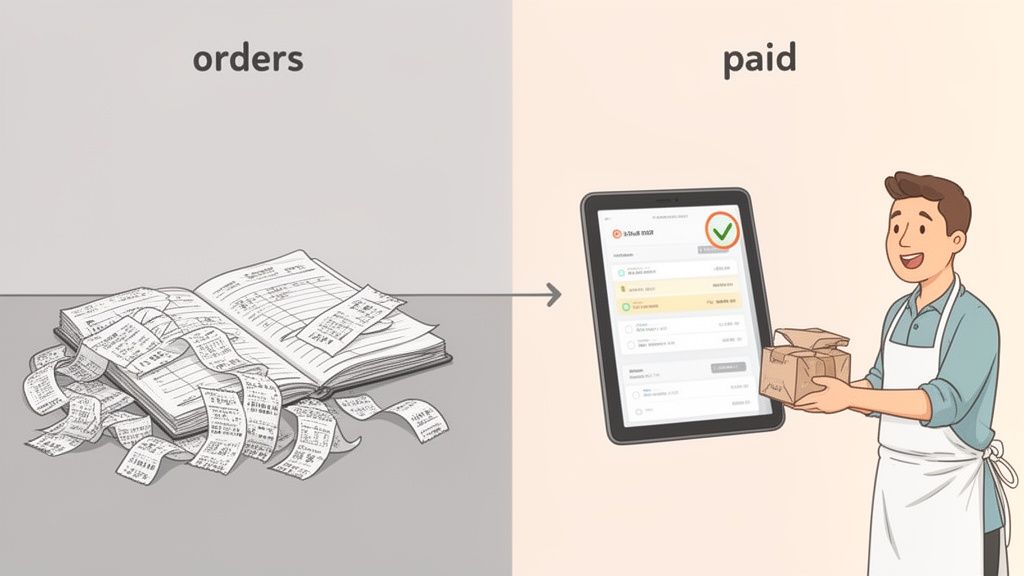
Imagine a local bakery that takes every order in a paper notebook. Sooner or later, an order gets lost, someone's handwriting is impossible to decipher, or tracking down who paid is a nightmare. Digital transformation for them could be something as straightforward as setting up an online ordering form. Instantly, orders are crystal clear, payments are handled upfront, and customers get a confirmation. That one change fixes a dozen little headaches.
It’s More Than Just Ditching Paper
While getting rid of paper clutter is a fantastic first step, true digital transformation goes deeper. It’s not about just scanning your old, inefficient paper forms and calling it a day. It’s about stepping back and asking a better question: "How can technology help us do this whole thing better, faster, and with fewer errors?"
This shift in thinking can show up in a lot of different ways:
- Automating Annoying Tasks: Instead of manually chasing clients for missing documents with follow-up emails, an automated system can send polite reminders for you.
- Upgrading Client Communication: A secure portal where clients can upload their files feels a world away from a messy, confusing email thread. It’s professional and simple.
- Creating a Single Source of Truth: Having all your client info in one organized place means you can stop digging through random spreadsheets and old folders.
For a small business, digital transformation isn't a massive, one-time revolution. It's a series of smart, targeted upgrades. The real power comes from the combined effect of these small changes, which add up to huge gains in efficiency and customer happiness.
A Focus on Fixing What's Broken
The most successful transformations start by pinpointing the biggest pain points in your business. Where is most of your time being wasted? Which tasks are always causing errors? What part of your service makes customers grumble?
For many professional services, the client onboarding and document collection process is a huge bottleneck. Manually requesting files, tracking what’s missing, and verifying everything takes up hours that you could be using to actually serve your clients. This is the perfect spot for a targeted digital fix. By using a tool to automate document requests and give clients a clear, simple way to submit them, you immediately look more professional and get back a huge chunk of your time. It's why learning how to streamline business processes is such a powerful starting point.
At the end of the day, that's what digital transformation is really about: making your business run like a well-oiled machine so you can get back to doing the work you love.
What Going Digital Actually Does for Your Business
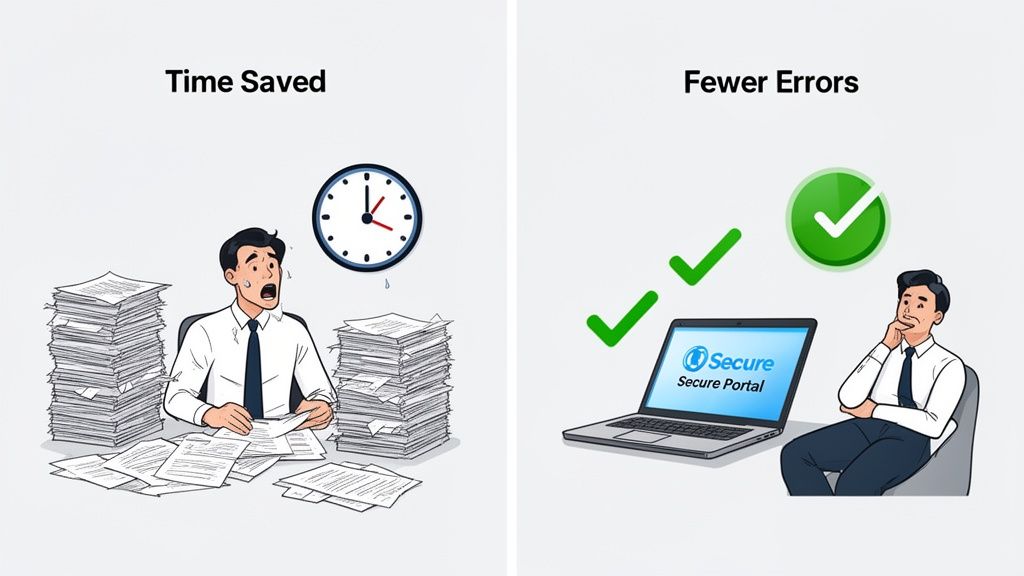
The idea of digital transformation for small businesses can sound a bit lofty, but the magic is in the real-world results. We're not talking about vague corporate goals here. We’re talking about practical, everyday wins that save you time, money, and a whole lot of headaches.
These benefits aren't isolated; they create a ripple effect across your entire operation, changing everything from how you get work done to how your customers see you.
So, let's get past the theory and look at what digital tools can actually do for you.
Make Your Operations Run Like a Well-Oiled Machine
Think about all the repetitive, manual chores that clog up your day. Chasing down clients for paperwork, typing the same information into three different spreadsheets, or digging through a messy inbox for one specific file—it all kills productivity. Digital tools are built to clear these roadblocks.
Take a small accounting firm in the middle of tax season. They used to waste hours emailing back and forth, reminding clients to send W-2s, receipts, and other forms. After setting up a simple client portal for document collection, their whole process changed.
- Before: The team lost hours every single week to manual follow-ups and trying to organize attachments from a flood of different emails.
- After: Now, the firm sends out one secure link. The system automatically keeps track of what’s missing and sends out polite reminders, which frees up the team to focus on actual accounting work.
A simple change like that can shrink a process that took weeks of nagging into just a few days. That’s efficiency you can feel.
Build a Professional Image and Earn Client Trust
First impressions count for a lot. When a new client comes on board, a clunky, disorganized experience can plant seeds of doubt before you’ve even started the real work. On the flip side, a smooth, professional, and secure digital process builds confidence right away.
Imagine a real estate agency collecting tenant applications. Asking people to email their private financial statements feels a bit shaky. But a branded, secure portal for submitting that sensitive info? That feels trustworthy and professional. It shows clients you take their security seriously and that you run a modern business.
A professional digital front door does more than just look good. It communicates competence, security, and a commitment to a modern client experience, setting you apart from competitors who are still stuck in the past.
The market for this stuff is exploding, expected to grow from $469.8 billion in 2020 to over $1 trillion by 2025. This isn't just hype. Digital platforms have been shown to boost lead generation by 57%, and automated systems can achieve conversion rates 3.2 times higher than manual efforts. Plus, they’re 84% more accurate. For any business drowning in paperwork—like immigration firms or mortgage brokers—automating document collection can slash processing times from weeks to days. If you want to dive deeper, you can explore more digital transformation statistics and trends to see the full picture.
Start Making Smarter, Data-Driven Decisions
When your work is scattered across paper files and random spreadsheets, trying to spot trends or make an informed decision is a shot in the dark. You're basically running on guesswork. Digital tools bring all your information into one place, turning that chaos into clarity.
With a digital system, you can instantly see which clients are dragging their feet on documents or which stage of your process is creating a bottleneck. This isn't just data for the sake of having it; it's intelligence you can act on. You can pinpoint the friction spots, make small tweaks that have a big impact, and constantly refine how you work.
This ability to adapt is a massive competitive advantage. When you can react quickly to what the market or your clients are telling you—because you have clear data to guide you—you're no longer just putting out fires. You're strategically steering your business toward growth.
Key Areas to Focus Your Digital Transformation Efforts
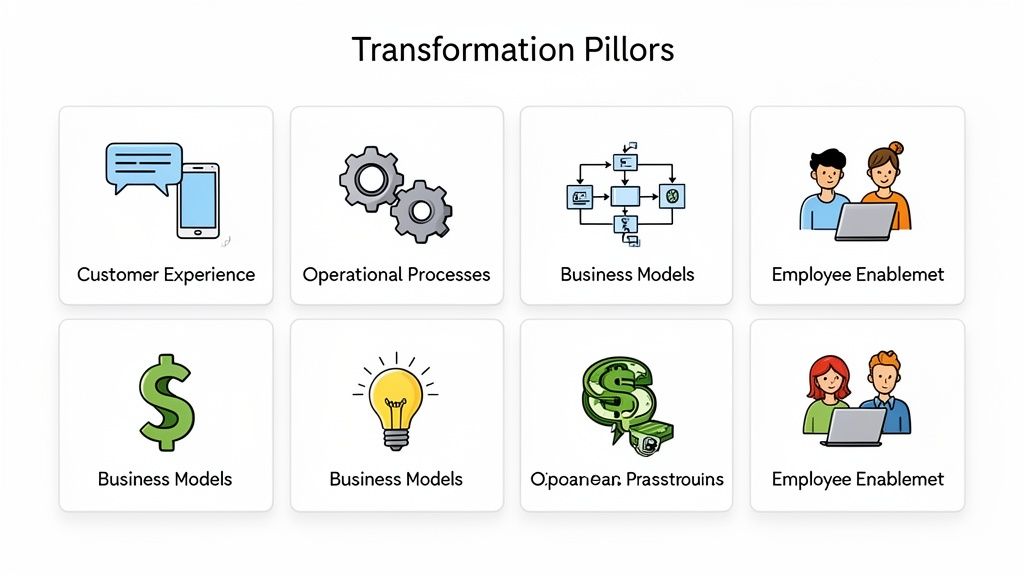
Starting a digital transformation for small businesses can feel like trying to boil the ocean. It's a huge concept, and it's easy to get lost wondering where to even begin. Instead of getting overwhelmed, the trick is to break it down into four distinct, manageable areas.
Think of these as the foundational pillars that will support your business's future. By channeling your energy into one or more of these pillars, you can make targeted changes that deliver a real impact without trying to do everything at once. This turns a scary-sounding goal into a clear, actionable plan.
Let's unpack these four core areas.
Upgrade Your Customer Experience
This is all about how people interact with your business. Today, customers expect things to be smooth, simple, and digital. A clunky, old-school process isn't just an inconvenience—it can be the very thing that sends a potential client straight to your competitor.
The goal is to make every touchpoint feel effortless. For instance, you could replace confusing email chains with a dedicated, branded client portal where they can upload documents securely. A small law firm can instantly look more professional by giving new clients a single, safe link to submit their intake forms and ID.
It's a small shift, but it shows you respect your client's time and builds trust from day one.
Modernize Your Operational Processes
Now let's look behind the curtain at the work that keeps your business running. This pillar is about tackling the repetitive, manual tasks that eat up your time and are magnets for human error. Digital tools can put these workflows on autopilot, freeing you and your team to focus on what really matters.
Think about the entire journey of a client project, from start to finish.
- Onboarding: You could automate document requests and reminders instead of manually chasing clients.
- Validation: Imagine a central dashboard to review files and track progress, rather than digging through your inbox.
- Storage: A smart system could organize client files automatically, making them easy to find whenever you need them.
Modernizing your operations means working smarter, not harder. A great starting point for many is a cloud-based document management system, which creates a secure, central hub for all your critical files.
Focusing on operational efficiency is often the fastest way to see a return on your digital investment. Every hour saved on admin is an hour you can spend growing your business.
Reinvent Your Business Model
Digital tools don't just improve what you already do—they can unlock entirely new ways of doing business. This pillar is about thinking creatively. It's about asking, "How could technology change what we offer or how we deliver it?"
For a small business, this doesn't have to mean a massive, disruptive pivot. A consultant who always met clients in person could start offering virtual advisory packages and suddenly reach a global audience. An accountant could create a subscription service for ongoing financial check-ins, building a whole new, predictable revenue stream.
The key is to explore how tech can help you serve your clients in new and better ways, potentially opening up markets you couldn't reach before.
Empower Your Employees
Your team is your most important asset, and digital transformation should make their jobs easier, not harder. This final pillar is all about giving your people the tools they need to be productive and collaborative, whether they're in the office or working from home.
This means giving them easy access to:
- Centralized Information: A single source of truth for all client data, so nobody is working with outdated files.
- Collaboration Tools: Platforms that let team members communicate and work on documents together in real-time.
- Automation Software: Tools that handle the tedious tasks, freeing them up for more strategic work.
When your team has the right tech in their corner, they're more engaged, more efficient, and better equipped to give your clients an amazing experience.
To bring it all together, think of these four pillars as a simple framework for planning your next move.
Four Pillars of Small Business Digital Transformation
| Pillar | Focus Area | Example for a Small Business |
|---|---|---|
| Customer Experience | Making every client interaction seamless and professional. | An accounting firm uses a secure client portal for document exchange instead of email. |
| Operational Processes | Automating repetitive, behind-the-scenes tasks to save time. | A marketing agency automates its client onboarding workflow, from contract to kick-off. |
| Business Model | Using technology to create new services or revenue streams. | A personal trainer starts offering on-demand virtual workout subscriptions. |
| Employee Enablement | Equipping your team with the tools to work effectively from anywhere. | A small consulting team uses a shared project management tool to track tasks and collaborate. |
By focusing on these specific areas, you can approach digital transformation with a clear, strategic mindset, ensuring your efforts lead to meaningful and sustainable growth for your business.
Your Step-by-Step Digital Transformation Roadmap
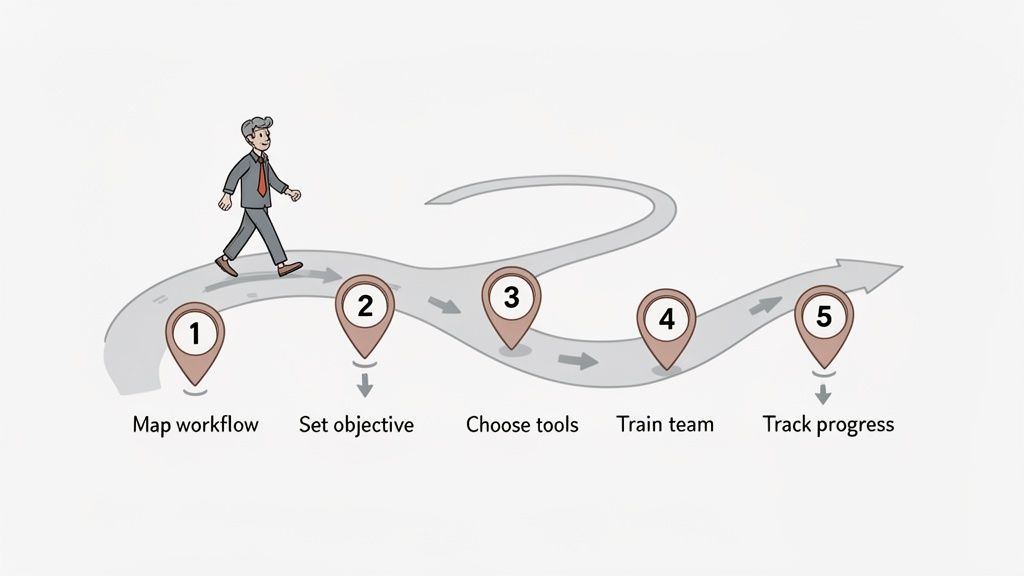
Knowing you need to make a change is one thing; actually making it happen is a completely different ballgame. A successful digital transformation for small businesses isn't about some massive, overnight overhaul. It's a journey you take one practical step at a time, with a clear map in hand.
This five-step roadmap is designed to guide you from that initial "we should do something" feeling to real, measurable results. It keeps things focused, effective, and built to last.
Step 1: Map Your Current Workflow
Before you can build a better system, you have to get honest about the one you have now. The first step is to simply observe your business in action. Grab a whiteboard or even just a notebook and trace how a project or client request moves from start to finish.
Where do things get stuck? What tasks make your team audibly groan? Be brutally honest here. Pinpoint every frustrating delay, every manual task that eats up time, and every confusing step for you or your clients. This isn’t about assigning blame; it’s about finding the pain points so you can fix them.
For instance, a marketing agency might discover that 40% of their project kickoff time is wasted just chasing down client files through a messy email chain. That’s a huge bottleneck and a perfect target for a new digital tool.
Step 2: Set Your Core Objective
With your workflow laid bare, it's time to set a specific, measurable goal. A vague ambition like "get more digital" is impossible to act on and even harder to measure. You need a clear target that directly solves one of the problems you just uncovered.
Think of it like putting a destination into your car's GPS. A solid objective becomes your North Star, guiding every decision you make from here on out. Your goal should be specific, measurable, and realistic.
Here are a few examples of strong objectives:
- Reduce client onboarding time from one week to 48 hours by the end of this quarter.
- Decrease document errors and missing information by 50% within six months.
- Automate 80% of manual follow-up emails for collecting documents.
A well-defined objective transforms your digital transformation from a fuzzy concept into a concrete mission. It gives you a clear finish line to aim for and a yardstick to measure your success.
Defining these goals often leads business owners to look into specific solutions. For many, the answer involves fixing how they handle paperwork. Understanding the principles of document workflow automation can be a game-changer in building a more efficient operation.
Step 3: Select the Right Technology
Now for the fun part: picking your tools. Because you have a clear objective, you can cut through all the marketing noise and find software that solves your actual problem. Don't get distracted by shiny features you'll never touch. You need to focus on what truly matters for a small business.
Your checklist should be practical and people-first. A World Economic Forum report noted that one in four small businesses find just implementing new tech to be a major hurdle. The trick is to pick tools that make life easier, not more complicated.
Look for technology that is:
- User-Friendly: Can your team figure it out quickly without needing a degree in computer science? The best tools feel intuitive from the get-go.
- Scalable: Will this tool grow with your business? Choose solutions with flexible plans so you aren't overpaying now but still have room to expand later.
- Integrates Well: Does it connect easily with the software you already use? Smooth integrations mean you aren't stuck manually moving information between systems.
Step 4: Engage and Train Your Team
The best tool in the world is just an expensive subscription if nobody uses it. Bringing your team on this journey isn’t an afterthought—it’s absolutely critical. People are naturally hesitant about change, so your job is to show them exactly how this new tech makes their jobs better.
Start by getting them involved in the selection process. When people have a say in the tools they’ll be using every day, they feel a sense of ownership. Frame the change as a solution to their biggest headaches, not just another rule from the top. "Hey, this new portal means you'll never have to send a 'just following up' email again."
Provide clear, hands-on training and be patient. Celebrate the small wins and point out early successes to build momentum. Once your team sees the benefits for themselves, getting them on board becomes much easier.
Step 5: Track Your Progress and Adapt
Your digital transformation doesn't end the day you launch a new tool. This last step is really a continuous loop: measure, learn, and adjust. It's all about making sure you're getting the value you expected.
Go back to that core objective you set in Step 2. Are you hitting your targets? Use the data from your new digital tools to see what’s working and what isn’t. Maybe your automated reminders need to be sent at a different time, or perhaps a quick training refresher could clear up a common mistake.
The key is to stay flexible. By regularly checking your results, you can make small tweaks that keep you on the right path, ensuring your digital efforts deliver real, lasting value.
Working Through the Common Roadblocks of Digital Transformation
Going digital is exciting, but let’s be honest—it’s rarely a straight line from A to B. Just like any major upgrade to your business, you're bound to hit a few bumps. The trick is knowing what they are ahead of time so you can navigate them without breaking a sweat.
The good news? You’re not the first to face these challenges. They're common, and the solutions are usually more about smart planning than massive effort. If you tackle them head-on, you'll build the resilience to see your digital vision become a reality.
How to Handle a Tight Budget
For any small business, cash flow is king. The idea of a huge tech investment can be enough to make you stick with the old, familiar (and inefficient) way of doing things. There's a persistent myth that digital transformation for small businesses has to be expensive, but that’s just not true anymore. The real key is to start small and aim for high-impact, low-cost wins.
Instead of trying to overhaul everything at once, find your single biggest headache. Is it chasing clients for documents? Drowning in manual data entry? Pinpoint that one issue and find a tool that solves that specific problem. Many modern software-as-a-service (SaaS) platforms are built for this exact approach.
Look for tools that make it easy to get started:
- Free Trials: You wouldn't buy a car without a test drive. Don't buy software without trying it in your actual workflow first.
- Tiered Pricing: Start with a basic plan that fits your budget today. You can always upgrade as your business grows and your needs change.
- A Clear Return on Investment: The right tool shouldn't feel like an expense. It should save you enough time and prevent enough headaches to easily justify its modest monthly cost.
Remember, the goal isn't to find the cheapest tool, but the one that delivers the most value. A small investment that saves your team ten hours a week pays for itself almost immediately.
Getting Your Team On Board with Change
You can have the best technology in the world, but it’s completely useless if your team won’t use it. Resistance is a totally normal human reaction. People worry that a new tool will be too complicated, that it might make their job redundant, or that it’s just one more thing they have to learn on top of an already busy schedule.
This is where clear, honest communication becomes your superpower. Don't just announce a new system. Frame it as a helper—a tool designed to get rid of the most boring, repetitive parts of their day. Better yet, involve them in the selection process. When people have a say in the decision, they feel a sense of ownership. Show them exactly how an automated system means less time chasing paperwork and more time doing the work that actually matters.
It's clear that small businesses want to go digital, but there's a disconnect. While 72% plan to spend more on cloud services by 2025, a tiny 12% of small and medium-sized businesses in major emerging markets are fully digitized. This gap between intention and action keeps businesses stuck in manual processes that waste time and invite errors. But by targeting these inefficiencies, you can leapfrog the competition—digitized operations can slash administrative overhead by up to 50% on document management alone. You can discover more insights about digital transformation progress and see where the opportunities lie.
Quieting Those Data Security Nerves
Handing over your company's and your clients' sensitive data to a third-party app can feel like a leap of faith. With cyber threats always in the headlines, security isn't just a nice-to-have feature; it's a fundamental requirement. Your clients trust you, and protecting their information is non-negotiable.
When you're looking at any new digital tool, make security your first checkpoint. Don't be afraid to ask tough questions and dig into a provider's security policies. Any reputable company will be completely transparent about how they protect your data.
At a minimum, look for these security essentials:
- Data Encryption: This ensures your data is scrambled and unreadable, both when it's being stored (at rest) and when it's being sent over the internet (in transit).
- GDPR Compliance: Even if you're not in Europe, compliance with the General Data Protection Regulation is a great sign that a company takes data privacy seriously.
- Secure Data Hosting: The platform should use well-known, reputable data centers (like Amazon Web Services or Microsoft Azure) that have their own world-class security.
By thinking through these common issues—budget, team buy-in, and security—you can dismantle the biggest barriers before they ever become real problems. This clears the runway for a much smoother digital takeoff, setting your business up for success.
Got Questions About Going Digital? We've Got Answers.
Stepping into the digital world can feel like a big move, and it’s natural to have questions. In fact, it's a great sign—it means you're thinking critically about what's best for your business.
Let’s walk through some of the most common questions we hear from small business owners just like you.
How Much Should a Small Business Budget for Going Digital?
This is the million-dollar question, but the answer isn't a single number. And honestly, that's a good thing because it puts you in control. The smartest way to start is to think small and targeted, not big and overwhelming.
Forget about a massive, one-time investment. Instead, pick one specific area that causes the most headaches—maybe it’s your clunky, time-sucking client intake process. Many of the best tools out there run on simple monthly subscriptions. You pay for what you need now and can easily upgrade as you grow. Think of it in terms of ROI: if a $50-a-month tool saves you 10 hours of admin work, it's already paying for itself.
Do I Need a Full-Blown IT Team to Make This Happen?
Absolutely not. The idea that you need a dedicated IT staff to manage business software is a thing of the past, especially for small businesses. Modern tools are built for the rest of us.
Look for platforms described as “no-code” or “low-code.” This is just a fancy way of saying they’re designed with intuitive, user-friendly interfaces—think drag-and-drop builders and ready-to-go templates. You’re an expert in your field, not a programmer. The right technology should work for you, not make you work for it.
The goal is to find technology that adapts to your business, not the other way around. Modern tools are designed to be powerful yet simple, empowering you to make changes without an IT background.
How Do I Get My Team on Board with New Technology?
Change can be tough, and getting your team excited about a new system is half the battle. The secret? Make them part of the process from the very beginning and show them how it makes their lives easier.
Here are a few tips that actually work:
- Ask for their opinion: Let your team sit in on demos or try out different tools. When they have a say in the decision, they're much more invested in its success.
- Answer the "What's in it for me?" question: Don't just talk about business goals. Explain how the new software gets rid of their most annoying tasks. For example, "This new client portal means you’ll never have to chase down missing paperwork by email again."
- Offer solid training: Nobody likes feeling lost. Provide clear, straightforward training sessions and give people time to get comfortable.
- Celebrate the wins: When the new system helps you land a client faster or smooths out a project, share that success with everyone. It builds momentum and proves the change was worth it.
Once your team sees the tech as a helping hand, you’ll see them embrace it without any pushing from you.
What's the Best First Step for My Business?
Start where it hurts the most. For most small service businesses, the biggest bottleneck is getting new clients set up and collecting all their documents. It’s often a messy, manual process that frustrates your team and your new customers.
Focus on digitizing that one area first. The payoff is immediate and easy to see. You instantly improve your client's first impression, free up a ton of administrative time, and cut down on errors from misplaced information. Nailing this first step proves the value of digital tools and makes it much easier to tackle your next project.
Ready to stop chasing documents and start streamlining your business? Superdocu provides a simple, secure, and professional way to automate your entire document collection process. Build your first workflow for free and see how easy it is to save time and impress your clients.